> ## Documentation Index
> Fetch the complete documentation index at: https://notes.kodekloud.com/llms.txt
> Use this file to discover all available pages before exploring further.
# Demo FIS Experiment After Metrics in X Ray and EC2 instances
> This article demonstrates using AWS FIS to test system resilience under disk saturation while monitoring metrics in AWS X-Ray and EC2 instances.
## Introduction
Kick off an [AWS Fault Injection Simulator (FIS) Experiment](https://docs.aws.amazon.com/fis/latest/userguide/what-is-fis.html) to validate your system’s resilience under disk saturation conditions. In this demo, we verify application availability and observe key metrics in [AWS X-Ray](https://aws.amazon.com/xray/) and [Amazon EC2](https://aws.amazon.com/ec2/).
Ensure your IAM role has the necessary FIS permissions and your EC2 instances are tagged for tracing with X-Ray.
## 1. Verifying Application Availability
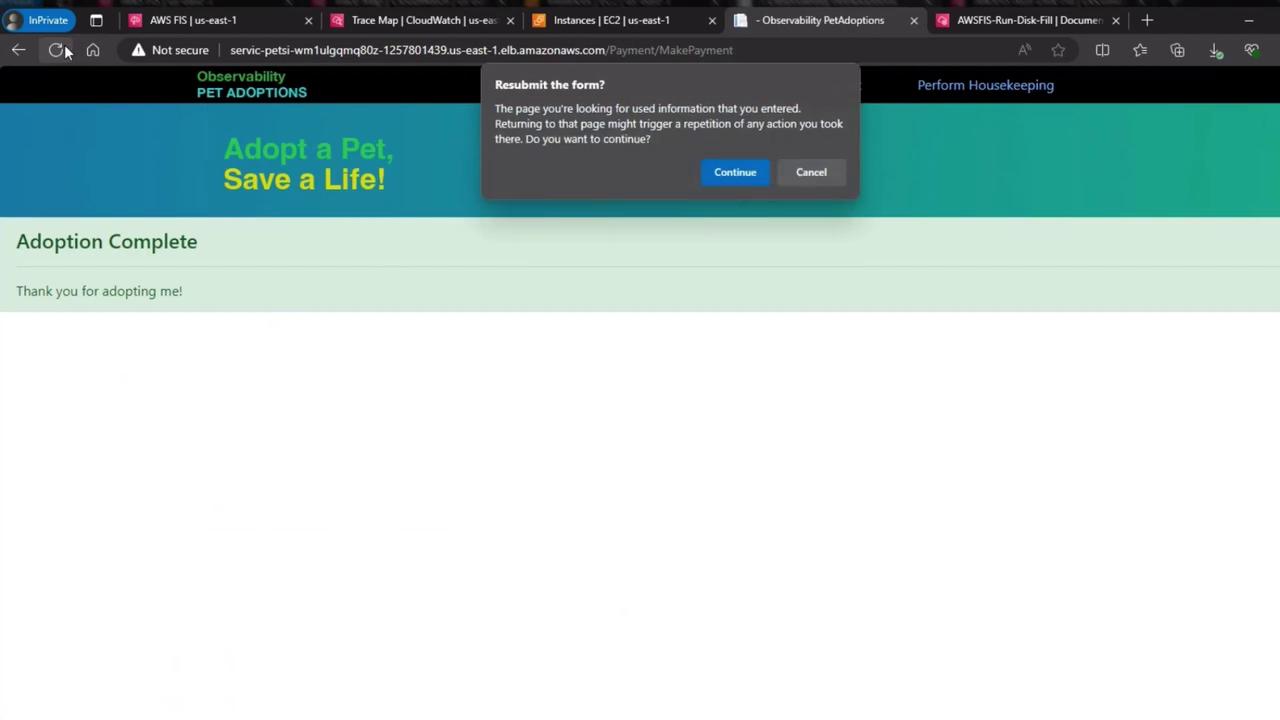
Immediately after triggering the disk fill fault, refresh the web interface to confirm the site remains fully functional:

All interactive elements, such as the “Take me home” buttons, continue responding without errors:
## 2. Injecting the Disk Fill Fault
We used the FIS [Disk Fill Test](https://docs.aws.amazon.com/fis/latest/userguide/faults-disk-fill.html) to fill up the root volume of instance “fc095”. Our hypothesis: the application remains highly available due to automatic failover.
## 3. Monitoring EC2 Metrics in CloudWatch
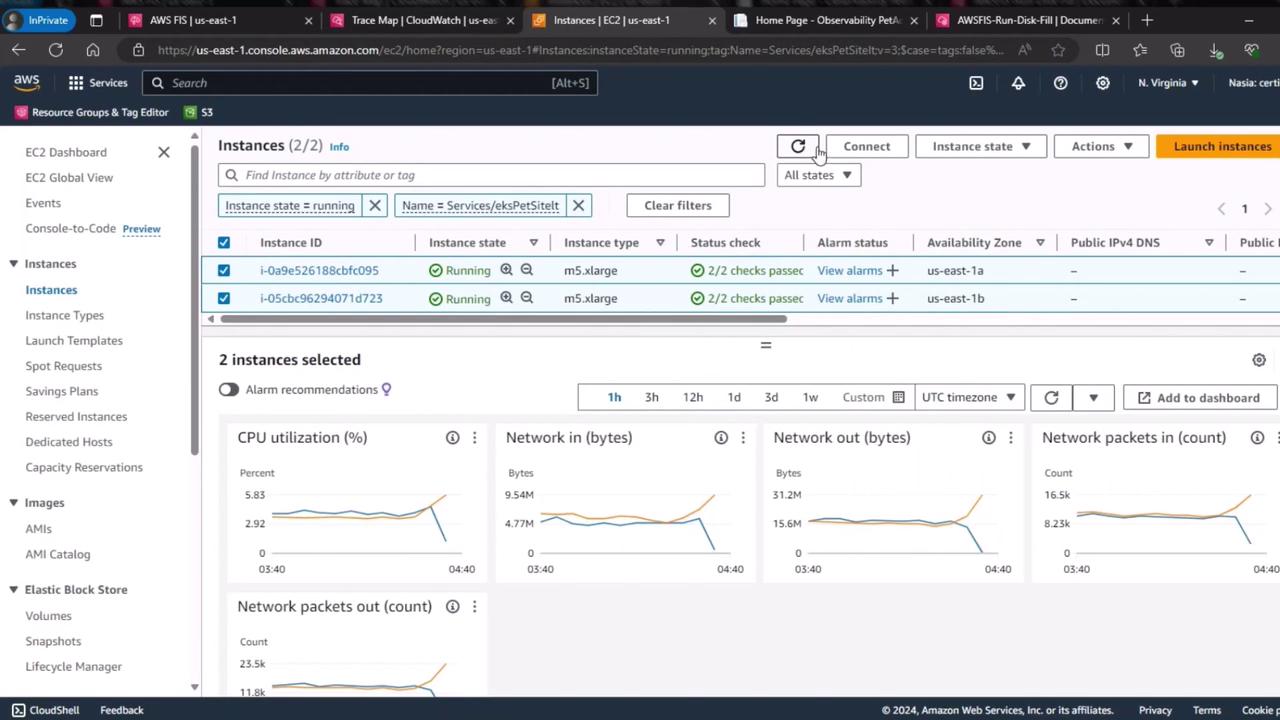
Head over to the EC2 dashboard and view the CloudWatch metrics for both instances:
### 3.1 CPU Utilization
The graph below shows CPU usage over time for both servers. Notice the divergence around 04:30 UTC:
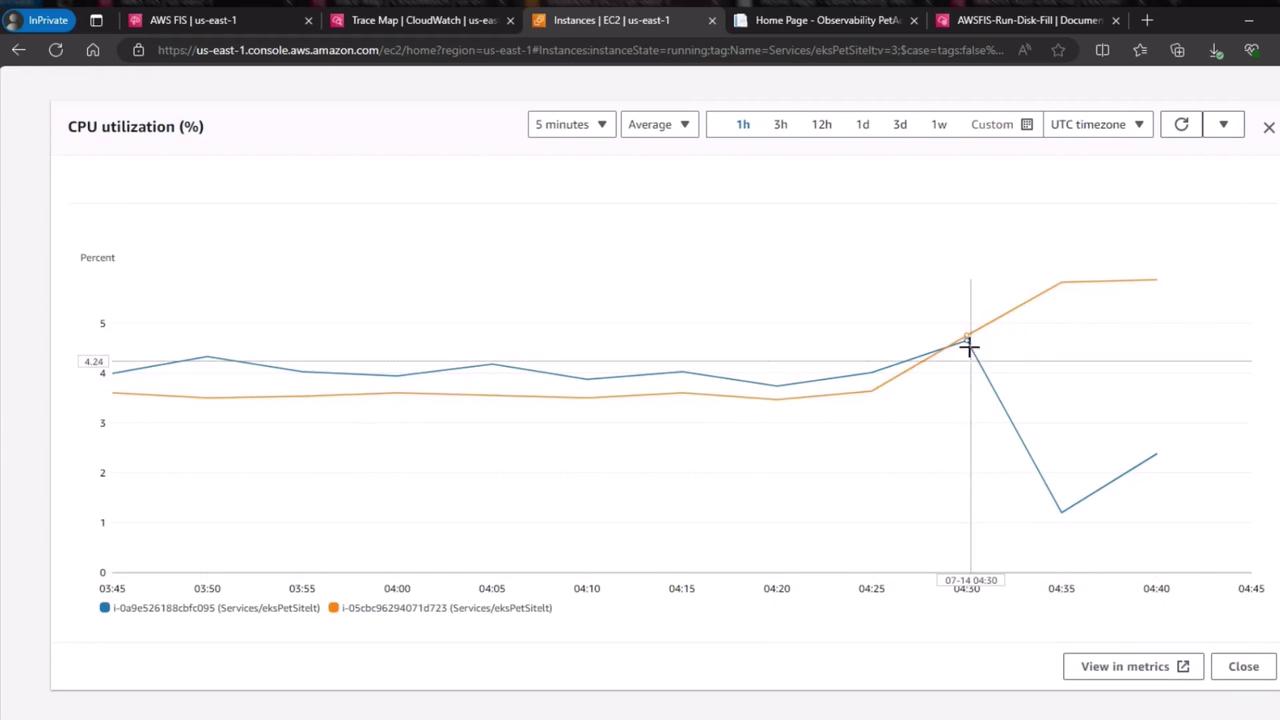
| Instance | Metric Behavior |
| ----------------- | ---------------------------------------- |
| fc095 (disk full) | CPU drops to near zero (idle state) |
| failover node | CPU increases (handling redirected load) |
### 3.2 Network Out
A similar trend appears in network throughput. The saturated disk instance goes idle, while the standby instance picks up traffic:
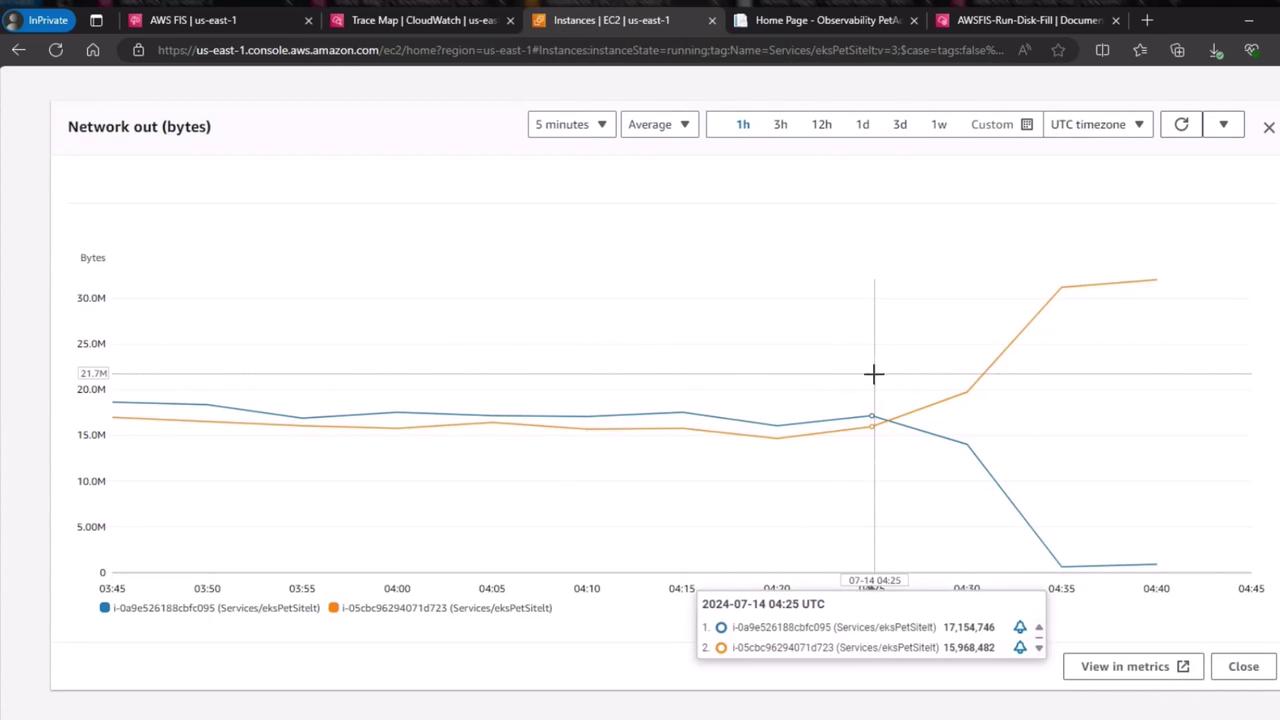
| Instance | Network Out Trend |
| ----------------- | ------------------------------- |
| fc095 (disk full) | Drops to \~0 bytes/sec |
| failover node | Spikes as requests are rerouted |
Always test fault injection in a staging environment before applying to production. Disk saturation can lead to data loss if not handled properly.
## Conclusion
This exercise demonstrates that our architecture withstands disk saturation without impacting user experience or performance. Leveraging AWS FIS, X-Ray tracing, and CloudWatch metrics ensures visibility and reliability in a chaos engineering workflow.
## References
* [AWS Fault Injection Simulator Documentation](https://docs.aws.amazon.com/fis/latest/userguide/)
* [AWS X-Ray](https://aws.amazon.com/xray/)
* [Amazon EC2](https://aws.amazon.com/ec2/)
* [AWS CloudWatch Metrics](https://docs.aws.amazon.com/cloudwatch/)