> ## Documentation Index
> Fetch the complete documentation index at: https://notes.kodekloud.com/llms.txt
> Use this file to discover all available pages before exploring further.
# Demo Memory Stress on EKS Part 3
> This tutorial guides creating an AWS FIS experiment to inject memory stress into a pod on Amazon EKS for resilience testing.
In this tutorial, you’ll create an AWS Fault Injection Simulator (FIS) experiment template that injects memory stress into a pod running on Amazon EKS. You will configure the fault action, define the target pods, and execute the experiment while monitoring performance in real time.
* An AWS account with administrative permissions
* An existing Amazon EKS cluster (e.g., `pet-site`)
* A Kubernetes service account IAM role with FIS permissions
* AWS FIS enabled in your account
## 1. Create the FIS Experiment Template
### 1.1 Configure Basic Settings
1. Sign in to the [AWS FIS console](https://console.aws.amazon.com/fis/) and go to **Experiment templates**.
2. Click **Create experiment template**.
3. Provide the following details:
* **Name:** EKS-Memory-Stress
* **Description:** Inject memory stress into pods on EKS for resilience testing
### 1.2 Add a Memory Stress Action
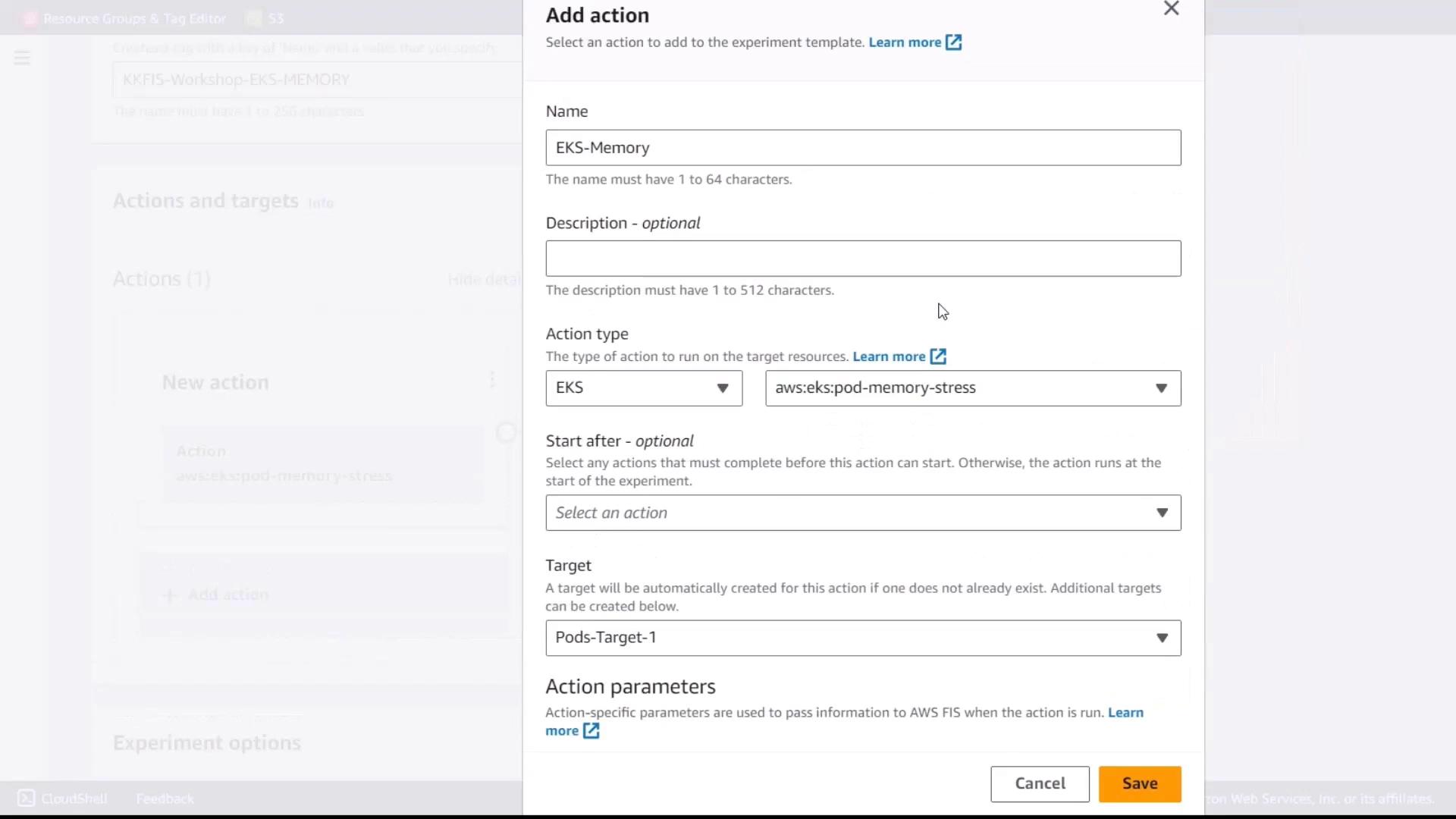
1. Under **Actions**, click **Add action**.
2. Set these parameters:
* **Action name:** eks-memory
* **Action type:** `aws:eks:inject-fault`
* **Fault action:** Pod Memory Stress
### 1.3 Specify Action Parameters
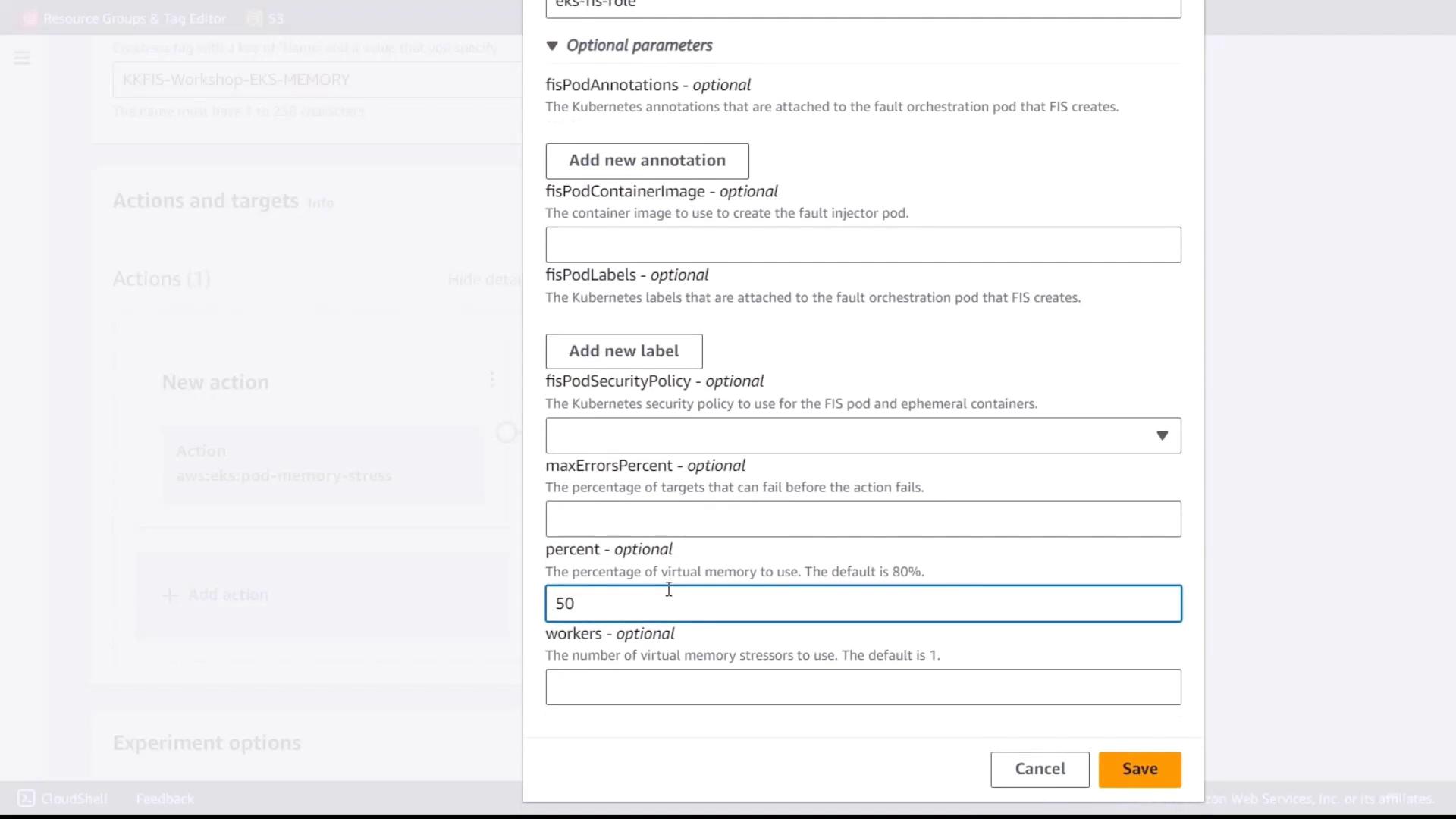
Configure the memory stress parameters:
| Parameter | Value |
| ---------- | ------------------------------------------- |
| Duration | `9 minutes` |
| Role | Kubernetes service account IAM role for FIS |
| Percentage | `50` |
Setting `Percentage` to 50 limits memory consumption to half of available memory on targeted pods.
## 2. Define the Target Pods
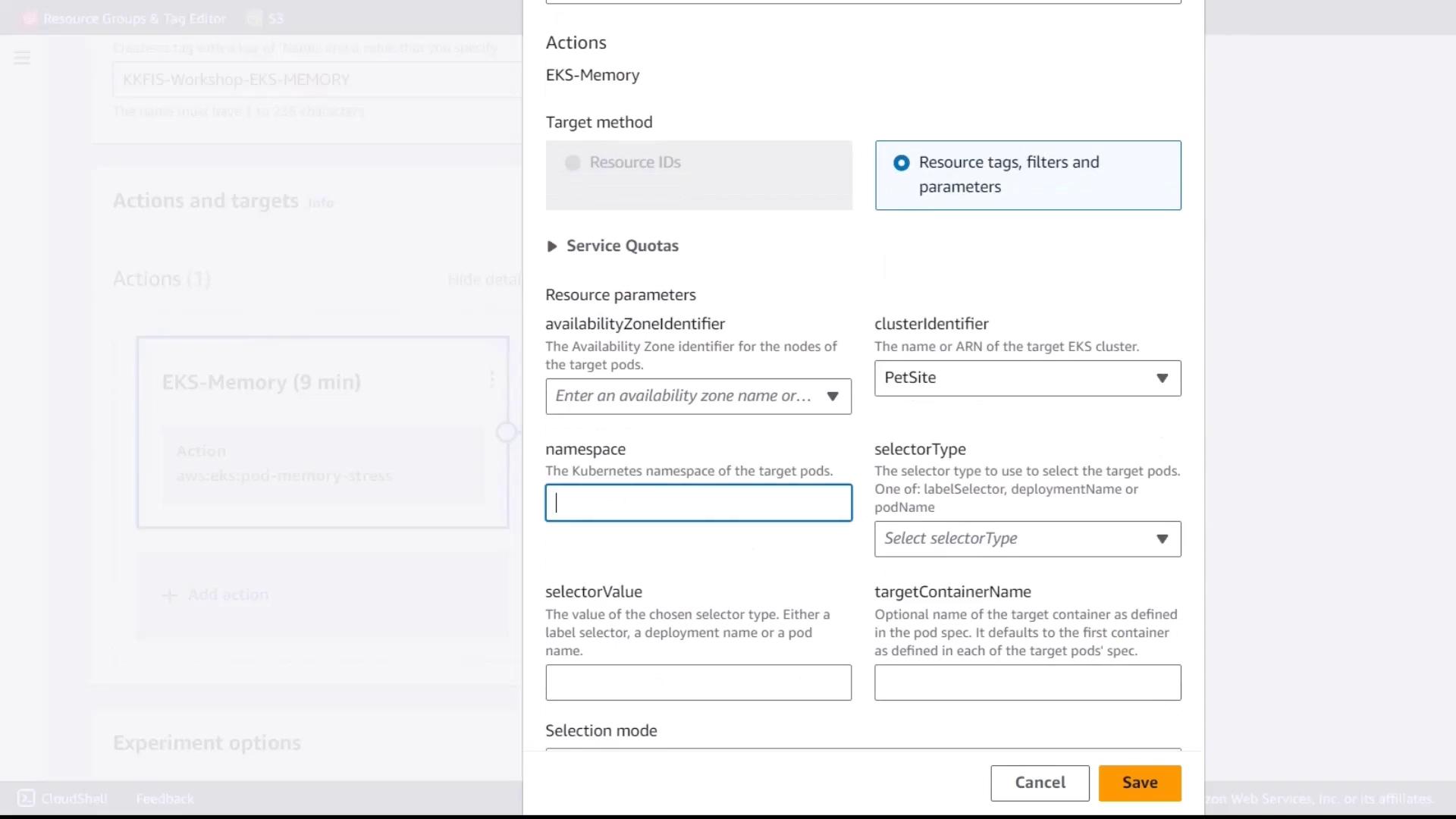
1. In the **Targets** section, click **Add target**.
2. Enter the following values:
* **Cluster:** `pet-site`
* **Namespace:** `default`
* **Selector type:** Label
* **Selector value:** `app=pet-site`
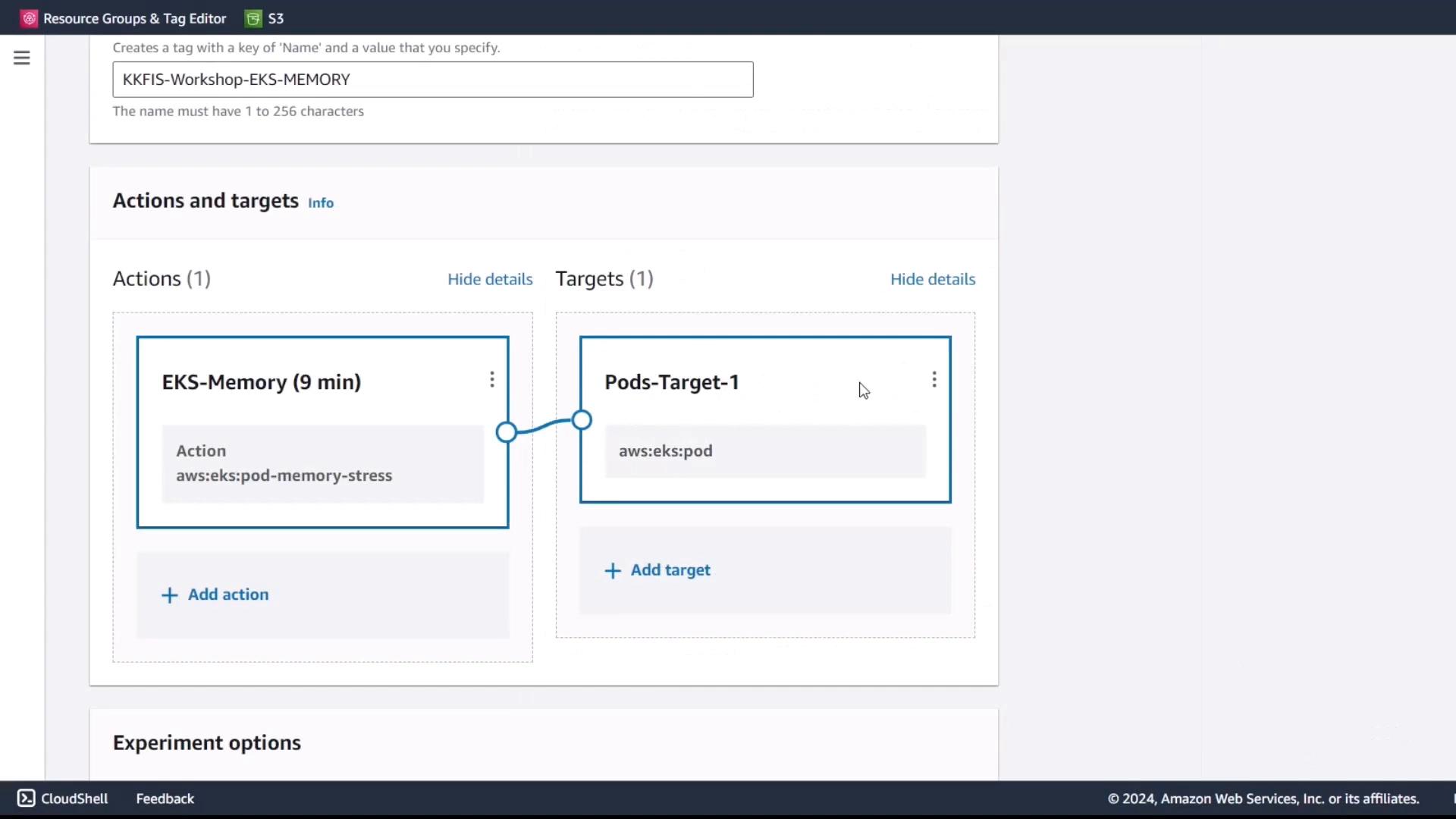
3. Review and save the target configuration.
## 3. Review and Create
1. Verify all settings:
* **Action:** `eks-memory` (Pod Memory Stress)
* **Target:** Pods labeled `app=pet-site` in the `default` namespace on `pet-site` cluster
2. Attach the experiment IAM role to allow publishing logs to CloudWatch.
3. Click **Create experiment template**.
## 4. Execute and Monitor the Experiment
1. From the **Experiment templates** list, select **EKS-Memory-Stress** and click **Start experiment**.
2. Let the experiment run for the configured duration (9 minutes).
3. Monitor performance metrics in:
* CloudWatch RUM
* EKS container performance dashboards
Compare metrics before, during, and after the memory stress injection to evaluate the resilience of your application.
## Links and References
* [AWS FIS Documentation](https://docs.aws.amazon.com/fis/)
* [Amazon EKS Documentation](https://docs.aws.amazon.com/eks/)
* [Kubernetes Portal](https://kubernetes.io/)