> ## Documentation Index
> Fetch the complete documentation index at: https://notes.kodekloud.com/llms.txt
> Use this file to discover all available pages before exploring further.
# How to Plan Your Experiment Part 2
> This article guides you through hypothesis creation, experiment design, execution, and analysis for running game day or Fault Injection Simulation experiments.
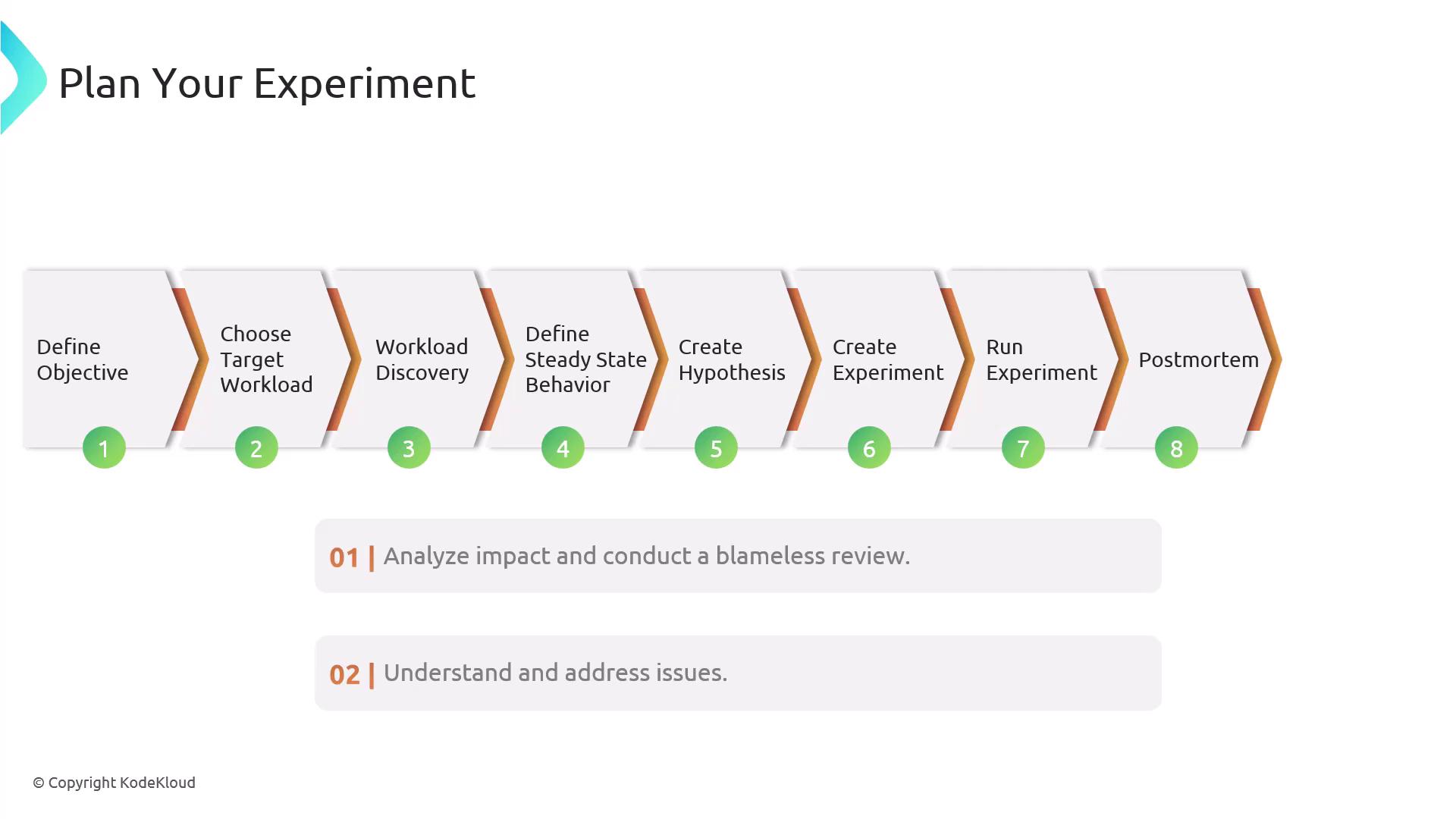
In Part 1, you defined objectives, selected workloads, and established a performance baseline. Now, we’ll guide you through the final steps—hypothesis creation, experiment design, execution, and analysis—so you can confidently run your game day or [Fault Injection Simulation (FIS)](https://docs.aws.amazon.com/fis/latest/userguide/what-is-fis.html) experiment.
## 6. Create Your Hypothesis
A well-defined hypothesis clarifies what you expect to happen when a fault is injected. To formulate it:
* Identify the **affected components**\
Pinpoint services, instances, or containers targeted by your fault injection.
* Describe the **expected behavior**\
Determine how your application should respond under fault conditions.
* Define **success metrics**\
Choose key indicators—latency, error rate, throughput—to validate resilience.
A precise hypothesis narrows your experiment’s scope and sets clear success criteria.
## 7. Design the Experiment
Use AWS FIS to control scope, duration, and safety checks. Configure the following:
| Configuration | Description | Example |
| ---------------- | ------------------------------------------------------------------- | ------------------------------------- |
| Target Resources | Apply tags to focus your fault injection on specific AWS resources. | Tag EC2 instances with `env=staging`. |
| Duration | Specify how long the fault remains active before auto rollback. | `PT5M` (5 minutes) |
| Stop Conditions | Define thresholds to abort the experiment if they’re violated. | CPU > 80% for 2 minutes |
These settings help you limit blast radius and maintain control throughout your test.
## 8. Run the Experiment
1. Start in **lower environments**\
Validate your hypothesis in development or staging before touching production.
Always begin in a non-production account or VPC to avoid unintended impact.
2. Validate resilience\
Monitor your application as the fault is injected. Check dashboards and alerts to ensure behavior aligns with your hypothesis.
3. Promote to production\
Once confirmed, rerun the experiment against production workloads with the same configuration.
4. Mark success\
A successful run demonstrates that your architecture can withstand the injected fault without violating SLAs.
## 9. Conduct a Post-Mortem
A structured post-mortem transforms insights into improvements:
| Step | Action |
| ----------------- | --------------------------------------------------------------------------------------------------- |
| Analyze Impact | Review logs, metrics, traces, and user experience during the experiment. |
| Blameless Review | Host a session focused on learning, not finger-pointing. |
| Document Findings | Update runbooks, architecture diagrams, and automation scripts based on lessons learned. |
| CI/CD Integration | Automate FIS experiments in your [CI/CD pipeline][ci-pipeline] to continuously validate resilience. |
Maintain a blameless culture in your post-mortems to encourage transparent learning and innovation.
***
## Links and References
* [AWS Fault Injection Simulator (FIS)](https://docs.aws.amazon.com/fis/latest/userguide/what-is-fis.html)
* [Continuous Delivery on Wikipedia](https://en.wikipedia.org/wiki/Continuous_delivery)
* [Chaos Engineering Principles](https://principlesofchaos.org/)
[ci-pipeline]: https://en.wikipedia.org/wiki/Continuous_delivery