> ## Documentation Index
> Fetch the complete documentation index at: https://notes.kodekloud.com/llms.txt
> Use this file to discover all available pages before exploring further.
# DemoAPI and Infrastructure Security
> Security audit of an Express.js demo API detailing findings, proofs, and minimal remediation for CORS, rate limiting, headers, request limits, secret management, and error handling.
This lesson documents the API and infrastructure security audit for an Express.js demo application (express-login-demo). It explains findings from an automated audit, provides concrete proof and minimal remediation code snippets, and links to resources for implementing fixes. If you run a public or internal API, apply layered security controls: CORS origin validation, request limits, secure secrets, HTTP security headers, and careful error handling.
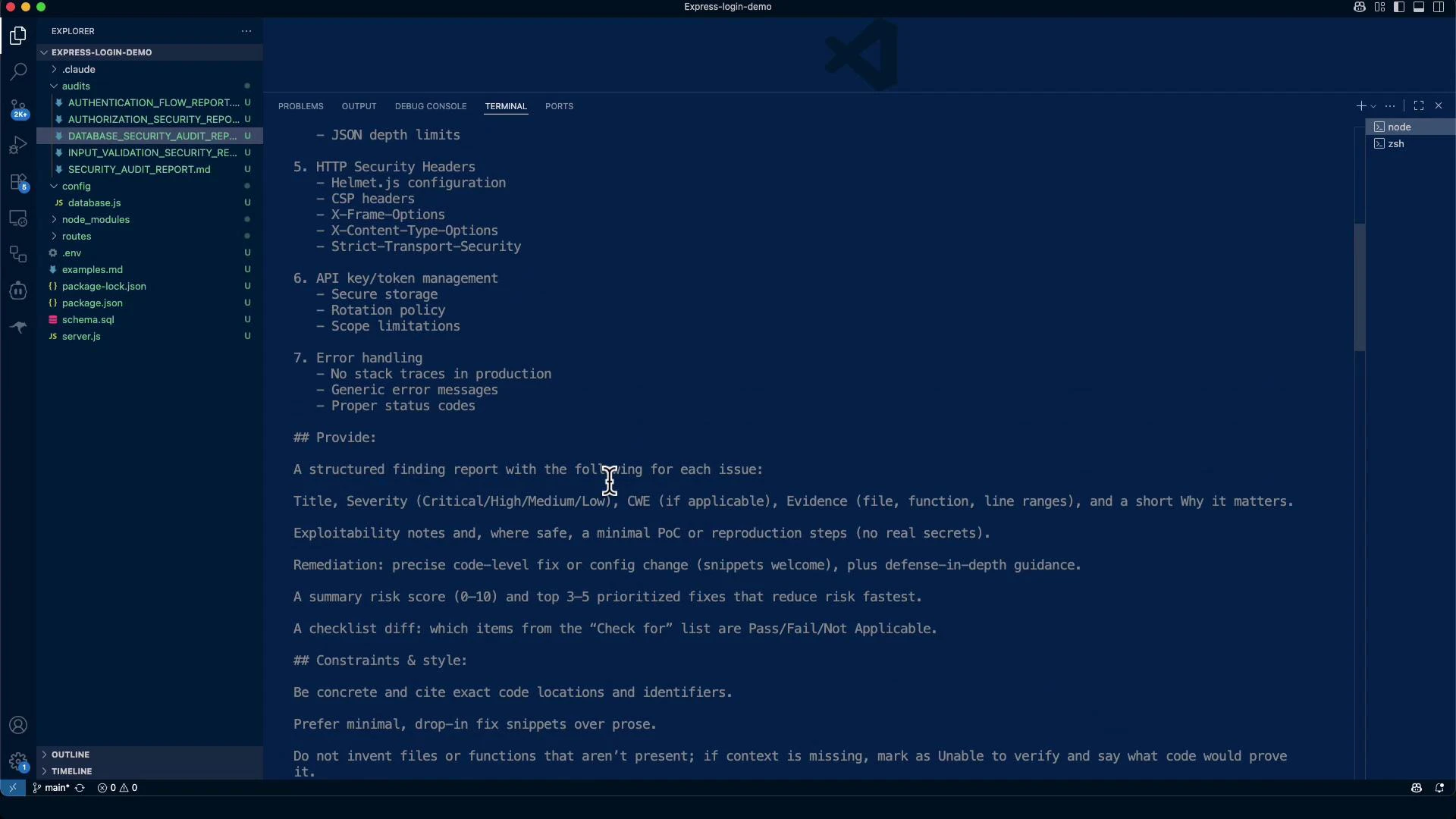
Below is the prompt used to drive the audit review and the checklist it produced. It defines the audit scope and the security areas inspected.
```text theme={null}
* Welcome to Claude Code!
/help for help, /status for your current setup
cwd: /Users/jeremy/Repos/Claude Code Course/Express-login-demo
> ## API & Infrastructure Security
Review API-specific security configurations.
Check for:
1. CORS configuration
- Not using wildcard (*) in production
- Proper origin validation
- Credentials handling
2. Rate Limiting
- Implemented on all endpoints
- Different limits for different operations
- Distributed rate limiting for scaled apps
3. API Versioning security
- Deprecated version handling
- Breaking change management
4. Request size limits
- Body parser limits
- File upload restrictions
- JSON depth limits
5. HTTP Security Headers
- Helmet.js configuration
- CSP headers
- X-Frame-Options
- X-Content-Type-Options
- Strict-Transport-Security
6. API key/token management
- Secure storage
- Rotation policy
- Scope limitations
7. Error handling
- No stack traces in production
- Generic error messages
- Proper status codes
## Provide:
A structured finding report with the following for each issue:
- Concrete code locations and identifiers
- Minimal, drop-in fix snippets over prose
- If context is missing, mark as Unable to verify and state what code would prove it
- Write this into a markdown file and place it in the audits/ folder.
```
Audit checklist (consolidated)
* CORS: avoid wildcards in production, validate origins, handle credentials
* Rate limiting: per-endpoint controls, stricter auth limits, distributed strategies for scale
* API versioning: route and deprecate old versions safely
* Request size limits: body parser limits, file upload limits, JSON depth
* HTTP security headers: Helmet, CSP, X-Frame-Options, X-Content-Type-Options, HSTS
* Secrets management: secure storage, rotation, proper key sizes
* Error handling: no stack traces to clients, structured server-side logging
Constraints & style (from audit prompt):
* Cite exact code locations and identifiers.
* Prefer minimal, drop-in fix snippets over prose.
* If evidence is missing, mark as Unable to verify and state what code would prove compliance.
* The audit output should be written to audits/API\_INFRASTRUCTURE\_SECURITY\_AUDIT.md.
 ## Executive scan summary (automated outputs)
Searches and scans during the audit produced these examples:
```text theme={null}
Search(pattern: "console\.log|console\.error|console\.warn", output_mode: "content")
└ Found 725 lines (ctrl+r to expand)
Search(pattern: "stack|trace", glob: "routes/*.js", output_mode: "content")
└ Found 0 lines
```
The audit wrote a report file:
```text theme={null}
Write(audits/API_INFRASTRUCTURE_SECURITY_AUDIT.md)
└ Wrote 379 lines to audits/API_INFRASTRUCTURE_SECURITY_AUDIT.md
```
Executive summary (excerpt) — high-level critical issues identified:
* Missing or permissive CORS configuration
* No rate limiting on authentication endpoints
* Missing security headers (CSP, X-Frame-Options, HSTS)
* No request size limits
* Weak JWT secret management (hardcoded/short secrets)
* Verbose error messages or logs that may disclose sensitive info
Below are detailed findings, evidence, PoCs, and minimal remediation snippets.
## Detailed Findings, PoCs, and Minimal Remediations
### 🔴 CRITICAL: Missing or Permissive CORS Configuration
* Severity: Critical
* CWE: CWE-346 (Origin Validation Error)
* Evidence: server.js — No CORS configuration present or CORS set to wildcard (\*)
* Rationale: Without origin validation, browsers may allow cross-origin requests that leak data or enable CSRF-style attacks.
PoC (malicious page that issues an unauthorized API request):
```html theme={null}
```
Minimal remediation (drop-in using the cors package):
```javascript theme={null}
// server.js (or your main app file)
const cors = require('cors');
const whitelist = ['https://your-frontend.example.com']; // set via env in production
app.use(cors({
origin: function (origin, callback) {
if (!origin) return callback(null, true); // allow non-browser (curl, server-to-server)
if (whitelist.indexOf(origin) !== -1) {
callback(null, true);
} else {
callback(new Error('Not allowed by CORS'));
}
},
credentials: true,
optionsSuccessStatus: 200
}));
```
Configuration notes:
* Use environment variables for different environments (development, staging, production).
* Avoid '\*' in production. If you must support many origins, use a dynamic allowlist backed by config.
### 🔴 CRITICAL: No Rate Limiting on Sensitive Endpoints
* Severity: Critical
* Evidence: No express-rate-limit or equivalent middleware applied to auth endpoints (e.g., /api/auth/login)
* Rationale: Without limits, login endpoints are susceptible to brute force and credential stuffing.
PoC (brute-force loop — run only in safe test environments):
```bash theme={null}
for i in {1..1000}; do
curl -s -o /dev/null -w "%{http_code}\n" -X POST http://localhost:3000/api/auth/login \
-H "Content-Type: application/json" \
-d "{\"email\":\"victim@test.com\",\"password\":\"guess$i\"}"
done
```
Minimal remediation using express-rate-limit:
```javascript theme={null}
// server.js or routes/auth.js
const rateLimit = require('express-rate-limit');
const loginLimiter = rateLimit({
windowMs: 15 * 60 * 1000, // 15 minutes
max: 5, // limit each IP to 5 attempts per window
message: { error: 'Too many login attempts, please try again later' },
standardHeaders: true,
legacyHeaders: false,
handler: (req, res) => {
res.status(429).json({
error: 'Too many login attempts',
retryAfter: 15 * 60 // seconds
});
}
});
// Apply to login route
app.use('/api/auth/login', loginLimiter);
```
For scaled systems, configure a shared store (Redis) as the rate limiter store.
### 🔴 CRITICAL: Missing HTTP Security Headers
* Severity: Critical
* CWE: CWE-693 (Protection Mechanism Failure)
* Evidence: server.js — No Helmet or other security header middleware present
* Rationale: Missing headers enable clickjacking, XSS, MIME sniffing, and downgrade attacks.
Minimal remediation using Helmet:
```javascript theme={null}
// server.js
const helmet = require('helmet');
app.use(helmet({
contentSecurityPolicy: {
directives: {
defaultSrc: ["'self'"],
scriptSrc: ["'self'"],
styleSrc: ["'self'"], // minimize 'unsafe-inline' in production
imgSrc: ["'self'"],
fontSrc: ["'self'"]
}
},
crossOriginEmbedderPolicy: false // set to true only if needed by your app
}));
// HSTS: only enable after ensuring HTTPS is served in production
app.use(helmet.hsts({
maxAge: 63072000, // 2 years
includeSubDomains: true,
preload: true
}));
```
Testing tip: Use curl to validate header presence:
```bash theme={null}
curl -I https://your-site.example.com | grep -E "(X-Frame-Options|Content-Security-Policy|X-Content-Type-Options|Strict-Transport-Security)"
```
### 🔴 HIGH: Missing Request Size Limits
* Severity: High
* Evidence: Body parsers used without explicit limits (server.js)
* Rationale: Large or deeply nested payloads can cause memory exhaustion or DoS.
PoC (large field DoS):
```bash theme={null}
curl -X POST http://localhost:3000/api/auth/login \
-H "Content-Type: application/json" \
-d "{\"email\":\"test@test.com\",\"password\":\"$(python3 -c "print('x'*5000000)")\"}"
```
Minimal remediation (use Express parsers with limits):
```javascript theme={null}
// server.js
app.use(express.json({
limit: '10mb',
strict: true,
type: 'application/json'
}));
app.use(express.urlencoded({
limit: '10mb',
extended: false,
parameterLimit: 1000
}));
```
For file uploads use multer or similar with explicit size/type checks.
### 🔴 HIGH: Weak JWT Secret Management
* Severity: High
* Evidence: Hardcoded or short JWT signing secret found OR unable to verify secure secret storage
* Rationale: Weak/committed secrets allow token forging and unauthorized access.
Remediation guidance:
* Do not hardcode secrets in repo. Use environment variables or a secret manager (HashiCorp Vault, AWS Secrets Manager).
* Use long, random secrets for HMAC (>= 64 chars) or prefer RS256 with proper key management and rotation.
Example (use env var):
```javascript theme={null}
// auth.js
const jwt = require('jsonwebtoken');
const jwtSecret = process.env.JWT_SECRET;
if (!jwtSecret) {
throw new Error('JWT_SECRET is not set');
}
const token = jwt.sign({ userId: user.id }, jwtSecret, { expiresIn: '1h' });
```
### ● MEDIUM: Information Disclosure in Error Handling / Logging
* Severity: Medium
* Evidence: Verbose logs or stack traces returned to clients and/or logged with sensitive data
* Rationale: Stack traces or sensitive information in responses assist attackers with reconnaissance.
Remediation (structured logging and sanitized client responses):
```javascript theme={null}
// logger.js
const winston = require('winston');
const logger = winston.createLogger({
level: 'info',
transports: [new winston.transports.Console()]
});
module.exports = logger;
// error handler
app.use((err, req, res, next) => {
logger.error('Unhandled error', {
message: err.message,
requestId: req.id,
userAgent: req.get('User-Agent'),
ip: req.ip
});
res.status(500).json({ error: 'Internal server error' });
});
```
Best practice:
* Return generic messages to clients.
* Log detailed diagnostics server-side with restricted access.
## Security Checklist Results (summary)
| Security Control | Status | Comment |
| --------------------------------------- | ------: | ------------------------------------------------------------------------ |
| CORS configuration | FAIL | No origin validation or wildcard present |
| Rate limiting on endpoints | FAIL | No rate limiting on auth endpoints |
| Rate limiting for distributed scaling | N/A | Single-instance app (no shared store configured) |
| API versioning security | FAIL | No versioning strategy observed |
| Request size limits | FAIL | Body parsers lack explicit limits |
| HTTP security headers (Helmet/CSP/HSTS) | FAIL | Missing security headers |
| API key/token management | FAIL | Weak/committed secrets found or not verifiable |
| Error handling | PARTIAL | Errors logged; ensure no sensitive data and no stack traces in responses |
## Risk Assessment & Prioritized Remediation Plan
Overall risk: 8.5 / 10 (High)
Top priority (within 24 hours)
1. Replace hardcoded/weak JWT secrets with secure secrets or secret manager
2. Implement rate limiting on authentication/login endpoints
3. Add security headers via Helmet (enable HSTS only when HTTPS is confirmed)
Short term (within 1 week)
4\. Configure CORS origin whitelist for production
5\. Enforce request size limits for JSON and URL-encoded parsers
6\. Remove stack traces from HTTP responses and centralize safe logging
Medium term (within 1 month)
7\. Add API versioning and deprecation strategy
8\. Add automated security tests and continuous scanning
9\. Implement distributed rate limiting with Redis if scaling
## Proof-of-Concept Tests (examples)
* Check security headers:
```bash theme={null}
curl -I http://localhost:3000/ | grep -E "(X-Frame-Options|Content-Security-Policy|X-Content-Type-Options|Strict-Transport-Security)"
```
* Test rate limiter response:
```bash theme={null}
# After applying rate limiter to /api/auth/login, send more than limit
curl -X POST http://localhost:3000/api/auth/login \
-H "Content-Type: application/json" \
-d '{"email":"test@test.com","password":"wrong"}'
# Expect 429 after limit reached
```
## Notes on audit verifiability
* The audit inspected server.js, files under routes/, and configuration files. If files or identifiers were missing, the audit marked them as Unable to verify and included the code that would prove compliance.
* The complete audit report is saved as audits/API\_INFRASTRUCTURE\_SECURITY\_AUDIT.md (379 lines) with concrete findings, exact code locations, PoC tests, and remediation snippets.
Prioritize quick mitigations (rate limiting, security headers, and secrets) before public deployment. These reduce the largest immediate attack surface.
## Executive scan summary (automated outputs)
Searches and scans during the audit produced these examples:
```text theme={null}
Search(pattern: "console\.log|console\.error|console\.warn", output_mode: "content")
└ Found 725 lines (ctrl+r to expand)
Search(pattern: "stack|trace", glob: "routes/*.js", output_mode: "content")
└ Found 0 lines
```
The audit wrote a report file:
```text theme={null}
Write(audits/API_INFRASTRUCTURE_SECURITY_AUDIT.md)
└ Wrote 379 lines to audits/API_INFRASTRUCTURE_SECURITY_AUDIT.md
```
Executive summary (excerpt) — high-level critical issues identified:
* Missing or permissive CORS configuration
* No rate limiting on authentication endpoints
* Missing security headers (CSP, X-Frame-Options, HSTS)
* No request size limits
* Weak JWT secret management (hardcoded/short secrets)
* Verbose error messages or logs that may disclose sensitive info
Below are detailed findings, evidence, PoCs, and minimal remediation snippets.
## Detailed Findings, PoCs, and Minimal Remediations
### 🔴 CRITICAL: Missing or Permissive CORS Configuration
* Severity: Critical
* CWE: CWE-346 (Origin Validation Error)
* Evidence: server.js — No CORS configuration present or CORS set to wildcard (\*)
* Rationale: Without origin validation, browsers may allow cross-origin requests that leak data or enable CSRF-style attacks.
PoC (malicious page that issues an unauthorized API request):
```html theme={null}
```
Minimal remediation (drop-in using the cors package):
```javascript theme={null}
// server.js (or your main app file)
const cors = require('cors');
const whitelist = ['https://your-frontend.example.com']; // set via env in production
app.use(cors({
origin: function (origin, callback) {
if (!origin) return callback(null, true); // allow non-browser (curl, server-to-server)
if (whitelist.indexOf(origin) !== -1) {
callback(null, true);
} else {
callback(new Error('Not allowed by CORS'));
}
},
credentials: true,
optionsSuccessStatus: 200
}));
```
Configuration notes:
* Use environment variables for different environments (development, staging, production).
* Avoid '\*' in production. If you must support many origins, use a dynamic allowlist backed by config.
### 🔴 CRITICAL: No Rate Limiting on Sensitive Endpoints
* Severity: Critical
* Evidence: No express-rate-limit or equivalent middleware applied to auth endpoints (e.g., /api/auth/login)
* Rationale: Without limits, login endpoints are susceptible to brute force and credential stuffing.
PoC (brute-force loop — run only in safe test environments):
```bash theme={null}
for i in {1..1000}; do
curl -s -o /dev/null -w "%{http_code}\n" -X POST http://localhost:3000/api/auth/login \
-H "Content-Type: application/json" \
-d "{\"email\":\"victim@test.com\",\"password\":\"guess$i\"}"
done
```
Minimal remediation using express-rate-limit:
```javascript theme={null}
// server.js or routes/auth.js
const rateLimit = require('express-rate-limit');
const loginLimiter = rateLimit({
windowMs: 15 * 60 * 1000, // 15 minutes
max: 5, // limit each IP to 5 attempts per window
message: { error: 'Too many login attempts, please try again later' },
standardHeaders: true,
legacyHeaders: false,
handler: (req, res) => {
res.status(429).json({
error: 'Too many login attempts',
retryAfter: 15 * 60 // seconds
});
}
});
// Apply to login route
app.use('/api/auth/login', loginLimiter);
```
For scaled systems, configure a shared store (Redis) as the rate limiter store.
### 🔴 CRITICAL: Missing HTTP Security Headers
* Severity: Critical
* CWE: CWE-693 (Protection Mechanism Failure)
* Evidence: server.js — No Helmet or other security header middleware present
* Rationale: Missing headers enable clickjacking, XSS, MIME sniffing, and downgrade attacks.
Minimal remediation using Helmet:
```javascript theme={null}
// server.js
const helmet = require('helmet');
app.use(helmet({
contentSecurityPolicy: {
directives: {
defaultSrc: ["'self'"],
scriptSrc: ["'self'"],
styleSrc: ["'self'"], // minimize 'unsafe-inline' in production
imgSrc: ["'self'"],
fontSrc: ["'self'"]
}
},
crossOriginEmbedderPolicy: false // set to true only if needed by your app
}));
// HSTS: only enable after ensuring HTTPS is served in production
app.use(helmet.hsts({
maxAge: 63072000, // 2 years
includeSubDomains: true,
preload: true
}));
```
Testing tip: Use curl to validate header presence:
```bash theme={null}
curl -I https://your-site.example.com | grep -E "(X-Frame-Options|Content-Security-Policy|X-Content-Type-Options|Strict-Transport-Security)"
```
### 🔴 HIGH: Missing Request Size Limits
* Severity: High
* Evidence: Body parsers used without explicit limits (server.js)
* Rationale: Large or deeply nested payloads can cause memory exhaustion or DoS.
PoC (large field DoS):
```bash theme={null}
curl -X POST http://localhost:3000/api/auth/login \
-H "Content-Type: application/json" \
-d "{\"email\":\"test@test.com\",\"password\":\"$(python3 -c "print('x'*5000000)")\"}"
```
Minimal remediation (use Express parsers with limits):
```javascript theme={null}
// server.js
app.use(express.json({
limit: '10mb',
strict: true,
type: 'application/json'
}));
app.use(express.urlencoded({
limit: '10mb',
extended: false,
parameterLimit: 1000
}));
```
For file uploads use multer or similar with explicit size/type checks.
### 🔴 HIGH: Weak JWT Secret Management
* Severity: High
* Evidence: Hardcoded or short JWT signing secret found OR unable to verify secure secret storage
* Rationale: Weak/committed secrets allow token forging and unauthorized access.
Remediation guidance:
* Do not hardcode secrets in repo. Use environment variables or a secret manager (HashiCorp Vault, AWS Secrets Manager).
* Use long, random secrets for HMAC (>= 64 chars) or prefer RS256 with proper key management and rotation.
Example (use env var):
```javascript theme={null}
// auth.js
const jwt = require('jsonwebtoken');
const jwtSecret = process.env.JWT_SECRET;
if (!jwtSecret) {
throw new Error('JWT_SECRET is not set');
}
const token = jwt.sign({ userId: user.id }, jwtSecret, { expiresIn: '1h' });
```
### ● MEDIUM: Information Disclosure in Error Handling / Logging
* Severity: Medium
* Evidence: Verbose logs or stack traces returned to clients and/or logged with sensitive data
* Rationale: Stack traces or sensitive information in responses assist attackers with reconnaissance.
Remediation (structured logging and sanitized client responses):
```javascript theme={null}
// logger.js
const winston = require('winston');
const logger = winston.createLogger({
level: 'info',
transports: [new winston.transports.Console()]
});
module.exports = logger;
// error handler
app.use((err, req, res, next) => {
logger.error('Unhandled error', {
message: err.message,
requestId: req.id,
userAgent: req.get('User-Agent'),
ip: req.ip
});
res.status(500).json({ error: 'Internal server error' });
});
```
Best practice:
* Return generic messages to clients.
* Log detailed diagnostics server-side with restricted access.
## Security Checklist Results (summary)
| Security Control | Status | Comment |
| --------------------------------------- | ------: | ------------------------------------------------------------------------ |
| CORS configuration | FAIL | No origin validation or wildcard present |
| Rate limiting on endpoints | FAIL | No rate limiting on auth endpoints |
| Rate limiting for distributed scaling | N/A | Single-instance app (no shared store configured) |
| API versioning security | FAIL | No versioning strategy observed |
| Request size limits | FAIL | Body parsers lack explicit limits |
| HTTP security headers (Helmet/CSP/HSTS) | FAIL | Missing security headers |
| API key/token management | FAIL | Weak/committed secrets found or not verifiable |
| Error handling | PARTIAL | Errors logged; ensure no sensitive data and no stack traces in responses |
## Risk Assessment & Prioritized Remediation Plan
Overall risk: 8.5 / 10 (High)
Top priority (within 24 hours)
1. Replace hardcoded/weak JWT secrets with secure secrets or secret manager
2. Implement rate limiting on authentication/login endpoints
3. Add security headers via Helmet (enable HSTS only when HTTPS is confirmed)
Short term (within 1 week)
4\. Configure CORS origin whitelist for production
5\. Enforce request size limits for JSON and URL-encoded parsers
6\. Remove stack traces from HTTP responses and centralize safe logging
Medium term (within 1 month)
7\. Add API versioning and deprecation strategy
8\. Add automated security tests and continuous scanning
9\. Implement distributed rate limiting with Redis if scaling
## Proof-of-Concept Tests (examples)
* Check security headers:
```bash theme={null}
curl -I http://localhost:3000/ | grep -E "(X-Frame-Options|Content-Security-Policy|X-Content-Type-Options|Strict-Transport-Security)"
```
* Test rate limiter response:
```bash theme={null}
# After applying rate limiter to /api/auth/login, send more than limit
curl -X POST http://localhost:3000/api/auth/login \
-H "Content-Type: application/json" \
-d '{"email":"test@test.com","password":"wrong"}'
# Expect 429 after limit reached
```
## Notes on audit verifiability
* The audit inspected server.js, files under routes/, and configuration files. If files or identifiers were missing, the audit marked them as Unable to verify and included the code that would prove compliance.
* The complete audit report is saved as audits/API\_INFRASTRUCTURE\_SECURITY\_AUDIT.md (379 lines) with concrete findings, exact code locations, PoC tests, and remediation snippets.
Prioritize quick mitigations (rate limiting, security headers, and secrets) before public deployment. These reduce the largest immediate attack surface.
 ## Conclusion & Next Steps
The express-login-demo requires immediate hardening before production due to missing CORS restrictions, absent rate limiting, weak secret management, and a lack of security headers. Recommended next steps:
1. Implement the high-priority fixes listed above (JWT secrets, rate limiting, Helmet).
2. Re-run automated scans and conduct penetration testing after fixes.
3. Introduce secure secret storage and rotation policies.
4. Automate security checks in CI/CD and schedule periodic audits.
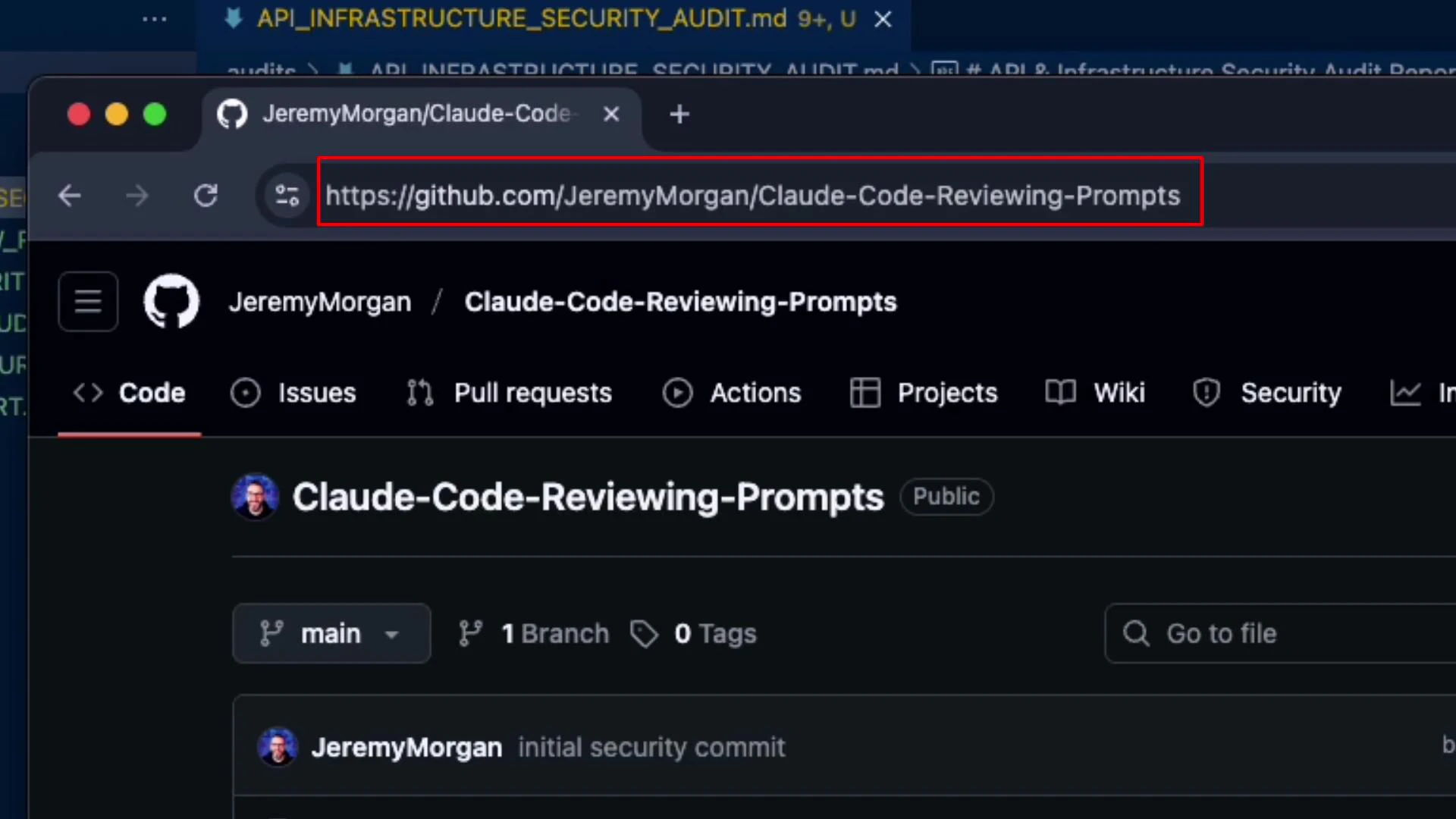
The full structured audit exists at audits/API\_INFRASTRUCTURE\_SECURITY\_AUDIT.md. Inspect that file for detailed code locations, PoC tests, and remediation snippets.
## Links and References
* Express JSON/body parser limits: [https://expressjs.com/en/api.html#express.json](https://expressjs.com/en/api.html#express.json)
* Helmet (security headers): [https://www.npmjs.com/package/helmet](https://www.npmjs.com/package/helmet)
* CORS middleware: [https://www.npmjs.com/package/cors](https://www.npmjs.com/package/cors)
* express-rate-limit: [https://www.npmjs.com/package/express-rate-limit](https://www.npmjs.com/package/express-rate-limit)
* CSP (Content Security Policy) guide: [https://developer.mozilla.org/en-US/docs/Web/HTTP/CSP](https://developer.mozilla.org/en-US/docs/Web/HTTP/CSP)
* Secrets management: HashiCorp Vault ([https://www.vaultproject.io/](https://www.vaultproject.io/)), AWS Secrets Manager ([https://aws.amazon.com/secrets-manager/](https://aws.amazon.com/secrets-manager/))
Read(server.js)
## Conclusion & Next Steps
The express-login-demo requires immediate hardening before production due to missing CORS restrictions, absent rate limiting, weak secret management, and a lack of security headers. Recommended next steps:
1. Implement the high-priority fixes listed above (JWT secrets, rate limiting, Helmet).
2. Re-run automated scans and conduct penetration testing after fixes.
3. Introduce secure secret storage and rotation policies.
4. Automate security checks in CI/CD and schedule periodic audits.
The full structured audit exists at audits/API\_INFRASTRUCTURE\_SECURITY\_AUDIT.md. Inspect that file for detailed code locations, PoC tests, and remediation snippets.
## Links and References
* Express JSON/body parser limits: [https://expressjs.com/en/api.html#express.json](https://expressjs.com/en/api.html#express.json)
* Helmet (security headers): [https://www.npmjs.com/package/helmet](https://www.npmjs.com/package/helmet)
* CORS middleware: [https://www.npmjs.com/package/cors](https://www.npmjs.com/package/cors)
* express-rate-limit: [https://www.npmjs.com/package/express-rate-limit](https://www.npmjs.com/package/express-rate-limit)
* CSP (Content Security Policy) guide: [https://developer.mozilla.org/en-US/docs/Web/HTTP/CSP](https://developer.mozilla.org/en-US/docs/Web/HTTP/CSP)
* Secrets management: HashiCorp Vault ([https://www.vaultproject.io/](https://www.vaultproject.io/)), AWS Secrets Manager ([https://aws.amazon.com/secrets-manager/](https://aws.amazon.com/secrets-manager/))
Read(server.js)