> ## Documentation Index
> Fetch the complete documentation index at: https://notes.kodekloud.com/llms.txt
> Use this file to discover all available pages before exploring further.
# Database Design and Migrations
> Migrating a small MariaDB contacts table into a single-file SQLite database using a Python script with safe parameterized inserts, type mapping, audit SQL files, and verification.
This guide demonstrates migrating a small MariaDB (MySQL-compatible) table into a single-file SQLite database. The concrete goal is to move a contacts table (\~1,000 rows) from a local MariaDB instance into `contacts.db`, preserving schema and data where practical and producing audit files plus a short verification report.
This walkthrough covers:
* Why naive shell-based exports can fail (e.g., unescaped apostrophes).
* A robust, repeatable Python migration script using parameterized inserts.
* How to produce companion `.sql` audit files and a simple verification summary.
This lesson focuses on a small, local migration (≈1,000 rows). For larger or production systems, plan for schema differences, transactionality, backups, and integrity checks before migrating.
Never paste production credentials into public transcripts or third-party tools. This demo uses a local test MariaDB instance and an example password. For production, use ephemeral credentials, environment variables, or an encrypted secrets store.
## High-level plan
* Inspect the MariaDB schema and sample data.
* Attempted mysqldump / shell-based techniques to export/import (and why they can be brittle).
* Use a small Python 3 script that:
* Introspects column metadata from `INFORMATION_SCHEMA`.
* Maps MySQL/MariaDB types to SQLite affinities.
* Creates an approximate SQLite schema.
* Inserts rows with parameterized statements inside a transaction.
* Writes audit `.sql` files for schema and inserts.
* Produces a verification summary (row counts).
## Example prompts used to start the migration
Concise prompt:
```text theme={null}
I want to migrate my database from a local MariaDB server. Create a SQLite database and move the data from the MariaDB server to the SQLite database.
```
Detailed prompt (for production-quality code):
```text theme={null}
You are an expert migration engineer. Generate production-quality code (with clear comments) to migrate a MariaDB database to SQLite.
Goals:
- Read schema + data from MariaDB.
- Create a SQLite file that approximates schema and contains all rows (~1,000).
- Produce a Python script and companion .sql files (schema & inserts).
- Add logging, basic error handling, verification (row counts).
CLI args:
--mysql-host, --mysql-port, --mysql-user, --mysql-password, --mysql-db
--table
--sqlite-path
--output-dir
```
Both approaches work; the detailed prompt helps guide structure and testing.
## Why simple shell pipelines can fail
Common pattern attempted in demos:
* Inspect table:
```bash theme={null}
mysql -h localhost -u jeremy -ppassword123 contactsdb -e "DESCRIBE contacts;"
```
* Dump schema + inserts with mysqldump:
```bash theme={null}
mysqldump -h localhost -u jeremy -ppassword123 --no-create-db --single-transaction contactsdb contacts > contacts_data.sql
```
* Create an approximate SQLite table:
```bash theme={null}
sqlite3 contacts.db "CREATE TABLE contacts (
id INTEGER PRIMARY KEY,
first_name VARCHAR(50) NOT NULL,
last_name VARCHAR(50) NOT NULL,
job_title VARCHAR(100),
email VARCHAR(255) NOT NULL UNIQUE
);"
```
* Naive pipeline that reads rows and runs inline INSERTs (UNSAFE):
```bash theme={null}
mysql -h localhost -u jeremy -ppassword123 contactsdb -e "SELECT * FROM contacts;" \
| sed 's/\t/|/g' \
| tail -n +2 \
| while IFS='|' read -r id first_name last_name job_title email; do
sqlite3 contacts.db "INSERT INTO contacts (id, first_name, last_name, job_title, email) VALUES ('$id', '$first_name', '$last_name', '$job_title', '$email');"
done
```
Why this pattern is fragile:
* Unescaped single quotes in data (e.g., O'Connolly) break inline SQL, causing syntax errors or creating injection risks.
* Fields may contain separators, newlines, or binary data: naive splitting on tabs/pipes fails.
* MySQL SQL dialect (backticks, engine definitions, collations) is not 1:1 compatible with SQLite.
In the demo, the shell import failed due to an apostrophe in a name. The safe resolution: use a connector library and parameterized queries.
## Sample mysqldump excerpt
mysqldump outputs schema and INSERT statements. Example excerpt (trimmed):
```sql theme={null}
-- Table structure for table `contacts`
DROP TABLE IF EXISTS `contacts`;
CREATE TABLE `contacts` (
`id` int(11) NOT NULL,
`first_name` varchar(50) NOT NULL,
`last_name` varchar(50) NOT NULL,
`job_title` varchar(100) DEFAULT NULL,
`email` varchar(255) NOT NULL,
PRIMARY KEY (`id`),
UNIQUE KEY `uq_email` (`email`)
) ENGINE=InnoDB DEFAULT CHARSET=utf8mb4 COLLATE=utf8mb4_unicode_ci;
-- Dumping data for table `contacts`
LOCK TABLES `contacts` WRITE;
set autocommit=0;
INSERT INTO `contacts` VALUES
(1,'Britt','Hyne','Senior Editor','bhyne0@lulu.com'),
(2,'Merrel','Cornew','VP Product Management','mcornew1@indiegogo.com'),
(3,'Emmit','Glasard','Senior Editor','eglasard2@behance.net'),
...
;
UNLOCK TABLES;
```
Note: mysqldump is useful for capturing schema and data, but direct import of MySQL's SQL into SQLite typically needs manual adjustments. For robust, repeatable migrations, a small script that introspects schema and performs parameterized inserts is usually preferable.
## Type mapping overview
The migration script uses a conservative mapping from MySQL/MariaDB column types to SQLite affinity types. Example mapping:
| MySQL / MariaDB type (prefix) | SQLite affinity |
| - | - |
| int, tinyint, smallint, bigint, mediumint, bit | INTEGER |
| decimal, numeric | NUMERIC |
| float, double | REAL |
| char, varchar, text, enum, set | TEXT |
| blob, binary, varbinary | BLOB |
| datetime, timestamp, date | TEXT (or INTEGER if you convert to epoch) |
Tip: If you prefer storing timestamps as integers (epoch), map `datetime`/`timestamp` to `INTEGER` and convert the values during the insert loop.
## Safer approach: Python migration script
The following production-oriented Python script performs an end-to-end migration of one table. It:
* Connects to MariaDB using `mysql-connector-python`.
* Reads column metadata from `INFORMATION_SCHEMA`.
* Maps MySQL types to SQLite affinities.
* Creates an approximate SQLite schema.
* Inserts rows with parameterized statements inside a transaction.
* Writes two audit files per table: `_schema.sql` and `_inserts.sql`.
* Prints a brief verification summary.
Save as `mariadb_to_sqlite.py`.
```python theme={null}
#!/usr/bin/env python3
"""
mariadb_to_sqlite.py
Simple migration of one table from MariaDB to SQLite with basic type mapping,
parameterized inserts, .sql audit files, and a verification summary.
Dependencies:
pip install mysql-connector-python
"""
import argparse
import logging
import os
import sqlite3
import sys
from typing import Dict, List, Tuple
import mysql.connector
# Basic type mapping from MariaDB -> SQLite affinity
TYPE_MAP = {
"int": "INTEGER",
"tinyint": "INTEGER",
"smallint": "INTEGER",
"mediumint": "INTEGER",
"bigint": "INTEGER",
"bit": "INTEGER",
"decimal": "NUMERIC",
"numeric": "NUMERIC",
"float": "REAL",
"double": "REAL",
"char": "TEXT",
"varchar": "TEXT",
"text": "TEXT",
"enum": "TEXT",
"set": "TEXT",
"blob": "BLOB",
"binary": "BLOB",
"varbinary": "BLOB",
"datetime": "TEXT",
"timestamp": "TEXT",
"date": "TEXT",
# Add more as needed
}
def map_type(mysql_type: str) -> str:
t = mysql_type.lower()
for k in TYPE_MAP:
if t.startswith(k):
return TYPE_MAP[k]
return "TEXT"
def fetch_columns(cursor, db_name: str, table: str) -> List[Tuple]:
q = """
SELECT COLUMN_NAME, COLUMN_TYPE, IS_NULLABLE, COLUMN_DEFAULT, COLUMN_KEY, EXTRA
FROM INFORMATION_SCHEMA.COLUMNS
WHERE TABLE_SCHEMA = %s AND TABLE_NAME = %s
ORDER BY ORDINAL_POSITION
"""
cursor.execute(q, (db_name, table))
return cursor.fetchall()
def build_create_table_sql(table: str, columns: List[Tuple]) -> str:
"""
Build a CREATE TABLE statement for SQLite based on INFORMATION_SCHEMA metadata.
This function maps types to SQLite affinities and preserves NOT NULL and DEFAULT
where it is safe to do so. It also adds a PRIMARY KEY clause if one or more
columns are marked as PRIMARY in the source.
"""
cols_sql = []
pk_cols = []
for col_name, col_type, is_nullable, default, col_key, extra in columns:
affinity = map_type(col_type)
# Preserve NOT NULL when appropriate
null_sql = " NOT NULL" if is_nullable == "NO" else ""
# Handle default values conservatively:
default_sql = ""
if default is not None:
d = str(default)
# Allow CURRENT_TIMESTAMP without quotes, numeric defaults without quotes
if d.upper() == "CURRENT_TIMESTAMP":
default_sql = f" DEFAULT {d}"
else:
# Try to detect numeric defaults (simple heuristic)
try:
float(d)
default_sql = f" DEFAULT {d}"
except ValueError:
esc = d.replace("'", "''")
default_sql = f" DEFAULT '{esc}'"
col_def = f'"{col_name}" {affinity}{default_sql}{null_sql}'
cols_sql.append(col_def)
if col_key == "PRI":
pk_cols.append(col_name)
pk_sql = ""
if pk_cols:
pk_sql = ", PRIMARY KEY (" + ", ".join(f'"{c}"' for c in pk_cols) + ")"
return f'CREATE TABLE IF NOT EXISTS "{table}" (\n ' + ",\n ".join(cols_sql) + pk_sql + "\n);"
def write_audit_file(path: str, content: str):
with open(path, "w", encoding="utf-8") as f:
f.write(content)
def migrate_table(mysql_cfg: Dict, sqlite_path: str, table: str, output_dir: str) -> Tuple[int, int]:
# Connect to MariaDB
conn = mysql.connector.connect(**mysql_cfg)
cur = conn.cursor()
db_name = mysql_cfg["database"]
# Fetch columns metadata
cols = fetch_columns(cur, db_name, table)
if not cols:
raise RuntimeError(f"Table {table} not found in {db_name}")
create_sql = build_create_table_sql(table, cols)
os.makedirs(output_dir, exist_ok=True)
write_audit_file(os.path.join(output_dir, f"{table}_schema.sql"), create_sql + "\n")
# Open SQLite and create table
sq = sqlite3.connect(sqlite_path)
sq.row_factory = sqlite3.Row
s_cur = sq.cursor()
s_cur.execute(create_sql)
sq.commit()
# Read data from MariaDB and insert into SQLite
col_names = [c[0] for c in cols]
select_q = f"SELECT {', '.join('`' + c + '`' for c in col_names)} FROM `{table}`"
cur.execute(select_q)
placeholders = ", ".join(["?"] * len(col_names))
# Build a quoted column list for INSERT
columns_quoted = ", ".join(f'"{c}"' for c in col_names)
insert_q = f'INSERT INTO "{table}" ({columns_quoted}) VALUES ({placeholders})'
inserted = 0
# Write inserts to audit file (safe, quoted representation)
inserts_audit_path = os.path.join(output_dir, f"{table}_inserts.sql")
with open(inserts_audit_path, "w", encoding="utf-8") as inserts_file:
inserts_file.write(f"-- Inserts for {table}\nBEGIN TRANSACTION;\n")
# Use a transaction for SQLite inserts
s_cur.execute("BEGIN")
for row in cur:
values = []
for val in row:
values.append(val)
s_cur.execute(insert_q, values)
inserted += 1
# Write a safe representation for the audit file (escaping single quotes)
esc_vals = []
for v in values:
if v is None:
esc_vals.append("NULL")
elif isinstance(v, (int, float)):
esc_vals.append(str(v))
else:
esc = str(v).replace("'", "''")
esc_vals.append(f"'{esc}'")
inserts_file.write(f"INSERT INTO \"{table}\" VALUES ({', '.join(esc_vals)});\n")
s_cur.execute("COMMIT")
inserts_file.write("COMMIT;\n")
# Close connections
cur.close()
conn.close()
sq.commit()
sq.close()
return inserted, len(col_names)
def parse_args():
p = argparse.ArgumentParser(description="Migrate one table from MariaDB to SQLite")
p.add_argument("--mysql-host", default="127.0.0.1")
p.add_argument("--mysql-port", type=int, default=3306)
p.add_argument("--mysql-user", required=True)
p.add_argument("--mysql-password", required=True)
p.add_argument("--mysql-db", required=True)
p.add_argument("--table", required=True)
p.add_argument("--sqlite-path", required=True)
p.add_argument("--output-dir", default="out")
return p.parse_args()
def main():
args = parse_args()
logging.basicConfig(level=logging.INFO, format="%(levelname)s: %(message)s")
mysql_cfg = {
"host": args.mysql_host,
"port": args.mysql_port,
"user": args.mysql_user,
"password": args.mysql_password,
"database": args.mysql_db,
}
try:
inserted, cols = migrate_table(mysql_cfg, args.sqlite_path, args.table, args.output_dir)
logging.info("Migration summary:")
logging.info(" Source: MariaDB %s/%s", args.mysql_host, args.mysql_db)
logging.info(" Table: %s", args.table)
logging.info(" Columns: %d", cols)
logging.info(" Rows migrated: %d", inserted)
logging.info(" SQLite file: %s", args.sqlite_path)
logging.info(" Audit files: %s", args.output_dir)
print(0)
except Exception as e:
logging.error("Migration failed: %s", e)
sys.exit(1)
if __name__ == "__main__":
main()
```
Notes about the script
* Uses `INFORMATION_SCHEMA` to fetch column metadata and applies a conservative mapping to SQLite affinities.
* Parameterized inserts (`?` placeholders) avoid quoting issues and SQL injection.
* Wraps SQLite writes in a transaction for performance and atomicity.
* Produces `table_schema.sql` and `table_inserts.sql` for auditing and replay.
* To migrate multiple tables, iterate over a table list and call `migrate_table` for each, resolving dependency order if foreign keys exist.
## Example usage (README style)
```bash theme={null}
# Create and activate a Python venv (recommended)
python3 -m venv migration_env
source migration_env/bin/activate
# Install connector
pip install mysql-connector-python
# Run the migration for the contacts table
python mariadb_to_sqlite.py \
--mysql-host=127.0.0.1 --mysql-port=3306 \
--mysql-user=jeremy --mysql-password=password123 --mysql-db=contactsdb \
--table=contacts \
--sqlite-path=contacts.db \
--output-dir=out
```
After success you should have:
* `contacts.db` — the SQLite database file with the migrated table.
* `out/contacts_schema.sql` — the CREATE TABLE used.
* `out/contacts_inserts.sql` — INSERT statements for auditing/replay.
## Verification
Compare row counts to ensure basic verification:
```bash theme={null}
# Count in MariaDB
mysql -h localhost -u jeremy -ppassword123 contactsdb -e "SELECT COUNT(*) AS total_records FROM contacts;"
# Count in SQLite
sqlite3 contacts.db "SELECT COUNT(*) AS total_records FROM contacts;"
```
In the demo both counts returned 1000.
You can also sample rows in SQLite:
```bash theme={null}
sqlite3 contacts.db "SELECT id, first_name, last_name, email FROM contacts ORDER BY id LIMIT 10;"
```
## Handling special type conversions
The `TYPE_MAP` is conservative: most temporal types are mapped to `TEXT`. If you prefer epoch integers:
* Map `datetime` and `timestamp` to `INTEGER` in `map_type`.
* Convert values when iterating over rows (e.g., parse strings or `datetime` objects to `.timestamp()`).
This approach gives you control over how to store and index time-based columns.
## What happened in the demo
* A concise assistant prompt was used to begin the migration.
* A shell-based import failed because of apostrophes in names (e.g., `O'Connolly`).
* The assistant produced the Python migration script above, created a virtual environment, installed `mysql-connector-python`, and ran the migration.
* The script successfully migrated \~1,000 rows from the MariaDB `contacts` table into `contacts.db`.
* Verification included counting rows in both databases and sampling a few rows in SQLite.
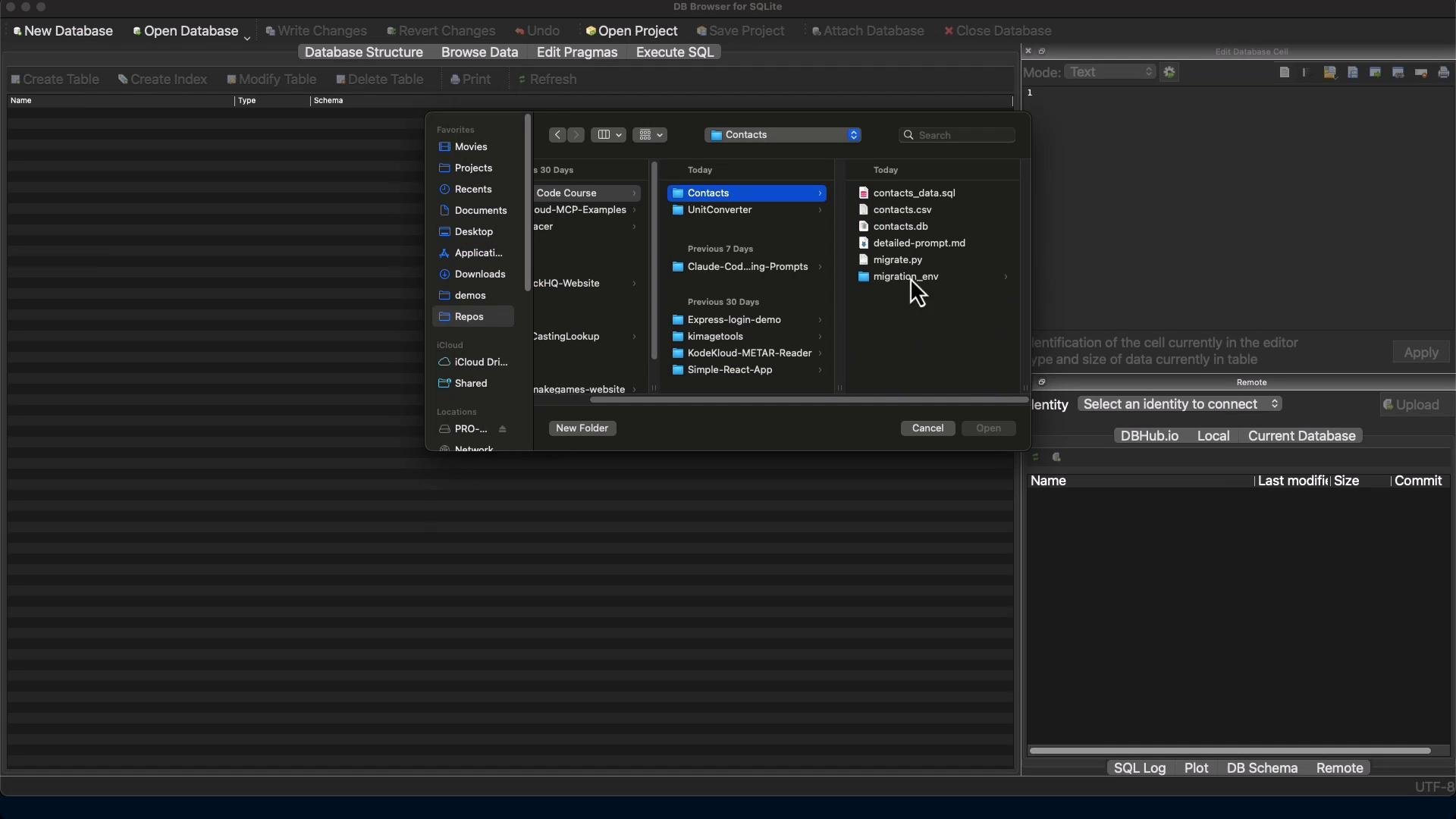
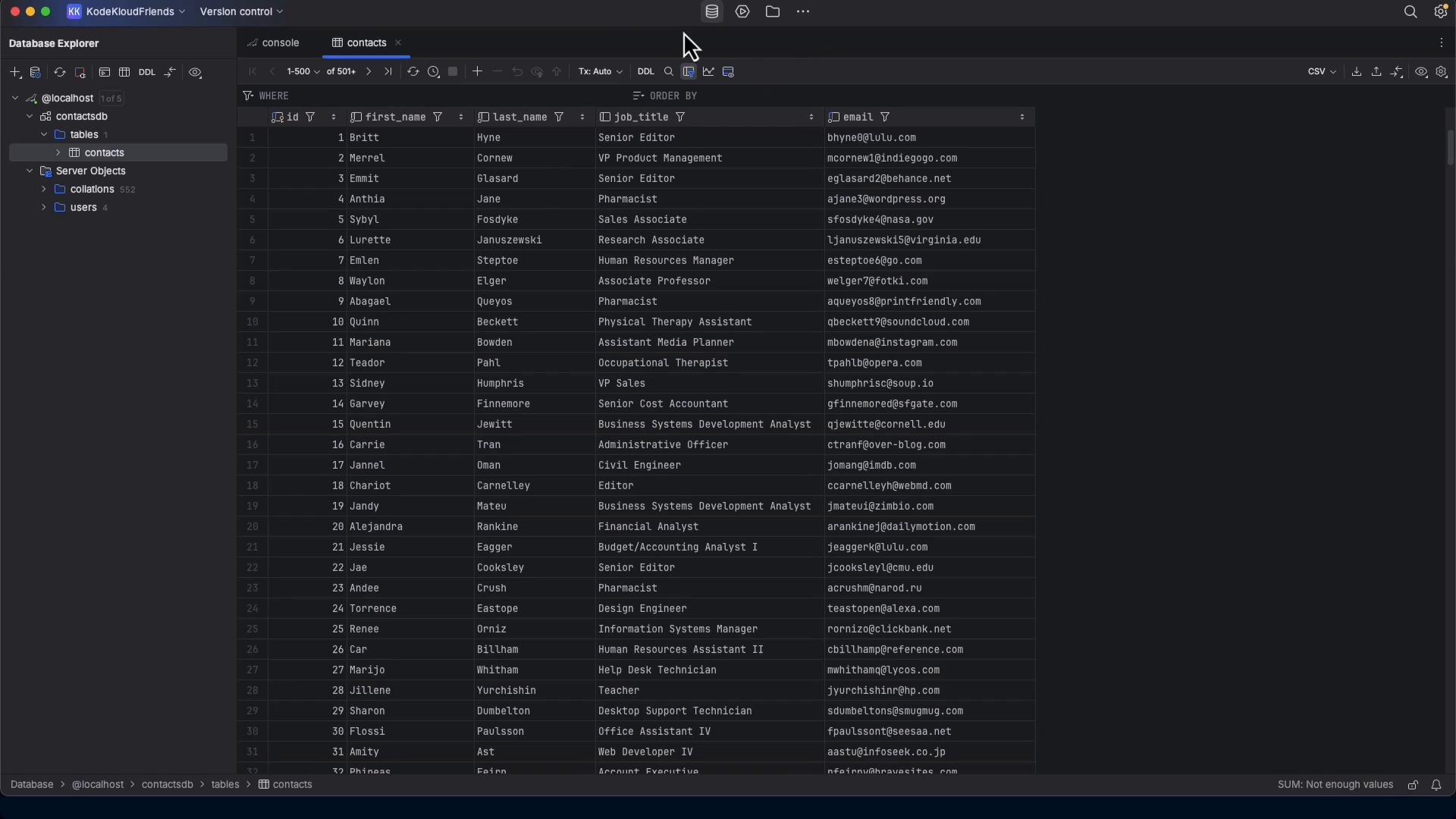
Below are screenshots from DB Browser for SQLite showing the resulting `contacts.db` and the contacts table (these images are from the original demo).
 ## Final thoughts and next steps
* For small, local migrations, a compact, well-instrumented script is practical and repeatable.
* Always prefer connector libraries + parameterized queries to ad-hoc shell pipelines to avoid quoting and encoding pitfalls.
* Preserve audit/replay SQL files for review and reproducibility.
* For production or larger databases, consider:
* Migrating in dependency order to respect foreign keys.
* Preserving or approximating indexes and constraints.
* Exporting views, triggers, and stored procedures (or at least documenting them).
* Testing end-to-end with data validation checks (row counts, checksums, sampling).
Links and references
* [mysqldump documentation](https://dev.mysql.com/doc/refman/en/mysqldump.html)
* [mysql-connector-python on PyPI](https://pypi.org/project/mysql-connector-python/)
* [DB Browser for SQLite](https://sqlitebrowser.org)
This documentation is built and hosted on [Mintlify](https://mintlify.com), a developer documentation platform.
## Final thoughts and next steps
* For small, local migrations, a compact, well-instrumented script is practical and repeatable.
* Always prefer connector libraries + parameterized queries to ad-hoc shell pipelines to avoid quoting and encoding pitfalls.
* Preserve audit/replay SQL files for review and reproducibility.
* For production or larger databases, consider:
* Migrating in dependency order to respect foreign keys.
* Preserving or approximating indexes and constraints.
* Exporting views, triggers, and stored procedures (or at least documenting them).
* Testing end-to-end with data validation checks (row counts, checksums, sampling).
Links and references
* [mysqldump documentation](https://dev.mysql.com/doc/refman/en/mysqldump.html)
* [mysql-connector-python on PyPI](https://pypi.org/project/mysql-connector-python/)
* [DB Browser for SQLite](https://sqlitebrowser.org)
This documentation is built and hosted on [Mintlify](https://mintlify.com), a developer documentation platform.