> ## Documentation Index
> Fetch the complete documentation index at: https://notes.kodekloud.com/llms.txt
> Use this file to discover all available pages before exploring further.
# Business Logic Vulnerabilities
> A security audit of an Express login app identifying authentication business logic flaws and providing code-level fixes for timing attacks, rate limiting, account lockout, secret management, and error handling.
This article summarizes a focused business-logic security audit of a simple Express-based login application. It covers how core auth flows execute, the most likely security gaps discovered, evidence, and precise, minimal code-level remediations you can drop into your codebase to reduce risk rapidly.
Below is an example CLI prompt the audit tool prints while running an automated audit:
```text theme={null}
* Welcome to Claude Code!
/help for help, /status for your current setup
cwd: /Users/jeremy/Repos/Claude Code Course/Express-login-demo
> Try "create a util logging.py that..."
? for shortcuts
```
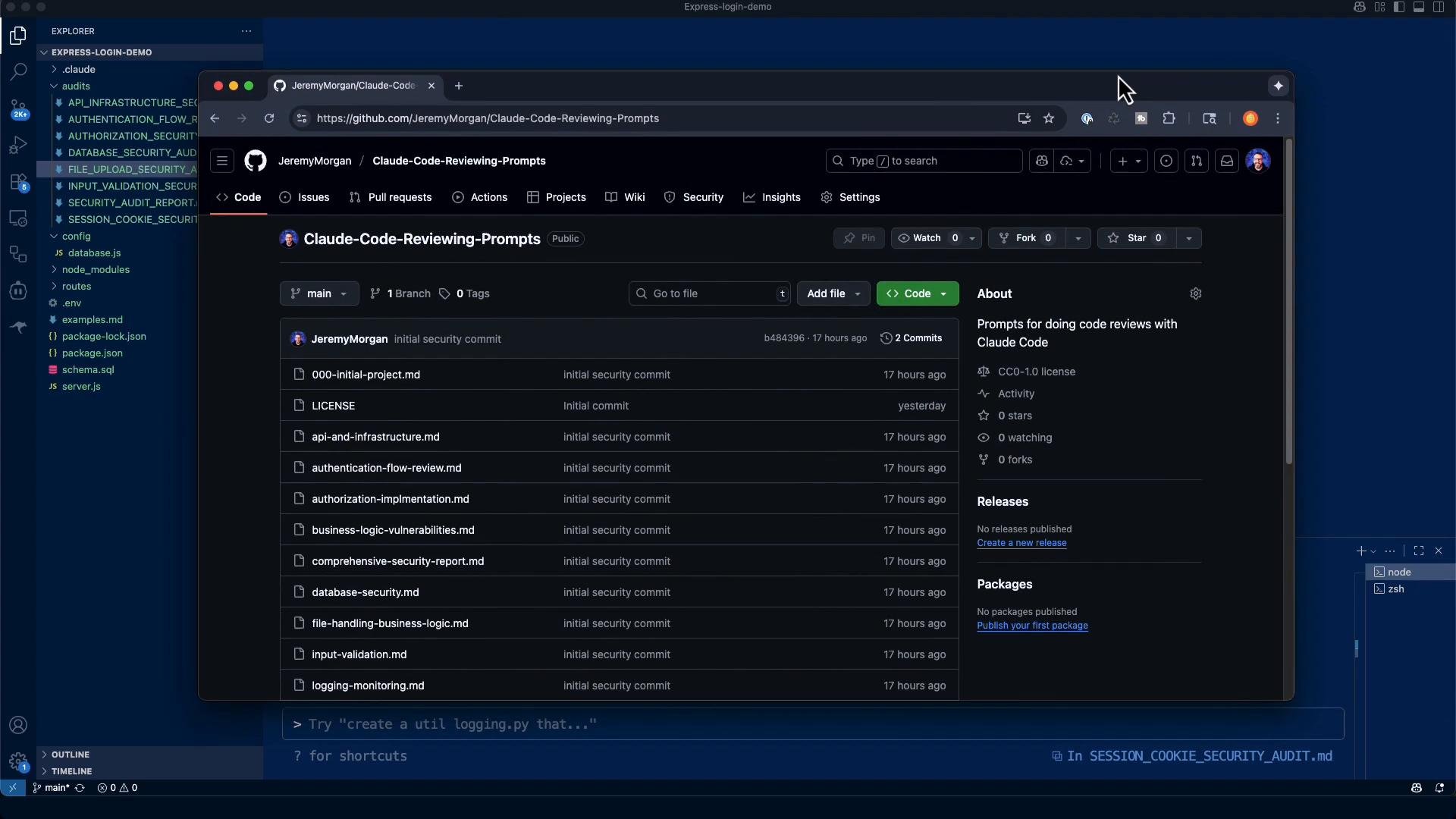
I copied a large audit prompt into the tool and let it run. You can find the prompts used for these audits at [https://github.com/JeremyMorgan/claude-code-reviewing-prompts](https://github.com/JeremyMorgan/claude-code-reviewing-prompts).
 The audit prompt instructed the tool to look for common business-logic issues, including:
* Race conditions
* Concurrent request handling
* Double-spending prevention
* Inventory management
* Price manipulation
* Client-side price validation only
* Discount/coupon abuse
* Currency manipulation
* Workflow bypass
* Skipping validation steps
* Status manipulation
* Approval process bypass
* Time-based vulnerabilities
* TOCTOU (Time of Check, Time of Use)
* Expiration bypass
* Timezone manipulation
* Integer overflow/underflow
* Calculation errors
* Negative value handling
The prompt requested a structured finding report for each issue (title, severity, CWE if applicable, evidence, why it matters) and practical remediation with exact code/config suggestions.
## Key Findings (summary)
| Finding | Severity | CWE / Type | Evidence | Why it matters |
| - | - | - | - | - |
| Timing attack enabling user enumeration (response-time difference on lookup) | High | CWE-208 (Information Exposure Through Timing) | Login handler early-returns when user not found; bcrypt.compare only runs for existing users, creating measurable time difference | Enables attackers to enumerate valid emails by measuring response time |
| Missing rate limiting | High | CWE-307 (Improper Restriction of Excessive Authentication Attempts) | No request-rate limiting on login endpoint | Allows brute-force and amplifies timing attack impact |
| Weak/hardcoded JWT secret in development | Medium | CWE-321 (Use of Hard-coded Cryptographic Key) / configuration risk | Development secret is weak or embedded in code | Weak/secrets compromise allows token forging and user impersonation |
| Information disclosure in error messages | Medium | CWE-209 (Information Exposure Through an Error Message) | Verbose errors reveal implementation details or failure reason | Detailed messages help attackers craft targeted attacks |
| Missing account lockout mechanism | Medium | CWE-307 | No failed-attempt counters or lockout logic | Combined with missing rate limit, enables sustained credential stuffing |
Other analyses:
* Race conditions: Pass (no concurrent-update patterns detected in current auth flow)
* Price/value manipulation: Not applicable (no financial logic)
* Workflow bypass: Pass (linear auth flow with validation)
* Integer overflow: Not applicable (no numeric calculations)
## Concrete remediations (drop-in fixes)
Below are concise, targeted fixes for the most critical issues. These examples assume an Express app using bcrypt, JWTs, and optionally Redis for counters.
### 1) Normalize timing to prevent user enumeration
Always perform a password comparison even when the user does not exist. Precompute a dummy bcrypt hash and compare against it when lookup fails so timings match closely.
```javascript theme={null}
// routes/auth.js (login handler) - simplified example
const bcrypt = require('bcrypt');
// Precompute a dummy password hash (run once, offline, and store the hash)
const DUMMY_PASSWORD_HASH = '$2b$10$XXXXXXXXXXXXXXXXXXXXXXXXXXXXXXXXXXXXXXXXXXXXXX'; // replace with a real bcrypt hash
router.post('/login', async (req, res) => {
const { email, password } = req.body;
// Database lookup
const userResult = await pool.query(userQuery, [email]);
const user = userResult.rows[0];
// Always run bcrypt.compare to normalize timing
const hashToCompare = user ? user.password : DUMMY_PASSWORD_HASH;
const isPasswordValid = await bcrypt.compare(password, hashToCompare);
// Generic error message to avoid revealing which step failed
if (!user || !isPasswordValid) {
return res.status(401).json({ error: 'Invalid credentials' });
}
// Continue with successful login flow...
});
```
Note: Generate the dummy hash once using `bcrypt.hash('random-string', saltRounds)` and store it in config or env rather than computing it on every request.
Using a precomputed dummy hash ensures bcrypt.compare execution time is similar whether or not a user exists, mitigating timing-based user enumeration.
### 2) Add rate limiting to the login route
Use a middleware such as express-rate-limit to limit login attempts per IP or combined with account-based throttling.
```javascript theme={null}
// app.js or routes/auth.js
const rateLimit = require('express-rate-limit');
const loginLimiter = rateLimit({
windowMs: 15 * 60 * 1000, // 15 minutes
max: 5, // allow 5 attempts per window per IP
message: { error: 'Too many login attempts, please try again later' },
standardHeaders: true,
legacyHeaders: false,
});
router.post('/login', loginLimiter, /* validation middleware */, async (req, res) => {
// login handler code
});
```
For improved defense, combine per-IP limits with per-account throttling and implement exponential backoff on failures.
* npm: [https://www.npmjs.com/package/express-rate-limit](https://www.npmjs.com/package/express-rate-limit)
### 3) Implement account lockout / failed-attempt tracking
Track failed attempts per account with a persistent store (Redis recommended) and lock the account after a threshold. Ensure counters persist to survive restarts.
```javascript theme={null}
// Pseudocode using Redis (illustrative)
const FAILED_KEY = (email) => `auth:failed:${email}`;
const LOCKED_KEY = (email) => `auth:locked:${email}`;
async function checkAccountLock(redisClient, email) {
if (await redisClient.exists(LOCKED_KEY(email))) {
return { locked: true };
}
return { locked: false };
}
async function recordFailedAttempt(redisClient, email) {
const failed = await redisClient.incr(FAILED_KEY(email));
if (failed === 1) {
await redisClient.expire(FAILED_KEY(email), 60 * 60); // reset window after 1 hour
}
if (failed >= 5) {
// Lock account for 30 minutes
await redisClient.setex(LOCKED_KEY(email), 30 * 60, '1');
await redisClient.del(FAILED_KEY(email));
}
}
async function clearFailedAttempts(redisClient, email) {
await redisClient.del(FAILED_KEY(email));
}
```
Integrate with login flow:
* Check lock status (but still run bcrypt.compare against dummy hash when account/user missing or locked to avoid timing differences).
* On failed login, call `recordFailedAttempt`.
* On success, call `clearFailedAttempts`.
* Redis: [https://redis.io/](https://redis.io/)
### 4) Sanitize and standardize error messages
Return generic authentication failures and avoid exposing stack traces or implementation details in production.
```javascript theme={null}
// Example response for any authentication failure
return res.status(401).json({ error: 'Invalid credentials' });
```
Log detailed diagnostics to server logs only (do not return them to clients). Use environment checks to ensure verbose stack traces are only enabled in development.
### 5) Enforce strong, environment-driven JWT secrets
Never hardcode secrets. Require a secure environment variable, validate its length, and fail fast if not present. Rotate using a secrets manager.
```javascript theme={null}
// auth/config.js
const jwtSecret = process.env.JWT_SECRET;
if (!jwtSecret || jwtSecret.length < 32) {
throw new Error('JWT_SECRET must be set and at least 32 characters long');
}
module.exports = { jwtSecret };
```
Store secrets in a manager such as AWS Secrets Manager or HashiCorp Vault and rotate periodically.
* AWS Secrets Manager: [https://aws.amazon.com/secrets-manager/](https://aws.amazon.com/secrets-manager/)
* HashiCorp Vault: [https://www.vaultproject.io/](https://www.vaultproject.io/)
Do not use weak or hardcoded JWT secrets in production. Compromised secrets let attackers forge tokens and impersonate users.
## Checklist Results (condensed)
| Check | Result |
| - | - |
| Race conditions | ✅ Pass |
| Price manipulation | ⚪ Not applicable |
| Workflow bypass | ✅ Pass |
| Time-based vulnerabilities (timing) | ❌ Fail — user enumeration via timing |
| Integer overflow | ⚪ Not applicable |
## Top prioritized fixes
1. Normalize timing with a precomputed dummy bcrypt hash (prevent user enumeration).
2. Add rate limiting to login endpoints (mitigate brute-force and amplify defenses).
3. Implement account lockout with persistent counters and exponential backoff.
4. Enforce strong JWT secrets from environment and use secret management.
5. Remove verbose error responses in production; log diagnostics to internal logs only.
## Final notes — next steps
These changes are small but highly effective at reducing the attack surface for an authentication service. After applying them:
* Add logging and alerting for suspicious auth activity (sudden lockouts, IPs with many failures).
* Consider multi-factor authentication (MFA), device reputation checks, and IP allow-listing for higher-value accounts.
* Perform periodic audits and threat modeling for newly added functionality.
References and further reading
* Express rate limiting: [https://www.npmjs.com/package/express-rate-limit](https://www.npmjs.com/package/express-rate-limit)
* bcrypt (password hashing): [https://www.npmjs.com/package/bcrypt](https://www.npmjs.com/package/bcrypt)
* Redis documentation: [https://redis.io/](https://redis.io/)
* JWT best practices: [https://jwt.io/introduction/](https://jwt.io/introduction/)
* OWASP Authentication Cheat Sheet: [https://cheatsheetseries.owasp.org/cheatsheets/Authentication\_Cheat\_Sheet.html](https://cheatsheetseries.owasp.org/cheatsheets/Authentication_Cheat_Sheet.html)
This documentation is built and hosted on [Mintlify](https://mintlify.com), a developer documentation platform.
The audit prompt instructed the tool to look for common business-logic issues, including:
* Race conditions
* Concurrent request handling
* Double-spending prevention
* Inventory management
* Price manipulation
* Client-side price validation only
* Discount/coupon abuse
* Currency manipulation
* Workflow bypass
* Skipping validation steps
* Status manipulation
* Approval process bypass
* Time-based vulnerabilities
* TOCTOU (Time of Check, Time of Use)
* Expiration bypass
* Timezone manipulation
* Integer overflow/underflow
* Calculation errors
* Negative value handling
The prompt requested a structured finding report for each issue (title, severity, CWE if applicable, evidence, why it matters) and practical remediation with exact code/config suggestions.
## Key Findings (summary)
| Finding | Severity | CWE / Type | Evidence | Why it matters |
| - | - | - | - | - |
| Timing attack enabling user enumeration (response-time difference on lookup) | High | CWE-208 (Information Exposure Through Timing) | Login handler early-returns when user not found; bcrypt.compare only runs for existing users, creating measurable time difference | Enables attackers to enumerate valid emails by measuring response time |
| Missing rate limiting | High | CWE-307 (Improper Restriction of Excessive Authentication Attempts) | No request-rate limiting on login endpoint | Allows brute-force and amplifies timing attack impact |
| Weak/hardcoded JWT secret in development | Medium | CWE-321 (Use of Hard-coded Cryptographic Key) / configuration risk | Development secret is weak or embedded in code | Weak/secrets compromise allows token forging and user impersonation |
| Information disclosure in error messages | Medium | CWE-209 (Information Exposure Through an Error Message) | Verbose errors reveal implementation details or failure reason | Detailed messages help attackers craft targeted attacks |
| Missing account lockout mechanism | Medium | CWE-307 | No failed-attempt counters or lockout logic | Combined with missing rate limit, enables sustained credential stuffing |
Other analyses:
* Race conditions: Pass (no concurrent-update patterns detected in current auth flow)
* Price/value manipulation: Not applicable (no financial logic)
* Workflow bypass: Pass (linear auth flow with validation)
* Integer overflow: Not applicable (no numeric calculations)
## Concrete remediations (drop-in fixes)
Below are concise, targeted fixes for the most critical issues. These examples assume an Express app using bcrypt, JWTs, and optionally Redis for counters.
### 1) Normalize timing to prevent user enumeration
Always perform a password comparison even when the user does not exist. Precompute a dummy bcrypt hash and compare against it when lookup fails so timings match closely.
```javascript theme={null}
// routes/auth.js (login handler) - simplified example
const bcrypt = require('bcrypt');
// Precompute a dummy password hash (run once, offline, and store the hash)
const DUMMY_PASSWORD_HASH = '$2b$10$XXXXXXXXXXXXXXXXXXXXXXXXXXXXXXXXXXXXXXXXXXXXXX'; // replace with a real bcrypt hash
router.post('/login', async (req, res) => {
const { email, password } = req.body;
// Database lookup
const userResult = await pool.query(userQuery, [email]);
const user = userResult.rows[0];
// Always run bcrypt.compare to normalize timing
const hashToCompare = user ? user.password : DUMMY_PASSWORD_HASH;
const isPasswordValid = await bcrypt.compare(password, hashToCompare);
// Generic error message to avoid revealing which step failed
if (!user || !isPasswordValid) {
return res.status(401).json({ error: 'Invalid credentials' });
}
// Continue with successful login flow...
});
```
Note: Generate the dummy hash once using `bcrypt.hash('random-string', saltRounds)` and store it in config or env rather than computing it on every request.
Using a precomputed dummy hash ensures bcrypt.compare execution time is similar whether or not a user exists, mitigating timing-based user enumeration.
### 2) Add rate limiting to the login route
Use a middleware such as express-rate-limit to limit login attempts per IP or combined with account-based throttling.
```javascript theme={null}
// app.js or routes/auth.js
const rateLimit = require('express-rate-limit');
const loginLimiter = rateLimit({
windowMs: 15 * 60 * 1000, // 15 minutes
max: 5, // allow 5 attempts per window per IP
message: { error: 'Too many login attempts, please try again later' },
standardHeaders: true,
legacyHeaders: false,
});
router.post('/login', loginLimiter, /* validation middleware */, async (req, res) => {
// login handler code
});
```
For improved defense, combine per-IP limits with per-account throttling and implement exponential backoff on failures.
* npm: [https://www.npmjs.com/package/express-rate-limit](https://www.npmjs.com/package/express-rate-limit)
### 3) Implement account lockout / failed-attempt tracking
Track failed attempts per account with a persistent store (Redis recommended) and lock the account after a threshold. Ensure counters persist to survive restarts.
```javascript theme={null}
// Pseudocode using Redis (illustrative)
const FAILED_KEY = (email) => `auth:failed:${email}`;
const LOCKED_KEY = (email) => `auth:locked:${email}`;
async function checkAccountLock(redisClient, email) {
if (await redisClient.exists(LOCKED_KEY(email))) {
return { locked: true };
}
return { locked: false };
}
async function recordFailedAttempt(redisClient, email) {
const failed = await redisClient.incr(FAILED_KEY(email));
if (failed === 1) {
await redisClient.expire(FAILED_KEY(email), 60 * 60); // reset window after 1 hour
}
if (failed >= 5) {
// Lock account for 30 minutes
await redisClient.setex(LOCKED_KEY(email), 30 * 60, '1');
await redisClient.del(FAILED_KEY(email));
}
}
async function clearFailedAttempts(redisClient, email) {
await redisClient.del(FAILED_KEY(email));
}
```
Integrate with login flow:
* Check lock status (but still run bcrypt.compare against dummy hash when account/user missing or locked to avoid timing differences).
* On failed login, call `recordFailedAttempt`.
* On success, call `clearFailedAttempts`.
* Redis: [https://redis.io/](https://redis.io/)
### 4) Sanitize and standardize error messages
Return generic authentication failures and avoid exposing stack traces or implementation details in production.
```javascript theme={null}
// Example response for any authentication failure
return res.status(401).json({ error: 'Invalid credentials' });
```
Log detailed diagnostics to server logs only (do not return them to clients). Use environment checks to ensure verbose stack traces are only enabled in development.
### 5) Enforce strong, environment-driven JWT secrets
Never hardcode secrets. Require a secure environment variable, validate its length, and fail fast if not present. Rotate using a secrets manager.
```javascript theme={null}
// auth/config.js
const jwtSecret = process.env.JWT_SECRET;
if (!jwtSecret || jwtSecret.length < 32) {
throw new Error('JWT_SECRET must be set and at least 32 characters long');
}
module.exports = { jwtSecret };
```
Store secrets in a manager such as AWS Secrets Manager or HashiCorp Vault and rotate periodically.
* AWS Secrets Manager: [https://aws.amazon.com/secrets-manager/](https://aws.amazon.com/secrets-manager/)
* HashiCorp Vault: [https://www.vaultproject.io/](https://www.vaultproject.io/)
Do not use weak or hardcoded JWT secrets in production. Compromised secrets let attackers forge tokens and impersonate users.
## Checklist Results (condensed)
| Check | Result |
| - | - |
| Race conditions | ✅ Pass |
| Price manipulation | ⚪ Not applicable |
| Workflow bypass | ✅ Pass |
| Time-based vulnerabilities (timing) | ❌ Fail — user enumeration via timing |
| Integer overflow | ⚪ Not applicable |
## Top prioritized fixes
1. Normalize timing with a precomputed dummy bcrypt hash (prevent user enumeration).
2. Add rate limiting to login endpoints (mitigate brute-force and amplify defenses).
3. Implement account lockout with persistent counters and exponential backoff.
4. Enforce strong JWT secrets from environment and use secret management.
5. Remove verbose error responses in production; log diagnostics to internal logs only.
## Final notes — next steps
These changes are small but highly effective at reducing the attack surface for an authentication service. After applying them:
* Add logging and alerting for suspicious auth activity (sudden lockouts, IPs with many failures).
* Consider multi-factor authentication (MFA), device reputation checks, and IP allow-listing for higher-value accounts.
* Perform periodic audits and threat modeling for newly added functionality.
References and further reading
* Express rate limiting: [https://www.npmjs.com/package/express-rate-limit](https://www.npmjs.com/package/express-rate-limit)
* bcrypt (password hashing): [https://www.npmjs.com/package/bcrypt](https://www.npmjs.com/package/bcrypt)
* Redis documentation: [https://redis.io/](https://redis.io/)
* JWT best practices: [https://jwt.io/introduction/](https://jwt.io/introduction/)
* OWASP Authentication Cheat Sheet: [https://cheatsheetseries.owasp.org/cheatsheets/Authentication\_Cheat\_Sheet.html](https://cheatsheetseries.owasp.org/cheatsheets/Authentication_Cheat_Sheet.html)
This documentation is built and hosted on [Mintlify](https://mintlify.com), a developer documentation platform.