> ## Documentation Index
> Fetch the complete documentation index at: https://notes.kodekloud.com/llms.txt
> Use this file to discover all available pages before exploring further.
# Database Security Audit
> Database security audit of an Express login demo identifying vulnerabilities like missing TLS, hardcoded secrets, absent timeouts, and providing prioritized remediation steps and code examples.
In this lesson/article we run a database security audit against the Express login demo application. The audit inspects every database interaction, configuration, and operational control, then produces a prioritized remediation plan with concrete fixes and code snippets.
Below you’ll find the audit flow summary, key checks and findings, evidence excerpts, and practical remediation guidance.
 Overview
* Goal: Review every DB interaction in the repository and detect common weaknesses (SQL injection, credentials in source, missing TLS, weak pool/timeouts, PII leakage, multi-tenant isolation, etc.).
* Output: A structured Markdown audit report written to `audits/DATABASE_SECURITY_AUDIT_REPORT.md` with findings, evidence, remediation steps, and a prioritized plan.
The audit tool indexes JavaScript files for DB usage patterns and configuration, extracts evidence snippets, and produces a machine-readable report. You can invoke the tool from the repository root to inspect specific files or produce the full DB audit.
Example of how the audit tool ([Claude Code for Beginners](https://learn.kodekloud.com/user/courses/claude-code-for-beginners)) was run in the project:
```bash theme={null}
jeremy@MACSTUDIO Express-login-demo % claude
* Welcome to Claude Code!
/help for help, /status for your current setup
cwd: /Users/jeremy/Repos/Claude Code Course/Express-login-demo
> Try "how does work?"
? for shortcuts
In INPUT_VALIDATION_SECURITY_REPORT.md
```
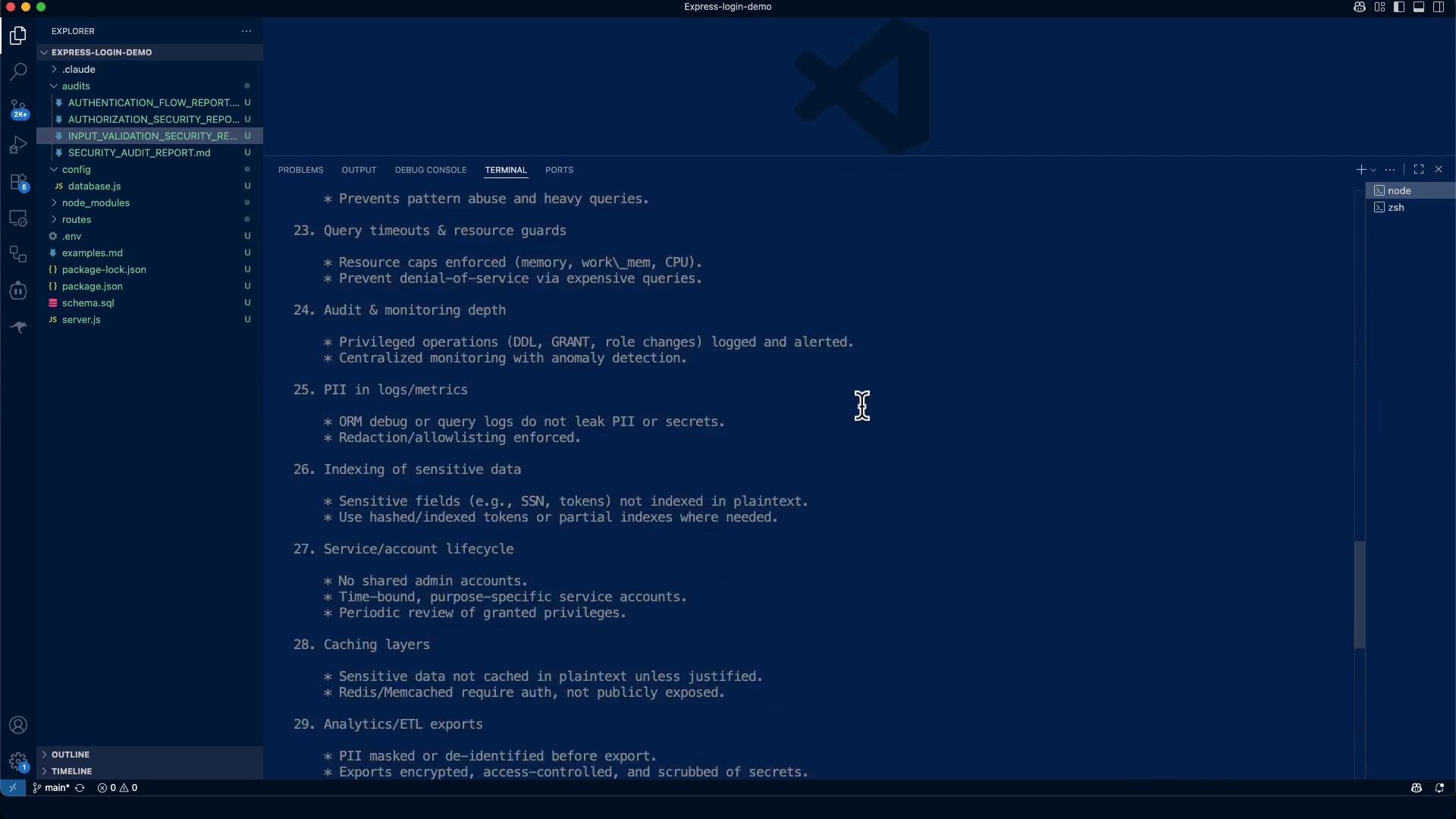
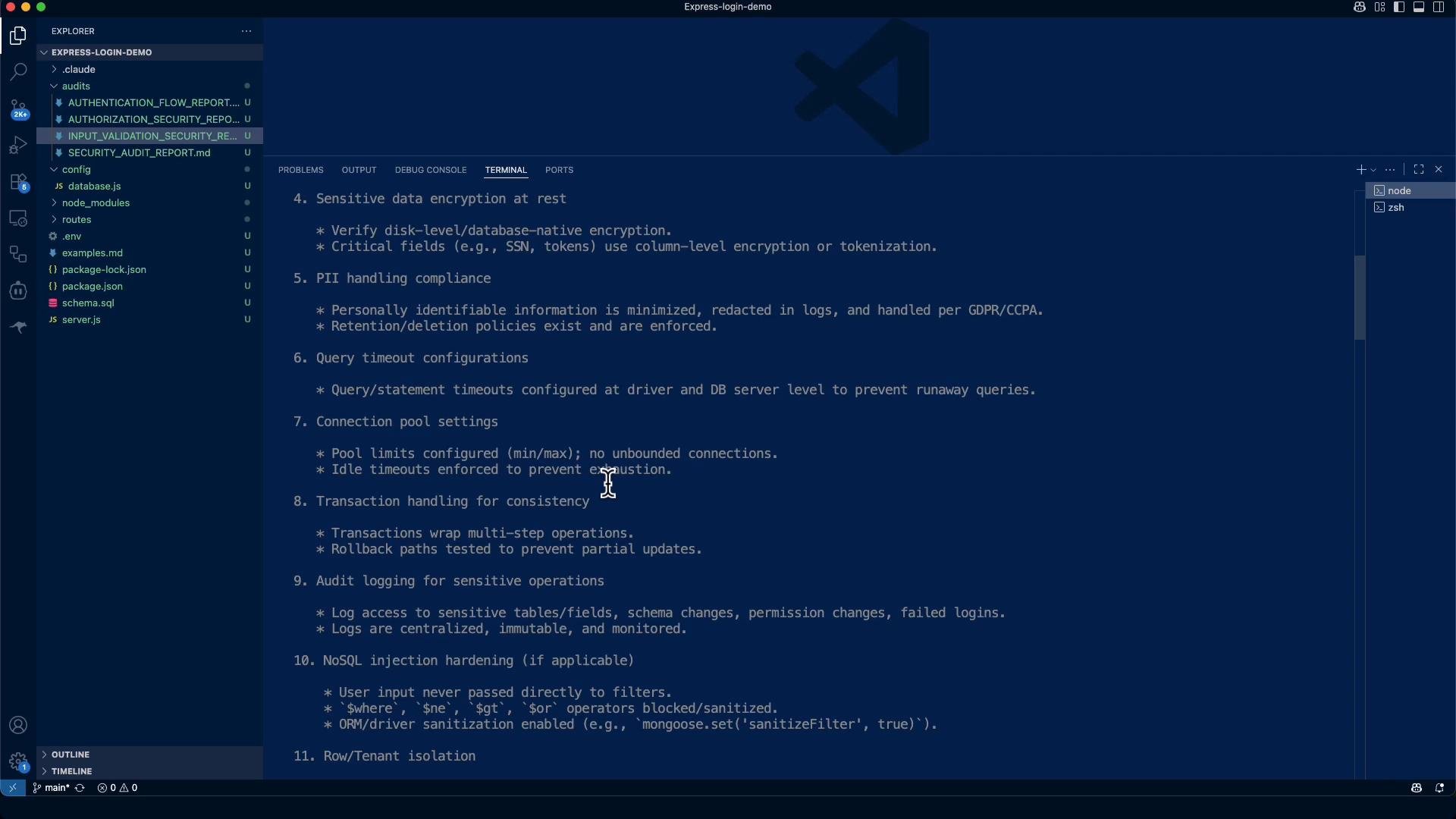
What we check (summary checklist)
```text theme={null}
Verify:
1. Parameterized queries or ORM usage
- Ensure all queries use placeholders (`?`, `$1`, `:param`) or ORM bindings.
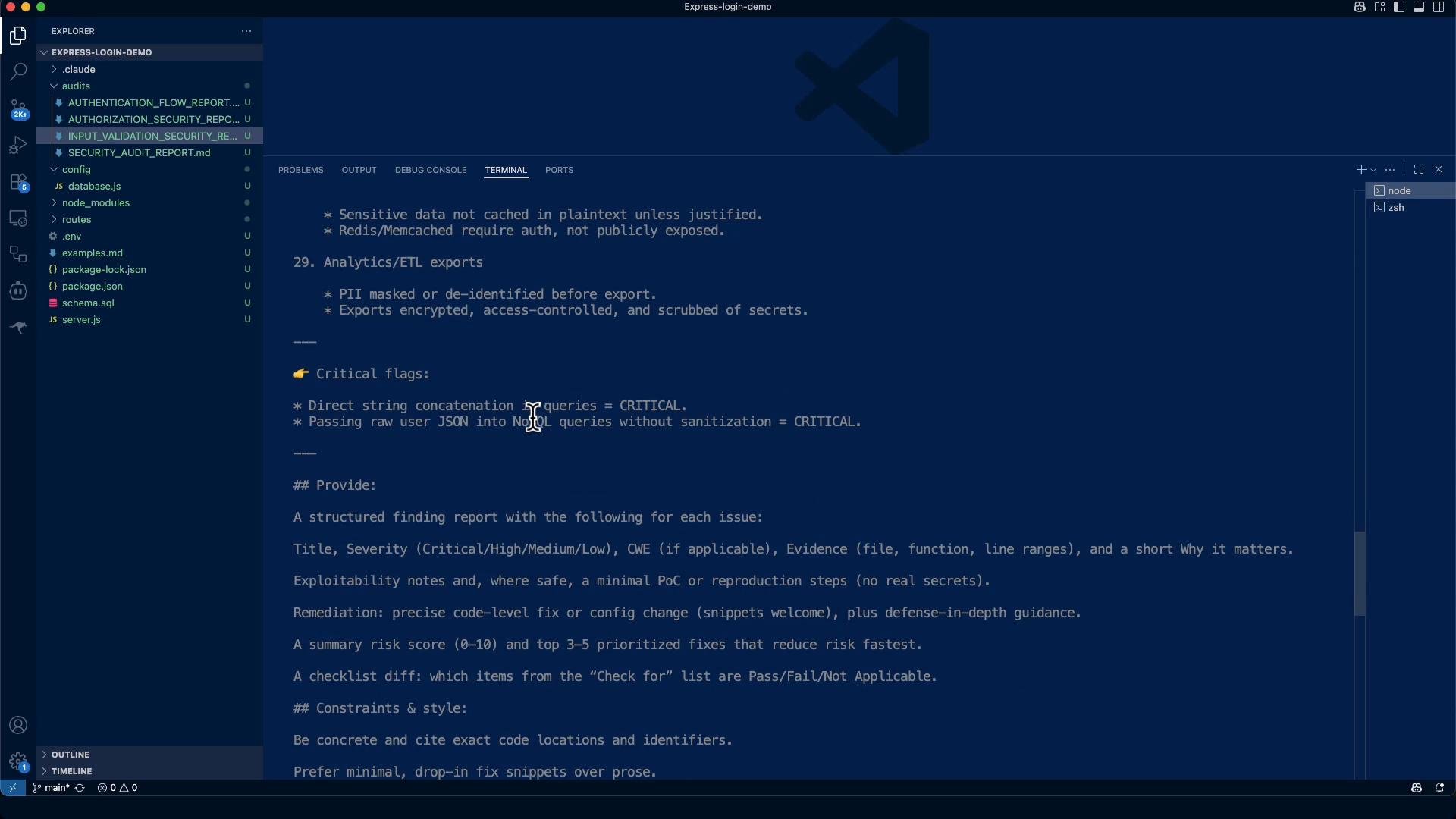
- Flag any direct string concatenation in queries as CRITICAL.
2. Connection string security
- No passwords or secrets hardcoded in code or committed to source control.
- Use environment variables or a secrets manager.
3. Database user permissions (principle of least privilege)
- Application account has only the rights it needs (no SUPERUSER, DROP, GRANT).
- Separate accounts for read-only, migrations, and admin.
4. Sensitive data encryption at rest
- Verify disk-level/database-native encryption.
- Critical fields (SSN, tokens) use column-level encryption or tokenization.
5. PII handling compliance
- Minimize PII, redact in logs, and handle per GDPR/CCPA.
6. Query timeout configurations
- Timeouts at driver and DB server level to prevent runaway queries.
7. Connection pool settings
- Pool min/max configured; idle timeouts enforced.
8. Transaction handling for consistency
- Multi-step operations wrapped in transactions when required.
9. Audit logging for sensitive operations
10. NoSQL injection / operator sanitization (where applicable)
11. Row/tenant isolation
12. Least-privilege networking (ACLs, VPCs)
13. TLS in transit & certificate validation
14. Secret management & rotation
15. Schema & integrity controls
16. Field-level minimization (avoid SELECT *)
17. Pagination & query limits
18. Backup/restore security
19. Data retention & deletion policies
20. Migrations safety & rollback plans
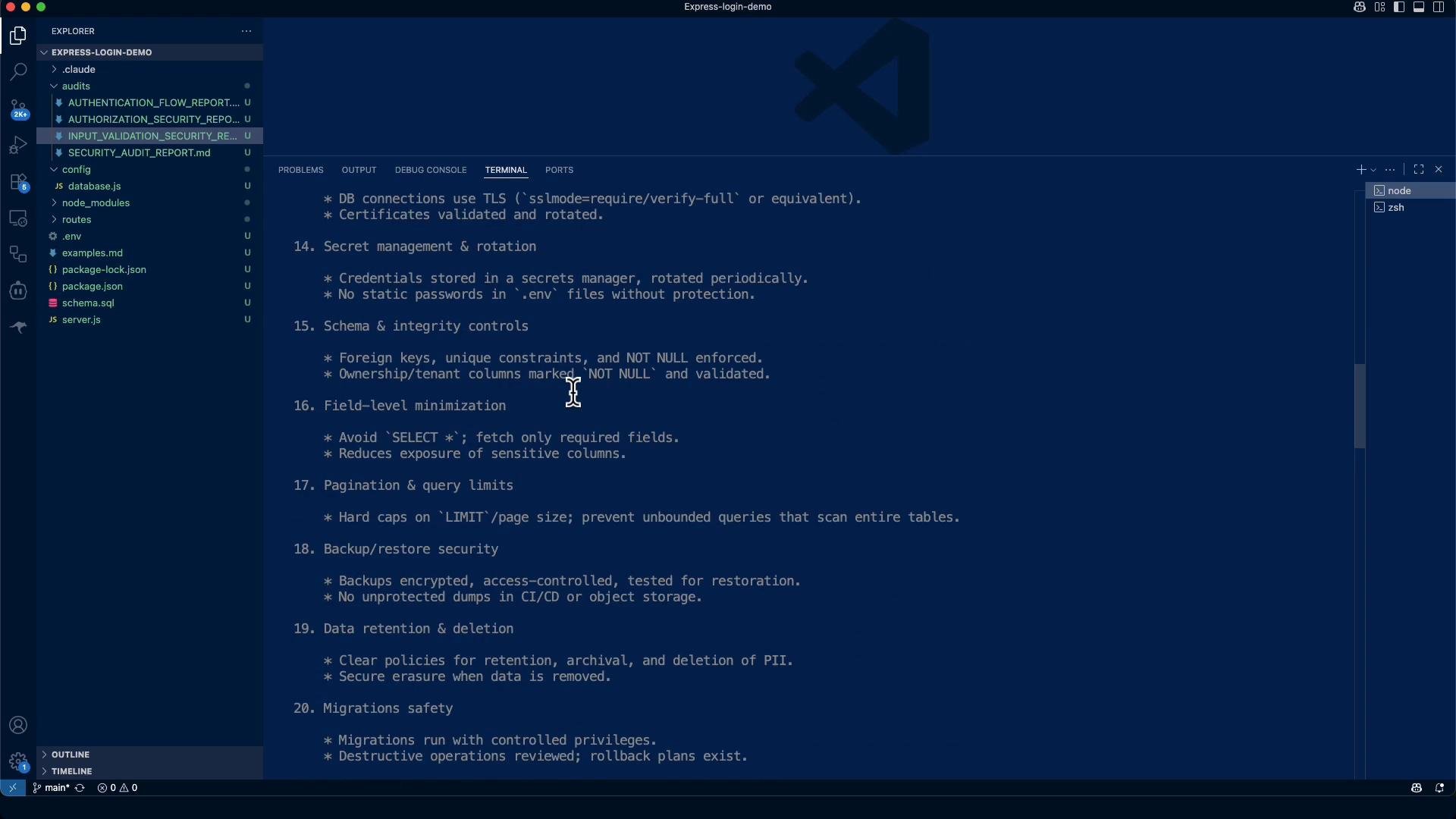
21. ORM raw-query escape-hatch review
22. LIKE / regex input handling
23. Query timeouts & resource guards
24. Audit & monitoring depth
25. PII in logs/metrics
```
Key parts of the audit run
* The tool scanned JS files to locate DB usage patterns (`pool.query`, `client.query`, raw SQL strings), pool usage, SSL/TLS config, and logging that might expose PII.
* Grep-style checks look for driver usage, TLS keywords, console logging, and secret-like strings in `.env`.
Example grep/scan commands executed by the tool:
```bash theme={null}
# find DB query usage
Search(pattern: "pool\.query|query\(", glob: "**/*.js", output_mode: "content")
# check for TLS/SSL config in configs and server files
Bash(grep -r "ssl\\|tls\\|encrypt" /path/to/project/config/ /path/to/project/routes/ /path/to/project/server.js 2>/dev/null || echo "No SSL/TLS configuration found")
# check for common logging calls
Bash(grep -r "console\\.log\\|console\\.error" /path/to/project/ --include="*.js" --exclude-dir=node_modules)
# search for secrets in .env
Bash(grep -r "password\\|secret\\|token\\|key" /path/to/project/.env)
```
Sample search outputs (sanitized)
```text theme={null}
# console logging occurrences
/config/database.js: console.log('Connected to PostgreSQL database');
/config/database.js: console.error('Database connection error:', err);
/server.js: console.log(`Server running on port ${PORT}`);
# .env contents (placeholders found)
.env:JWT_SECRET=your_jwt_secret_key_here
.env:DB_PASSWORD=your_db_password
```
Overview
* Goal: Review every DB interaction in the repository and detect common weaknesses (SQL injection, credentials in source, missing TLS, weak pool/timeouts, PII leakage, multi-tenant isolation, etc.).
* Output: A structured Markdown audit report written to `audits/DATABASE_SECURITY_AUDIT_REPORT.md` with findings, evidence, remediation steps, and a prioritized plan.
The audit tool indexes JavaScript files for DB usage patterns and configuration, extracts evidence snippets, and produces a machine-readable report. You can invoke the tool from the repository root to inspect specific files or produce the full DB audit.
Example of how the audit tool ([Claude Code for Beginners](https://learn.kodekloud.com/user/courses/claude-code-for-beginners)) was run in the project:
```bash theme={null}
jeremy@MACSTUDIO Express-login-demo % claude
* Welcome to Claude Code!
/help for help, /status for your current setup
cwd: /Users/jeremy/Repos/Claude Code Course/Express-login-demo
> Try "how does work?"
? for shortcuts
In INPUT_VALIDATION_SECURITY_REPORT.md
```
What we check (summary checklist)
```text theme={null}
Verify:
1. Parameterized queries or ORM usage
- Ensure all queries use placeholders (`?`, `$1`, `:param`) or ORM bindings.
- Flag any direct string concatenation in queries as CRITICAL.
2. Connection string security
- No passwords or secrets hardcoded in code or committed to source control.
- Use environment variables or a secrets manager.
3. Database user permissions (principle of least privilege)
- Application account has only the rights it needs (no SUPERUSER, DROP, GRANT).
- Separate accounts for read-only, migrations, and admin.
4. Sensitive data encryption at rest
- Verify disk-level/database-native encryption.
- Critical fields (SSN, tokens) use column-level encryption or tokenization.
5. PII handling compliance
- Minimize PII, redact in logs, and handle per GDPR/CCPA.
6. Query timeout configurations
- Timeouts at driver and DB server level to prevent runaway queries.
7. Connection pool settings
- Pool min/max configured; idle timeouts enforced.
8. Transaction handling for consistency
- Multi-step operations wrapped in transactions when required.
9. Audit logging for sensitive operations
10. NoSQL injection / operator sanitization (where applicable)
11. Row/tenant isolation
12. Least-privilege networking (ACLs, VPCs)
13. TLS in transit & certificate validation
14. Secret management & rotation
15. Schema & integrity controls
16. Field-level minimization (avoid SELECT *)
17. Pagination & query limits
18. Backup/restore security
19. Data retention & deletion policies
20. Migrations safety & rollback plans
21. ORM raw-query escape-hatch review
22. LIKE / regex input handling
23. Query timeouts & resource guards
24. Audit & monitoring depth
25. PII in logs/metrics
```
Key parts of the audit run
* The tool scanned JS files to locate DB usage patterns (`pool.query`, `client.query`, raw SQL strings), pool usage, SSL/TLS config, and logging that might expose PII.
* Grep-style checks look for driver usage, TLS keywords, console logging, and secret-like strings in `.env`.
Example grep/scan commands executed by the tool:
```bash theme={null}
# find DB query usage
Search(pattern: "pool\.query|query\(", glob: "**/*.js", output_mode: "content")
# check for TLS/SSL config in configs and server files
Bash(grep -r "ssl\\|tls\\|encrypt" /path/to/project/config/ /path/to/project/routes/ /path/to/project/server.js 2>/dev/null || echo "No SSL/TLS configuration found")
# check for common logging calls
Bash(grep -r "console\\.log\\|console\\.error" /path/to/project/ --include="*.js" --exclude-dir=node_modules)
# search for secrets in .env
Bash(grep -r "password\\|secret\\|token\\|key" /path/to/project/.env)
```
Sample search outputs (sanitized)
```text theme={null}
# console logging occurrences
/config/database.js: console.log('Connected to PostgreSQL database');
/config/database.js: console.error('Database connection error:', err);
/server.js: console.log(`Server running on port ${PORT}`);
# .env contents (placeholders found)
.env:JWT_SECRET=your_jwt_secret_key_here
.env:DB_PASSWORD=your_db_password
```
 Executive summary (consolidated)
* Strengths: the app uses parameterized queries (`$1` style) and bcrypt for password hashing; input validation is present (express-validator). These reduce injection and credential storage risk.
* Major gaps to fix before production: missing TLS for DB connections, credentials present in development files, absent connection pool limits and statement timeouts, and lack of DB audit logging / RLS controls where applicable.
* Risk score (pre-remediation): 6.5 / 10 (Medium-High). With prioritized fixes applied, target score: \~2.5 / 10 (Low Risk).
## Critical findings (selected)
* Strengths: the app uses parameterized queries (`$1` style) and bcrypt for password hashing; input validation is present (express-validator). These reduce injection and credential storage risk.
* Major gaps to fix before production: missing TLS for DB connections, credentials present in development files, absent connection pool limits and statement timeouts, and lack of DB audit logging / RLS controls where applicable.
* Risk score (pre-remediation): 6.5 / 10 (Medium-High). With prioritized fixes applied, target score: \~2.5 / 10 (Low Risk).
### CRITICAL: No TLS/SSL Encryption in Transit
* Title: Database connections lack encryption
* Severity: Critical
* CWE: CWE-319 (Cleartext Transmission of Sensitive Information)
* Evidence: `config/database.js:3-9` — pool configuration does not include SSL settings; connections default to plaintext TCP.
Evidence excerpt:
```javascript theme={null}
// config/database.js (evidence excerpt)
const pool = new Pool({
host: process.env.DB_HOST,
port: process.env.DB_PORT,
database: process.env.DB_NAME,
user: process.env.DB_USER,
password: process.env.DB_PASSWORD,
// missing ssl: { rejectUnauthorized: true } for production
});
```
Remediation (production-ready pg client example)
```javascript theme={null}
// config/database.js (production config example)
const pool = new Pool({
host: process.env.DB_HOST,
port: Number(process.env.DB_PORT),
database: process.env.DB_NAME,
user: process.env.DB_USER,
password: process.env.DB_PASSWORD,
ssl: {
rejectUnauthorized: true, // verify server certificate
ca: process.env.DB_CA_CERT_BASE64 ? Buffer.from(process.env.DB_CA_CERT_BASE64, 'base64') : undefined
},
max: Number(process.env.DB_POOL_MAX || 10),
idleTimeoutMillis: Number(process.env.DB_IDLE_TIMEOUT_MS || 30000)
// Note: use `SET statement_timeout` per-connection or configure on the DB server.
});
```
Do NOT disable SSL (`ssl: false`) in production. Ensure `rejectUnauthorized: true` and provide a CA cert (or platform-provided TLS) via environment or secrets manager. Failing to enable TLS exposes credentials and data in transit.
### CRITICAL: Hard-coded placeholder credentials found
* Evidence: `.env` contains `JWT_SECRET=your_jwt_secret_key_here` and `DB_PASSWORD=your_db_password`.
* Remediation:
* Remove real `.env` from the repo and purge it from Git history (use `git filter-repo` or `git filter-branch`).
* Add `.env` to `.gitignore`, and commit a `.env.example` with placeholders.
* Store production secrets in a secrets manager (AWS Secrets Manager, HashiCorp Vault, etc.) and inject into CI/CD or runtime environment.
### HIGH: Test / placeholder bcrypt hash in SQL
* Example:
```sql theme={null}
INSERT INTO users (email, name, password) VALUES
('test@example.com', 'Test User', '$2b$10$K6Kg8Q3.3Q3Q3Q3Q3Q3Q3Q3Q3Q3Q3Q3Q3Q3Q3Q3Q3Q3Q3Q3Q3Q3Q3Q3Q');
```
* Remediation: Remove or isolate test accounts from production data. Generate unique, properly salted bcrypt hashes for any seeded accounts.
Other notable issues
* Missing connection pool limits and driver-level statement timeouts (risk: resource exhaustion).
* No DB audit logging or DDL change monitoring identified.
* No Row-Level Security (RLS) policies if multi-tenancy applies.
* Some logging uses `console.log`/`console.error` and may expose PII — sanitize logs and avoid printing credentials.
Positive security practices observed
1. Parameterized queries: SQL uses `$1` placeholders (prevents SQL injection).
2. Password hashing: bcrypt used for passwords.
3. Input validation: express-validator used for primary inputs.
4. Connection pooling: `pg Pool` is in use (needs production limits).
5. Environment variables: credentials are sourced from environment variables (but `.env` needs secure handling).
Security Checklist Assessment (high-level)
| Security Control | Status | Notes |
| - | - | - |
| Parameterized queries | ✅ Pass | Queries use `$1` placeholders |
| Connection string security | ❌ Fail | Weak defaults, no SSL/TLS in config |
| Database user permissions | ⚠️ Unable to verify | Requires DB server access |
| Encryption at rest | ⚠️ Unable to verify | Requires DB server config |
| PII handling compliance | ⚠️ Partial | No retention policies defined |
| Query timeout configurations | ❌ Fail | No timeouts configured |
| Connection pool settings | ❌ Fail | No pool limits set |
| Transaction handling | ⚠️ Not Applicable | Mostly single-query operations |
| Audit logging | ❌ Fail | No DB audit logging implemented |
| NoSQL injection | ⚠️ Not Applicable | PostgreSQL only |
| Row/Tenant isolation | ❌ Fail | No RLS policies |
| Network security | ❌ Fail | No SSL/TLS in transit |
| TLS & certificates | ❌ Fail | No TLS configuration |
| Secret management | ❌ Fail | Hardcoded placeholders in .env |
| Schema integrity | ✅ Pass | Foreign keys, constraints present |
| Field minimization | ✅ Pass | Only required fields selected |
| Backup security | ⚠️ Unable to verify | No backup config visible |
| Data retention | ❌ Fail | No policies implemented |
Priority remediation plan
Immediate (Week 1)
1. Enable TLS/SSL for database connections and verify server certificates.
2. Remove `.env` from repository and add `.env` to `.gitignore`. Commit `.env.example` instead.
3. Generate and store production secrets in a secrets manager.
4. Add connection pool limits, idle timeouts, and statement timeouts.
Short-term (Month 1)
1. Implement DB audit logging for authentication and privileged operations.
2. Add client-side query timeouts and resource guards.
3. Sanitize error logging to avoid PII leakage.
4. Replace placeholder/test hashes and remove test accounts from prod seeds.
Medium-term (Month 2–3)
1. Adopt a secrets management solution (AWS Secrets Manager, HashiCorp Vault).
2. Add database monitoring, alerting, and anomaly detection.
3. Implement data retention and deletion policies.
4. Apply Row-Level Security (RLS) if multi-tenancy is required.
Risk score justification
* +3: Missing TLS and credential management (critical exposure)
* -2: Strong use of parameterized queries and input validation
* +1: Missing enterprise controls (audit, timeouts)
* +1: Development defaults not hardened for production
Target score after prioritized fixes: approximately 2.5 / 10 (Low Risk)
Executive summary (consolidated)
* Strengths: the app uses parameterized queries (`$1` style) and bcrypt for password hashing; input validation is present (express-validator). These reduce injection and credential storage risk.
* Major gaps to fix before production: missing TLS for DB connections, credentials present in development files, absent connection pool limits and statement timeouts, and lack of DB audit logging / RLS controls where applicable.
* Risk score (pre-remediation): 6.5 / 10 (Medium-High). With prioritized fixes applied, target score: \~2.5 / 10 (Low Risk).
## Critical findings (selected)
* Strengths: the app uses parameterized queries (`$1` style) and bcrypt for password hashing; input validation is present (express-validator). These reduce injection and credential storage risk.
* Major gaps to fix before production: missing TLS for DB connections, credentials present in development files, absent connection pool limits and statement timeouts, and lack of DB audit logging / RLS controls where applicable.
* Risk score (pre-remediation): 6.5 / 10 (Medium-High). With prioritized fixes applied, target score: \~2.5 / 10 (Low Risk).
### CRITICAL: No TLS/SSL Encryption in Transit
* Title: Database connections lack encryption
* Severity: Critical
* CWE: CWE-319 (Cleartext Transmission of Sensitive Information)
* Evidence: `config/database.js:3-9` — pool configuration does not include SSL settings; connections default to plaintext TCP.
Evidence excerpt:
```javascript theme={null}
// config/database.js (evidence excerpt)
const pool = new Pool({
host: process.env.DB_HOST,
port: process.env.DB_PORT,
database: process.env.DB_NAME,
user: process.env.DB_USER,
password: process.env.DB_PASSWORD,
// missing ssl: { rejectUnauthorized: true } for production
});
```
Remediation (production-ready pg client example)
```javascript theme={null}
// config/database.js (production config example)
const pool = new Pool({
host: process.env.DB_HOST,
port: Number(process.env.DB_PORT),
database: process.env.DB_NAME,
user: process.env.DB_USER,
password: process.env.DB_PASSWORD,
ssl: {
rejectUnauthorized: true, // verify server certificate
ca: process.env.DB_CA_CERT_BASE64 ? Buffer.from(process.env.DB_CA_CERT_BASE64, 'base64') : undefined
},
max: Number(process.env.DB_POOL_MAX || 10),
idleTimeoutMillis: Number(process.env.DB_IDLE_TIMEOUT_MS || 30000)
// Note: use `SET statement_timeout` per-connection or configure on the DB server.
});
```
Do NOT disable SSL (`ssl: false`) in production. Ensure `rejectUnauthorized: true` and provide a CA cert (or platform-provided TLS) via environment or secrets manager. Failing to enable TLS exposes credentials and data in transit.
### CRITICAL: Hard-coded placeholder credentials found
* Evidence: `.env` contains `JWT_SECRET=your_jwt_secret_key_here` and `DB_PASSWORD=your_db_password`.
* Remediation:
* Remove real `.env` from the repo and purge it from Git history (use `git filter-repo` or `git filter-branch`).
* Add `.env` to `.gitignore`, and commit a `.env.example` with placeholders.
* Store production secrets in a secrets manager (AWS Secrets Manager, HashiCorp Vault, etc.) and inject into CI/CD or runtime environment.
### HIGH: Test / placeholder bcrypt hash in SQL
* Example:
```sql theme={null}
INSERT INTO users (email, name, password) VALUES
('test@example.com', 'Test User', '$2b$10$K6Kg8Q3.3Q3Q3Q3Q3Q3Q3Q3Q3Q3Q3Q3Q3Q3Q3Q3Q3Q3Q3Q3Q3Q3Q3Q3Q');
```
* Remediation: Remove or isolate test accounts from production data. Generate unique, properly salted bcrypt hashes for any seeded accounts.
Other notable issues
* Missing connection pool limits and driver-level statement timeouts (risk: resource exhaustion).
* No DB audit logging or DDL change monitoring identified.
* No Row-Level Security (RLS) policies if multi-tenancy applies.
* Some logging uses `console.log`/`console.error` and may expose PII — sanitize logs and avoid printing credentials.
Positive security practices observed
1. Parameterized queries: SQL uses `$1` placeholders (prevents SQL injection).
2. Password hashing: bcrypt used for passwords.
3. Input validation: express-validator used for primary inputs.
4. Connection pooling: `pg Pool` is in use (needs production limits).
5. Environment variables: credentials are sourced from environment variables (but `.env` needs secure handling).
Security Checklist Assessment (high-level)
| Security Control | Status | Notes |
| - | - | - |
| Parameterized queries | ✅ Pass | Queries use `$1` placeholders |
| Connection string security | ❌ Fail | Weak defaults, no SSL/TLS in config |
| Database user permissions | ⚠️ Unable to verify | Requires DB server access |
| Encryption at rest | ⚠️ Unable to verify | Requires DB server config |
| PII handling compliance | ⚠️ Partial | No retention policies defined |
| Query timeout configurations | ❌ Fail | No timeouts configured |
| Connection pool settings | ❌ Fail | No pool limits set |
| Transaction handling | ⚠️ Not Applicable | Mostly single-query operations |
| Audit logging | ❌ Fail | No DB audit logging implemented |
| NoSQL injection | ⚠️ Not Applicable | PostgreSQL only |
| Row/Tenant isolation | ❌ Fail | No RLS policies |
| Network security | ❌ Fail | No SSL/TLS in transit |
| TLS & certificates | ❌ Fail | No TLS configuration |
| Secret management | ❌ Fail | Hardcoded placeholders in .env |
| Schema integrity | ✅ Pass | Foreign keys, constraints present |
| Field minimization | ✅ Pass | Only required fields selected |
| Backup security | ⚠️ Unable to verify | No backup config visible |
| Data retention | ❌ Fail | No policies implemented |
Priority remediation plan
Immediate (Week 1)
1. Enable TLS/SSL for database connections and verify server certificates.
2. Remove `.env` from repository and add `.env` to `.gitignore`. Commit `.env.example` instead.
3. Generate and store production secrets in a secrets manager.
4. Add connection pool limits, idle timeouts, and statement timeouts.
Short-term (Month 1)
1. Implement DB audit logging for authentication and privileged operations.
2. Add client-side query timeouts and resource guards.
3. Sanitize error logging to avoid PII leakage.
4. Replace placeholder/test hashes and remove test accounts from prod seeds.
Medium-term (Month 2–3)
1. Adopt a secrets management solution (AWS Secrets Manager, HashiCorp Vault).
2. Add database monitoring, alerting, and anomaly detection.
3. Implement data retention and deletion policies.
4. Apply Row-Level Security (RLS) if multi-tenancy is required.
Risk score justification
* +3: Missing TLS and credential management (critical exposure)
* -2: Strong use of parameterized queries and input validation
* +1: Missing enterprise controls (audit, timeouts)
* +1: Development defaults not hardened for production
Target score after prioritized fixes: approximately 2.5 / 10 (Low Risk)
 Additional practical remediation snippets
* Enforce per-statement timeouts at the client level (pg example):
```javascript theme={null}
// set a per-statement timeout (ms)
const client = await pool.connect();
try {
await client.query('SET statement_timeout = 5000'); // 5s
const res = await client.query('SELECT * FROM users WHERE id = $1', [id]);
} finally {
client.release();
}
```
* Sanitize logs to avoid PII leaks:
```javascript theme={null}
// bad
console.error('Auth failed for user:', userEmail, 'password:', password);
// better - log non-PII context only
console.error('Auth failed for user (email masked):', maskEmail(userEmail));
```
* Use environment-driven pool defaults and sensible production values:
```bash theme={null}
DB_POOL_MAX=20
DB_IDLE_TIMEOUT_MS=30000
DB_STATEMENT_TIMEOUT_MS=5000
```
* Example `.env.example` (commit this file; never commit real secrets):
```text theme={null}
# .env.example
DB_HOST=your-db-host
DB_PORT=5432
DB_NAME=your-db-name
DB_USER=your-db-user
DB_PASSWORD=REPLACE_ME
JWT_SECRET=REPLACE_ME
DB_POOL_MAX=10
DB_IDLE_TIMEOUT_MS=30000
DB_STATEMENT_TIMEOUT_MS=5000
```
Additional practical remediation snippets
* Enforce per-statement timeouts at the client level (pg example):
```javascript theme={null}
// set a per-statement timeout (ms)
const client = await pool.connect();
try {
await client.query('SET statement_timeout = 5000'); // 5s
const res = await client.query('SELECT * FROM users WHERE id = $1', [id]);
} finally {
client.release();
}
```
* Sanitize logs to avoid PII leaks:
```javascript theme={null}
// bad
console.error('Auth failed for user:', userEmail, 'password:', password);
// better - log non-PII context only
console.error('Auth failed for user (email masked):', maskEmail(userEmail));
```
* Use environment-driven pool defaults and sensible production values:
```bash theme={null}
DB_POOL_MAX=20
DB_IDLE_TIMEOUT_MS=30000
DB_STATEMENT_TIMEOUT_MS=5000
```
* Example `.env.example` (commit this file; never commit real secrets):
```text theme={null}
# .env.example
DB_HOST=your-db-host
DB_PORT=5432
DB_NAME=your-db-name
DB_USER=your-db-user
DB_PASSWORD=REPLACE_ME
JWT_SECRET=REPLACE_ME
DB_POOL_MAX=10
DB_IDLE_TIMEOUT_MS=30000
DB_STATEMENT_TIMEOUT_MS=5000
```
 Conclusion
* The Express login demo demonstrates solid foundations (parameterized queries, bcrypt, input validation), which reduce injection and credential storage risk.
* Critical production hardening is required before public deployment: enable TLS, remove sensitive files from source, configure pool/timeouts, introduce audit logging, and adopt a secrets manager.
* Implement the prioritized remediation plan above — these concrete fixes will materially reduce risk quickly.
Recommended follow-up
* Expand scope to API and infrastructure security: ingress controls, network ACLs, and cloud resource configuration.
* Validate database server-side controls (encryption at rest, user roles, audit logging, and backups).
References and further reading
* node-postgres (pg): [https://node-postgres.com/](https://node-postgres.com/)
* HashiCorp Vault: [https://www.vaultproject.io/](https://www.vaultproject.io/)
* AWS Secrets Manager: [https://aws.amazon.com/secrets-manager/](https://aws.amazon.com/secrets-manager/)
* bcrypt (npm): [https://www.npmjs.com/package/bcrypt](https://www.npmjs.com/package/bcrypt)
* express-validator: [https://express-validator.github.io/docs/](https://express-validator.github.io/docs/)
* PostgreSQL SSL/TLS documentation: [https://www.postgresql.org/docs/current/ssl-tcp.html](https://www.postgresql.org/docs/current/ssl-tcp.html)
This documentation is built and hosted on [Mintlify](https://mintlify.com), a developer documentation platform.
Conclusion
* The Express login demo demonstrates solid foundations (parameterized queries, bcrypt, input validation), which reduce injection and credential storage risk.
* Critical production hardening is required before public deployment: enable TLS, remove sensitive files from source, configure pool/timeouts, introduce audit logging, and adopt a secrets manager.
* Implement the prioritized remediation plan above — these concrete fixes will materially reduce risk quickly.
Recommended follow-up
* Expand scope to API and infrastructure security: ingress controls, network ACLs, and cloud resource configuration.
* Validate database server-side controls (encryption at rest, user roles, audit logging, and backups).
References and further reading
* node-postgres (pg): [https://node-postgres.com/](https://node-postgres.com/)
* HashiCorp Vault: [https://www.vaultproject.io/](https://www.vaultproject.io/)
* AWS Secrets Manager: [https://aws.amazon.com/secrets-manager/](https://aws.amazon.com/secrets-manager/)
* bcrypt (npm): [https://www.npmjs.com/package/bcrypt](https://www.npmjs.com/package/bcrypt)
* express-validator: [https://express-validator.github.io/docs/](https://express-validator.github.io/docs/)
* PostgreSQL SSL/TLS documentation: [https://www.postgresql.org/docs/current/ssl-tcp.html](https://www.postgresql.org/docs/current/ssl-tcp.html)
This documentation is built and hosted on [Mintlify](https://mintlify.com), a developer documentation platform.