> ## Documentation Index
> Fetch the complete documentation index at: https://notes.kodekloud.com/llms.txt
> Use this file to discover all available pages before exploring further.
# Course Introduction
> Introduction to Cline course teaching AI-powered development workflows, workspace setup, Plan and Act modes, prompt engineering, API documentation, and hands-on labs for engineers
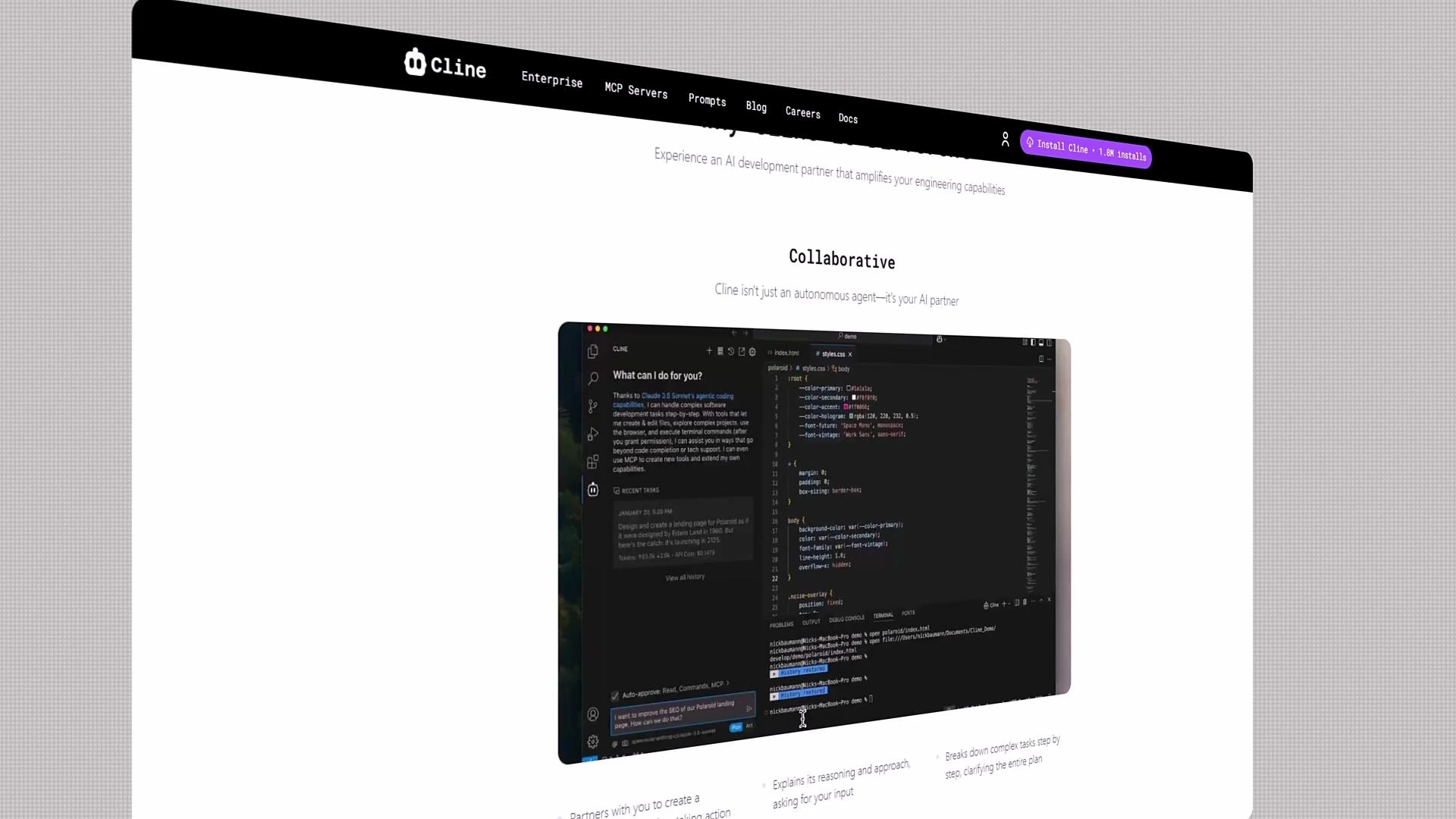
Welcome. If you're curious about the future of software development, you're in the right place. Cline brings AI-powered development workflows to everyday engineering: fast iteration, intelligent automation, and a collaborative, extensible environment. Best of all, Cline is open source and free to use.
I'm Jeremy Morgan, and I'll guide you through this course. Whether you're a beginner or an experienced engineer, you'll learn how to use Cline's AI features to build, automate, and maintain applications more effectively.
 ## What you'll learn
This course blends conceptual insight with hands-on labs. Key outcomes:
* Understand why AI-powered development matters and where Cline fits in your toolchain.
* Configure your workspace for productivity: model selection, rules, checkpoints, and memory banks.
* Connect to remote MCP servers or run local LLMs for low-latency, private development.
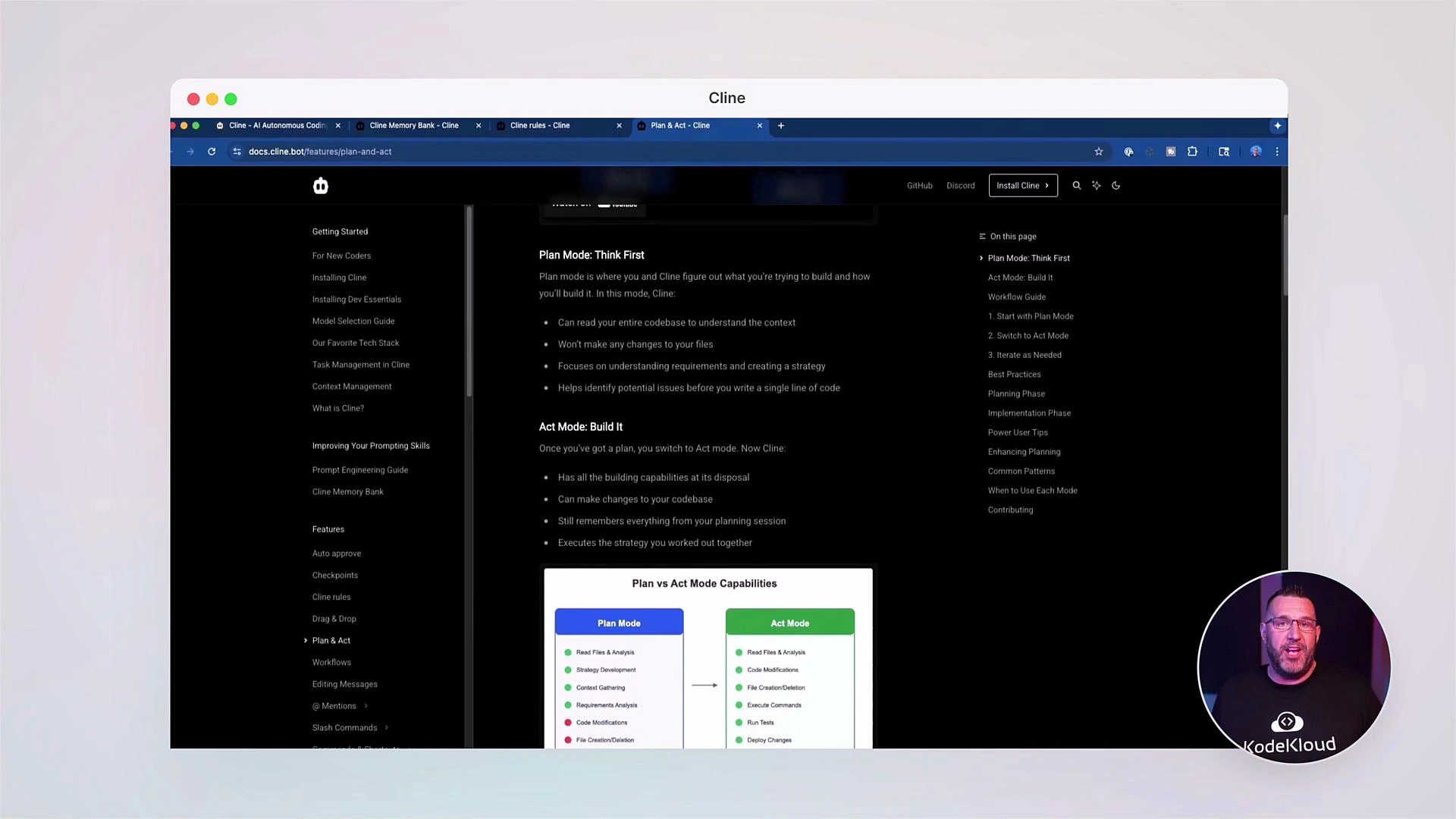
* Use Cline's Plan and Act modes to let the assistant propose steps and safely execute tasks.
* Master prompt engineering, prompt anatomy, and best practices that improve AI output quality.
* Manage context effectively: use context windows, checkpoints, and session memory to keep interactions coherent across complex workflows.
* Build and document APIs with OpenAPI-style specs and keep documentation synchronized with code.
Below is a concise map of course modules:
| Module | Focus |
| ------------------ | ----------------------------------------------------------- |
| Introduction | Why AI for development, Cline overview |
| Workspace Setup | Models, rules, memory banks, MCP/local LLMs |
| Plan & Act Modes | Interactive planning, requesting permission to run commands |
| Prompt Engineering | Prompt anatomy, specificity, and templates |
| Context Management | Checkpoints, context windows, session memory |
| APIs & Docs | OpenAPI-style specs, FastAPI examples, keeping docs in sync |
| Labs & Community | Hands-on labs and forum-driven support |
## Interactive assistant example
To illustrate how Cline interacts when diagnosing and running an application, here’s a typical assistant request panel. It explains the steps it will take and asks permission before executing commands:
```text theme={null}
API Request...
To run the app and fix errors, I'll need to follow these steps:
1. Start the development server
2. Analyze any errors that occur
3. Investigate the relevant files
4. Make necessary corrections
5. Verify the fixes
Let's begin by starting the development server.
Cline wants to execute this command:
npm start
[Cancel] [Allow]
```
This flow demonstrates Cline’s safe-execution model: it proposes a plan, shows you the commands, and asks for explicit approval before taking action.
## What you'll learn
This course blends conceptual insight with hands-on labs. Key outcomes:
* Understand why AI-powered development matters and where Cline fits in your toolchain.
* Configure your workspace for productivity: model selection, rules, checkpoints, and memory banks.
* Connect to remote MCP servers or run local LLMs for low-latency, private development.
* Use Cline's Plan and Act modes to let the assistant propose steps and safely execute tasks.
* Master prompt engineering, prompt anatomy, and best practices that improve AI output quality.
* Manage context effectively: use context windows, checkpoints, and session memory to keep interactions coherent across complex workflows.
* Build and document APIs with OpenAPI-style specs and keep documentation synchronized with code.
Below is a concise map of course modules:
| Module | Focus |
| ------------------ | ----------------------------------------------------------- |
| Introduction | Why AI for development, Cline overview |
| Workspace Setup | Models, rules, memory banks, MCP/local LLMs |
| Plan & Act Modes | Interactive planning, requesting permission to run commands |
| Prompt Engineering | Prompt anatomy, specificity, and templates |
| Context Management | Checkpoints, context windows, session memory |
| APIs & Docs | OpenAPI-style specs, FastAPI examples, keeping docs in sync |
| Labs & Community | Hands-on labs and forum-driven support |
## Interactive assistant example
To illustrate how Cline interacts when diagnosing and running an application, here’s a typical assistant request panel. It explains the steps it will take and asks permission before executing commands:
```text theme={null}
API Request...
To run the app and fix errors, I'll need to follow these steps:
1. Start the development server
2. Analyze any errors that occur
3. Investigate the relevant files
4. Make necessary corrections
5. Verify the fixes
Let's begin by starting the development server.
Cline wants to execute this command:
npm start
[Cancel] [Allow]
```
This flow demonstrates Cline’s safe-execution model: it proposes a plan, shows you the commands, and asks for explicit approval before taking action.
 ## Working with APIs and OpenAPI-style specs
Cline helps you author and maintain API documentation alongside code. Here’s an example OpenAPI-style endpoint listing for a simple "castings" resource:
```text theme={null}
Casting Number Lookup API
/openapi.json
API for looking up casting numbers and their associated data
castings
GET /api/castings/ Get Castings
POST /api/castings/ Create Casting
GET /api/castings/{casting_id} Get Casting By Id
PUT /api/castings/{casting_id} Update Casting
DELETE /api/castings/{casting_id} Delete Casting
GET /api/castings/search/ Search Castings
default
GET / Read Root
Schemas
Casting › Expand all object
CastingCreate › Expand all object
CastingUpdate › Expand all object
```
Quick reference table for the above endpoints:
| Method | Path | Purpose |
| ------ | ---------------------------- | --------------------------- |
| GET | `/api/castings/` | List castings |
| POST | `/api/castings/` | Create a new casting |
| GET | `/api/castings/{casting_id}` | Retrieve a casting by ID |
| PUT | `/api/castings/{casting_id}` | Update a casting by ID |
| DELETE | `/api/castings/{casting_id}` | Delete a casting by ID |
| GET | `/api/castings/search/` | Search castings by criteria |
## Example: FastAPI router for "castings"
To keep API code in sync with docs, you can use frameworks like FastAPI. Here’s a typical router implementation for the same resource:
```python theme={null}
from typing import List, Optional
from fastapi import APIRouter, Depends
from sqlalchemy.orm import Session
from app.db.database import get_db
from app.models.casting import Casting as CastingModel
from app.schemas.casting import Casting
router = APIRouter()
@router.get("/", response_model=List[Casting])
def get_castings(db: Session = Depends(get_db)):
# Return a list of castings
pass
@router.get("/{casting_id}", response_model=Casting)
def get_casting_by_id(casting_id: int, db: Session = Depends(get_db)):
# Return a single casting by id
pass
@router.get("/search/", response_model=List[Casting])
def search_castings(
years: Optional[str] = None,
cid: Optional[int] = None,
db: Session = Depends(get_db),
):
# Search castings by criteria such as years or cid
pass
```
Running a FastAPI app locally produces startup and access logs similar to the example below. These logs are useful for troubleshooting and verifying that docs (e.g., `/openapi.json`, `/docs`) are served correctly:
```text theme={null}
INFO: Waiting for application startup.
INFO: Application startup complete.
INFO: 127.0.0.1:54558 - "GET / HTTP/1.1" 200 OK
INFO: 127.0.0.1:54558 - "GET /favicon.ico HTTP/1.1" 404 Not Found
INFO: 127.0.0.1:54558 - "GET /docs HTTP/1.1" 200 OK
INFO: 127.0.0.1:54558 - "GET /openapi.json HTTP/1.1" 200 OK
WARNING: StatReload detected changes in 'app/api/endpoints/casting.py'. Reloading...
INFO: Shutting down
```
## Hands-on labs and community support
Throughout this course you'll complete practical labs and realistic scenarios to apply what you learn. We encourage collaboration — share logs, code snippets, and specific questions so others can help quickly.
If you get stuck at any point, post your question in the community forums with logs and code snippets. Sharing concrete details helps others help you faster.
## Next steps & references
Ready to begin? Start with the workspace setup module: configure your default model, create a rule set, and practice a simple Plan + Act flow.
Useful references:
* [OpenAPI Initiative](https://www.openapis.org/)
* [FastAPI Documentation](https://fastapi.tiangolo.com/)
* KodeKloud community forums
Let's build the future of AI-powered development together. If you have questions, reach out in the forums — I'm excited to guide you through this course.
## Working with APIs and OpenAPI-style specs
Cline helps you author and maintain API documentation alongside code. Here’s an example OpenAPI-style endpoint listing for a simple "castings" resource:
```text theme={null}
Casting Number Lookup API
/openapi.json
API for looking up casting numbers and their associated data
castings
GET /api/castings/ Get Castings
POST /api/castings/ Create Casting
GET /api/castings/{casting_id} Get Casting By Id
PUT /api/castings/{casting_id} Update Casting
DELETE /api/castings/{casting_id} Delete Casting
GET /api/castings/search/ Search Castings
default
GET / Read Root
Schemas
Casting › Expand all object
CastingCreate › Expand all object
CastingUpdate › Expand all object
```
Quick reference table for the above endpoints:
| Method | Path | Purpose |
| ------ | ---------------------------- | --------------------------- |
| GET | `/api/castings/` | List castings |
| POST | `/api/castings/` | Create a new casting |
| GET | `/api/castings/{casting_id}` | Retrieve a casting by ID |
| PUT | `/api/castings/{casting_id}` | Update a casting by ID |
| DELETE | `/api/castings/{casting_id}` | Delete a casting by ID |
| GET | `/api/castings/search/` | Search castings by criteria |
## Example: FastAPI router for "castings"
To keep API code in sync with docs, you can use frameworks like FastAPI. Here’s a typical router implementation for the same resource:
```python theme={null}
from typing import List, Optional
from fastapi import APIRouter, Depends
from sqlalchemy.orm import Session
from app.db.database import get_db
from app.models.casting import Casting as CastingModel
from app.schemas.casting import Casting
router = APIRouter()
@router.get("/", response_model=List[Casting])
def get_castings(db: Session = Depends(get_db)):
# Return a list of castings
pass
@router.get("/{casting_id}", response_model=Casting)
def get_casting_by_id(casting_id: int, db: Session = Depends(get_db)):
# Return a single casting by id
pass
@router.get("/search/", response_model=List[Casting])
def search_castings(
years: Optional[str] = None,
cid: Optional[int] = None,
db: Session = Depends(get_db),
):
# Search castings by criteria such as years or cid
pass
```
Running a FastAPI app locally produces startup and access logs similar to the example below. These logs are useful for troubleshooting and verifying that docs (e.g., `/openapi.json`, `/docs`) are served correctly:
```text theme={null}
INFO: Waiting for application startup.
INFO: Application startup complete.
INFO: 127.0.0.1:54558 - "GET / HTTP/1.1" 200 OK
INFO: 127.0.0.1:54558 - "GET /favicon.ico HTTP/1.1" 404 Not Found
INFO: 127.0.0.1:54558 - "GET /docs HTTP/1.1" 200 OK
INFO: 127.0.0.1:54558 - "GET /openapi.json HTTP/1.1" 200 OK
WARNING: StatReload detected changes in 'app/api/endpoints/casting.py'. Reloading...
INFO: Shutting down
```
## Hands-on labs and community support
Throughout this course you'll complete practical labs and realistic scenarios to apply what you learn. We encourage collaboration — share logs, code snippets, and specific questions so others can help quickly.
If you get stuck at any point, post your question in the community forums with logs and code snippets. Sharing concrete details helps others help you faster.
## Next steps & references
Ready to begin? Start with the workspace setup module: configure your default model, create a rule set, and practice a simple Plan + Act flow.
Useful references:
* [OpenAPI Initiative](https://www.openapis.org/)
* [FastAPI Documentation](https://fastapi.tiangolo.com/)
* KodeKloud community forums
Let's build the future of AI-powered development together. If you have questions, reach out in the forums — I'm excited to guide you through this course.