> ## Documentation Index
> Fetch the complete documentation index at: https://notes.kodekloud.com/llms.txt
> Use this file to discover all available pages before exploring further.
# Demo projecttoml
> Using project.toml to configure pack buildpacks with defaults like builder image, include and exclude patterns, environment variables, and reproducible build settings
In this lesson you'll add a `project.toml` descriptor to the root of your project so pack (Cloud Native Buildpacks' CLI) automatically uses your preferred defaults — for example the builder image — without requiring `--builder` on every `pack build` invocation.
Previously you might have run pack like this:
```bash theme={null}
pack build myapp --path nodejs-app/ --builder gcr.io/buildpacks/builder:google-22
```
Placing build configuration inside `project.toml` keeps those defaults versioned with your source and makes builds reproducible across environments.
Place `project.toml` at the project root — the same directory you pass to `pack build --path`. Pack reads this descriptor during the build process.
***
## Minimal project.toml (set the builder)
Create `project.toml` in your project root with a minimal descriptor that configures the builder:
```toml theme={null}
[project]
schema-version = "0.2"
id = "io.buildpacks.node-app"
name = "node app"
version = "1.0.0"
[io.buildpacks]
builder = "gcr.io/buildpacks/builder:google-22"
```
With this file in place you can omit the `--builder` flag:
```bash theme={null}
pack build myapp --path nodejs-app/
```
You should see pack pull the builder and run the standard lifecycle phases: Analyze -> Detect -> Build -> Export. Example output excerpt:
```text theme={null}
google-22: Pulling from buildpacks/builder
Digest: sha256:8696d4efdafed7c817f38fb6f4cc8fbf337d43e946b6eb4ef42be27995b398c5
Status: Image is up to date for gcr.io/buildpacks/builder:google-22
----> ANALYZING
====> DETECTING
====> BUILDING
====> EXPORTING
Successfully built image myapp
```
***
## Exclude files from the build context
By default buildpacks copy your project files into the build workspace. Use the `exclude` array under `[io.buildpacks]` to prevent files or directories from being copied into the image (for example `node_modules`, `.env`, test folders, or temporary files).
Create a dummy file to demonstrate:
```bash theme={null}
# create a dummy file in the project
cd ~/buildpack-demo/nodejs-app
echo "temporary data" > dummy-file.txt
```
If you build without excludes, the file will be present in the final image:
```bash theme={null}
# build (pack uses project.toml builder)
pack build myapp --path nodejs-app/
# run the container (note the '-p' flag)
docker run -d -p 8000:8080 myapp
# inspect container filesystem
docker exec -it bash
cnb@container:/workspace$ ls
dummy-file.txt index.js node_modules package.json package-lock.json project.toml
```
Update `project.toml` to exclude specific files:
```toml theme={null}
[project]
schema-version = "0.2"
id = "io.buildpacks.node-app"
name = "node app"
version = "1.0.0"
[io.buildpacks]
builder = "gcr.io/buildpacks/builder:google-22"
exclude = [
"node_modules",
".env",
"tests/**",
"dummy-file.txt"
]
```
After rebuilding and running the container, the excluded files will no longer be present:
```bash theme={null}
pack build myapp --path nodejs-app/
docker run -d -p 8000:8080 myapp
docker exec -it bash
cnb@container:/workspace$ ls
index.js node_modules package.json package-lock.json project.toml
# dummy-file.txt is not present
```
Notes when editing TOML:
* Strings must be quoted properly; arrays must follow TOML syntax.
* Avoid trailing commas in arrays — TOML parsers can error on them.
If `pack build` reports a TOML parse error, check `project.toml` for unclosed quotes, misplaced commas, or accidental newlines inside string values. Fix the syntax and rebuild.
***
## Include instead of exclude (explicit include list)
Instead of excluding specific files, you can choose to exclude everything by default and explicitly include only the files you want using `include`:
```toml theme={null}
[project]
schema-version = "0.2"
id = "io.buildpacks.my-app"
name = "My App"
version = "0.1"
[io.buildpacks]
include = [
"cmd/",
"go.mod",
"go.sum",
"*.go"
]
```
This approach is useful for monorepos or projects with many unrelated files where you only want a narrow set copied into the build context.
***
## Additional options: build environment, groups, and metadata
The project descriptor supports many advanced options: build-time environment variables, grouping buildpacks, project metadata, and more. Example:
```toml theme={null}
[project]
schema-version = "0.2"
id = "io.buildpacks.my-app"
name = "My App"
version = "0.1"
[io.buildpacks]
include = [
"cmd/",
"go.mod",
"go.sum",
"*.go"
]
[[io.buildpacks.build.env]]
name = "JAVA_OPTS"
value = "-Xmx1g"
[[io.buildpacks.group]]
id = "io.buildpacks/java"
version = "1.0"
[[io.buildpacks.group]]
id = "io.buildpacks/nodejs"
version = "1.0"
[project.metadata]
foo = "bar"
```
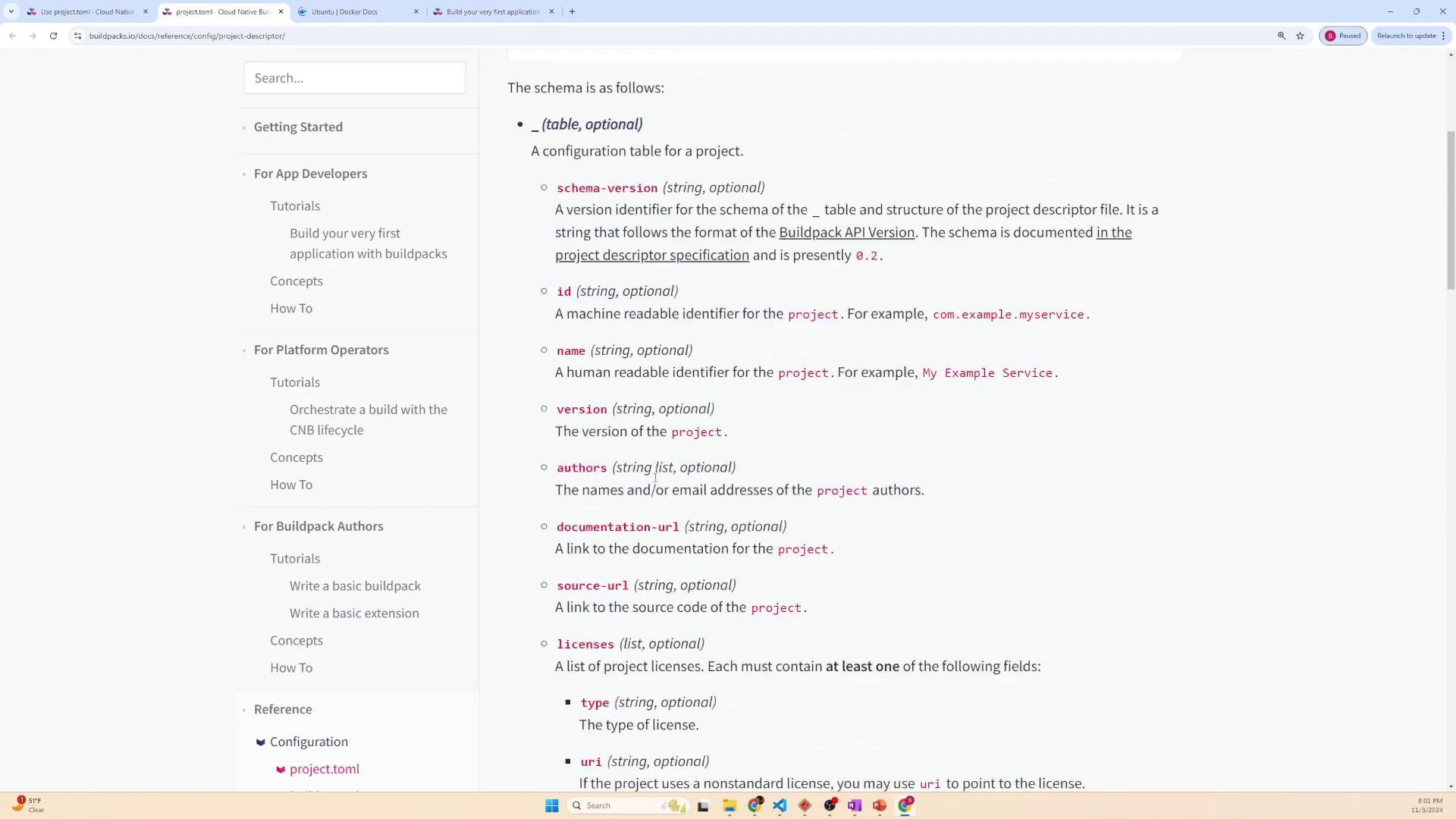
Quick reference — common `project.toml` fields:
| Field | Purpose | Example |
| - | - | - |
| `builder` | Default builder image used by pack | `gcr.io/buildpacks/builder:google-22` |
| `exclude` | Files/patterns to omit from build context | `["node_modules", ".env"]` |
| `include` | Explicit list of files/patterns to include | `["cmd/", "go.mod", "*.go"]` |
| `[[io.buildpacks.build.env]]` | Build-time environment variables | `name = "JAVA_OPTS", value = "-Xmx1g"` |
| `[[io.buildpacks.group]]` | A buildpack group entry (id + version) | `id = "io.buildpacks/nodejs"` |
For the full schema and all available fields, review the Cloud Native Buildpacks project descriptor documentation.
 ***
## Summary
Using `project.toml`:
* Centralizes builder and build configuration with your source.
* Makes builds reproducible and shareable across teams.
* Lets you control what goes into the build context with `include` / `exclude`.
* Supports additional build-time configuration like env vars and buildpack groups.
References and further reading:
* Cloud Native Buildpacks project descriptor docs: [https://buildpacks.io/docs/reference/project-descriptor/](https://buildpacks.io/docs/reference/project-descriptor/)
* pack CLI documentation: [https://buildpacks.io/docs/tools/pack/](https://buildpacks.io/docs/tools/pack/)
This documentation is built and hosted on [Mintlify](https://mintlify.com), a developer documentation platform.
***
## Summary
Using `project.toml`:
* Centralizes builder and build configuration with your source.
* Makes builds reproducible and shareable across teams.
* Lets you control what goes into the build context with `include` / `exclude`.
* Supports additional build-time configuration like env vars and buildpack groups.
References and further reading:
* Cloud Native Buildpacks project descriptor docs: [https://buildpacks.io/docs/reference/project-descriptor/](https://buildpacks.io/docs/reference/project-descriptor/)
* pack CLI documentation: [https://buildpacks.io/docs/tools/pack/](https://buildpacks.io/docs/tools/pack/)
This documentation is built and hosted on [Mintlify](https://mintlify.com), a developer documentation platform.