> ## Documentation Index
> Fetch the complete documentation index at: https://notes.kodekloud.com/llms.txt
> Use this file to discover all available pages before exploring further.
# MCP Servers
> Describes using Model Context Protocol to connect AI agents to AWS for rapid automated vulnerability assessment, scanning IaC and resources and generating prioritized remediation reports.
It's Wednesday afternoon — the team is still riding high from their recent [RAG system](https://learn.kodekloud.com/user/courses/fundamentals-of-rag) win. Confidence is high until Emily arrives with urgent news: a critical zero-day vulnerability has been announced and she needs to know their exposure immediately.
For David, the AWS architect, this is a familiar fire drill. He knows the steps to assess exposure, but also recognizes the painful truth: correlating live infrastructure with internal documentation and official mitigation guidance is slow, manual, and stressful.
The team — including Sarah and David — convenes. David outlines the manual workflow: researching the CVE and fix, scanning hundreds of repositories and stacks, and cross-referencing ownership and business impact. He explains that this is normally a multi-day effort.
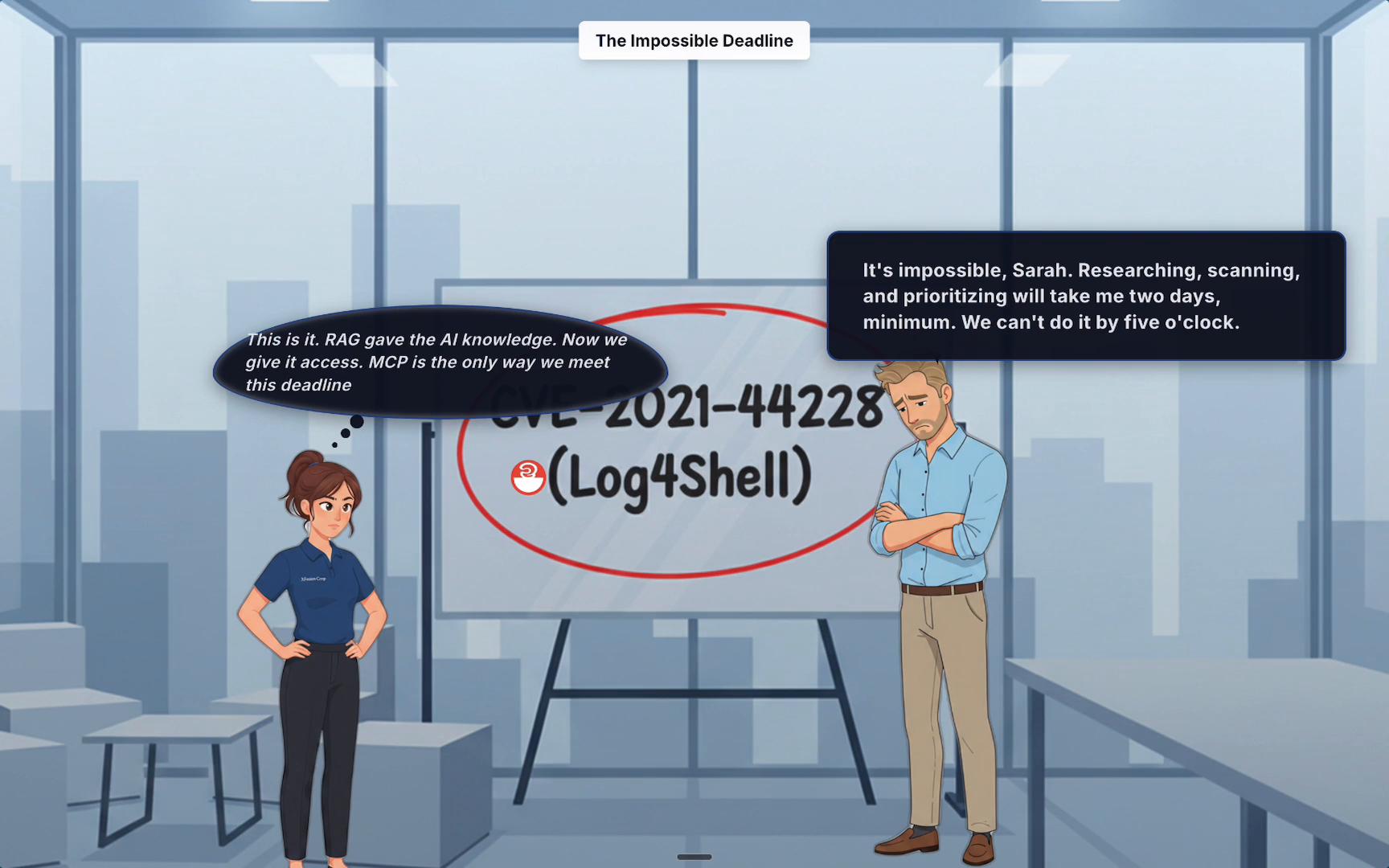 For Sarah, the impossible deadline becomes the catalyst to automate the entire response. She uses the Model Context Protocol (MCP) to create a secure, auditable bridge between their AI assistant and live AWS APIs. That bridge gives the AI three capabilities that replace David's manual steps:
* Read and search official AWS documentation to locate vendor-recommended mitigations.
* Query live cloud resources (EC2 AMIs, Lambda layers, ECR images, etc.) to detect vulnerable artifacts.
* Scan infrastructure-as-code (CloudFormation, Terraform) to find potential drift or insecure configurations.
See the MCP environment status after Sarah boots the servers and connects the bridge:
```text theme={null}
┌────────────────────────────────────────────────────┐
│ │
│ 🟢 MCP Servers Loaded Successfully: │
│ │
│ 📚 AWS Documentation Server │
│ └─ Status: Connected │
│ └─ Command: uvx awslabs.aws-documentation-mcp-server@latest │
│ └─ Tools: search_aws_docs, get_service_info, api_reference │
│ │
│ ☁️ CloudFormation Server │
│ └─ Status: Connected │
│ └─ Command: uvx awslabs.cloudformation-mcp-server@latest │
│ └─ Tools: validate_template, analyze_stack, get_resources │
│ │
│ 🔒 Terraform Server │
│ └─ Status: Connected │
│ └─ Command: uvx awslabs.terraform-mcp-server@latest │
│ └─ Tools: plan_analyzer, security_scan, best_practices │
│ │
│ 🧰 Total MCP Tools Available: 9 │
│ 🔗 Active Server Connections: 3/3 │
│ 🌐 Web UI: Running on http://localhost:7860 │
│ │
│ ✅ Ready for AWS infrastructure queries and assistance! │
│ │
└────────────────────────────────────────────────────┘
Chat with your AI assistant now!
🔎 Try: "Help me create a secure S3 bucket with Terraform"
💡 Try: "What are the best practices for Lambda function configuration?"
🧰 Try: "Validate this CloudFormation template for me"
```
How MCP simplifies and accelerates incident response
* Reduce manual research: MCP's AWS Docs server surfaces official mitigation steps and API references quickly.
* Automate wide-scale scans: MCP CloudFormation/Terraform servers analyze IaC and deployed resources for vulnerable libraries or images.
* Correlate ownership and impact: Integrate with RAG and internal systems (Confluence, ticketing) to prioritize remediation.
Table: MCP server summary and available tools
| MCP Server | Purpose | Example Command | Key Tools |
| - | - | - | - |
| AWS Documentation Server | Search official docs and mitigation guidance | `uvx awslabs.aws-documentation-mcp-server@latest` | `search_aws_docs`, `get_service_info`, `api_reference` |
| CloudFormation Server | Analyze CloudFormation stacks and deployed resources | `uvx awslabs.cloudformation-mcp-server@latest` | `validate_template`, `analyze_stack`, `get_resources` |
| Terraform Server | Scan Terraform code for misconfigurations and known vulnerabilities | `uvx awslabs.terraform-mcp-server@latest` | `plan_analyzer`, `security_scan`, `best_practices` |
With the MCP bridge in place, Sarah instructs the AI assistant using a single, natural-language prompt describing the full security assessment. The prompt contains the policy (what to do), the data sources (which MCP servers to use), and the expected output (a prioritized remediation report).
```text theme={null}
Tips for getting started:
1. Ask questions, edit files, or run commands.
2. Be specific for the best results.
3. Create QWEN.md files to customize your interactions with Qwen Code.
4. /help for more information.
You are running Qwen Code in your home directory. It is recommended to run in a project-specific directory.
Using:
- 3 MCP servers (ctrl+t to view)
> Perform a full blast radius assessment for CVE-2025-0721. Use the
AWS Docs MCP to find the official mitigation guide. Use the
CloudFormation MCP to scan all EC2 AMIs, Lambda layers, and ECR
images for the vulnerable library. Use our RAG system to
cross-reference affected resources with the Confluence ownership
database. Generate a prioritized remediation report.
```
The AI coordinates the MCP tools: it looks up vendor guidance, scans templates and deployed artifacts, and cross-references ownership data. What would normally take days is reduced to minutes.
```text theme={null}
> Perform a full blast radius assessment for CVE-2025-0721.
[AWS Docs MCP] Found official mitigation guide and recommended patches.
[CloudFormation MCP] Scanning 47 EC2 AMIs, 83 Lambda layers, 23 ECR images...
[RAG System] Cross-referencing 17 affected resources with Confluence ownership records.
[Result] Identified 12 at-risk resources, prioritized by blast radius and business impact.
Generated remediation report: remediation-report-CVE-2025-0721.pdf
```
The team turned a multi-day crisis into an automated one-minute response.
When connecting AI agents to live cloud environments, follow the principle of least privilege: grant only the permissions required for the specific scans and operations, and audit those connections regularly.
Next steps — what you'll learn in this lesson
* How to set up MCP servers locally and securely.
* How to connect MCP to a live AWS environment with least-privilege IAM roles and audited credentials.
* How to author effective natural-language prompts that orchestrate multi-tool assessments.
* How to produce and interpret prioritized remediation reports and integrate them with incident workflows.
References and further reading
* [Model Context Protocol (MCP) course](https://learn.kodekloud.com/user/courses/udemy-labs-model-context-protocol-mcp-for-beginners)
* [RAG system fundamentals course](https://learn.kodekloud.com/user/courses/fundamentals-of-rag)
* AWS security documentation: refer to specific service CVE guidance via the MCP AWS Docs server during assessments.
This documentation is built and hosted on [Mintlify](https://mintlify.com), a developer documentation platform.
For Sarah, the impossible deadline becomes the catalyst to automate the entire response. She uses the Model Context Protocol (MCP) to create a secure, auditable bridge between their AI assistant and live AWS APIs. That bridge gives the AI three capabilities that replace David's manual steps:
* Read and search official AWS documentation to locate vendor-recommended mitigations.
* Query live cloud resources (EC2 AMIs, Lambda layers, ECR images, etc.) to detect vulnerable artifacts.
* Scan infrastructure-as-code (CloudFormation, Terraform) to find potential drift or insecure configurations.
See the MCP environment status after Sarah boots the servers and connects the bridge:
```text theme={null}
┌────────────────────────────────────────────────────┐
│ │
│ 🟢 MCP Servers Loaded Successfully: │
│ │
│ 📚 AWS Documentation Server │
│ └─ Status: Connected │
│ └─ Command: uvx awslabs.aws-documentation-mcp-server@latest │
│ └─ Tools: search_aws_docs, get_service_info, api_reference │
│ │
│ ☁️ CloudFormation Server │
│ └─ Status: Connected │
│ └─ Command: uvx awslabs.cloudformation-mcp-server@latest │
│ └─ Tools: validate_template, analyze_stack, get_resources │
│ │
│ 🔒 Terraform Server │
│ └─ Status: Connected │
│ └─ Command: uvx awslabs.terraform-mcp-server@latest │
│ └─ Tools: plan_analyzer, security_scan, best_practices │
│ │
│ 🧰 Total MCP Tools Available: 9 │
│ 🔗 Active Server Connections: 3/3 │
│ 🌐 Web UI: Running on http://localhost:7860 │
│ │
│ ✅ Ready for AWS infrastructure queries and assistance! │
│ │
└────────────────────────────────────────────────────┘
Chat with your AI assistant now!
🔎 Try: "Help me create a secure S3 bucket with Terraform"
💡 Try: "What are the best practices for Lambda function configuration?"
🧰 Try: "Validate this CloudFormation template for me"
```
How MCP simplifies and accelerates incident response
* Reduce manual research: MCP's AWS Docs server surfaces official mitigation steps and API references quickly.
* Automate wide-scale scans: MCP CloudFormation/Terraform servers analyze IaC and deployed resources for vulnerable libraries or images.
* Correlate ownership and impact: Integrate with RAG and internal systems (Confluence, ticketing) to prioritize remediation.
Table: MCP server summary and available tools
| MCP Server | Purpose | Example Command | Key Tools |
| - | - | - | - |
| AWS Documentation Server | Search official docs and mitigation guidance | `uvx awslabs.aws-documentation-mcp-server@latest` | `search_aws_docs`, `get_service_info`, `api_reference` |
| CloudFormation Server | Analyze CloudFormation stacks and deployed resources | `uvx awslabs.cloudformation-mcp-server@latest` | `validate_template`, `analyze_stack`, `get_resources` |
| Terraform Server | Scan Terraform code for misconfigurations and known vulnerabilities | `uvx awslabs.terraform-mcp-server@latest` | `plan_analyzer`, `security_scan`, `best_practices` |
With the MCP bridge in place, Sarah instructs the AI assistant using a single, natural-language prompt describing the full security assessment. The prompt contains the policy (what to do), the data sources (which MCP servers to use), and the expected output (a prioritized remediation report).
```text theme={null}
Tips for getting started:
1. Ask questions, edit files, or run commands.
2. Be specific for the best results.
3. Create QWEN.md files to customize your interactions with Qwen Code.
4. /help for more information.
You are running Qwen Code in your home directory. It is recommended to run in a project-specific directory.
Using:
- 3 MCP servers (ctrl+t to view)
> Perform a full blast radius assessment for CVE-2025-0721. Use the
AWS Docs MCP to find the official mitigation guide. Use the
CloudFormation MCP to scan all EC2 AMIs, Lambda layers, and ECR
images for the vulnerable library. Use our RAG system to
cross-reference affected resources with the Confluence ownership
database. Generate a prioritized remediation report.
```
The AI coordinates the MCP tools: it looks up vendor guidance, scans templates and deployed artifacts, and cross-references ownership data. What would normally take days is reduced to minutes.
```text theme={null}
> Perform a full blast radius assessment for CVE-2025-0721.
[AWS Docs MCP] Found official mitigation guide and recommended patches.
[CloudFormation MCP] Scanning 47 EC2 AMIs, 83 Lambda layers, 23 ECR images...
[RAG System] Cross-referencing 17 affected resources with Confluence ownership records.
[Result] Identified 12 at-risk resources, prioritized by blast radius and business impact.
Generated remediation report: remediation-report-CVE-2025-0721.pdf
```
The team turned a multi-day crisis into an automated one-minute response.
When connecting AI agents to live cloud environments, follow the principle of least privilege: grant only the permissions required for the specific scans and operations, and audit those connections regularly.
Next steps — what you'll learn in this lesson
* How to set up MCP servers locally and securely.
* How to connect MCP to a live AWS environment with least-privilege IAM roles and audited credentials.
* How to author effective natural-language prompts that orchestrate multi-tool assessments.
* How to produce and interpret prioritized remediation reports and integrate them with incident workflows.
References and further reading
* [Model Context Protocol (MCP) course](https://learn.kodekloud.com/user/courses/udemy-labs-model-context-protocol-mcp-for-beginners)
* [RAG system fundamentals course](https://learn.kodekloud.com/user/courses/fundamentals-of-rag)
* AWS security documentation: refer to specific service CVE guidance via the MCP AWS Docs server during assessments.
This documentation is built and hosted on [Mintlify](https://mintlify.com), a developer documentation platform.