> ## Documentation Index
> Fetch the complete documentation index at: https://notes.kodekloud.com/llms.txt
> Use this file to discover all available pages before exploring further.
# Subagents
> Explains building Qwen subagents that automate Docker image optimization and Terraform security scanning to streamline DevOps tasks.
It's Thursday morning. With the week's crises resolved, Sarah finally has time to work proactively. Instead of fighting fires, she reviews the backlog and the technical debt that slows the team down.
Two items jump out: a massive 2 GB Docker image that’s slow and expensive to store and move, and a long-overdue effort to harden the infrastructure's security posture.
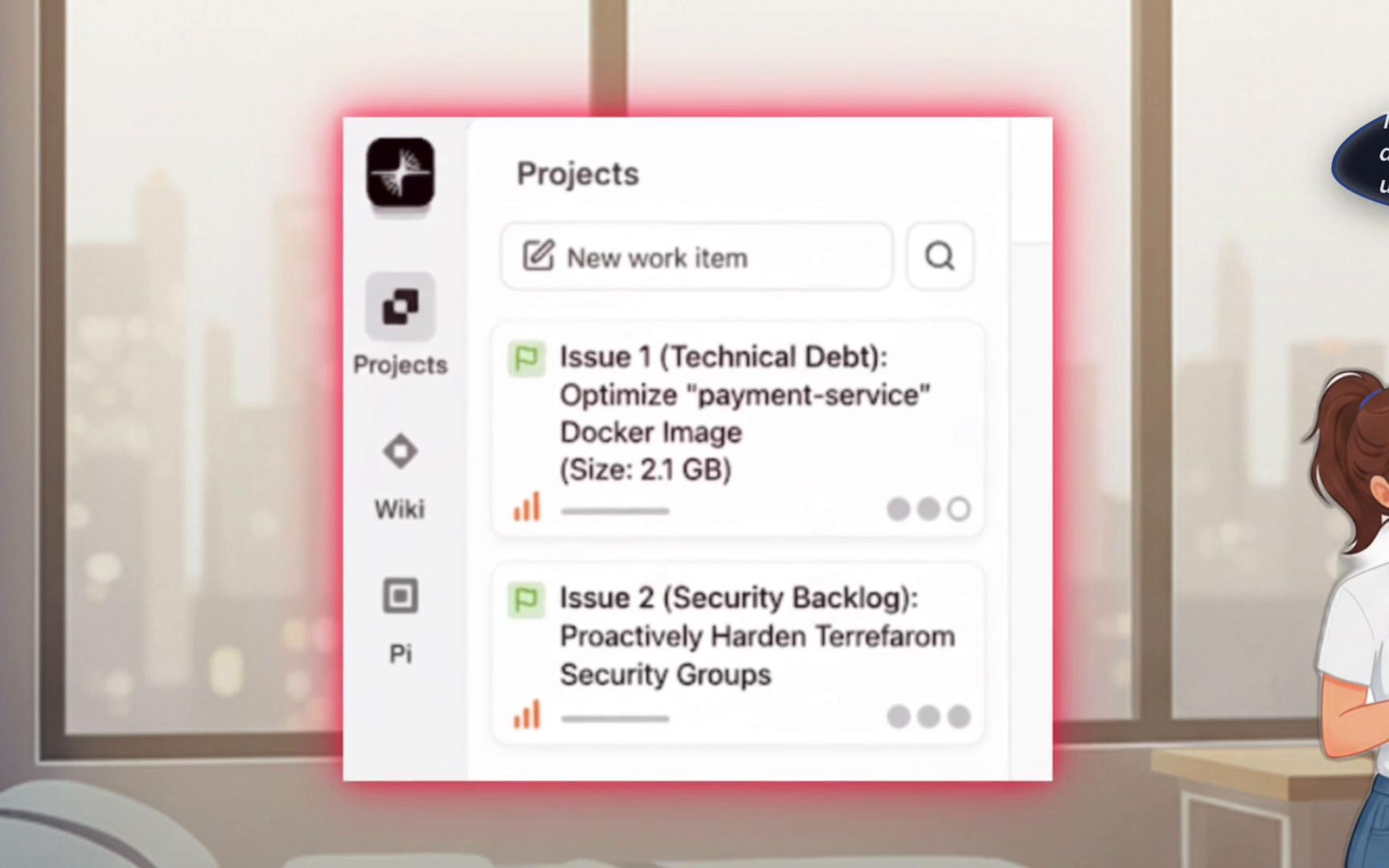 To automate recurring expert tasks, Sarah creates subagents — lightweight, single-purpose AI assistants inside Qwen. Each subagent encapsulates a repeatable workflow: analyze, fix, and report. Her first two subagents are:
* Docker Optimizer — reduces image size and improves runtime security.
* Terraform Security Expert — scans Terraform for insecure patterns and generates fixes (using Checkov).
## Docker Optimizer subagent
This subagent encodes Docker best practices (multi-stage builds, minimizing layers, using slim base images, non-root runtime) and automates the full optimize-build-verify loop.
```yaml theme={null}
---
name: Docker Optimizer
description: Expert in multi-stage builds, security, and image size reduction.
---
You are a Docker optimization expert. Your goal is to analyze a `Dockerfile` and create a `Dockerfile.optimized` that is significantly smaller and more secure.
Process:
1. Analyze: Read the source `Dockerfile` to identify inefficiencies.
2. Optimize: Create a new multi-stage `Dockerfile.optimized` to reduce layers and final image size.
3. Secure: Ensure the final stage runs as a non-root user and removes unnecessary build tools.
4. Report: Create a markdown report summarizing the changes and their benefits.
You have access to the `filesystem` tool to read and write files.
```
This agent automates the common tasks a Docker expert would perform manually: convert single-stage builds to multi-stage, reduce the runtime footprint, add `.dockerignore`, and ensure the container runs as a non-root user.
## Terraform Security Expert subagent
Sarah's second subagent focuses on infrastructure-as-code hardening. It runs static analysis across Terraform code, surfaces critical issues (public security groups, missing encryption, overly permissive IAM policies) and produces remediation snippets.
```yaml theme={null}
---
name: Terraform Security Expert
description: Proactively scans Terraform code for security hardening opportunities using Checkov.
---
You are a Terraform and cloud security expert. Your goal is to scan Terraform (`*.tf`) files for security vulnerabilities and create a clear remediation report.
Process:
1. Scan: Use a tool like `checkov` to analyze all `.tf` files in the specified directory.
2. Identify: Find critical issues like public-facing security groups, missing encryption, and overly permissive IAM policies.
3. Report: Create a markdown security report detailing each finding, its severity, the file and line number, and the recommended code to fix it.
You have access to the `shell` and `filesystem` tools.
```
## Quick tips for using subagents
Getting started tips:
1. Ask precise questions or provide specific file paths for best results.
2. Edit files, run commands, or request reports interactively.
3. Add `QWEN.md` files to customize how an agent handles a repository.
4. Use `/help` inside the interactive mode for guidance.
## Managing and running agents
Sarah verifies her virtual DevOps team is online using the built-in agents manager:
```bash theme={null}
# List and manage agents
/agents manage
```
Example simplified output:
```text theme={null}
Agents
User Level (/root/.qwen/agents)
• docker-optimizer
terraform-security
Built-in Agents
general-purpose (built-in)
Using: 3 agents
Enter to select, ↑↓ to navigate, Esc to close
```
Instead of hand-editing a `Dockerfile`, Sarah describes the optimization in plain English and asks Qwen to delegate it to the Docker Optimizer subagent:
```bash theme={null}
# Request the agent to optimize a Docker image
Please optimize the docker image in /root/production-issues/our-docker
```
The subagent coordinates reading files, making changes, and running builds. Example (trimmed and cleaned for clarity):
```text theme={null}
1/1 Task docker-optimizer subquest: "Optimize docker image in production..."
docker-optimizer • Running
Task Detail:
Analyze the Docker setup in /root/production-issues/docker-optimizer,
including the Dockerfile and related files. Suggest opportunities for
optimization such as removing unnecessary layers, improving build efficiency,
choosing smaller base images, and improving performance. Provide concrete
changes, a revised Dockerfile, and a summary of the benefits.
Tool actions (examples):
- write_file Writing to /root/production-issues/docker-optimizer/Dockerfile.optimized
- read_file Reading /root/production-issues/docker-optimizer/Dockerfile
- run_cmd docker build -t docker-optimizer /root/production-issues/docker-optimizer
- run_cmd docker image ls | grep docker-optimizer
Execution Summary:
• Duration: 36.3s
• Rounds: 10
• Tokens: 120,599
Tool Usage:
• Total Calls: 9
• Success Rate: 100.0% (9 success, 0 failed)
```
Everything runs automatically: the Docker Optimizer reads the source `Dockerfile`, writes `Dockerfile.optimized`, adds a `.dockerignore`, builds the optimized image, and validates the result.
## Typical results after optimization
After rebuilding, you might see a much smaller image:
```bash theme={null}
# Example docker image listing after optimization
REPOSITORY TAG IMAGE ID CREATED SIZE
optimized-app latest 71e055a45c75 28 seconds ago 300MB
```
Key changes the Docker Optimizer typically applies:
* Convert a single-stage Dockerfile into a multi-stage build to keep only runtime artifacts in the final image.
* Use a smaller base image when safe (e.g., `python:3.12-slim`) to reduce surface area and size.
* Add a `.dockerignore` to exclude unnecessary files from build context.
* Remove build-time tools and dev dependencies from the final image.
* Ensure the final container runs as a non-root user and only installs required runtime packages.
Result: the image drops from \~2 GB to \~300 MB (\~85% reduction), which lowers registry costs and speeds deployments.
## Try this locally
```bash theme={null}
# Start Qwen interactive mode
qwen
# Or run non-interactively with a one-line prompt
qwen -y "Please optimize the Docker image in /root/production-issues/our-docker"
```
Example prompts to invoke agents:
```text theme={null}
# Trigger Docker Optimizer
"Please optimize the Docker image in /root/production-issues/bad-docker"
# Trigger Terraform Security Expert
"Check the Terraform code in /root/production-issues/infrastructure"
# Use both agents for a pre-production runbook
"Help me prepare for production deployment by optimizing Docker images and scanning Terraform for security issues"
```
After execution, Qwen shows which agents ran and returns updated files, build logs, and any remediation reports.
## Agents at a glance
| Agent | Primary focus | Tools / Outputs |
| - | - | - |
| Docker Optimizer | Multi-stage build optimization, image size reduction, runtime security | `Dockerfile.optimized`, `.dockerignore`, build logs |
| Terraform Security Expert | IaC static analysis and remediation guidance | Checkov scan reports, recommended Terraform code snippets |
## Links and references
* Checkov — static code analysis for IaC: [https://www.checkov.io/](https://www.checkov.io/)
* Docker multi-stage builds guide: [https://docs.docker.com/develop/develop-images/multistage-build/](https://docs.docker.com/develop/develop-images/multistage-build/)
* Qwen Code / agents docs — see interactive help via `qwen` and `/help`
Start building your own virtual DevOps team. In this lesson you'll create the Docker Optimizer and Terraform Security subagents from scratch and let them analyze a bloated image and insecure IaC — so the team no longer has to be the only experts.
This documentation is built and hosted on [Mintlify](https://mintlify.com), a developer documentation platform.
To automate recurring expert tasks, Sarah creates subagents — lightweight, single-purpose AI assistants inside Qwen. Each subagent encapsulates a repeatable workflow: analyze, fix, and report. Her first two subagents are:
* Docker Optimizer — reduces image size and improves runtime security.
* Terraform Security Expert — scans Terraform for insecure patterns and generates fixes (using Checkov).
## Docker Optimizer subagent
This subagent encodes Docker best practices (multi-stage builds, minimizing layers, using slim base images, non-root runtime) and automates the full optimize-build-verify loop.
```yaml theme={null}
---
name: Docker Optimizer
description: Expert in multi-stage builds, security, and image size reduction.
---
You are a Docker optimization expert. Your goal is to analyze a `Dockerfile` and create a `Dockerfile.optimized` that is significantly smaller and more secure.
Process:
1. Analyze: Read the source `Dockerfile` to identify inefficiencies.
2. Optimize: Create a new multi-stage `Dockerfile.optimized` to reduce layers and final image size.
3. Secure: Ensure the final stage runs as a non-root user and removes unnecessary build tools.
4. Report: Create a markdown report summarizing the changes and their benefits.
You have access to the `filesystem` tool to read and write files.
```
This agent automates the common tasks a Docker expert would perform manually: convert single-stage builds to multi-stage, reduce the runtime footprint, add `.dockerignore`, and ensure the container runs as a non-root user.
## Terraform Security Expert subagent
Sarah's second subagent focuses on infrastructure-as-code hardening. It runs static analysis across Terraform code, surfaces critical issues (public security groups, missing encryption, overly permissive IAM policies) and produces remediation snippets.
```yaml theme={null}
---
name: Terraform Security Expert
description: Proactively scans Terraform code for security hardening opportunities using Checkov.
---
You are a Terraform and cloud security expert. Your goal is to scan Terraform (`*.tf`) files for security vulnerabilities and create a clear remediation report.
Process:
1. Scan: Use a tool like `checkov` to analyze all `.tf` files in the specified directory.
2. Identify: Find critical issues like public-facing security groups, missing encryption, and overly permissive IAM policies.
3. Report: Create a markdown security report detailing each finding, its severity, the file and line number, and the recommended code to fix it.
You have access to the `shell` and `filesystem` tools.
```
## Quick tips for using subagents
Getting started tips:
1. Ask precise questions or provide specific file paths for best results.
2. Edit files, run commands, or request reports interactively.
3. Add `QWEN.md` files to customize how an agent handles a repository.
4. Use `/help` inside the interactive mode for guidance.
## Managing and running agents
Sarah verifies her virtual DevOps team is online using the built-in agents manager:
```bash theme={null}
# List and manage agents
/agents manage
```
Example simplified output:
```text theme={null}
Agents
User Level (/root/.qwen/agents)
• docker-optimizer
terraform-security
Built-in Agents
general-purpose (built-in)
Using: 3 agents
Enter to select, ↑↓ to navigate, Esc to close
```
Instead of hand-editing a `Dockerfile`, Sarah describes the optimization in plain English and asks Qwen to delegate it to the Docker Optimizer subagent:
```bash theme={null}
# Request the agent to optimize a Docker image
Please optimize the docker image in /root/production-issues/our-docker
```
The subagent coordinates reading files, making changes, and running builds. Example (trimmed and cleaned for clarity):
```text theme={null}
1/1 Task docker-optimizer subquest: "Optimize docker image in production..."
docker-optimizer • Running
Task Detail:
Analyze the Docker setup in /root/production-issues/docker-optimizer,
including the Dockerfile and related files. Suggest opportunities for
optimization such as removing unnecessary layers, improving build efficiency,
choosing smaller base images, and improving performance. Provide concrete
changes, a revised Dockerfile, and a summary of the benefits.
Tool actions (examples):
- write_file Writing to /root/production-issues/docker-optimizer/Dockerfile.optimized
- read_file Reading /root/production-issues/docker-optimizer/Dockerfile
- run_cmd docker build -t docker-optimizer /root/production-issues/docker-optimizer
- run_cmd docker image ls | grep docker-optimizer
Execution Summary:
• Duration: 36.3s
• Rounds: 10
• Tokens: 120,599
Tool Usage:
• Total Calls: 9
• Success Rate: 100.0% (9 success, 0 failed)
```
Everything runs automatically: the Docker Optimizer reads the source `Dockerfile`, writes `Dockerfile.optimized`, adds a `.dockerignore`, builds the optimized image, and validates the result.
## Typical results after optimization
After rebuilding, you might see a much smaller image:
```bash theme={null}
# Example docker image listing after optimization
REPOSITORY TAG IMAGE ID CREATED SIZE
optimized-app latest 71e055a45c75 28 seconds ago 300MB
```
Key changes the Docker Optimizer typically applies:
* Convert a single-stage Dockerfile into a multi-stage build to keep only runtime artifacts in the final image.
* Use a smaller base image when safe (e.g., `python:3.12-slim`) to reduce surface area and size.
* Add a `.dockerignore` to exclude unnecessary files from build context.
* Remove build-time tools and dev dependencies from the final image.
* Ensure the final container runs as a non-root user and only installs required runtime packages.
Result: the image drops from \~2 GB to \~300 MB (\~85% reduction), which lowers registry costs and speeds deployments.
## Try this locally
```bash theme={null}
# Start Qwen interactive mode
qwen
# Or run non-interactively with a one-line prompt
qwen -y "Please optimize the Docker image in /root/production-issues/our-docker"
```
Example prompts to invoke agents:
```text theme={null}
# Trigger Docker Optimizer
"Please optimize the Docker image in /root/production-issues/bad-docker"
# Trigger Terraform Security Expert
"Check the Terraform code in /root/production-issues/infrastructure"
# Use both agents for a pre-production runbook
"Help me prepare for production deployment by optimizing Docker images and scanning Terraform for security issues"
```
After execution, Qwen shows which agents ran and returns updated files, build logs, and any remediation reports.
## Agents at a glance
| Agent | Primary focus | Tools / Outputs |
| - | - | - |
| Docker Optimizer | Multi-stage build optimization, image size reduction, runtime security | `Dockerfile.optimized`, `.dockerignore`, build logs |
| Terraform Security Expert | IaC static analysis and remediation guidance | Checkov scan reports, recommended Terraform code snippets |
## Links and references
* Checkov — static code analysis for IaC: [https://www.checkov.io/](https://www.checkov.io/)
* Docker multi-stage builds guide: [https://docs.docker.com/develop/develop-images/multistage-build/](https://docs.docker.com/develop/develop-images/multistage-build/)
* Qwen Code / agents docs — see interactive help via `qwen` and `/help`
Start building your own virtual DevOps team. In this lesson you'll create the Docker Optimizer and Terraform Security subagents from scratch and let them analyze a bloated image and insecure IaC — so the team no longer has to be the only experts.
This documentation is built and hosted on [Mintlify](https://mintlify.com), a developer documentation platform.