> ## Documentation Index
> Fetch the complete documentation index at: https://notes.kodekloud.com/llms.txt
> Use this file to discover all available pages before exploring further.
# Kubernetes Overview Kubectl
> Overview of Kubernetes, core concepts, benefits of container orchestration, and basic kubectl commands to deploy and manage containers across clusters
In this lesson we provide a clear, practical overview of Kubernetes (K8s): what problem it solves, how it builds on containers, core concepts, and the basic kubectl commands you need to get started.
Kubernetes originated at Google from years of running containers at scale in production. To understand Kubernetes quickly, make sure you're comfortable with two ideas first: containers and orchestration. Once those are clear, Kubernetes’ purpose and capabilities become straightforward.
The developer → operations handoff problem
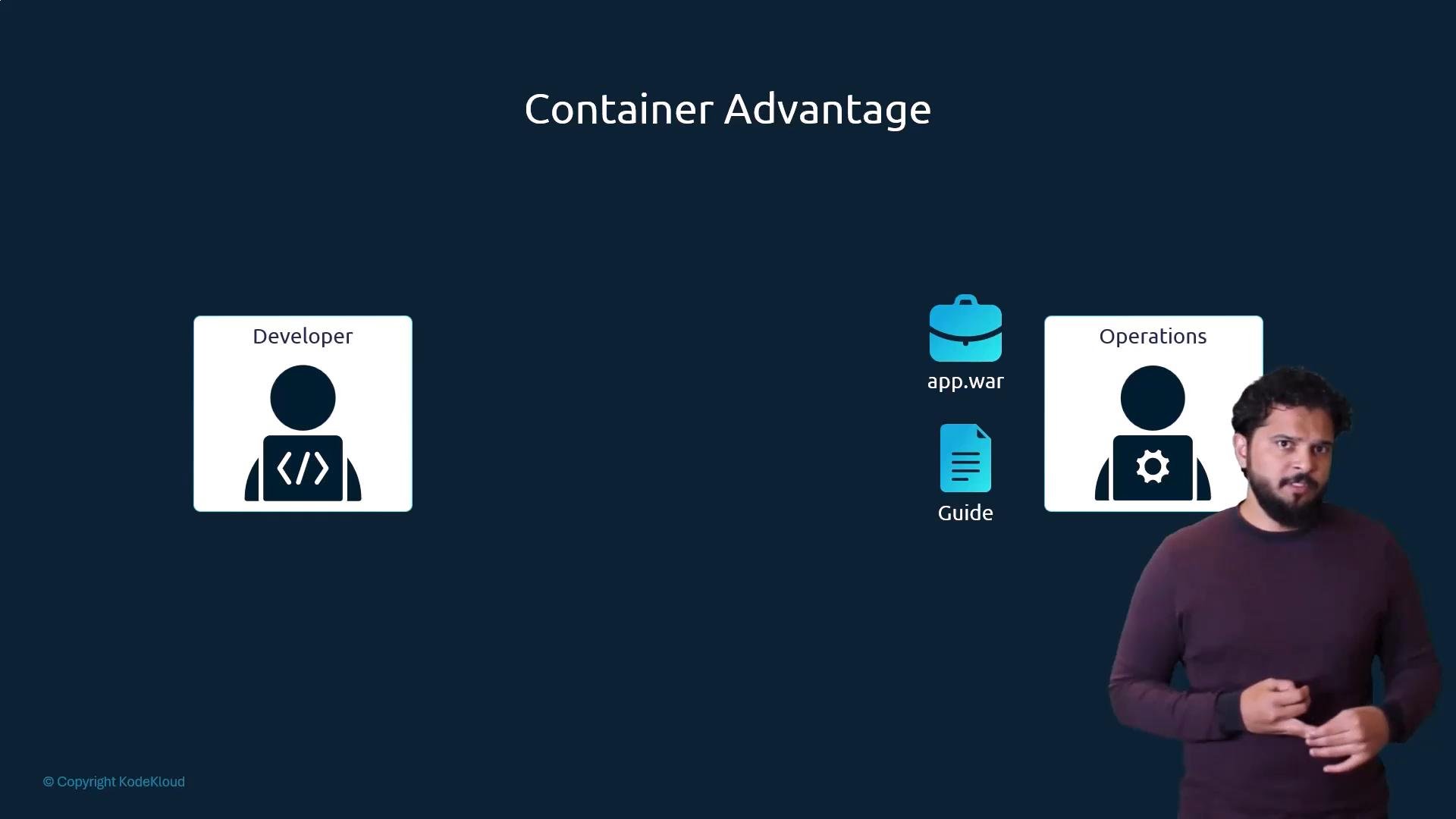
Traditionally, developers build an application and hand it to operations with a list of setup instructions: how the host must be configured, which prerequisites to install, how dependencies are wired, and so on. Because ops didn’t build the app, they frequently face configuration issues and must consult developers to resolve them.
Containers (see: Crash Course: Docker For Absolute Beginners) let developers and operations capture the runtime and configuration in a Dockerfile. The Dockerfile builds an immutable image that runs the same way on any host with a container runtime — eliminating many environment-specific issues and simplifying deployments.
 What comes after container images?
Packing your app into a container image is the first step. Production introduces new questions:
* How do you run containers reliably across many machines?
* How do you connect multiple containers (databases, message brokers, backend services)?
* How do you scale up and down automatically based on traffic?
* How do you balance user traffic and recover from host failures?
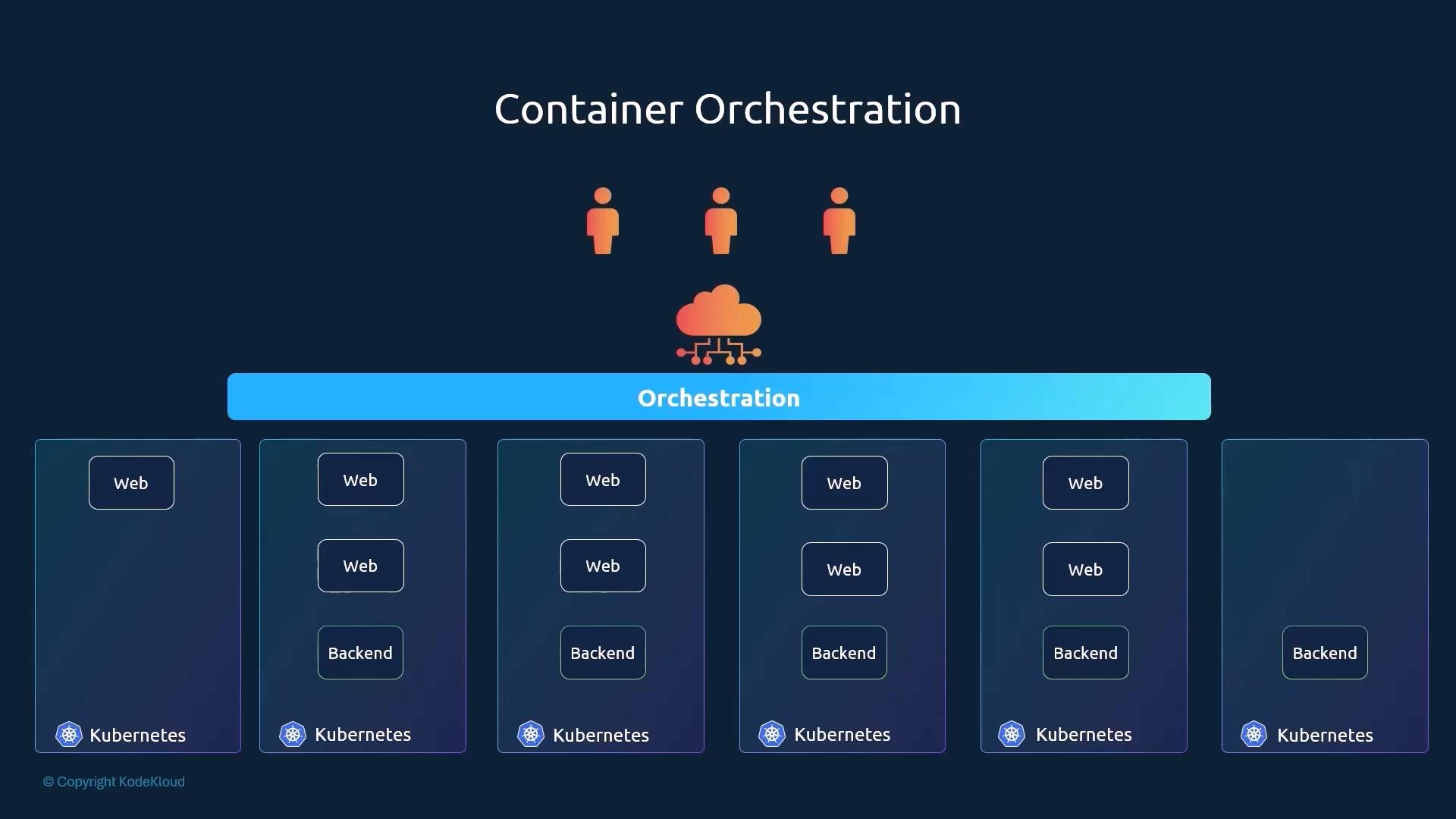
An orchestration platform manages container lifecycle, placement, connectivity, and scaling across a pool of hosts. This automated process — deploying, connecting, and managing containers at scale — is called container orchestration. Kubernetes is the most popular orchestration system and provides features to run many containers across a cluster efficiently.
Key orchestration benefits
* High availability: run multiple instances across nodes so hardware failures do not cause downtime.
* Load balancing: distribute traffic across container instances.
* Automatic scaling: add or remove instances based on load.
* Cluster autoscaling: adjust the number of nodes when capacity is needed or can be reduced.
* Declarative configuration: describe desired state in YAML/JSON manifests and let the system converge to it.
What comes after container images?
Packing your app into a container image is the first step. Production introduces new questions:
* How do you run containers reliably across many machines?
* How do you connect multiple containers (databases, message brokers, backend services)?
* How do you scale up and down automatically based on traffic?
* How do you balance user traffic and recover from host failures?
An orchestration platform manages container lifecycle, placement, connectivity, and scaling across a pool of hosts. This automated process — deploying, connecting, and managing containers at scale — is called container orchestration. Kubernetes is the most popular orchestration system and provides features to run many containers across a cluster efficiently.
Key orchestration benefits
* High availability: run multiple instances across nodes so hardware failures do not cause downtime.
* Load balancing: distribute traffic across container instances.
* Automatic scaling: add or remove instances based on load.
* Cluster autoscaling: adjust the number of nodes when capacity is needed or can be reduced.
* Declarative configuration: describe desired state in YAML/JSON manifests and let the system converge to it.
 In short: Kubernetes is a container orchestration platform for deploying and managing hundreds or thousands of containers across a cluster of machines.
 Basic Kubernetes concepts
* Node: A node is a physical or virtual machine where Kubernetes runs. Nodes are worker machines that host containerized workloads. (Older docs may call these “minions”.)
* Cluster: A cluster is a group of nodes managed as a single unit. Running workloads across nodes improves resilience and allows load sharing.
* Control plane (Master): The control plane is the set of components that manage the cluster — it stores cluster state, schedules workloads onto nodes, monitors health, and reconciles actual state to the desired state.
Kubernetes follows a declarative API and control loop model: you declare the desired state (for example, “I want three replicas of this service”), and the control plane continuously works to make the actual state match that desired state.
Working with the cluster via kubectl
kubectl is the Kubernetes command-line tool for interacting with clusters: deploying and managing workloads, inspecting cluster state, viewing node status, and troubleshooting.
Common kubectl tasks and commands
| Task | Command | Description |
| - | - | - |
| Show cluster info | `kubectl cluster-info` | Displays control plane and service endpoints for the current context. |
| List nodes | `kubectl get nodes` | Lists all nodes in the cluster with status and basic resource info. |
| Create a Deployment | `kubectl create deployment myapp --image=nginx` | Creates a Deployment object to manage pods and replicas (recommended for production). |
| Run a Pod (debug/one-off) | `kubectl run debug-pod --image=busybox --restart=Never -- sleep 3600` | Starts a single Pod — useful for debugging or short-lived tasks. |
| Apply a manifest | `kubectl apply -f my-manifest.yaml` | Declaratively create or update resources from a YAML/JSON manifest. |
Example usage (quick copy-paste):
```bash theme={null}
# View cluster control plane services
kubectl cluster-info
# List nodes in the current context
kubectl get nodes
# Create a simple Deployment that runs nginx
kubectl create deployment myapp --image=nginx
# Run a one-off BusyBox pod for debugging
kubectl run debug-pod --image=busybox --restart=Never -- sleep 3600
```
kubectl has evolved over time. The behavior of `kubectl run` changed across versions (it used to create Deployments by default, and later created Pods by default). For declarative and production-ready workflows, prefer `kubectl create deployment` or `kubectl apply -f ` with a manifest file.
Next steps and further learning
This lesson introduced the motivation for Kubernetes, core cluster components (nodes, clusters, control plane), and the basic kubectl operations. Recommended next topics:
* Setting up a local cluster (minikube, kind) or a managed cluster (GKE, EKS, AKS).
* Writing declarative manifests for Deployments, Services, ConfigMaps, and Secrets.
* Observability and logging (kubectl logs, metrics, Prometheus).
* Real-world app deployments: rolling updates, health checks, and autoscaling.
Links and references
* Kubernetes official docs: [https://kubernetes.io/docs/](https://kubernetes.io/docs/)
* kubectl reference: [https://kubernetes.io/docs/reference/kubectl/](https://kubernetes.io/docs/reference/kubectl/)
* Crash Course: Docker For Absolute Beginners: [https://learn.kodekloud.com/user/courses/crash-course-docker-for-absolute-beginner](https://learn.kodekloud.com/user/courses/crash-course-docker-for-absolute-beginner)
This documentation is built and hosted on [Mintlify](https://mintlify.com), a developer documentation platform.
Basic Kubernetes concepts
* Node: A node is a physical or virtual machine where Kubernetes runs. Nodes are worker machines that host containerized workloads. (Older docs may call these “minions”.)
* Cluster: A cluster is a group of nodes managed as a single unit. Running workloads across nodes improves resilience and allows load sharing.
* Control plane (Master): The control plane is the set of components that manage the cluster — it stores cluster state, schedules workloads onto nodes, monitors health, and reconciles actual state to the desired state.
Kubernetes follows a declarative API and control loop model: you declare the desired state (for example, “I want three replicas of this service”), and the control plane continuously works to make the actual state match that desired state.
Working with the cluster via kubectl
kubectl is the Kubernetes command-line tool for interacting with clusters: deploying and managing workloads, inspecting cluster state, viewing node status, and troubleshooting.
Common kubectl tasks and commands
| Task | Command | Description |
| - | - | - |
| Show cluster info | `kubectl cluster-info` | Displays control plane and service endpoints for the current context. |
| List nodes | `kubectl get nodes` | Lists all nodes in the cluster with status and basic resource info. |
| Create a Deployment | `kubectl create deployment myapp --image=nginx` | Creates a Deployment object to manage pods and replicas (recommended for production). |
| Run a Pod (debug/one-off) | `kubectl run debug-pod --image=busybox --restart=Never -- sleep 3600` | Starts a single Pod — useful for debugging or short-lived tasks. |
| Apply a manifest | `kubectl apply -f my-manifest.yaml` | Declaratively create or update resources from a YAML/JSON manifest. |
Example usage (quick copy-paste):
```bash theme={null}
# View cluster control plane services
kubectl cluster-info
# List nodes in the current context
kubectl get nodes
# Create a simple Deployment that runs nginx
kubectl create deployment myapp --image=nginx
# Run a one-off BusyBox pod for debugging
kubectl run debug-pod --image=busybox --restart=Never -- sleep 3600
```
kubectl has evolved over time. The behavior of `kubectl run` changed across versions (it used to create Deployments by default, and later created Pods by default). For declarative and production-ready workflows, prefer `kubectl create deployment` or `kubectl apply -f ` with a manifest file.
Next steps and further learning
This lesson introduced the motivation for Kubernetes, core cluster components (nodes, clusters, control plane), and the basic kubectl operations. Recommended next topics:
* Setting up a local cluster (minikube, kind) or a managed cluster (GKE, EKS, AKS).
* Writing declarative manifests for Deployments, Services, ConfigMaps, and Secrets.
* Observability and logging (kubectl logs, metrics, Prometheus).
* Real-world app deployments: rolling updates, health checks, and autoscaling.
Links and references
* Kubernetes official docs: [https://kubernetes.io/docs/](https://kubernetes.io/docs/)
* kubectl reference: [https://kubernetes.io/docs/reference/kubectl/](https://kubernetes.io/docs/reference/kubectl/)
* Crash Course: Docker For Absolute Beginners: [https://learn.kodekloud.com/user/courses/crash-course-docker-for-absolute-beginner](https://learn.kodekloud.com/user/courses/crash-course-docker-for-absolute-beginner)
This documentation is built and hosted on [Mintlify](https://mintlify.com), a developer documentation platform.