> ## Documentation Index
> Fetch the complete documentation index at: https://notes.kodekloud.com/llms.txt
> Use this file to discover all available pages before exploring further.
# Why We Need MCPs
> Beginner introduction to Model Context Protocols explaining how MCPs describe service APIs, prompts, and schemas to enable agents to discover, call tools, and orchestrate real world tasks.
Everyone's talking about MCPs — but what exactly are they?
This is a concise introduction to Model Context Protocols (MCPs) for absolute beginners. No prior knowledge required.
 In this article we'll cover:
* Why MCPs are needed
* What MCPs are
* The MCP architecture
* How to use an existing MCP server
* How to build a simple MCP server and client
Example MCP server response (JSON-RPC listing available prompts):
```json theme={null}
{
"jsonrpc": "2.0",
"id": 1,
"result": {
"prompts": [
{
"name": "flight_search_instruction",
"title": "Flight Search Instruction",
"description": "Guides the LLM to behave as a flight assistant and use the searchFlights tool effectively.",
"arguments": [
{
"name": "userRequest",
"description": "The user's flight search request in natural language",
"required": true
}
]
}
]
},
"nextCursor": null
}
```
You’ll also get links to hands-on labs, exercises, and resources to follow along with this lesson.
Now, let’s start by understanding why MCPs are needed.
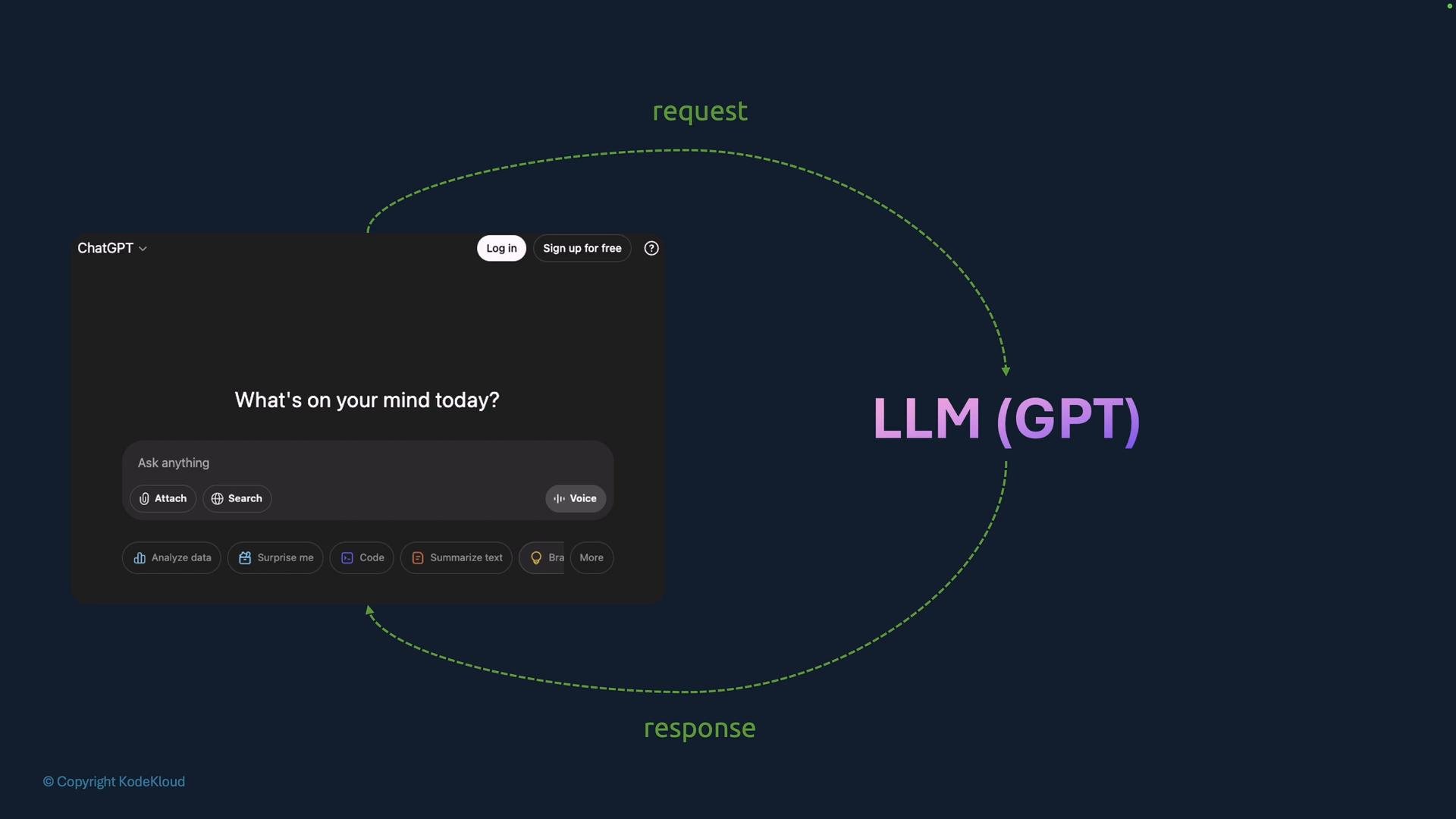
Start with something familiar: ChatGPT. The basic flow is a request → response loop — you send a message to an LLM and it returns generated text (or other supported formats such as images or audio).
In this article we'll cover:
* Why MCPs are needed
* What MCPs are
* The MCP architecture
* How to use an existing MCP server
* How to build a simple MCP server and client
Example MCP server response (JSON-RPC listing available prompts):
```json theme={null}
{
"jsonrpc": "2.0",
"id": 1,
"result": {
"prompts": [
{
"name": "flight_search_instruction",
"title": "Flight Search Instruction",
"description": "Guides the LLM to behave as a flight assistant and use the searchFlights tool effectively.",
"arguments": [
{
"name": "userRequest",
"description": "The user's flight search request in natural language",
"required": true
}
]
}
]
},
"nextCursor": null
}
```
You’ll also get links to hands-on labs, exercises, and resources to follow along with this lesson.
Now, let’s start by understanding why MCPs are needed.
Start with something familiar: ChatGPT. The basic flow is a request → response loop — you send a message to an LLM and it returns generated text (or other supported formats such as images or audio).
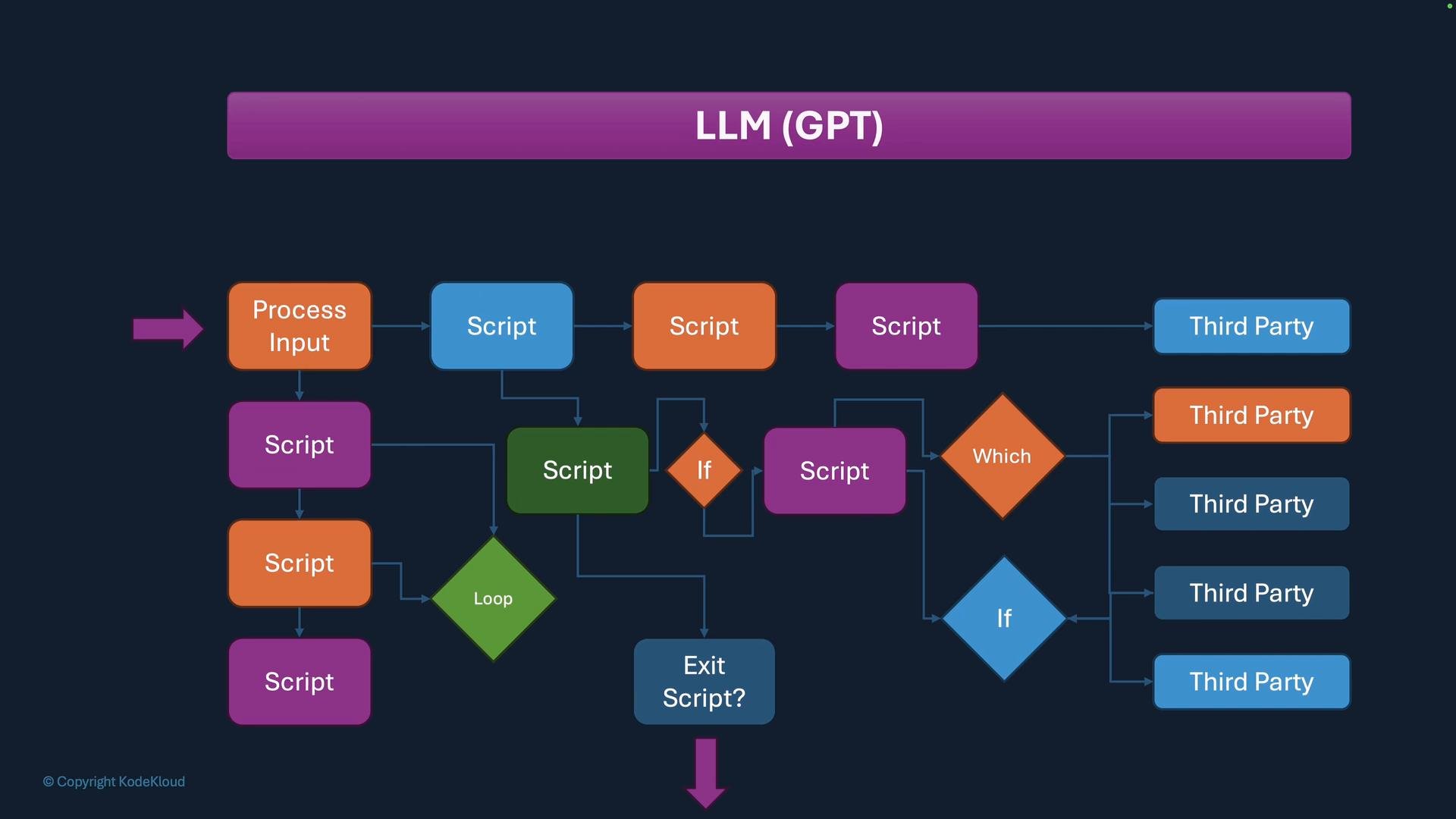
 Why this isn’t enough for real-world automation
* LLMs are excellent at reasoning, summarizing, and extracting structure from text.
* LLMs cannot directly call third-party APIs, maintain durable state, or perform actions on external systems by themselves.
* For practical applications (e.g., “Book a flight to New London”), you need components that can call APIs, fetch and store preferences, and execute transactions.
This is where AI agents and tools fit in.
What are AI agents and tools?
* AI agents are software components that orchestrate actions: they call LLMs to interpret intent, choose steps, interact with tools/APIs, and iterate until a goal is reached.
* Tools are adapters or connectors that translate the agent’s requests into service-specific API calls (normalizing different vendor APIs into a consistent schema).
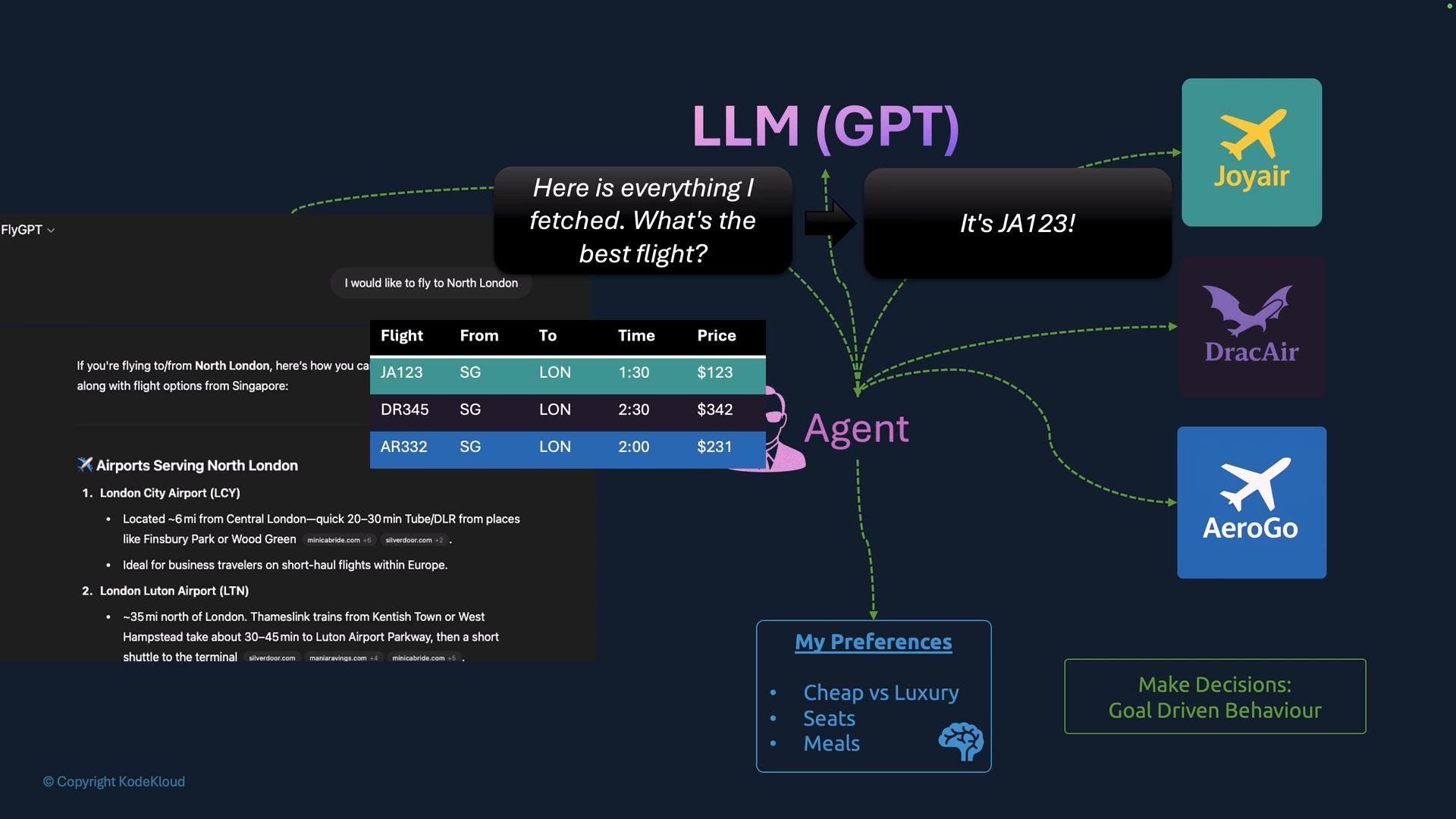
High-level agent process (example: flight booking)
1. User sends a natural-language request.
2. Agent calls the LLM to extract structured details (origin, destination, dates).
3. Agent decides which third-party tools/APIs to call (often with LLM assistance).
4. Agent calls those APIs (airlines, hotels, cars).
5. Agent retrieves user preferences from memory or DB.
6. Agent asks the LLM to evaluate options and choose.
7. Agent performs booking and returns results to the user.
At many steps the agent consults the LLM to parse input, pick tools, and decide whether the goal is complete.
Why this isn’t enough for real-world automation
* LLMs are excellent at reasoning, summarizing, and extracting structure from text.
* LLMs cannot directly call third-party APIs, maintain durable state, or perform actions on external systems by themselves.
* For practical applications (e.g., “Book a flight to New London”), you need components that can call APIs, fetch and store preferences, and execute transactions.
This is where AI agents and tools fit in.
What are AI agents and tools?
* AI agents are software components that orchestrate actions: they call LLMs to interpret intent, choose steps, interact with tools/APIs, and iterate until a goal is reached.
* Tools are adapters or connectors that translate the agent’s requests into service-specific API calls (normalizing different vendor APIs into a consistent schema).
High-level agent process (example: flight booking)
1. User sends a natural-language request.
2. Agent calls the LLM to extract structured details (origin, destination, dates).
3. Agent decides which third-party tools/APIs to call (often with LLM assistance).
4. Agent calls those APIs (airlines, hotels, cars).
5. Agent retrieves user preferences from memory or DB.
6. Agent asks the LLM to evaluate options and choose.
7. Agent performs booking and returns results to the user.
At many steps the agent consults the LLM to parse input, pick tools, and decide whether the goal is complete.
 Example: LLM helps pick a flight
* The LLM can be asked to choose between candidate flights (e.g., "Pick JA123 based on user preference: cheap, aisle seat").
* The agent enforces booking once the LLM chooses an option.
Example: LLM helps pick a flight
* The LLM can be asked to choose between candidate flights (e.g., "Pick JA123 based on user preference: cheap, aisle seat").
* The agent enforces booking once the LLM chooses an option.
 Consolidated pseudocode: a simplified agent orchestration
The code below is illustrative pseudocode. It omits production concerns (authentication, retries, error handling, streaming responses, secret management). Treat it as conceptual guidance, not a drop-in implementation.
```python theme={null}
def call_llm(prompt):
# Placeholder for an LLM call that returns structured data
# e.g., returns {"origin": "NYC", "destination": "LON", "date": "2026-10-10"}
pass
def call_api(url, params):
# Placeholder for performing an HTTP request to a third-party API
# Returns a parsed JSON response
pass
def call_tool(tool_name, args):
# Tool adapters normalize different airline APIs into a common flight schema
if tool_name == "joyair_tool":
response = call_api("https://www.joyair.com/api/flights", args)
return [
{
"flightNumber": flight["flightNumber"],
"origin": flight["origin"],
"destination": flight["destination"],
"price": flight.get("price")
} for flight in response["flights"]
]
elif tool_name == "dracair_tool":
response = call_api("https://www.dracair.com/api/flights-list", args)
return [
{
"flightNumber": flight["flightNum"],
"origin": flight["from"],
"destination": flight["to"],
"price": flight.get("fare")
} for flight in response["flight-info"]
]
elif tool_name == "aerogo_tool":
response = call_api("https://www.aerogo.com/api/list-flights", args)
return [
{
"flightNumber": flight["flight"],
"origin": flight["start"],
"destination": flight["finish"],
"price": flight.get("cost")
} for flight in response["detail-flights"]
]
else:
raise ValueError("Unknown tool: " + tool_name)
def fetch_flight_details(origin, destination, date):
# Aggregate results from multiple airline tools
flights = []
joyair_result = call_tool("joyair_tool", {"origin": origin, "destination": destination, "date": date})
flights.extend(joyair_result)
dracair_result = call_tool("dracair_tool", {"origin": origin, "destination": destination, "date": date})
flights.extend(dracair_result)
aerogo_result = call_tool("aerogo_tool", {"origin": origin, "destination": destination, "date": date})
flights.extend(aerogo_result)
return flights
def fetch_user_preferences(user_id):
# Placeholder for DB/memory fetch
return {"preference": "cheap", "seat": "aisle"}
def book_flight(flight):
# Placeholder for booking API call
return f"Flight {flight['flightNumber']} booking confirmed!"
# Main flow
user_input = input("Where do you want to fly?\n")
# Ask LLM to extract origin, destination, date
prompt = [
{"role": "system", "content": "Extract origin, destination, and date from the user request."},
{"role": "user", "content": user_input}
]
flight_query = call_llm(prompt) # e.g., {"origin": "NYC", "destination": "LON", "date": "2026-10-10"}
origin = flight_query.get("origin")
destination = flight_query.get("destination")
date = flight_query.get("date")
flight_options = fetch_flight_details(origin, destination, date)
user_prefs = fetch_user_preferences(user_id="user-123")
# Ask LLM to pick the best flight given user preferences
decision_prompt = [
{"role": "system", "content": f"User preferences: {user_prefs}"},
{"role": "user", "content": f"Available flights: {flight_options}"}
]
decision = call_llm(decision_prompt) # e.g., returns chosen flight identifier or flight dict
# Book the chosen flight (mock)
chosen = decision.get("chosen_flight") if isinstance(decision, dict) else flight_options[0]
print(book_flight(chosen))
```
Frameworks and tools that help build these agent workflows include LangChain, LangGraph, and many emerging libraries. See:
* LangChain: [https://learn.kodekloud.com/user/courses/langchain](https://learn.kodekloud.com/user/courses/langchain)
* LangGraph: [https://learn.kodekloud.com/user/courses/langgraph](https://learn.kodekloud.com/user/courses/langgraph)
What exactly are MCPs?
* MCP (Model Context Protocol) is a protocol/specification that describes how a service exposes:
* Which APIs and integrations are available
* API endpoints, parameters, and authentication
* Response schemas and example payloads
* Prompts and helper instructions the model should use
MCPs make tool discovery and usage easier for agents by providing a standardized, machine-readable description of a service’s capabilities. Instead of hard-coding dozens of vendor APIs, agents query an MCP server to discover integrations, prompts, and schemas at runtime.
What MCPs provide (quick reference)
| Capability | Purpose | Example |
| - | - | - |
| Discovery | Find available integrations for a service | `GET /prompts`, `GET /tools` |
| Schemas | Describe request/response shapes for tools | JSON schemas, sample payloads |
| Usage guidance | Provide LLM prompts and examples for interacting with the tool | `flight_search_instruction` prompt |
| Auth & Endpoints | Explain how to call APIs (endpoints, headers, auth flow) | OAuth or API key instructions |
How MCP client-server architecture works
* MCP Server: hosted by a service owner or community contributor; publishes tools, prompts, schemas, and examples.
* MCP Client: embedded in agents, IDE assistants, or developer tools; queries the MCP server to discover how to call a service and which prompts to use.
* Agents combine MCP metadata with LLM outputs to choose and call the right tool adapter.
Real-world use cases
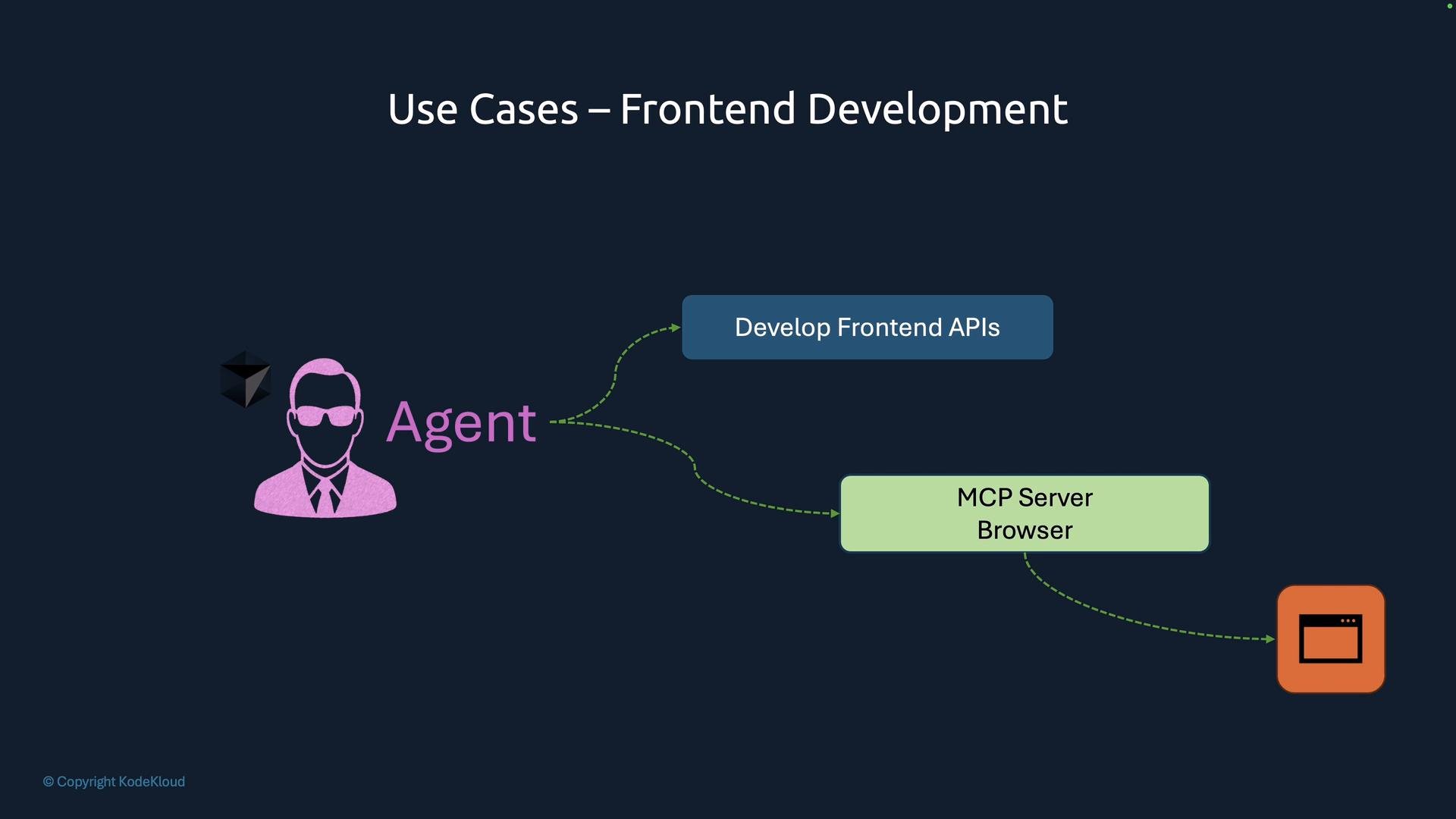
* Frontend development: an MCP server can expose browser console logs, DOM structure, and runtime context so an agent can diagnose UI issues and suggest fixes quickly.
Consolidated pseudocode: a simplified agent orchestration
The code below is illustrative pseudocode. It omits production concerns (authentication, retries, error handling, streaming responses, secret management). Treat it as conceptual guidance, not a drop-in implementation.
```python theme={null}
def call_llm(prompt):
# Placeholder for an LLM call that returns structured data
# e.g., returns {"origin": "NYC", "destination": "LON", "date": "2026-10-10"}
pass
def call_api(url, params):
# Placeholder for performing an HTTP request to a third-party API
# Returns a parsed JSON response
pass
def call_tool(tool_name, args):
# Tool adapters normalize different airline APIs into a common flight schema
if tool_name == "joyair_tool":
response = call_api("https://www.joyair.com/api/flights", args)
return [
{
"flightNumber": flight["flightNumber"],
"origin": flight["origin"],
"destination": flight["destination"],
"price": flight.get("price")
} for flight in response["flights"]
]
elif tool_name == "dracair_tool":
response = call_api("https://www.dracair.com/api/flights-list", args)
return [
{
"flightNumber": flight["flightNum"],
"origin": flight["from"],
"destination": flight["to"],
"price": flight.get("fare")
} for flight in response["flight-info"]
]
elif tool_name == "aerogo_tool":
response = call_api("https://www.aerogo.com/api/list-flights", args)
return [
{
"flightNumber": flight["flight"],
"origin": flight["start"],
"destination": flight["finish"],
"price": flight.get("cost")
} for flight in response["detail-flights"]
]
else:
raise ValueError("Unknown tool: " + tool_name)
def fetch_flight_details(origin, destination, date):
# Aggregate results from multiple airline tools
flights = []
joyair_result = call_tool("joyair_tool", {"origin": origin, "destination": destination, "date": date})
flights.extend(joyair_result)
dracair_result = call_tool("dracair_tool", {"origin": origin, "destination": destination, "date": date})
flights.extend(dracair_result)
aerogo_result = call_tool("aerogo_tool", {"origin": origin, "destination": destination, "date": date})
flights.extend(aerogo_result)
return flights
def fetch_user_preferences(user_id):
# Placeholder for DB/memory fetch
return {"preference": "cheap", "seat": "aisle"}
def book_flight(flight):
# Placeholder for booking API call
return f"Flight {flight['flightNumber']} booking confirmed!"
# Main flow
user_input = input("Where do you want to fly?\n")
# Ask LLM to extract origin, destination, date
prompt = [
{"role": "system", "content": "Extract origin, destination, and date from the user request."},
{"role": "user", "content": user_input}
]
flight_query = call_llm(prompt) # e.g., {"origin": "NYC", "destination": "LON", "date": "2026-10-10"}
origin = flight_query.get("origin")
destination = flight_query.get("destination")
date = flight_query.get("date")
flight_options = fetch_flight_details(origin, destination, date)
user_prefs = fetch_user_preferences(user_id="user-123")
# Ask LLM to pick the best flight given user preferences
decision_prompt = [
{"role": "system", "content": f"User preferences: {user_prefs}"},
{"role": "user", "content": f"Available flights: {flight_options}"}
]
decision = call_llm(decision_prompt) # e.g., returns chosen flight identifier or flight dict
# Book the chosen flight (mock)
chosen = decision.get("chosen_flight") if isinstance(decision, dict) else flight_options[0]
print(book_flight(chosen))
```
Frameworks and tools that help build these agent workflows include LangChain, LangGraph, and many emerging libraries. See:
* LangChain: [https://learn.kodekloud.com/user/courses/langchain](https://learn.kodekloud.com/user/courses/langchain)
* LangGraph: [https://learn.kodekloud.com/user/courses/langgraph](https://learn.kodekloud.com/user/courses/langgraph)
What exactly are MCPs?
* MCP (Model Context Protocol) is a protocol/specification that describes how a service exposes:
* Which APIs and integrations are available
* API endpoints, parameters, and authentication
* Response schemas and example payloads
* Prompts and helper instructions the model should use
MCPs make tool discovery and usage easier for agents by providing a standardized, machine-readable description of a service’s capabilities. Instead of hard-coding dozens of vendor APIs, agents query an MCP server to discover integrations, prompts, and schemas at runtime.
What MCPs provide (quick reference)
| Capability | Purpose | Example |
| - | - | - |
| Discovery | Find available integrations for a service | `GET /prompts`, `GET /tools` |
| Schemas | Describe request/response shapes for tools | JSON schemas, sample payloads |
| Usage guidance | Provide LLM prompts and examples for interacting with the tool | `flight_search_instruction` prompt |
| Auth & Endpoints | Explain how to call APIs (endpoints, headers, auth flow) | OAuth or API key instructions |
How MCP client-server architecture works
* MCP Server: hosted by a service owner or community contributor; publishes tools, prompts, schemas, and examples.
* MCP Client: embedded in agents, IDE assistants, or developer tools; queries the MCP server to discover how to call a service and which prompts to use.
* Agents combine MCP metadata with LLM outputs to choose and call the right tool adapter.
Real-world use cases
* Frontend development: an MCP server can expose browser console logs, DOM structure, and runtime context so an agent can diagnose UI issues and suggest fixes quickly.
 * Data engineering: read-only MCP access to SQLite, BigQuery, or dbt Studio lets agents combine datasets, reason about missing data, and surface root causes.
Who builds MCP servers?
* Anyone who owns a service can publish an MCP server for that service.
* Vendors are publishing official MCP servers for their platforms; community contributors publish unofficial integrations.
* Data engineering: read-only MCP access to SQLite, BigQuery, or dbt Studio lets agents combine datasets, reason about missing data, and surface root causes.
Who builds MCP servers?
* Anyone who owns a service can publish an MCP server for that service.
* Vendors are publishing official MCP servers for their platforms; community contributors publish unofficial integrations.
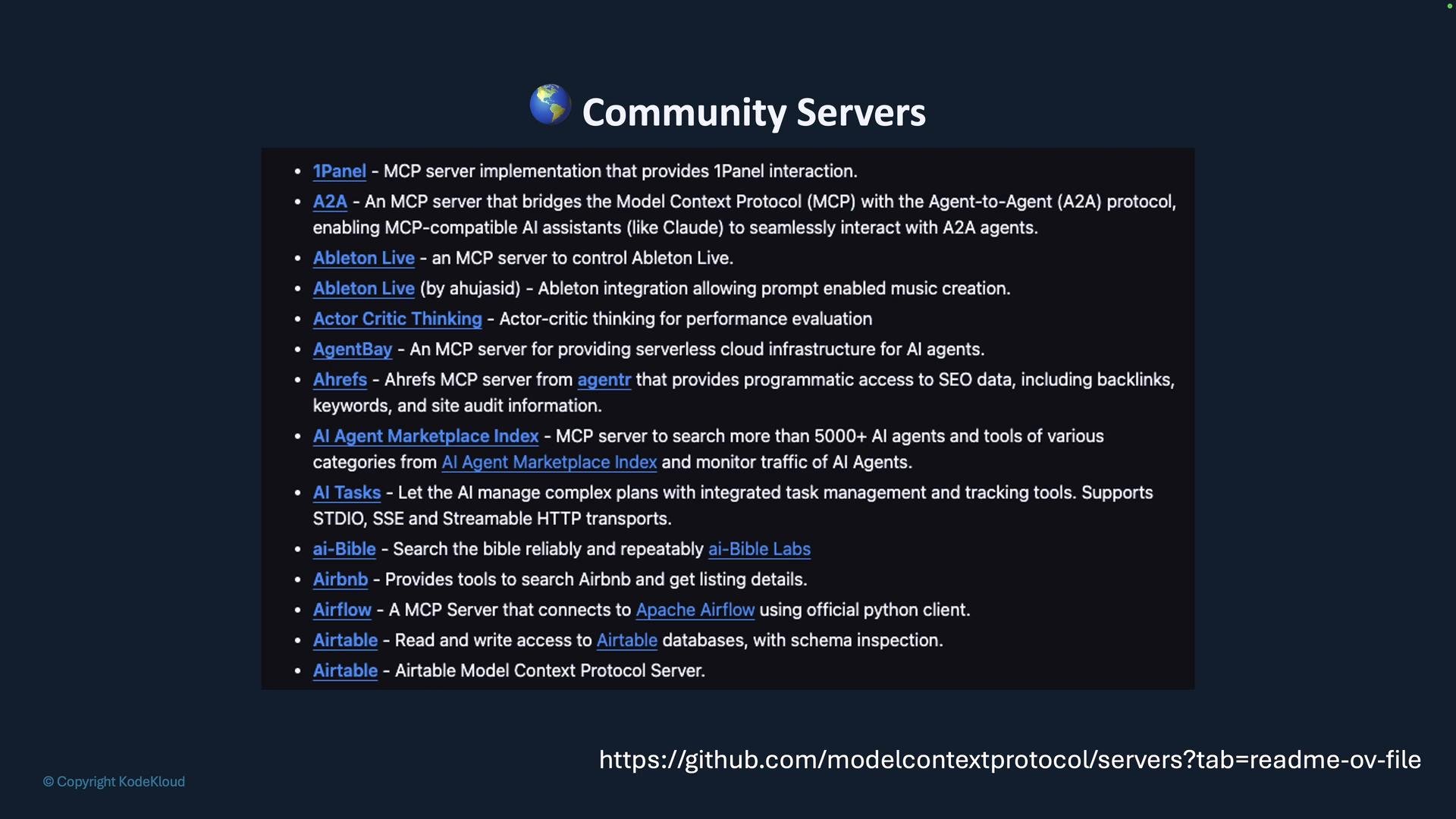 Community MCP servers can be extremely helpful for prototyping, but treat untrusted servers with caution. Verify sources, inspect schemas and endpoints before calling production systems, and never send secrets to an untrusted MCP server.
Summary
* MCPs provide a structured, discoverable layer that tells agents how to interact with services, tools, and APIs.
* By combining MCP metadata with LLM reasoning, agents can discover integrations at runtime, normalize vendor APIs, and safely orchestrate complex workflows (booking, debugging, data exploration).
* Next: we’ll dive into the MCP specification, architecture details, and step-by-step examples for using and building simple MCP servers and clients.
Before moving on, make sure you’re comfortable with the agent workflow described above — it’s the foundation for understanding MCP-driven integrations.
This documentation is built and hosted on [Mintlify](https://mintlify.com), a developer documentation platform.
Community MCP servers can be extremely helpful for prototyping, but treat untrusted servers with caution. Verify sources, inspect schemas and endpoints before calling production systems, and never send secrets to an untrusted MCP server.
Summary
* MCPs provide a structured, discoverable layer that tells agents how to interact with services, tools, and APIs.
* By combining MCP metadata with LLM reasoning, agents can discover integrations at runtime, normalize vendor APIs, and safely orchestrate complex workflows (booking, debugging, data exploration).
* Next: we’ll dive into the MCP specification, architecture details, and step-by-step examples for using and building simple MCP servers and clients.
Before moving on, make sure you’re comfortable with the agent workflow described above — it’s the foundation for understanding MCP-driven integrations.
This documentation is built and hosted on [Mintlify](https://mintlify.com), a developer documentation platform.