> ## Documentation Index
> Fetch the complete documentation index at: https://notes.kodekloud.com/llms.txt
> Use this file to discover all available pages before exploring further.
# Demo Web and Library Integration
> This tutorial demonstrates how to enhance your IDE with Cursor AI’s web search and local documentation features for improved development efficiency.
In this tutorial, we’ll show how to supercharge your IDE with Cursor AI’s in-editor web search and local documentation features. By embedding search and docs directly in your coding environment, you can streamline development, boost productivity, and avoid context switching.
## Searching the Web Inside the IDE
With Cursor AI, you can submit web queries from your terminal or editor, using your project files as context. For instance, try:
> What is the best way to implement JWT authentication in Flask?
Cursor will fetch relevant articles, snippets, and code samples without leaving your IDE. Here’s a complete Flask example illustrating JWT authentication, refresh tokens, and token revocation:
```python theme={null}
from flask import Flask, jsonify, request
from flask_jwt_extended import (
JWTManager, create_access_token, create_refresh_token,
jwt_required, get_jwt_identity
)
from datetime import timedelta
app = Flask(__name__)
app.config["JWT_SECRET_KEY"] = "your-secret-key" # Use a secure random key in production
app.config["JWT_ACCESS_TOKEN_EXPIRES"] = timedelta(hours=1)
jwt = JWTManager(app)
# In-memory token blacklist
blacklist = set()
@app.route("/login", methods=["POST"])
def login():
username = request.json.get("username")
password = request.json.get("password")
# Replace with real credential validation
if username != "test" or password != "test":
return jsonify({"msg": "Bad username or password"}), 401
access_token = create_access_token(identity=username)
refresh_token = create_refresh_token(identity=username)
return jsonify(access_token=access_token, refresh_token=refresh_token), 200
@app.route("/protected", methods=["GET"])
@jwt_required()
def protected():
current_user = get_jwt_identity()
return jsonify(logged_in_as=current_user), 200
@app.route("/refresh", methods=["POST"])
@jwt_required(refresh=True)
def refresh():
current_user = get_jwt_identity()
new_access_token = create_access_token(identity=current_user)
return jsonify(access_token=new_access_token), 200
@jwt.token_in_blocklist_loader
def check_if_token_revoked(jwt_header, jwt_payload):
jti = jwt_payload["jti"]
return jti in blacklist # Check against your blacklist storage
if __name__ == "__main__":
app.run(debug=True)
```
Always store `JWT_SECRET_KEY` in environment variables or a secure vault in production to protect against token forgery.
## Browsing Local Docs Without Leaving Your Editor
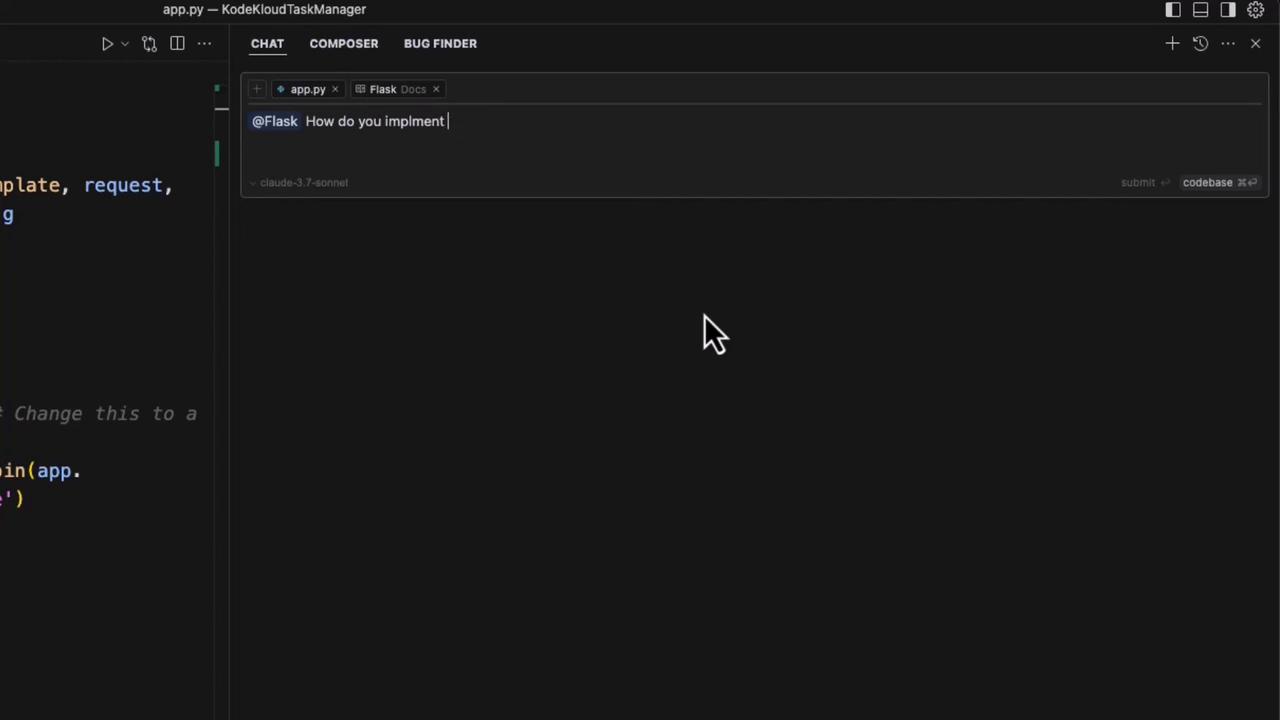
Cursor AI embeds your local documentation—Flask, PyTorch, Python, Pytest, and more—into a dedicated sidebar. You can navigate topics or ask questions like “How do you implement meta tags in a Flask application?” and get immediate answers drawn from your project's source docs.
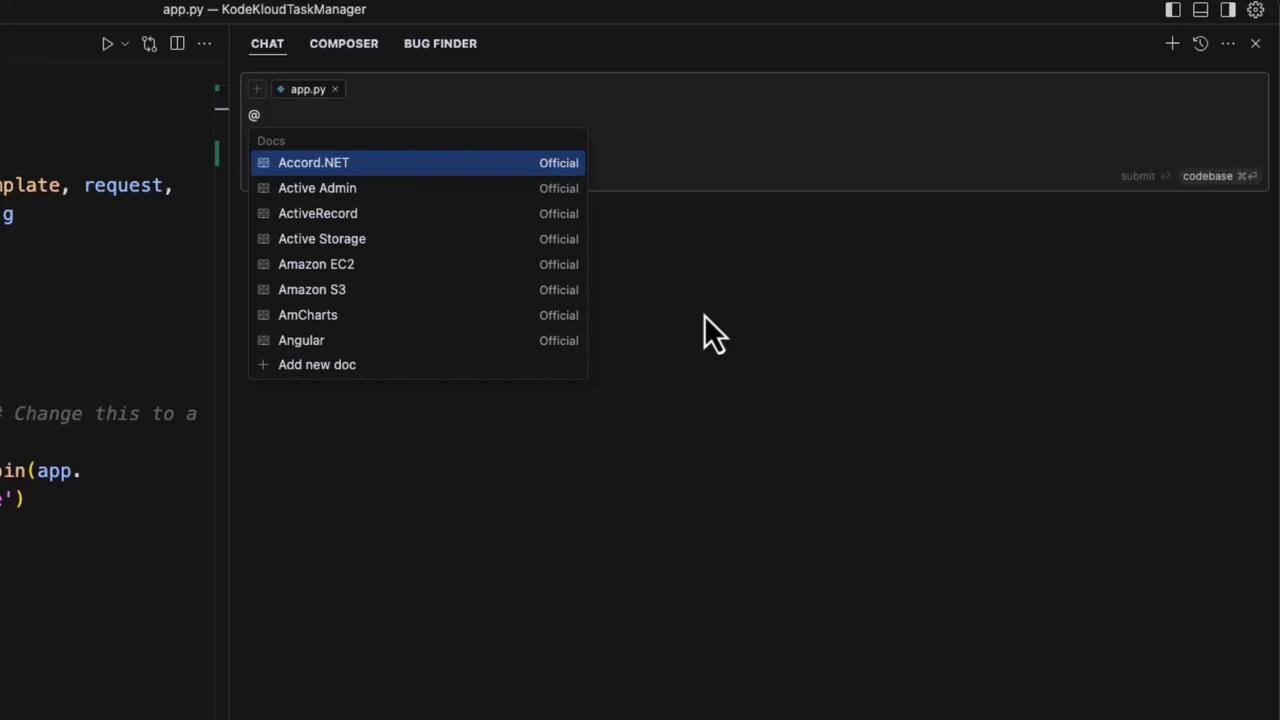
For example, Cursor might generate this `base.html` meta tag template:
```html theme={null}
Default Title
```
You can then integrate these meta tags into your Flask routes:
```python theme={null}
@app.route('/blog/')
def blog_post(post_id):
post = get_post_by_id(post_id)
return render_template(
'blog_post.html',
post=post,
meta_title=post.title,
meta_description=post.summary
)
```
## Key Features Comparison
| Feature | Benefit | Access Method |
| ------------------- | --------------------------------------- | ---------------------- |
| In-Editor Search | Query web resources without leaving IDE | `/search ` |
| Local Documentation | Instant lookup for Flask, PyTorch, etc. | Sidebar panel |
| Code Snippets | Auto-generate boilerplate and templates | Chat and Composer tabs |
| Debugging Tools | Inline error detection and fixes | Bug Finder tab |
## Benefits of In-Editor Integration
By centralizing web search, documentation, code editing, and debugging within Cursor AI, you can:
* Maintain coding flow without context switching
* Quickly access official docs and community knowledge
* Generate and customize code snippets on the fly
* Debug and troubleshoot directly in your editor
Leveraging these integrated features can reduce development time by up to 30% and improve code accuracy.
## References
* [Flask-JWT-Extended Documentation](https://flask-jwt-extended.readthedocs.io/)
* [Cursor AI Official Site](https://cursor.so)
* [Jinja2 Templating](https://jinja.palletsprojects.com/)
* [Python Docs](https://docs.python.org/3/)