> ## Documentation Index
> Fetch the complete documentation index at: https://notes.kodekloud.com/llms.txt
> Use this file to discover all available pages before exploring further.
# Demo Essential Prompt Engineering
> Learn to craft effective prompts for large language models to achieve consistent, high-quality outputs in AI workflows.
In this guide, you’ll learn how to craft effective prompts that steer large language models (LLMs) and tools like Cursor toward consistent, high-quality outputs. From precise requirements to creative exploration, we cover zero-shot, one-shot, few-shot, chain-of-thought, and self-consistency techniques to elevate your AI workflows.
***
## Initial Context: Flask Task Manager Scaffold
Use this simple Flask application as a reference throughout our examples:
```python theme={null}
import csv
import sqlite3
import os
from flask import Flask, render_template, request, redirect, url_for, flash, session, g
from datetime import datetime
import hashlib
import logging
# Initialize Flask app
app = Flask(__name__)
app.config['SECRET_KEY'] = os.getenv('SECRET_KEY', 'dev') # Change in production
app.config['DATABASE'] = os.path.join(app.instance_path, 'task_manager.sqlite')
# Ensure the instance folder exists
os.makedirs(app.instance_path, exist_ok=True)
# Database connection function
def get_db():
if 'db' not in g:
g.db = sqlite3.connect(
app.config['DATABASE'],
detect_types=sqlite3.PARSE_DECLTYPES
)
g.db.row_factory = sqlite3.Row
return g.db
```
Always replace the default `SECRET_KEY` with a strong, unpredictable string before deploying to production.
***
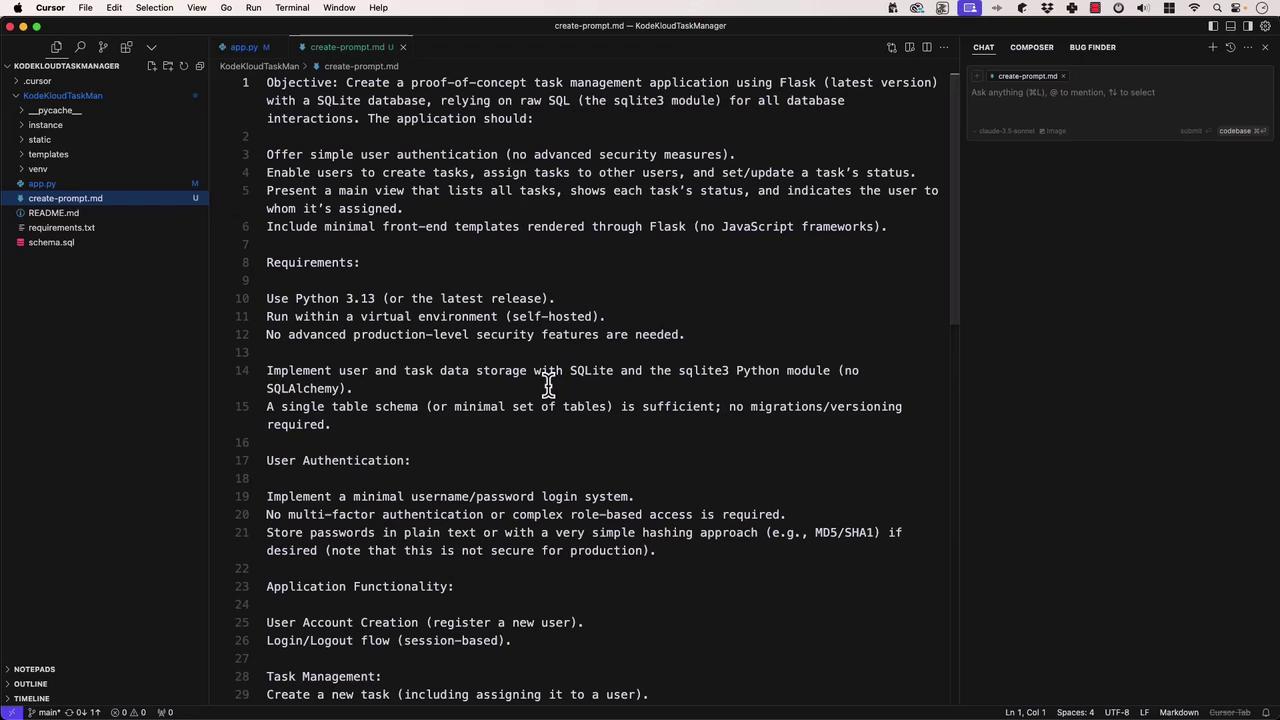
## Specific vs. Creative Prompts
Knowing when to lock down every detail versus when to let the model surprise you is crucial:
* **Specific Prompts**\
Provide clear objectives, constraints, and examples. Ideal for scaffolding or boilerplate code that must meet exact requirements.
* **Creative Prompts**\
Offer a high-level request (e.g., “Build a task manager in Python”) and let the model explore solutions. Great for brainstorming or exploring alternatives.
***
## Zero-Shot Prompting
Zero-shot means “no examples provided.” You simply state the task and expect the model to understand it.
**Use case:** Quick utility functions or well-defined algorithms.
**Example prompt:**
“Write a function that calculates the Fibonacci sequence up to *n* terms.”
```python theme={null}
def fibonacci(n):
"""Return the first n numbers in the Fibonacci sequence."""
if n <= 0:
return []
sequence = [0, 1]
while len(sequence) < n:
sequence.append(sequence[-1] + sequence[-2])
return sequence
# Example usage:
print(fibonacci(10)) # [0, 1, 1, 2, 3, 5, 8, 13, 21, 34]
```
Zero-shot is fast and straightforward, but your prompt must be unambiguous.
***
## One-Shot Prompting
One-shot gives the model one example of the desired format, then asks it to generalize.
**Prompt:**
1. Here’s a JavaScript function that sorts objects by a property:
```javascript theme={null}
function sortByProperty(array, property) {
// ...
}
```
2. Now write a function that finds the intersection of two arrays.
**Model’s response:**
```javascript theme={null}
function findIntersection(arr1, arr2) {
const set = new Set(arr1);
return arr2.filter(item => set.has(item));
}
// Deep comparison for objects
function findIntersectionDeep(arr1, arr2) {
return arr1.filter(item1 =>
arr2.some(item2 => JSON.stringify(item1) === JSON.stringify(item2))
);
}
```
***
## Few-Shot Prompting (Viewport Prompting)
Few-shot provides multiple examples so the model can learn a pattern before continuing.
**Examples:**
```javascript theme={null}
describe('User Authentication', () => {
test('allows login with valid credentials', () => {
// ...
});
test('rejects login with invalid password', () => {
// ...
});
});
```
**Prompt:**\
“Convert the requirement *User session expires after 30 minutes of inactivity* into a Jest test case.”
**Model’s response:**
```javascript theme={null}
describe('User Session Management', () => {
beforeEach(() => jest.useFakeTimers());
afterEach(() => jest.useRealTimers());
test('expires session after 30 minutes of inactivity', () => {
const session = createUserSession('testUser');
expect(session.isActive()).toBe(true);
jest.advanceTimersByTime(29 * 60 * 1000);
expect(session.isActive()).toBe(true);
jest.advanceTimersByTime(60 * 1000);
expect(session.isActive()).toBe(false);
});
});
```
***
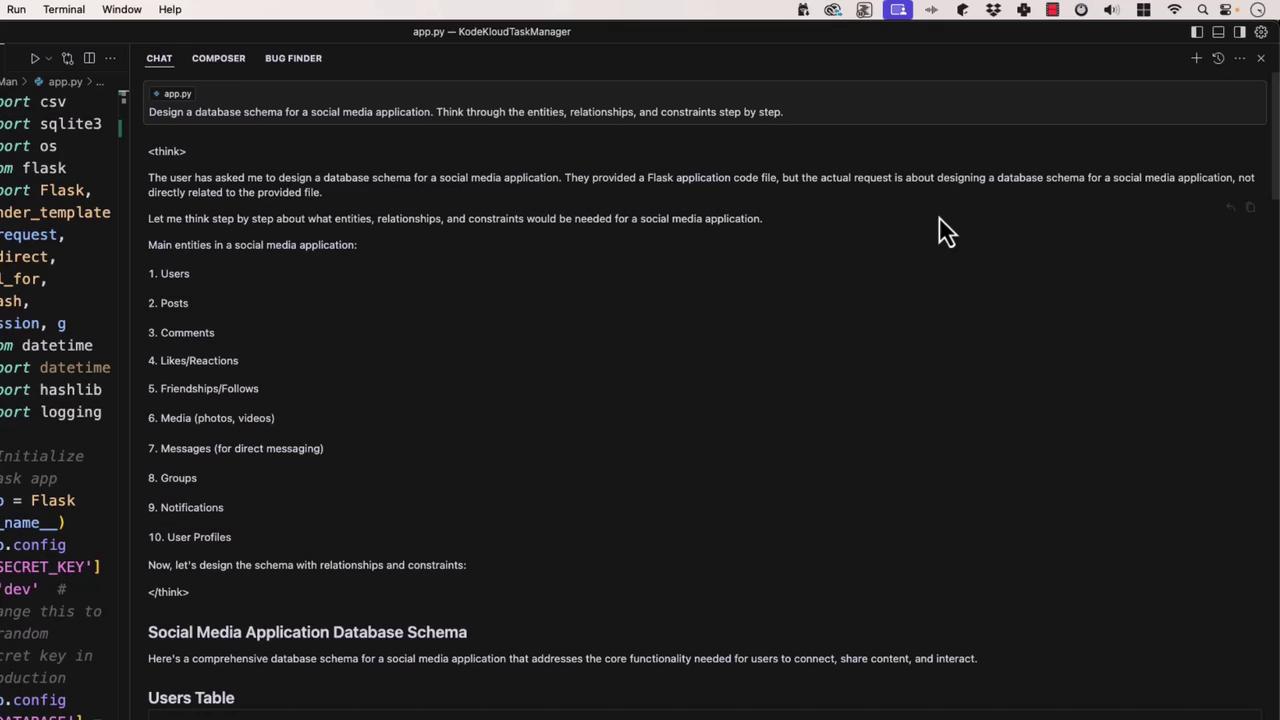
## Chain-of-Thought Prompting
Ask the model to “think aloud,” providing step-by-step reasoning before delivering a solution.
**Prompt:**\
“Design a database schema for a social media app, reasoning through entities, relationships, and constraints.”
**Generated SQL:**
```sql theme={null}
CREATE TABLE users ( ... );
CREATE TABLE posts ( ... );
-- and so on...
```
***
## Self-Consistency Prompting
Generate multiple candidate solutions, evaluate each, and select the best. This boosts reliability for critical tasks.
**Prompt:**\
“Write a regex matching valid email addresses, test it against these samples:
* [valid@example.com](mailto:valid@example.com)
* invalid@
* [user.name+tag@example.co.uk](mailto:user.name+tag@example.co.uk)
* @example.com”
```python theme={null}
import re
pattern = r'^[A-Za-z0-9._%+-]+@[A-Za-z0-9.-]+\.[A-Za-z]{2,}$'
tests = ['valid@example.com', 'invalid@', 'user.name+tag@example.co.uk', '@example.com']
for email in tests:
print(email, 'Valid' if re.match(pattern, email) else 'Invalid')
```
**Advanced:** Use the `email-validator` library for robust checks.
***
## General Rules for Effective Prompting
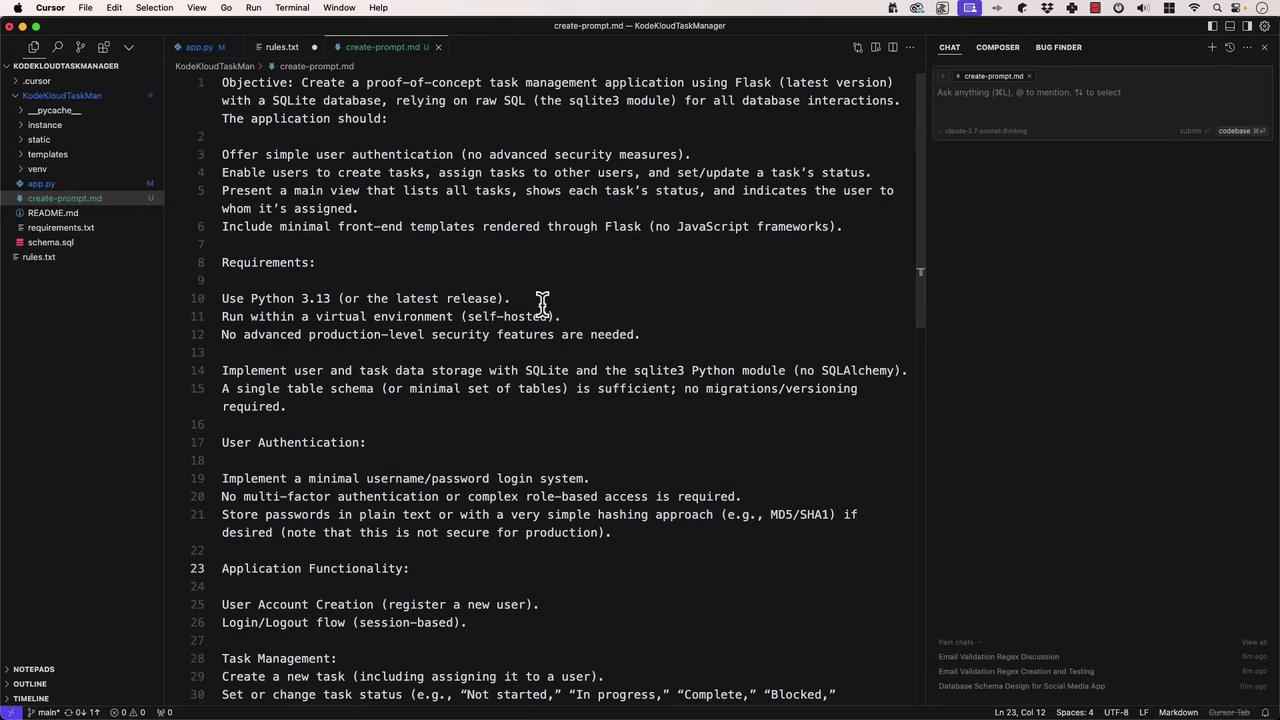
1. Be specific and clear.
2. Provide context—code snippets, error logs, folder structure.
3. Use structured formats: bullets, numbered steps, or tables.
4. Specify output format (e.g., “Return TypeScript definitions”).
5. Iterate and refine based on model feedback.
### Prompting Techniques at a Glance
| Prompt Type | Description | Best For |
| ---------------- | -------------------------------------------- | ------------------------------------- |
| Zero-Shot | No examples; rely on clear instructions | Simple, well-defined tasks |
| One-Shot | Single example to demonstrate desired output | Specific formatting or pattern |
| Few-Shot | Multiple examples to establish a pattern | Complex transformations |
| Chain-of-Thought | Step-by-step reasoning before the answer | Design, architecture, problem solving |
| Self-Consistency | Generate and compare several solutions | High-stakes or precision requirements |
***
With these prompt engineering strategies in your toolkit, you can direct LLMs to produce consistent, accurate, and well-structured results. Happy prompting!
## Links and References
* [Flask Quickstart](https://flask.palletsprojects.com/en/latest/quickstart/)
* [SQLite Documentation](https://www.sqlite.org/docs.html)
* [Jest Testing Framework](https://jestjs.io/)
* [email-validator on PyPI](https://pypi.org/project/email-validator/)