> ## Documentation Index
> Fetch the complete documentation index at: https://notes.kodekloud.com/llms.txt
> Use this file to discover all available pages before exploring further.
# Extracting and Transforming
> This lesson focuses on the extract and transform phases of ETL using Azure Data Factory, a cloud-native data integration service.
Welcome back to the **Azure Data Fundamentals (DP-900)** course. In this lesson, we’re focusing on the first two phases of **ETL**—**Extract** and **Transform**—using **Azure Data Factory (ADF)**, Microsoft’s cloud-native data integration service.
## What Is ETL?
ETL stands for:
* **Extract**: Pull data from one or more sources.
* **Transform**: Shape, enrich, and standardize that data for analytics or consolidation in a data warehouse.
* **Load**: Write the processed data into a target store (covered in a later lesson).
A robust ETL process ensures high-quality, consistent data for downstream analytics and reporting.
## Introducing Azure Data Factory
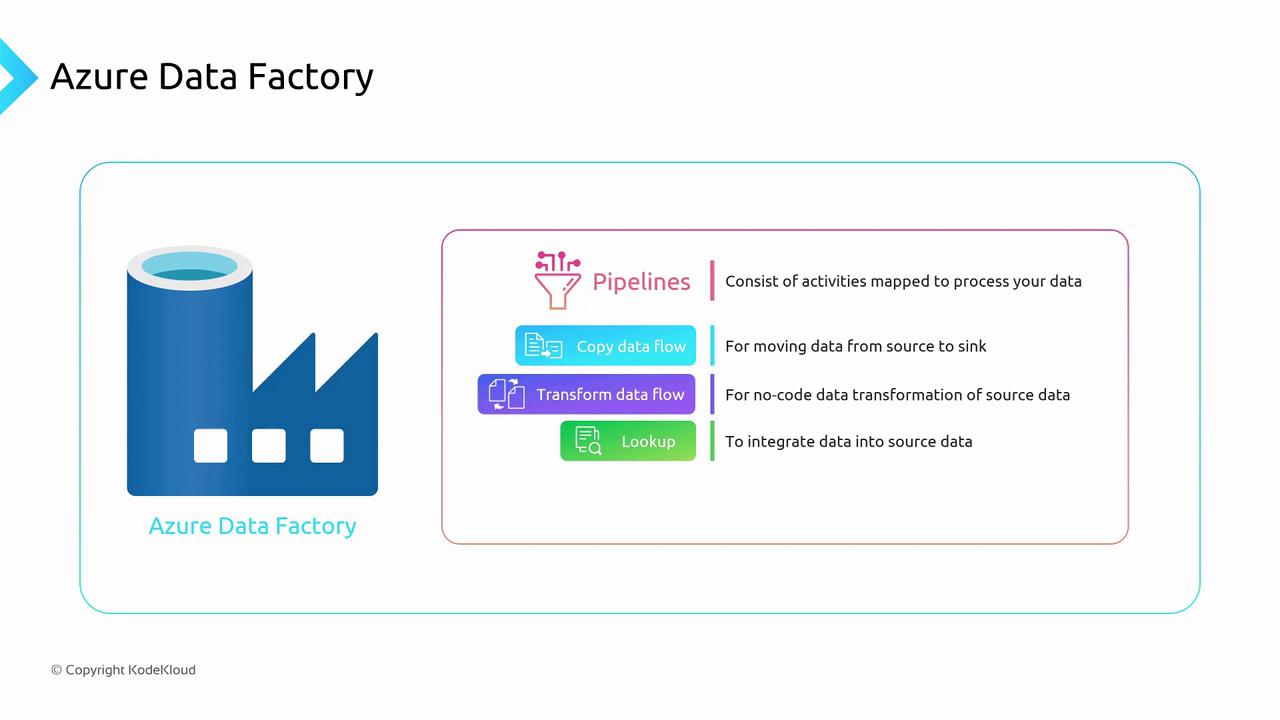
Azure Data Factory provides a visual, no-code environment to build, schedule, and orchestrate ETL pipelines. ADF’s core components include:
* **Pipelines**: Logical groupings of activities.
* **Activities**: Individual steps such as copying or transforming data.
* **Linked Services**: Connection definitions to data stores or compute resources.
## Core Concepts
### Pipelines
A **pipeline** is a workflow of one or more activities. Pipelines help you organize and manage your data integration tasks. You can:
* Schedule pipelines on a regular cadence.
* Trigger pipelines manually or via events.
* Monitor pipeline runs and view detailed logs.
### Activities
Activities perform discrete operations in your pipeline. Common activity types include:
| Activity Type | Description | Example Use Case |
| ------------- | -------------------------------------------------------------------- | ----------------------------------------------- |
| Copy Data | Moves data from a source to a sink with minimal or no transformation | Copy files from Azure Blob Storage to Azure SQL |
| Data Flow | No-code transformations: filter, aggregate, join, derive columns | Cleanse and aggregate transactional records |
| Lookup | Retrieves a single row or small result set for enrichment | Fetch `Country` from SQL DB by `CustomerID` |
With **Data Flow**, you get a graphical interface to design complex transformations—no programming required.
### Linked Services
Linked services define **how** ADF connects to data sources and compute environments. Think of them as connection strings or service endpoints.
| Linked Service | Use Case | Example Configuration |
| --------------------- | ------------------------------------------------ | --------------------------------------------- |
| Azure Blob Storage | Store and retrieve large unstructured data files | `connectionString` to your storage account |
| Azure SQL Database | Relational data store for OLTP or lookups | Server name, database name, login credentials |
| Cosmos DB (Mongo API) | NoSQL document database | Account endpoint and primary key |
## Practical Example: Enriching Customer Data
Imagine your sales team uploads an Excel file with only `CustomerID` and `CustomerName`. You need to include the customer’s `Country` in your analytics pipeline:
1. **Copy Data**: Ingest the Excel file from Azure Blob Storage into a staging table in Azure SQL Database.
2. **Lookup**: Use the `CustomerID` to query the staging table and retrieve `Country` from the reference table in SQL Database.
3. **Data Flow**: Join and transform the enriched data—filter out inactive customers, rename columns, and aggregate sales by region.
4. **Load**: Send the final output to your Azure Synapse Analytics data warehouse (covered later).
```json theme={null}
{
"name": "CustomerEnrichmentPipeline",
"properties": {
"activities": [
{
"name": "CopyExcelToStaging",
"type": "Copy",
"linkedServiceName": "AzureBlobStorageLS",
"inputs": [ { "referenceName": "SalesExcelDataset" } ],
"outputs": [ { "referenceName": "StagingSqlTable" } ]
},
{
"name": "LookupCountry",
"type": "Lookup",
"dependsOn": [ { "activity": "CopyExcelToStaging", "dependencyConditions": [ "Succeeded" ] } ],
"linkedServiceName": "AzureSqlDatabaseLS",
"source": {
"type": "SqlSource",
"sqlReaderQuery": "SELECT Country FROM Customers WHERE CustomerID = @{activity('CopyExcelToStaging').output.firstRow.CustomerID}"
}
}
]
}
}
```
## Next Steps
With pipelines, activities, and linked services in place, you can automate and scale your **extract** and **transform** workflows. In the next lesson, we’ll cover the **load** phase, where you push transformed data into target sinks for reporting and analytics.
***
## Links and References
* [Azure Data Factory Overview](https://docs.microsoft.com/azure/data-factory/introduction)
* [DP-900: Azure Data Fundamentals](https://docs.microsoft.com/learn/certifications/exams/dp-900)
* [ETL Best Practices](https://docs.microsoft.com/azure/data-factory/data-factory-best-practices)