> ## Documentation Index
> Fetch the complete documentation index at: https://notes.kodekloud.com/llms.txt
> Use this file to discover all available pages before exploring further.
# Normalizing Data
> This article explains the importance of data normalization in relational databases and how to design an efficient, normalized database schema.
Welcome back to the Azure Data Fundamentals course. In this lesson, we’ll dive into how Relational Database Management Systems (RDBMS) rely on structured data, why normalization is essential, and how to design an efficient, normalized database schema.
## Structured Data and Relational Databases
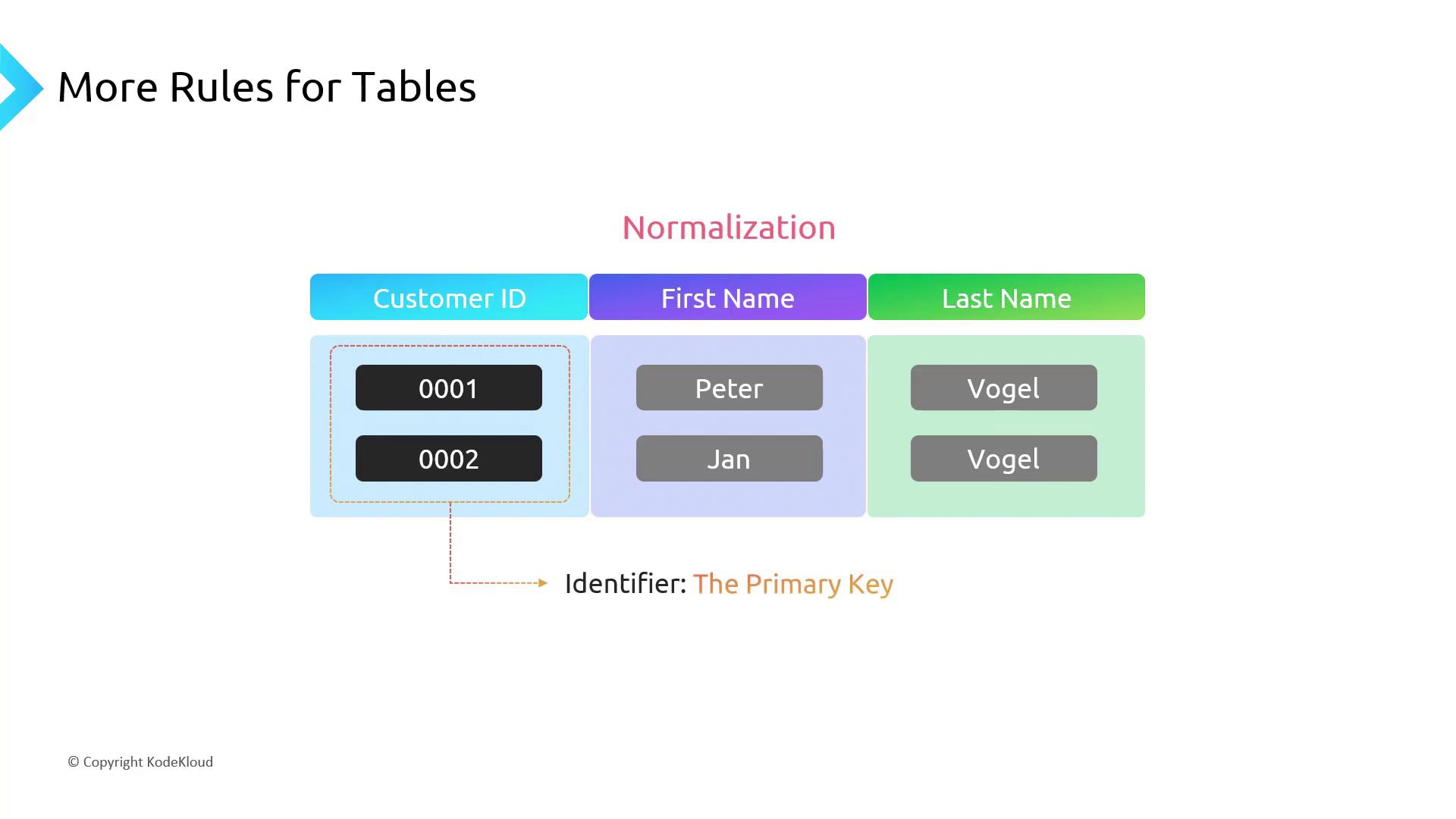
Relational databases organize information into **tables**, where each table consists of **rows** (records) and **columns** (fields). Every column has a defined data type, and each row adheres to the same column structure.
### Example: Customer Table
* **Customer ID**: Primary key (unique identifier)
* **First Name**: Text / string
* **Last Name**: Text / string
Each row represents one customer entity.
The diagram below illustrates the Customer table structure, highlighting the primary key.
## Why Normalization Matters
Normalization is the process of organizing columns and tables to minimize redundancy and prevent update anomalies. Its main objectives are:
1. **Entity Separation**: Each table contains data for a single entity (e.g., Customer, Order, Product).
2. **Eliminate Duplicates**: No two rows should have identical values across all columns.
Without normalization, you risk:
* **Data Redundancy**: Repeated storage of the same information.
* **Inconsistent Updates**: Changing a customer’s address requires updates in multiple places.
### Denormalized Example
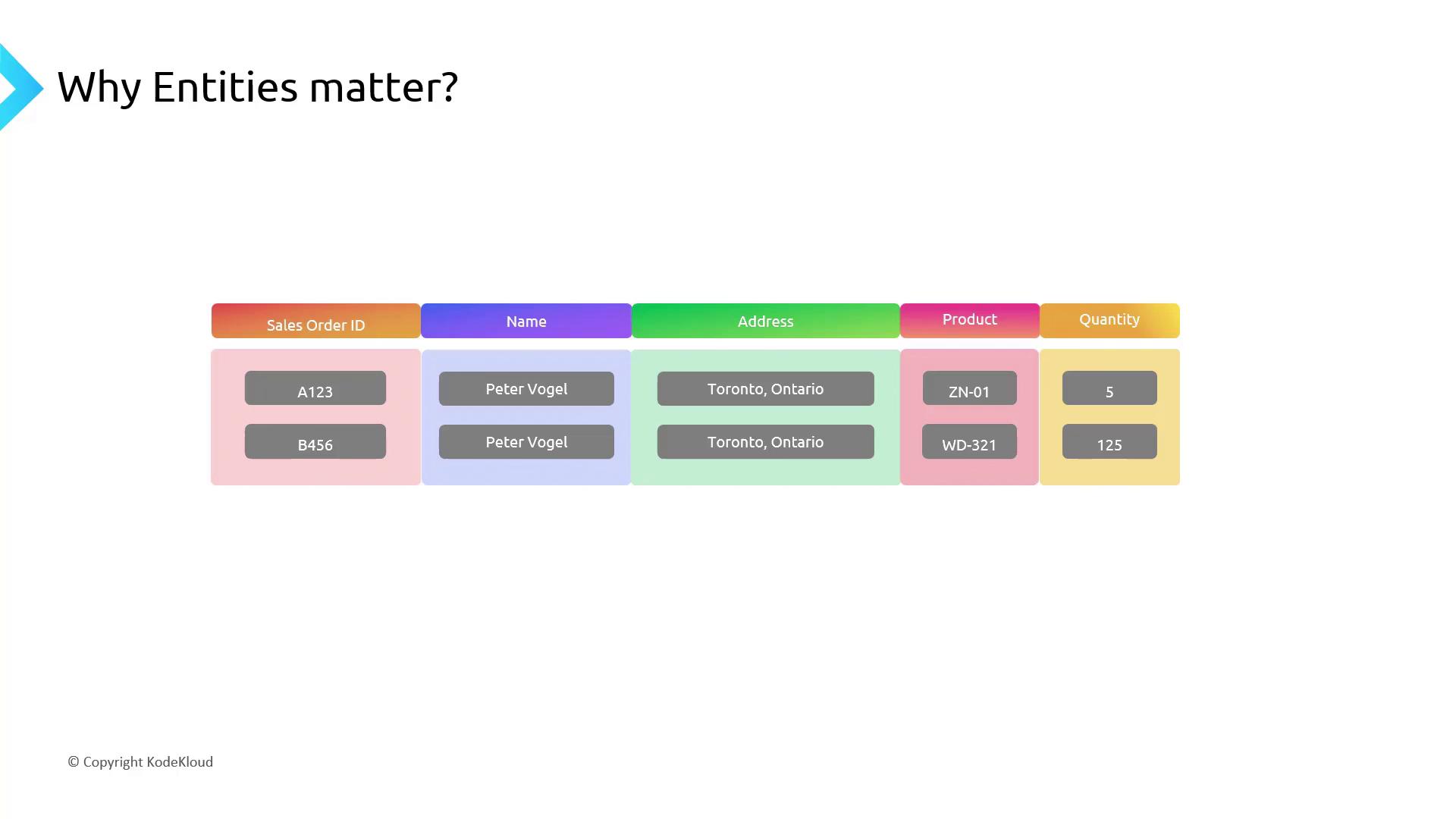
A denormalized **Sales Order** table might look like this:
* Sales Order ID
* Name
* Address
* Product
* Quantity
Here, a customer’s name and address are stored with every order.
Below is a denormalized sales order table showing repeated customer details.
## Designing a Normalized Schema
To normalize your data:
1. **Identify Entities**: Separate data into tables like Customer, Product, and Sales Order.
2. **Define Keys**: Assign a primary key for each table and use foreign keys for relationships.
3. **Specify Data Types**: Choose appropriate types (e.g., `numeric(10,2)` for prices).
### Normalized Schema Overview
This diagram shows the normalized schema with three tables and their relationships.
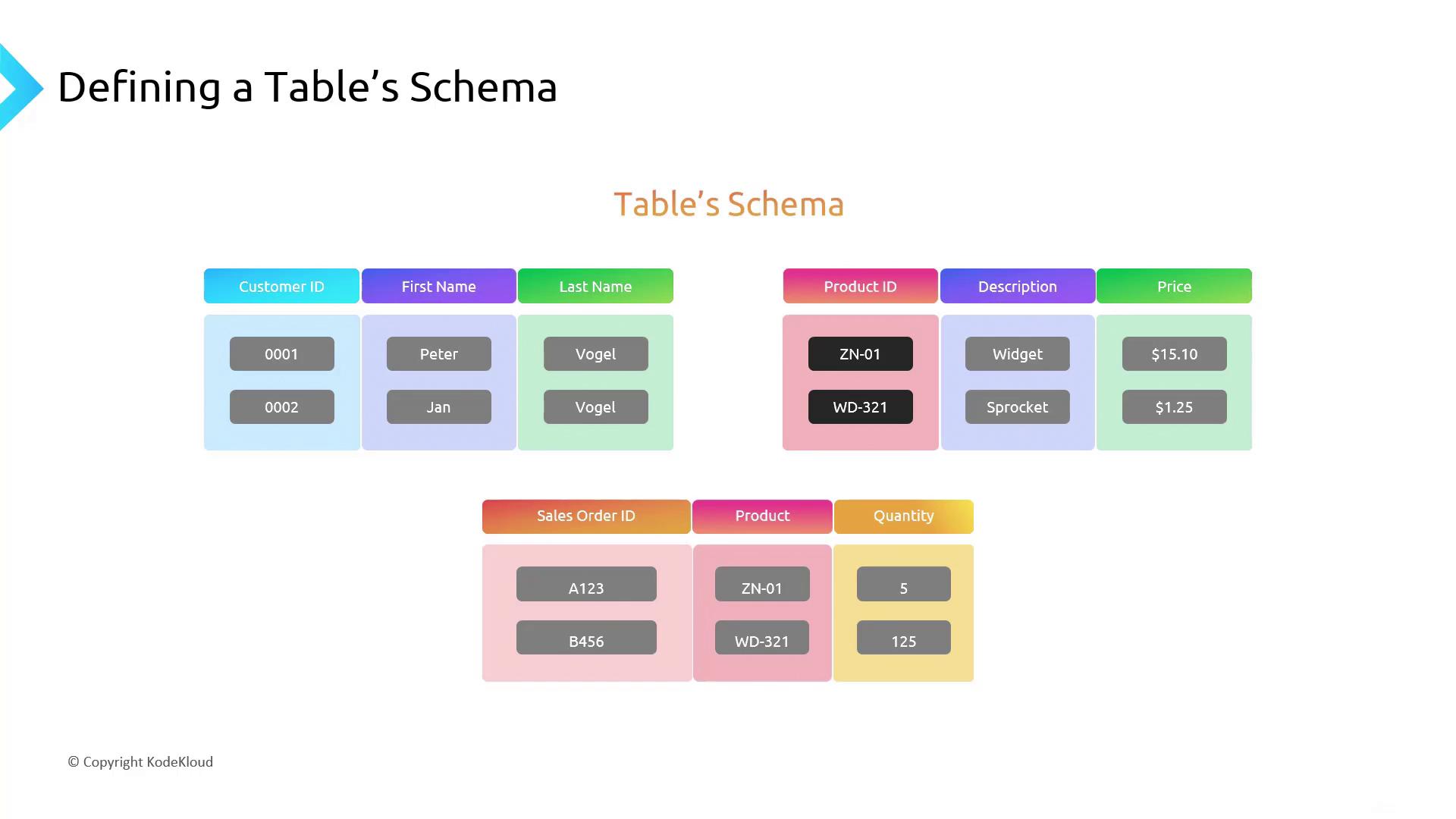
| Table | Primary Key | Foreign Keys | Key Columns |
| ----------- | -------------- | ----------------------- | ----------------------- |
| Customer | Customer ID | — | First Name, Last Name |
| Product | Product ID | — | Price (`numeric(10,2)`) |
| Sales Order | Sales Order ID | Customer ID → Customer, | Quantity |
| | | Product ID → Product | |
**How It Works**\
To find all orders for “Peter Vogel,” you simply join the `Sales Order` table with the `Customer` table on `Customer ID`. Normalized design:
* Reduces storage costs
* Enforces data integrity
* Simplifies maintenance and queries
## Further Reading and References
* [Azure Data Fundamentals (DP-900) Microsoft Learn](https://docs.microsoft.com/learn/certifications/exams/dp-900)
* [Relational Database Concepts](https://docs.microsoft.com/azure/architecture/data-guide/relational-data/)
* [Database Normalization Basics](https://www.ibm.com/docs/en/db2/11.5?topic=design-database-normalization)