> ## Documentation Index
> Fetch the complete documentation index at: https://notes.kodekloud.com/llms.txt
> Use this file to discover all available pages before exploring further.
# Demo Ingesting Data
> Demo of a simple idempotent data ingestion pipeline using pandas with schema validation, monthly partitioning, file archiving, and ingest logging for observability.
Welcome back. Before we begin, make sure your notebook environment is active.
If you're following along in a Jupyter Notebook, install pandas:
```bash theme={null}
pip install pandas
```
Pandas is the go-to library for tabular data processing (CSV, Excel, etc.). Use it to read, validate, and write CSV files in ingestion pipelines. See the official docs: [https://pandas.pydata.org/](https://pandas.pydata.org/).
Scenario: It's August 1st and July's batch of orders has just arrived from the sales team, alongside two supporting files: `products` and `customers`. You drop these into a Jupyter project and build a simple, robust ingestion pipeline.
The orders file contains these fields: `order_id`, `customer_id`, `product_id`, `quantity`, and `order_date`. The `customer_id` and `product_id` keys link across files, so when RoastFlow (our example company) updates a product price, they update the `products` table once and references remain consistent.
Pipeline design principles:
* Idempotency — prevent double-ingestion.
* Schema awareness — validate the presence and expected order of columns.
* Observability — log what was ingested and when.
High-level pipeline steps:
1. Import libraries and configure paths.
2. Create project folders (`data`, `archive`, `insights`, `logs`).
3. Locate the latest orders file in the `data` folder.
4. Check the ingest log to avoid duplicates (idempotency).
5. Load and validate the schema.
6. Save a processed copy into `insights` partitioned by month.
7. Archive the raw file.
8. Append an entry to the ingest log (observability).
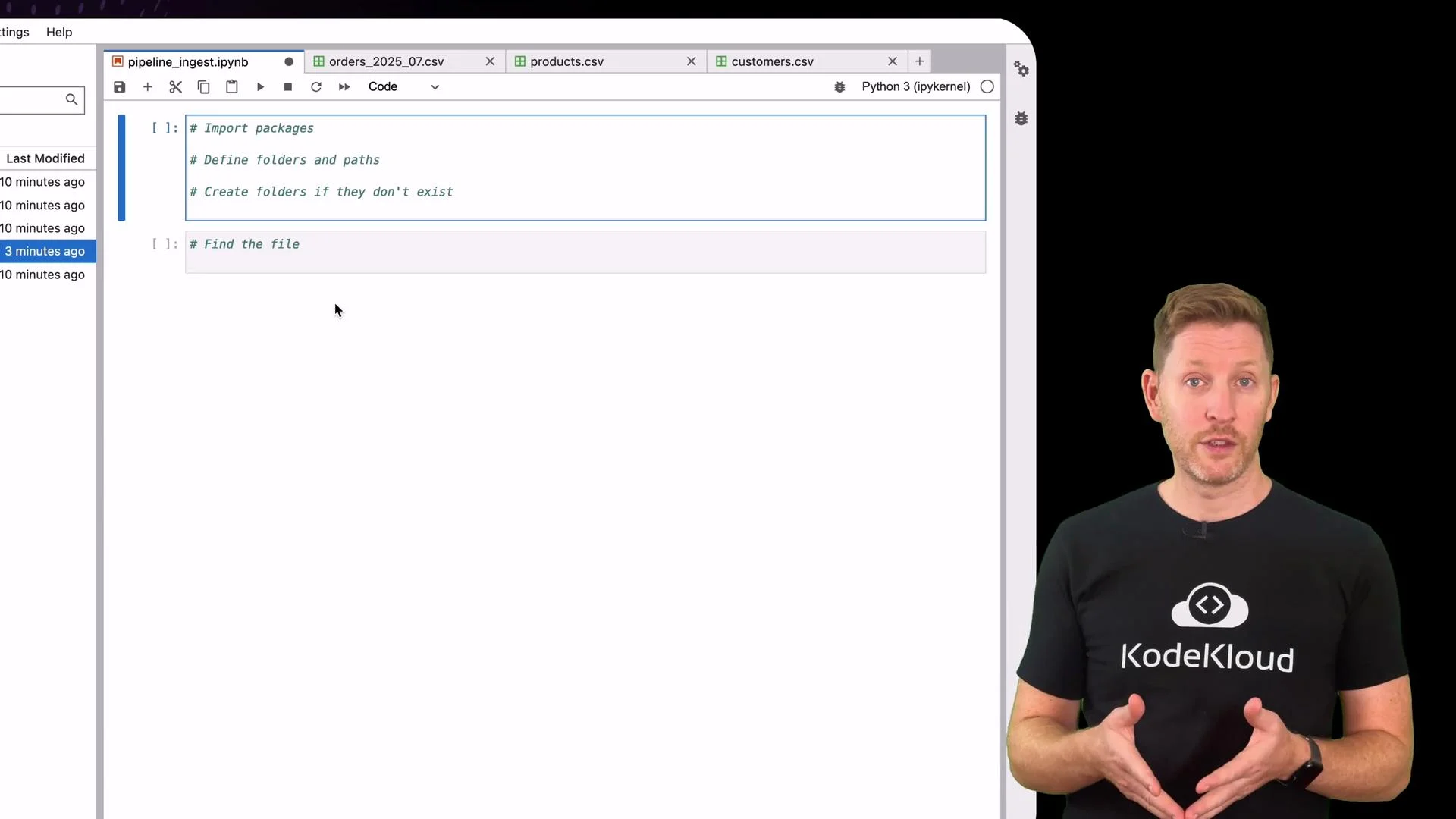 Below is a concise, corrected implementation of the ingestion logic that follows the steps above. Read each section to see how idempotency, schema checks, and logging are implemented.
## 1) Imports, configuration, and folder setup
```python theme={null}
# imports and basic configuration
import os
import shutil
from datetime import datetime
import pandas as pd
# Define folders and paths
data_folder = "data"
archive_folder = os.path.join(data_folder, "archive")
insights_folder = "insights"
logs_folder = "logs"
log_path = os.path.join(logs_folder, "ingest_log.csv")
# Create folders if they don't exist
for folder in [data_folder, archive_folder, insights_folder, logs_folder]:
os.makedirs(folder, exist_ok=True)
print("✅ Folder structure and paths set up.")
```
## 2) Locate the orders file
This example looks for any filename in `data/` containing the substring `orders`.
```python theme={null}
# Find the file
files = os.listdir(data_folder)
file_name = next((f for f in files if "orders" in f), None)
if not file_name:
print("🚨 No orders file found.")
else:
file_path = os.path.join(data_folder, file_name)
file_id = os.path.splitext(file_name)[0]
print(f"📥 Found file: {file_name}")
```
## 3) Idempotency check — consult the ingest log
Before proceeding, confirm the file hasn't been processed already by checking `logs/ingest_log.csv`.
```python theme={null}
# Check log for duplicates (idempotency)
if file_name and os.path.exists(log_path):
log_df = pd.read_csv(log_path)
if file_name in log_df["file_name"].values:
print(f"🛑 File '{file_name}' already ingested - exiting.")
already_ingested = True
else:
print("✅ File not ingested before - proceed to next step.")
already_ingested = False
else:
already_ingested = False
```
## 4) Load and validate schema
This pipeline requires a specific column order to detect accidental format changes early.
```python theme={null}
if file_name and not already_ingested:
# Load orders file
orders = pd.read_csv(file_path)
# Expected schema (column order matters here)
expected_cols = ['order_id', 'customer_id', 'product_id', 'quantity', 'order_date']
actual_cols = list(orders.columns)
schema_ok = expected_cols == actual_cols
if not schema_ok:
print("❌ Schema validation failed.")
if set(expected_cols) != set(actual_cols):
print(f"⚠️ Columns mismatch.\n Expected: {expected_cols}\n Found: {actual_cols}")
else:
print("⚠️ Columns present but in the wrong order.")
status = "Schema Failed"
row_count = 0
else:
print("✅ Schema validation passed.")
status = "Success"
row_count = len(orders)
```
## 5) Partition, save, archive, and log
If the schema validation passes, save a processed copy partitioned by month, move the raw file to `archive/`, and append an entry to the ingest log for observability.
```python theme={null}
if file_name and not already_ingested and schema_ok:
# Build month partition from first order_date value
order_date = pd.to_datetime(orders["order_date"].iloc[0])
month_folder = f"{order_date.year}_{order_date.month:02}"
output_folder = os.path.join(insights_folder, month_folder)
os.makedirs(output_folder, exist_ok=True)
# Save processed copy
output_path = os.path.join(output_folder, "orders.csv")
orders.to_csv(output_path, index=False)
print(f"✔ Saved orders data to: {output_path}")
# Archive raw data
shutil.move(file_path, os.path.join(archive_folder, file_name))
print(f"✔ Moved raw file to archive/{file_name}")
# Log the outcome
log_entry = pd.DataFrame([{
"file_name": file_name,
"status": status,
"rows": row_count,
"timestamp": datetime.now().replace(microsecond=0).isoformat()
}])
if os.path.exists(log_path):
log_df = pd.read_csv(log_path)
log_df = pd.concat([log_df, log_entry], ignore_index=True)
else:
log_df = log_entry
os.makedirs(logs_folder, exist_ok=True)
log_df.to_csv(log_path, index=False)
print(f"✔ Logged ingestion to {log_path}")
```
There it is. After a successful run:
* `insights/` contains the processed file partitioned by month (e.g., `insights/2023_07/orders.csv`).
* `archive/` contains the original raw file.
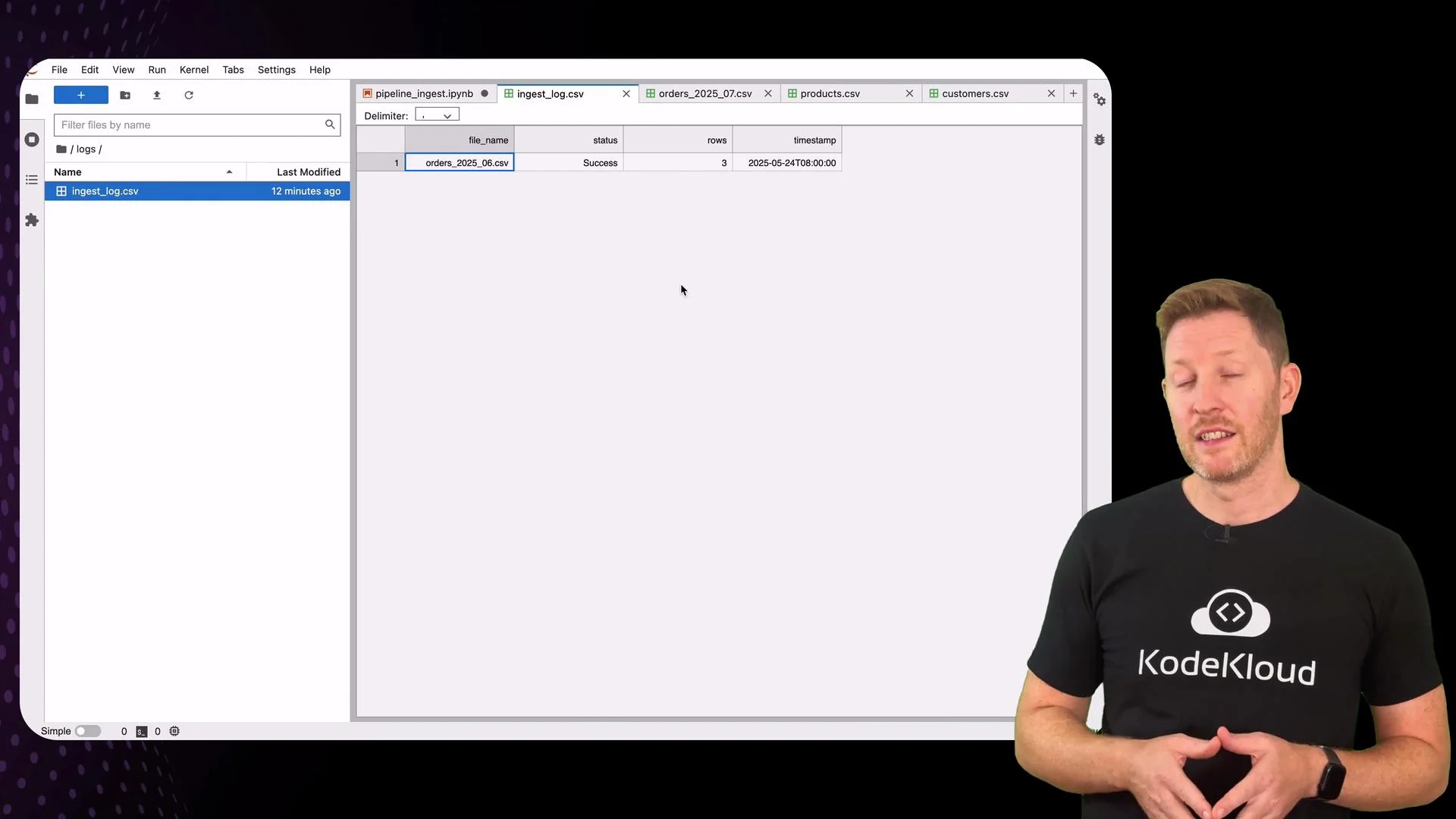
* `logs/ingest_log.csv` records `file_name`, `status`, `rows`, and `timestamp`.
Below is a concise, corrected implementation of the ingestion logic that follows the steps above. Read each section to see how idempotency, schema checks, and logging are implemented.
## 1) Imports, configuration, and folder setup
```python theme={null}
# imports and basic configuration
import os
import shutil
from datetime import datetime
import pandas as pd
# Define folders and paths
data_folder = "data"
archive_folder = os.path.join(data_folder, "archive")
insights_folder = "insights"
logs_folder = "logs"
log_path = os.path.join(logs_folder, "ingest_log.csv")
# Create folders if they don't exist
for folder in [data_folder, archive_folder, insights_folder, logs_folder]:
os.makedirs(folder, exist_ok=True)
print("✅ Folder structure and paths set up.")
```
## 2) Locate the orders file
This example looks for any filename in `data/` containing the substring `orders`.
```python theme={null}
# Find the file
files = os.listdir(data_folder)
file_name = next((f for f in files if "orders" in f), None)
if not file_name:
print("🚨 No orders file found.")
else:
file_path = os.path.join(data_folder, file_name)
file_id = os.path.splitext(file_name)[0]
print(f"📥 Found file: {file_name}")
```
## 3) Idempotency check — consult the ingest log
Before proceeding, confirm the file hasn't been processed already by checking `logs/ingest_log.csv`.
```python theme={null}
# Check log for duplicates (idempotency)
if file_name and os.path.exists(log_path):
log_df = pd.read_csv(log_path)
if file_name in log_df["file_name"].values:
print(f"🛑 File '{file_name}' already ingested - exiting.")
already_ingested = True
else:
print("✅ File not ingested before - proceed to next step.")
already_ingested = False
else:
already_ingested = False
```
## 4) Load and validate schema
This pipeline requires a specific column order to detect accidental format changes early.
```python theme={null}
if file_name and not already_ingested:
# Load orders file
orders = pd.read_csv(file_path)
# Expected schema (column order matters here)
expected_cols = ['order_id', 'customer_id', 'product_id', 'quantity', 'order_date']
actual_cols = list(orders.columns)
schema_ok = expected_cols == actual_cols
if not schema_ok:
print("❌ Schema validation failed.")
if set(expected_cols) != set(actual_cols):
print(f"⚠️ Columns mismatch.\n Expected: {expected_cols}\n Found: {actual_cols}")
else:
print("⚠️ Columns present but in the wrong order.")
status = "Schema Failed"
row_count = 0
else:
print("✅ Schema validation passed.")
status = "Success"
row_count = len(orders)
```
## 5) Partition, save, archive, and log
If the schema validation passes, save a processed copy partitioned by month, move the raw file to `archive/`, and append an entry to the ingest log for observability.
```python theme={null}
if file_name and not already_ingested and schema_ok:
# Build month partition from first order_date value
order_date = pd.to_datetime(orders["order_date"].iloc[0])
month_folder = f"{order_date.year}_{order_date.month:02}"
output_folder = os.path.join(insights_folder, month_folder)
os.makedirs(output_folder, exist_ok=True)
# Save processed copy
output_path = os.path.join(output_folder, "orders.csv")
orders.to_csv(output_path, index=False)
print(f"✔ Saved orders data to: {output_path}")
# Archive raw data
shutil.move(file_path, os.path.join(archive_folder, file_name))
print(f"✔ Moved raw file to archive/{file_name}")
# Log the outcome
log_entry = pd.DataFrame([{
"file_name": file_name,
"status": status,
"rows": row_count,
"timestamp": datetime.now().replace(microsecond=0).isoformat()
}])
if os.path.exists(log_path):
log_df = pd.read_csv(log_path)
log_df = pd.concat([log_df, log_entry], ignore_index=True)
else:
log_df = log_entry
os.makedirs(logs_folder, exist_ok=True)
log_df.to_csv(log_path, index=False)
print(f"✔ Logged ingestion to {log_path}")
```
There it is. After a successful run:
* `insights/` contains the processed file partitioned by month (e.g., `insights/2023_07/orders.csv`).
* `archive/` contains the original raw file.
* `logs/ingest_log.csv` records `file_name`, `status`, `rows`, and `timestamp`.
 ## Try a schema failure simulation
To demonstrate the schema checks, temporarily remove `customer_id` from `expected_cols` and rerun the schema-check section. The pipeline will report what's missing and prevent ingestion — giving you a chance to fix the source file before the data is promoted.
Altering `expected_cols` simulates schema drift. In a production pipeline, implement more granular validation (types, null checks, referential integrity) and automated alerts rather than manual schema edits.
## Why this pattern works
This simple ingestion pipeline enforces three core guarantees:
* Idempotency: the ingest log prevents duplicate ingestion runs.
* Schema awareness: explicit column checks catch accidental format drift early.
* Observability: each run is recorded with status, row count, and timestamp.
Schema validation here is column-level. For production-grade ingestion, add:
* Row-level checks (nulls, data types).
* Referential checks against `customers` and `products`.
* Duplicate detection and deduplication strategies.
* Error handling and retry logic.
* Metrics export to monitoring systems.
## Quick reference table
| Concern | Implementation in this demo | Extend for production |
| ----------------: | -------------------------------------------- | ----------------------------------------------------------- |
| Idempotency | `logs/ingest_log.csv` checks for `file_name` | Use unique file IDs, checkpoints, or commit logs |
| Schema validation | Exact column order check (`expected_cols`) | Schema registry, Avro/Parquet schemas, type checks |
| Partitioning | `insights/YYYY_MM/orders.csv` | Partition by date and other dimensions for query efficiency |
| Observability | Log entry with status, rows, timestamp | Metrics, alerts, structured logs and tracing |
## Links and references
* [Pandas documentation](https://pandas.pydata.org/)
* [Jupyter Project](https://jupyter.org/)
* For production ingestion patterns and best practices, consult blog posts and docs on data pipelines, schema registries, and observability tooling.
## Try a schema failure simulation
To demonstrate the schema checks, temporarily remove `customer_id` from `expected_cols` and rerun the schema-check section. The pipeline will report what's missing and prevent ingestion — giving you a chance to fix the source file before the data is promoted.
Altering `expected_cols` simulates schema drift. In a production pipeline, implement more granular validation (types, null checks, referential integrity) and automated alerts rather than manual schema edits.
## Why this pattern works
This simple ingestion pipeline enforces three core guarantees:
* Idempotency: the ingest log prevents duplicate ingestion runs.
* Schema awareness: explicit column checks catch accidental format drift early.
* Observability: each run is recorded with status, row count, and timestamp.
Schema validation here is column-level. For production-grade ingestion, add:
* Row-level checks (nulls, data types).
* Referential checks against `customers` and `products`.
* Duplicate detection and deduplication strategies.
* Error handling and retry logic.
* Metrics export to monitoring systems.
## Quick reference table
| Concern | Implementation in this demo | Extend for production |
| ----------------: | -------------------------------------------- | ----------------------------------------------------------- |
| Idempotency | `logs/ingest_log.csv` checks for `file_name` | Use unique file IDs, checkpoints, or commit logs |
| Schema validation | Exact column order check (`expected_cols`) | Schema registry, Avro/Parquet schemas, type checks |
| Partitioning | `insights/YYYY_MM/orders.csv` | Partition by date and other dimensions for query efficiency |
| Observability | Log entry with status, rows, timestamp | Metrics, alerts, structured logs and tracing |
## Links and references
* [Pandas documentation](https://pandas.pydata.org/)
* [Jupyter Project](https://jupyter.org/)
* For production ingestion patterns and best practices, consult blog posts and docs on data pipelines, schema registries, and observability tooling.