> ## Documentation Index
> Fetch the complete documentation index at: https://notes.kodekloud.com/llms.txt
> Use this file to discover all available pages before exploring further.
# Hashicorp Question 1
> This article explains how to securely manage database credentials using Terraform and HashiCorp Vault, emphasizing best practices for handling sensitive information.
When using Terraform to create databases—such as AWS RDS instances—one of the primary concerns is how to securely store sensitive credentials like database usernames and passwords. Instead of hardcoding these details in your Terraform configuration or committing them to a [GitHub repository](https://github.com), you can integrate Terraform with a secure secrets management solution like HashiCorp Vault.
Always treat sensitive credentials as secrets. Exposing them in your code or through unsecured channels (e.g., email or Slack) can lead to unauthorized access and potential damage.
This approach allows you to reference the Vault location containing your sensitive data—without embedding the actual secrets in your Terraform code. During a `terraform apply`, Terraform connects to Vault to fetch the necessary credentials dynamically, ensuring that your database instance is created securely at runtime.
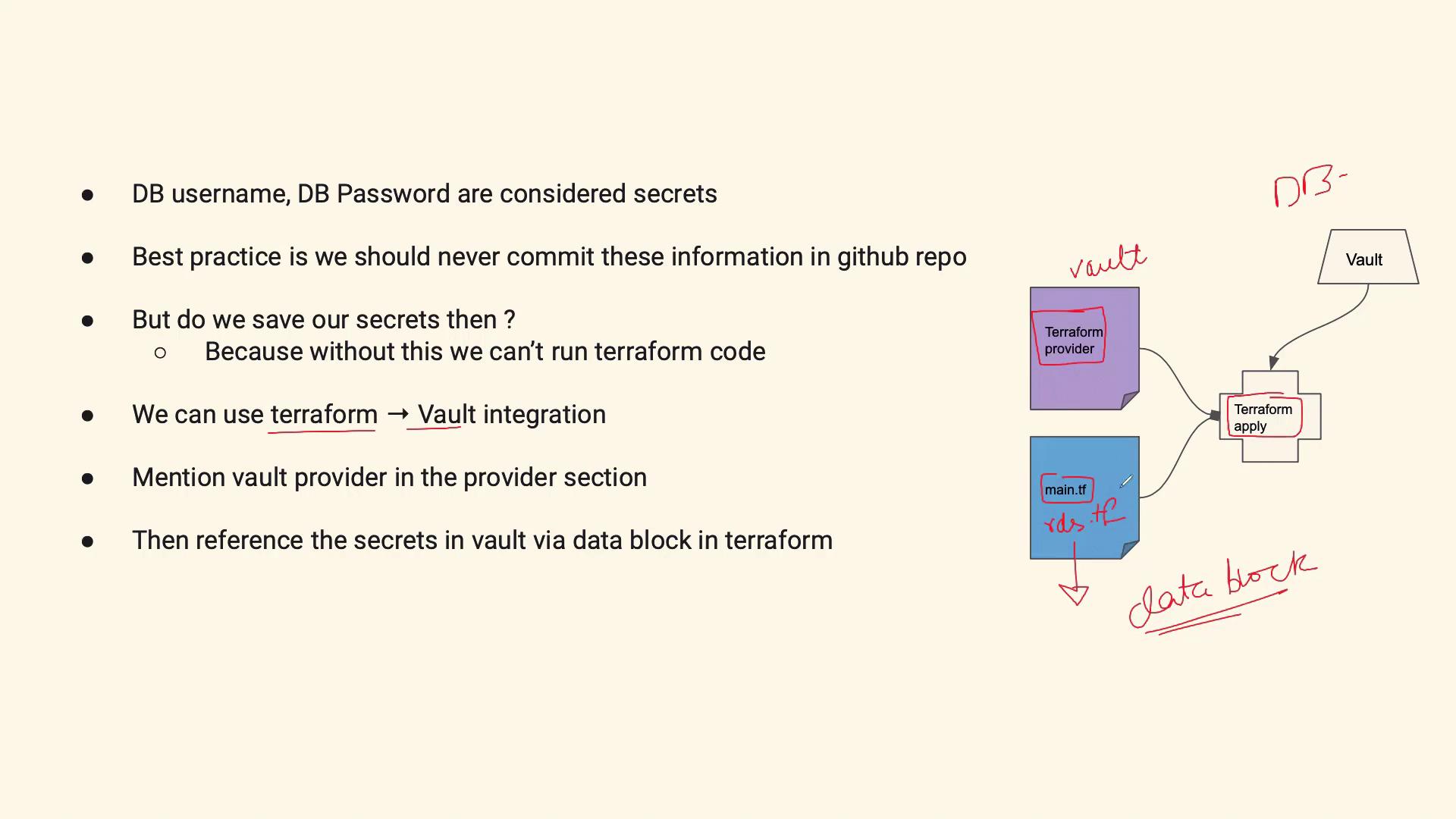
Below is an example Terraform configuration demonstrating this secure integration:
```hcl theme={null}
provider "vault" {
address = "https://vault.example.com"
}
data "vault_generic_secret" "db_credentials" {
path = "secret/data/db"
}
resource "aws_db_instance" "default" {
allocated_storage = 20
engine = "mysql"
instance_class = "db.t2.micro"
name = "mydb"
username = data.vault_generic_secret.db_credentials.data.username
password = data.vault_generic_secret.db_credentials.data.password
parameter_group_name = "default.mysql5.7"
}
```
In this configuration:
* The Vault provider block specifies the address of your Vault server.
* The data block (`vault_generic_secret`) retrieves the database credentials from Vault securely.
* The `aws_db_instance` resource uses these dynamically fetched credentials at runtime to create the database instance.
If HashiCorp Vault is not an option in your environment, consider using other secure secrets management services such as [AWS Secrets Manager](https://aws.amazon.com/secrets-manager/). However, it is crucial to avoid insecure storage options like using an [S3 bucket](https://aws.amazon.com/s3/) for storing sensitive data in plaintext.
Never store or expose sensitive credentials in your Terraform code or repositories. Always utilize a secure, dedicated secrets management system to prevent unauthorized access.
Integrating Terraform with a secure secrets management solution not only enhances your infrastructure security but also demonstrates a solid practice during technical interviews. Understanding how Terraform data blocks interact with Vault or similar services is a valuable skill in today's DevOps landscape.
This lesson has shown you how to integrate Terraform with HashiCorp Vault so that your sensitive credentials remain secure throughout your deployment process. Stay tuned for more best practices on managing infrastructure securely.