> ## Documentation Index
> Fetch the complete documentation index at: https://notes.kodekloud.com/llms.txt
> Use this file to discover all available pages before exploring further.
# Server at 98 CPU Scale Up or Out
> Guidance on diagnosing high CPU and choosing between vertical scaling and horizontal autoscaling by making applications stateless and fixing root causes before adding capacity
Let's work through a common DevOps interview scenario.
Your production server just hit 98% CPU during a traffic spike. Your manager says, "Just add more RAM and CPU." Is vertical scaling (scale-up) the right answer?
Short answer: it depends. Many people get this backwards.
## What scale-up (vertical scaling) means — and its drawbacks
Vertical scaling is upgrading a single server (more CPU, RAM, or a bigger VM/instance). It’s easy to understand, but it has three important limitations:
* Hard ceiling: a single machine can only go so far before you hit maximum instance sizes or physical limits.
* Single point of failure: if that one machine fails, the whole service can go down.
* Downtime / disruption: resizing hardware or a VM often requires downtime or causes degraded performance during the change.
## What scale-out (horizontal scaling) means — and common pitfalls
Horizontal scaling is adding more servers (instances) and distributing load across them. It sounds like the safer approach, but it also introduces complexity:
* In-memory sessions can break when a user is routed to a different instance.
* Files written to local disk won’t be available on other instances unless you use shared storage.
* Adding nodes without addressing state, consistency, and orchestration can create new failure modes.
## Quick comparison
| Strategy | When to use | Pros | Cons |
| ---------------------- | ---------------------------------------------------------------: | ------------------------------------------- | ------------------------------------------------------------------------ |
| Vertical (scale-up) | Short-term relief, simple apps, or when scale-out is impractical | Fast to implement; no architectural changes | Limited headroom, single point of failure, possible downtime |
| Horizontal (scale-out) | Web services, microservices, high-availability systems | Better fault tolerance and capacity growth | Requires stateless design, shared storage, load balancing, orchestration |
## A practical three-step approach
Rather than reflexively adding CPU, follow this sequence:
1. Diagnose before you scale
* Identify what is actually consuming CPU: a runaway process, a bad SQL query, GC churn, or system bottleneck?
* Scaling hides bugs; it doesn't fix them. If a specific query is monopolizing CPU, adding hardware only delays the problem.
Useful quick command:
```bash theme={null}
$ top
```
Other helpful tools/commands:
* `htop` — interactive process viewer
* `ps -eo pid,cmd,%cpu,%mem --sort=-%cpu | head` — find top CPU consumers
* Database slow query logs and `EXPLAIN` plans
* Application tracing / APM (e.g., Jaeger, Zipkin, Datadog, New Relic)
* OS-level metrics: load average, context switches, I/O wait
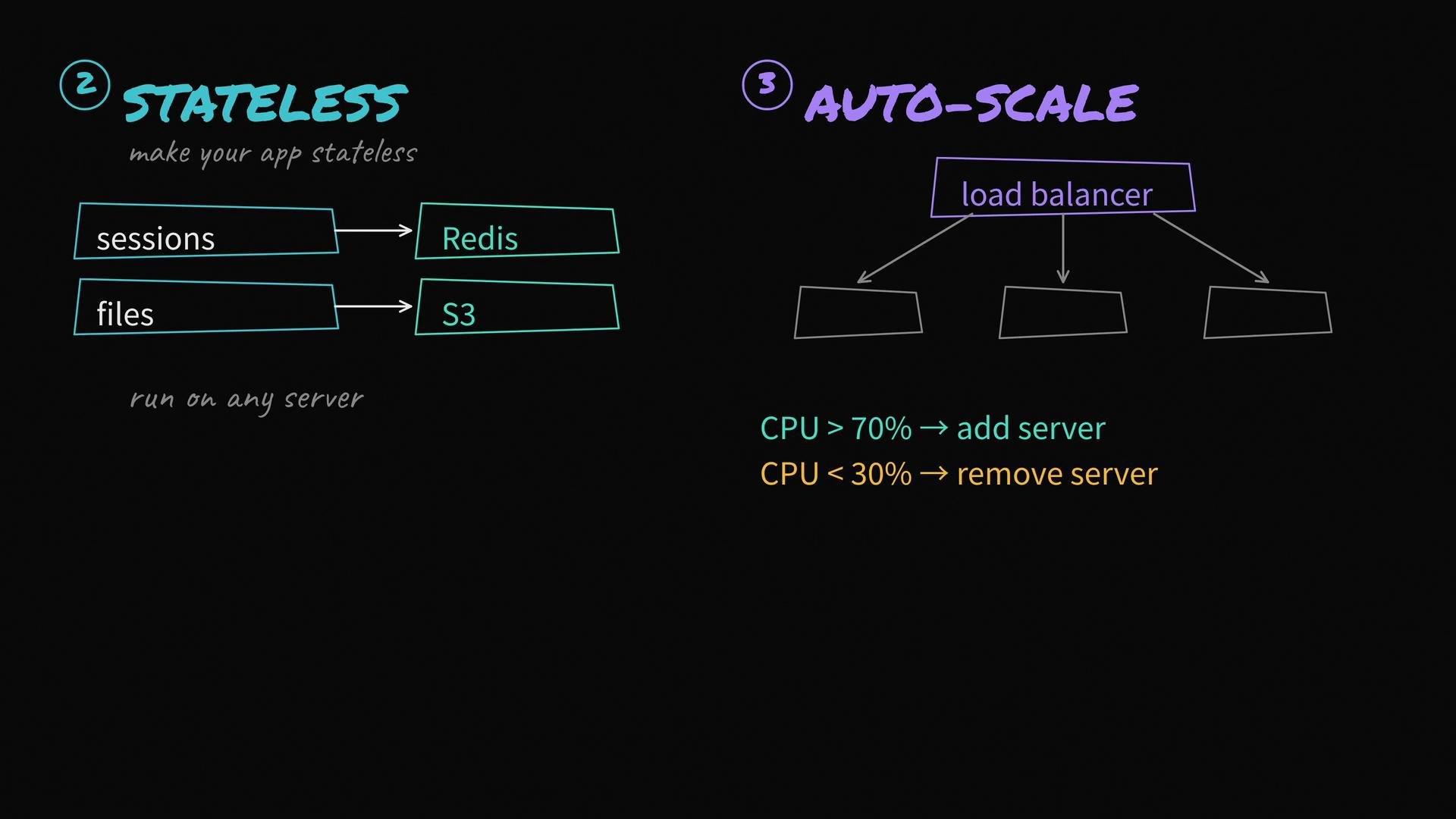
2. Make your application stateless
* Move session storage out of process memory into a shared store (for example, Redis or Memcached).
* Use object storage (e.g., AWS S3) or a network file system for uploaded files rather than local disk.
* Ensure any instance can handle any request without relying on local in-memory state.
Best practices:
* Use sticky session avoidance; store auth tokens or session IDs in a shared backend.
* Use object or CDN-backed storage for static assets and user uploads.
* Instrument the app for metrics and tracing to observe cross-instance behavior.
3. Scale horizontally — autoscaling behind a load balancer
* With a stateless application, place instances behind a load balancer and configure autoscaling.
* Example autoscaling policy: add instances when average CPU across the fleet exceeds 70%; scale down when it drops below 30%. Include cooldown windows and max/min instance limits.
* Implement health checks and graceful termination so in-flight requests complete when instances are removed.
Autoscaling checklist:
* Proper health checks (HTTP 200, readiness/liveness endpoints)
* Graceful shutdown handling (SIGTERM → complete current requests)
* Cooldown periods to avoid rapid thrashing
* Limits to prevent runaway provisioning costs
 A real-world caution: many teams buy bigger instances only to discover the root cause was a single bad SQL query, inefficient algorithm, or a memory leak. Diagnose first; scale second.
Scaling can mask defects. Profile and fix underlying issues (queries, memory leaks, hotspots) before increasing capacity.
If you must resize or replace a running instance (vertical scaling), plan for potential downtime and test the process in staging. Vertical changes often require service disruption.
## Quick references
* [Kubernetes Concepts — What is Kubernetes?](https://kubernetes.io/docs/concepts/overview/what-is-kubernetes/)
* Redis: [https://redis.io/](https://redis.io/)
* AWS S3: [https://aws.amazon.com/s3/](https://aws.amazon.com/s3/)
* Autoscaling and load balancing patterns: [https://aws.amazon.com/autoscaling/](https://aws.amazon.com/autoscaling/) and [https://kubernetes.io/docs/concepts/services-networking/service/](https://kubernetes.io/docs/concepts/services-networking/service/)
A real-world caution: many teams buy bigger instances only to discover the root cause was a single bad SQL query, inefficient algorithm, or a memory leak. Diagnose first; scale second.
Scaling can mask defects. Profile and fix underlying issues (queries, memory leaks, hotspots) before increasing capacity.
If you must resize or replace a running instance (vertical scaling), plan for potential downtime and test the process in staging. Vertical changes often require service disruption.
## Quick references
* [Kubernetes Concepts — What is Kubernetes?](https://kubernetes.io/docs/concepts/overview/what-is-kubernetes/)
* Redis: [https://redis.io/](https://redis.io/)
* AWS S3: [https://aws.amazon.com/s3/](https://aws.amazon.com/s3/)
* Autoscaling and load balancing patterns: [https://aws.amazon.com/autoscaling/](https://aws.amazon.com/autoscaling/) and [https://kubernetes.io/docs/concepts/services-networking/service/](https://kubernetes.io/docs/concepts/services-networking/service/)