> ## Documentation Index
> Fetch the complete documentation index at: https://notes.kodekloud.com/llms.txt
> Use this file to discover all available pages before exploring further.
# CMD vs ENTRYPOINT
> Explains Docker CMD versus ENTRYPOINT behavior, exec versus shell forms, signal handling, and recommends ENTRYPOINT plus CMD with docker exec for debugging.
A common Docker interview question (and real-world gotcha) revolves around how `CMD` and `ENTRYPOINT` interact with `docker run`. Here's a clear explanation with practical examples and recommended patterns.
Scenario
Your colleague writes a Dockerfile that sets `CMD` to `python app.py`, builds an image, and deploys it. Everything works initially.
Then they run:
```bash theme={null}
docker run -it myimage bash
```
They expect to get an interactive shell while the app keeps running. Instead they get a shell and no Python process — the app is not running in that container. Why?
Practical answer (what actually happened)
`docker run` always starts a new container. Any command you pass on the `docker run` command line becomes the container's command and replaces the image `CMD`. So running:
```bash theme={null}
docker run -it myimage bash
```
creates a new container that runs `bash` as its command — the image default `CMD` (`python app.py`) is not started in that container.
If you want to inspect a running container, start it detached and then use `docker exec` to open a shell in the existing process:
```bash theme={null}
docker run -d --name app myimage
docker exec -it app bash
```
This opens a shell inside the running container without replacing its command.
Deeper (interview) answer: how CMD and ENTRYPOINT behave
* `CMD` provides a default command for the image. If you supply arguments to `docker run`, they replace `CMD`.
* `ENTRYPOINT` defines the fixed executable for the image. Any arguments given to `docker run` are appended to `ENTRYPOINT`.
Examples:
* If Dockerfile uses `CMD`:
* Dockerfile: `CMD ["python", "app.py"]`
* Command: `docker run myimage bash` → runs `bash` (replaces `CMD`)
* If Dockerfile uses `ENTRYPOINT`:
* Dockerfile: `ENTRYPOINT ["python", "app.py"]`
* Command: `docker run myimage --debug` → runs `python app.py --debug` (appends args)
You can override `ENTRYPOINT` with `--entrypoint`:
```bash theme={null}
docker run --entrypoint /bin/bash myimage
```
Recommended pattern: ENTRYPOINT + CMD
Use `ENTRYPOINT` for the main executable and `CMD` for its default arguments. This gives you a stable entrypoint while keeping sane defaults that users can override by supplying alternate runtime arguments.
Dockerfile (exec/JSON form recommended):
```dockerfile theme={null}
ENTRYPOINT ["python", "app.py"]
CMD ["--port", "8080"]
```
Behavior:
* `docker run myimage` → `python app.py --port 8080`
* `docker run myimage --debug` → `python app.py --debug`
* `docker run --entrypoint /bin/bash myimage` → `/bin/bash` (ENTRYPOINT overridden)
Table: CMD vs ENTRYPOINT (summary)
| Concern | `CMD` | `ENTRYPOINT` |
| -------------------------------: | :------------------------------------------ | :--------------------------------------------------- |
| Purpose | Default command / arguments | Main executable that should always run |
| Overridden by `docker run` args? | Yes — `docker run image cmd` replaces `CMD` | No — args are appended to `ENTRYPOINT` |
| Explicit override | Use `--entrypoint` | Use `--entrypoint` (replaces ENTRYPOINT) |
| Common pattern | `CMD` for defaults when no ENTRYPOINT | `ENTRYPOINT` + `CMD` for fixed executable + defaults |
Shell form vs exec (JSON/array) form — signals and shutdown
You can write `CMD` and `ENTRYPOINT` in two ways: shell form and exec (JSON) form.
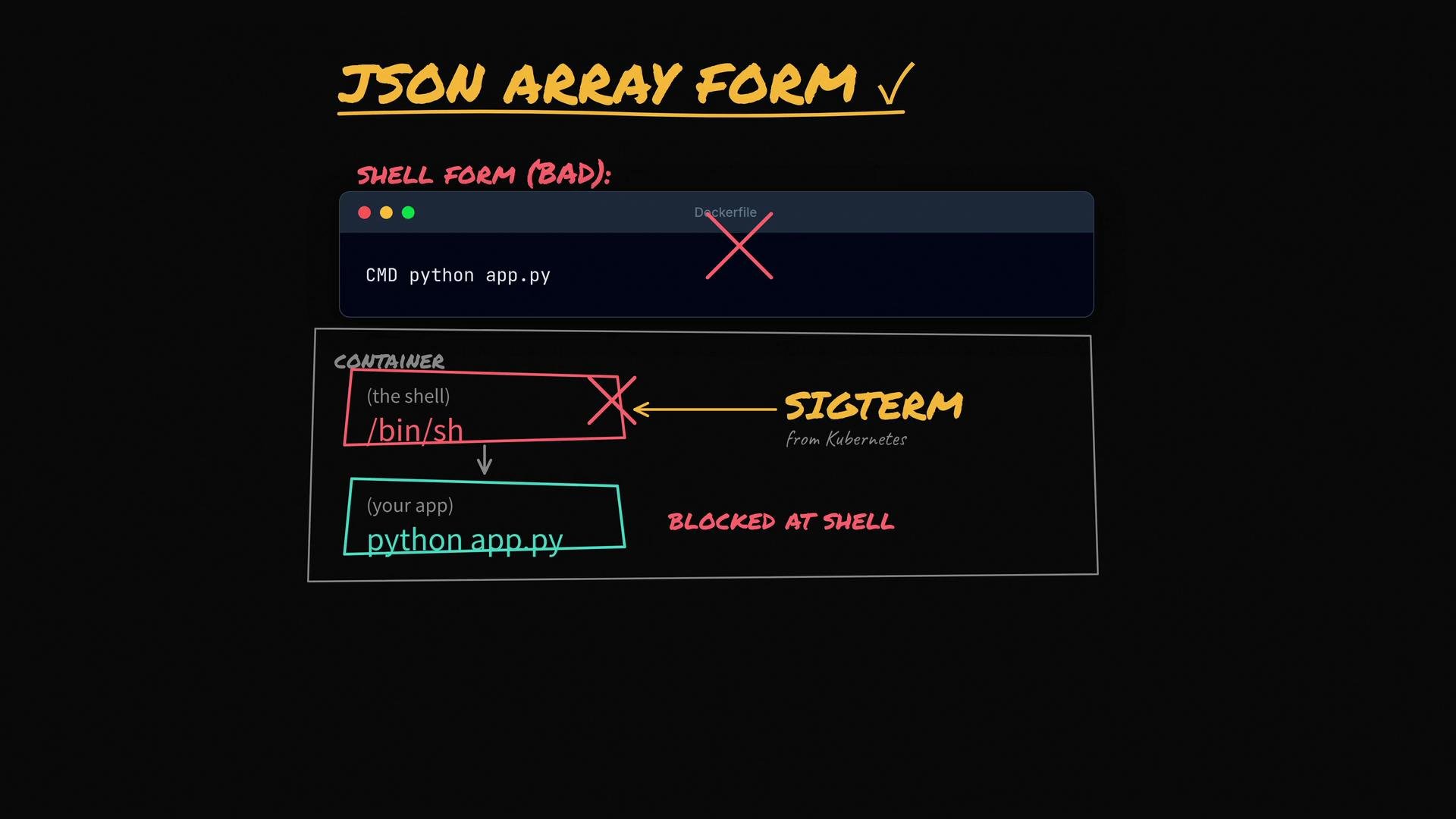
* Shell form (not recommended):
* Example: `CMD python app.py` (no brackets)
* Docker runs the command through a shell: `/bin/sh -c "python app.py"`. The shell becomes PID 1 and may not forward signals (e.g., SIGTERM) to your app, which prevents graceful shutdown.
* Exec form (recommended):
* Example: `CMD ["python", "app.py"]`
* Docker executes the process directly (no intermediate shell), so signals are delivered to the application, allowing graceful termination.
When orchestrators like Kubernetes or Docker attempt to stop a container they typically send SIGTERM. If PID 1 is a shell that doesn't forward signals, your app may never receive SIGTERM and cannot clean up before being force-killed.
 Best practices and checklist
* For live debugging: start a container detached then `docker exec -it bash`.
* Example:
```bash theme={null}
docker run -d --name app myimage
docker exec -it app bash
```
* Use `ENTRYPOINT` for the executable that must always run.
* Use `CMD` for default arguments that can be overridden.
* Prefer exec (JSON/array) form, e.g. `["python", "app.py"]`, to avoid an extra shell as PID 1 and to ensure proper signal handling.
* Use `--entrypoint` when you intentionally want to replace the ENTRYPOINT.
Best practices and checklist
* For live debugging: start a container detached then `docker exec -it bash`.
* Example:
```bash theme={null}
docker run -d --name app myimage
docker exec -it app bash
```
* Use `ENTRYPOINT` for the executable that must always run.
* Use `CMD` for default arguments that can be overridden.
* Prefer exec (JSON/array) form, e.g. `["python", "app.py"]`, to avoid an extra shell as PID 1 and to ensure proper signal handling.
* Use `--entrypoint` when you intentionally want to replace the ENTRYPOINT.
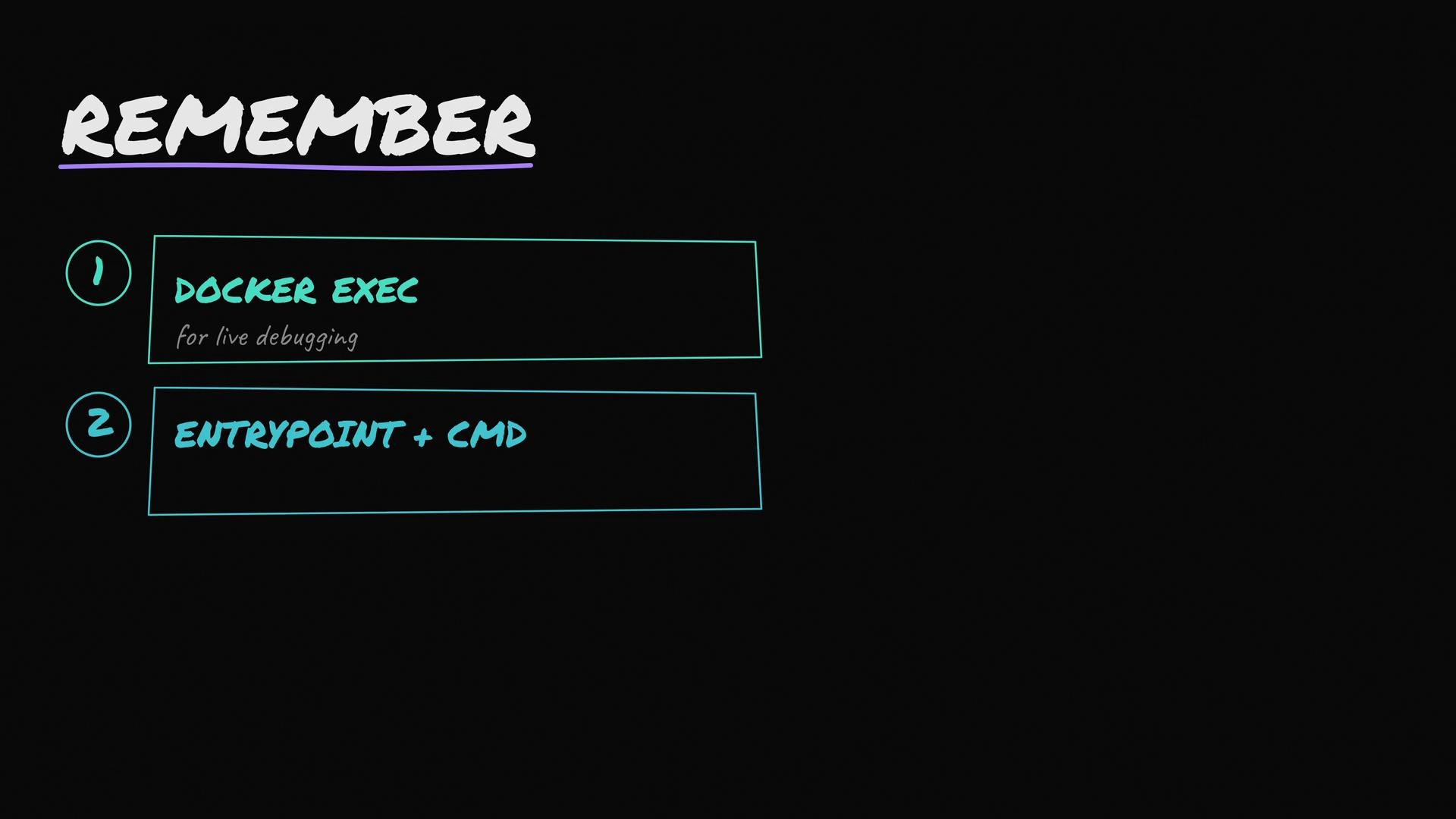 Use ENTRYPOINT for the always-run executable, CMD for default arguments, write both in exec/JSON form so signals are handled correctly, and use `docker exec` to debug a running container (do not replace CMD by running a new container).
Further reading and references
* [Docker run reference (official docs)](https://docs.docker.com/engine/reference/run/)
* [Dockerfile reference: CMD and ENTRYPOINT](https://docs.docker.com/engine/reference/builder/#cmd)
* [Kubernetes: how SIGTERM and graceful shutdown work](https://kubernetes.io/docs/concepts/containers/container-lifecycle-hooks/#hook-execution)
* Related courses: [Docker training](https://learn.kodekloud.com/user/courses/docker-training-course-for-the-absolute-beginner), [Kubernetes for beginners](https://learn.kodekloud.com/user/courses/kubernetes-for-the-absolute-beginners-hands-on-tutorial)
Use ENTRYPOINT for the always-run executable, CMD for default arguments, write both in exec/JSON form so signals are handled correctly, and use `docker exec` to debug a running container (do not replace CMD by running a new container).
Further reading and references
* [Docker run reference (official docs)](https://docs.docker.com/engine/reference/run/)
* [Dockerfile reference: CMD and ENTRYPOINT](https://docs.docker.com/engine/reference/builder/#cmd)
* [Kubernetes: how SIGTERM and graceful shutdown work](https://kubernetes.io/docs/concepts/containers/container-lifecycle-hooks/#hook-execution)
* Related courses: [Docker training](https://learn.kodekloud.com/user/courses/docker-training-course-for-the-absolute-beginner), [Kubernetes for beginners](https://learn.kodekloud.com/user/courses/kubernetes-for-the-absolute-beginners-hands-on-tutorial)