> ## Documentation Index
> Fetch the complete documentation index at: https://notes.kodekloud.com/llms.txt
> Use this file to discover all available pages before exploring further.
# Why is Your Docker Image 2GB
> How to reduce oversized Docker images using multi-stage builds, minimal base images, and .dockerignore to improve deploy time, autoscaling, security, and storage costs.
Let's start with another DevOps interview question.
A developer on your team builds a Docker image for a simple Node.js API. The image is two gigabytes.
They say, storage is cheap, who cares?
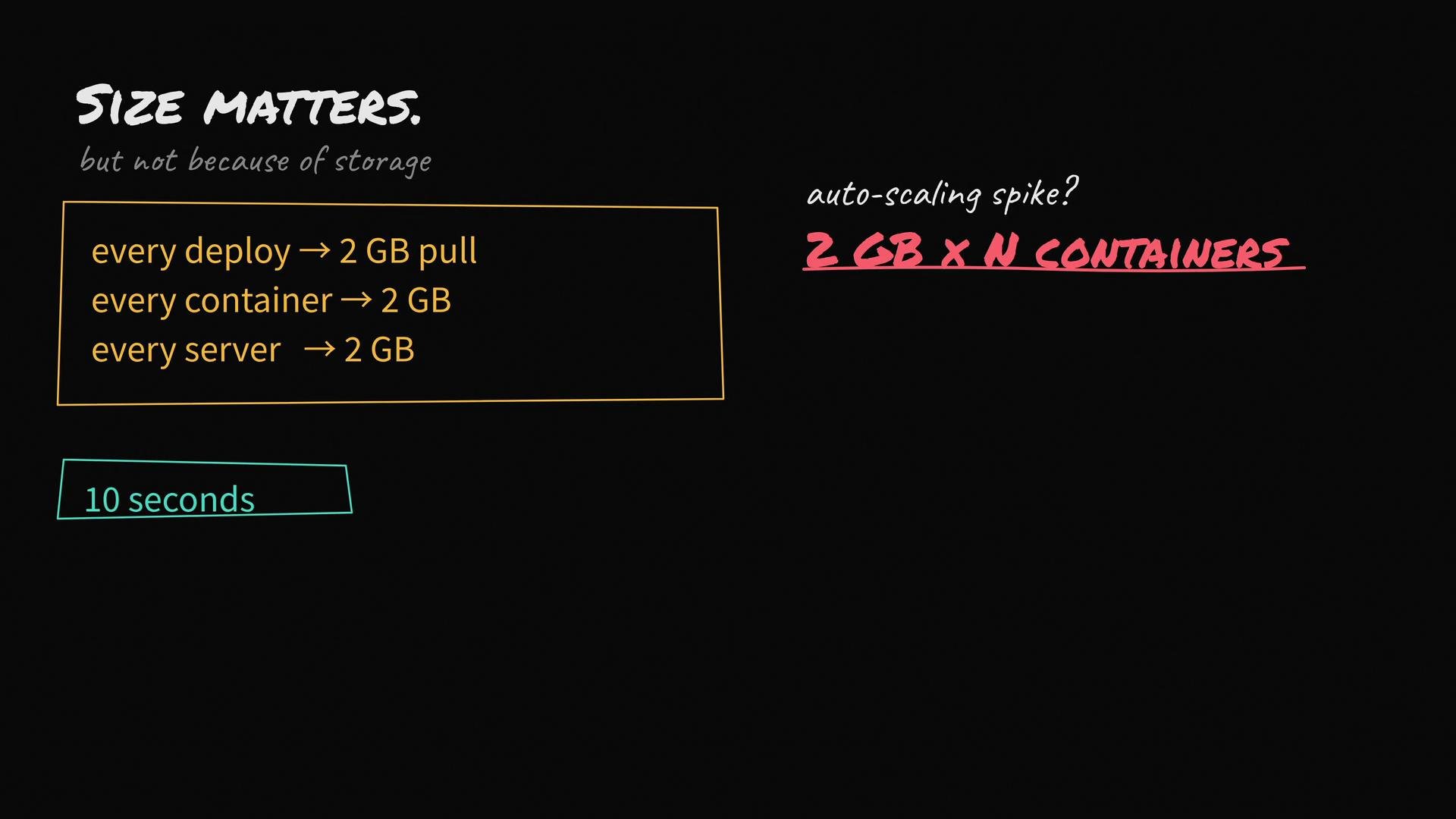
That response misses the real problems. A 2 GB image affects every stage of your deployment and runtime lifecycle:
* Every deploy pulls 2 GB across your network.
* Every new container on every host pulls 2 GB.
* During autoscaling, a traffic spike can cause many instances to pull 2 GB each.
* Cold redeploys and crash recoveries take longer because of the large image transfers.
A deploy that should take ten seconds can become minutes. In an outage, that delay can be critical.
 Why this matters (short reference)
| Impact area | Why 2 GB hurts |
| ------------------------ | -------------------------------------------------------------------------- |
| Network & time-to-deploy | Slower pulls increase deploy time and recovery time |
| Autoscaling | Concurrent pulls multiply network and I/O load |
| Storage & registry costs | Larger images use more disk and raise registry egress/storage fees |
| Security | Extra tools enlarge the attack surface and increase vulnerability exposure |
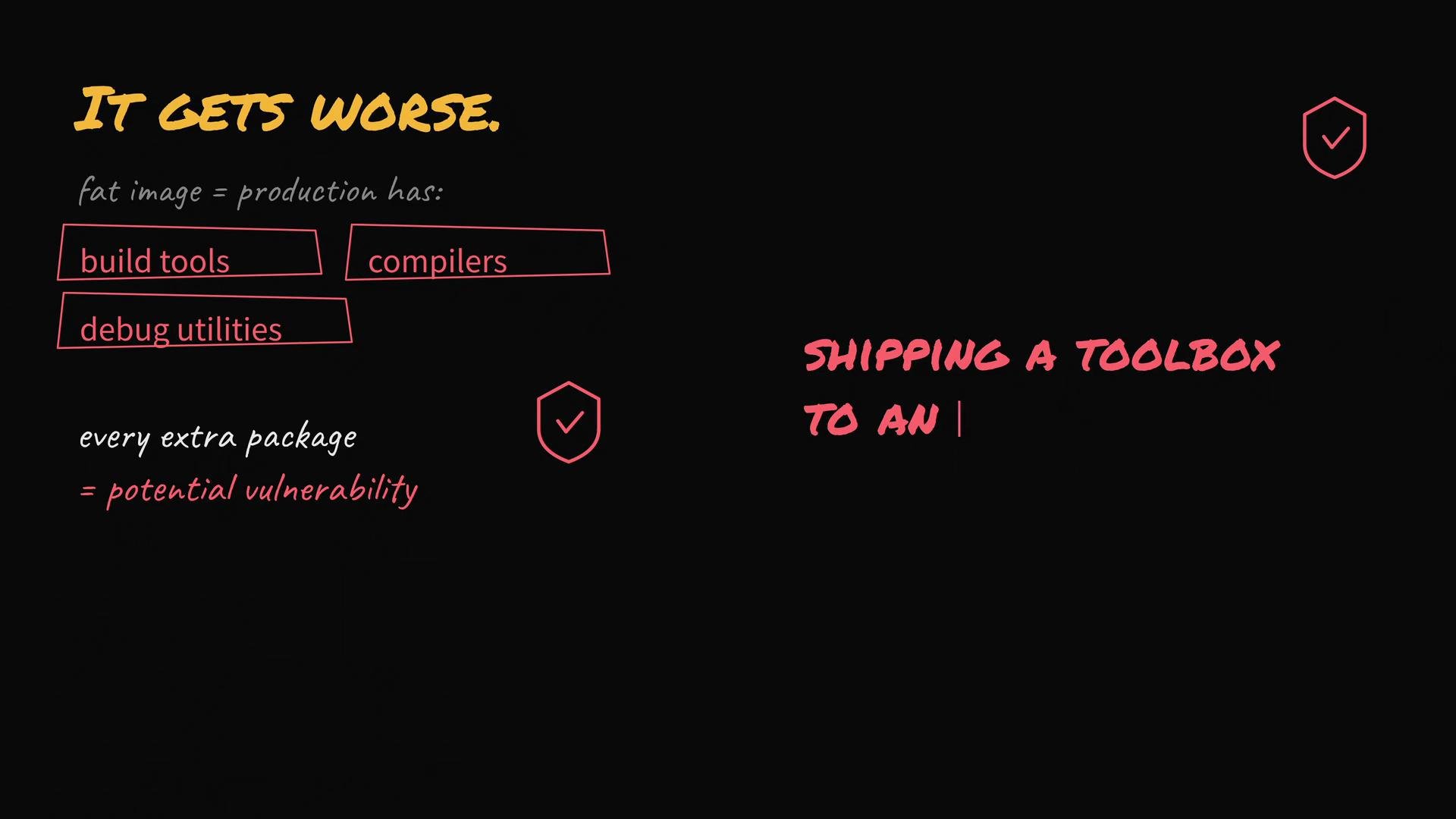
It gets worse: fat images often contain build tools, compilers, and debug utilities that aren't needed at runtime. Each extra package increases attack surface and may introduce vulnerabilities. You're effectively shipping a toolbox an attacker could misuse.
Why this matters (short reference)
| Impact area | Why 2 GB hurts |
| ------------------------ | -------------------------------------------------------------------------- |
| Network & time-to-deploy | Slower pulls increase deploy time and recovery time |
| Autoscaling | Concurrent pulls multiply network and I/O load |
| Storage & registry costs | Larger images use more disk and raise registry egress/storage fees |
| Security | Extra tools enlarge the attack surface and increase vulnerability exposure |
It gets worse: fat images often contain build tools, compilers, and debug utilities that aren't needed at runtime. Each extra package increases attack surface and may introduce vulnerabilities. You're effectively shipping a toolbox an attacker could misuse.
 The right response: focus on three proven practices that dramatically reduce image size and risk.
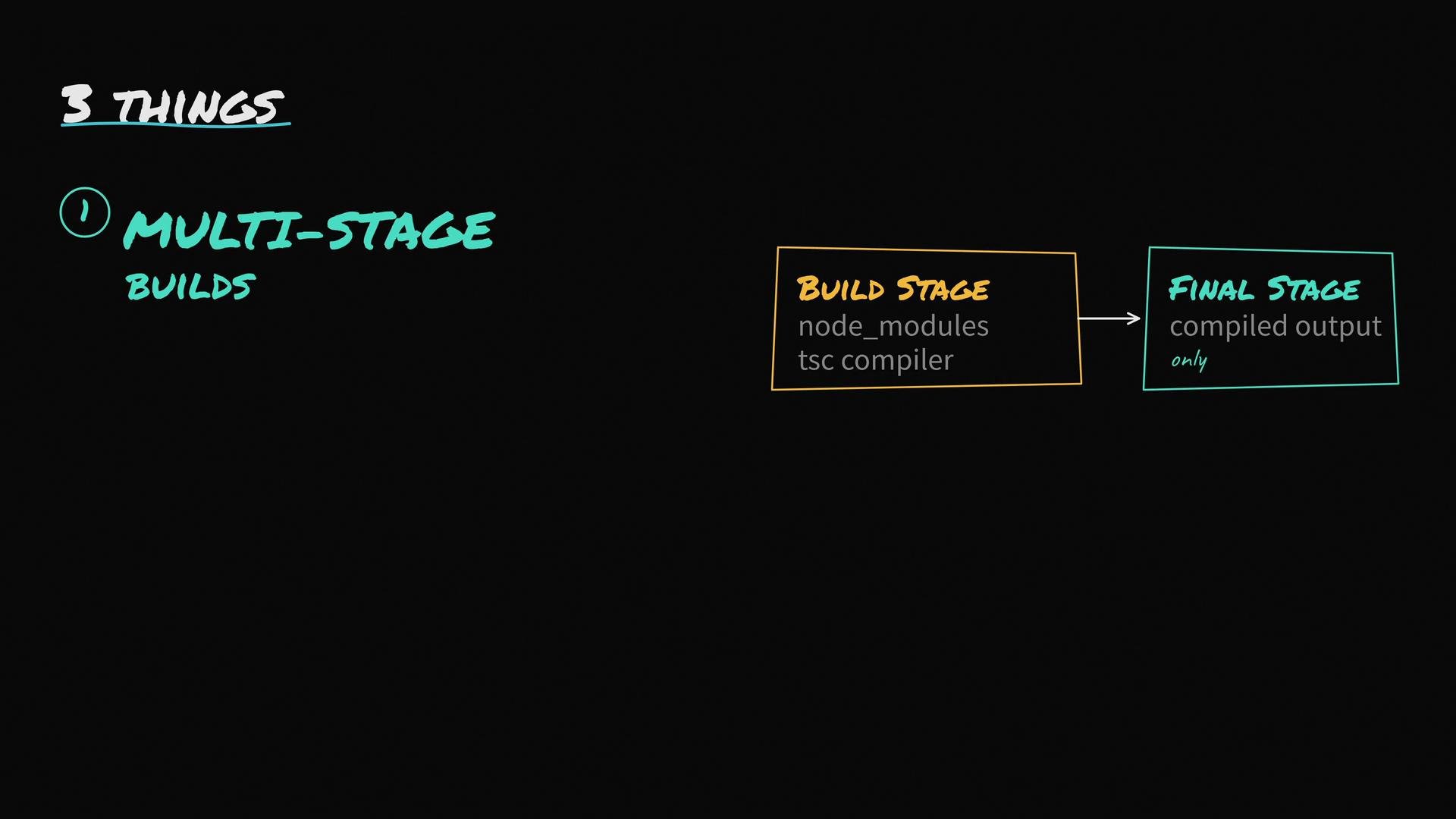
1. Use multi-stage builds
* Do compilation and other build steps in a stage containing dev dependencies and build tools.
* Copy only the build artifacts and minimal runtime dependencies into the final image.
* This keeps compilers, package managers, and test tools out of production images.
Example Dockerfile for a Node.js + TypeScript app (multi-stage):
```dockerfile theme={null}
# Build stage: contains source, dev deps, and compilers
FROM node:18 AS build
WORKDIR /app
# Install all dependencies (including devDependencies for build)
COPY package*.json ./
RUN npm ci
# Copy source and build
COPY . .
RUN npm run build
# Final stage: a minimal runtime image
FROM node:18-alpine
WORKDIR /app
# Copy only what's needed from the build stage
COPY --from=build /app/dist ./dist
COPY --from=build /app/package*.json ./
# Install only production dependencies in the final image
RUN npm ci --production
EXPOSE 3000
CMD ["node", "dist/index.js"]
```
The build tools (TypeScript compiler, testing tools, etc.) remain only in the build stage and are not present in the runtime image.
The right response: focus on three proven practices that dramatically reduce image size and risk.
1. Use multi-stage builds
* Do compilation and other build steps in a stage containing dev dependencies and build tools.
* Copy only the build artifacts and minimal runtime dependencies into the final image.
* This keeps compilers, package managers, and test tools out of production images.
Example Dockerfile for a Node.js + TypeScript app (multi-stage):
```dockerfile theme={null}
# Build stage: contains source, dev deps, and compilers
FROM node:18 AS build
WORKDIR /app
# Install all dependencies (including devDependencies for build)
COPY package*.json ./
RUN npm ci
# Copy source and build
COPY . .
RUN npm run build
# Final stage: a minimal runtime image
FROM node:18-alpine
WORKDIR /app
# Copy only what's needed from the build stage
COPY --from=build /app/dist ./dist
COPY --from=build /app/package*.json ./
# Install only production dependencies in the final image
RUN npm ci --production
EXPOSE 3000
CMD ["node", "dist/index.js"]
```
The build tools (TypeScript compiler, testing tools, etc.) remain only in the build stage and are not present in the runtime image.
 2. Start from a small base image
* Prefer `-slim` or Alpine-based images when appropriate. Alpine-based images are often much smaller than Debian/Ubuntu equivalents.
* For the smallest runtime and reduced attack surface, consider distroless images such as `gcr.io/distroless/nodejs:18`. Distroless images remove package managers and shells.
* Test compatibility: Alpine uses musl instead of glibc, so some native Node modules may fail.
Alpine uses musl instead of glibc; some native Node modules built against glibc may fail on Alpine. If your app depends on native binaries, either build those binaries for musl or use a `-slim`/glibc-based image. Always test before switching base images.
3. Add a good .dockerignore
* Many Docker builds accidentally include `node_modules`, `.git`, local configs, test folders, and large artifacts in the build context. That bloats the build context and can leak into the image.
* A `.dockerignore` keeps unnecessary files out of the build context (like `.gitignore` for Docker).
Example `.dockerignore`:
```text theme={null}
node_modules
.git
npm-debug.log
Dockerfile*
.dockerignore
.env
*.md
tests
coverage
.vscode
```
Practical tips and tools
* Inspect layers to find the biggest contributors:
* `docker images` and `docker history ` show layer sizes.
* Use dive to visualize layers and contents: [https://github.com/wagoodman/dive](https://github.com/wagoodman/dive)
* Combine RUN steps to reduce intermediate layers and clean up package caches in the same RUN to avoid leftover files.
* Example: `RUN apt-get update && apt-get install -y build-essential && rm -rf /var/lib/apt/lists/*`
* Use `--no-install-recommends` on Debian/Ubuntu when installing packages to avoid extra packages.
* Avoid committing secrets or large artifacts into the image or build context.
* Consider build-time dependency separation: compile native modules in the build stage, then copy compiled artifacts into the runtime stage.
Links and references
* [Kubernetes Basics](https://kubernetes.io/docs/concepts/overview/what-is-kubernetes/) — deploy time and autoscaling context
* dive — layer inspection: [https://github.com/wagoodman/dive](https://github.com/wagoodman/dive)
* Distroless images: [https://github.com/GoogleContainerTools/distroless](https://github.com/GoogleContainerTools/distroless)
A small, minimal image improves bootstrap time, reduces network/IO costs, and reduces your production attack surface. Multi-stage builds + a minimal base image + a proper `.dockerignore` usually solve most "fat image" problems.
Keep these three practices in mind and you'll turn that 2 GB image into something fast, secure, cost-efficient, and friendly for autoscaling and rapid deploys.
2. Start from a small base image
* Prefer `-slim` or Alpine-based images when appropriate. Alpine-based images are often much smaller than Debian/Ubuntu equivalents.
* For the smallest runtime and reduced attack surface, consider distroless images such as `gcr.io/distroless/nodejs:18`. Distroless images remove package managers and shells.
* Test compatibility: Alpine uses musl instead of glibc, so some native Node modules may fail.
Alpine uses musl instead of glibc; some native Node modules built against glibc may fail on Alpine. If your app depends on native binaries, either build those binaries for musl or use a `-slim`/glibc-based image. Always test before switching base images.
3. Add a good .dockerignore
* Many Docker builds accidentally include `node_modules`, `.git`, local configs, test folders, and large artifacts in the build context. That bloats the build context and can leak into the image.
* A `.dockerignore` keeps unnecessary files out of the build context (like `.gitignore` for Docker).
Example `.dockerignore`:
```text theme={null}
node_modules
.git
npm-debug.log
Dockerfile*
.dockerignore
.env
*.md
tests
coverage
.vscode
```
Practical tips and tools
* Inspect layers to find the biggest contributors:
* `docker images` and `docker history ` show layer sizes.
* Use dive to visualize layers and contents: [https://github.com/wagoodman/dive](https://github.com/wagoodman/dive)
* Combine RUN steps to reduce intermediate layers and clean up package caches in the same RUN to avoid leftover files.
* Example: `RUN apt-get update && apt-get install -y build-essential && rm -rf /var/lib/apt/lists/*`
* Use `--no-install-recommends` on Debian/Ubuntu when installing packages to avoid extra packages.
* Avoid committing secrets or large artifacts into the image or build context.
* Consider build-time dependency separation: compile native modules in the build stage, then copy compiled artifacts into the runtime stage.
Links and references
* [Kubernetes Basics](https://kubernetes.io/docs/concepts/overview/what-is-kubernetes/) — deploy time and autoscaling context
* dive — layer inspection: [https://github.com/wagoodman/dive](https://github.com/wagoodman/dive)
* Distroless images: [https://github.com/GoogleContainerTools/distroless](https://github.com/GoogleContainerTools/distroless)
A small, minimal image improves bootstrap time, reduces network/IO costs, and reduces your production attack surface. Multi-stage builds + a minimal base image + a proper `.dockerignore` usually solve most "fat image" problems.
Keep these three practices in mind and you'll turn that 2 GB image into something fast, secure, cost-efficient, and friendly for autoscaling and rapid deploys.