> ## Documentation Index
> Fetch the complete documentation index at: https://notes.kodekloud.com/llms.txt
> Use this file to discover all available pages before exploring further.
# Your Kubernetes Rollout is Stuck
> Guide to diagnose and safely recover stuck Kubernetes Deployment rollouts by inspecting deployment conditions, pod statuses, events, probes, logs, ReplicaSets and configuration without deleting resources.
Here's a common Kubernetes interview-style debugging scenario.
You deploy a new version of your app with `kubectl apply` and the terminal output looks fine. But when you run `kubectl rollout status`, it hangs:
```bash theme={null}
$ kubectl apply -f deployment.yaml
deployment.apps/myapp configured
$ kubectl rollout status deployment/myapp
Waiting for deployment "myapp" rollout to finish:
2 of 3 updated replicas are available...
# (hanging — no further progress)
```
The old pods keep serving traffic and the new pods never become `Available`. The rollout is stuck.
The instinct for some engineers is to delete the Deployment, redeploy, or wipe the namespace. Please don't — that will likely cause a real outage by removing currently serving pods.
Do not delete the Deployment or namespace to "unstick" a rollout. Deleting running resources is likely to create downtime. Instead, gather diagnostic data and fix the root cause.
This guide walks through a calm, methodical diagnosis you can follow to find the root cause and safely recover.
## Quick checklist (what to inspect)
* Deployment Conditions (`kubectl describe deployment`)
* Pod statuses (`kubectl get pods`)
* Recent events (`kubectl get events --sort-by='.lastTimestamp'`)
* Container logs (`kubectl logs [-c ]`)
* ReplicaSet details (`kubectl describe rs `)
* Probes, image names/credentials, resource requests/limits, node selectors/taints, and ConfigMap/Secret references
Useful references:
* [Kubernetes: Describe Resources](https://kubernetes.io/docs/reference/generated/kubectl/kubectl-commands#describe)
* [Kubernetes: Pods and Containers](https://kubernetes.io/docs/concepts/workloads/pods/)
## Step 1 — Describe the Deployment
Start with `kubectl describe deployment ` and review the Conditions section. A common symptom is `Progressing: False` with `Reason: ProgressDeadlineExceeded`. That tells you the rollout timed out, but it doesn't say why.
Example:
```bash theme={null}
$ kubectl describe deployment myapp
Name: myapp
Namespace: default
Replicas: 3 desired | 3 updated | 2 available | 1 unavailable
Conditions:
Type: Status Reason
---- ------ ------
Available True MinimumReplicasAvailable
Progressing False ProgressDeadlineExceeded
```
When you see this, move on to check the Pods and events for the failing ReplicaSet.
## Step 2 — Check the Pods
List pods with `kubectl get pods` and find the new ReplicaSet pods. The `STATUS` is your first clue:
* `Pending`: Pod cannot be scheduled (insufficient resources, node selectors, or taints).
* `ImagePullBackOff`: Image not found or registry/auth issues.
* `CrashLoopBackOff`: Container starts and exits — check logs and probes.
* `Running` but not `Ready`: often a readiness probe problem.
Example output:
```bash theme={null}
$ kubectl get pods
NAME READY STATUS RESTARTS AGE
myapp-v1-abc123 1/1 Running 0 2d
myapp-v1-def456 1/1 Running 0 2d
myapp-v1-ghi789 1/1 Running 0 2d
myapp-v2-jk1012 0/1 ImagePullBackOff 0 5m
myapp-v2-mno345 0/1 Pending 0 5m
myapp-v2-pqr678 0/1 CrashLoopBackOff 3 5m
```
If a pod is `Pending`, use `kubectl describe pod ` to see scheduling failures; if `ImagePullBackOff`, describe the pod to see the pull error details.
## Step 3 — Read the Events (do not skip this)
Events tell the story of what happened and in what order. Use:
```bash theme={null}
kubectl get events --sort-by='.lastTimestamp'
```
Example:
```text theme={null}
LAST REASON OBJECT MESSAGE
5m FailedScheduling myapp-v2-mno 0/3 nodes: Insufficient memory
4m Failed myapp-v2-jkl Failed to pull image "myapp:v2"
3m Unhealthy myapp-v2-pqr Readiness probe failed: HTTP 404
2m BackOff myapp-v2-pqr Back-off restarting failed container
```
From these events you can immediately see scheduling issues, image pull failures, and probe failures. Events often contain the exact hint you need — read the latest ones first.
## Step 4 — Check your Probes
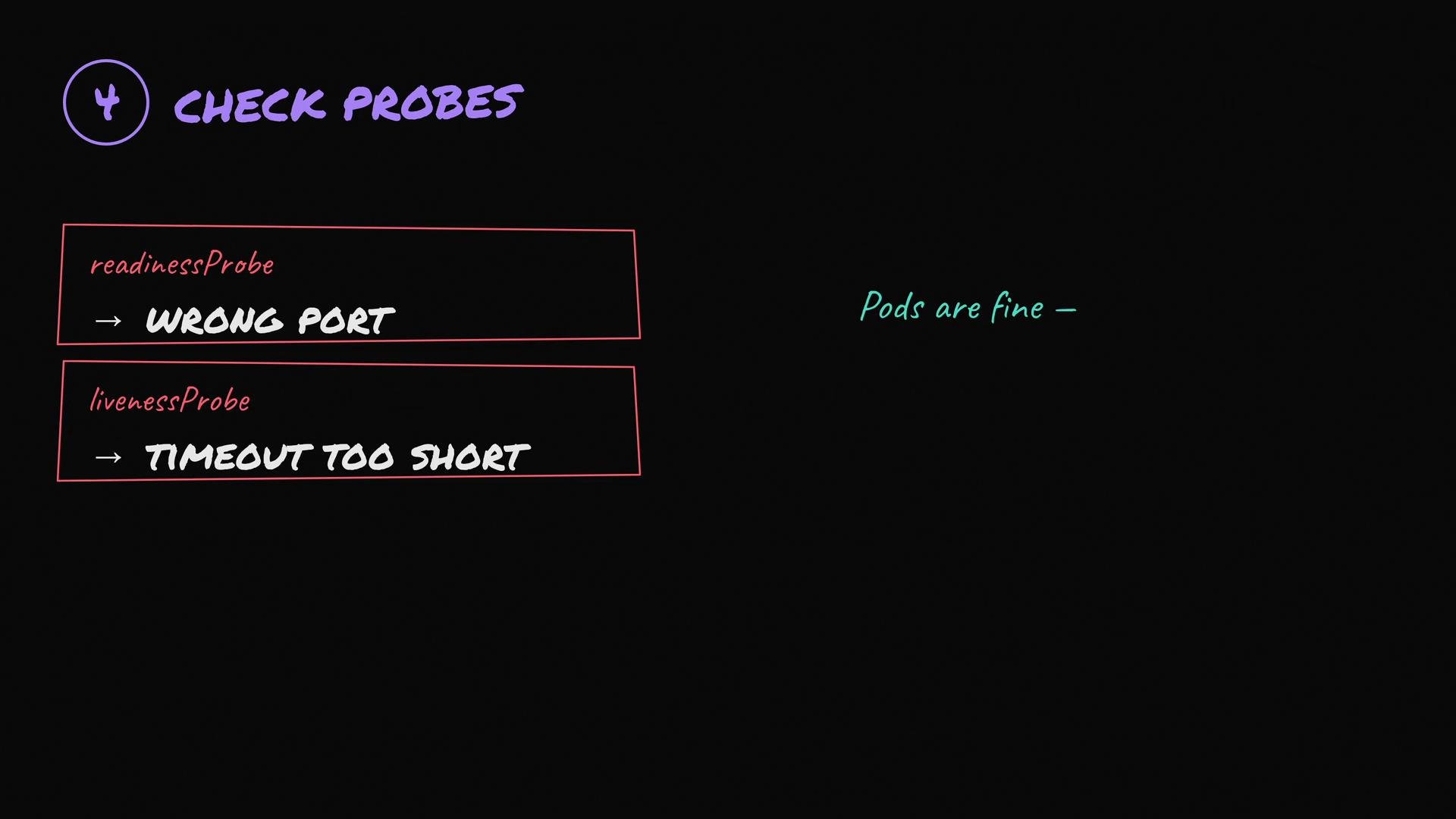
Misconfigured readiness or liveness probes are a surprisingly common cause of stuck rollouts:
* Readiness probe points to the wrong path or port — pod is not marked `Ready` and receives no traffic.
* Liveness probe is too aggressive — container gets killed before it finishes starting.
* HTTP probe returns the wrong status code or uses the wrong scheme (http vs https).
If pods are serving traffic but not marked `Ready`, the Deployment controller will not move Traffic to them and the rollout stalls.
 Common probe troubleshooting steps:
* Verify probe `path`, `port`, `scheme`, `initialDelaySeconds`, and `timeoutSeconds`.
* Temporarily remove or relax the probe to verify whether it’s the cause.
* `kubectl logs ` and `kubectl exec -it -- curl -sv http://localhost:/` to test locally inside the container.
## Common pod statuses and suggested actions
| Pod STATUS | Likely cause | Action |
| ------------------------- | ------------------------------------------------------------------ | ----------------------------------------------------------------------------------------------------- |
| `Pending` | Scheduling issues: insufficient CPU/memory, taints, node selectors | `kubectl describe pod ` → check `Events`; adjust requests/limits or taints/selectors |
| `ImagePullBackOff` | Image missing or registry auth failure | `kubectl describe pod ` → check image and ImagePullSecret; try `docker pull` locally |
| `CrashLoopBackOff` | Application crashes on start | `kubectl logs [-c ]` and `kubectl describe pod `; check startup/liveness probes |
| `Running` but `0/1 Ready` | Readiness probe failing | Inspect probe config and container logs; test endpoint inside pod |
## Example debugging commands
* Describe deployment: `kubectl describe deployment myapp`
* List pods: `kubectl get pods -o wide`
* Describe pod: `kubectl describe pod myapp-v2-abc123`
* Show events: `kubectl get events --sort-by='.lastTimestamp'`
* View logs: `kubectl logs myapp-v2-abc123 [-c container]`
* Exec into pod: `kubectl exec -it myapp-v2-abc123 -- /bin/sh`
What this question is testing
This scenario is not about memorizing commands—it's about structured debugging:
* Inspect Deployment conditions.
* Check pod status and ReplicaSet details.
* Read recent events for failure sequence.
* Verify probes, image names/credentials, resource requests/limits, node selectors/taints, and ConfigMap/Secret references.
I've seen teams waste hours on a rollout that failed because of a tiny typo in a ConfigMap reference — the relevant event was there in the first ten seconds, but nobody read it.
Common probe troubleshooting steps:
* Verify probe `path`, `port`, `scheme`, `initialDelaySeconds`, and `timeoutSeconds`.
* Temporarily remove or relax the probe to verify whether it’s the cause.
* `kubectl logs ` and `kubectl exec -it -- curl -sv http://localhost:/` to test locally inside the container.
## Common pod statuses and suggested actions
| Pod STATUS | Likely cause | Action |
| ------------------------- | ------------------------------------------------------------------ | ----------------------------------------------------------------------------------------------------- |
| `Pending` | Scheduling issues: insufficient CPU/memory, taints, node selectors | `kubectl describe pod ` → check `Events`; adjust requests/limits or taints/selectors |
| `ImagePullBackOff` | Image missing or registry auth failure | `kubectl describe pod ` → check image and ImagePullSecret; try `docker pull` locally |
| `CrashLoopBackOff` | Application crashes on start | `kubectl logs [-c ]` and `kubectl describe pod `; check startup/liveness probes |
| `Running` but `0/1 Ready` | Readiness probe failing | Inspect probe config and container logs; test endpoint inside pod |
## Example debugging commands
* Describe deployment: `kubectl describe deployment myapp`
* List pods: `kubectl get pods -o wide`
* Describe pod: `kubectl describe pod myapp-v2-abc123`
* Show events: `kubectl get events --sort-by='.lastTimestamp'`
* View logs: `kubectl logs myapp-v2-abc123 [-c container]`
* Exec into pod: `kubectl exec -it myapp-v2-abc123 -- /bin/sh`
What this question is testing
This scenario is not about memorizing commands—it's about structured debugging:
* Inspect Deployment conditions.
* Check pod status and ReplicaSet details.
* Read recent events for failure sequence.
* Verify probes, image names/credentials, resource requests/limits, node selectors/taints, and ConfigMap/Secret references.
I've seen teams waste hours on a rollout that failed because of a tiny typo in a ConfigMap reference — the relevant event was there in the first ten seconds, but nobody read it.
 Read the events — they usually tell the full story. Debug step-by-step rather than deleting resources. For persistent issues, collect logs, events, and resource descriptions before making changes so you can roll back or apply fixes with minimal risk.