> ## Documentation Index
> Fetch the complete documentation index at: https://notes.kodekloud.com/llms.txt
> Use this file to discover all available pages before exploring further.
# Pod Cant Reach Cluster DNS
> Troubleshooting Kubernetes pod DNS failures by checking CoreDNS health and configuration and verifying network connectivity and NetworkPolicy egress rules allowing UDP and TCP on port 53.
If `nslookup` inside a pod returns nothing, the pod usually cannot reach cluster DNS. Use this guide to quickly diagnose whether the issue is CoreDNS itself or cluster networking (for example, a NetworkPolicy blocking DNS).
Start by checking the DNS provider. In Kubernetes, pods use CoreDNS (running in the `kube-system` namespace) which is exposed via a Service commonly named `kube-dns`. When DNS fails, the two primary areas to investigate are:
* Is CoreDNS healthy and configured correctly?
* Can the pod reach CoreDNS across the network (e.g., no NetworkPolicy or firewall blocking egress)?
Below is a concise troubleshooting flow and examples to inspect CoreDNS and common networking causes.
## 1) Check CoreDNS pods and logs
List CoreDNS pods and look at their status:
```bash theme={null}
kubectl get pods -n kube-system -l k8s-app=kube-dns
```
Example output:
```text theme={null}
NAME READY STATUS RESTARTS
coredns-5d78c9b7-abcd 1/1 Running 0
coredns-5d78c9b7-fghij 0/1 CrashLoopBackOff 7
```
If any CoreDNS pod is crashing or failing to become ready, fetch its logs and describe the pod to find the cause:
```bash theme={null}
kubectl logs -n kube-system coredns-5d78c9b7-fghij
kubectl describe pod -n kube-system coredns-5d78c9b7-fghij
```
Crashes are often caused by an invalid Corefile configuration.
## 2) Inspect the Corefile (CoreDNS configuration)
CoreDNS uses a Corefile composed of plugins. Typical plugins include:
* `kubernetes` — resolves in-cluster services and pod names to IPs (e.g., `orders.default`).
* `forward` — forwards external queries (e.g., `google.com`) to upstream resolvers.
* `cache` — caches responses for a configurable TTL.
* `loop` — detects and prevents forwarding loops.
Minimal example Corefile:
```text theme={null}
.:53 {
kubernetes cluster.local # Service names → IP
forward . /etc/resolv.conf # External names → upstream resolver(s)
cache 30 # Remember answers for 30s
}
```
If CoreDNS forwards queries to an upstream that resolves back to CoreDNS (an accidental loop), it may detect the loop and exit. To protect CoreDNS from such misconfiguration, include the `loop` plugin:
```text theme={null}
.:53 {
kubernetes cluster.local # Service names → IP
forward . /etc/resolv.conf # External names → upstream resolver(s)
cache 30 # Remember answers for 30s
loop # Guard against forwarding loops
}
```
If CoreDNS logs indicate a forwarding loop and pods are shutting down, correct the Corefile (fix upstream addresses or add `loop`) and then roll the CoreDNS pods to apply the fix.
## 3) If CoreDNS is healthy, check network access (NetworkPolicy / firewall)
When CoreDNS pods are `Running` but pods still cannot resolve names, the next likely cause is blocked network traffic. By default, pods can egress anywhere. But if a namespace has a default-deny egress NetworkPolicy (or other firewall rules), you must explicitly allow DNS traffic.
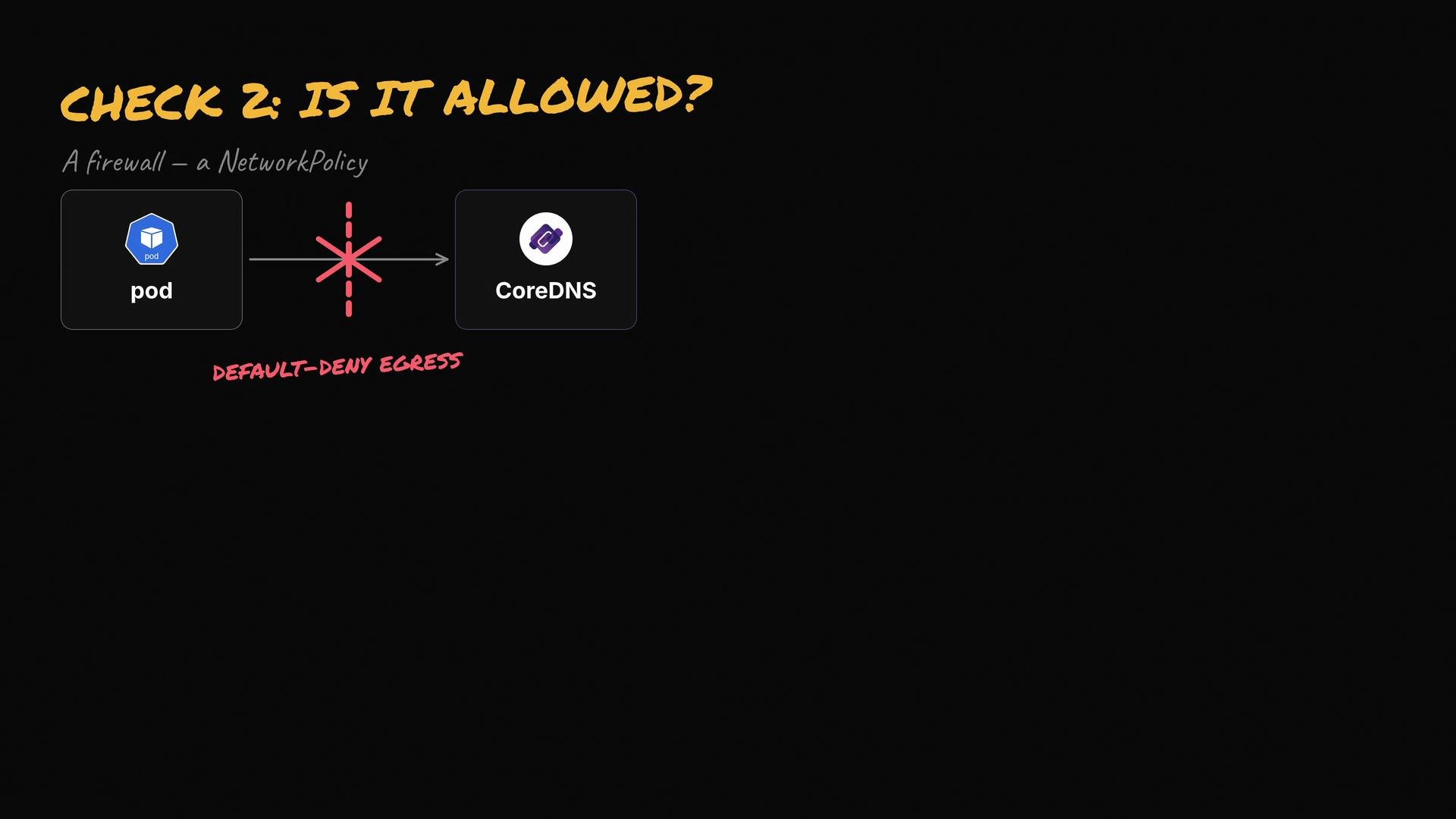 What to allow:
* Egress to CoreDNS pods (select by pod labels) or to the cluster DNS IP block (`IPBlock`).
* Both UDP and TCP on port `53` (DNS primarily uses UDP; TCP is used for large responses and zone transfers).
Example egress rule (YAML fragment) allowing egress to CoreDNS pods in `kube-system` by namespace + pod labels:
```yaml theme={null}
egress:
- to:
- namespaceSelector:
matchLabels:
kubernetes.io/metadata.name: kube-system
podSelector:
matchLabels:
k8s-app: kube-dns
ports:
- protocol: UDP
port: 53
- protocol: TCP
port: 53
```
Notes:
* NetworkPolicy cannot target a `Service` directly. Allow traffic to the CoreDNS pods (via podSelector and namespaceSelector) or to the DNS IP range.
* If your cluster uses a single cluster DNS IP (ClusterIP Service), you can also allow the cluster IP via an `IPBlock` if you prefer allowing IPs rather than pod selectors.
Always allow both UDP and TCP on port `53` in egress rules to ensure full DNS functionality.
## Quick troubleshooting checklist
| Step | What to check | Example command |
| --------------------- | --------------------------------------------------------------------------- | -------------------------------------------------------------------------------------------------------------------------------------------------------- |
| CoreDNS pods | Are CoreDNS pods Running / not CrashLoopBackOff? | `kubectl get pods -n kube-system -l k8s-app=kube-dns` |
| CoreDNS logs | Any errors (Corefile parse errors, forward loops)? | `kubectl logs -n kube-system ` |
| Corefile | Is `forward` pointing to a correct upstream? Is `loop` present? | View ConfigMap: `kubectl -n kube-system get configmap coredns -o yaml` |
| NetworkPolicy | Are there namepace-level or pod-level deny policies blocking egress to DNS? | `kubectl get networkpolicy -A` and inspect relevant policies |
| Connectivity from pod | Can the pod reach CoreDNS IP or service on port 53? | `kubectl exec -it -- nc -vz 53` or `kubectl exec -it -- dig @ kubernetes.default.svc.cluster.local` |
## Summary
* If a pod can't reach cluster DNS, either CoreDNS is unhealthy (check pods, logs, and the Corefile) or network rules (NetworkPolicies) are blocking DNS traffic.
* Check CoreDNS pod status and logs first. If CoreDNS is healthy, verify NetworkPolicies allow UDP/TCP port `53` to the CoreDNS pods or the DNS IP address range.
A related scenario is when DNS is working but the pod resolves names incorrectly.
What to allow:
* Egress to CoreDNS pods (select by pod labels) or to the cluster DNS IP block (`IPBlock`).
* Both UDP and TCP on port `53` (DNS primarily uses UDP; TCP is used for large responses and zone transfers).
Example egress rule (YAML fragment) allowing egress to CoreDNS pods in `kube-system` by namespace + pod labels:
```yaml theme={null}
egress:
- to:
- namespaceSelector:
matchLabels:
kubernetes.io/metadata.name: kube-system
podSelector:
matchLabels:
k8s-app: kube-dns
ports:
- protocol: UDP
port: 53
- protocol: TCP
port: 53
```
Notes:
* NetworkPolicy cannot target a `Service` directly. Allow traffic to the CoreDNS pods (via podSelector and namespaceSelector) or to the DNS IP range.
* If your cluster uses a single cluster DNS IP (ClusterIP Service), you can also allow the cluster IP via an `IPBlock` if you prefer allowing IPs rather than pod selectors.
Always allow both UDP and TCP on port `53` in egress rules to ensure full DNS functionality.
## Quick troubleshooting checklist
| Step | What to check | Example command |
| --------------------- | --------------------------------------------------------------------------- | -------------------------------------------------------------------------------------------------------------------------------------------------------- |
| CoreDNS pods | Are CoreDNS pods Running / not CrashLoopBackOff? | `kubectl get pods -n kube-system -l k8s-app=kube-dns` |
| CoreDNS logs | Any errors (Corefile parse errors, forward loops)? | `kubectl logs -n kube-system ` |
| Corefile | Is `forward` pointing to a correct upstream? Is `loop` present? | View ConfigMap: `kubectl -n kube-system get configmap coredns -o yaml` |
| NetworkPolicy | Are there namepace-level or pod-level deny policies blocking egress to DNS? | `kubectl get networkpolicy -A` and inspect relevant policies |
| Connectivity from pod | Can the pod reach CoreDNS IP or service on port 53? | `kubectl exec -it -- nc -vz 53` or `kubectl exec -it -- dig @ kubernetes.default.svc.cluster.local` |
## Summary
* If a pod can't reach cluster DNS, either CoreDNS is unhealthy (check pods, logs, and the Corefile) or network rules (NetworkPolicies) are blocking DNS traffic.
* Check CoreDNS pod status and logs first. If CoreDNS is healthy, verify NetworkPolicies allow UDP/TCP port `53` to the CoreDNS pods or the DNS IP address range.
A related scenario is when DNS is working but the pod resolves names incorrectly.