> ## Documentation Index
> Fetch the complete documentation index at: https://notes.kodekloud.com/llms.txt
> Use this file to discover all available pages before exploring further.
# JSON JSONPath
> Introduction to JSONPath query language for extracting data from JSON using dot and bracket notation, indexing, slices, filters, examples, YAML versus JSON recap and practice exercises.
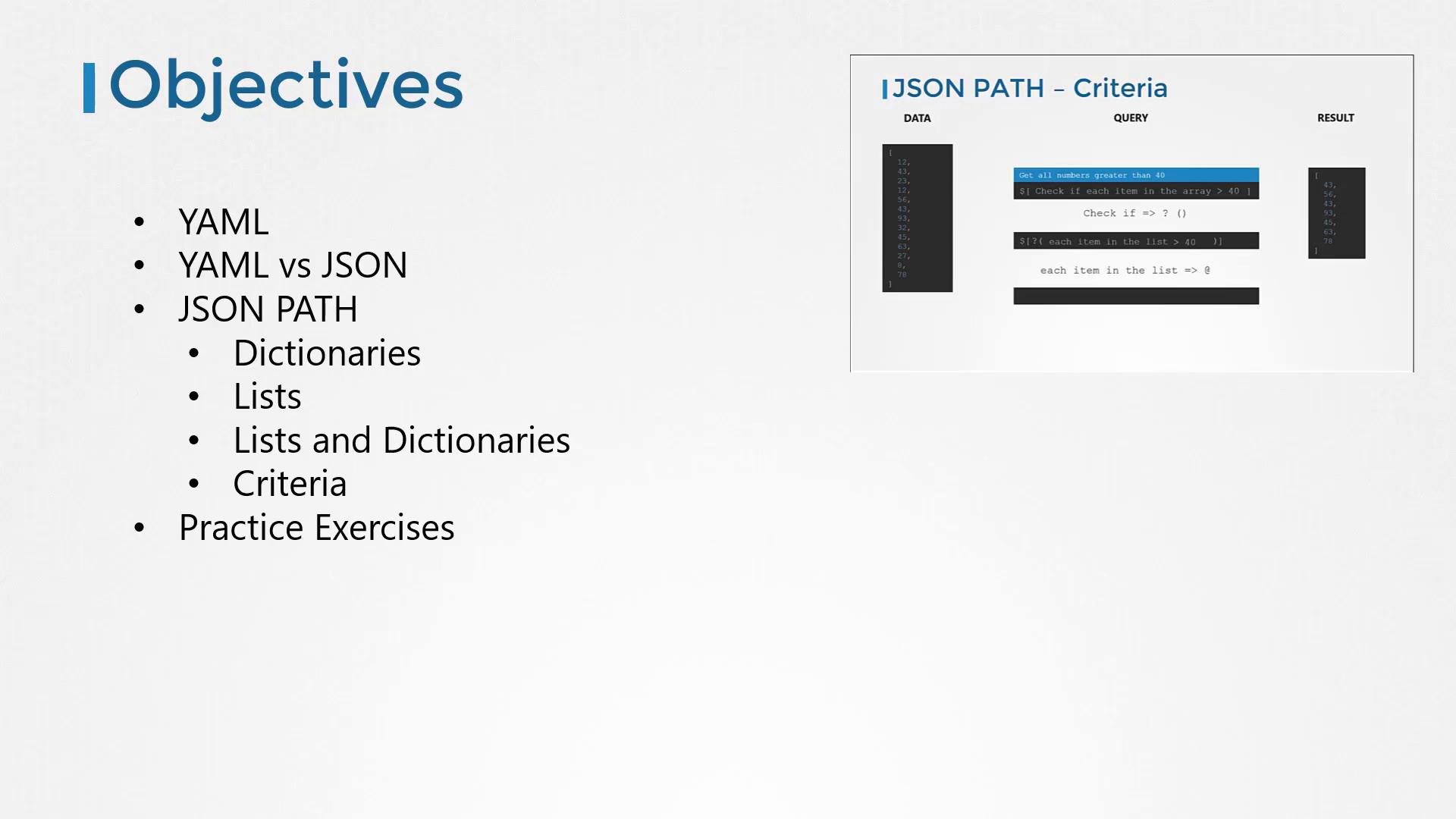
Hello and welcome — I'm Mumshad Mannambeth. This lesson introduces JSONPath, a concise query language for extracting data from JSON documents. We'll:
* Recap YAML vs JSON
* Learn JSONPath basics (root, dot notation, array indexing, slices)
* Work with dictionaries, lists, and nested structures
* Apply filters / criteria to select items
* Try practice exercises and review the quiz workflow
 This lesson is designed for beginners. We'll move from simple examples to applied filters so you can practice and build confidence. Consider subscribing to the channel to get notified about new lessons.
## YAML vs JSON — quick recap
Both YAML and JSON represent structured data and are often interchangeable. Below is a compact comparison to help you choose the format and convert between them.
| Feature | YAML | JSON |
| - | - | - |
| Syntax style | Indentation-based, human-friendly | Bracket-based, strict commas and quotes |
| Objects | Mappings using indentation | Objects using `{}` |
| Arrays | Dash `-` list elements | Arrays using `[]` |
| Use cases | Configuration files, readable by humans | APIs, data interchange between services |
| Conversion | Tools like json2yaml or language libraries | Tools like json2yaml or language libraries |
You can convert between YAML and JSON using online converters (e.g. json2yaml.com) or with small scripts in most languages.
Example JSON:
```json theme={null}
{
"car": {
"color": "blue",
"price": "$20,000",
"wheels": [
{
"model": "X345ERT",
"location": "front-right"
},
{
"model": "X345ERT",
"location": "front-left"
},
{
"model": "X345ERT",
"location": "rear-right"
},
{
"model": "X345ERT",
"location": "rear-left"
}
]
}
}
```
Same data in YAML:
```yaml theme={null}
car:
color: blue
price: "$20,000"
wheels:
- model: X345ERT
location: front-right
- model: X345ERT
location: front-left
- model: X345ERT
location: rear-right
- model: X345ERT
location: rear-left
```
For the rest of this lesson we'll use JSON examples — YAML can usually be converted to JSON if needed.
## What is JSONPath?
JSONPath is a query language for JSON documents, analogous to how XPath works for XML or SQL for relational data. A JSONPath expression navigates the structure of a JSON document and returns matching nodes (typically as an array of matches).
Use cases:
* Extract properties from nested structures
* Select array elements by index, slice, or condition
* Support test/quiz platforms that validate JSONPath queries
### Basic JSONPath concepts
* `$` — the root of the JSON document.
* Dot notation — access child properties: `$.car.color`
* Bracket notation — access arrays and special keys: `$['car']`, `$[0]`
* Array indices — single index (`$[0]`), multiple indices (`$[0,3]`), slices (`$[0:3]`)
* Filters — inside `?()` to test elements: `$[?(@.price > 1000)]`
* `@` — the current element within a filter expression
JSONPath implementations vary slightly. Some engines always return results as arrays; others may return a single value. When practicing, expect results to be shown as an array of matches.
### Quick examples
Given this JSON document:
```json theme={null}
{
"car": {
"color": "blue",
"price": "$20,000"
},
"bus": {
"color": "white",
"price": "$120,000"
}
}
```
Common queries and expected results:
* Get car details
Query:
```JavaScript theme={null}
$.car
```
Result:
```json theme={null}
[
{
"color": "blue",
"price": "$20,000"
}
]
```
* Get the car's color
Query:
```JSONPath theme={null}
$.car.color
```
Result:
```json theme={null}
[
"blue"
]
```
* Get the bus price
Query:
```JSONPath theme={null}
$.bus.price
```
Result:
```json theme={null}
[
"$120,000"
]
```
If your document is nested under a parent like `vehicles`, then use `$.vehicles.car.color`.
## Arrays (lists) and indexing
If the root is an array:
```json theme={null}
[
"car",
"bus",
"truck",
"bike"
]
```
* `$[0]` — first element (`"car"`)
* `$[3]` — fourth element (`"bike"`)
* `$[0,3]` — first and fourth elements (`["car","bike"]`)
* Slices: `$[1:3]` — elements at indices 1 and 2
## Dictionaries and lists combined
Consider this car object with a `wheels` array where each element is an object:
```json theme={null}
{
"car": {
"color": "blue",
"price": "$20,000",
"wheels": [
{
"model": "X345ERT",
"location": "front-right"
},
{
"model": "X346GRX",
"location": "front-left"
},
{
"model": "X236DEM",
"location": "rear-right"
},
{
"model": "X987XMV",
"location": "rear-left"
}
]
}
}
```
* `$.car.wheels` — returns the full `wheels` array (as a match):
```json theme={null}
[
[
{ "model": "X345ERT", "location": "front-right" },
{ "model": "X346GRX", "location": "front-left" },
{ "model": "X236DEM", "location": "rear-right" },
{ "model": "X987XMV", "location": "rear-left" }
]
]
```
* Second wheel object (index 1)
Query:
```jsonpath theme={null}
$.car.wheels[1]
```
Result:
```json theme={null}
[
{
"model": "X346GRX",
"location": "front-left"
}
]
```
* Model of the second wheel
Query:
```JSONPath theme={null}
$.car.wheels[1].model
```
Result:
```json theme={null}
[
"X346GRX"
]
```
## Filtering with criteria
Filters let you select array elements based on conditions instead of fixed indexes. Filters are written with `?()` and refer to the current element with `@`.
Numeric example:
Given the array:
```json theme={null}
[
12,
43,
23,
12,
56,
43,
93,
32,
45,
63,
27,
8,
78
]
```
* Select values greater than 40:
Query:
```JSONPath theme={null}
$[?(@ > 40)]
```
Result:
```json theme={null}
[
43,
56,
43,
93,
45,
63,
78
]
```
Comparison operators (commonly supported):
| Operator | Meaning |
| -: | - |
| `@ == 40` | equals |
| `@ != 40` | not equals |
| `@ < 40` | less than |
| `@ > 40` | greater than |
| `@ <= 40` | less than or equal |
| `@ >= 40` | greater than or equal |
Support for operators like `in` / `nin`, regex matching, or certain logical shortcuts varies by JSONPath engine. If `in` is not supported, combine comparisons with `||` (logical OR): `(@ == 40 || @ == 43)`.
### Filtering objects by property
Using the `wheels` example, find the model where `location` equals `rear-right`:
Query:
```JSONPath theme={null}
$.car.wheels[?(@.location == 'rear-right')].model
```
Result:
```json theme={null}
[
"X236DEM"
]
```
This returns the `model` value(s) for wheel objects matching the filter.
## Practice exercises
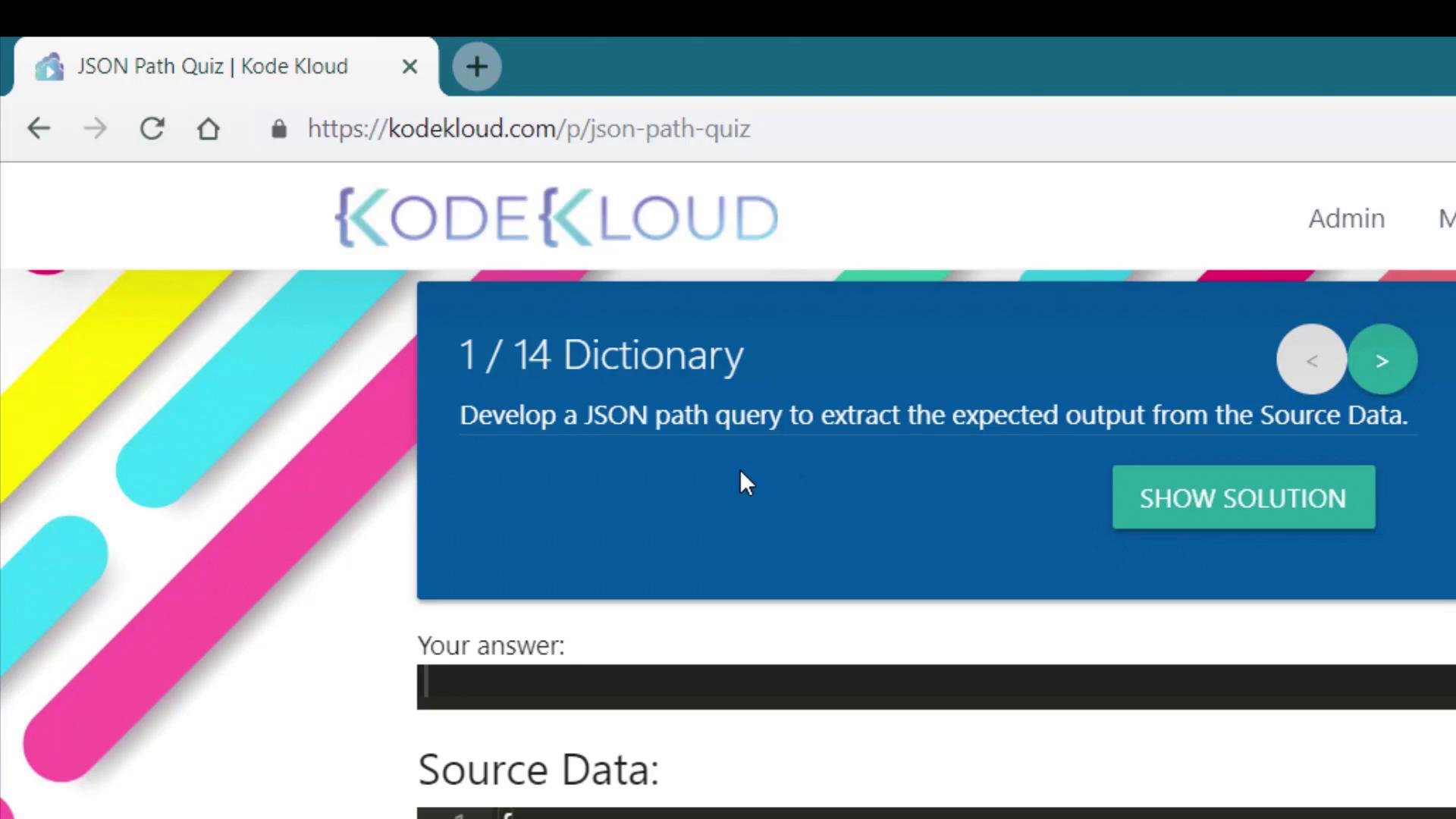
Try practical quiz exercises to reinforce what you've learned. The KodeKloud quiz interface shows:
* Top-left: question panel
* Top-right: controls (Run / Show Solution)
* Lower-left: source data to query
* Lower-right: expected output
As you type a JSONPath query, the portal applies it to the source data and shows results instantly. When the result matches the expected output, the question is marked complete.
Visit the quiz:
`https://kodekloud.com/p/json-path-quiz`
This lesson is designed for beginners. We'll move from simple examples to applied filters so you can practice and build confidence. Consider subscribing to the channel to get notified about new lessons.
## YAML vs JSON — quick recap
Both YAML and JSON represent structured data and are often interchangeable. Below is a compact comparison to help you choose the format and convert between them.
| Feature | YAML | JSON |
| - | - | - |
| Syntax style | Indentation-based, human-friendly | Bracket-based, strict commas and quotes |
| Objects | Mappings using indentation | Objects using `{}` |
| Arrays | Dash `-` list elements | Arrays using `[]` |
| Use cases | Configuration files, readable by humans | APIs, data interchange between services |
| Conversion | Tools like json2yaml or language libraries | Tools like json2yaml or language libraries |
You can convert between YAML and JSON using online converters (e.g. json2yaml.com) or with small scripts in most languages.
Example JSON:
```json theme={null}
{
"car": {
"color": "blue",
"price": "$20,000",
"wheels": [
{
"model": "X345ERT",
"location": "front-right"
},
{
"model": "X345ERT",
"location": "front-left"
},
{
"model": "X345ERT",
"location": "rear-right"
},
{
"model": "X345ERT",
"location": "rear-left"
}
]
}
}
```
Same data in YAML:
```yaml theme={null}
car:
color: blue
price: "$20,000"
wheels:
- model: X345ERT
location: front-right
- model: X345ERT
location: front-left
- model: X345ERT
location: rear-right
- model: X345ERT
location: rear-left
```
For the rest of this lesson we'll use JSON examples — YAML can usually be converted to JSON if needed.
## What is JSONPath?
JSONPath is a query language for JSON documents, analogous to how XPath works for XML or SQL for relational data. A JSONPath expression navigates the structure of a JSON document and returns matching nodes (typically as an array of matches).
Use cases:
* Extract properties from nested structures
* Select array elements by index, slice, or condition
* Support test/quiz platforms that validate JSONPath queries
### Basic JSONPath concepts
* `$` — the root of the JSON document.
* Dot notation — access child properties: `$.car.color`
* Bracket notation — access arrays and special keys: `$['car']`, `$[0]`
* Array indices — single index (`$[0]`), multiple indices (`$[0,3]`), slices (`$[0:3]`)
* Filters — inside `?()` to test elements: `$[?(@.price > 1000)]`
* `@` — the current element within a filter expression
JSONPath implementations vary slightly. Some engines always return results as arrays; others may return a single value. When practicing, expect results to be shown as an array of matches.
### Quick examples
Given this JSON document:
```json theme={null}
{
"car": {
"color": "blue",
"price": "$20,000"
},
"bus": {
"color": "white",
"price": "$120,000"
}
}
```
Common queries and expected results:
* Get car details
Query:
```JavaScript theme={null}
$.car
```
Result:
```json theme={null}
[
{
"color": "blue",
"price": "$20,000"
}
]
```
* Get the car's color
Query:
```JSONPath theme={null}
$.car.color
```
Result:
```json theme={null}
[
"blue"
]
```
* Get the bus price
Query:
```JSONPath theme={null}
$.bus.price
```
Result:
```json theme={null}
[
"$120,000"
]
```
If your document is nested under a parent like `vehicles`, then use `$.vehicles.car.color`.
## Arrays (lists) and indexing
If the root is an array:
```json theme={null}
[
"car",
"bus",
"truck",
"bike"
]
```
* `$[0]` — first element (`"car"`)
* `$[3]` — fourth element (`"bike"`)
* `$[0,3]` — first and fourth elements (`["car","bike"]`)
* Slices: `$[1:3]` — elements at indices 1 and 2
## Dictionaries and lists combined
Consider this car object with a `wheels` array where each element is an object:
```json theme={null}
{
"car": {
"color": "blue",
"price": "$20,000",
"wheels": [
{
"model": "X345ERT",
"location": "front-right"
},
{
"model": "X346GRX",
"location": "front-left"
},
{
"model": "X236DEM",
"location": "rear-right"
},
{
"model": "X987XMV",
"location": "rear-left"
}
]
}
}
```
* `$.car.wheels` — returns the full `wheels` array (as a match):
```json theme={null}
[
[
{ "model": "X345ERT", "location": "front-right" },
{ "model": "X346GRX", "location": "front-left" },
{ "model": "X236DEM", "location": "rear-right" },
{ "model": "X987XMV", "location": "rear-left" }
]
]
```
* Second wheel object (index 1)
Query:
```jsonpath theme={null}
$.car.wheels[1]
```
Result:
```json theme={null}
[
{
"model": "X346GRX",
"location": "front-left"
}
]
```
* Model of the second wheel
Query:
```JSONPath theme={null}
$.car.wheels[1].model
```
Result:
```json theme={null}
[
"X346GRX"
]
```
## Filtering with criteria
Filters let you select array elements based on conditions instead of fixed indexes. Filters are written with `?()` and refer to the current element with `@`.
Numeric example:
Given the array:
```json theme={null}
[
12,
43,
23,
12,
56,
43,
93,
32,
45,
63,
27,
8,
78
]
```
* Select values greater than 40:
Query:
```JSONPath theme={null}
$[?(@ > 40)]
```
Result:
```json theme={null}
[
43,
56,
43,
93,
45,
63,
78
]
```
Comparison operators (commonly supported):
| Operator | Meaning |
| -: | - |
| `@ == 40` | equals |
| `@ != 40` | not equals |
| `@ < 40` | less than |
| `@ > 40` | greater than |
| `@ <= 40` | less than or equal |
| `@ >= 40` | greater than or equal |
Support for operators like `in` / `nin`, regex matching, or certain logical shortcuts varies by JSONPath engine. If `in` is not supported, combine comparisons with `||` (logical OR): `(@ == 40 || @ == 43)`.
### Filtering objects by property
Using the `wheels` example, find the model where `location` equals `rear-right`:
Query:
```JSONPath theme={null}
$.car.wheels[?(@.location == 'rear-right')].model
```
Result:
```json theme={null}
[
"X236DEM"
]
```
This returns the `model` value(s) for wheel objects matching the filter.
## Practice exercises
Try practical quiz exercises to reinforce what you've learned. The KodeKloud quiz interface shows:
* Top-left: question panel
* Top-right: controls (Run / Show Solution)
* Lower-left: source data to query
* Lower-right: expected output
As you type a JSONPath query, the portal applies it to the source data and shows results instantly. When the result matches the expected output, the question is marked complete.
Visit the quiz:
`https://kodekloud.com/p/json-path-quiz`
 Example workflow (illustrative)
Source data:
```json theme={null}
{
"property1": "value1",
"property2": "value2"
}
```
Expected output:
```json theme={null}
[
"value1"
]
```
Solution query:
```JSONPath theme={null}
$.property1
```
The portal shows your result next to the expected output so you can iterate quickly. If you get stuck, use "Show Solution" to reveal the correct JSONPath.
## Links and references
* JSONPath project: `https://github.com/json-path/JsonPath`
* KodeKloud JSONPath quiz: `https://kodekloud.com/p/json-path-quiz`
* JSON ↔ YAML conversion tools (example): `https://json2yaml.com`
If you'd like a follow-up lesson with advanced JSONPath patterns, deeper filter syntax, or walkthroughs for specific quiz items, leave feedback and we'll prepare more content.
This documentation is built and hosted on [Mintlify](https://mintlify.com), a developer documentation platform.
Example workflow (illustrative)
Source data:
```json theme={null}
{
"property1": "value1",
"property2": "value2"
}
```
Expected output:
```json theme={null}
[
"value1"
]
```
Solution query:
```JSONPath theme={null}
$.property1
```
The portal shows your result next to the expected output so you can iterate quickly. If you get stuck, use "Show Solution" to reveal the correct JSONPath.
## Links and references
* JSONPath project: `https://github.com/json-path/JsonPath`
* KodeKloud JSONPath quiz: `https://kodekloud.com/p/json-path-quiz`
* JSON ↔ YAML conversion tools (example): `https://json2yaml.com`
If you'd like a follow-up lesson with advanced JSONPath patterns, deeper filter syntax, or walkthroughs for specific quiz items, leave feedback and we'll prepare more content.
This documentation is built and hosted on [Mintlify](https://mintlify.com), a developer documentation platform.