> ## Documentation Index
> Fetch the complete documentation index at: https://notes.kodekloud.com/llms.txt
> Use this file to discover all available pages before exploring further.
# Demo Jenkins Pipeline Checking Versions
> This guide helps create a Jenkins Pipeline to verify the execution of Git, Maven, Docker, and Kubernetes commands.
In this guide, you’ll create a Jenkins Pipeline named **checking-versions** to verify that Jenkins can execute Git, Maven, Docker, and Kubernetes commands. This helps catch any environment issues before running your CI/CD workflows.
## Table of Contents
1. [Prerequisites](#prerequisites)
2. [Create the Pipeline](#create-the-pipeline)
3. [Inspect the Build Results](#inspect-the-build-results)
4. [Configure Kubernetes CLI Plugin](#configure-kubernetes-cli-plugin)
5. [Add the Kubeconfig Credential](#add-the-kubeconfig-credential)
6. [Update Pipeline with Kubeconfig](#update-pipeline-with-kubeconfig)
7. [Verify Success](#verify-success)
8. [References & Links](#references--links)
## Prerequisites
* Jenkins (v2.x or later) with [Pipeline](https://www.jenkins.io/doc/book/pipeline/) plugin
* Agents that have Git, Maven, Docker, and `kubectl` installed
* Admin access to Jenkins for managing credentials
## Create the Pipeline
1. In Jenkins, click **New Item**.
2. Enter **checking-versions** as the name.
3. Select **Pipeline** and click **OK**.
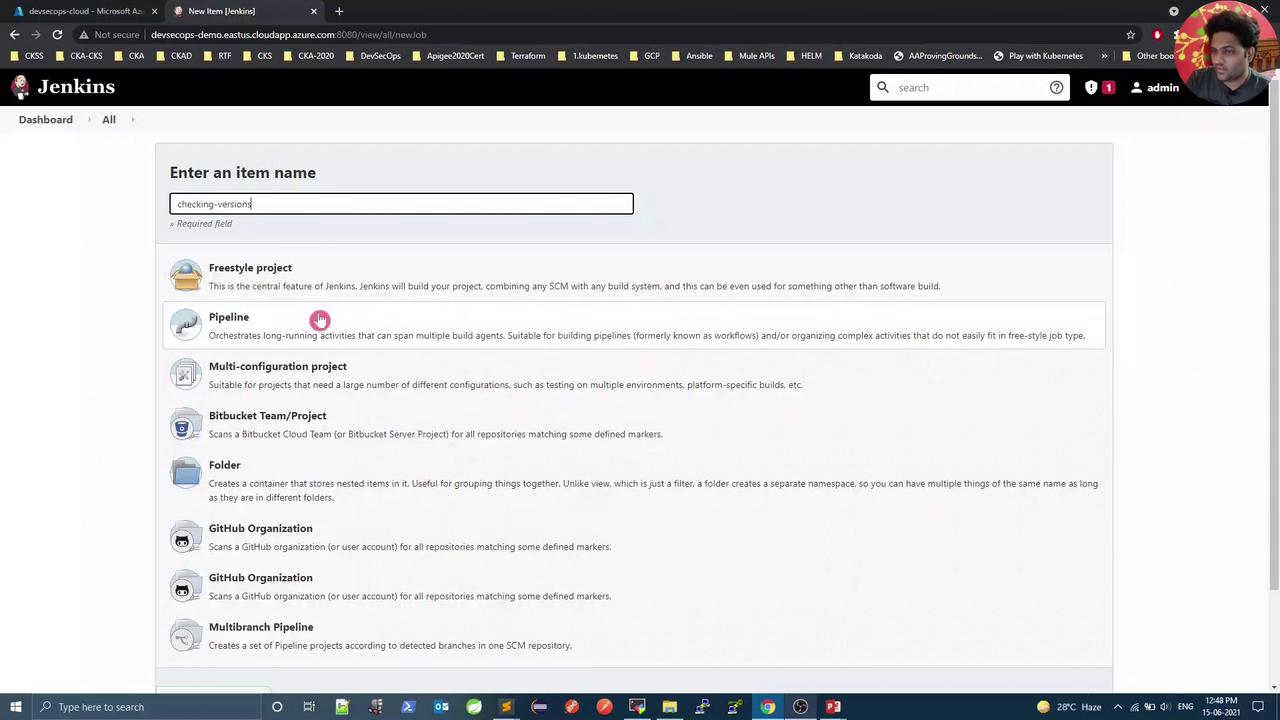
Scroll to the **Pipeline** section and replace the script with:
```groovy theme={null}
pipeline {
agent any
stages {
stage('Git Version') {
steps {
sh 'git --version'
}
}
stage('Maven Version') {
steps {
sh 'mvn -v'
}
}
stage('Docker Version') {
steps {
sh 'docker -v'
}
}
stage('Kubernetes Version') {
steps {
sh 'kubectl version --short'
}
}
}
}
```
Save and click **Build Now**.
## Inspect the Build Results
Once the job runs, the Pipeline view will display four stages. The first three should pass, but the Kubernetes stage may fail due to missing cluster credentials:
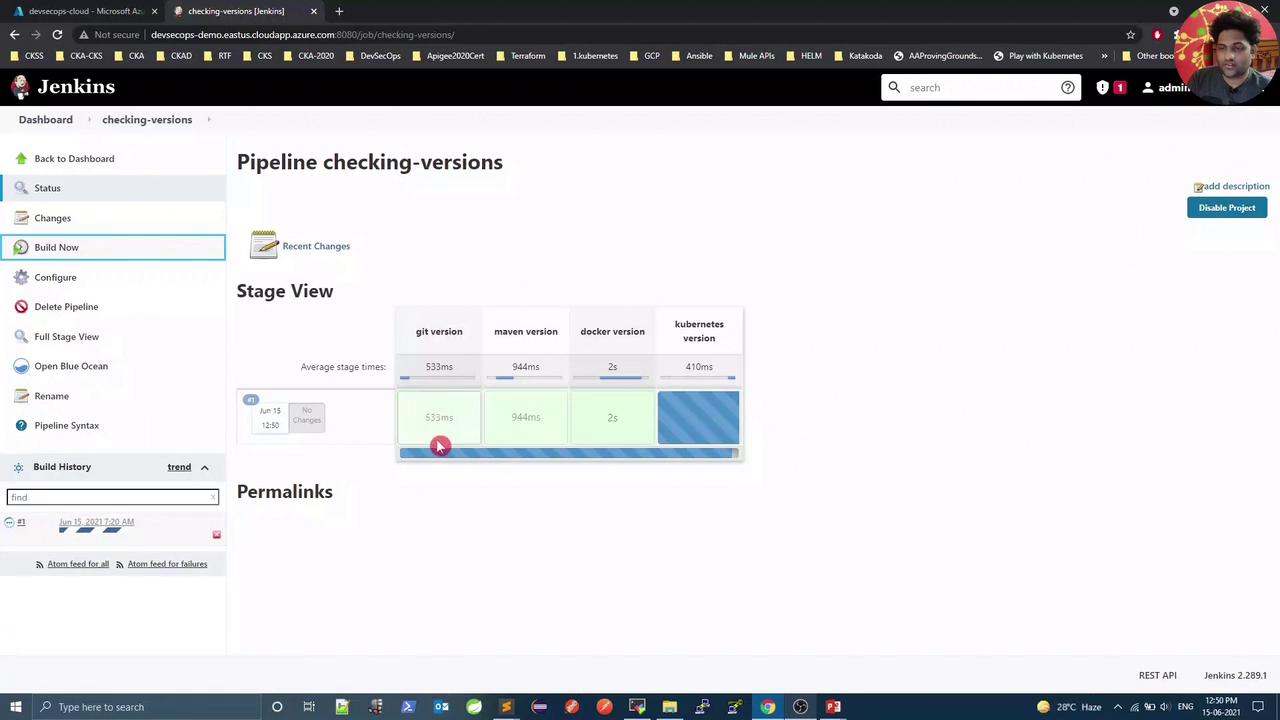
Open the console output:
```console theme={null}
[Pipeline] stage
[Pipeline] { (Git Version)
[Pipeline] sh
+ git --version
git version 2.17.1
[Pipeline] }
...
[Pipeline] stage
[Pipeline] { (Kubernetes Version)
+ kubectl version --short
Client Version: v1.21.0
Error from server (Forbidden): …authentication required…
```
The Kubernetes CLI ran locally but failed to authenticate with the API server.
## Configure Kubernetes CLI Plugin
To inject a `kubeconfig` into your build, install and use the [Kubernetes CLI Plugin](https://plugins.jenkins.io/kubernetes-cli/).
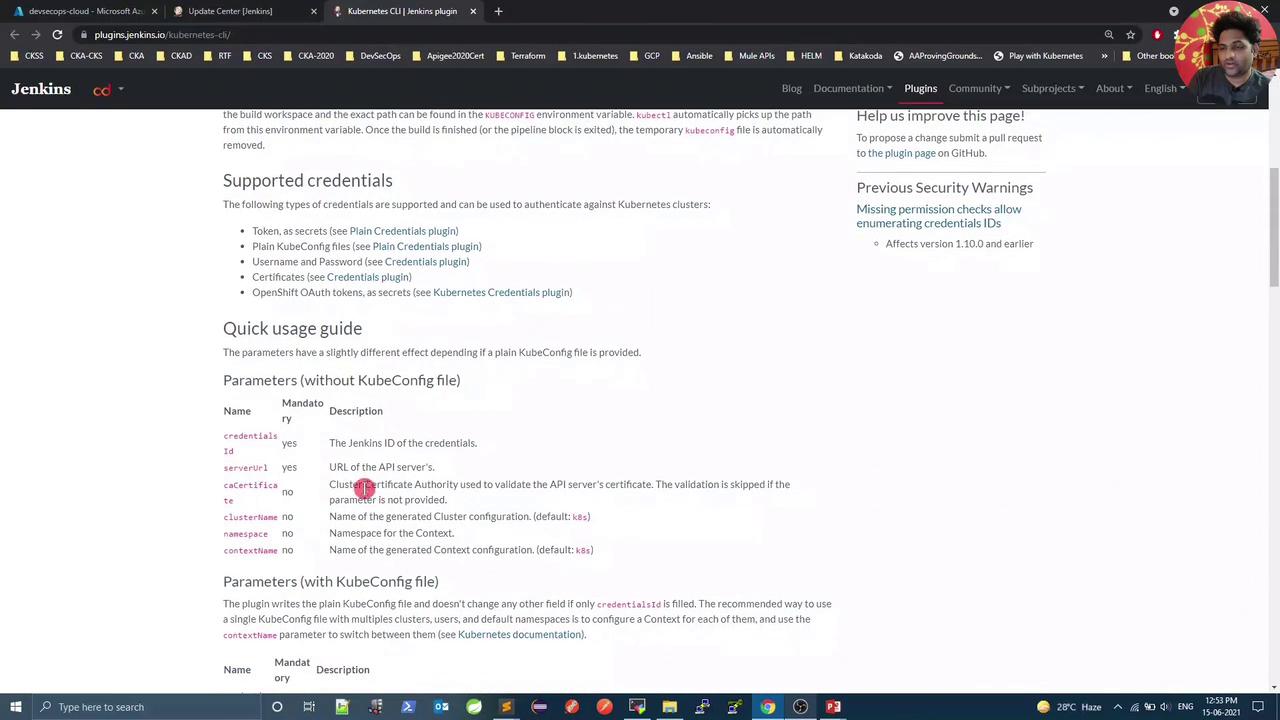
**Scripted Pipeline example:**
```groovy theme={null}
node {
stage('List Pods') {
withKubeConfig([credentialsId: 'user1', serverUrl: 'https://api.k8s.my-company.com']) {
sh 'kubectl get pods'
}
}
}
```
## Add the Kubeconfig Credential
1. Go to **Manage Jenkins** → **Manage Credentials**.
2. Under **Global**, click **Add Credentials**.
3. For **Kind**, select **Secret file** and upload your local `kubeconfig`.
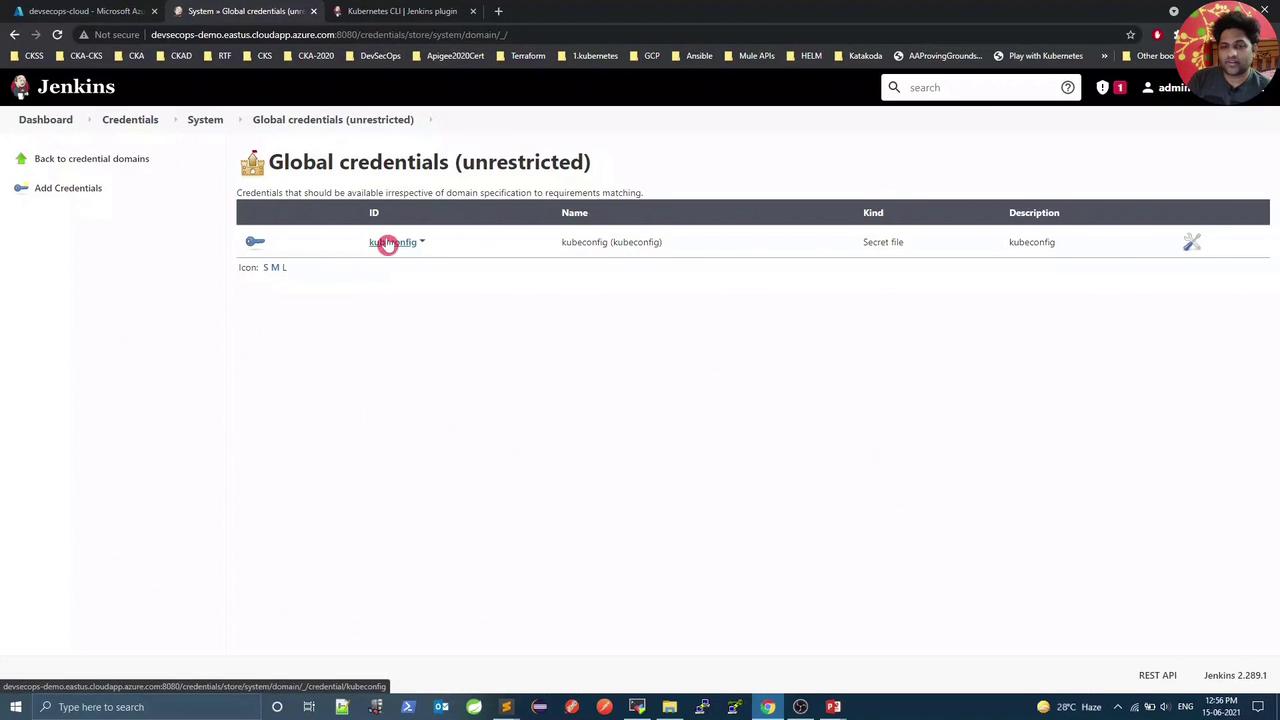
4. Set **ID** to `kubeconfig`, add a description, then **OK**.
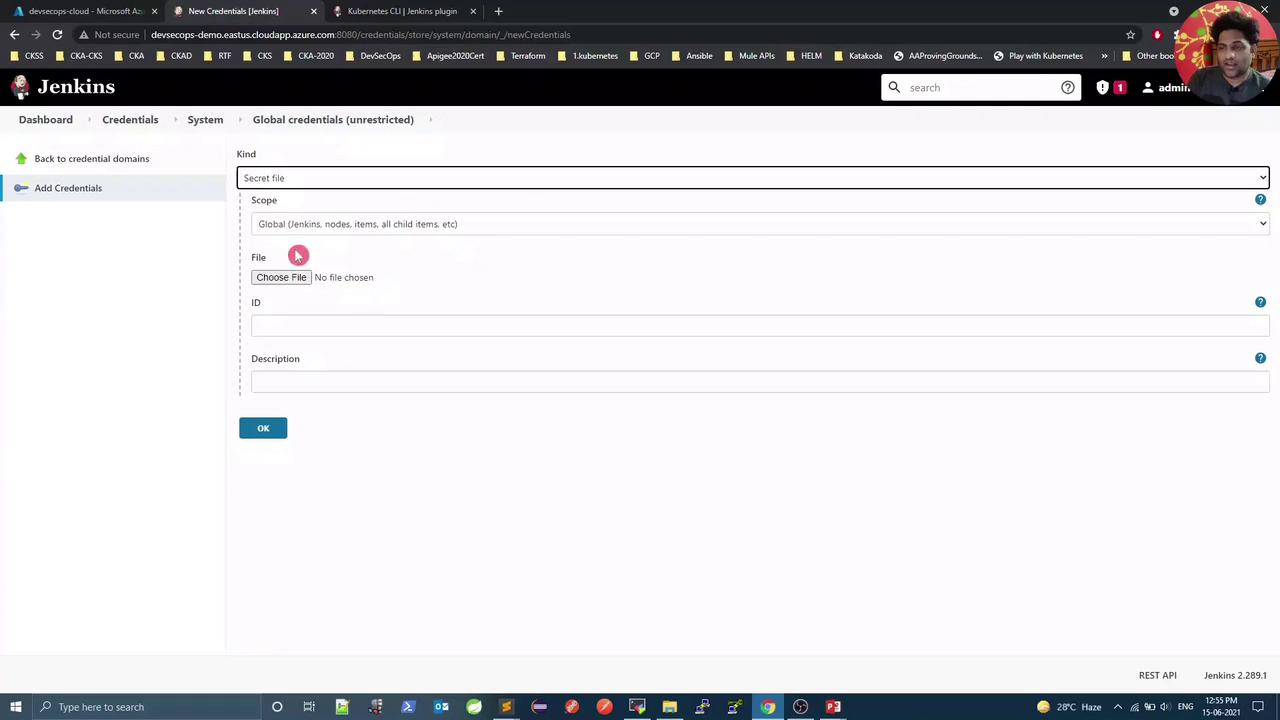
Confirm the credential appears in the list:
## Update Pipeline with Kubeconfig
Edit the **checking-versions** Pipeline script. Wrap the Kubernetes stage with `withKubeConfig`:
```groovy theme={null}
pipeline {
agent any
stages {
stage('Git Version') {
steps { sh 'git --version' }
}
stage('Maven Version') {
steps { sh 'mvn -v' }
}
stage('Docker Version') {
steps { sh 'docker -v' }
}
stage('Kubernetes Version') {
steps {
withKubeConfig([credentialsId: 'kubeconfig']) {
sh 'kubectl version --short'
}
}
}
}
}
```
Save and **Build Now** again.
## Verify Success
Now all four stages—including both Kubernetes client and server checks—should pass:
```bash theme={null}
+ kubectl version --short
Client Version: v1.21.0
Server Version: v1.21.0
```
For production, avoid using a cluster-admin `kubeconfig`. Instead, create a ServiceAccount with minimal RBAC permissions for Jenkins.
***
## References & Links
* [Jenkins Documentation](https://www.jenkins.io/doc/)
* [Pipeline Syntax Reference](https://www.jenkins.io/doc/book/pipeline/syntax/)
* [Kubernetes CLI Plugin](https://plugins.jenkins.io/kubernetes-cli/)
* [Kubectl Cheat Sheet](https://kubernetes.io/docs/reference/kubectl/cheatsheet/)