> ## Documentation Index
> Fetch the complete documentation index at: https://notes.kodekloud.com/llms.txt
> Use this file to discover all available pages before exploring further.
# Demo Running Microservices Local Machine
> This tutorial demonstrates setting up and running Spring Boot and Node.js microservices locally.
In this tutorial, we’ll set up and run two cooperating microservices on your local machine:
1. **Spring Boot “numeric” service**
2. **Node.js “plus-one” service** (packaged in Docker)
By the end, you’ll be able to call endpoints on the Spring Boot app that delegate to the Node.js service and observe the logs in both environments.
***
## 1. Clone and Import the Project
1. Clone the Git repository and open it in your IDE of choice (Spring Tool Suite, IntelliJ, VSCode, etc.).
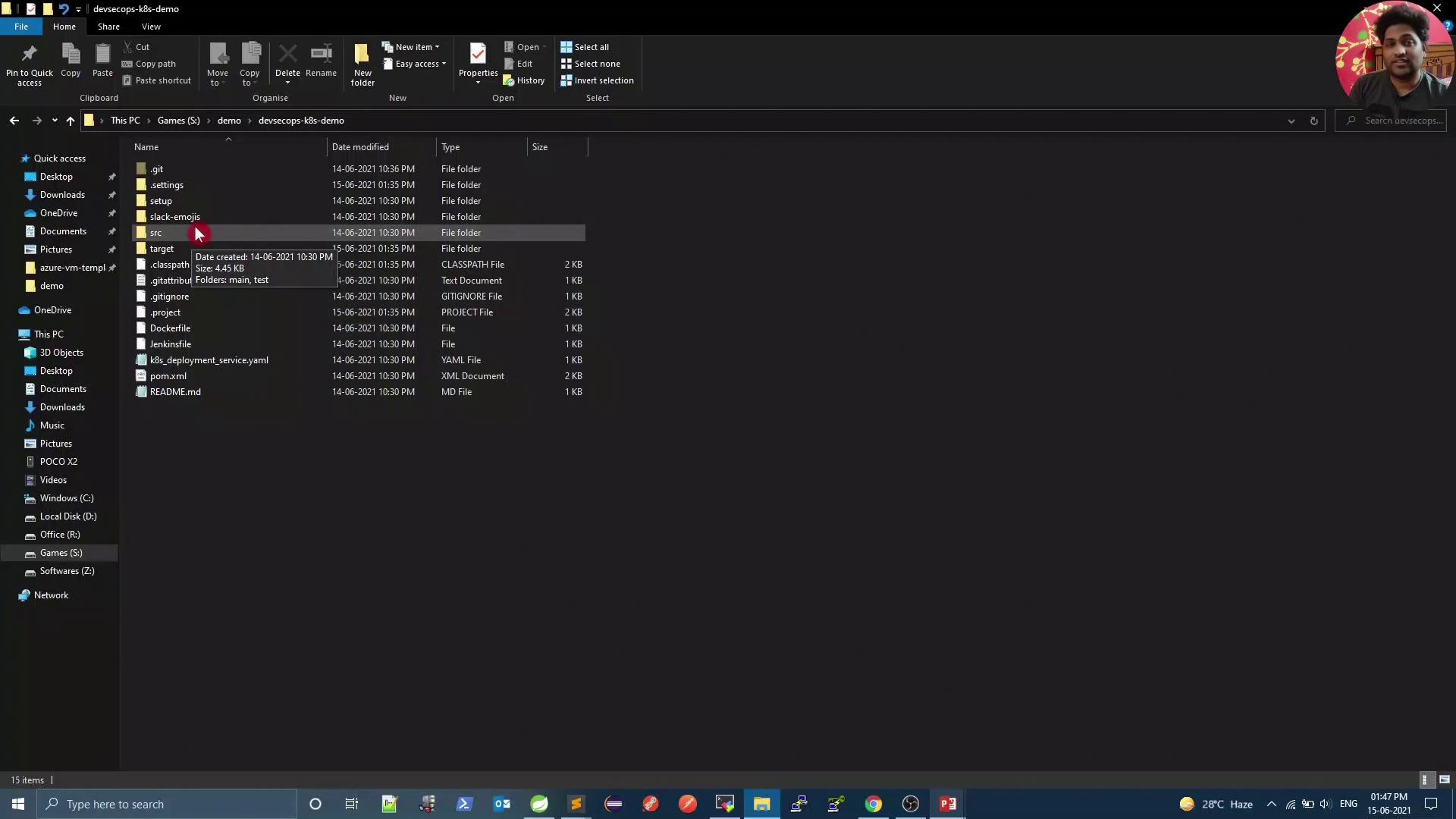
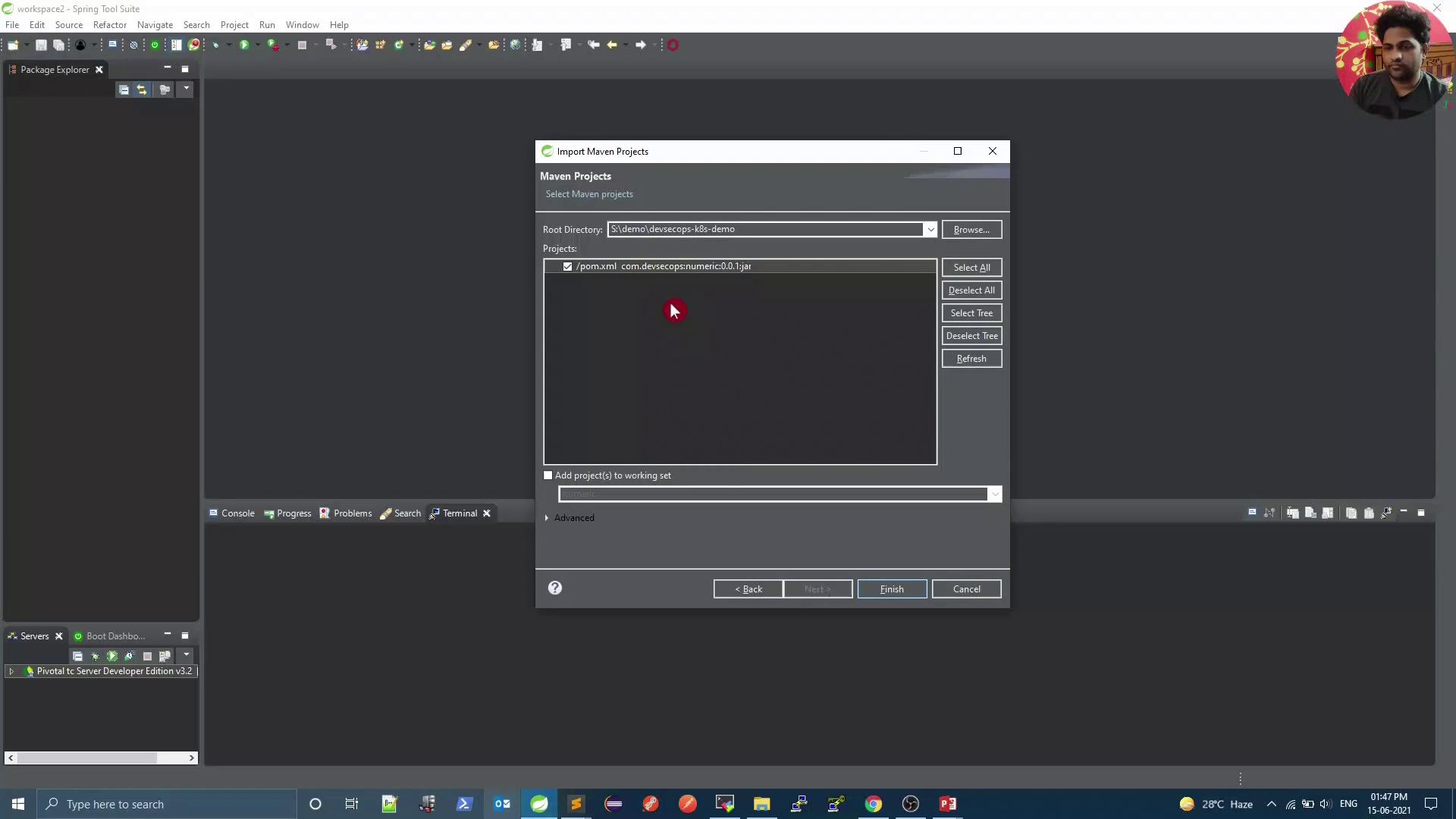
2. Import the project as a Maven project:
***
## 2. Inspect the Maven POM
Open the `pom.xml` file at the project root. You’ll find the Spring Boot parent and starter dependencies:
```xml theme={null}
4.0.0
numeric
numeric
0.0.1-SNAPSHOT
numeric
Demo for DevSecOps
1.8
org.springframework.boot
spring-boot-starter-web
org.springframework.boot
spring-boot-starter-test
test
```
For more details on Maven POM configuration, refer to the [Maven Reference Documentation](https://maven.apache.org/pom.html).
***
## 3. Review the Spring Boot Controller
The core logic resides in `NumericController.java`. It defines three endpoints:
```java theme={null}
package com.devsecops;
import org.slf4j.Logger;
import org.slf4j.LoggerFactory;
import org.springframework.http.ResponseEntity;
import org.springframework.web.bind.annotation.*;
import org.springframework.web.client.RestTemplate;
@RestController
public class NumericController {
private final Logger logger = LoggerFactory.getLogger(getClass());
// For Kubernetes use:
private static final String baseURL = "http://node-service:5000/plusone";
// For local testing, uncomment the line below and comment out the Kubernetes URL:
// private static final String baseURL = "http://localhost:5000/plusone";
private final RestTemplate restTemplate = new RestTemplate();
@GetMapping("/")
public String welcome() {
return "Kubernetes DevSecOps";
}
@GetMapping("/compare/{value}")
public String compareToFifty(@PathVariable int value) {
return (value > 50) ? "Greater than 50" : "Smaller than or equal to 50";
}
@GetMapping("/increment/{value}")
public ResponseEntity increment(@PathVariable int value) {
logger.info("Value received in request: " + value);
ResponseEntity response =
restTemplate.getForEntity(baseURL + "/" + value, String.class);
String nodeResponse = response.getBody();
String body = "Spring received: " + value + "\nNode response: " + nodeResponse;
return ResponseEntity.ok(body);
}
}
```
Toggle the `baseURL` between `localhost` (for local debugging) and `node-service` (for Kubernetes) before running the app.
***
## 4. Run the Node.js “plus-one” Service in Docker
Ensure Docker is installed and running on your machine.
Make sure port **5000** is free. If another service is using this port, stop it or choose a different host port.
Execute:
```bash theme={null}
docker run -p 5000:5000 siddharth67/node-service:v1
```
You should see output similar to:
```bash theme={null}
> node app.js
HOSTNAME is 6dceae5489
```
### 4.1 Test the Node.js Service
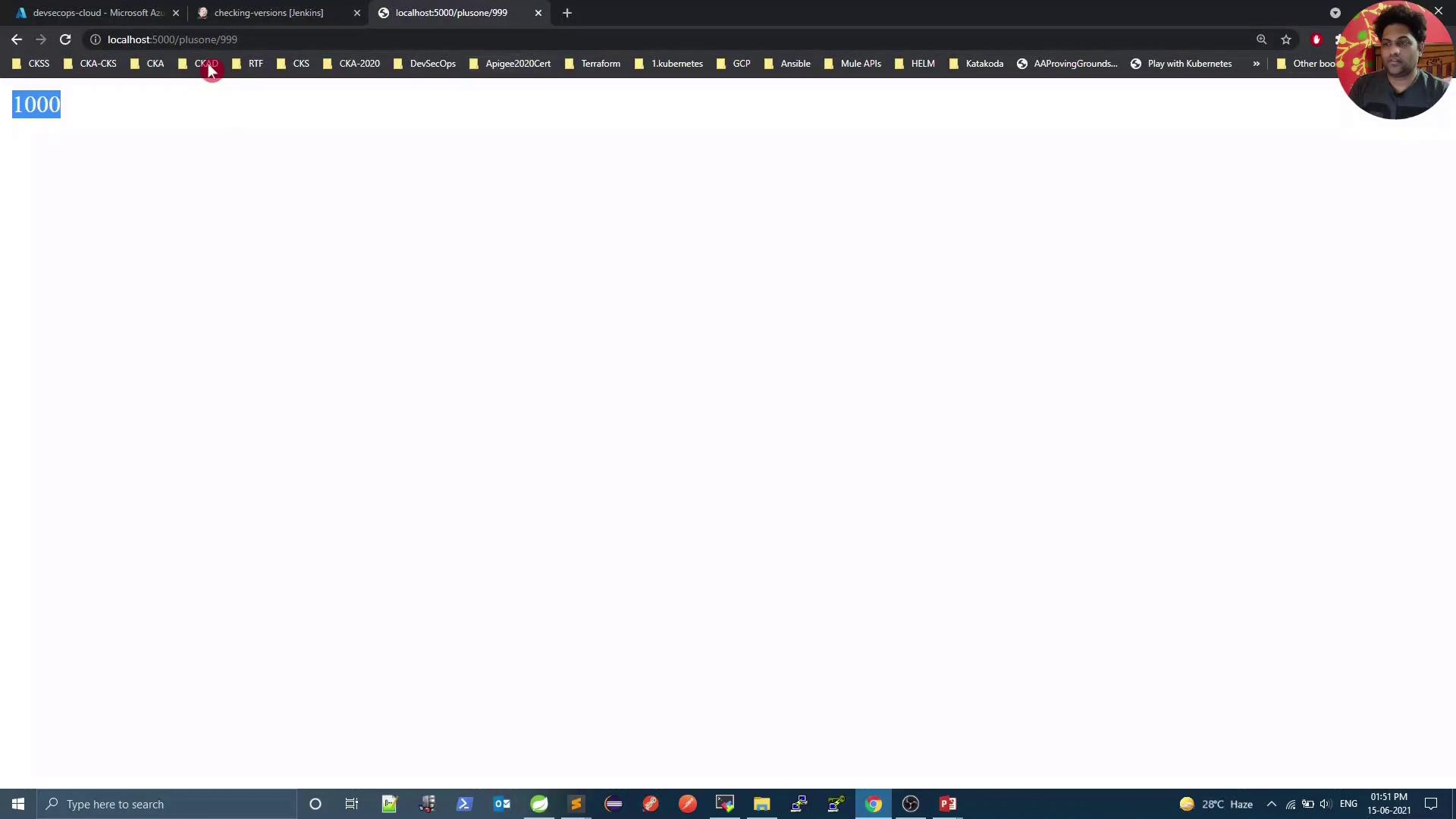
In a browser or via `curl`:
```bash theme={null}
curl http://localhost:5000/plusone/999
```
Expected response: `1000`
***
## 5. Run and Test the Spring Boot Application
Start the Spring Boot service:
* In your IDE: **Run As → Spring Boot App**
* Or via Maven:
```bash theme={null}
mvn spring-boot:run
```
By default, it listens on port **8080**. Test the endpoints:
| Endpoint | Method | Description | Example Command |
| -------------------- | ------ | ----------------------------------------- | ----------------------------------------- |
| `/` | GET | Welcome message | `curl http://localhost:8080/` |
| `/compare/{value}` | GET | Compare number to 50 | `curl http://localhost:8080/compare/55` |
| `/increment/{value}` | GET | Increment via Node.js service and respond | `curl http://localhost:8080/increment/55` |
**Sample Responses**
1. Welcome:
```bash theme={null}
$ curl http://localhost:8080/
Kubernetes DevSecOps
```
2. Compare:
```bash theme={null}
$ curl http://localhost:8080/compare/55
Greater than 50
```
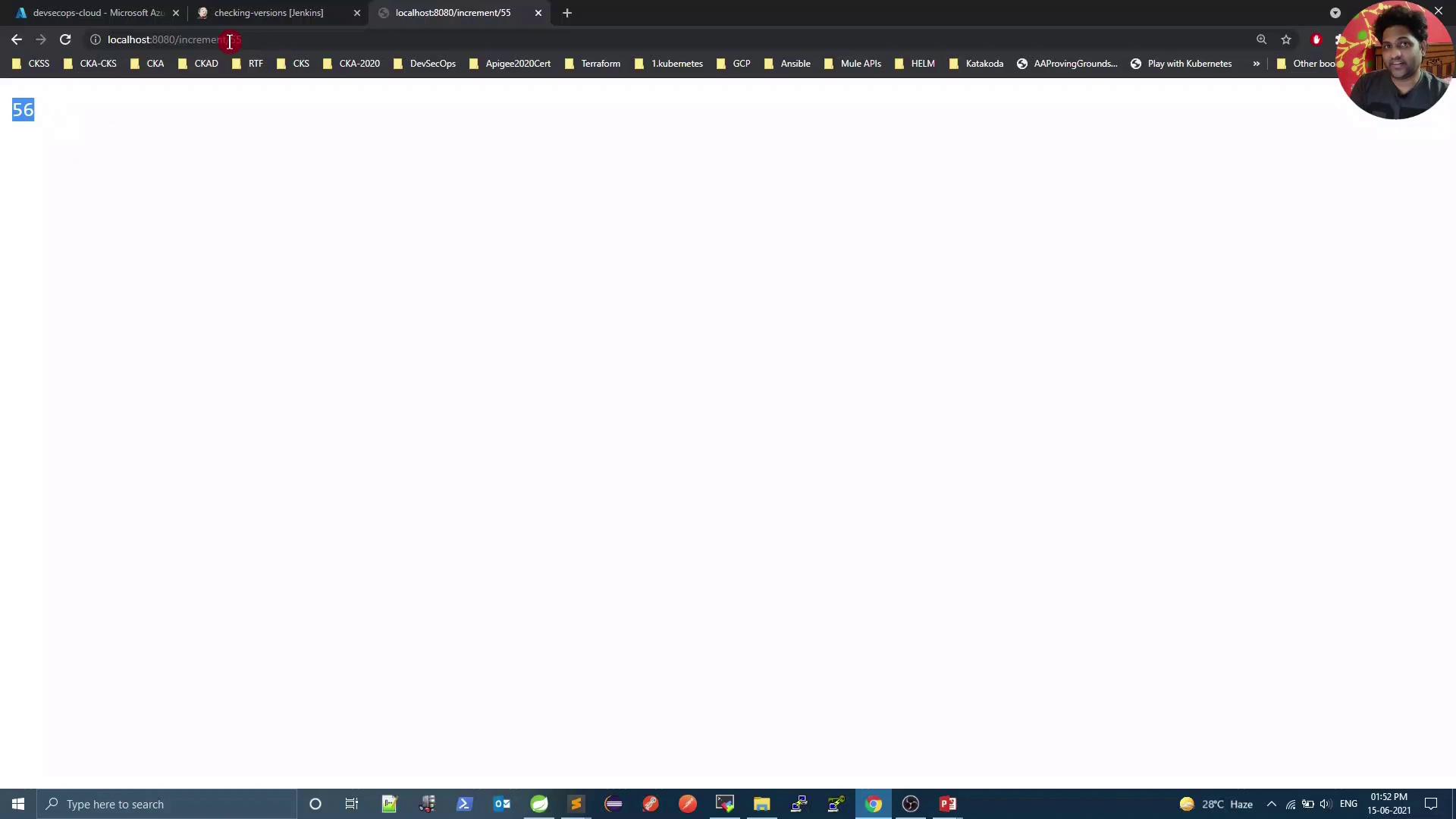
3. Increment:
```bash theme={null}
$ curl http://localhost:8080/increment/55
Spring received: 55
Node response: 56
```
In your IDE console, look for:
```bash theme={null}
... INFO ... NumericController : Value received in request: 55
```
In the Docker container logs you’ll see:
```bash theme={null}
Value Received = 55
```
***
## 6. Next Steps
Before deploying to Kubernetes:
1. Switch `baseURL` back to
```java theme={null}
private static final String baseURL = "http://node-service:5000/plusone";
```
2. Configure a Maven build and set up a Jenkins pipeline to automate the Spring Boot deployment.
***
## Links and References
* [Spring Boot Reference Guide](https://docs.spring.io/spring-boot/docs/current/reference/htmlsingle/)
* [Docker Documentation](https://docs.docker.com/)
* [Maven POM Reference](https://maven.apache.org/pom.html)