> ## Documentation Index
> Fetch the complete documentation index at: https://notes.kodekloud.com/llms.txt
> Use this file to discover all available pages before exploring further.
# Demo Unit Test and JaCoCo
> Learn to configure a Jenkins Pipeline for unit testing Spring Boot applications and generating JaCoCo code coverage reports.
In this hands-on guide, you'll learn how to configure a Jenkins Pipeline to run unit tests on a Spring Boot application and generate code coverage reports using the JaCoCo plugin. By visualizing test results and coverage metrics directly in Jenkins, you can maintain quality gates and improve code reliability.
## Prerequisites
* A running [Jenkins](https://www.jenkins.io/) server (version 2.x or later)
* Jenkins plugins: **Pipeline**, **JUnit**, **JaCoCo** (v3.2.0+)
* A Spring Boot project with Maven build (`pom.xml`)
* Git repository with sample tests under `src/test/java`
## 1. Review the Unit Test Cases
Navigate to `src/test/java` and inspect the `NumericApplicationTests` class. It uses MockMvc to validate HTTP endpoints:
| Test Method | Endpoint | Expected Response |
| ---------------------------------- | ----------------- | ----------------------------- |
| `smallerThanOrEqualToFiftyMessage` | GET `/compare/49` | "Smaller than or equal to 50" |
| `greaterThanFiftyMessage` | GET `/compare/51` | "Greater than 50" |
| `welcomeMessage` | GET `/` | HTTP 200 OK |
```java theme={null}
@RunWith(SpringRunner.class)
@SpringBootTest
@AutoConfigureMockMvc
public class NumericApplicationTests {
@Autowired
private MockMvc mockMvc;
@Test
public void smallerThanOrEqualToFiftyMessage() throws Exception {
this.mockMvc.perform(get("/compare/49"))
.andDo(print())
.andExpect(status().isOk())
.andExpect(content().string("Smaller than or equal to 50"));
}
@Test
public void greaterThanFiftyMessage() throws Exception {
this.mockMvc.perform(get("/compare/51"))
.andDo(print())
.andExpect(status().isOk())
.andExpect(content().string("Greater than 50"));
}
@Test
public void welcomeMessage() throws Exception {
this.mockMvc.perform(get("/"))
.andDo(print())
.andExpect(status().isOk());
}
}
```
## 2. Update Your Jenkinsfile to Run Unit Tests
Open the root `Jenkinsfile`. If you only build the artifact, insert a dedicated **Unit Tests** stage to execute `mvn test`:
```groovy theme={null}
pipeline {
agent any
stages {
stage('Build - Maven') {
steps {
sh 'mvn clean package -DskipTests=true'
archive 'target/*.jar'
}
}
stage('Unit Tests') {
steps {
sh 'mvn test'
}
}
}
}
```
Commit and push your changes to trigger a new build in Jenkins. Once the pipeline runs, you’ll see a stage summary:
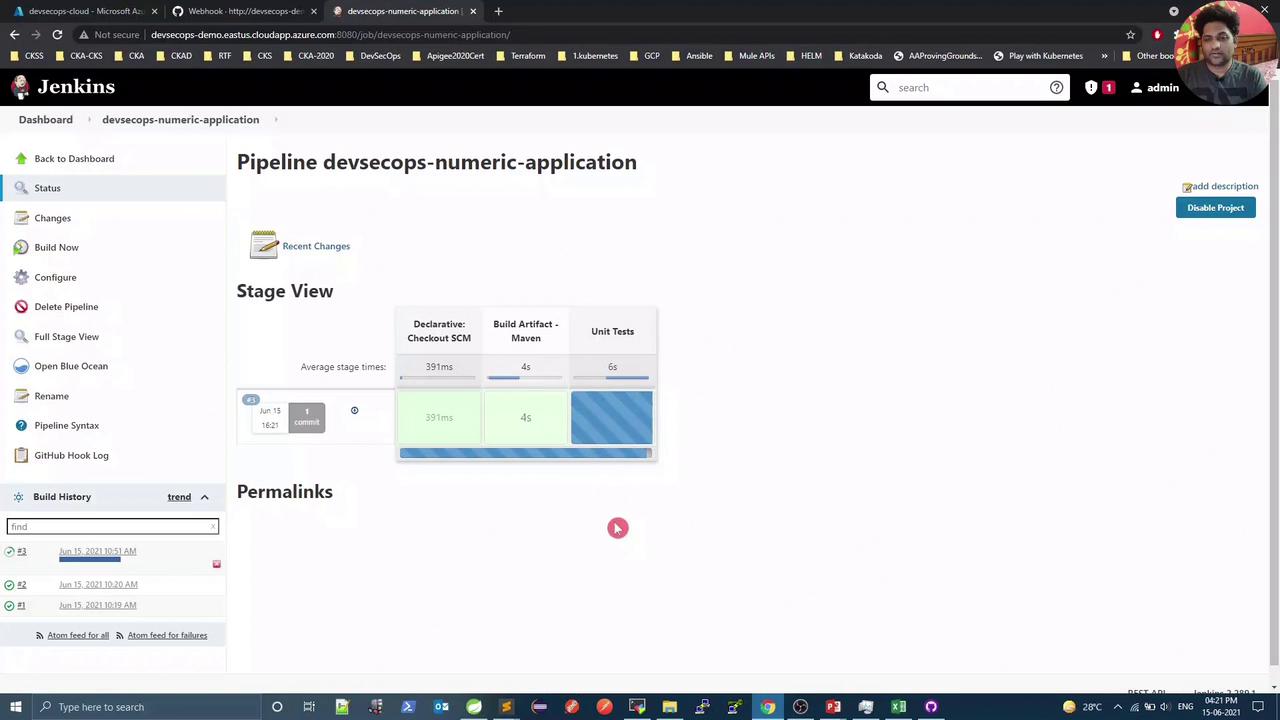
The console logs will confirm all tests passed:
```plaintext theme={null}
[INFO] Results:
[INFO] Tests run: 3, Failures: 0, Errors: 0, Skipped: 0
[INFO] BUILD SUCCESS
```
## 3. Configure JaCoCo in `pom.xml`
To collect coverage data, add the JaCoCo Maven plugin under the `` section:
```xml theme={null}
org.jacoco
jacoco-maven-plugin
0.8.5
prepare-agent
report
test
report
```
The `prepare-agent` goal instruments bytecode before tests, while the `report` goal generates HTML/XML coverage reports in `target/site/jacoco`.
## 4. Publish JUnit and JaCoCo Reports in Jenkins
Ensure the Jenkins **JaCoCo** plugin (v3.2.0+) is installed under **Manage Jenkins → Installed Plugins**:
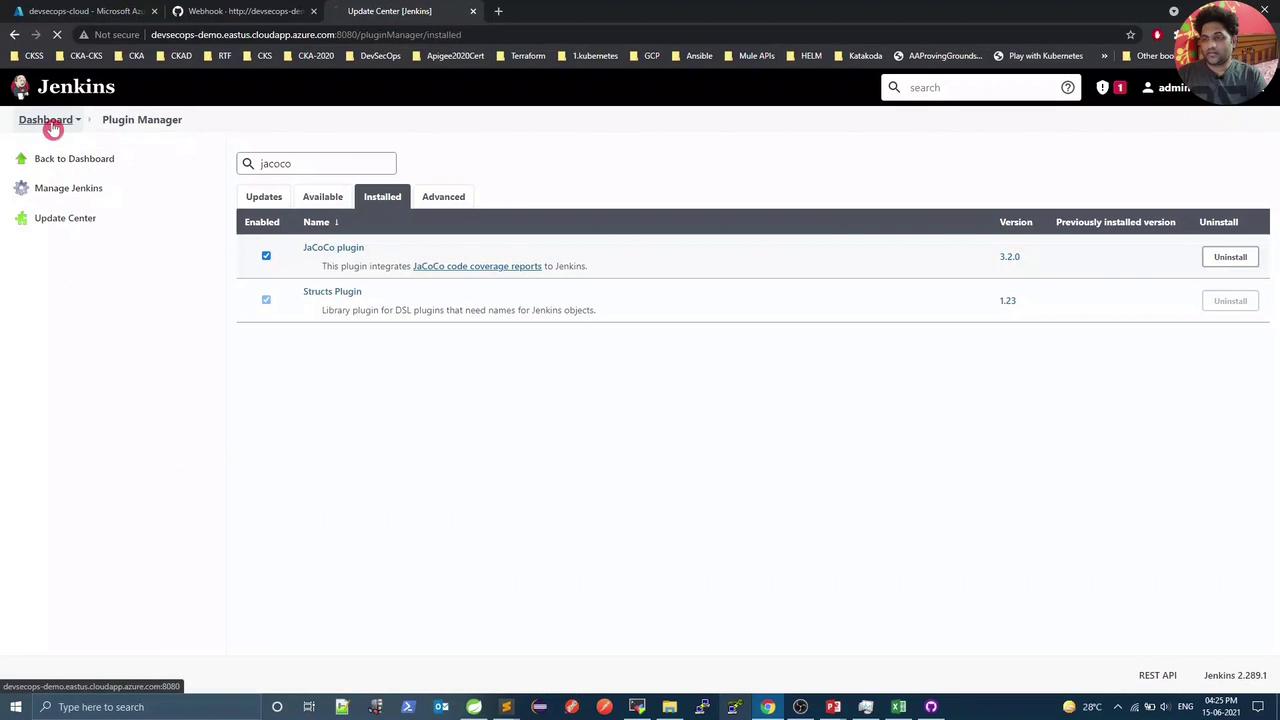
Then, refine the **Unit Tests** stage to archive JUnit results and publish coverage:
```groovy theme={null}
pipeline {
agent any
stages {
stage('Build - Maven') {
steps {
sh 'mvn clean package -DskipTests=true'
archive 'target/*.jar'
}
}
stage('Unit Tests & Coverage') {
steps {
sh 'mvn test'
}
post {
always {
// Publish JUnit results
junit 'target/surefire-reports/*.xml'
// Publish JaCoCo coverage
jacoco execPattern: 'target/jacoco.exec'
}
}
}
}
}
```
Commit and push again. After the build, Jenkins will display JaCoCo metrics in the console:
```plaintext theme={null}
[jacoco plugin] Collecting JaCoCo coverage data...
[jacoco plugin] Overall coverage: class: 100.0, method: 71.43, line: 61.11, branch: 100.0, instruction: 40.91, complexity: 75.0
```
Navigate to the build’s **Code Coverage Report** for a breakdown by package and file:
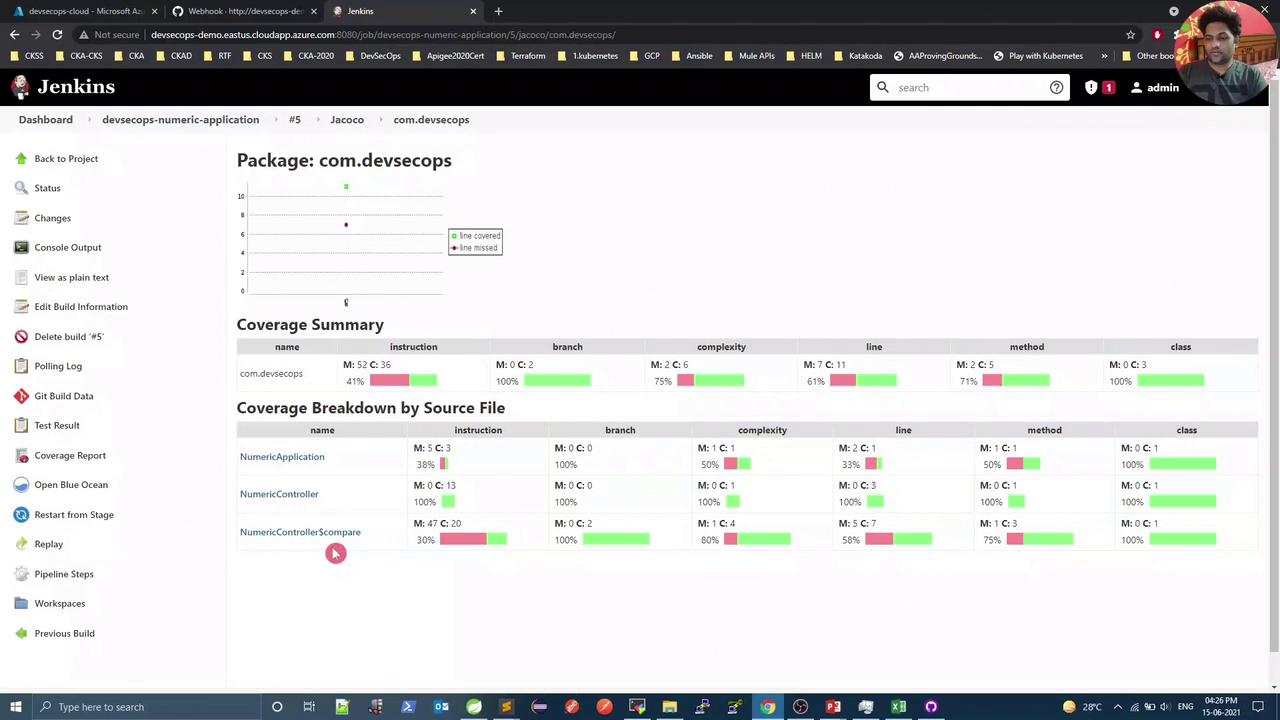
Any untested code (e.g., methods without assertions) will show 0% coverage. Add test cases to improve your coverage metrics.
## Next Steps
With your unit tests and coverage reports in place, you can now build a Docker image for this Spring Boot application and push it to Docker Hub.
***
## Links and References
* [Jenkins Pipeline Documentation](https://www.jenkins.io/doc/book/pipeline/)
* [JaCoCo Maven Plugin](https://www.jacoco.org/jacoco/trunk/doc/maven.html)
* [Spring Boot Reference Guide](https://docs.spring.io/spring-boot/docs/current/reference/htmlsingle/)
* [JUnit 5 User Guide](https://junit.org/junit5/docs/current/user-guide/)