> ## Documentation Index
> Fetch the complete documentation index at: https://notes.kodekloud.com/llms.txt
> Use this file to discover all available pages before exploring further.
# DAST Basics
> This article explains Dynamic Application Security Testing (DAST), its characteristics, advantages, limitations, and how it differs from Static Application Security Testing (SAST).
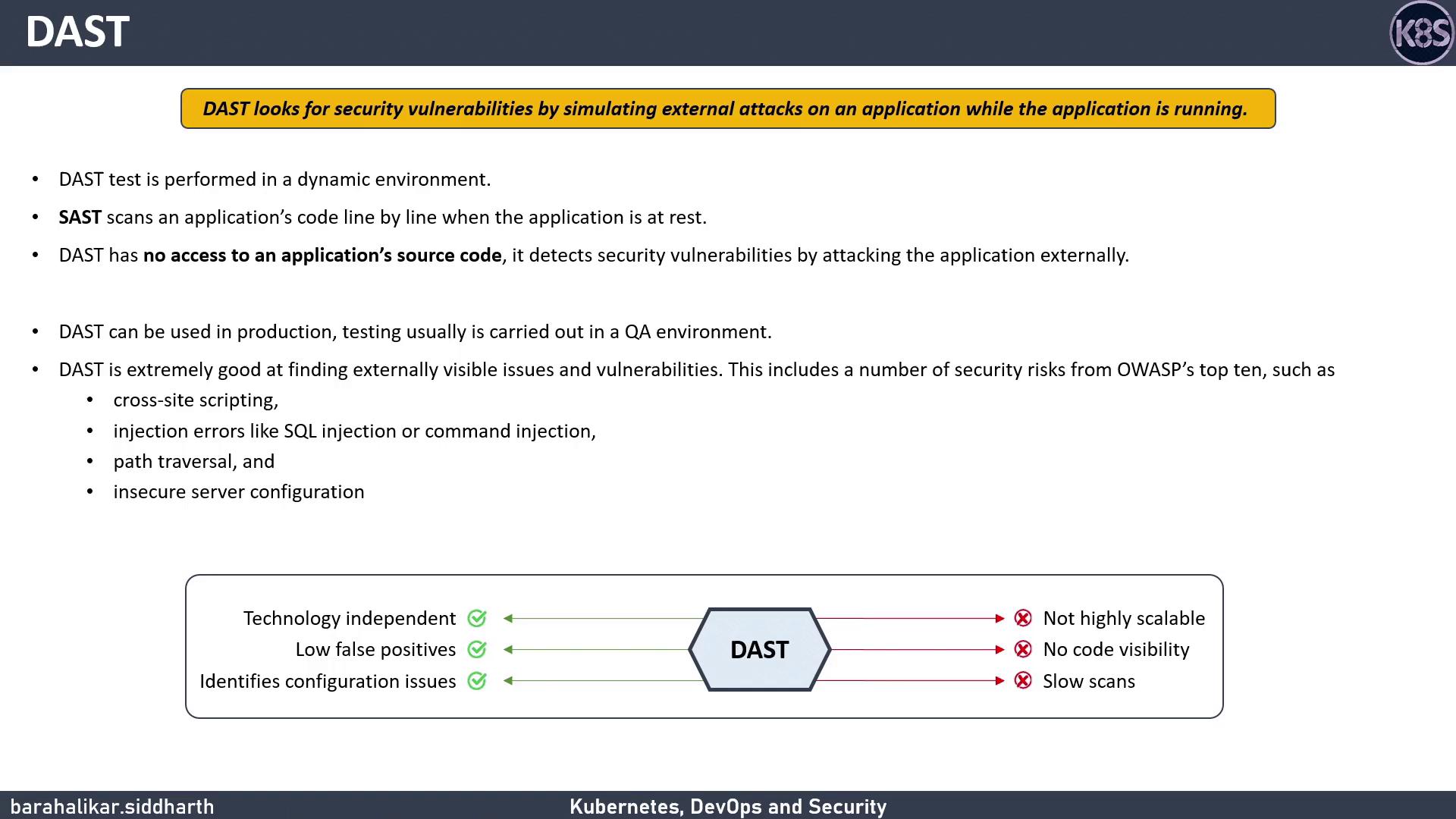
Dynamic Application Security Testing (DAST) simulates real-world attacks against a running application to uncover security flaws that only appear in a live environment. Unlike Static Application Security Testing (SAST), DAST has no access to source code—it interacts with the application’s interfaces (e.g., HTTP endpoints) to discover vulnerabilities.
## What Is Dynamic Application Security Testing (DAST)?
DAST evaluates an application from the outside in, detecting issues that might be missed when scanning code alone.
DAST is best suited for QA or pre-production environments. Running DAST in production can reveal critical flaws—but must be done with caution to avoid service disruptions.
Key characteristics:
* Executed against a live, deployed application
* No access to source code or binaries
* Ideal for catching misconfiguration and runtime issues
* Focuses on externally visible vulnerabilities
## Common Vulnerabilities Detected by DAST
DAST tools target many OWASP Top 10 risks. The table below shows typical findings:
| Vulnerability | Description | OWASP Category |
| ----------------------- | -------------------------------------------------- | ------------------------------------- |
| Cross-Site Scripting | Injection of malicious scripts into client pages | A03:2021 – XSS |
| SQL Injection | Malicious SQL statements altering database queries | A03:2021 – Injection |
| Command Injection | Execution of system commands via user inputs | A05:2021 – Security Misconfigurations |
| Insecure Configurations | Weak server settings, default credentials, etc. | A05:2021 – Security Misconfigurations |
## Pros and Cons of DAST
### Advantages
| Advantage | Details |
| ----------------------------- | ------------------------------------------------------------------------------------------------------------------------------ |
| Technology Independence | Works across languages and frameworks—no code parsing required. |
| Low False-Positive Rate | According to the [OWASP Benchmark Project](https://owasp.org/www-project-benchmark/), DAST tools report fewer false positives. |
| Configuration Issue Discovery | Exposes runtime misconfigurations that static analysis might overlook. |
### Limitations
| Limitation | Details |
| -------------------- | --------------------------------------------------------------------------------- |
| Limited Scalability | Requires expert-crafted test cases; difficult to automate fully at scale. |
| No Code Visibility | Cannot pinpoint the exact line in source code where a flaw originates. |
| Performance Overhead | Scans can take hours or days, delaying feedback and increasing remediation costs. |
## DAST vs. SAST
Comparing Static vs. Dynamic analysis:
| Aspect | SAST | DAST |
| ------------------- | ------------------------------------------------- | ------------------------------------------------- |
| Analysis Type | Static source-code scanning | Runtime interaction with a live application |
| Visibility | Pinpoints issues to specific code lines | Identifies externally visible flaws only |
| False-Positive Rate | Can generate more false positives without context | Generally lower when properly configured |
| Use Case | Early in SDLC, developer feedback | QA, pre-production, and (with caution) production |
Running DAST against production workloads can impact performance. Schedule scans during low-traffic windows and ensure proper monitoring.
## Next Steps
In the following lesson, we’ll use [OWASP ZAP](https://www.zaproxy.org/) to perform a dynamic scan on an application deployed in a Kubernetes cluster. You'll learn how to:
1. Configure OWASP ZAP for automated scanning
2. Interpret scan reports to prioritize fixes
3. Integrate DAST into a CI/CD pipeline
## Links and References
* [OWASP Top Ten](https://owasp.org/www-project-top-ten/)
* [OWASP ZAP](https://www.zaproxy.org/)
* [OWASP Benchmark Project](https://owasp.org/www-project-benchmark/)