> ## Documentation Index
> Fetch the complete documentation index at: https://notes.kodekloud.com/llms.txt
> Use this file to discover all available pages before exploring further.

# Demo Dependency Check

> This article covers integrating the OWASP Dependency-Check Maven plugin into a Spring Boot project for automated vulnerability scanning in Jenkins.

In this hands-on tutorial, we’ll integrate the OWASP Dependency-Check Maven plugin into a Spring Boot project and automate vulnerability scanning in Jenkins. You will:

1. Configure the Dependency-Check plugin in `pom.xml`.
2. Verify documentation and install required Jenkins plugins.
3. Update the `Jenkinsfile` to run the scan and publish reports.
4. Analyze results, upgrade dependencies, or adjust CVSS thresholds.

## 1. Add the OWASP Dependency-Check Plugin

Open your `pom.xml` and register the plugin alongside existing ones (JaCoCo, PIT, etc.):

```xml theme={null}
<build>
  <plugins>
    <!-- Other build plugins (JaCoCo, PIT) -->

    <!-- OWASP Dependency-Check -->
    <plugin>
      <groupId>org.owasp</groupId>
      <artifactId>dependency-check-maven</artifactId>
      <version>6.1.6</version>
      <configuration>
        <format>ALL</format>
        <failBuildOnCVSS>9</failBuildOnCVSS>
        <!-- You can add suppression files, proxy settings, internal CVE mirrors, etc. -->
      </configuration>
    </plugin>
  </plugins>
</build>
```

Here we generate **JSON, CSV, XML, and HTML** reports and fail builds for vulnerabilities with CVSS ≥ 9.

```bash theme={null}
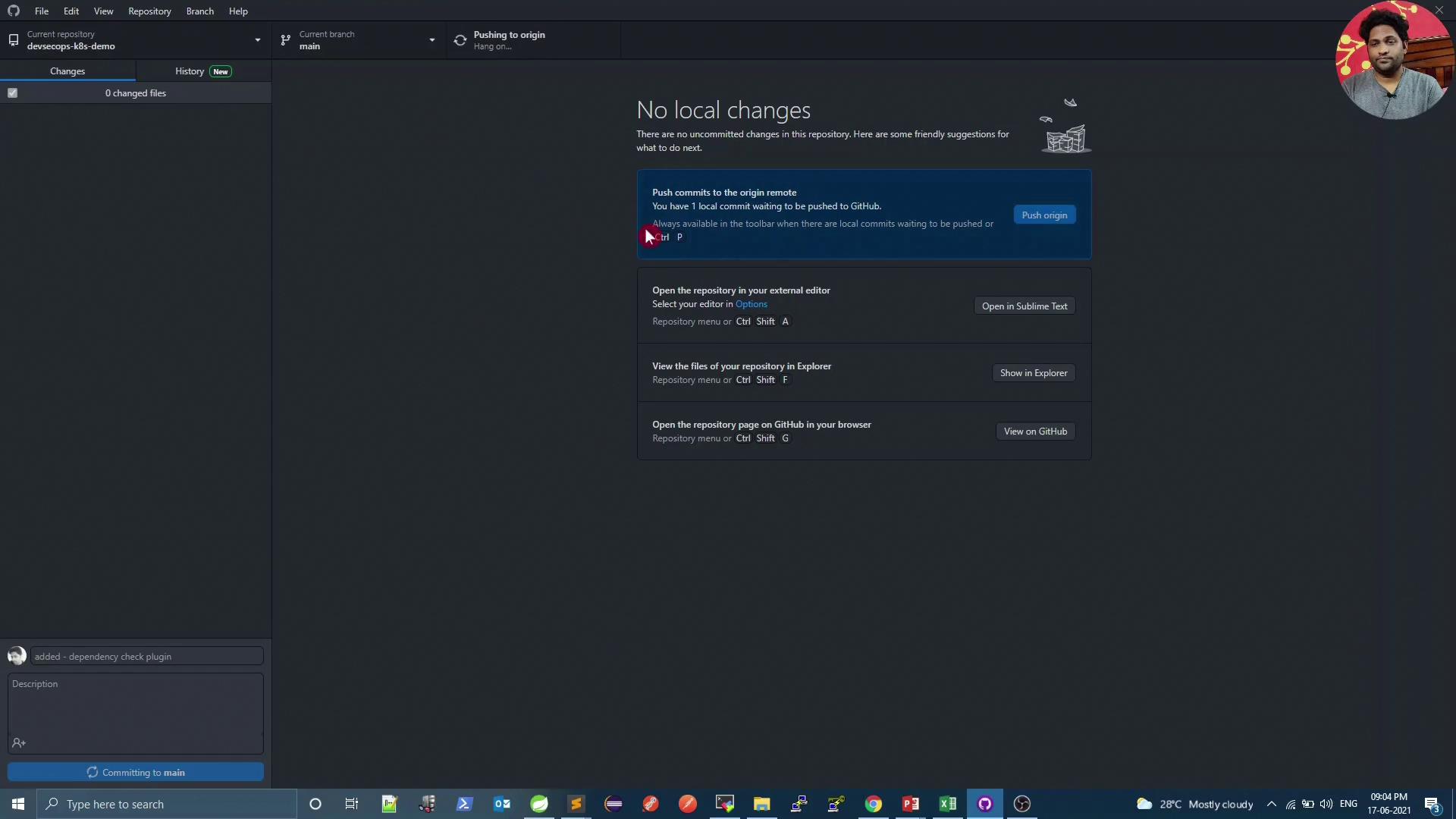
git add pom.xml
git commit -m "Add OWASP Dependency-Check Maven plugin"
git push
```
<Frame>
  ![The image shows a GitHub Desktop interface with no local changes and options to push commits, open the repository in an editor, view files in Explorer, or open the repository on GitHub. The taskbar at the bottom displays various application icons.](https://kodekloud.com/kk-media/image/upload/v1752873607/notes-assets/images/DevSecOps-Kubernetes-DevOps-Security-Demo-Dependency-Check/github-desktop-interface-no-changes.jpg)
</Frame>

<Callout icon="lightbulb" color="#1CB2FE">
  Always align the plugin version with the latest stable release. Check [Maven Central](https://search.maven.org/search?q=g:org.owasp%20AND%20a:dependency-check-maven) for updates.
</Callout>

## Report Formats at a Glance

| Format | File Extension | Description               |
| ------ | -------------- | ------------------------- |
| HTML   | `.html`        | Human-readable web report |
| XML    | `.xml`         | Jenkins publisher input   |
| JSON   | `.json`        | API consumption           |
| CSV    | `.csv`         | Spreadsheet analysis      |

## 2. Verify Plugin Docs & Jenkins Preparation

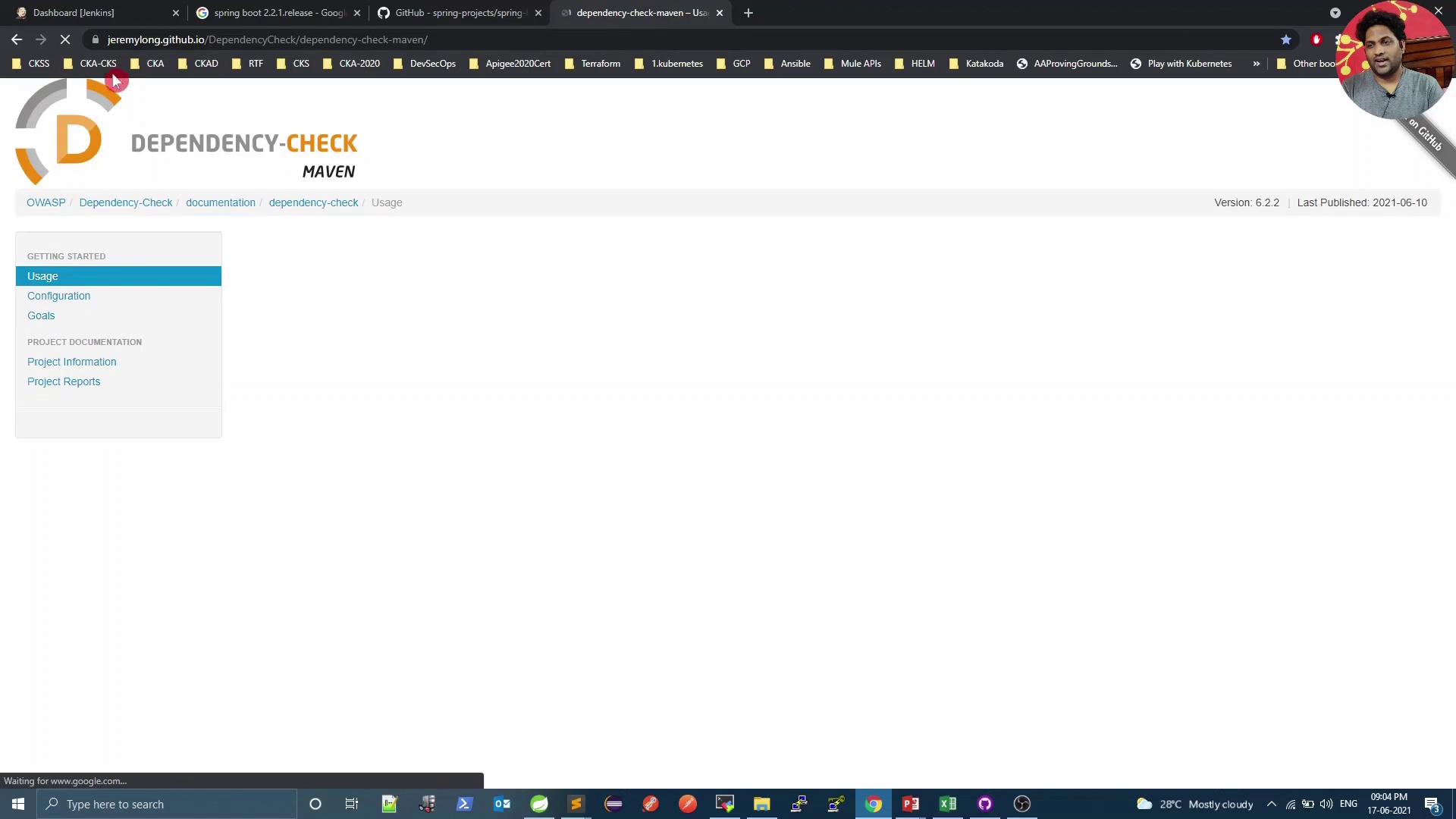
Refer to the official Dependency-Check Maven plugin guide for advanced configurations:
<Frame>
  ![The image shows a webpage for "Dependency-Check Maven" with a navigation menu on the left and a header displaying version information. The browser tabs and taskbar are visible, indicating it's a screenshot from a computer.](https://kodekloud.com/kk-media/image/upload/v1752873609/notes-assets/images/DevSecOps-Kubernetes-DevOps-Security-Demo-Dependency-Check/dependency-check-maven-webpage-screenshot.jpg)
</Frame>

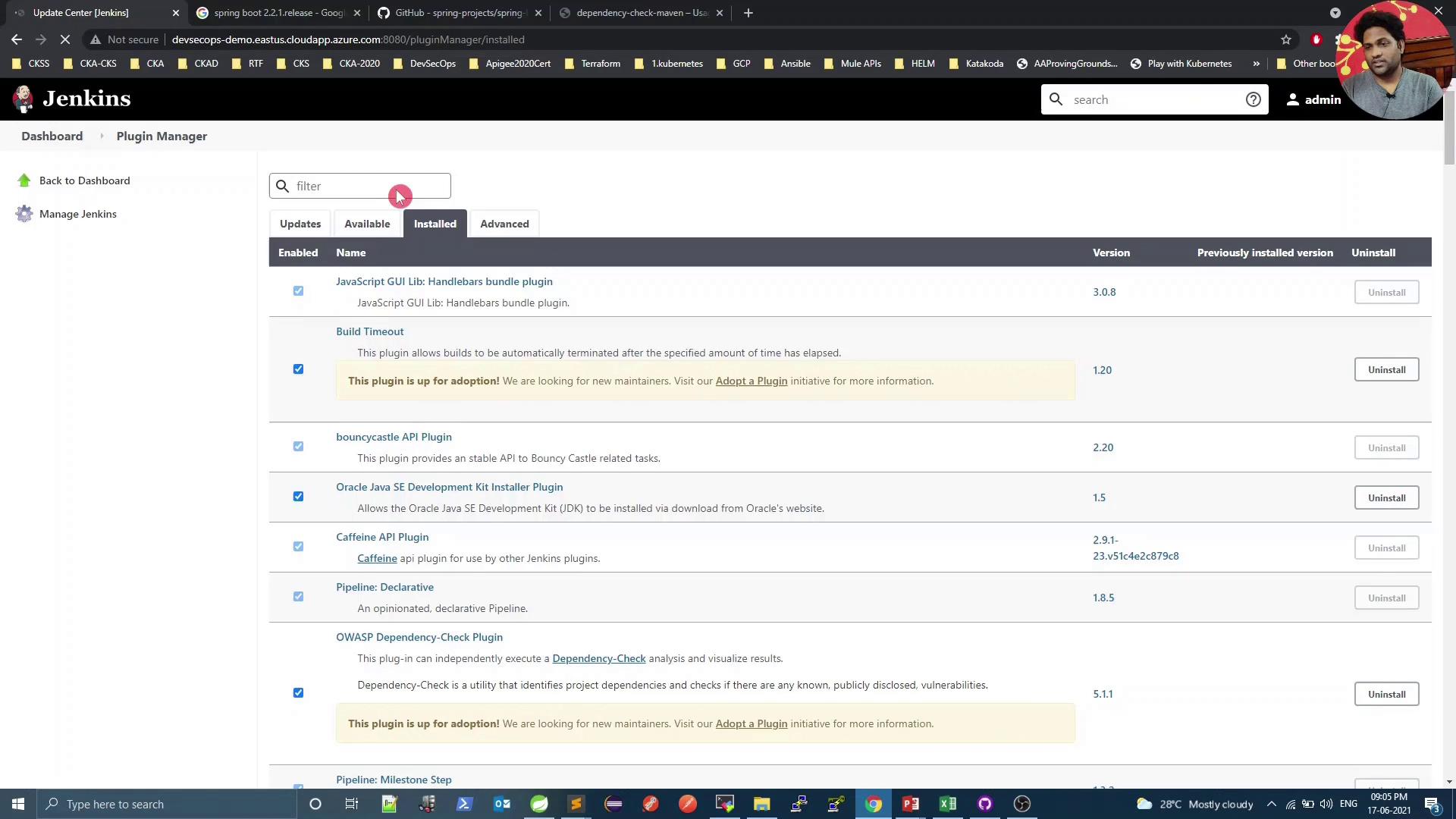
Ensure the **Dependency-Check Publisher** plugin is installed in Jenkins:
<Frame>
  ![The image shows the Jenkins Plugin Manager interface, specifically the "Installed" tab, listing various plugins with options to uninstall them.](https://kodekloud.com/kk-media/image/upload/v1752873610/notes-assets/images/DevSecOps-Kubernetes-DevOps-Security-Demo-Dependency-Check/jenkins-plugin-manager-installed-tab.jpg)
</Frame>

<Callout icon="triangle-alert" color="#FF6B6B">
  Without the Dependency-Check Publisher plugin, Jenkins cannot display the HTML or XML reports. Install or update it via **Manage Jenkins → Plugin Manager**.
</Callout>

## 3. Update Your Jenkins Pipeline

Insert a new stage in `Jenkinsfile` before pushing Docker images:

```groovy theme={null}
stage('Vulnerability Scan') {
  steps {
    sh 'mvn dependency-check:check'
  }
  post {
    always {
      dependencyCheckPublisher pattern: 'target/dependency-check-report.xml'
    }
  }
}
```

Commit and push to trigger the updated pipeline.

## 4. Run the Pipeline and View Status

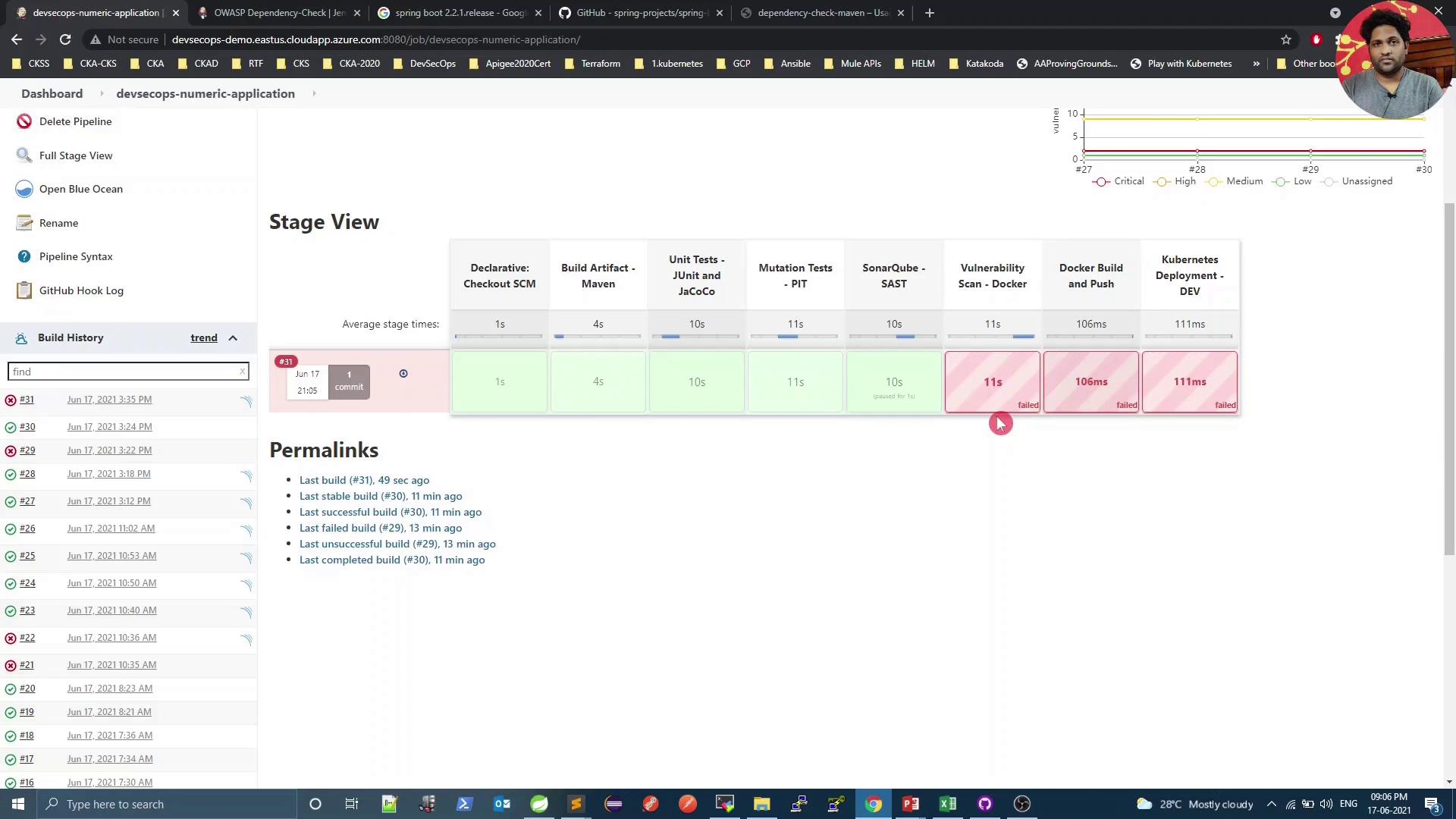
Kick off a new build in Jenkins. The scan downloads CVE data from NVD and examines all project dependencies.
<Frame>
  ![The image shows a Jenkins pipeline stage view with various stages like "Declarative: Checkout SCM," "Build Artifact - Maven," and others, indicating the status and duration of each stage. Some stages are marked as failed, highlighted in red, while others are successful, highlighted in green.](https://kodekloud.com/kk-media/image/upload/v1752873611/notes-assets/images/DevSecOps-Kubernetes-DevOps-Security-Demo-Dependency-Check/jenkins-pipeline-stage-view-status.jpg)
</Frame>

## 5. Analyze the Scan Output

In the console logs, you’ll see entries like:

```text theme={null}
[INFO] Writing report to: .../target/dependency-check-report.sarif
[INFO] Writing report to: .../target/dependency-check-junit.xml
One or more dependencies were identified with known vulnerabilities:
- numeric:
  hibernate-validator:6.0.18.Final ... : CVE-2020-10693
  jackson-databind:2.12.1 ... : CVE-2020-25649
  ...
```

On the pipeline dashboard, click into the Dependency-Check results:
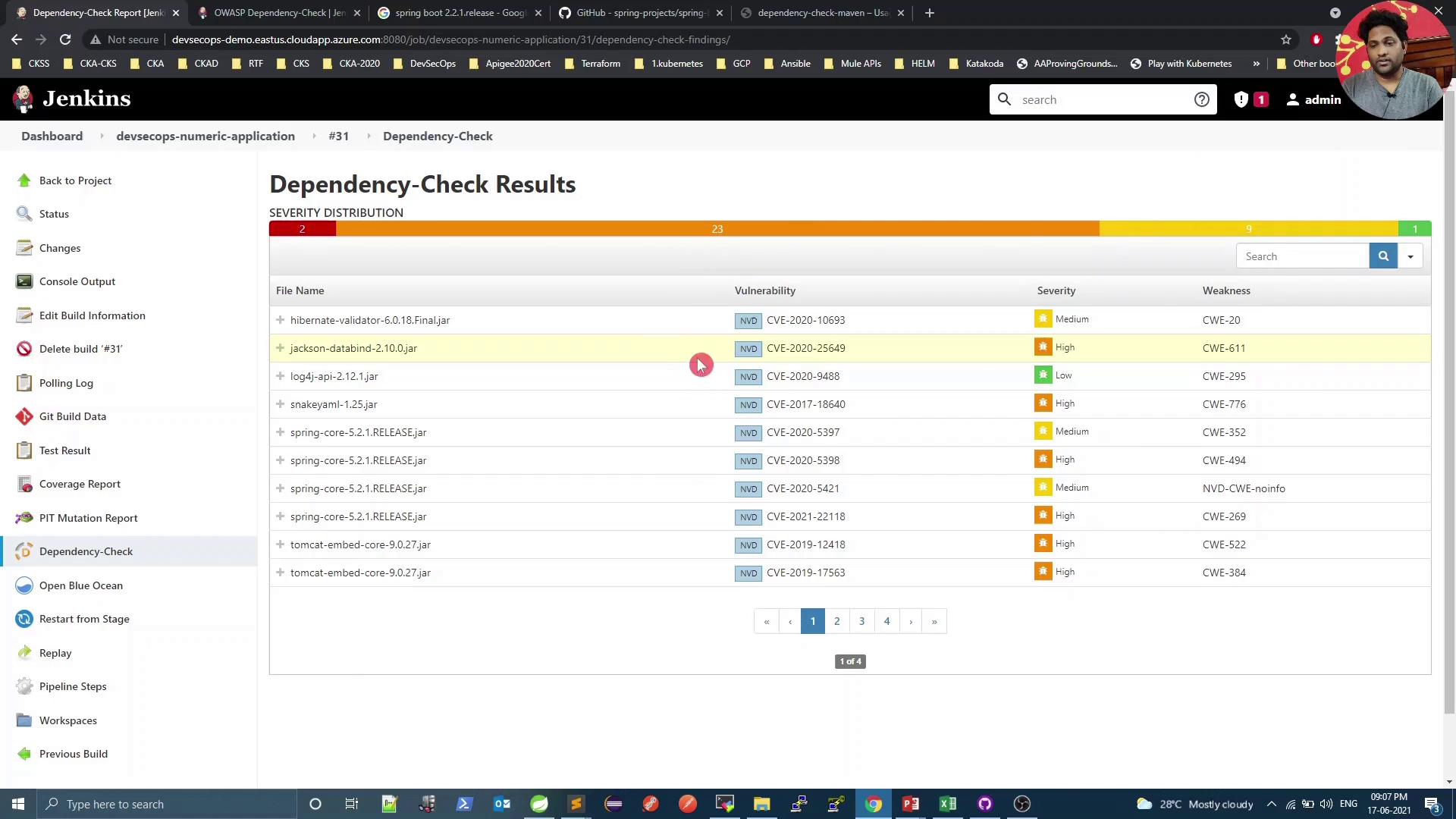
<Frame>
  ![The image shows a Jenkins dashboard displaying dependency-check results, listing various software vulnerabilities with their severity levels and associated weaknesses.](https://kodekloud.com/kk-media/image/upload/v1752873613/notes-assets/images/DevSecOps-Kubernetes-DevOps-Security-Demo-Dependency-Check/jenkins-dashboard-dependency-check-results.jpg)
</Frame>

Select a specific dependency to inspect details:
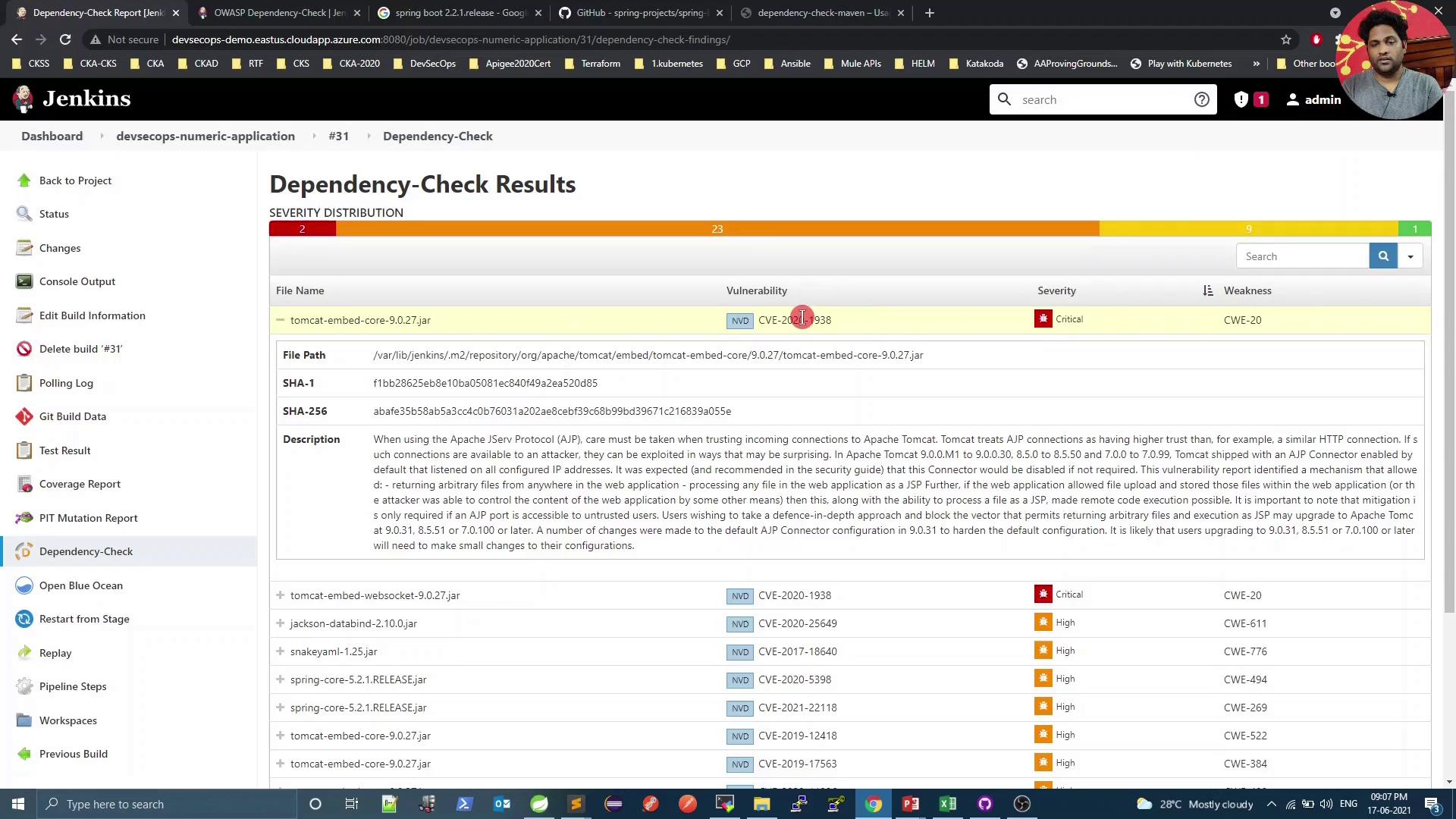
<Frame>
  ![The image shows a Jenkins interface displaying dependency-check results, highlighting vulnerabilities in various files with severity levels, including a critical issue in "tomcat-embed-core-9.0.27.jar."](https://kodekloud.com/kk-media/image/upload/v1752873615/notes-assets/images/DevSecOps-Kubernetes-DevOps-Security-Demo-Dependency-Check/jenkins-dependency-check-results-vulnerabilities.jpg)
</Frame>

For instance, CVE-2020-1938 is rated 9.8 (critical):
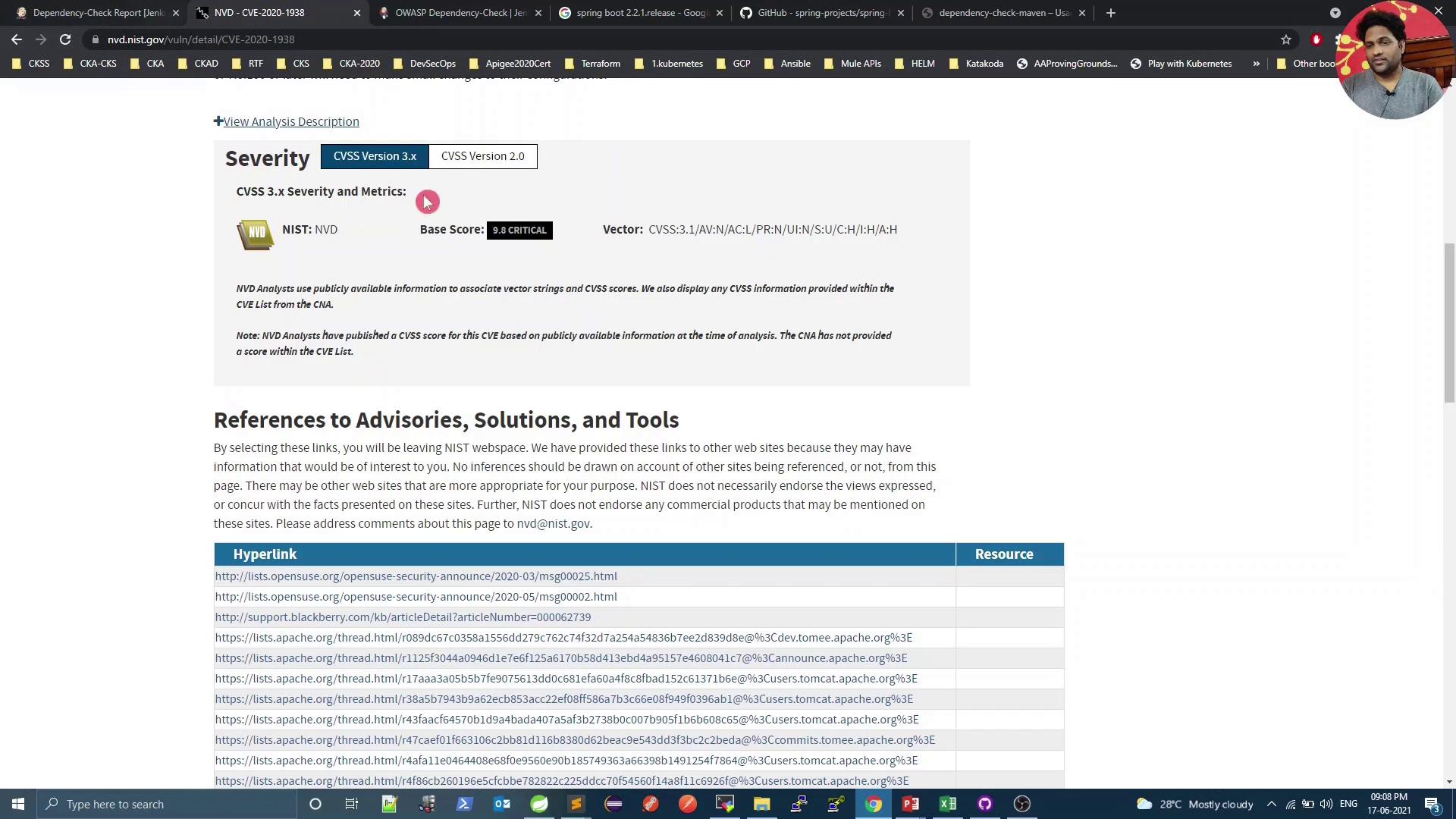
<Frame>
  ![The image shows a webpage detailing a security vulnerability (CVE-2020-1938) with a critical severity score of 9.8, along with references to advisories, solutions, and tools.](https://kodekloud.com/kk-media/image/upload/v1752873617/notes-assets/images/DevSecOps-Kubernetes-DevOps-Security-Demo-Dependency-Check/cve-2020-1938-security-vulnerability-details.jpg)
</Frame>

Because we set `failBuildOnCVSS=9`, the build fails on such high-severity findings. Next, we’ll explore mitigation.

## 6. Explore Transitive Dependencies

Spring Boot starters often introduce indirect (transitive) dependencies. Open your IDE’s dependency hierarchy to examine them:

```xml theme={null}
<parent>
  <groupId>org.springframework.boot</groupId>
  <artifactId>spring-boot-starter-parent</artifactId>
  <version>2.2.1.RELEASE</version>
</parent>
...
<dependencies>
  <dependency>
    <groupId>org.springframework.boot</groupId>
    <artifactId>spring-boot-starter-web</artifactId>
  </dependency>
  <!-- other starters -->
</dependencies>
```

<Frame>
  ![The image shows a software development environment with a dependency hierarchy and terminal window open, likely in an IDE like Spring Tool Suite. There's also a small video call or profile picture overlay in the top right corner.](https://kodekloud.com/kk-media/image/upload/v1752873618/notes-assets/images/DevSecOps-Kubernetes-DevOps-Security-Demo-Dependency-Check/software-development-environment-dependency-hierarchy.jpg)
</Frame>

## 7. Upgrade Spring Boot Version

Check the latest Spring Boot tags on GitHub to find patched releases:

<Frame>
  ![The image shows a GitHub repository page for "spring-projects/spring-boot," displaying branches, tags, and recent commits. A dropdown menu is open, showing different version tags.](https://kodekloud.com/kk-media/image/upload/v1752873619/notes-assets/images/DevSecOps-Kubernetes-DevOps-Security-Demo-Dependency-Check/github-repo-spring-boot-branches-tags.jpg)
</Frame>

After confirming compatibility, bump the parent version:

```xml theme={null}
<parent>
  <groupId>org.springframework.boot</groupId>
  <artifactId>spring-boot-starter-parent</artifactId>
  <version>2.3.5.RELEASE</version>
  <relativePath/>
</parent>
```

Commit and push to trigger the pipeline again.

## 8. Re-run the Scan & Inspect Reports

The build and tests should now pass, but the Vulnerability Scan may still detect lower-severity issues.
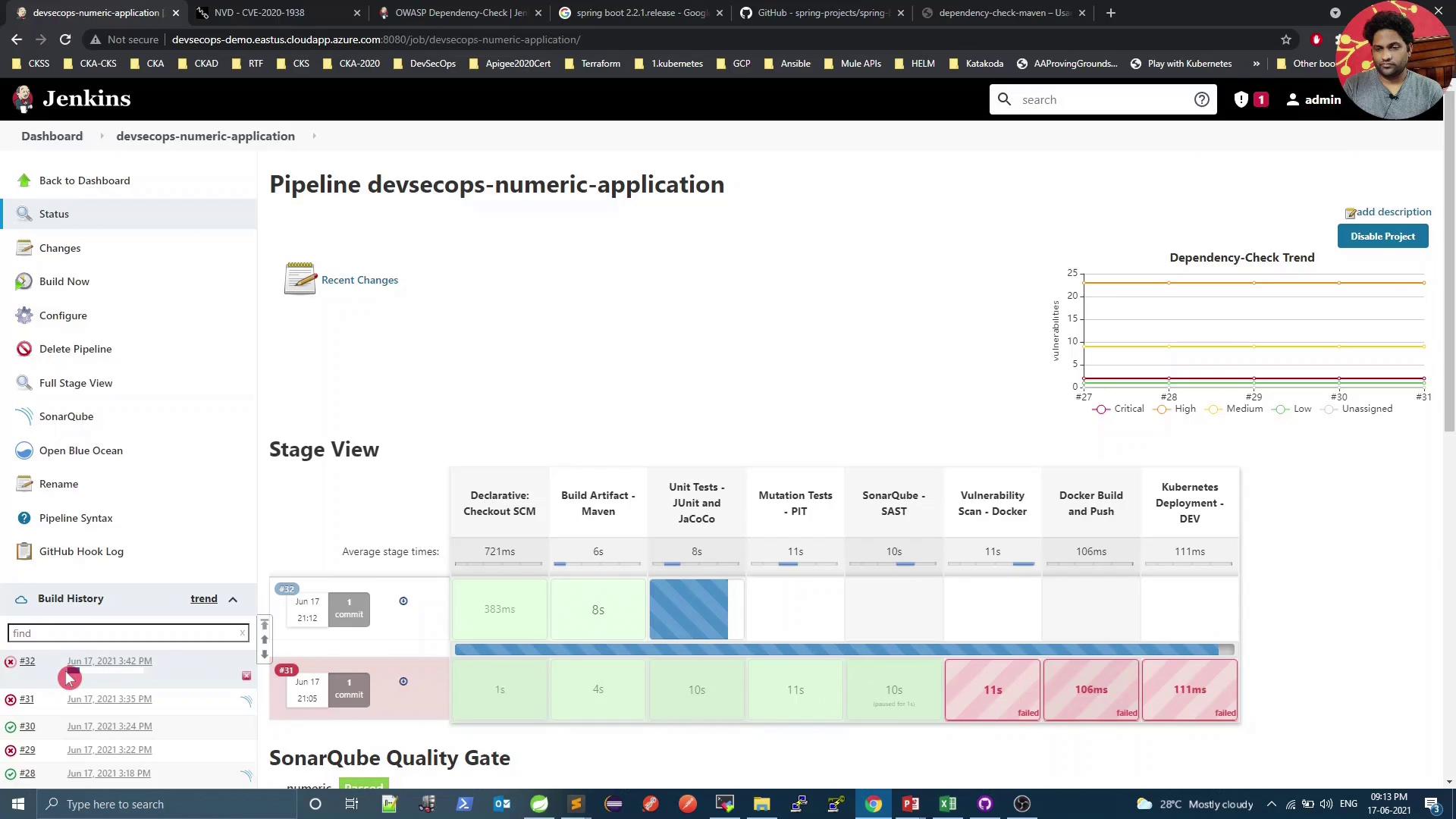
<Frame>
  ![The image shows a Jenkins dashboard for a pipeline named "devsecops-numeric-application," displaying a stage view with various build stages and their statuses, along with a dependency-check trend graph. The build history on the left indicates recent builds, with some marked as failed.](https://kodekloud.com/kk-media/image/upload/v1752873620/notes-assets/images/DevSecOps-Kubernetes-DevOps-Security-Demo-Dependency-Check/jenkins-dashboard-devsecops-pipeline-status.jpg)
</Frame>

Console summary:

```text theme={null}
[INFO] --- dependency-check-maven:6.1.6:check ---
[WARNING] One or more dependencies were identified with known vulnerabilities in numeric:
  spring-core:5.2.10.RELEASE ... : CVE-2020-17527, CVE-2020-9484, CVE-2021-25112, CVE-2021-25239
```

Open the HTML report:
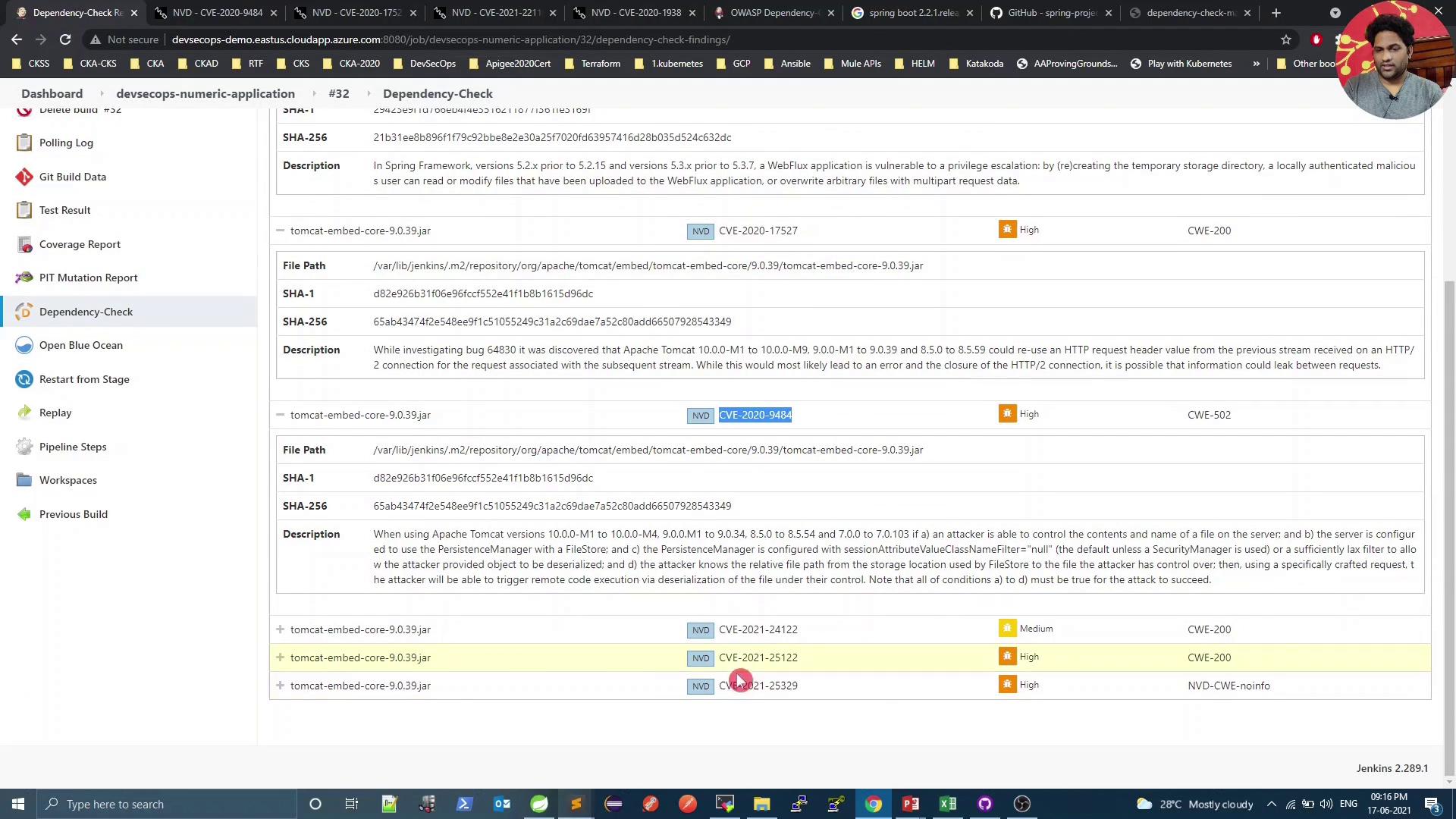
<Frame>
  ![The image shows a software dependency check report with details about vulnerabilities, including CVE identifiers, severity levels, and descriptions. It appears to be part of a Jenkins build environment.](https://kodekloud.com/kk-media/image/upload/v1752873622/notes-assets/images/DevSecOps-Kubernetes-DevOps-Security-Demo-Dependency-Check/software-dependency-check-report-jenkins.jpg)
</Frame>

## 9. Adjust the CVSS Threshold

If you deem remaining vulnerabilities acceptable, lower the failure threshold in `pom.xml`:

```xml theme={null}
<plugin>
  <groupId>org.owasp</groupId>
  <artifactId>dependency-check-maven</artifactId>
  <version>6.1.6</version>
  <configuration>
    <format>ALL</format>
    <failBuildOnCVSS>8</failBuildOnCVSS>
  </configuration>
</plugin>
```

For example, CVE-2021-25329 has a score of 7.0:
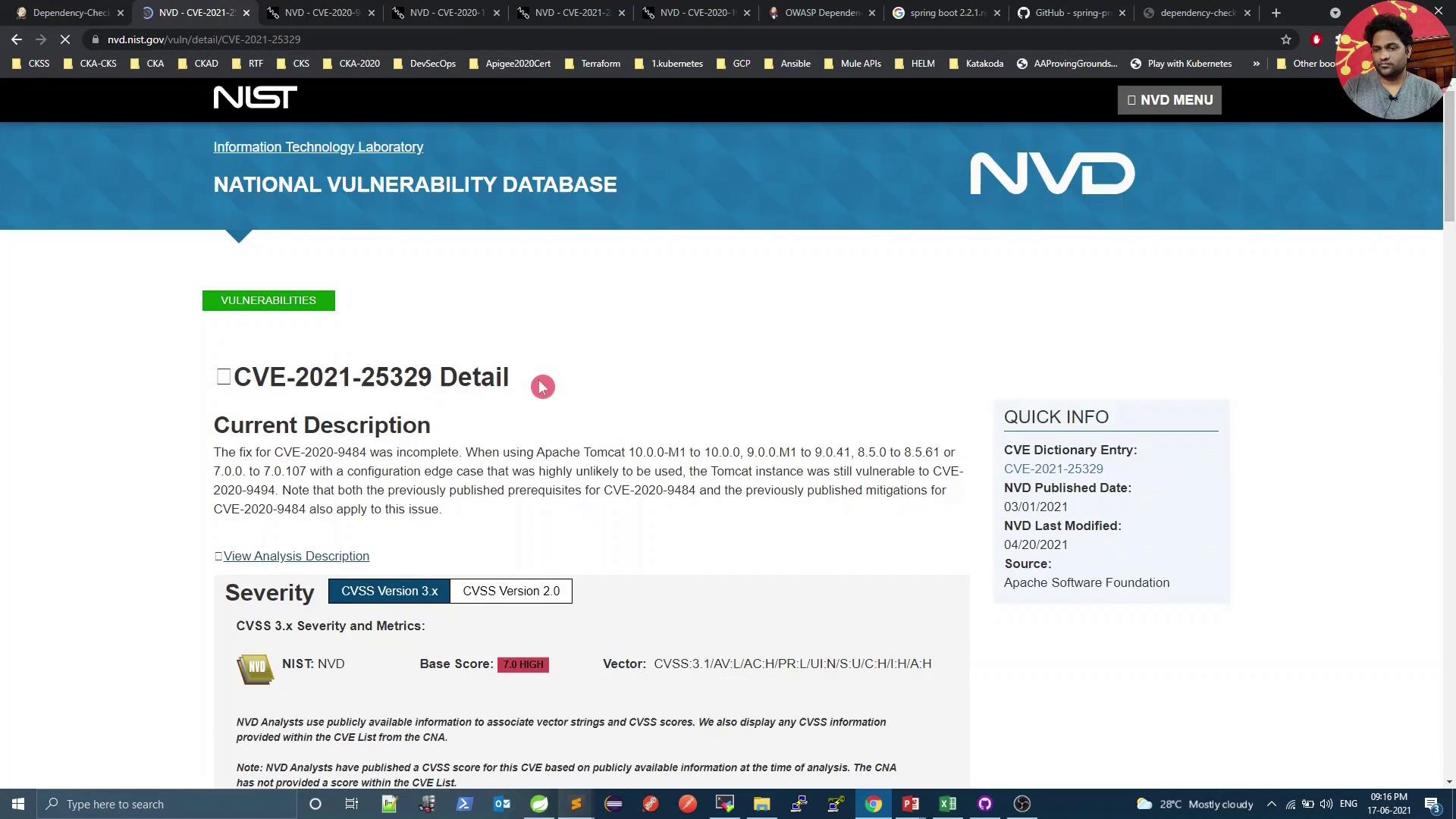
<Frame>
  ![The image shows a webpage from the National Vulnerability Database detailing CVE-2021-25329, a vulnerability related to Apache Tomcat, with a severity score of 7.0 (high). It includes a description of the issue and quick info about the CVE entry.](https://kodekloud.com/kk-media/image/upload/v1752873623/notes-assets/images/DevSecOps-Kubernetes-DevOps-Security-Demo-Dependency-Check/cve-2021-25329-apache-tomcat-vulnerability.jpg)
</Frame>

Commit and push your changes. The pipeline will now pass the vulnerability stage for all CVSS \< 8.
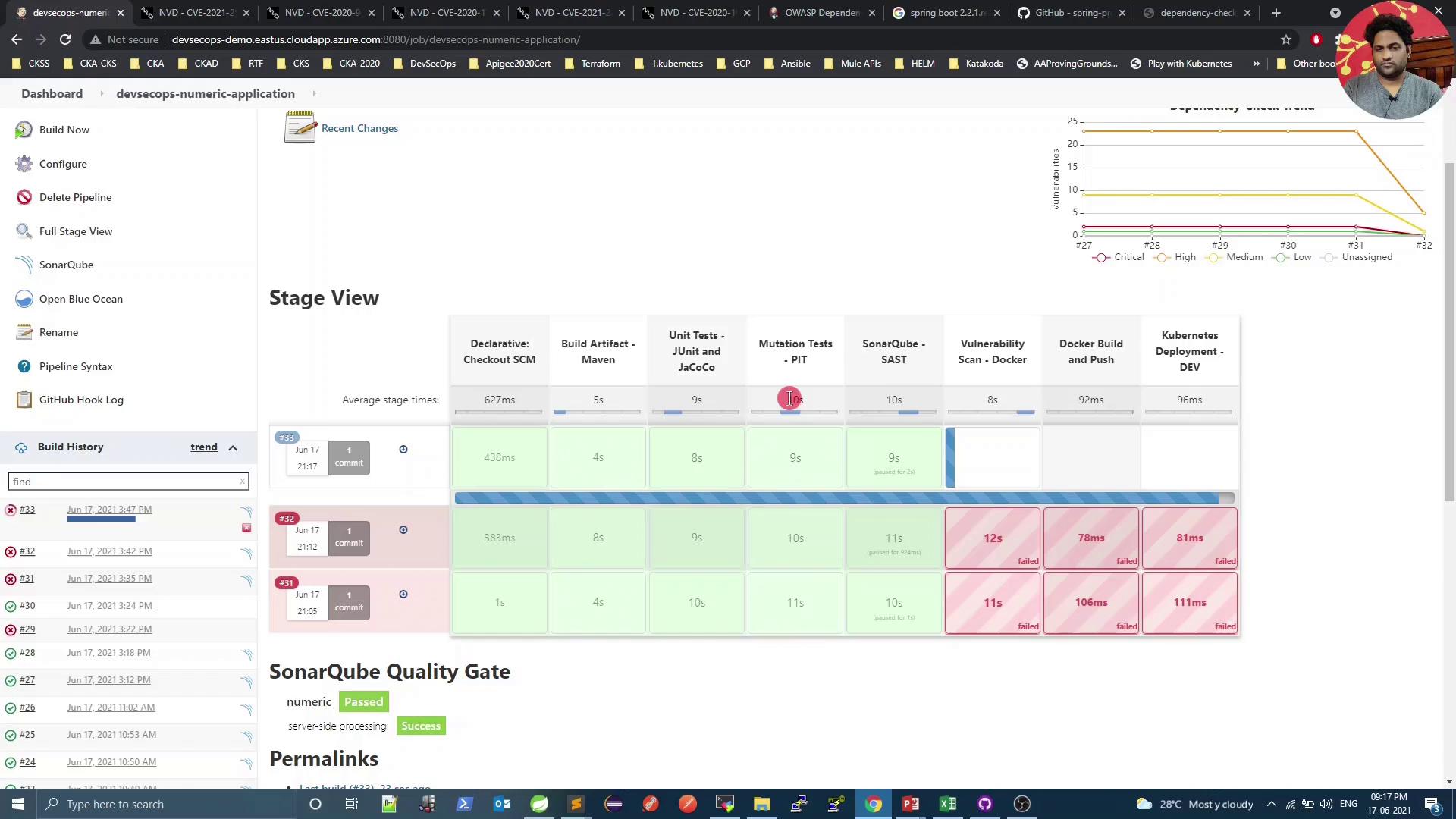
<Frame>
  ![The image shows a Jenkins pipeline dashboard for a project named "devsecops-numeric-application," displaying various stages of the build process, including tests and scans, with some stages marked as failed. A graph on the top right shows dependency check trends.](https://kodekloud.com/kk-media/image/upload/v1752873624/notes-assets/images/DevSecOps-Kubernetes-DevOps-Security-Demo-Dependency-Check/jenkins-pipeline-dashboard-devsecops-numeric.jpg)
</Frame>

***

You’ve successfully integrated OWASP Dependency-Check into your CI pipeline. In our next lesson, we’ll explore container scanning with Trivy.

<CardGroup>
  <Card title="Watch Video" icon="video" cta="Learn more" href="https://learn.kodekloud.com/user/courses/devsecops-kubernetes-devops-security/module/877bd662-968c-40a5-bda6-a42b600ea957/lesson/d586aaad-cb3a-4802-a507-d13eea034628" />
</CardGroup>
