> ## Documentation Index
> Fetch the complete documentation index at: https://notes.kodekloud.com/llms.txt
> Use this file to discover all available pages before exploring further.
# Demo OWASP ZAP Ignore Test Cases
> This article demonstrates upgrading Spring Security, configuring OWASP ZAP to ignore warnings, and adjusting Dependency-Check thresholds for continuous security in CI/CD pipelines.
In this walkthrough, we’ll demonstrate how to
1. Upgrade a vulnerable Spring Security dependency.
2. Configure OWASP ZAP API scan to ignore expected warnings.
3. Adjust OWASP Dependency-Check thresholds and verify results.
Integrating these steps into your CI/CD pipeline ensures continuous security hygiene for new code and dependencies.
***
## 1. Upgrade Spring Security Dependency
Run your Trivy scan to identify current vulnerabilities:
```bash theme={null}
bash trivy-k8s-scan.sh
```
```text theme={null}
siddharth67/numeric-app:98a731c56919f167918d79d396d327c4faf6c32 (alpine 3.13.5)
Total: 0 (LOW: 0, MEDIUM: 0, HIGH: 0)
home/k8s-pipeline/app.jar
Total: 2 (LOW: 0, MEDIUM: 0, HIGH: 2)
+-----------------------------------------------------------+
| LIBRARY |
| org.springframework.security:spring-security-core |
| CVE-2021-22112 | HIGH | 5.3.5.RELEASE → 5.4.4 |
| org.springframework.security:spring-security-web |
| (also fixed in 5.4.4) |
+-----------------------------------------------------------+
Exit Code: 0
Image scanning passed. No vulnerabilities found
```
The scan reports two **HIGH** issues in Spring Security. We’ll upgrade both to **5.4.4**.
Open `pom.xml` and locate your parent and properties:
```xml theme={null}
org.springframework.boot
spring-boot-starter-parent
2.3.5.RELEASE
...
1.8
org.springframework.boot
spring-boot-starter-web
```
Hover over the parent in your IDE to confirm Spring Security is at `5.3.5.RELEASE`. Then override it by adding the following to the `` block:
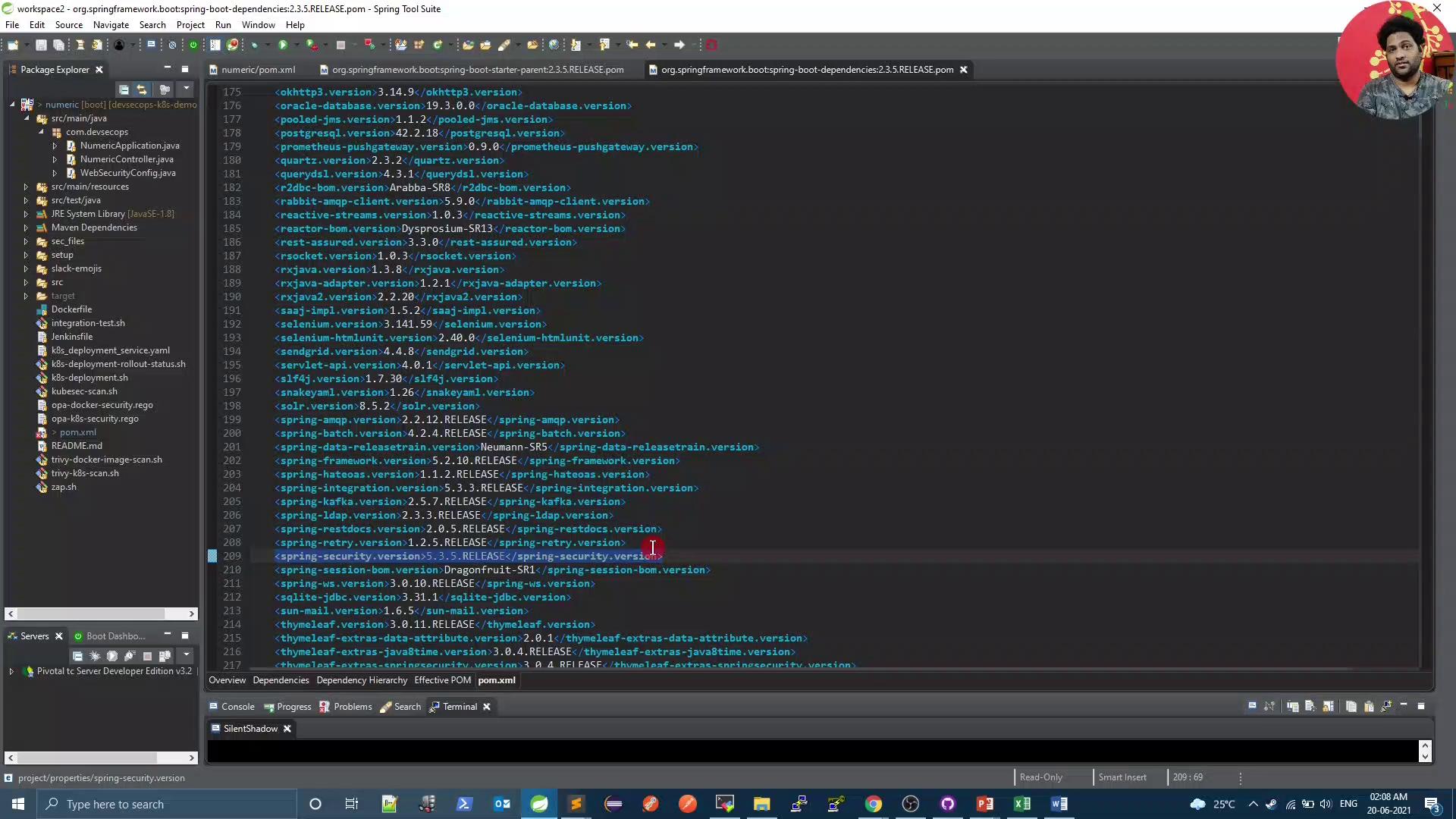
```xml theme={null}
1.8
5.4.4
```
Rebuild your project and rerun the Trivy scan. You should now see **no high-severity** Spring Security vulnerabilities.
***
## 2. Configure OWASP ZAP API Scan to Ignore Specific Warnings
By default, ZAP flags all rule violations, even those expected by your API. For example:
```bash theme={null}
bash zap.sh
...
WARN-New: Unexpected Content-Type returned [10001] x 3
http://...:31933/ (200)
http://...:31933/compare/10 (200)
http://...:31933/compare/10/ (200)
FAIL-New: 0 WARN-New: 1 PASS: 115
Exit Code: 2
```
### 2.1 Generate Default ZAP Configuration
Use the OpenAPI scan script to generate a baseline `gen_file`:
```bash theme={null}
docker run -v $(pwd):/zap/wrk/:rw -t owasp/zap2docker-weekly \
zap-api-scan.py \
-t http://devsecops-demo.eastus.cloudapp.azure.com:31933/v3/api-docs \
-f openapi \
-g gen_file
```
This creates a rules file where **all** rules are set to `WARN`.
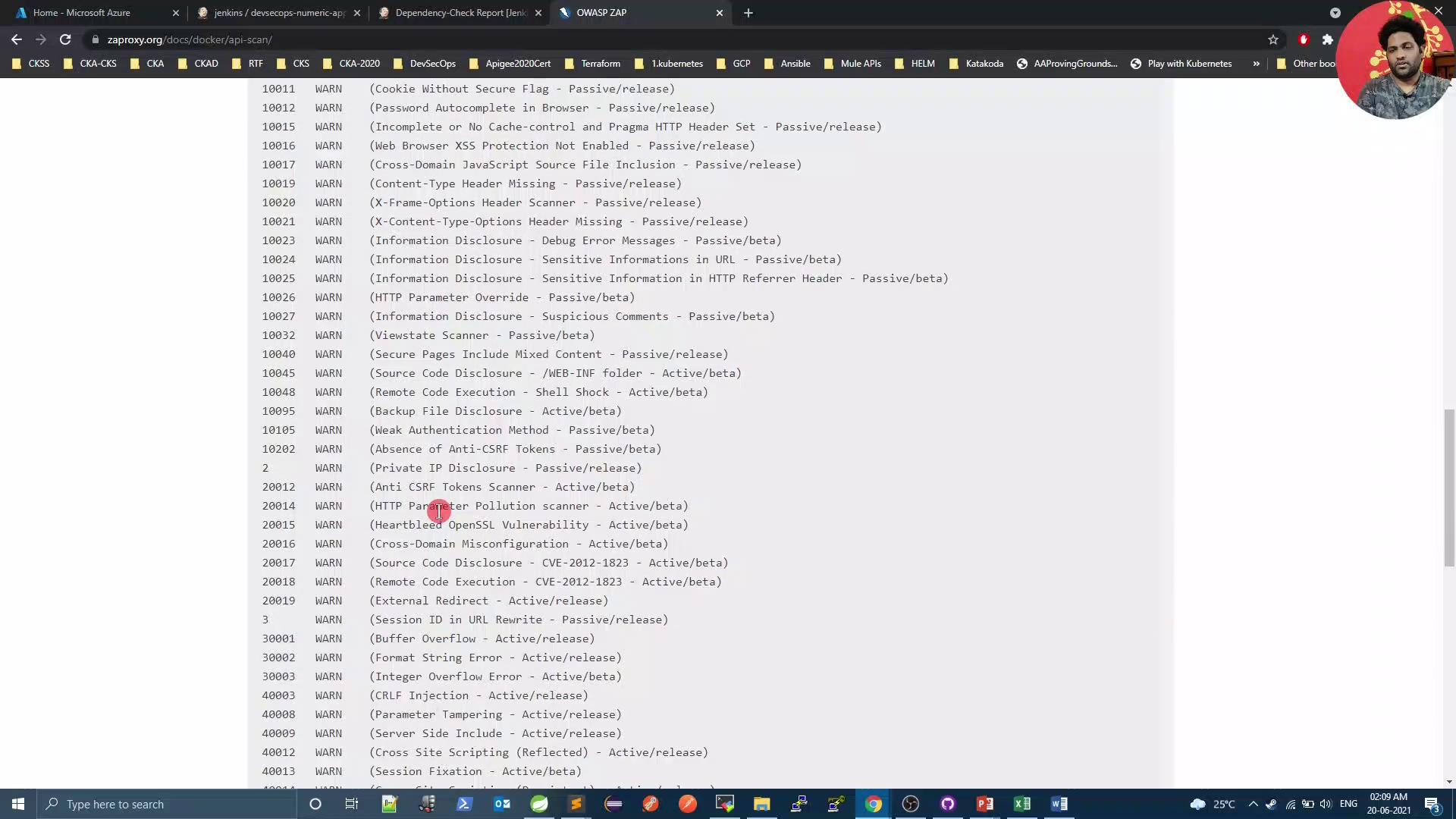
### 2.2 Define Ignored Rules
Create a `zap_rules` file at your repo root to ignore specific rule IDs:
```text theme={null}
# zap-api-scan rule configuration file
# Columns:
10001 IGNORE (Unexpected Content-Type was returned)
10000 IGNORE (A Server Error response code was returned)
```
Use **tabs** between columns—not spaces—to separate `ruleId`, `status`, and `description`.
### 2.3 Update `zap.sh`
Modify your scan script to reference `zap_rules` and generate an HTML report:
```bash theme={null}
#!/bin/bash
PORT=$(kubectl get svc ${serviceName} -o json | jq .spec.ports[].nodePort)
docker run -v $(pwd):/zap/wrk/:rw -t owasp/zap2docker-weekly \
zap-api-scan.py \
-t $applicationURL:$PORT/v3/api-docs \
-f openapi \
-c zap_rules \
-r zap_report.html
exit_code=$?
echo "Exit Code: $exit_code"
if [[ $exit_code -ne 0 ]]; then
echo "OWASP ZAP Report has risks. Check zap_report.html"
exit 1
else
echo "OWASP ZAP did not report any risk."
exit 0
fi
```
Commit both `zap_rules` and `zap.sh`, then start a Jenkins build.
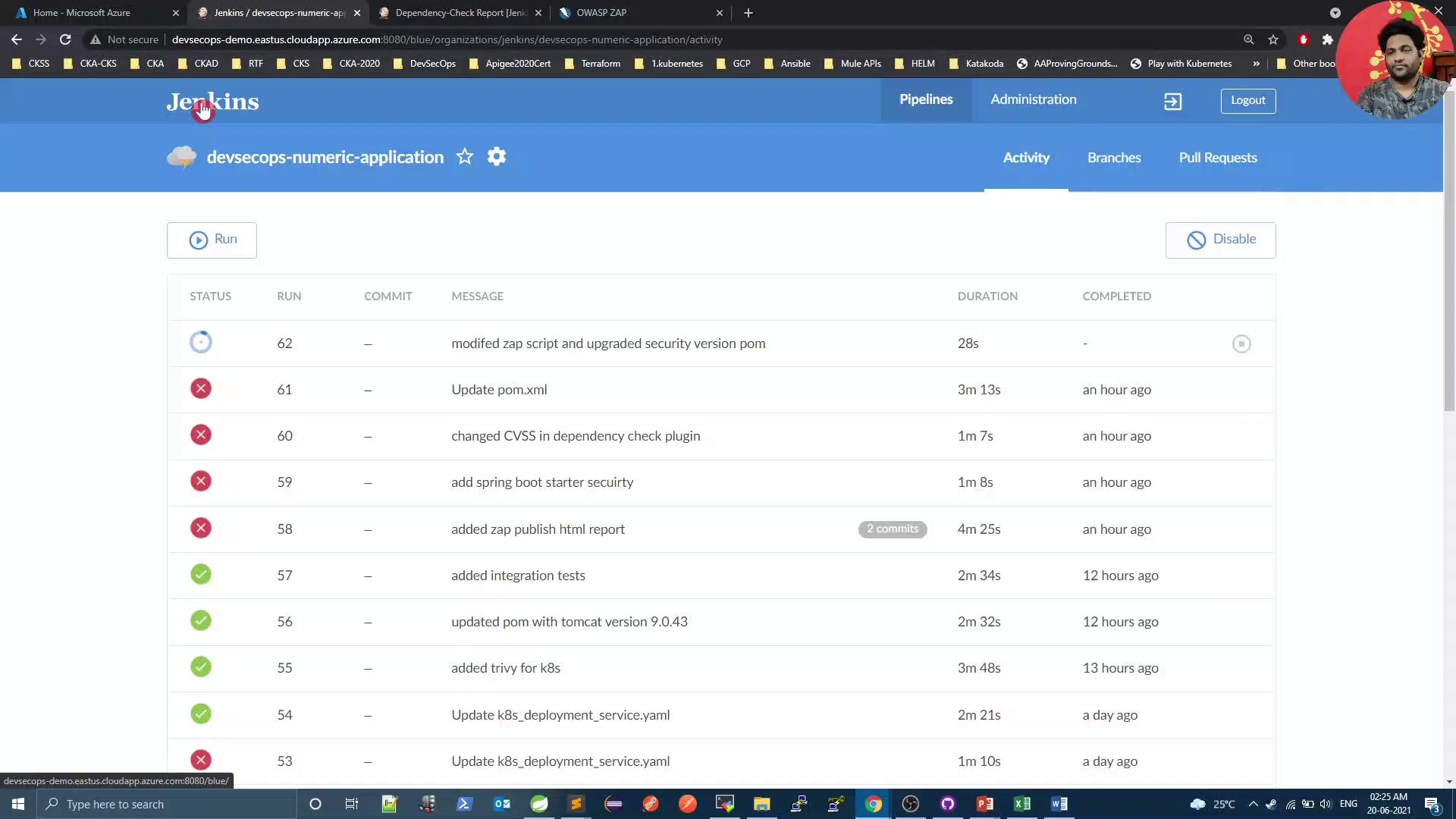
In the ZAP stage logs, you’ll see ignored rules:
```bash theme={null}
...
IGNORE-NEW: Unexpected Content-Type was returned [10001] x 30
IGNORE-NEW: A Server Error response code was returned [10000] x 8
FAIL-NEW: 0 WARN-NEW: 0 IGNORE: 2 PASS: 115
Exit Code: 0
OWASP ZAP did not report any risk.
```
***
## 3. Adjust Dependency-Check and Verify Results
Since we resolved Spring Security issues, lower your `failBuildOnCVSS` threshold in the OWASP Dependency-Check Maven plugin:
```xml theme={null}
org.owasp
dependency-check-maven
6.1.6
ALL
8
```
Lowering the `failBuildOnCVSS` threshold may allow medium-risk vulnerabilities to pass the build. Only do this after ensuring critical issues are remediated.
Push your changes and review the Dependency-Check results in Jenkins:
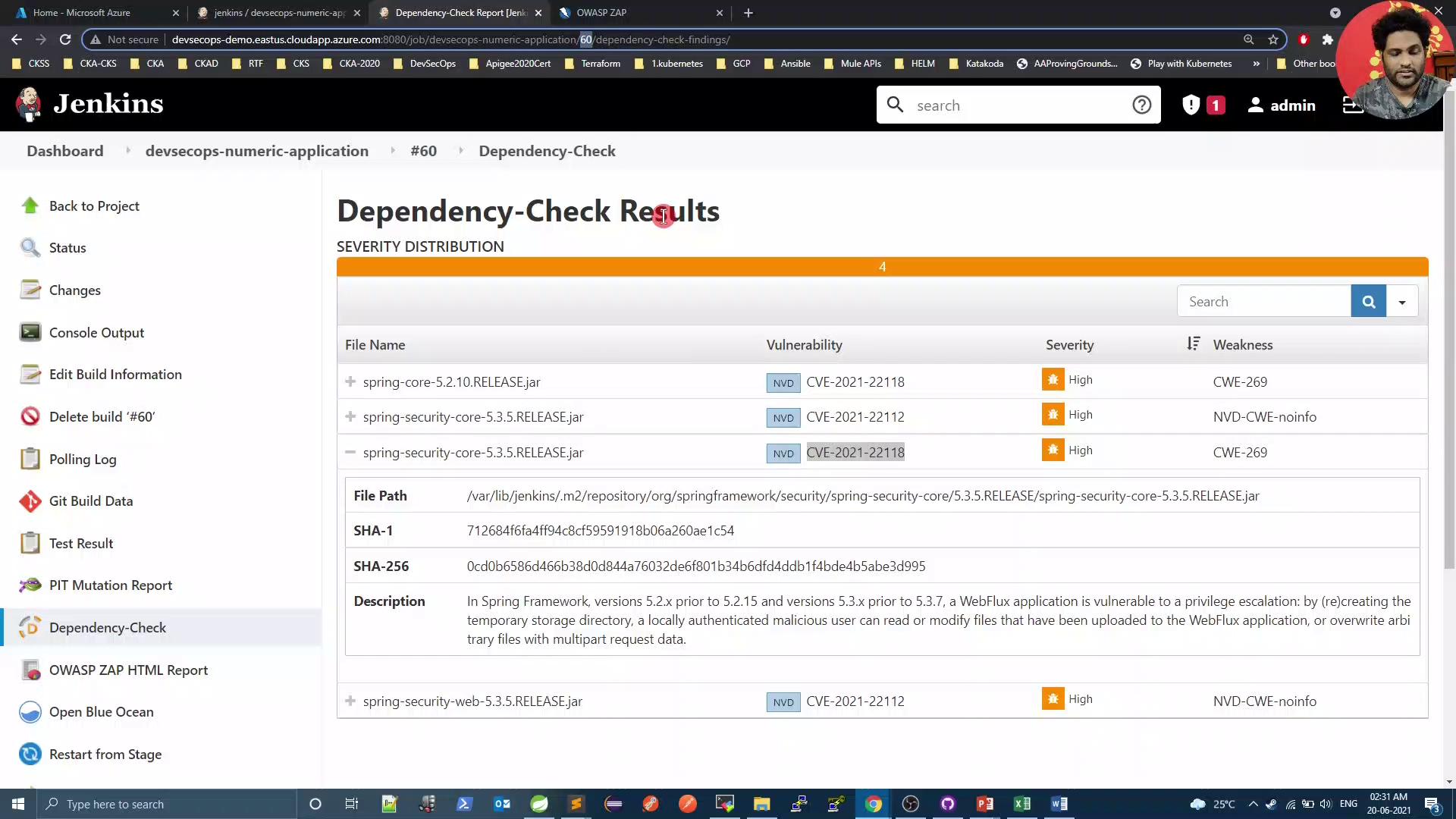
Finally, rerun the Trivy scan to confirm there are **zero** issues:
```bash theme={null}
bash trivy-k8s-scan.sh
```
```text theme={null}
Total: 0 (LOW: 0, MEDIUM: 0, HIGH: 0)
Exit Code: 0
Image scanning passed. No vulnerabilities found
```
***
## Conclusion
By upgrading Spring Security, customizing OWASP ZAP scans, and tuning Dependency-Check thresholds, you can maintain a secure codebase and reduce noise from expected warnings. Automate these steps in your CI/CD pipeline to enforce continuous security validation.
***
## References
* [Spring Security Documentation](https://docs.spring.io/spring-security/)
* [OWASP ZAP API Scan Guide](https://www.zaproxy.org/docs/automate/scan-openapi/)
* [Trivy: Vulnerability Scanner](https://github.com/aquasecurity/trivy)
* [OWASP Dependency-Check](https://owasp.org/www-project-dependency-check/)