> ## Documentation Index
> Fetch the complete documentation index at: https://notes.kodekloud.com/llms.txt
> Use this file to discover all available pages before exploring further.
# Demo Refactoring Jenkins
> This tutorial streamlines a Jenkins Declarative Pipeline by consolidating multiple post actions into a single pipeline-level section for improved readability and maintenance.
In this tutorial, we'll streamline a Jenkins Declarative Pipeline by moving multiple `post { always { … } }` blocks from individual stages into a single, pipeline-level `post` section. This approach enhances readability, reduces duplication, and makes future maintenance simpler.
## Why Consolidate `post { always }` Blocks?
When you have several stages that each publish reports or perform cleanup, repeating the same `post` block can clutter your Jenkinsfile. Instead, you can leverage the pipeline-level `post` block to handle all “always” actions in one place.
## Original Jenkinsfile with Repeated Post Sections
Below is a snippet of the existing pipeline. Notice the three stages that each contain their own `post { always { … } }` block:
```groovy theme={null}
stage('Unit Tests - JUnit and JaCoCo') {
steps {
sh 'mvn test'
}
post {
always {
junit 'target/surefire-reports/*.xml'
jacoco execPattern: 'target/jacoco.exec'
}
}
}
stage('Mutation Tests - PIT') {
steps {
sh 'mvn org.pitest:pitest-maven:mutationCoverage'
}
post {
always {
pitmutation mutationStatsFile: '**/target/pit-reports/**/mutations.xml'
}
}
}
stage('SonarQube') {
steps {
withSonarQubeEnv('SonarQube') {
sh 'mvn sonar:sonar \
-Dsonar.projectKey=numeric-application \
-Dsonar.host.url=http://devsecops-demo.eastus.cloudapp.azure.com:9000'
}
}
timeout(time: 2, unit: 'MINUTES') {
script {
waitForQualityGate abortPipeline: true
}
}
}
stage('Vulnerability Scan - Docker') {
steps {
sh 'mvn dependency-check:check'
}
post {
always {
dependencyCheckPublisher pattern: 'target/dependency-check-report.xml'
}
}
}
```
We’re duplicating the same “always” publishing logic in three places. Let’s consolidate.
## Consolidating Post Actions
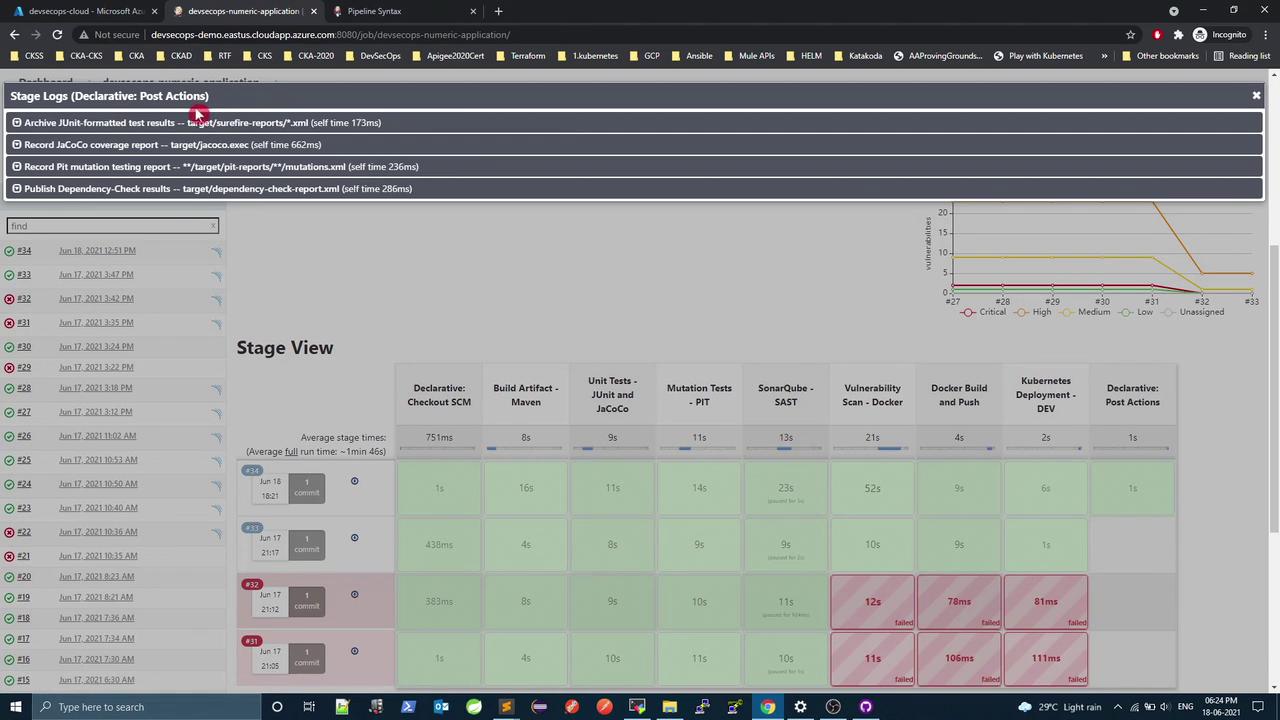
Jenkins Declarative Pipeline allows a `post` section at the root of the `pipeline` block. All specified actions run after every stage completes.
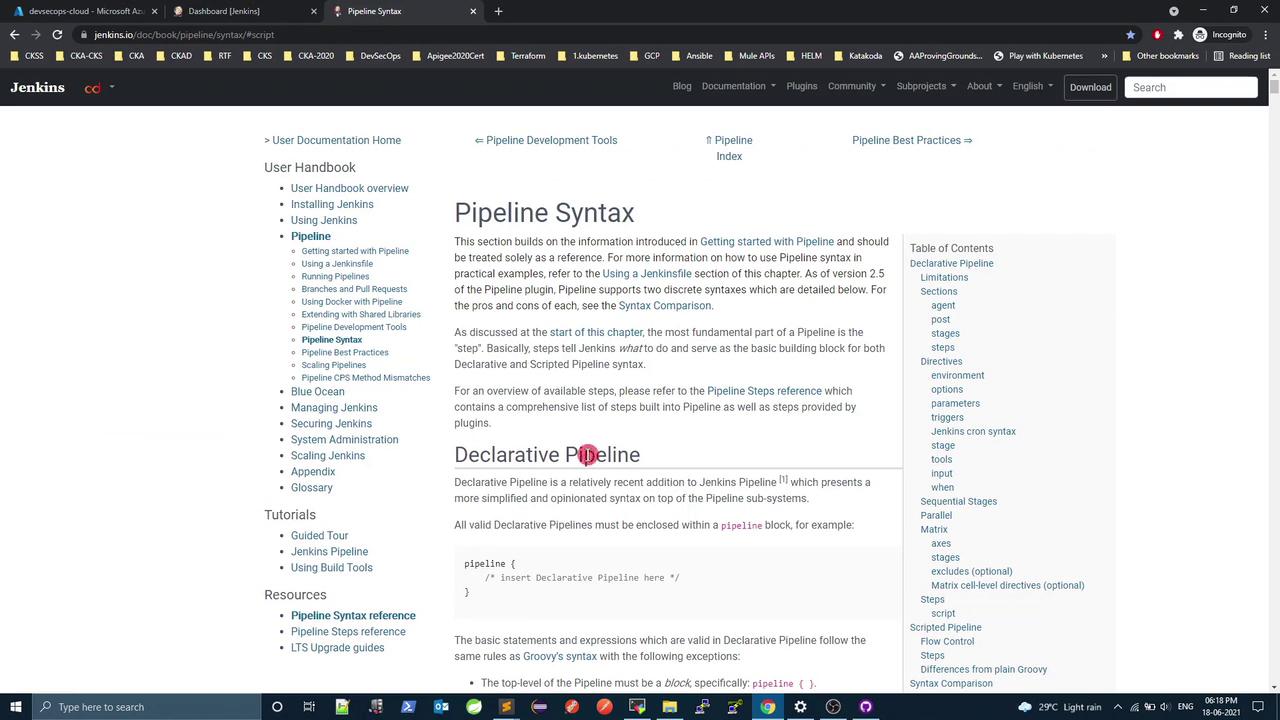
For reference, check the official [Jenkins Pipeline Syntax documentation](https://www.jenkins.io/doc/book/pipeline/syntax/).
A pipeline-level `post` block can contain `always`, `success`, `failure`, and `unstable` directives.
### Post Actions Summary
| Report Type | Original Location | New Location |
| -------------------------- | -------------------------------------- | ---------------------------- |
| JUnit & JaCoCo | Unit Tests stage `post.always` | Pipeline-level `post.always` |
| PIT Mutation Reports | Mutation Tests stage `post.always` | Pipeline-level `post.always` |
| Dependency-Check Publisher | Vulnerability Scan stage `post.always` | Pipeline-level `post.always` |
## Refactored Jenkinsfile
1. Remove all individual `post { always { … } }` sections.
2. Add one `post` block under the `pipeline` root.
3. Copy each `always` step into that block.
```groovy theme={null}
pipeline {
agent any
stages {
stage('Unit Tests - JUnit and JaCoCo') {
steps {
sh 'mvn test'
}
}
stage('Mutation Tests - PIT') {
steps {
sh 'mvn org.pitest:pitest-maven:mutationCoverage'
}
}
stage('SonarQube - SAST') {
steps {
withSonarQubeEnv('SonarQube') {
sh 'mvn sonar:sonar \
-Dsonar.projectKey=numeric-application \
-Dsonar.host.url=http://devsecops-demo.eastus.cloudapp.azure.com:9000'
}
timeout(time: 2, unit: 'MINUTES') {
script {
waitForQualityGate abortPipeline: true
}
}
}
}
stage('Vulnerability Scan - Docker') {
steps {
sh 'mvn dependency-check:check'
}
}
stage('Docker Build and Push') {
steps {
withDockerRegistry([credentialsId: 'docker-hub', url: '']) {
sh 'printenv'
sh 'docker build -t siddharth67/numeric-app:${GIT_COMMIT} .'
sh 'docker push siddharth67/numeric-app:${GIT_COMMIT}'
}
}
}
stage('Kubernetes Deployment - DEV') {
steps {
withKubeConfig([credentialsId: 'kubeconfig']) {
sh 'sed -i "s/#replace#siddharth67\\/numeric-app:${GIT_COMMIT}/g" k8s_deployment_service.yaml'
sh 'kubectl apply -f k8s_deployment_service.yaml'
}
}
}
}
post {
always {
junit 'target/surefire-reports/*.xml'
jacoco execPattern: 'target/jacoco.exec'
pitmutation mutationStatsFile: '**/target/pit-reports/**/mutations.xml'
dependencyCheckPublisher pattern: 'target/dependency-check-report.xml'
}
}
}
```
## Verifying the Refactor
After updating your Jenkinsfile, commit and push to trigger a new build:
```bash theme={null}
git add Jenkinsfile
git commit -m "Refactor: consolidate all post.always actions to pipeline level"
git push
```
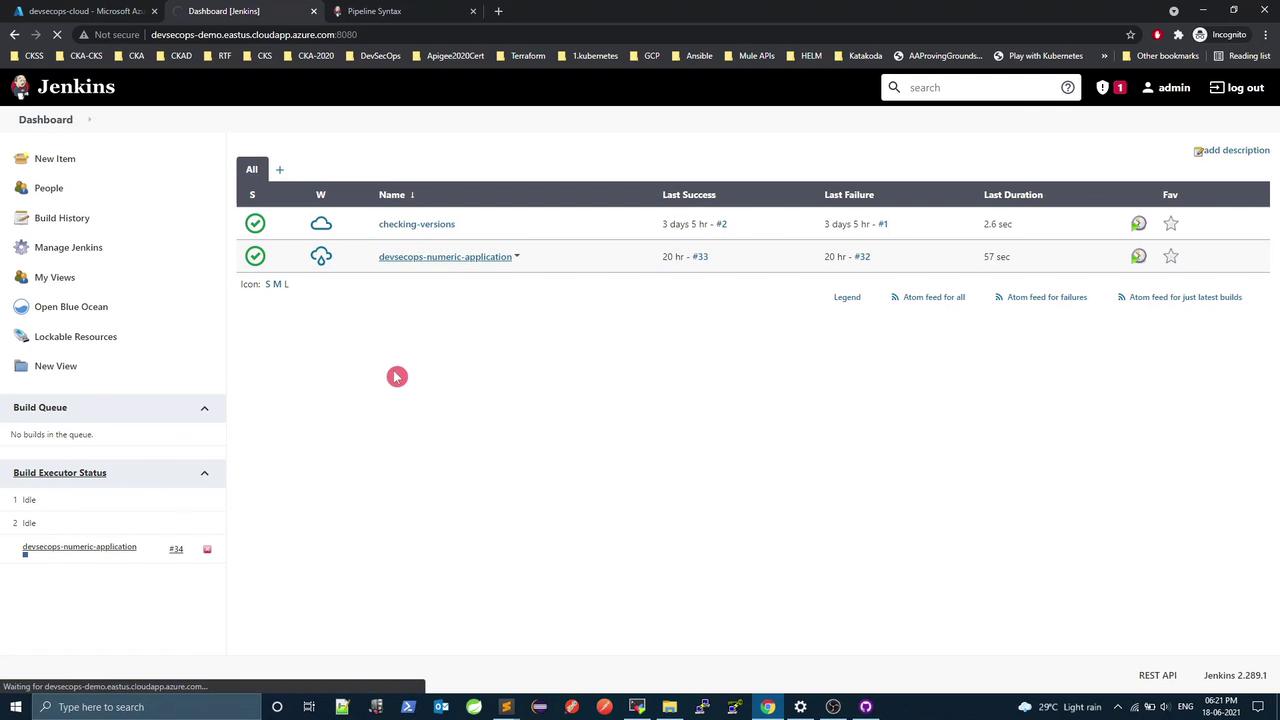
In the Jenkins dashboard, you should see all post actions executed at the end of the pipeline:

## Next Steps
Jenkins pipelines can also leverage:
* **Environment directives** for global variables
* **Parallel stages** with `failFast` to optimize runtime
* **Embedded scripted logic** (`script { … }`) for loops, conditionals, and error handling
Here’s a brief example showcasing parallel execution and a `script` block:
```groovy theme={null}
pipeline {
agent any
stages {
stage('Initial Stage') {
steps {
echo 'Executing first stage.'
}
}
stage('Parallel Stage') {
when { branch 'master' }
failFast true
parallel {
stage('Branch A') {
agent { label 'for-branch-a' }
steps { echo 'Running on Branch A' }
}
stage('Branch B') {
agent { label 'for-branch-b' }
steps { echo 'Running on Branch B' }
}
}
}
stage('Browser Tests') {
steps {
script {
def browsers = ['chrome', 'firefox']
browsers.each { browser ->
echo "Testing in ${browser}"
}
}
}
}
}
}
```
## Links and References
* [Jenkins Pipeline Syntax](https://www.jenkins.io/doc/book/pipeline/syntax/)
* [Declarative Pipeline](https://www.jenkins.io/doc/book/pipeline/development/#pipeline-structure)
* [Jenkins with Docker](https://www.jenkins.io/doc/tutorials/build-a-java-app-with-maven/#use-docker)
* [Kubernetes Plugin for Jenkins](https://plugins.jenkins.io/kubernetes/)