> ## Documentation Index
> Fetch the complete documentation index at: https://notes.kodekloud.com/llms.txt
> Use this file to discover all available pages before exploring further.
# Dependency Check Basics
> This lesson explores OWASP Dependency-Check, an open-source tool for detecting and managing security vulnerabilities in open-source dependencies.
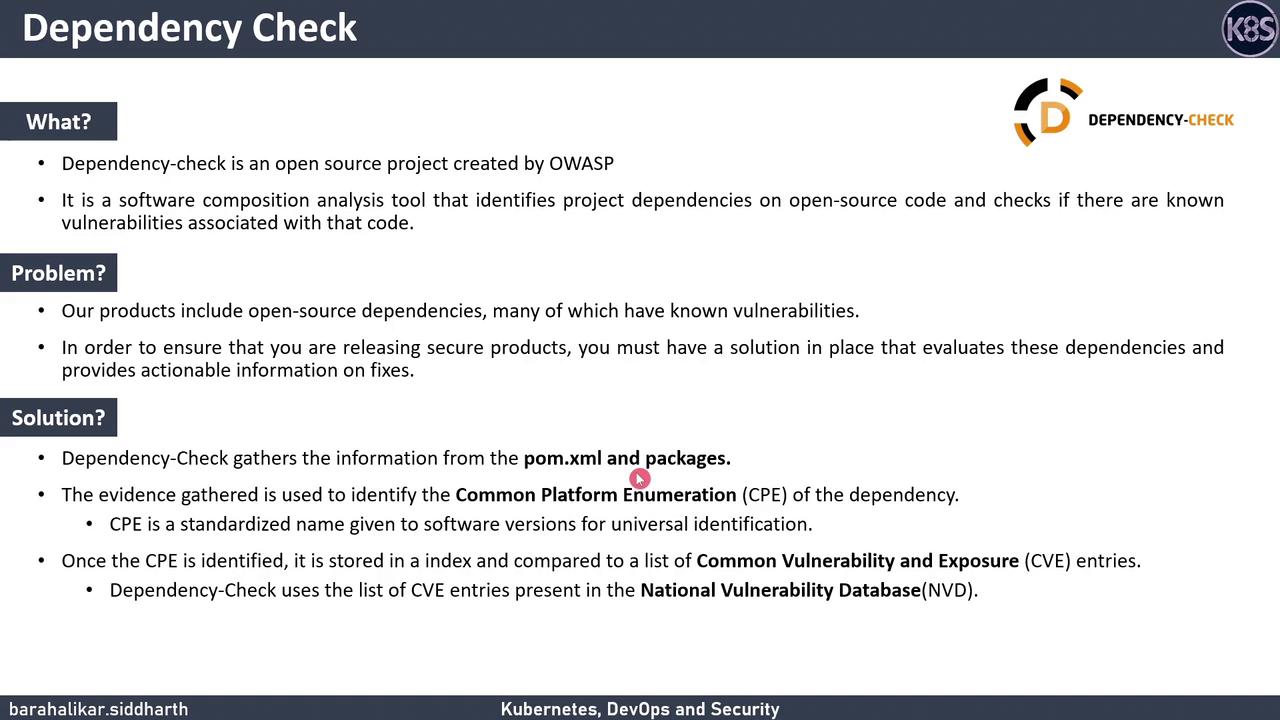
In this lesson, we’ll explore OWASP Dependency-Check—an open-source Software Composition Analysis (SCA) tool—to detect and manage security vulnerabilities in your project’s open-source dependencies.
## Why Dependency Management Matters
As applications grow, they often incorporate numerous third-party libraries. Without proper oversight, these components can introduce known vulnerabilities that compromise your software’s security. Effective dependency management ensures you can:
* Maintain visibility into every external dependency and its version.
* Quickly identify known vulnerabilities and assess their severity.
* Take actionable steps to remediate or suppress issues before they reach production.
## What Is OWASP Dependency-Check?
OWASP Dependency-Check is a free SCA plugin that:
1. **Scans** your project’s dependency files (e.g., POM, `package.json`, `Gemfile`).
2. **Extracts** metadata to determine each component’s Common Platform Enumeration (CPE).
3. **Matches** those CPEs against the [National Vulnerability Database (NVD)](https://nvd.nist.gov/) to find associated [CVEs](https://cve.mitre.org/).
### Core Features
| Feature | Description | Example Configuration |
| ----------------------- | ---------------------------------------------------------------------------------- | ------------------------------------------------------------------------------------------ |
| Data Feed Updates | Downloads and processes the NVD feed. | Initial run (\~10+ minutes), weekly updates thereafter. |
| Suppression & Threshold | Exclude specific CVEs or set a CVSS score threshold to ignore low-severity issues. | `ignore.xml`
`7.0` |
| Reporting | Generates HTML, XML, or JSON reports detailing each vulnerability. | `-format HTML -out reports/` |
On the very first run, Dependency-Check must download and index the entire NVD feed, which can take **10+ minutes**. Running it at least once every 7 days keeps subsequent updates under a minute.
## Sample HTML Report
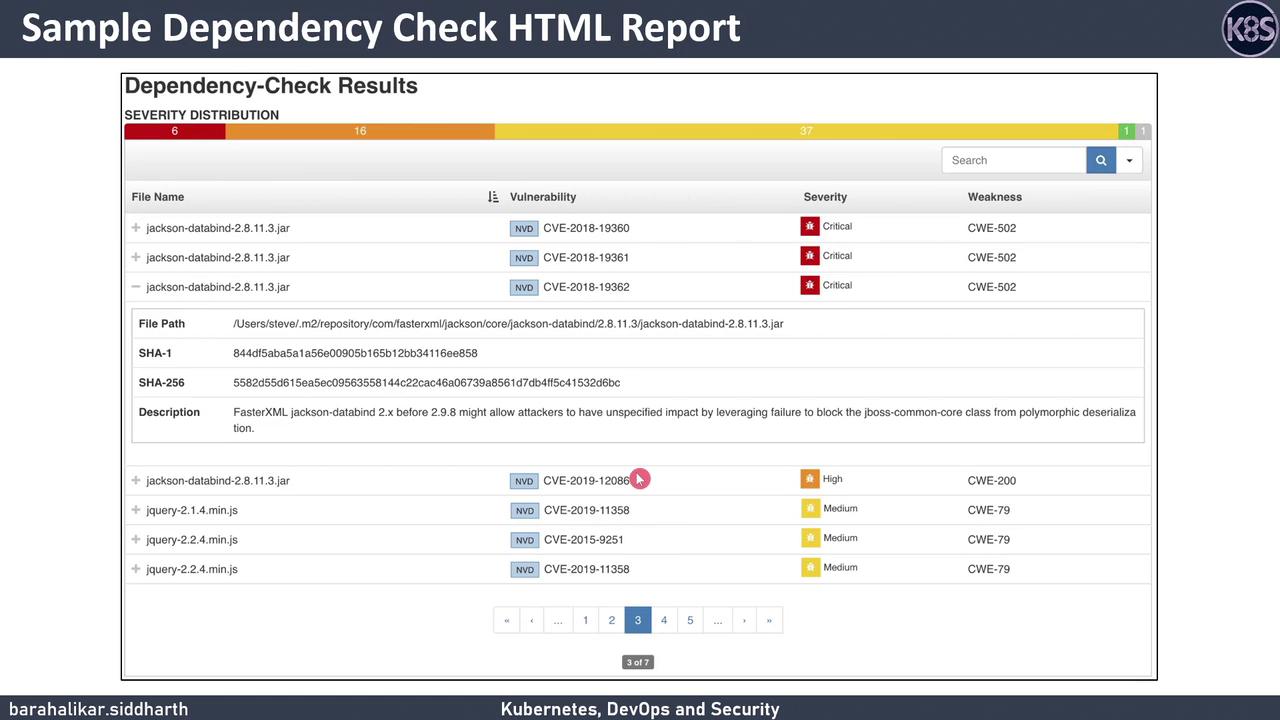
Here’s an example of the HTML report you’ll receive after a scan. It lists vulnerable files, CVE identifiers, severity levels, and weakness classifications.
## Integrating Dependency-Check with Jenkins
You can automate your scans in a Jenkins pipeline using the official Dependency-Check plugin. The following `Jenkinsfile` snippet demonstrates how to:
1. Run the Dependency-Check analysis.
2. Archive the HTML report.
3. Fail or mark the build unstable based on a CVSS threshold.
```groovy theme={null}
pipeline {
agent any
tools {
odc 'Dependency-Check' // Name of your Dependency-Check installation
}
stages {
stage('Dependency-Check Analysis') {
steps {
dependencyCheck additionalArguments: '-scan . -format HTML -out dependency-check-report'
}
}
}
post {
always {
archiveArtifacts artifacts: 'dependency-check-report/*', fingerprint: true
recordIssues tools: [dependencyCheck(pattern: '**/dependency-check-report/dependency-check-report.xml')]
publishHTML(target: [
reportName: 'Dependency-Check Report',
reportDir: 'dependency-check-report',
reportFiles: 'dependency-check-report.html',
keepAll: true,
alwaysLinkToLastBuild: true
])
}
failure {
echo 'Build failed due to vulnerabilities above the configured CVSS threshold.'
}
}
}
```
Set a realistic `` threshold in your `dependency-check.xml` or CLI arguments to prevent build failures on low-severity CVEs. Failing on every issue can lead to pipeline fatigue.
## Links and References
* [OWASP Dependency-Check Documentation](https://jeremylong.github.io/DependencyCheck/)
* [National Vulnerability Database (NVD)](https://nvd.nist.gov/)
* [Common Vulnerability Scoring System (CVSS)](https://www.first.org/cvss/)
* [Jenkins Dependency-Check Plugin](https://plugins.jenkins.io/dependency-check/)