> ## Documentation Index
> Fetch the complete documentation index at: https://notes.kodekloud.com/llms.txt
> Use this file to discover all available pages before exploring further.
# Demo Istio Ingress Gateway and Virtual Service
> Learn to use Istio’s Ingress Gateway and VirtualService to expose and control traffic for a Kubernetes-based DevSecOps application.
In this guide, you’ll learn how to use Istio’s **Ingress Gateway** and **VirtualService** to expose and control traffic for a Kubernetes-based DevSecOps application. We’ll define the necessary custom resources, apply them, and verify external access. Finally, you’ll see how Kiali can help you visualize and troubleshoot your service mesh configuration.
## Istio Ingress Gateway
An **Ingress Gateway** acts as an edge load balancer for your service mesh, handling incoming HTTP/TCP traffic. It exposes ports and protocols, but unlike Kubernetes Ingress, it does **not** include routing rules—that’s delegated to a VirtualService.
A Gateway only configures the listener. Use a VirtualService to define how traffic is routed.
Here’s a minimal Gateway CRD:
```yaml theme={null}
apiVersion: networking.istio.io/v1alpha3
kind: Gateway
metadata:
name: httpbin-gateway
spec:
selector:
istio: ingressgateway
servers:
- port:
number: 80
name: http
protocol: HTTP
hosts:
- "httpbin.example.com"
```
Apply the Gateway:
```bash theme={null}
kubectl apply -f gateway.yaml
```
## Istio VirtualService
A **VirtualService** lets you define routing rules that map incoming requests (from a Gateway or internal service) to destinations in the mesh.
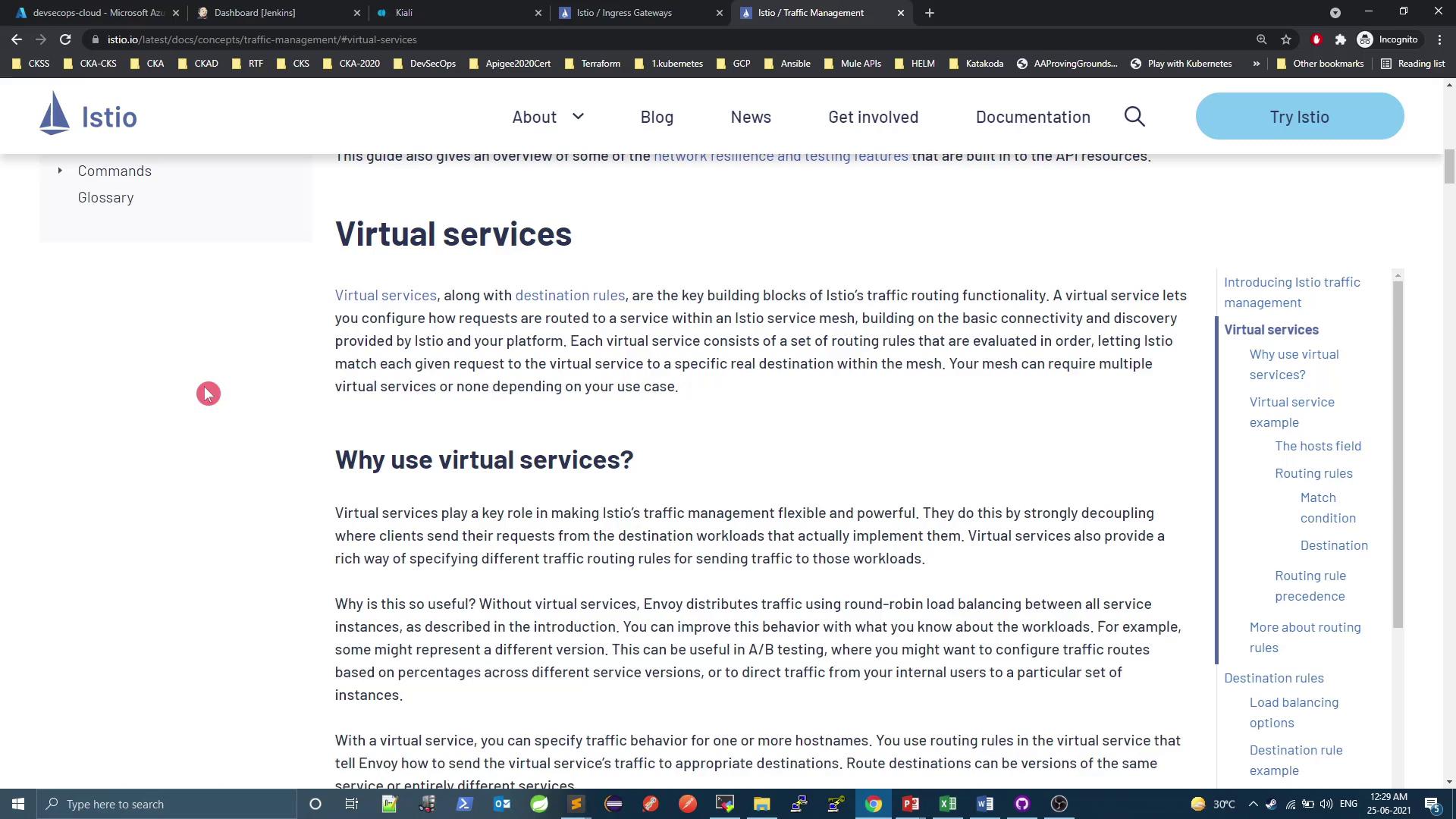
Example: route all HTTP traffic for `httpbin.example.com` to the `httpbin` service on port 8000.
```yaml theme={null}
apiVersion: networking.istio.io/v1alpha3
kind: VirtualService
metadata:
name: httpbin
spec:
hosts:
- "httpbin.example.com"
http:
- route:
- destination:
host: httpbin
port:
number: 8000
```
Apply it:
```bash theme={null}
kubectl apply -f virtualservice.yaml
```
## Exposing the DevSecOps Application
Our application `devsecops-svc` is currently a ClusterIP service on port 8080 in the `prod` namespace:
```bash theme={null}
kubectl -n prod get svc
# NAME TYPE CLUSTER-IP PORT(S) AGE
# devsecops-svc ClusterIP 10.101.121.127 8080/TCP 4d3h
# node-service ClusterIP 10.101.46.231 5000/TCP 4d5h
```
Internally it responds as expected:
```bash theme={null}
while true; do
curl -s 10.101.121.127:8080/increment/99
sleep 1
done
```
### Create Gateway + VirtualService for `prod`
Create both resources in a single manifest (`istio-gateway-vs.yaml`):
```yaml theme={null}
apiVersion: networking.istio.io/v1beta1
kind: Gateway
metadata:
name: devsecops-gateway
namespace: prod
spec:
selector:
istio: ingressgateway
servers:
- port:
name: http
number: 80
protocol: HTTP
hosts:
- "*"
---
apiVersion: networking.istio.io/v1beta1
kind: VirtualService
metadata:
name: devsecops-numeric
namespace: prod
spec:
gateways:
- devsecops-gateway
hosts:
- "*"
http:
- match:
- uri:
prefix: /increment
- uri:
exact: /
route:
- destination:
host: devsecops-svc
port:
number: 8080
```
Apply and verify:
```bash theme={null}
kubectl apply -f istio-gateway-vs.yaml
kubectl get gateway,virtualservice -n prod
```
## Access via Istio Ingress Gateway
Istio’s `istio-ingressgateway` Service is typically a LoadBalancer or NodePort. In this environment it’s exposed on NodePort **32564**:
```bash theme={null}
kubectl -n istio-system get svc istio-ingressgateway
# NAME TYPE CLUSTER-IP EXTERNAL-IP PORT(S) AGE
# istio-ingressgateway NodePort 10.96.123.45 80:32564/TCP 2h
```
Test external access:
```bash theme={null}
curl localhost:32564/
curl localhost:32564/increment/11
# 12
```
Both `/` and `/increment` are reachable through the Gateway.
## Restricting Paths with VirtualService
To disable the root path (`/`) externally, remove or comment out the exact-match rule:
```yaml theme={null}
apiVersion: networking.istio.io/v1beta1
kind: VirtualService
metadata:
name: devsecops-numeric
namespace: prod
spec:
gateways:
- devsecops-gateway
hosts:
- "*"
http:
- match:
- uri:
prefix: /increment
# - uri:
# exact: /
route:
- destination:
host: devsecops-svc
port:
number: 8080
```
Apply and test again:
```bash theme={null}
kubectl apply -f istio-gateway-vs.yaml
curl localhost:32564/ # no response
curl localhost:32564/increment/11 # returns 12
```
## Viewing Configuration in Kiali
Kiali provides a UI for inspecting Istio resources.
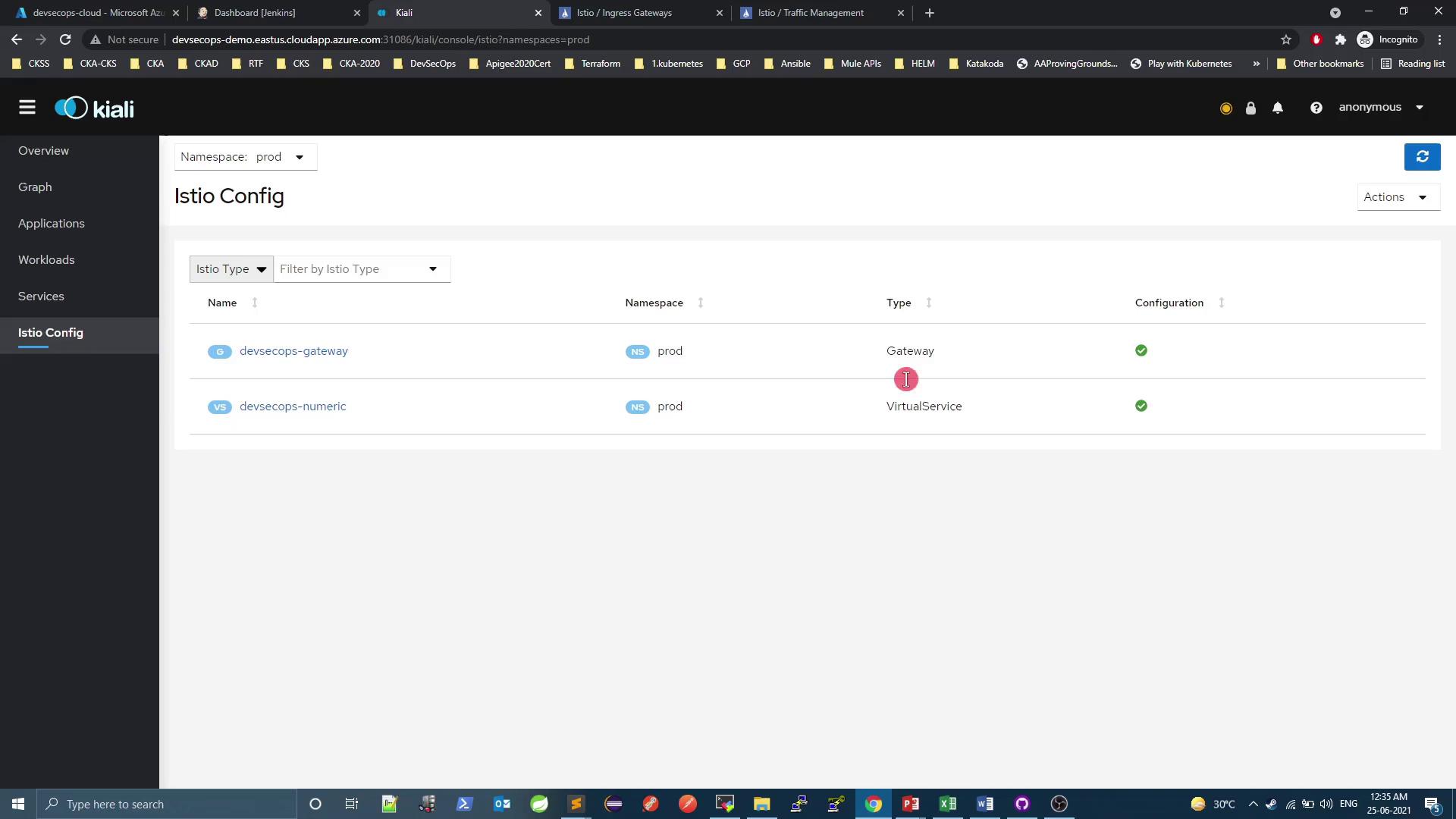
You can also view your service mesh topology:
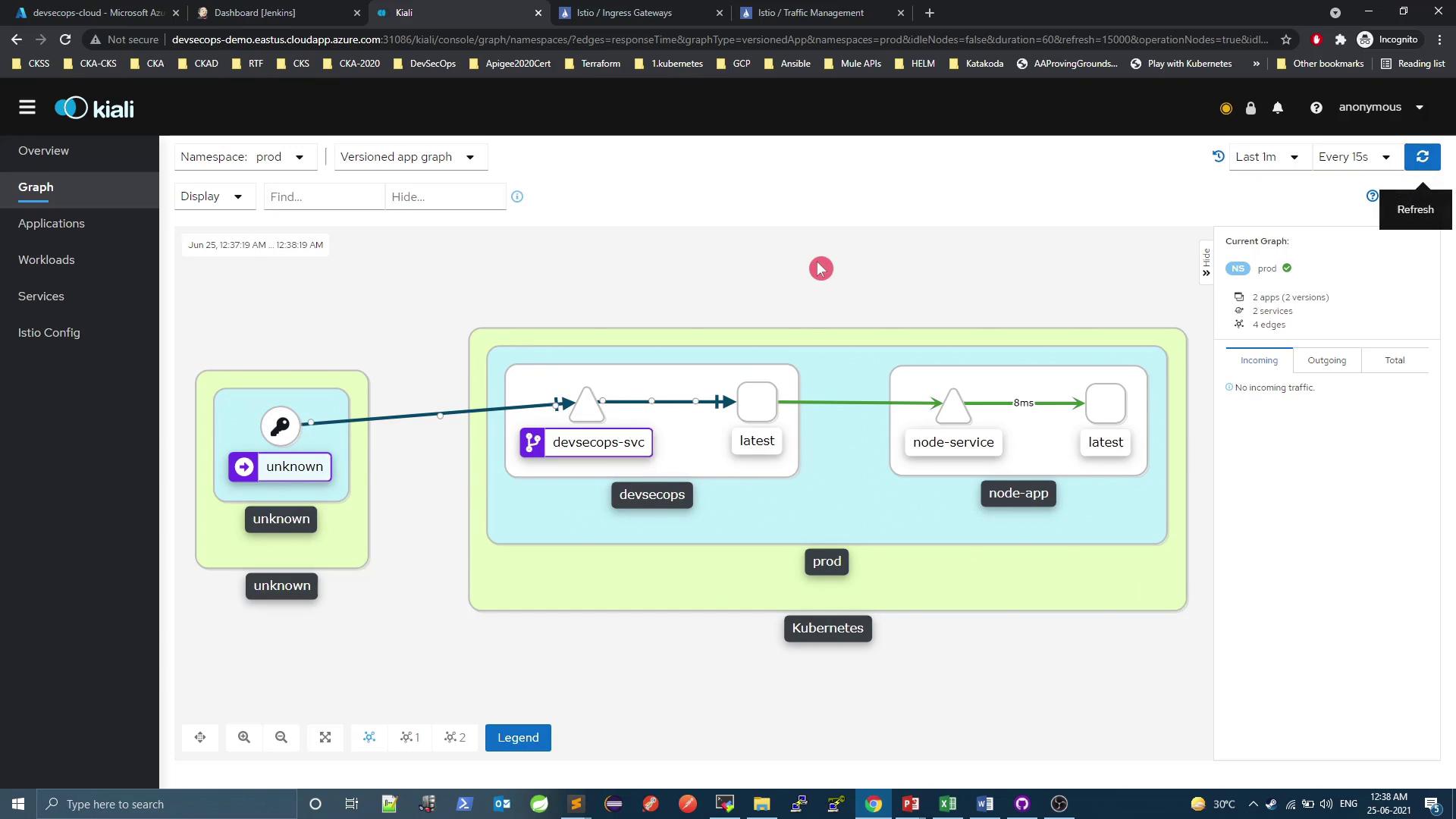
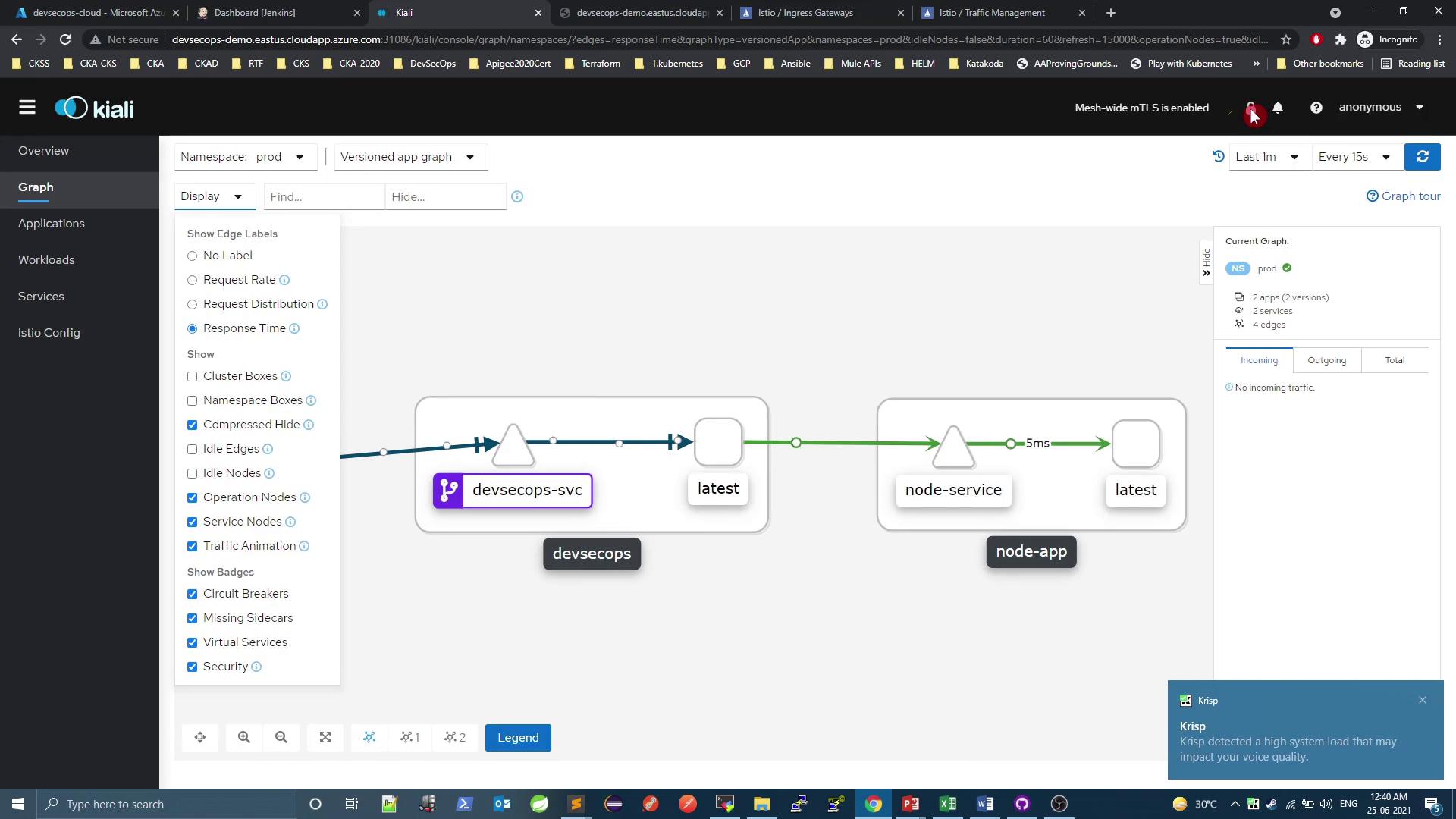
And inspect metrics & traffic:
## Summary
| Resource | Purpose | Example Snippet |
| -------------- | -------------------------------------- | ------------------------------------------ |
| Gateway | Configure edge load balancer listeners | `selector: istio: ingressgateway` |
| VirtualService | Define routing rules for HTTP/TCP | `hosts: ["*"]`, `match: prefix /increment` |
| Kiali | Visualize and troubleshoot mesh | UI for Gateways, VirtualServices, metrics |
## Links and References
* [Istio Gateway API][istio-gateway]
* [Istio VirtualService API][istio-virtualservice]
* [Kiali Documentation](https://www.kiali.io/documentation/)
[istio-gateway]: https://istio.io/latest/docs/reference/config/networking/gateway/
[istio-virtualservice]: https://istio.io/latest/docs/reference/config/networking/virtual-service/