> ## Documentation Index
> Fetch the complete documentation index at: https://notes.kodekloud.com/llms.txt
> Use this file to discover all available pages before exploring further.
# Demo Istio Installation
> Learn to install and verify Istio 1.9.0 on Kubernetes with demo profile and explore observability add-ons like Kiali, Prometheus, Grafana, and Jaeger.
Learn how to download, install, and verify Istio 1.9.0 on a Kubernetes cluster using the demo profile. You’ll also explore built-in add-ons like Kiali, Prometheus, Grafana, and Jaeger for full observability.
## Prerequisites
* A running Kubernetes cluster (version compatible with Istio 1.9.0)
* `kubectl` configured to interact with your cluster
## Step 1: Download and Install Istio
### 1.1 Download Istio 1.9.0
Fetch the installer script and extract the release:
```bash theme={null}
curl -Ls https://istio.io/downloadIstio | ISTIO_VERSION=1.9.0 sh -
cd istio-1.9.0
export PATH=$PWD/bin:$PATH
```
### 1.2 Install the Demo Profile
The **demo** profile is preconfigured with observability add-ons for testing and learning. It is **not** recommended for production environments.
Install Istio’s control plane and sample add-ons:
```bash theme={null}
istioctl install --set profile=demo -y
kubectl apply -f samples/addons
```
### 1.3 Verify Installation Output
After installation, you should see messages similar to:
```plaintext theme={null}
namespace "istio-system" created
configmap "istio-sidecar-injector" created
customresourcedefinition "virtualservices.networking.istio.io" configured
customresourcedefinition "destinationrules.networking.istio.io" configured
deployment "grafana" created
deployment "kiali" created
service "grafana" created
service "kiali" created
```
## Step 2: Istio Components Overview
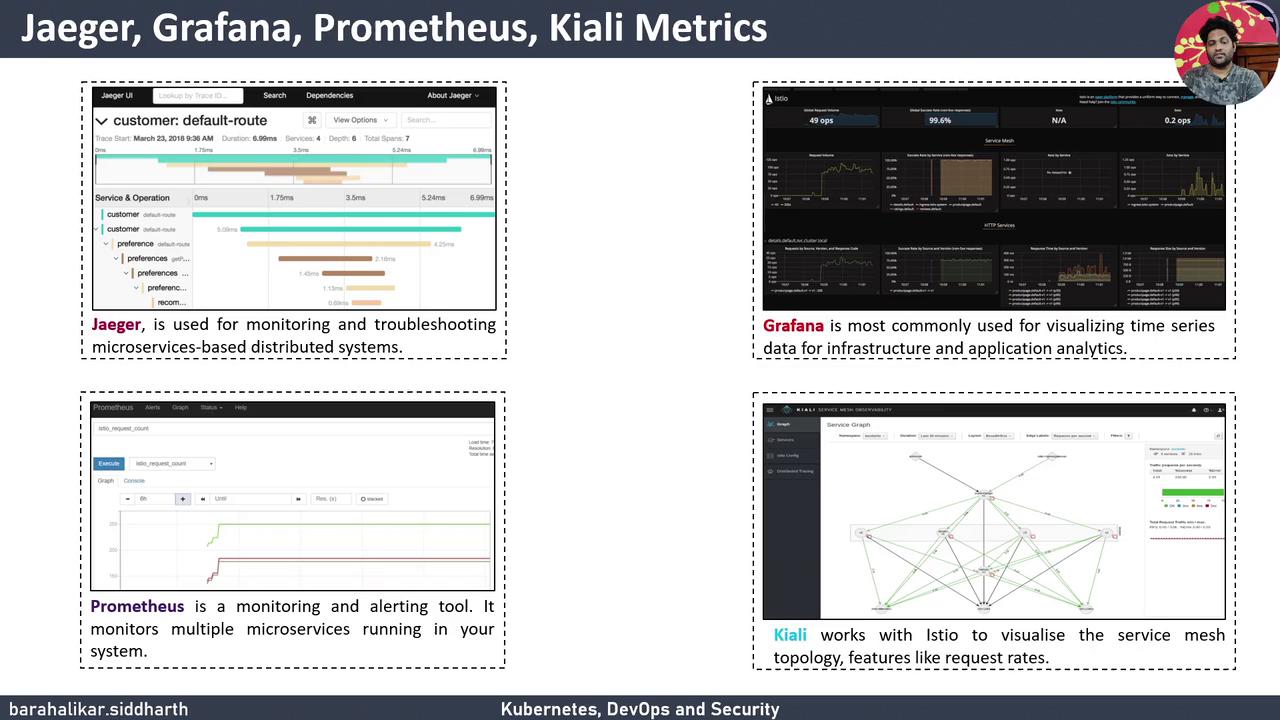
Once installed, Istio deploys core control-plane components and add-ons. Here’s what you get:
| Component | Purpose |
| ------------------------------------------ | -------------------------------------------- |
| Namespace `istio-system` | Isolates the service mesh control plane |
| ConfigMap `istio-sidecar-injector` | Automates Envoy sidecar injection |
| CRDs (`VirtualService`, `DestinationRule`) | Define traffic management policies |
| Control Plane (`istiod`, gateways) | Manages configuration and proxies |
| Jaeger | Distributed tracing |
| Prometheus | Metrics collection and alerting |
| Grafana | Visualize time-series data |
| Kiali | Service mesh observability and topology maps |
## Step 3: Verify the Control Plane and Add-ons
### 3.1 List All Istio Resources
Run:
```bash theme={null}
kubectl -n istio-system get all
```
Expected output:
```plaintext theme={null}
NAME READY STATUS RESTARTS AGE
pod/istiod-xxxxxx-xxxxx 1/1 Running 0 1m
pod/istio-ingressgateway-xxxxx-xxxxx 1/1 Running 0 1m
pod/istio-egressgateway-xxxxx-xxxxx 1/1 Running 0 1m
pod/prometheus-xxxxx-xxxxx 1/2 Running 0 1m
pod/grafana-xxxxx-xxxxx 1/1 Running 0 1m
pod/jaeger-xxxxx-xxxxx 1/1 Running 0 1m
pod/kiali-xxxxx-xxxxx 1/1 Running 0 1m
NAME TYPE CLUSTER-IP EXTERNAL-IP PORT(S)
service/istiod ClusterIP 10.0.0.123 15012/TCP,443/TCP
service/istio-ingressgateway LoadBalancer 10.0.0.124 80:31500/TCP,443:31501/TCP
service/prometheus ClusterIP 10.0.0.125 9090/TCP
service/grafana ClusterIP 10.0.0.126 3000/TCP
service/jaeger-collector ClusterIP 10.0.0.127 14250/TCP,14268/TCP
service/kiali ClusterIP 10.0.0.128 20001/TCP
```
## Step 4: Enable Automatic Sidecar Injection
Label your application namespace to inject Envoy sidecars automatically:
```bash theme={null}
kubectl label namespace default istio-injection=enabled
```
Enabling sidecar injection will add an Envoy proxy to every pod in the `default` namespace. Ensure your workloads are compatible.
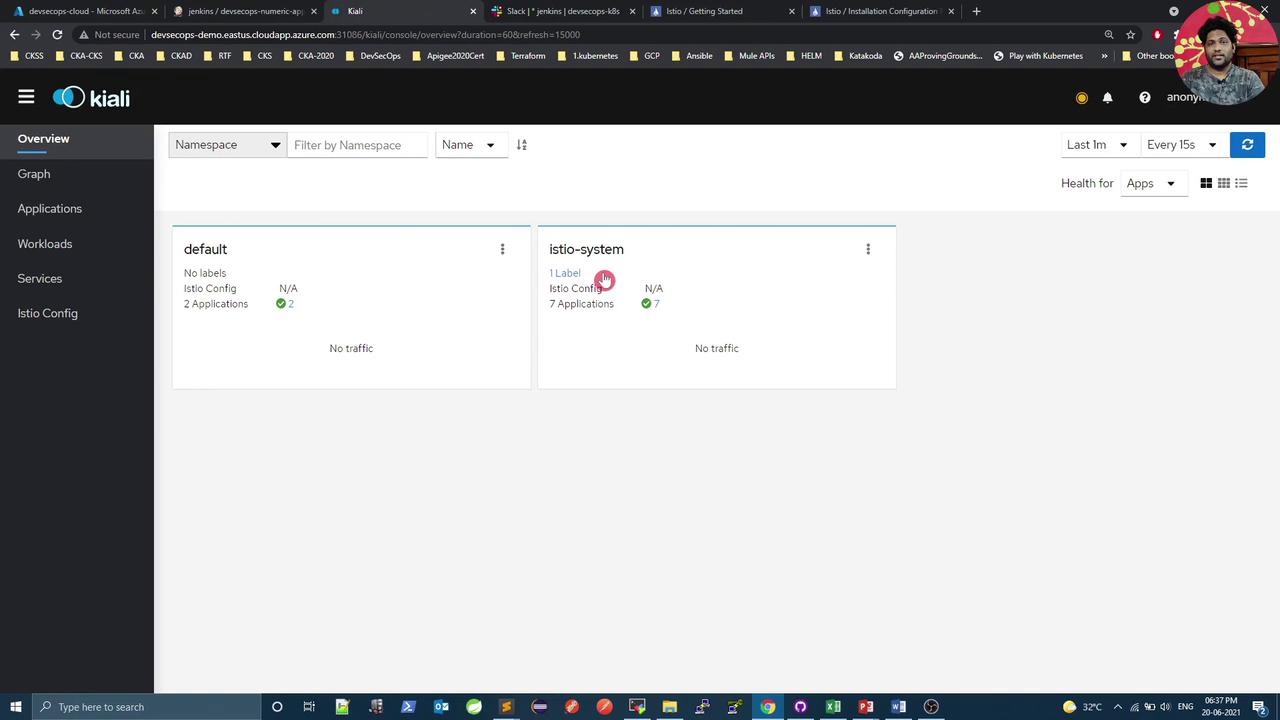
## Step 5: Access the Kiali Dashboard
By default, Kiali’s service is `ClusterIP`. To expose it on a NodePort:
### 5.1 Change Service Type
```bash theme={null}
kubectl edit service kiali -n istio-system
```
In the editor, update:
```yaml theme={null}
spec:
type: NodePort
```
Save and exit.
### 5.2 Retrieve and Use the NodePort
```bash theme={null}
kubectl get service kiali -n istio-system
```
Sample output:
```plaintext theme={null}
NAME TYPE CLUSTER-IP EXTERNAL-IP PORT(S) AGE
kiali NodePort 10.0.0.128 20001:32001/TCP,9090:32002/TCP 2m
```
Point your browser to:
```text theme={null}
http://:32001
```
to open the Kiali UI.
***
## Links and References
* [Istio Documentation](https://istio.io/latest/docs/)
* [Kubernetes Basics](https://kubernetes.io/docs/concepts/overview/what-is-kubernetes/)
* [Kiali Project](https://kiali.io/)
* [Prometheus Documentation](https://prometheus.io/docs/introduction/overview/)
* [Grafana Documentation](https://grafana.com/docs/)
* [Jaeger Documentation](https://www.jaegertracing.io/docs/)