> ## Documentation Index
> Fetch the complete documentation index at: https://notes.kodekloud.com/llms.txt
> Use this file to discover all available pages before exploring further.
# Demo Kube bench
> This article explains how to use kube-bench to run CIS Kubernetes Benchmark tests on a cluster, covering installation, execution, and CI/CD integration.
In this lesson, we’ll use **kube-bench** to run the [CIS Kubernetes Benchmark] tests against your cluster. We’ll cover:
* Overview of the CIS Benchmark PDF
* Manual Kubelet anonymous-auth check
* Installing and running kube-bench
* Parsing JSON output with `jq`
* CI/CD integration with Jenkins
## CIS Kubernetes Benchmark PDF
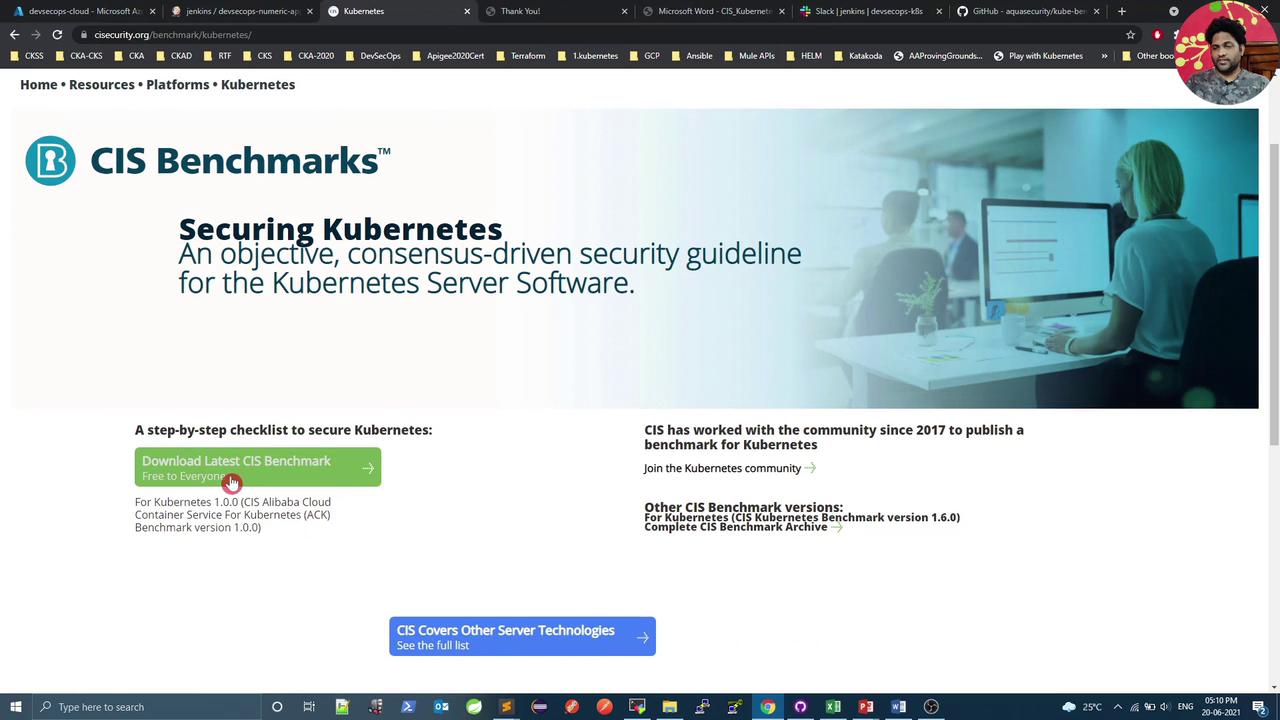
Download the official CIS Kubernetes Benchmark from the CIS website:\
[CIS Kubernetes Benchmark] requires an email to access the PDF.
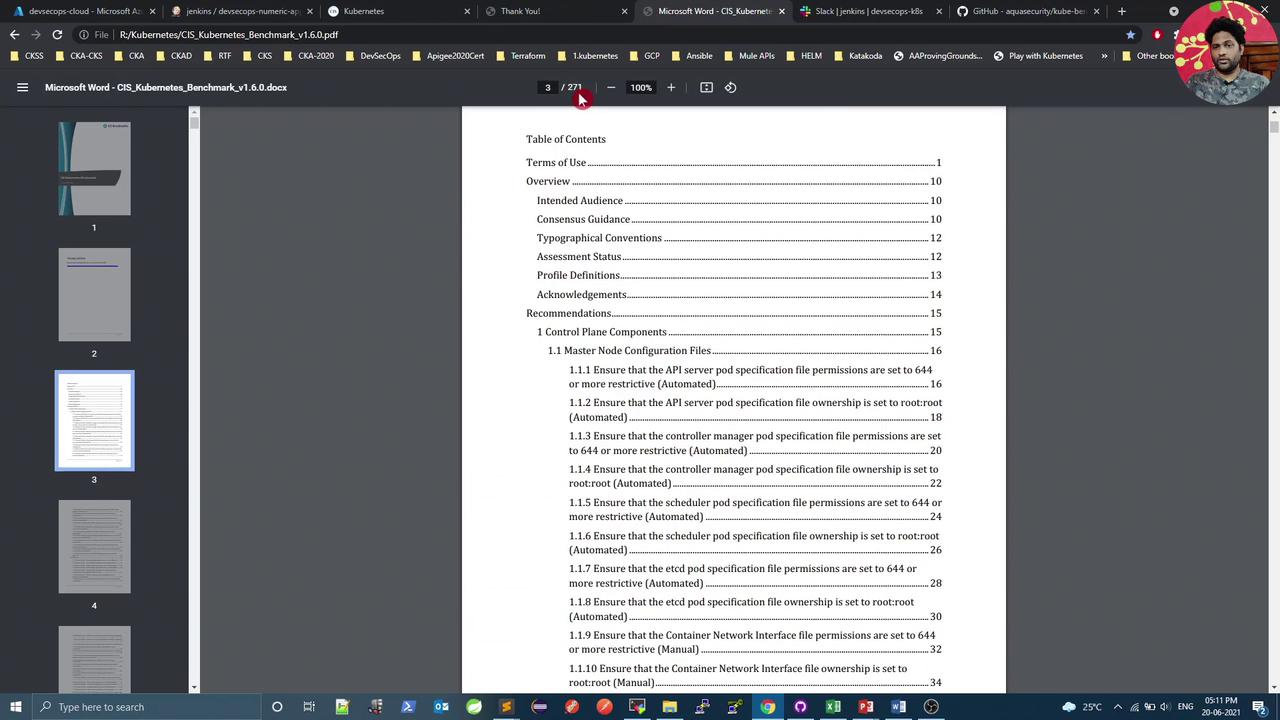
The PDF contains \~270 pages of guidelines, organized by test IDs per component. For instance, **4.2.1** in *Worker Node Security Configuration* verifies `--anonymous-auth=false`.
After downloading, open the PDF to review sections such as Terms of Use, Overview, and Recommendations.
## Manual Check: Kubelet Anonymous Auth
On a kubeadm-provisioned node, verify the running Kubelet process and its config file:
```bash theme={null}
# Identify the kubelet process
ps -ef | grep kubelet
# Display the Kubelet configuration
cat /var/lib/kubelet/config.yaml
```
In `config.yaml`, confirm `anonymous` auth is disabled:
```yaml theme={null}
authentication:
anonymous:
enabled: false
```
If anonymous auth is set to `true`, update the YAML, then reload and restart the service:
```bash theme={null}
sudo systemctl daemon-reload
sudo systemctl restart kubelet
```
## Installing kube-bench
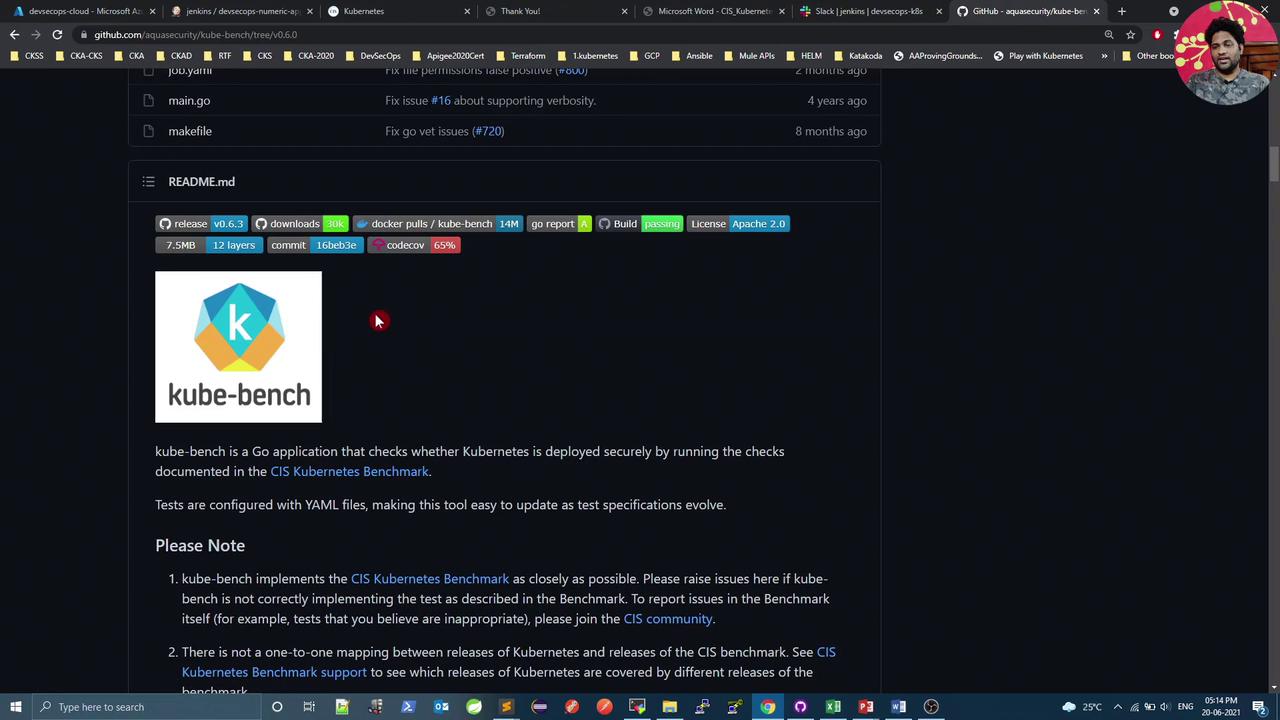
[kube-bench on GitHub] is a Go-based tool from Aqua Security that automates CIS checks. To install on Ubuntu:
```bash theme={null}
# Download the latest .deb package (version may vary)
curl -L -O https://github.com/aquasecurity/kube-bench/releases/download/v0.3.1/kube-bench_0.3.1_linux_amd64.deb
# Install kube-bench
sudo apt install ./kube-bench_0.3.1_linux_amd64.deb -y
```
## Running kube-bench
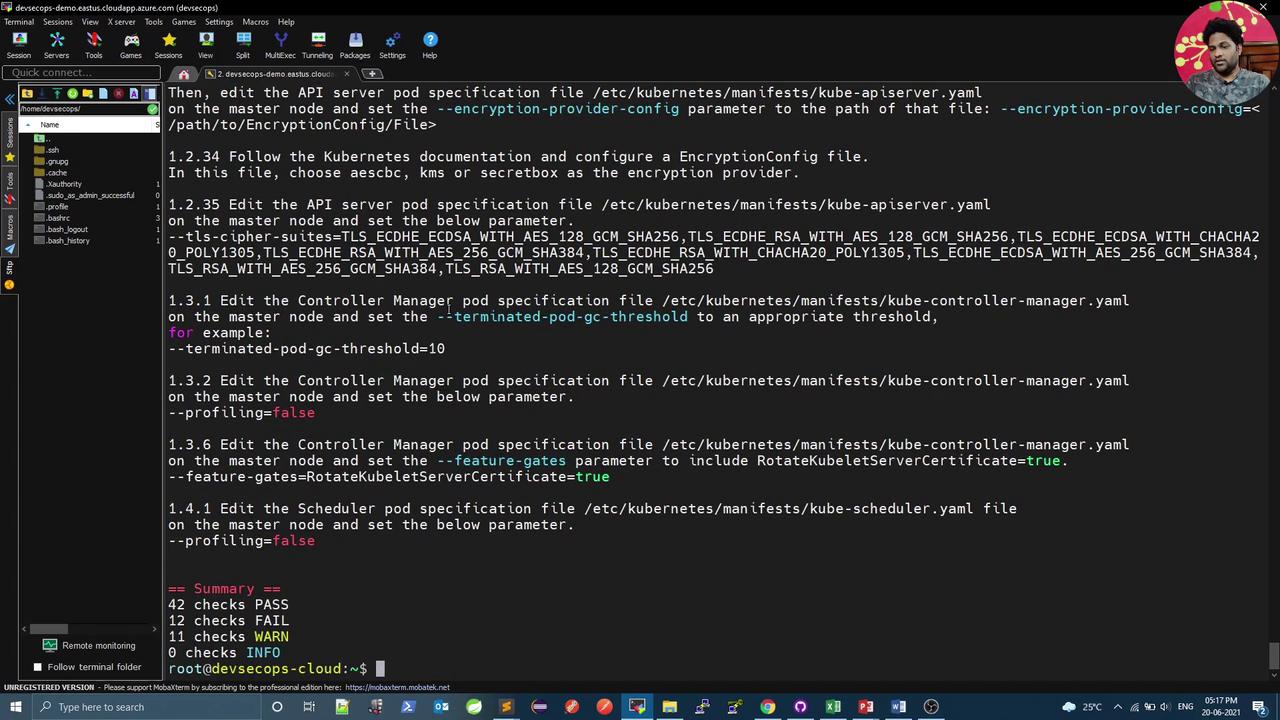
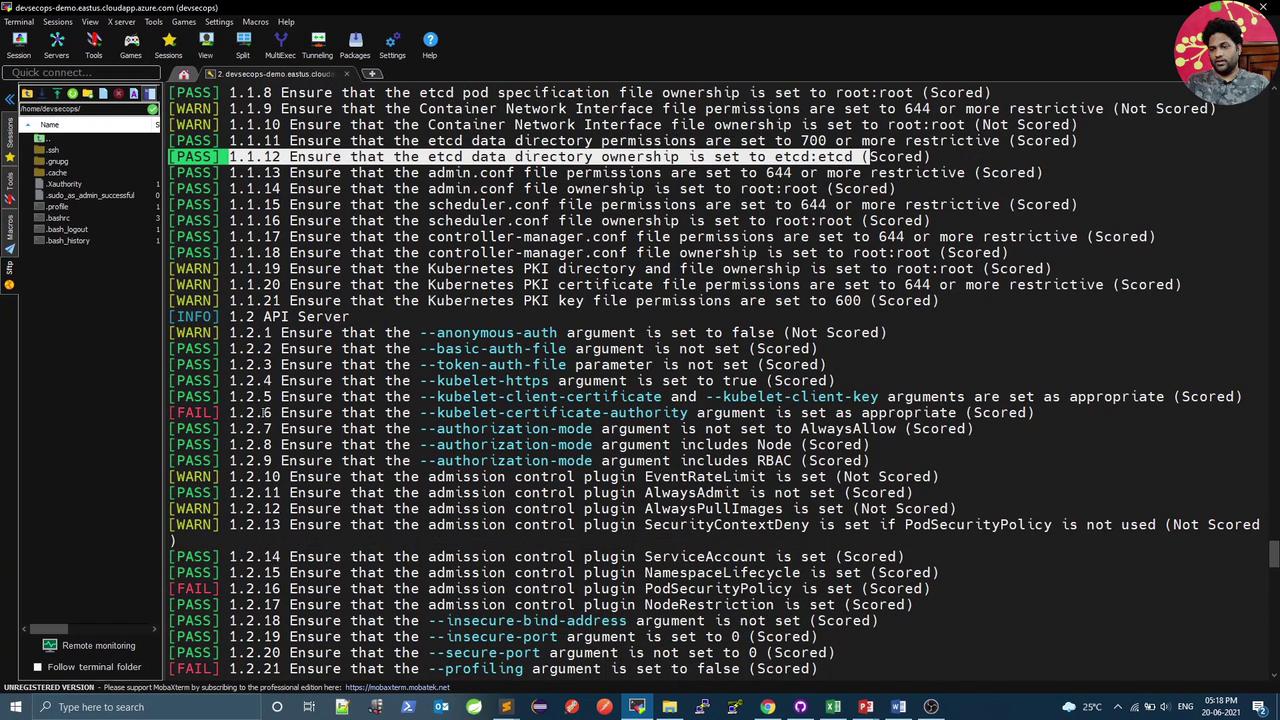
Execute all CIS checks (master, node, etcd, control plane):
```bash theme={null}
kube-bench
```
Example summary:
```text theme={null}
== Summary ==
42 checks PASS
3 checks FAIL
24 checks WARN
0 checks INFO
```
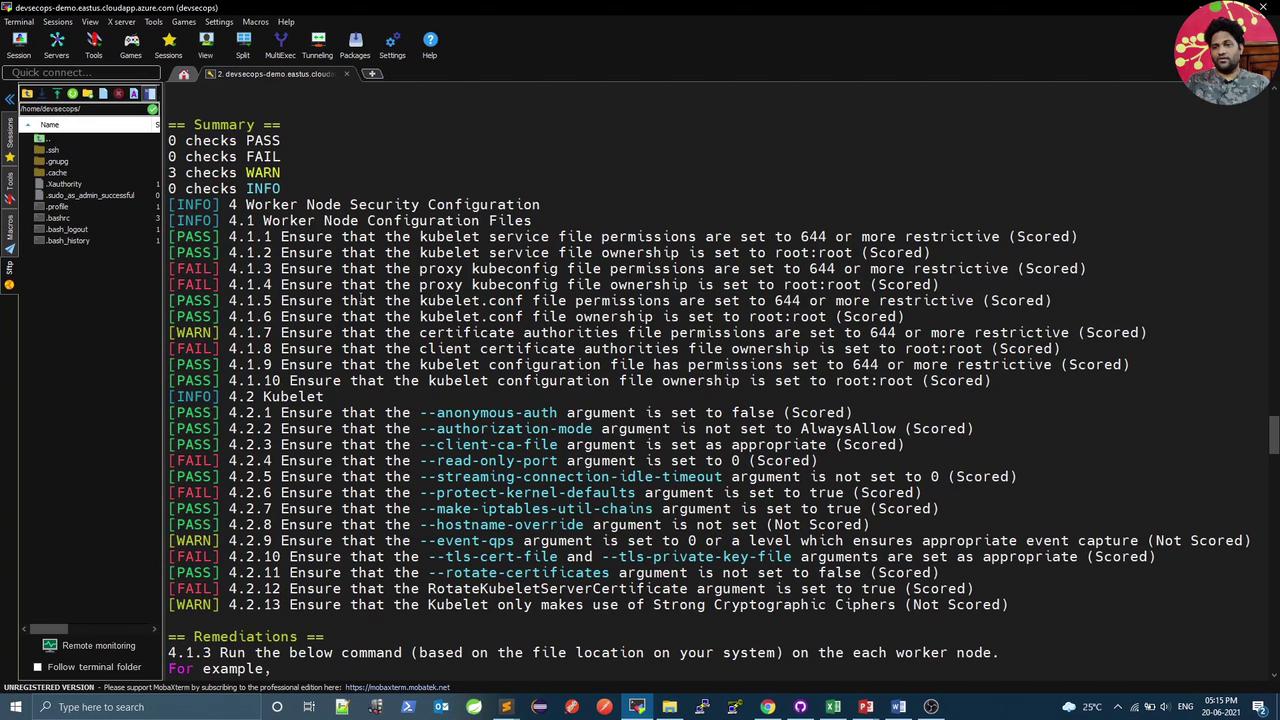
You can target specific components:
| Component | Command | Description |
| --------- | ------------------- | ------------------------------------- |
| All | `kube-bench` | Run all CIS checks |
| Master | `kube-bench master` | Validate control plane configurations |
| Node | `kube-bench node` | Inspect worker node settings |
| Etcd | `kube-bench etcd` | Check etcd data store security |
```bash theme={null}
# Run checks on the master node
kube-bench master
# Run checks on worker nodes
kube-bench node
```
## JSON Output and Filtering
For CI automation, output results in JSON and use `jq` to filter:
```bash theme={null}
kube-bench node --check 4.2.1 --json | jq
```
```json theme={null}
{
"id": "4",
"version": "1.5",
"text": "Worker Node Security Configuration",
"node_type": "node",
"tests": [
{
"section": "4.2",
"pass": 1,
"fail": 0,
"info": 0,
"desc": "Kubelet",
"results": [
{
"test_number": "4.2.1",
"test_desc": "Ensure that the --anonymous-auth argument is set to false (Scored)",
"status": "PASS",
"remediation": "If using a Kubelet config file, edit the file to set authentication: anonymous: enabled to false..."
}
]
}
]
}
```
To extract failure count:
```bash theme={null}
total_fail=$(kube-bench node --check 4.2.1 --json | jq '.[].total_fail')
echo "Total fails: $total_fail"
```
Ensure `jq` is installed (`sudo apt install jq`) to parse JSON output.
## Jenkins Integration
Integrate kube-bench into a Jenkins pipeline to enforce CIS compliance:
```groovy theme={null}
stage('K8S CIS Benchmark') {
steps {
script {
parallel(
'Master': {
sh 'bash cis-master.sh'
},
'Etcd': {
sh 'bash cis-etcd.sh'
},
'Kubelet': {
sh 'bash cis-kubelet.sh'
}
)
}
}
}
```
Each script runs targeted checks, parses JSON, and exits with code `1` on failures. Example `cis-kubelet.sh`:
```bash theme={null}
#!/bin/bash
# Run specific Kubelet tests
total_fail=$(kube-bench node \
--version 1.15 \
--check 4.2.1,4.2.2 \
--json | jq -r '.[].total_fail')
if [[ "$total_fail" -ne 0 ]]; then
echo "CIS Benchmark Failed: Kubelet checks 4.2.1,4.2.2"
exit 1
else
echo "CIS Benchmark Passed: Kubelet checks 4.2.1,4.2.2"
fi
```
Repeat similar scripts for `cis-master.sh` (e.g., checks 1.1.12, 1.2.1) and `cis-etcd.sh` (e.g., check 2.2).
Failing any CIS test will mark the Jenkins stage as failed. Adjust thresholds as needed.
## Conclusion
By combining **kube-bench** with JSON output and `jq` filters, you can automate CIS Kubernetes Benchmark checks in your CI/CD pipeline. These scans help ensure your cluster adheres to security best practices before production deployment.
## References
* [CIS Kubernetes Benchmark]: https://www.cisecurity.org/benchmark/kubernetes/
* [kube-bench on GitHub]: https://github.com/aquasecurity/kube-bench
* [jq Manual]: https://stedolan.github.io/jq/