> ## Documentation Index
> Fetch the complete documentation index at: https://notes.kodekloud.com/llms.txt
> Use this file to discover all available pages before exploring further.
# Promoting App to Prod and Visualize using Kiali
> This tutorial teaches how to deploy a Kubernetes application to production using Jenkins and visualize it with Kiali.
In this tutorial, you’ll learn how to extend your existing Jenkins pipeline to deploy a Kubernetes application into a production namespace and then visualize the service mesh using Kiali. While a dedicated pipeline is recommended for production, this guide demonstrates how to add a production stage to your current Jenkinsfile.
## Table of Contents
1. [Updating the Jenkinsfile](#updating-the-jenkinsfile)
2. [Kubernetes Production Deployment YAML](#kubernetes-production-deployment-yaml)
3. [Why Drop `NET_RAW`?](#why-drop-net_raw)
4. [Rollout Status Script](#rollout-status-script)
5. [Triggering the Deployment](#triggering-the-deployment)
6. [Verifying the Production Deployment](#verifying-the-production-deployment)
7. [Visualizing with Kiali](#visualizing-with-kiali)
* [Namespaces Overview](#namespaces-overview)
* [Outbound & Inbound Metrics](#outbound--inbound-metrics)
* [Workload Health and Logs](#workload-health-and-logs)
* [Service Mesh Graph](#service-mesh-graph)
8. [References](#references)
***
## Updating the Jenkinsfile
Add a new stage named **K8S Deployment - PROD** right after your CIS Benchmarking stage. This stage runs two parallel steps:
```groovy theme={null}
stage('K8S Deployment - PROD') {
steps {
parallel(
'Deployment': {
withKubeConfig([credentialsId: 'kubeconfig']) {
sh "sed -i 's#replace#${imageName}#g' k8s_PROD-deployment_service.yaml"
sh "kubectl -n prod apply -f k8s_PROD-deployment_service.yaml"
}
},
'Rollout Status': {
withKubeConfig([credentialsId: 'kubeconfig']) {
sh "bash k8s-PROD-deployment-rollout-status.sh"
}
}
)
}
}
```
Make sure your Jenkins agent has permissions to apply manifests in the `prod` namespace.
***
## Kubernetes Production Deployment YAML
Create a file named `k8s_PROD-deployment_service.yaml` with the following content. It includes:
* A Deployment with three replicas
* A security context that drops `NET_RAW`
* Resource requests and limits
* A `ClusterIP` Service
```yaml theme={null}
apiVersion: apps/v1
kind: Deployment
metadata:
name: devsecops
labels:
app: devsecops
spec:
replicas: 3
selector:
matchLabels:
app: devsecops
template:
metadata:
labels:
app: devsecops
spec:
serviceAccountName: default
volumes:
- name: vol
emptyDir: {}
containers:
- name: devsecops-container
image: replace
ports:
- containerPort: 8080
volumeMounts:
- mountPath: /tmp
name: vol
securityContext:
capabilities:
drop:
- NET_RAW
runAsUser: 100
runAsNonRoot: true
readOnlyRootFilesystem: true
allowPrivilegeEscalation: false
resources:
requests:
memory: "256Mi"
cpu: "200m"
limits:
memory: "512Mi"
cpu: "500m"
---
apiVersion: v1
kind: Service
metadata:
name: devsecops-svc
labels:
app: devsecops
spec:
type: ClusterIP
selector:
app: devsecops
ports:
- port: 8080
targetPort: 8080
protocol: TCP
```
### Resource Requests and Limits
| Resource | Request | Limit |
| -------- | ------- | ----- |
| CPU | 200m | 500m |
| Memory | 256Mi | 512Mi |
***
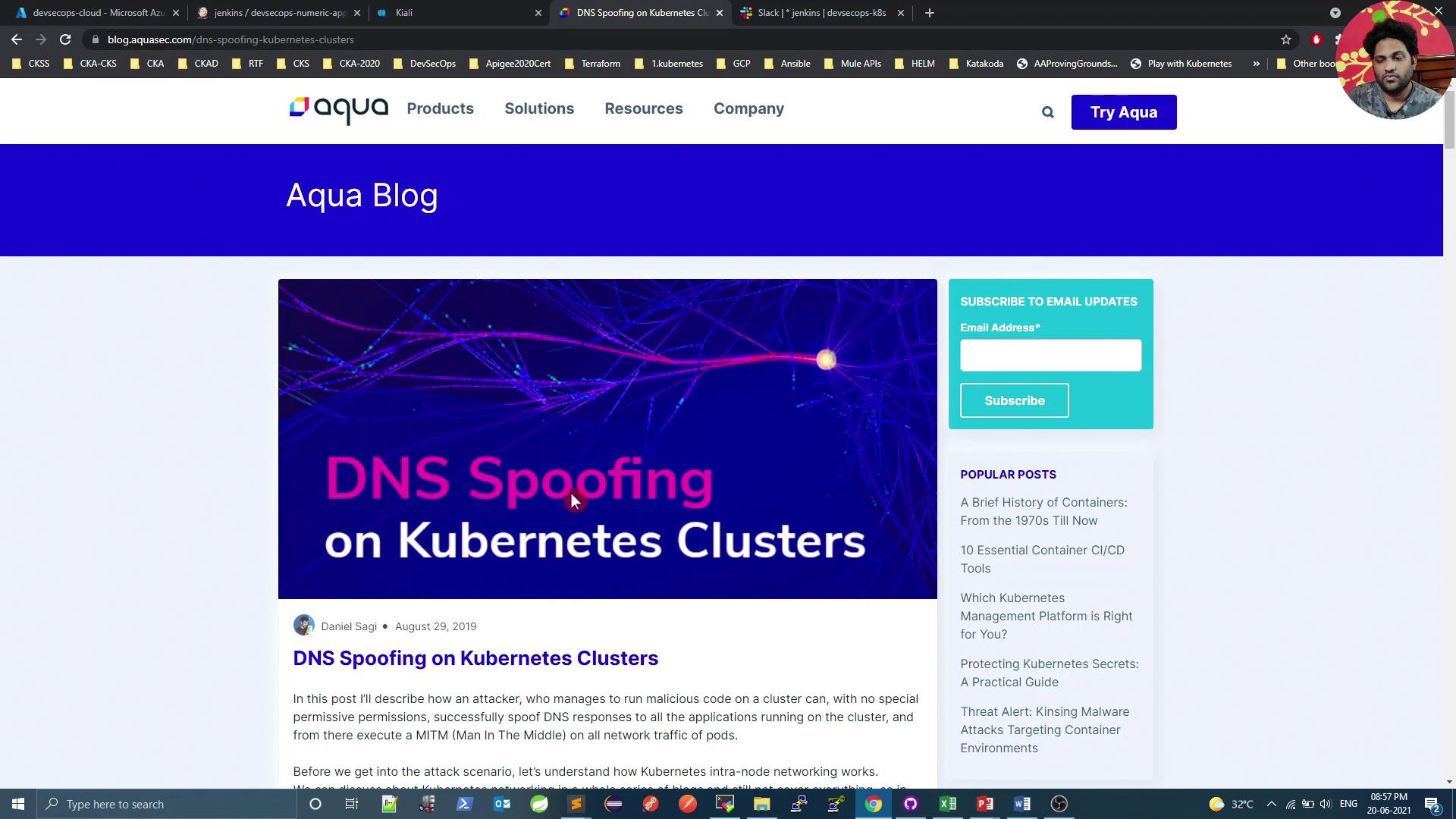
## Why Drop `NET_RAW`?
Dropping the `NET_RAW` capability mitigates DNS spoofing and other low-level network attacks. For a deeper dive, read [DNS Spoofing on Kubernetes Clusters](https://www.aquasec.com/blog/dns-spoofing-kubernetes-clusters/).
```yaml theme={null}
apiVersion: v1
kind: Pod
metadata:
name: security-context-demo
spec:
containers:
- name: test
image: alpine
securityContext:
capabilities:
drop:
- NET_RAW
```
Ensure no essential functionality relies on raw sockets before dropping `NET_RAW`.
***
## Rollout Status Script
Save the following as `k8s-PROD-deployment-rollout-status.sh` in your repo. It waits for the deployment to roll out, then rolls back on failure:
```bash theme={null}
#!/bin/bash
# Wait for pods to start
sleep 60s
if ! kubectl -n prod rollout status deploy ${deploymentName} --timeout=5s | grep -q "successfully rolled out"; then
echo "Deployment ${deploymentName} rollout has failed"
kubectl -n prod undo deploy ${deploymentName}
exit 1
else
echo "Deployment ${deploymentName} rollout is successful"
fi
```
Make the script executable:
```bash theme={null}
chmod +x k8s-PROD-deployment-rollout-status.sh
```
***
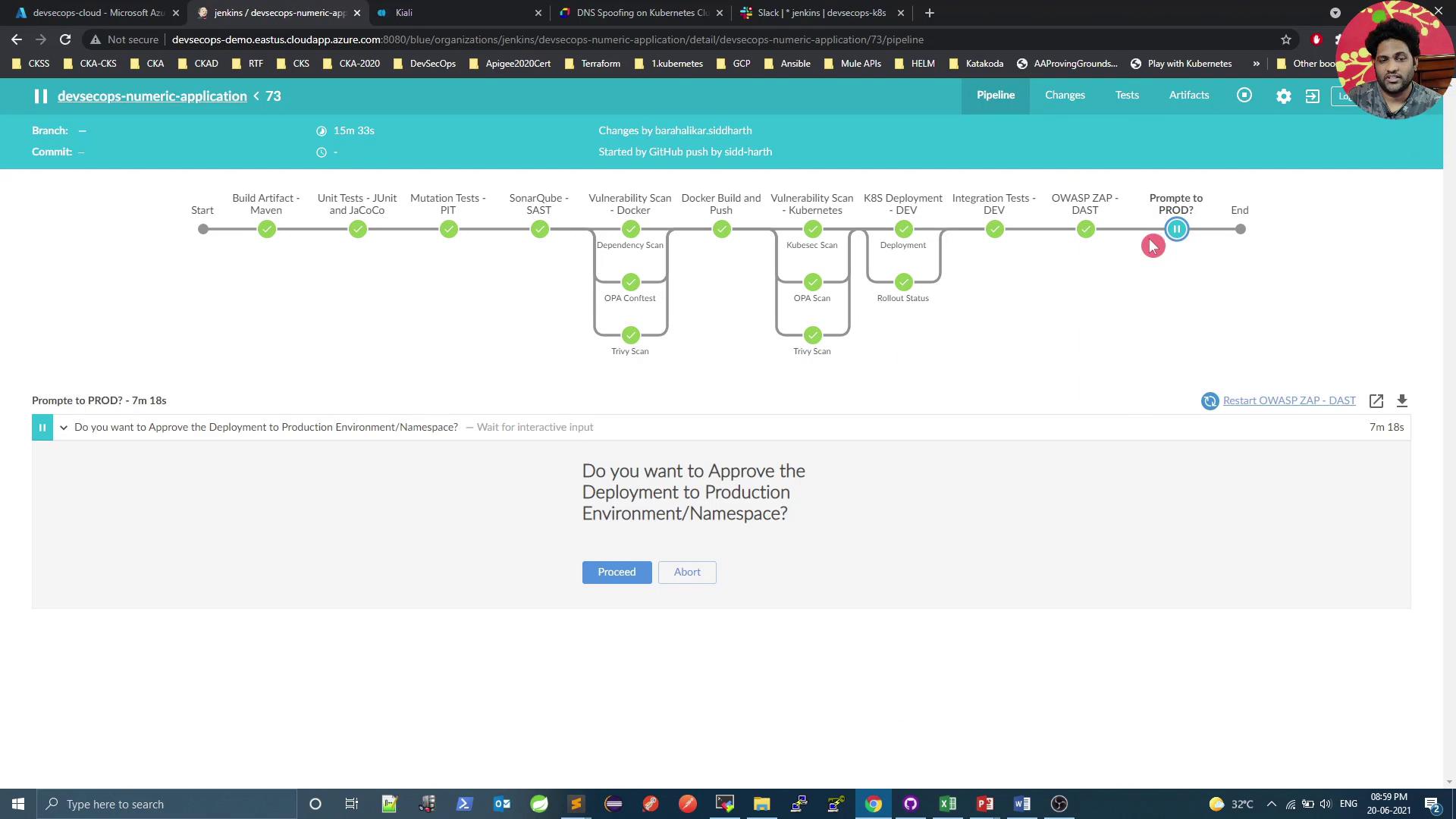
## Triggering the Deployment
1. Commit and push both `Jenkinsfile` and YAML/script files to your Git repo.
2. Start the Jenkins build.
3. Approve the production deployment when prompted.
***
## Verifying the Production Deployment
Validate pods in the `prod` namespace and confirm the Kiali service:
```bash theme={null}
# Check Kiali in istio-system
kubectl -n istio-system get svc kiali
# View prod pods
kubectl -n prod get po
```
Example output:
```text theme={null}
NAME READY STATUS RESTARTS AGE
devsecops-7699f69c9f-cq44c 2/2 Running 0 34s
devsecops-7699f69c9f-qnrrr 2/2 Running 0 34s
devsecops-7699f69c9f-m82p 2/2 Running 0 34s
node-app-597c464649-lgs82 2/2 Running 0 121m
```
> The extra container in each pod is the Istio sidecar proxy.
***
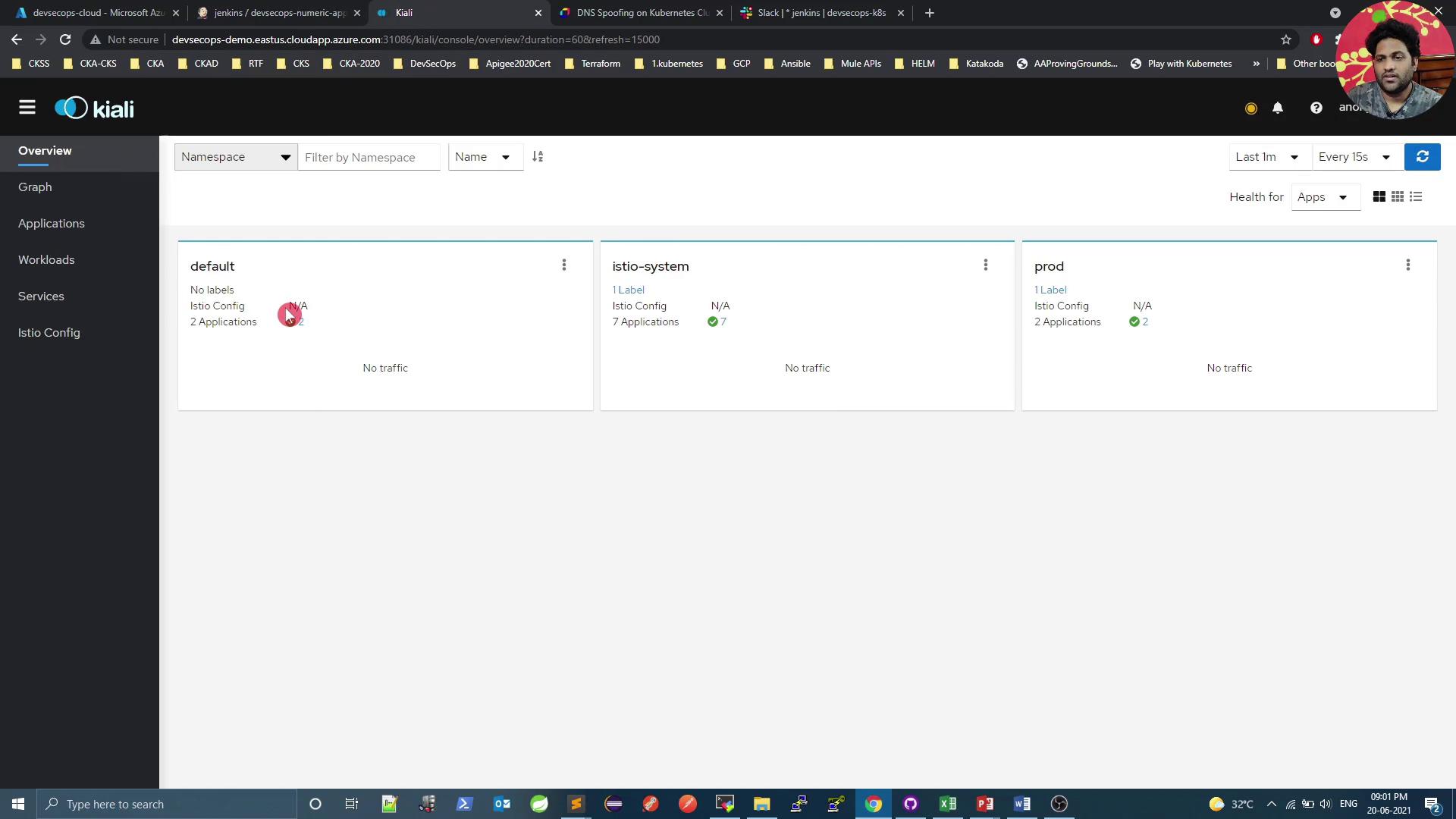
## Visualizing with Kiali
Kiali offers a comprehensive dashboard to monitor your service mesh. Below is a quick overview of key sections.
### Namespaces Overview
### Outbound & Inbound Metrics
**Outbound Metrics**
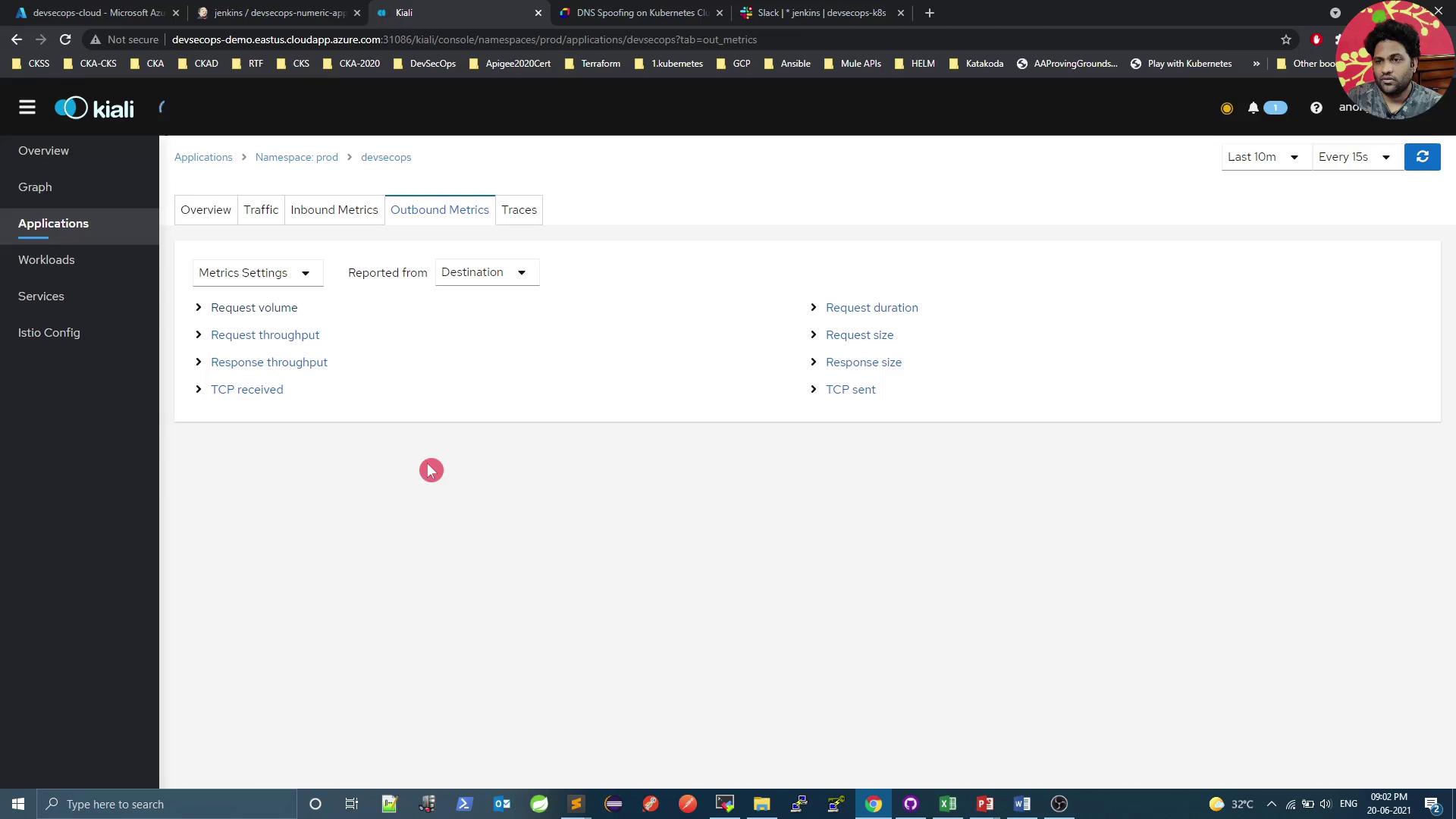
**Inbound Metrics**
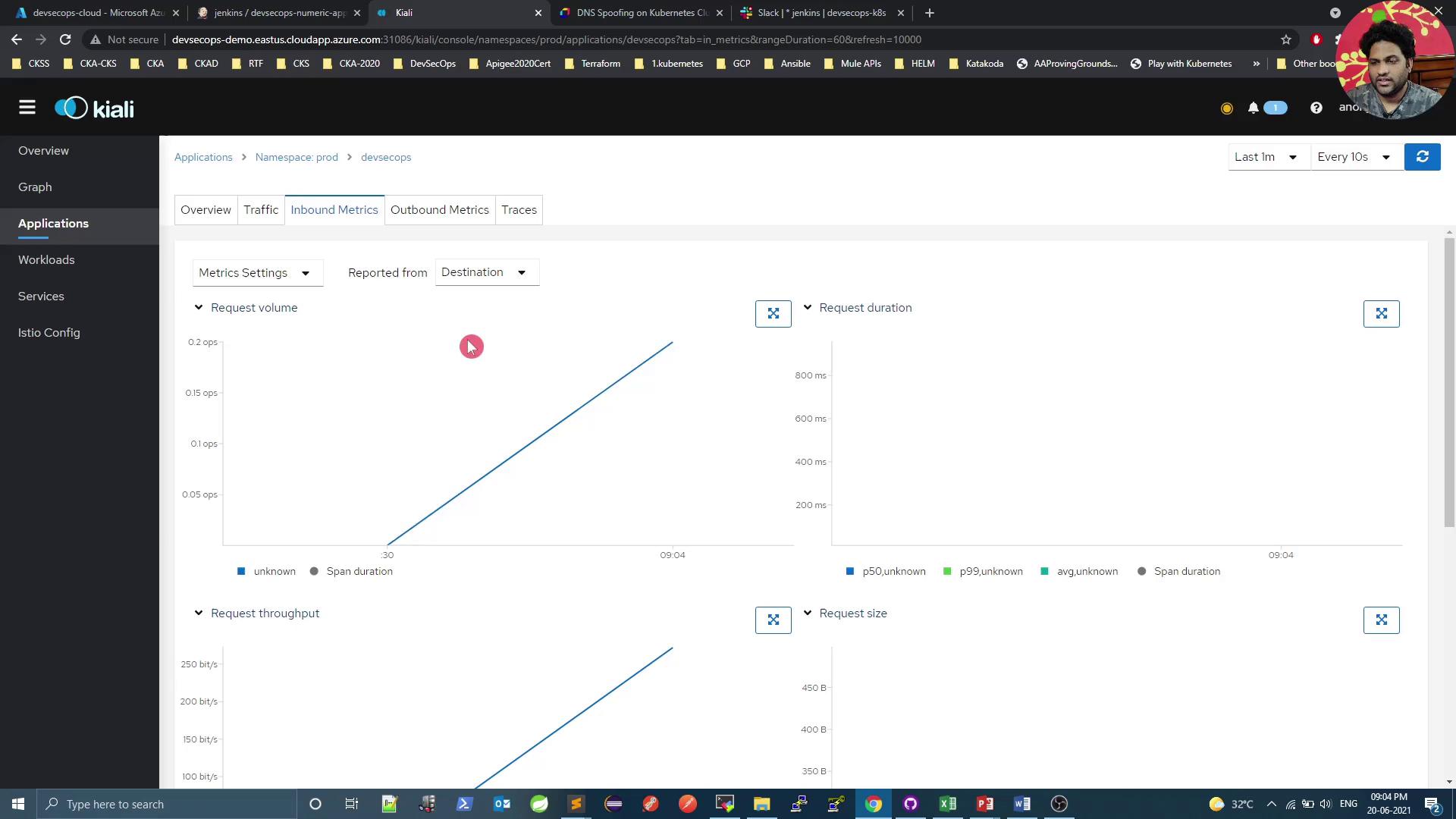
#### Generating Traffic
Use a simple `curl` loop to generate load and see real-time metrics:
```bash theme={null}
# Get service endpoints
kubectl -n istio-system get svc kiali
kubectl -n prod get svc
# Loop requests
while true; do
curl -s 10.101.121.127:8080/increment/99
echo
sleep 1
done
```
***
### Workload Health and Logs
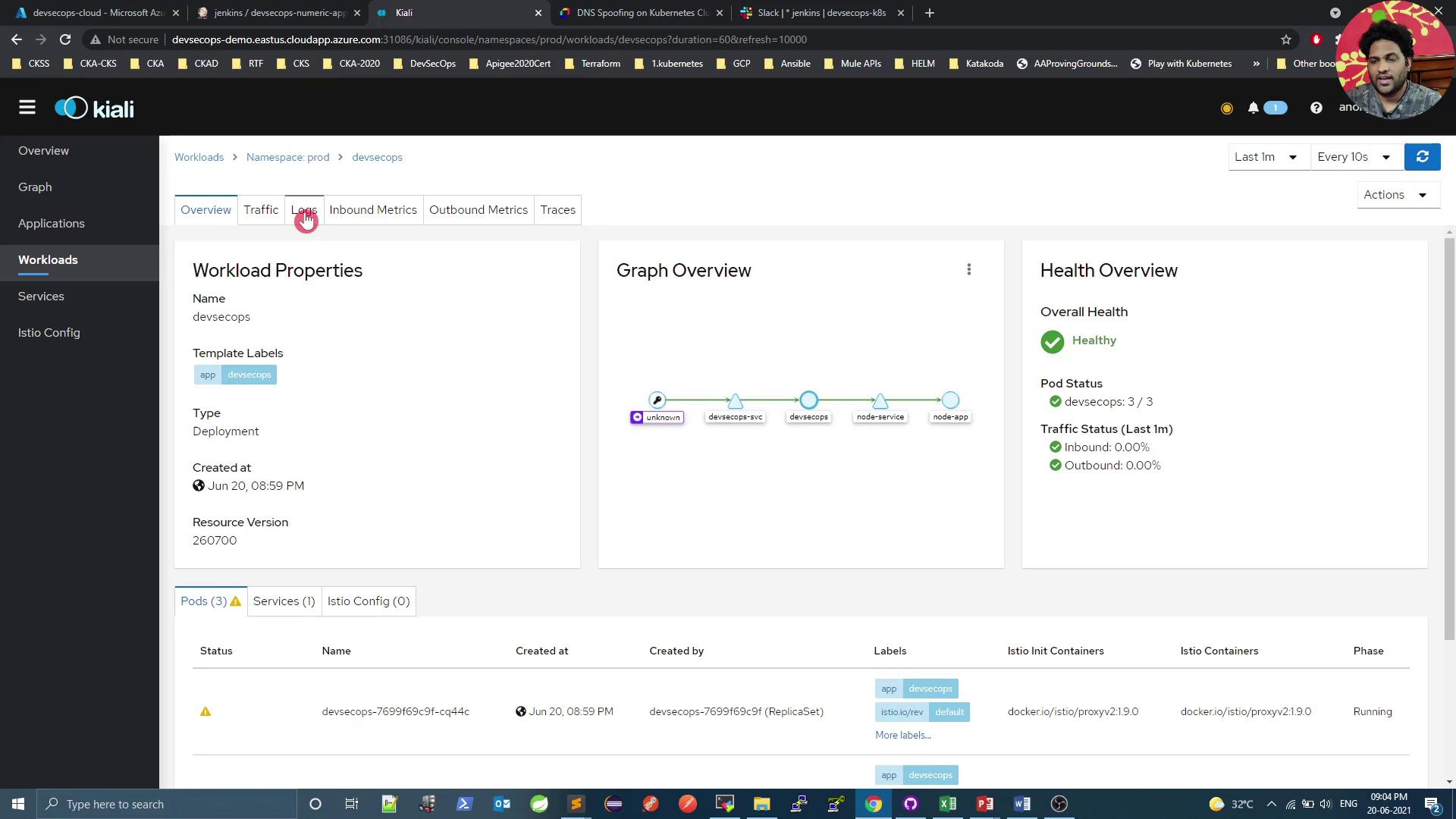
Access logs directly in Kiali:
```text theme={null}
2021-06-26 15:33:40.059 INFO 1 --- [nio-8080-exec-2] com.devsecops.NumericController : Value Received in Request - 99
...
[2021-06-20T15:33:47.962Z] "GET /increment/99 HTTP/1.1" 200 0 3 ... inbound|8080|
```
***
### Service Mesh Graph
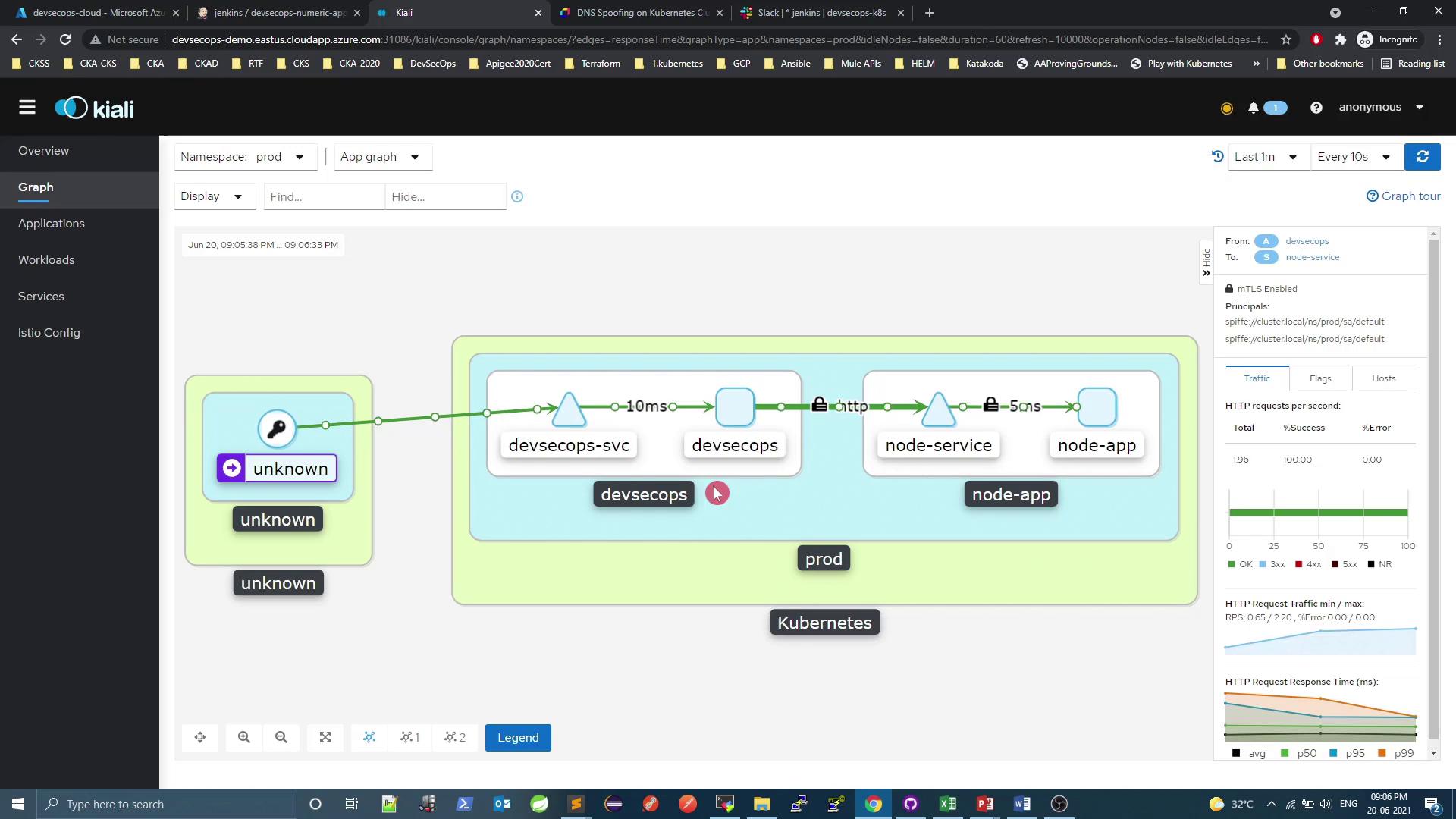
The lock icon indicates that mutual TLS (mTLS) is enforced between services.
***
## References
* [Kubernetes Documentation](https://kubernetes.io/docs/)
* [Kiali Official Website](https://kiali.io/)
* [DNS Spoofing on Kubernetes Clusters](https://www.aquasec.com/blog/dns-spoofing-kubernetes-clusters/)