> ## Documentation Index
> Fetch the complete documentation index at: https://notes.kodekloud.com/llms.txt
> Use this file to discover all available pages before exploring further.
# Example for Voting Application
> This sample application demonstrates building and deploying a microservices-based voting system using Docker.
Welcome to this hands-on demo of the Example Voting App. This sample application demonstrates how to build and deploy a simple microservices-based voting system using Docker. The complete source code is available in the Docker samples repository on GitHub under **example-voting-app**:
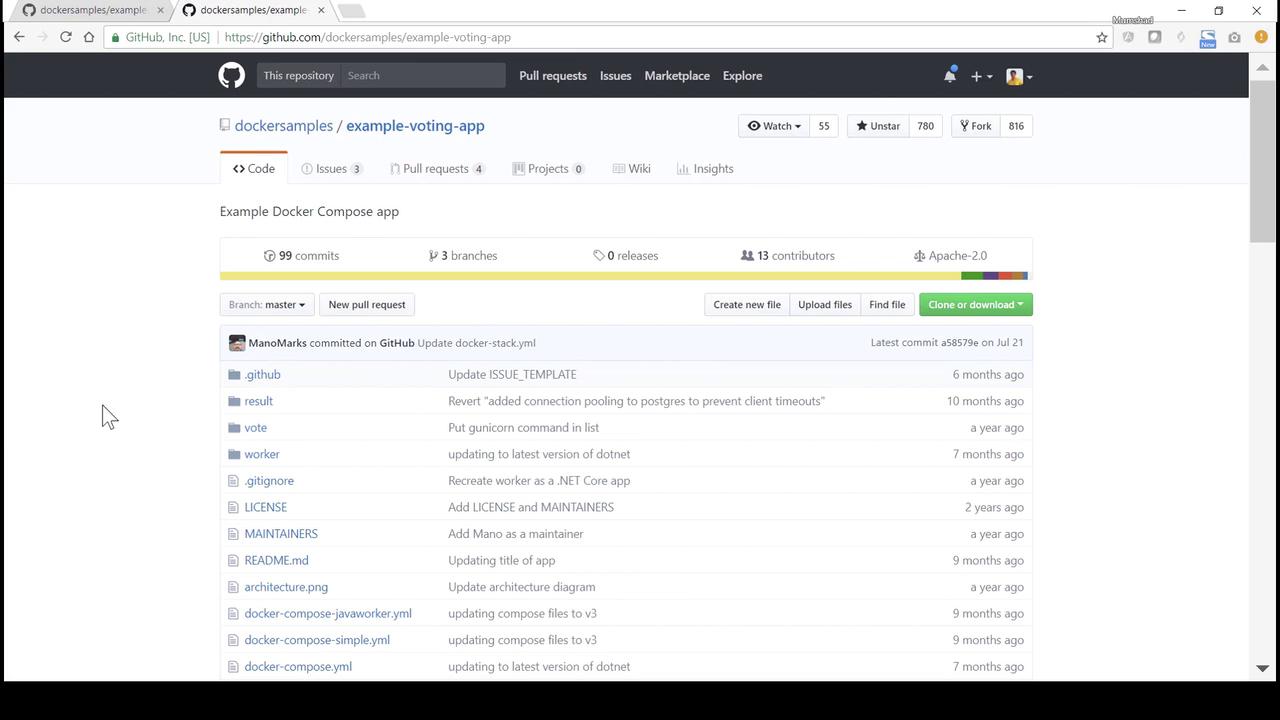
In this guide, we will:
1. Review the overall architecture.
2. Dive into each component’s source code and Dockerfile.
3. Deploy all services step by step with `docker run`.
***
## Architecture Overview
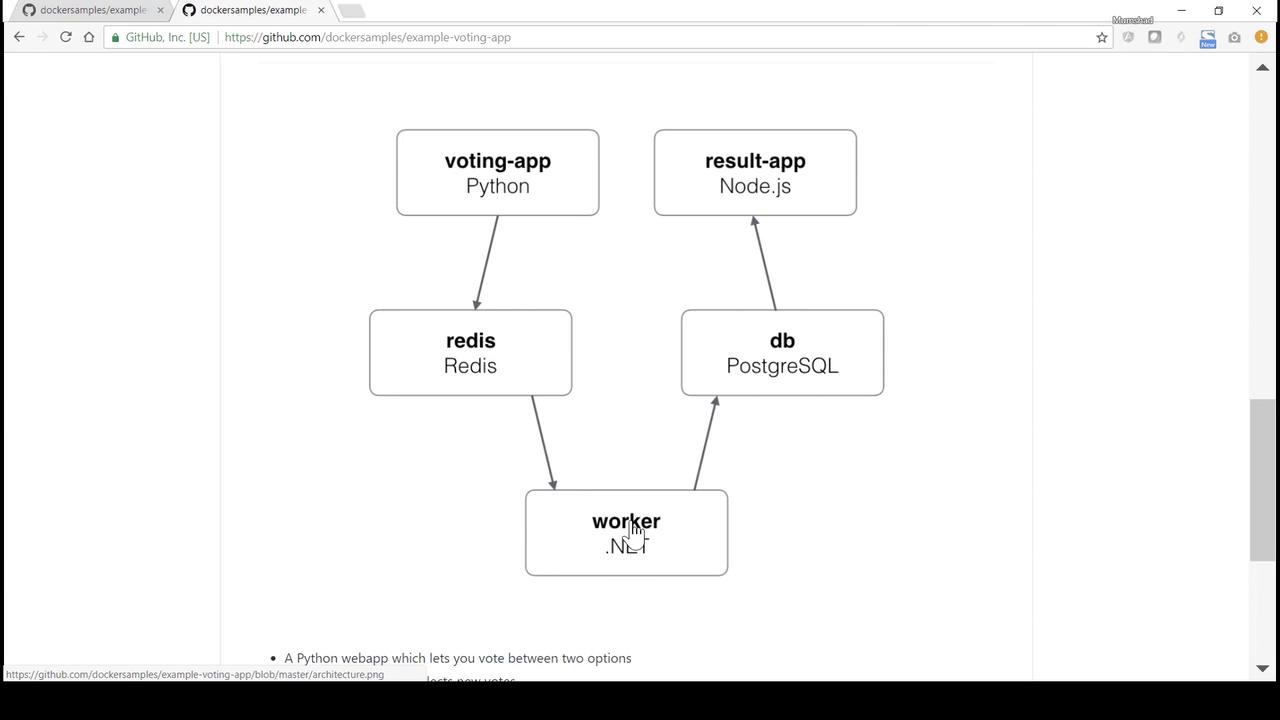
The voting system consists of five microservices:
| Component | Language/Tech | Responsibility |
| --------- | --------------- | ------------------------------------------ |
| vote | Python (Flask) | Web UI for casting votes |
| redis | Redis | Message queue for vote events |
| worker | Java | Consumes votes from Redis and writes to DB |
| db | PostgreSQL | Stores vote records |
| result | Node.js/Express | Displays aggregated voting results |
***
## 1. vote (Python Flask)
The **vote** service provides a simple web page to cast votes and pushes each vote into Redis.
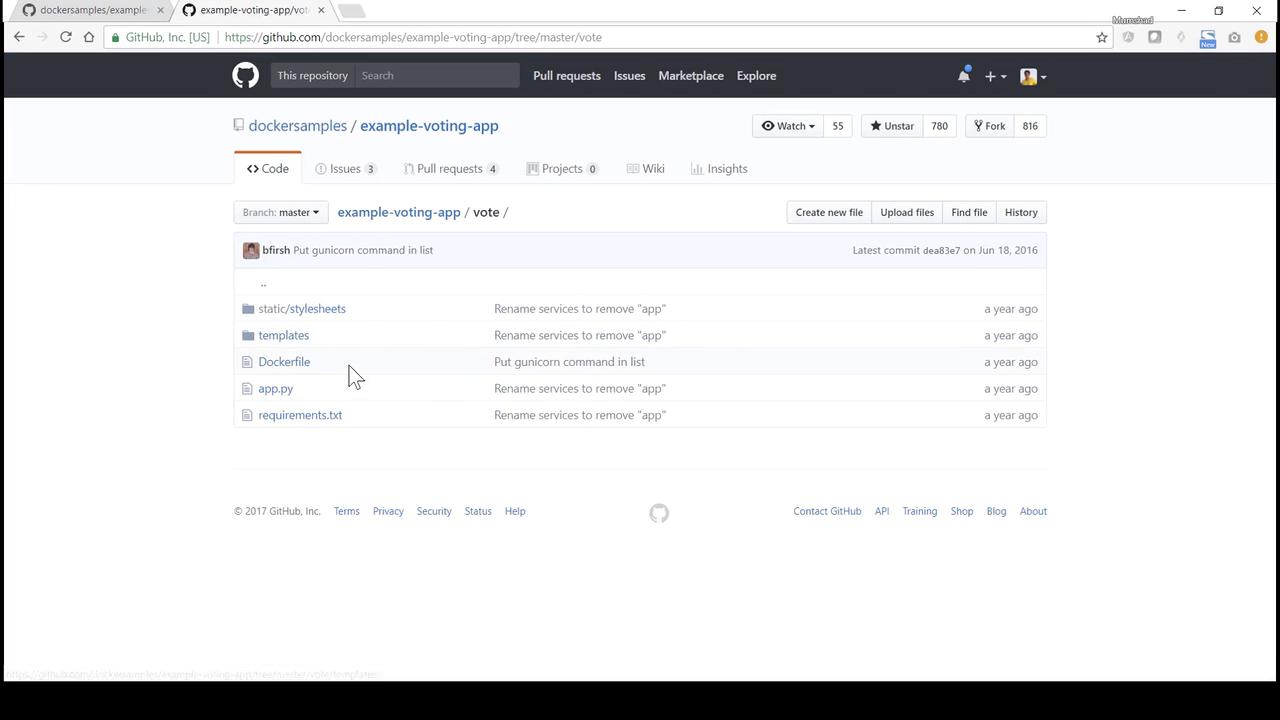
Navigate to the `vote` directory to explore its code and Dockerfile:
### app.py
```python theme={null}
from flask import Flask, request, make_response, render_template, g
from redis import Redis
import os, random, json, socket
option_a = os.getenv("OPTION_A", "Cats")
option_b = os.getenv("OPTION_B", "Dogs")
hostname = socket.gethostname()
app = Flask(__name__)
def get_redis():
if not hasattr(g, 'redis'):
g.redis = Redis(host="redis", db=0, socket_timeout=5)
return g.redis
@app.route("/", methods=["GET", "POST"])
def vote_page():
voter_id = request.cookies.get('voter_id')
if not voter_id:
voter_id = hex(random.getrandbits(64))[2:-1]
vote = None
if request.method == 'POST':
redis_conn = get_redis()
vote = request.form['vote']
data = json.dumps({'voter_id': voter_id, 'vote': vote})
redis_conn.rpush('votes', data)
resp = make_response(render_template(
'index.html',
option_a=option_a,
option_b=option_b,
hostname=hostname,
vote=vote,
))
resp.set_cookie('voter_id', voter_id)
return resp
if __name__ == "__main__":
app.run(host="0.0.0.0", port=80, debug=True, threaded=True)
```
The Redis host is referenced as `redis`. Ensure the Redis container is linked or networked under this name.
### Dockerfile
```dockerfile theme={null}
# Use official Python runtime
FROM python:2.7-alpine
WORKDIR /app
# Install dependencies
ADD requirements.txt /app/
RUN pip install -r requirements.txt
# Copy application code
ADD . /app
EXPOSE 80
# Launch with Gunicorn
CMD ["gunicorn", "app:app", "-b", "0.0.0.0:80", "--workers", "4", "--keep-alive", "0"]
```
***
## 2. worker (Java)
The **worker** service consumes vote messages from Redis and writes them into PostgreSQL.
### Worker.java
```java theme={null}
import redis.clients.jedis.Jedis;
import org.json.JSONObject;
import java.sql.*;
import java.util.List;
class Worker {
public static void main(String[] args) {
try {
Jedis redis = new Jedis("redis");
Connection dbConn = DriverManager.getConnection(
"jdbc:postgresql://db/postgres", "postgres", "password"
);
System.err.println("Watching vote queue");
while (true) {
List item = redis.blpop(0, "votes");
String voteJSON = item.get(1);
JSONObject voteData = new JSONObject(voteJSON);
String voterID = voteData.getString("voter_id");
String vote = voteData.getString("vote");
System.err.printf("Processing vote '%s' by '%s'%n", vote, voterID);
updateVote(dbConn, voterID, vote);
}
} catch (SQLException e) {
e.printStackTrace();
System.exit(1);
}
}
static void updateVote(Connection dbConn, String voterID, String vote) throws SQLException {
PreparedStatement stmt = dbConn.prepareStatement(
"INSERT INTO votes (id, vote) VALUES (?, ?)"
);
stmt.setString(1, voterID);
stmt.setString(2, vote);
stmt.executeUpdate();
}
}
```
### Dockerfile
```dockerfile theme={null}
# Use .NET SDK image
FROM microsoft/dotnet:1.1.1-sdk
WORKDIR /code
# Copy and restore/publish the worker
ADD src/Worker /code/src/Worker
RUN dotnet restore src/Worker && \
dotnet publish -c Release -o out src/Worker
CMD ["dotnet", "out/Worker.dll"]
```
***
## 3. result (Node.js/Express)
The **result** service queries PostgreSQL for vote counts and renders a results page.
### server.js
```javascript theme={null}
const express = require('express');
const { Client } = require('pg');
const app = express();
const port = process.env.PORT || 80;
const client = new Client({
host: 'db',
user: 'postgres',
password: 'password',
database: 'postgres'
});
client.connect();
app.set('view engine', 'pug');
app.use(express.static('public'));
app.get('/', async (req, res) => {
const result = await client.query(
'SELECT vote, COUNT(*) AS count FROM votes GROUP BY vote'
);
res.render('results', { votes: result.rows });
});
app.listen(port, () => console.log(`Result app listening on ${port}`));
```
### Dockerfile
```dockerfile theme={null}
FROM node:5.11.0-slim
WORKDIR /app
# Global utilities
RUN npm install -g nodemon
ADD package.json /app/
RUN npm config set registry http://registry.npmjs.org && \
npm install && npm ls
# Copy app code
ADD . /app
EXPOSE 80
CMD ["node", "server.js"]
```
***
## 4. Deploying with `docker run`
The `--link` flag is considered legacy. For production, prefer [user-defined networks](https://docs.docker.com/network/) or Docker Compose.
### 4.1 Clone & Build the Voting UI
```bash theme={null}
git clone https://github.com/dockersamples/example-voting-app.git
cd example-voting-app/vote
docker build -t voting-app .
```
### 4.2 Start Redis & Voting UI
```bash theme={null}
# Redis message queue
docker run -d --name redis redis:latest
# Voting UI linked to Redis on port 5000
docker run -d --name vote-ui \
-p 5000:80 \
--link redis:redis \
voting-app
```
Open [http://localhost:5000](http://localhost:5000) to cast your vote.
### 4.3 Launch PostgreSQL Database
```bash theme={null}
docker run -d --name db \
-e POSTGRES_PASSWORD=password \
postgres:9.4
```
### 4.4 Build & Run the Worker
```bash theme={null}
cd ../worker
docker build -t worker-app .
docker run -d --name vote-worker \
--link redis:redis \
--link db:db \
worker-app
```
### 4.5 Build & Run the Result App
```bash theme={null}
cd ../result
docker build -t result-app .
docker run -d --name vote-result \
-p 5001:80 \
--link db:db \
result-app
```
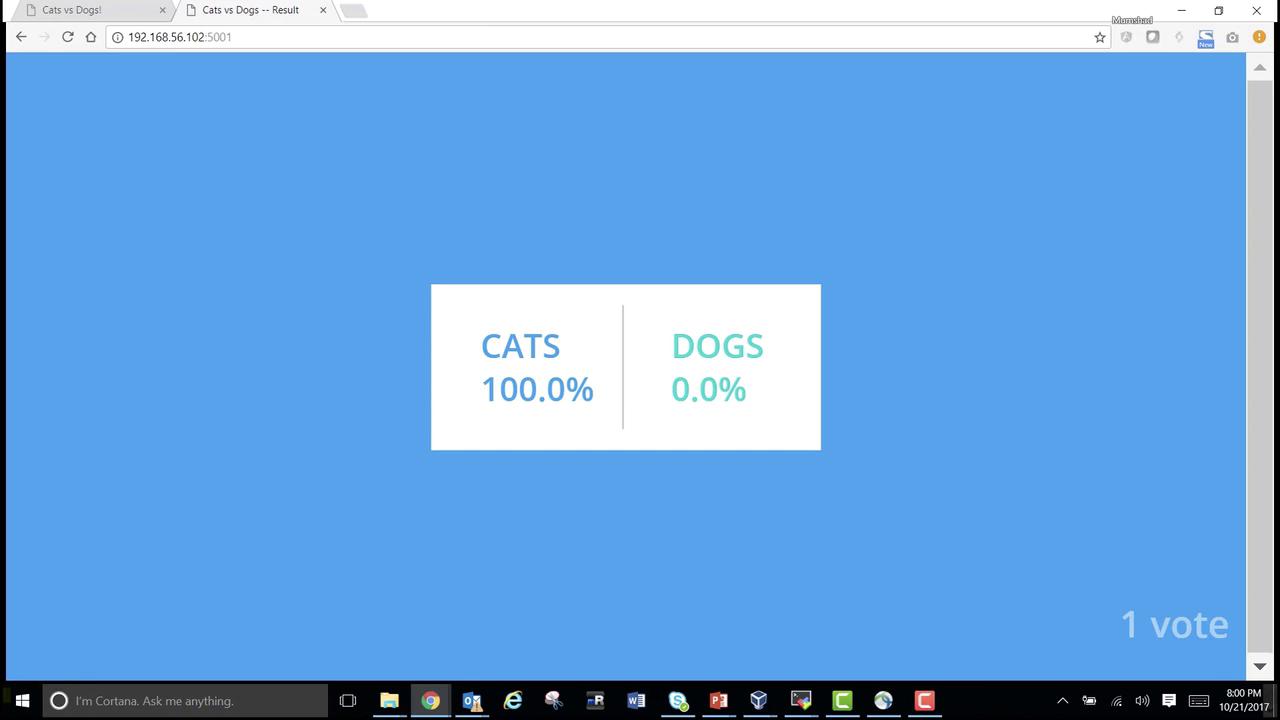
Visit [http://localhost:5001](http://localhost:5001) to see live voting results:
***
Congratulations! You’ve manually deployed all services using `docker run`, linked them together, and completed a full voting workflow. Next, we’ll automate this setup with **Docker Compose**.
***
## References
* [Docker Documentation](https://docs.docker.com/)
* [Flask (Python) Documentation](https://flask.palletsprojects.com/)
* [Redis Official Site](https://redis.io/)
* [PostgreSQL Documentation](https://www.postgresql.org/docs/)
* [Express (Node.js) Guide](https://expressjs.com/)