> ## Documentation Index
> Fetch the complete documentation index at: https://notes.kodekloud.com/llms.txt
> Use this file to discover all available pages before exploring further.
# Demo Docker UCP Setup
> This article provides a step-by-step guide for setting up Docker Universal Control Plane Manager.
## Prerequisites
1. Visit [Docker Documentation][Docker Docs].
2. Navigate to **Product Manual** → **Docker Enterprise**.
3. Select **Universal Control Plane** → **Administration**.
4. In the left menu, click **Install** and review **System Requirements**.
Ensure all required network ports are open before proceeding. See [Network Ports][Network Ports].
## System Requirements
### Software
| Requirement | Details |
| ------------- | ---------------------------- |
| Docker Engine | Installed and running |
| Linux Kernel | Version ≥ 3.10 |
| Network | Static IP on the host server |
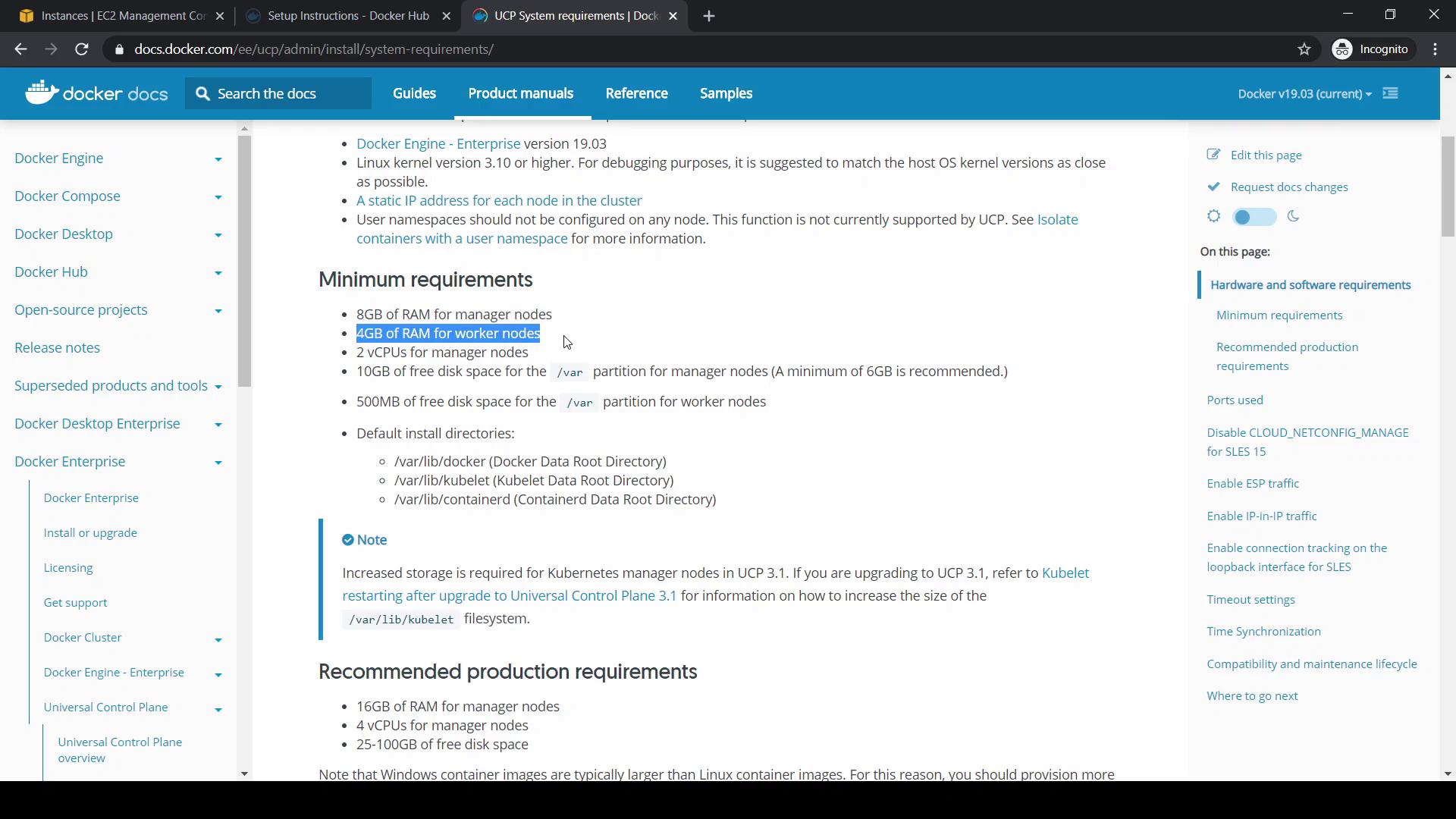
### Hardware (Minimum)
| Node Type | RAM | CPU | Disk Space (Free) |
| --------- | ---- | ------- | ----------------- |
| Manager | 8 GB | 2 cores | ≥ 10 GB |
| Worker | 4 GB | 2 cores | ≥ 10 GB |
### Hardware (Recommended for Production)
| Node Role | RAM | CPU | Disk Space |
| -------------- | ----- | ------- | -------------- |
| Manager (Prod) | 16 GB | 4 cores | 25–100 GB free |
Docker Engine is already installed and the host meets these specs, so we’ll skip custom volume configuration (step 3 in the guide).
## Installation Steps
1. Pull the UCP image (e.g., version 3.2.6):
```bash theme={null}
docker image pull docker/ucp:3.2.6
```
2. Run the installer container (replace `` with your manager’s private IP):
```bash theme={null}
docker container run --rm -it --name ucp \
-v /var/run/docker.sock:/var/run/docker.sock \
docker/ucp:3.2.6 install \
--host-address \
--interactive
```
3. When prompted:
* Enter **Admin Username** (e.g., `yogeshraheja`)
* Set and confirm **Admin Password**
* Press **Enter** if no additional aliases (SANs) are needed
### Example Installation Output
```console theme={null}
[root@ucpmanager ~]# docker image pull docker/ucp:3.2.6
3.2.6: Pulling from docker/ucp
4167d3e14976: Pull complete
af325902296c: Pull complete
1c053272dca9: Pull complete
[root@ucpmanager ~]# docker container run --rm -it --name ucp \
> -v /var/run/docker.sock:/var/run/docker.sock \
> docker/ucp:3.2.6 install \
> --host-address 172.31.32.217 \
> --interactive
INFO[0000] Your Docker daemon version 19.03.5, build 2ee0c57608 ... is compatible with UCP 3.2.6
INFO[0000] Initializing New Docker Swarm
Admin Username: yogeshraheja
Admin Password:
Confirm Admin Password:
WARN[0016] None of the Subject Alternative Names ... ("ucpmanager") ...
You may enter additional aliases (SANs) now or press enter to proceed with the above list.
Additional aliases:
INFO[0019] Checking required ports for connectivity
INFO[0025] Pulling required images... (this may take a while)
INFO[0025] Pulling image: docker/ucp-agent:3.2.6
...
INFO[0043] Step 24 of 35: [Install Kubernetes CNI Plugin]
```
This will take several minutes as UCP deploys both Swarm and Kubernetes orchestrators.
## Accessing the UCP Console
1. Open `https://` in your browser.
2. Sign in using your admin credentials.
3. Upload your Docker Enterprise license (downloadable from your [Docker Hub][Docker Hub] account).
Once logged in, the UCP dashboard displays six main sections:
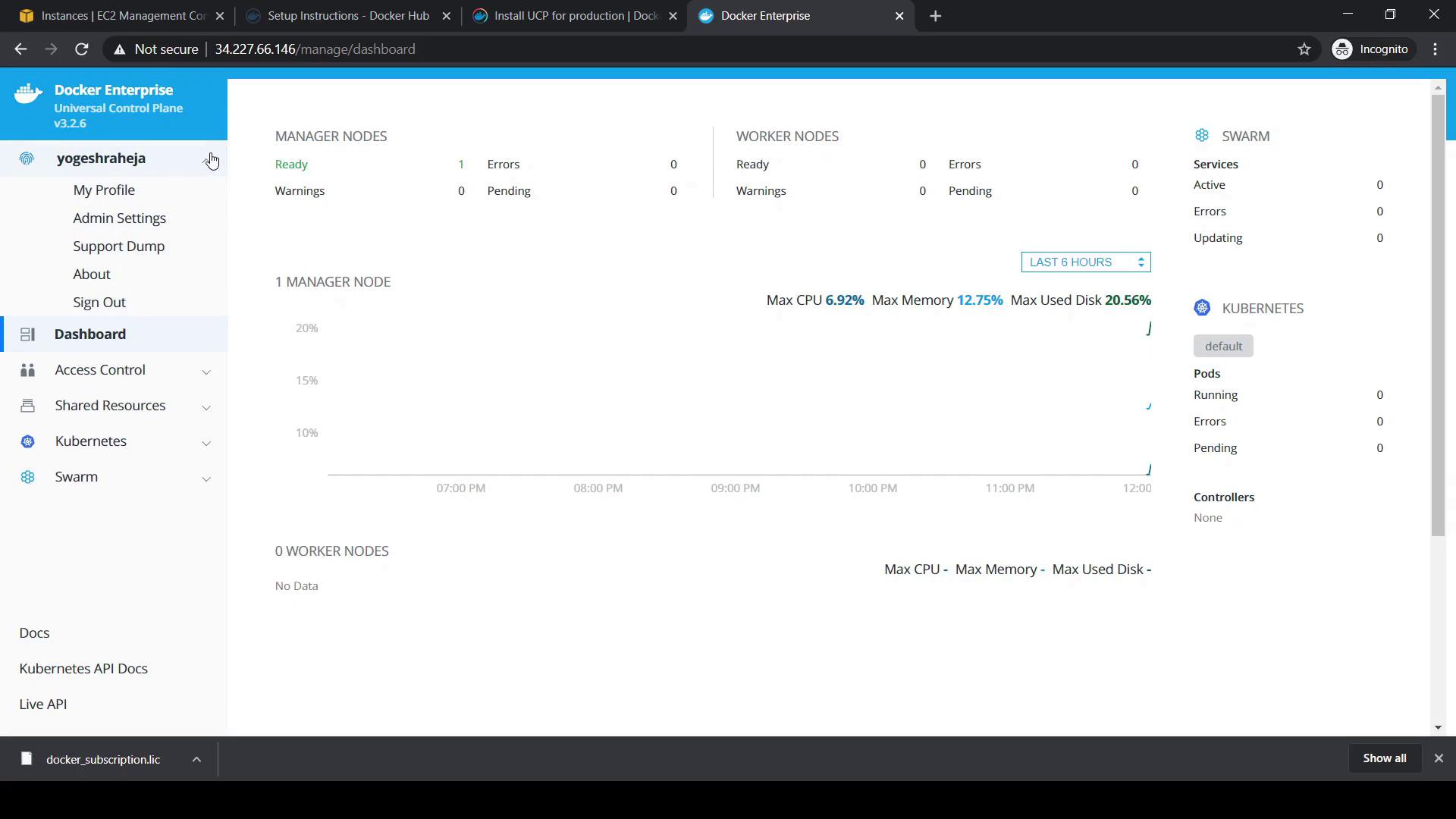
| Section | Description |
| ---------------- | --------------------------------------------------------------------------- |
| Admin | Manages current admin user and account settings |
| Dashboard | Cluster overview: node status, Swarm/Kubernetes workloads, resource metrics |
| Access Control | User, team, and role-based access management |
| Shared Resources | Manage nodes, containers, images, networks, and volumes |
| Kubernetes | GUI for deploying and monitoring Kubernetes workloads |
| Swarm | GUI for building and scaling Swarm services and stacks |
Navigate to **Shared Resources → Nodes** to view cluster membership. Initially, only the manager node appears.
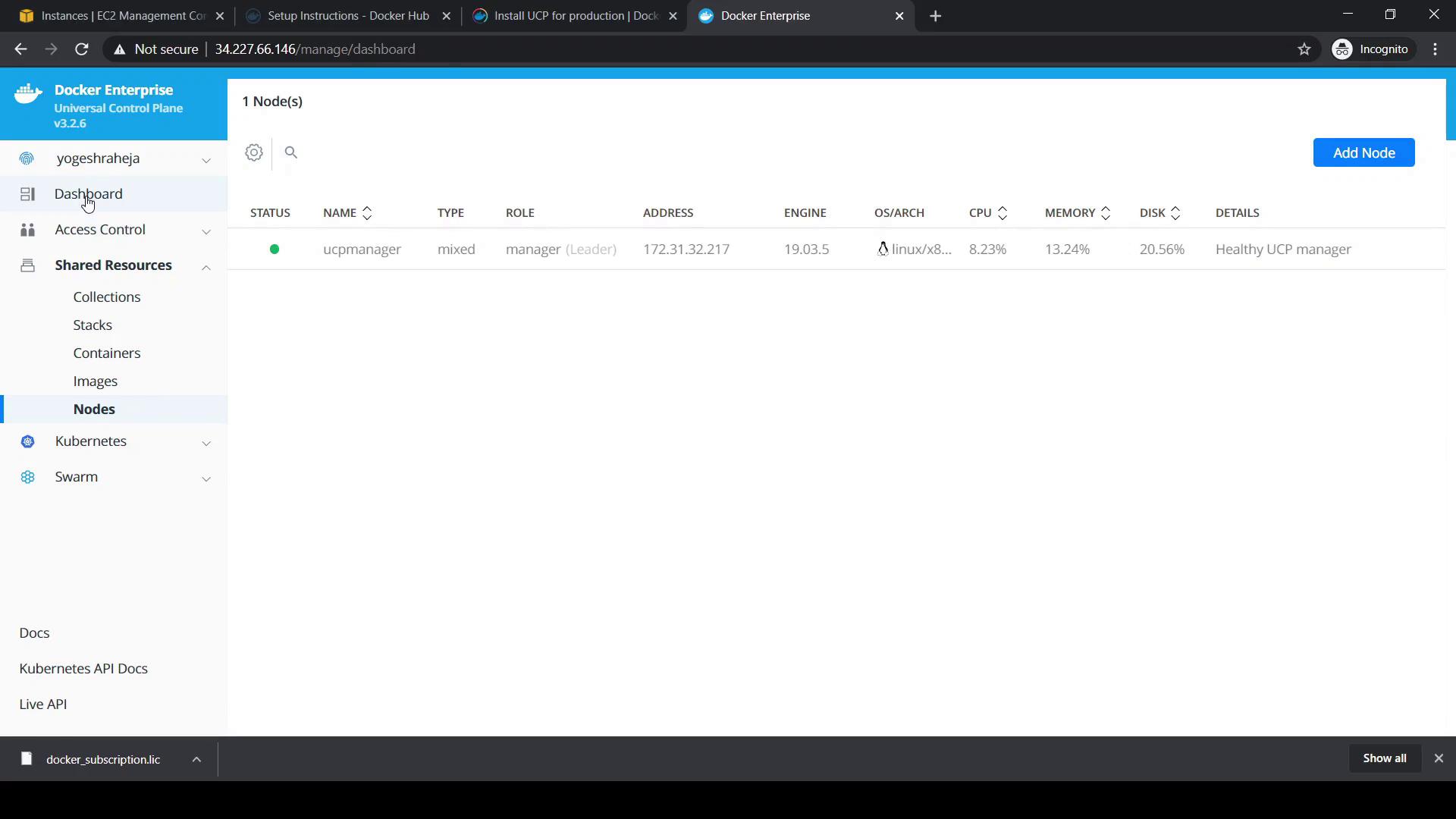
The **Workers** count should be zero, confirming no worker nodes have joined.
***
## Links and References
* [Docker Documentation][Docker Docs]
* [Network Ports][Network Ports]
* [Docker Hub][Docker Hub]
[Docker Docs]: https://docs.docker.com/
[Network Ports]: https://docs.docker.com/ee/ucp/latest/install/system-requirements/#network-ports
[Docker Hub]: https://hub.docker.com/