> ## Documentation Index
> Fetch the complete documentation index at: https://notes.kodekloud.com/llms.txt
> Use this file to discover all available pages before exploring further.
# Deployment in Docker EE
> Learn to deploy containerized applications on Docker Enterprise Engine using the Universal Control Plane with both GUI and CLI interfaces.
In this lesson, you’ll learn how to deploy containerized applications on Docker Enterprise Engine (EE) using the Universal Control Plane (UCP). UCP offers two primary interfaces:
* A web-based GUI for intuitive, form-driven deployments
* A command-line interface (CLI) for scripting and automation
By the end of this guide, you’ll understand how to configure both Docker Swarm and Kubernetes workloads directly within the UCP GUI.
## Deploying Docker Swarm Services via UCP GUI
The **Docker Swarm** section in the UCP console provides a form-driven workflow to create and manage services without writing CLI commands. You can configure each service by specifying:
| Configuration | Description |
| -------------------- | ---------------------------------------------------- |
| Image details | Docker image name and tag (e.g., `nginx:latest`) |
| Scheduling options | Replica count, placement constraints, node selectors |
| Network settings | Overlay networks, IPAM configurations |
| Resource constraints | CPU shares, memory limits, and reservations |
| Login credentials | Registry authentication and secrets management |
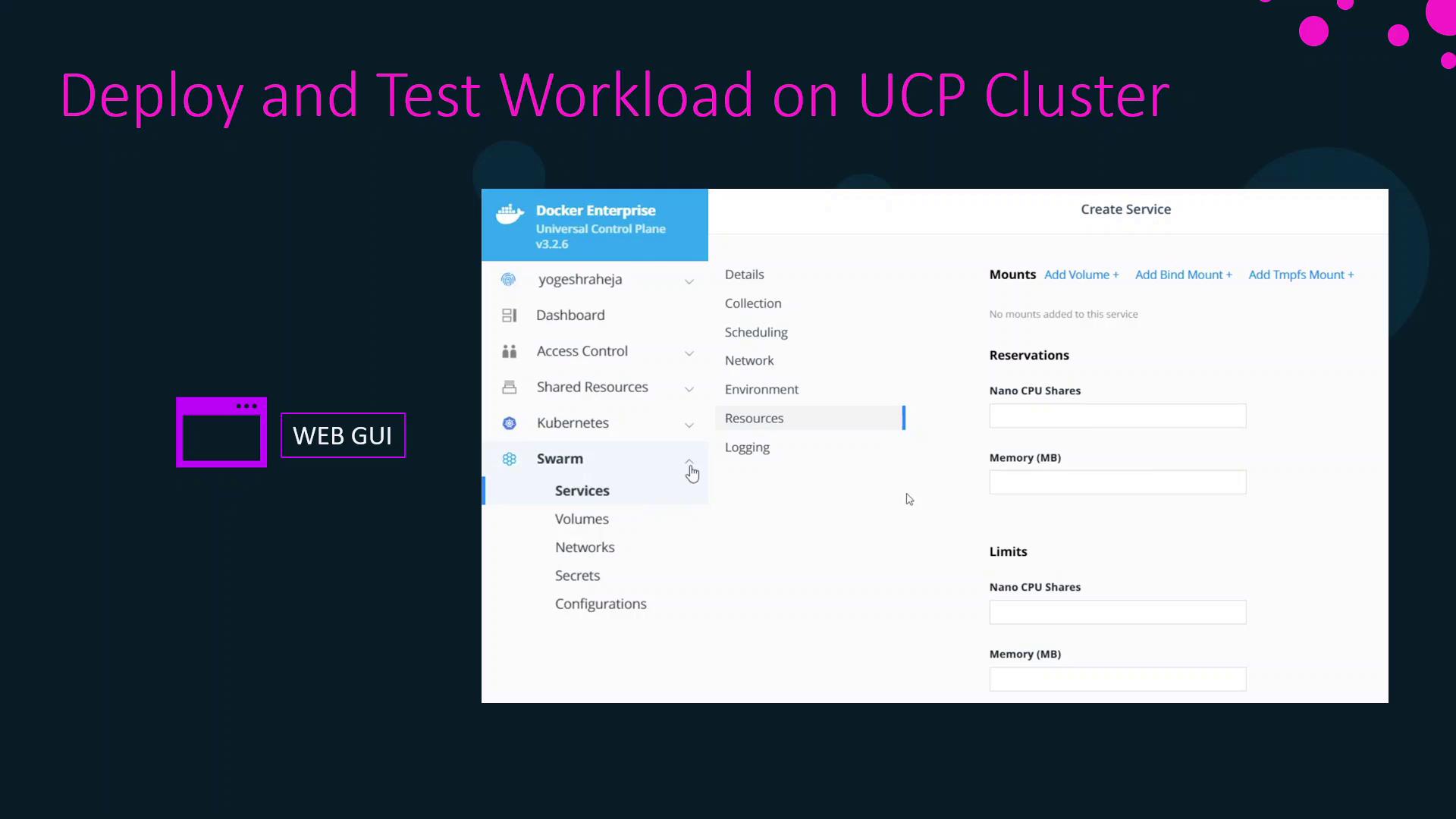
Everything you can specify with `docker service create` flags or in a stack file is available in these form fields.
You must have appropriate UCP permissions (e.g., `admin` or `cluster-admin`) to create and modify Swarm services.
## Creating Kubernetes Resources in UCP GUI
UCP’s built-in Kubernetes support lets you manage Kubernetes objects through a similar form interface. The following resources can be created directly from the UCP dashboard:
| Resource Type | Use Case |
| --------------------- | --------------------------------------------- |
| Pod | Smallest deployable unit in Kubernetes |
| Deployment | Declarative updates for pods and ReplicaSets |
| ReplicaSet | Ensures a specified number of pod replicas |
| DaemonSet | Runs a copy of a pod on all or specific nodes |
| StatefulSet | Manages stateful applications with stable IDs |
| Service | Creates a stable network endpoint for pods |
| Ingress | Rules-based traffic routing to services |
| Job / CronJob | Batch or scheduled tasks |
| PersistentVolumeClaim | Requests persistent storage for pods |
| StorageClass | Defines storage types and volume parameters |
| ServiceAccount | Provides credentials for pods |
When creating StorageClasses or PersistentVolumeClaims, ensure your cluster has a compatible storage driver installed.
In the next section, we’ll walk through a hands-on demo showcasing Swarm services and Kubernetes deployments in UCP.
## Related Links and References
* [Docker Enterprise UCP Documentation](https://docs.docker.com/ee/ucp/)
* [Docker Swarm Overview](https://docs.docker.com/engine/swarm/)
* [Kubernetes Basics](https://kubernetes.io/docs/concepts/overview/what-is-kubernetes/)
* [Docker Certified Associate Exam Guide](https://www.examguide.com/docker-certified-associate/)