> ## Documentation Index
> Fetch the complete documentation index at: https://notes.kodekloud.com/llms.txt
> Use this file to discover all available pages before exploring further.
# Swarm High Availability Quorum
> This article discusses Docker Swarms high availability, quorum requirements, and the Raft consensus algorithm for managing cluster state and fault tolerance.
In a Docker Swarm cluster, **manager nodes** are the control plane where the Swarm is initialized. Manager responsibilities include:
* Maintaining the cluster’s desired state
* Scheduling and orchestrating containers
* Adding or removing nodes
* Monitoring health and distributing services
Relying on a single manager is risky: if it goes down, there’s no orchestrator. Deploying multiple managers increases resilience but introduces the risk of conflicting decisions. Docker Swarm avoids this by electing one manager as the **leader**, which alone makes scheduling decisions. All managers—including the leader—must agree on changes via a consensus protocol before they’re committed.
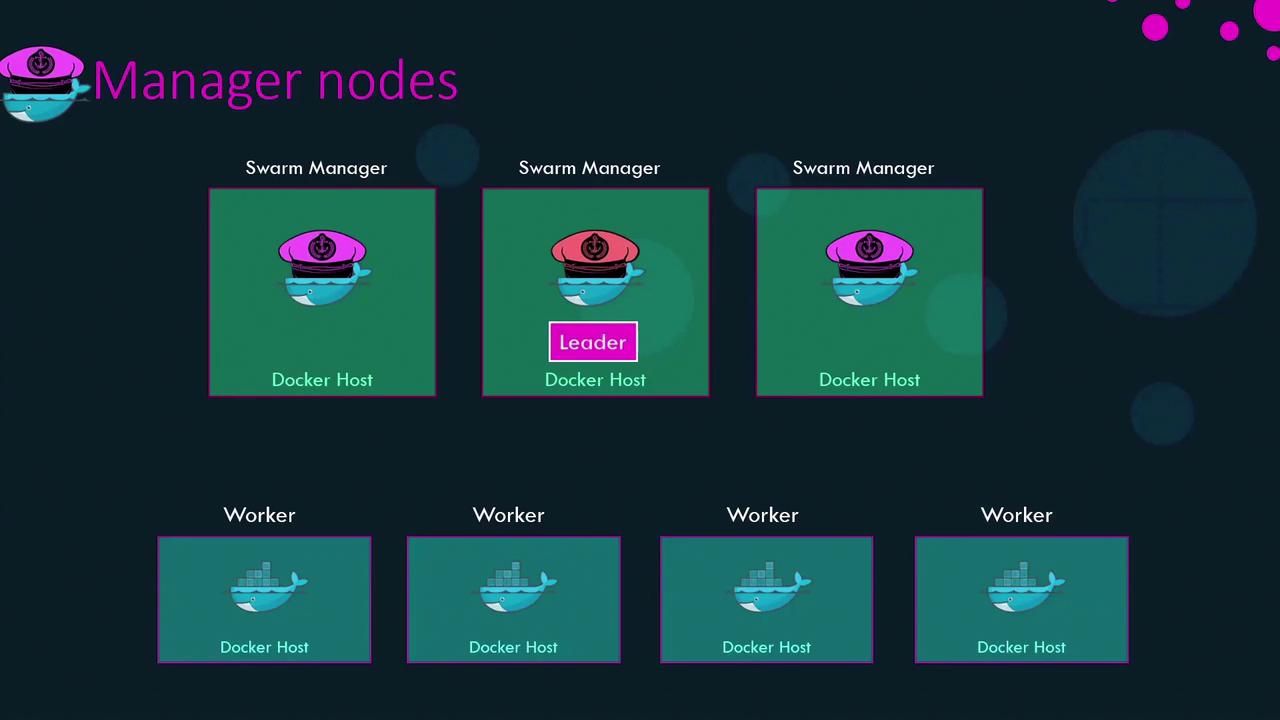
Even the leader must replicate its decisions to a majority of managers to avoid split-brain scenarios. Docker implements this using the [Raft consensus algorithm](https://en.wikipedia.org/wiki/Raft_\(computer_science\)).
## Distributed Consensus with Raft
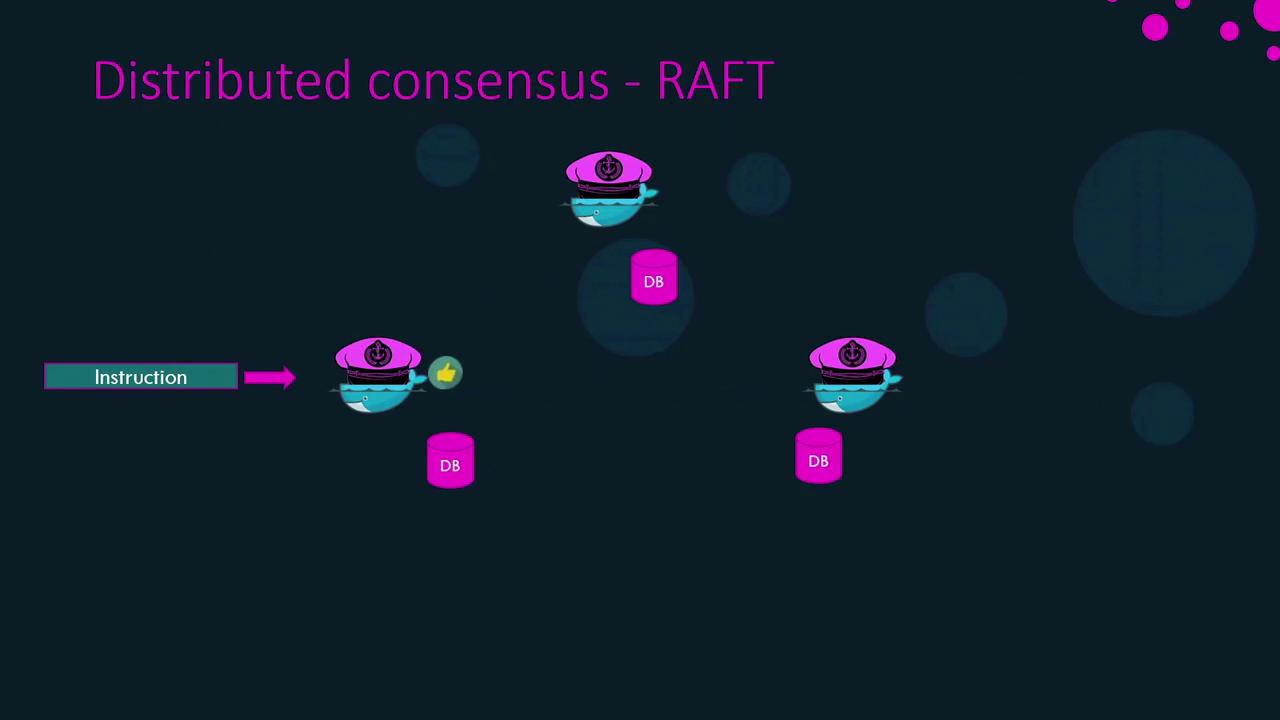
Raft ensures that one leader is elected and all state changes are safely replicated:
1. Each manager starts with a random election timeout.
2. When a timeout expires, that node requests votes from its peers.
3. Once it gathers a majority, it becomes leader.
4. The leader sends periodic heartbeats to followers.
5. If followers miss heartbeats, they trigger a new election.
When the leader receives a request to change the cluster (e.g., add a worker or create a service), it:
1. Appends the change as an entry in its Raft log.
2. Sends the log entry to each follower.
3. Waits for a majority of acknowledgments.
4. Commits the change across all Raft logs.
This process guarantees consistency even if the leader fails mid-update.
## Quorum and Fault Tolerance
A **quorum** is the minimum number of managers required to make decisions. For *n* managers:
```text theme={null}
quorum = ⌊n/2⌋ + 1
```
Fault tolerance is the number of manager failures the cluster can sustain:
```text theme={null}
fault_tolerance = ⌊(n - 1) / 2⌋
```
| Managers (n) | Quorum (⌊n/2⌋+1) | Fault Tolerance (⌊(n-1)/2⌋) |
| -----------: | ---------------: | --------------------------: |
| 3 | 2 | 1 |
| 5 | 3 | 2 |
| 7 | 4 | 3 |
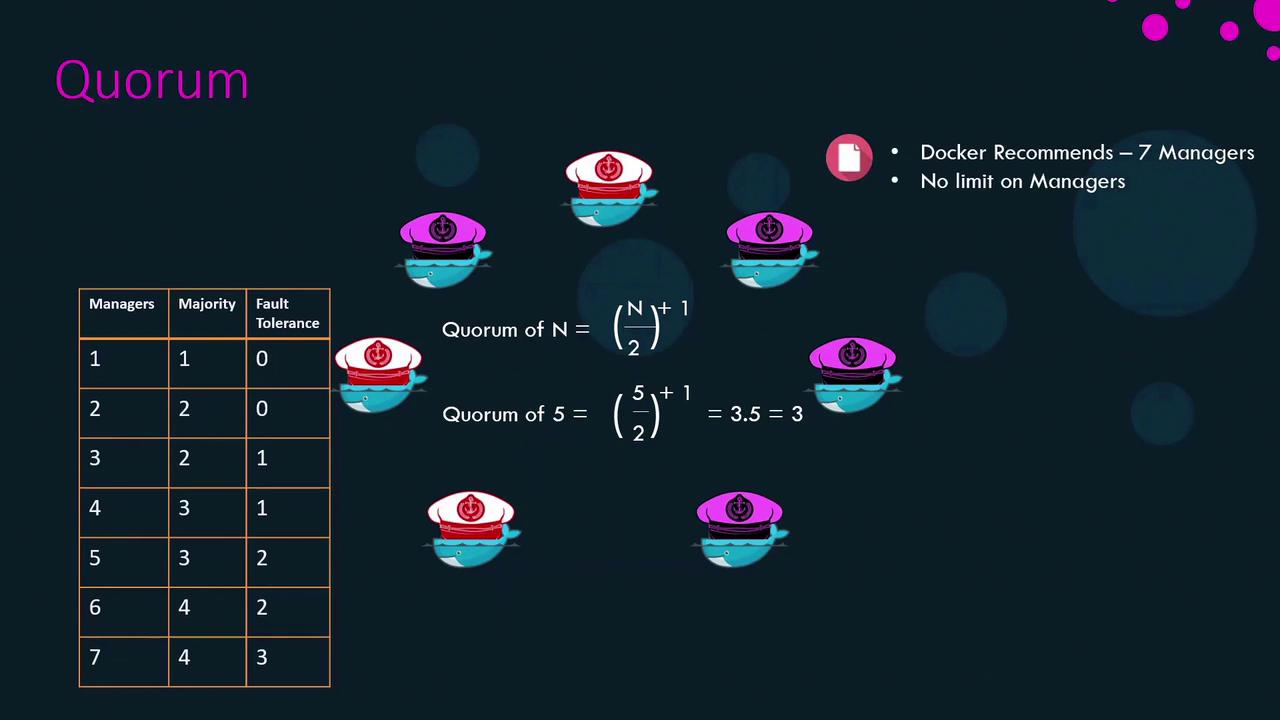
Docker recommends no more than **seven** managers per Swarm. More managers do not improve performance or scalability and only increase coordination overhead.
Always keep an odd number of managers (3, 5, or 7) to prevent split-brain scenarios during network partitions.
## Best Practices for Manager Distribution
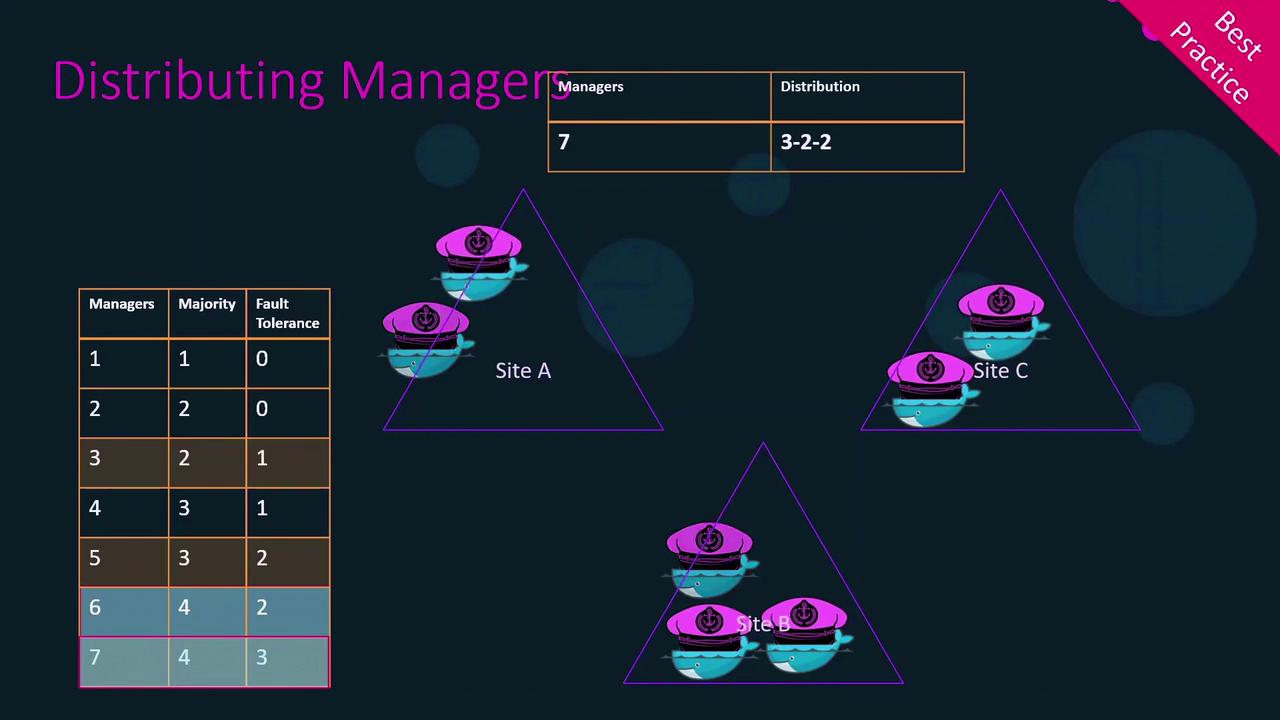
1. Use an **odd number** of managers (3, 5, or 7).
2. Spread managers across distinct failure domains (data centers or availability zones).
3. For seven managers, a **3–2–2** distribution across three sites ensures that losing any single site still leaves a quorum.
## Failure Scenarios and Recovery
Imagine a Swarm with three managers and five workers hosting a web application. The quorum is two managers. If two managers go offline:
* The remaining manager can **no longer** perform cluster changes (no new nodes, no service updates).
* Existing services continue to run, but self-healing and scaling are disabled.
### Recovering Quorum
1. Bring failed managers back online. Once you restore at least one, the cluster regains quorum.
2. If you cannot recover old managers and only one remains, force a new cluster:
```bash theme={null}
docker swarm init --force-new-cluster
```
This single node becomes the manager, and existing workers resume running services.
3. Re-add additional managers:
```bash theme={null}
# Promote an existing node to manager
docker node promote
# Or join a new manager
docker swarm join --token :2377
```
That covers high availability, quorum calculation, Raft consensus, and best practices for Docker Swarm manager nodes. Good luck!