> ## Documentation Index
> Fetch the complete documentation index at: https://notes.kodekloud.com/llms.txt
> Use this file to discover all available pages before exploring further.
# Image Promotions
> This article explains how Docker Trusted Registry enables consistent image promotion across development, testing, staging, and production environments in CI/CD pipelines.
In modern CI/CD pipelines, ensuring consistency across environments is critical. Docker Trusted Registry (DTR) enables you to **build once** and **promote** the identical Docker image through dev, test, staging, and production—eliminating rebuilds and version drift.
## Environment Isolation and Traditional Workflows
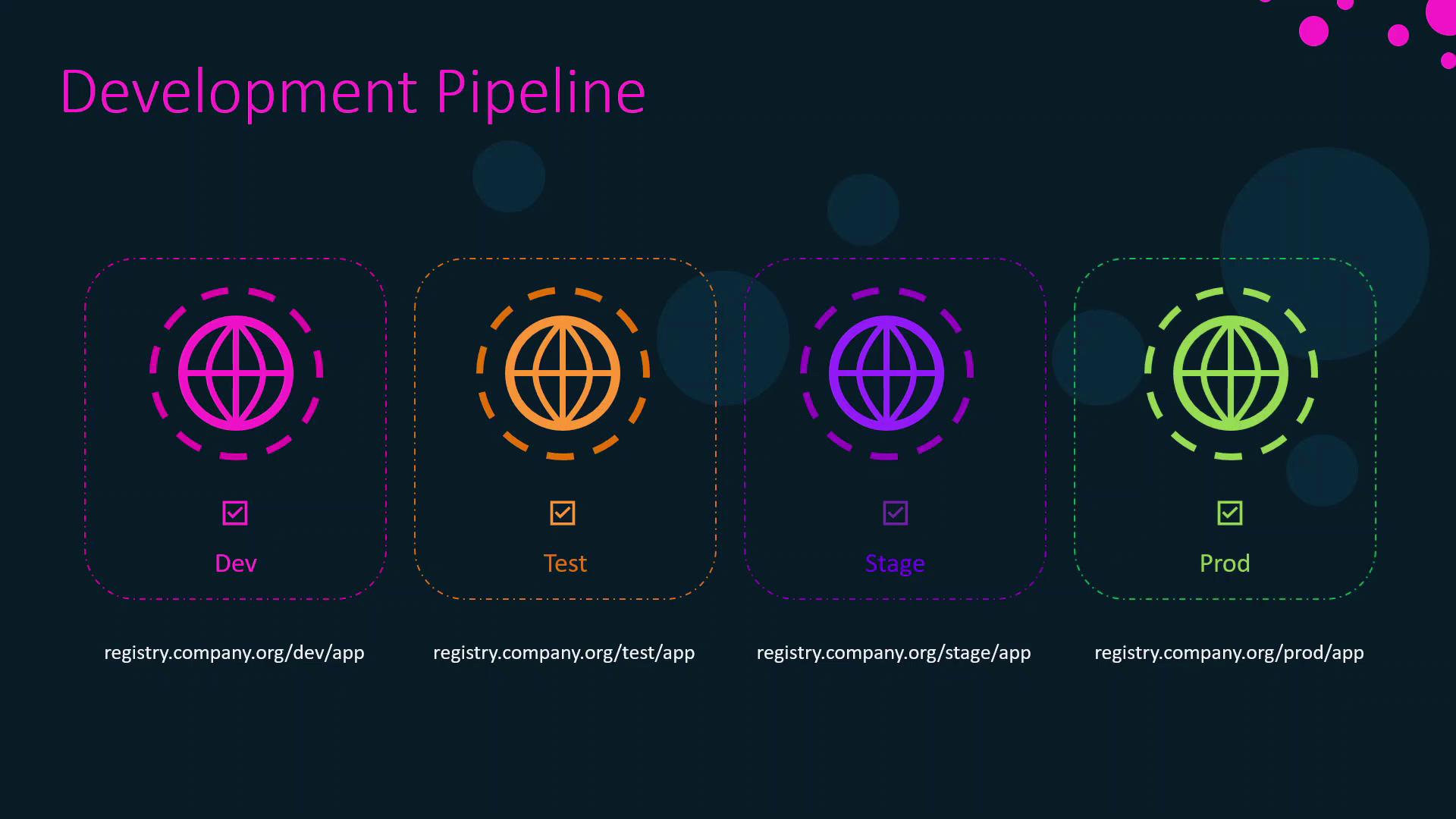
Organizations often isolate each deployment stage:
* Separate clusters or infrastructure for dev, test, staging, and prod
* Distinct Docker registries or accounts per environment
A typical multi-stage pipeline without image promotion:
1. Build the Docker image in **development**
2. Deploy and test
3. Push code to **test**, triggering a fresh build
4. Deploy in test; repeat build-deploy in **staging**
5. Rebuild and deploy in **production**
Rebuilding at each stage can introduce unintended changes—updated package versions, OS patches, or dependency drift—undermining the reproducibility of your pipeline.
| Stage | Action | Drawback |
| ----------- | ---------------------- | -------------------------------- |
| Development | Build & initial test | Unique image per build |
| Test | New build & deploy | Version drift risk |
| Staging | Fresh rebuild & deploy | Slow feedback loop |
| Production | Final rebuild & deploy | Inconsistent with earlier stages |
## Benefits of DTR Image Promotion
By leveraging DTR promotions, you gain:
* Single build for all environments
* Guaranteed consistency (same image by digest)
* Faster pipeline throughput
* Simplified auditing and traceability
## How DTR Image Promotion Works
1. **Build once** in development and push to your dev repository.
2. DTR automatically **promotes** that exact image (tag or digest) to test.
3. After tests pass, the same image is promoted to staging.
4. Upon approval, it moves to production—no rebuilds required.
Image promotion preserves the original digest, ensuring the exact artifact tested in QA reaches production.
## Configuring Image Promotion in DTR
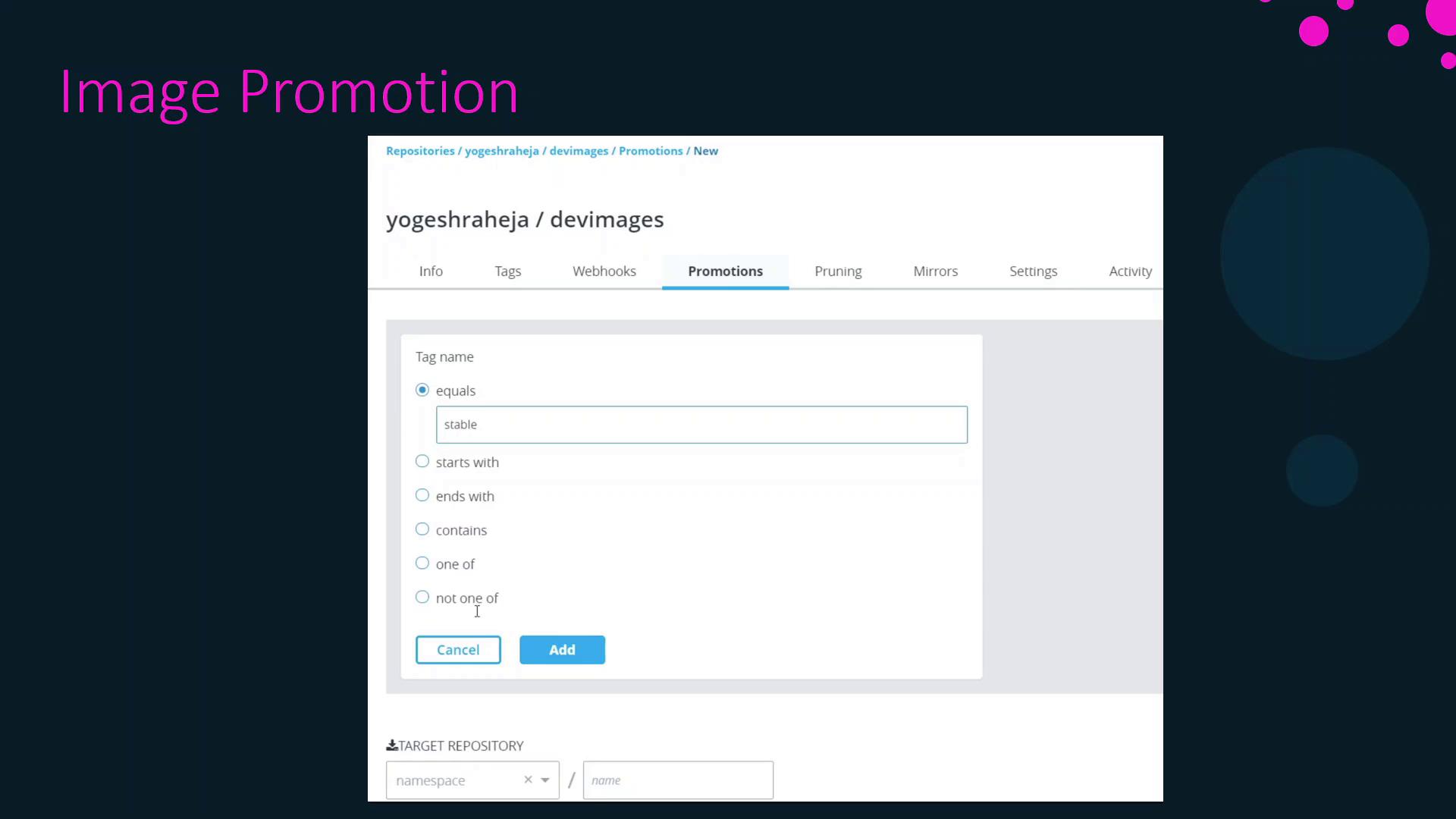
Navigate to your repository’s **Promotion** tab in the DTR UI to define rules:
| Configuration | Description | Example |
| --------------- | ------------------------------------------------------ | --------------------------- |
| Source trigger | Tag name or digest that initiates promotion | `stable`, `sha256:...` |
| Condition | Matching rule (`equals`, `starts with`, `regex`) | `starts with "v1.2."` |
| Target registry | Destination repository or registry (same or different) | `registry.company.com/test` |
Once set, any image pushed with a matching tag is automatically copied to your target repository.
## Next Steps
We’ll now demonstrate setting up and using image promotions in a live DTR instance, covering:
* Access control and permissions
* Complex promotion filters
* Rollback strategies
## References
* [Docker Trusted Registry Documentation](https://docs.docker.com/ee/dtr/)
* [Docker Documentation](https://docs.docker.com/)
* [CI/CD Best Practices for Containers](https://www.docker.com/blog/tag/ci-cd/)