> ## Documentation Index
> Fetch the complete documentation index at: https://notes.kodekloud.com/llms.txt
> Use this file to discover all available pages before exploring further.
# Exam Course Tips
> Study strategies and practical tips for preparing for the Docker Certified Associate exam including labs, documentation, practice questions, and mock exams
If your goal is to earn the Docker Certified Associate (DCA) or similar certification, these strategies will help you prepare efficiently. If you are not pursuing certification, you can skip this lecture and begin with the first technical section.
The exam is multiple-choice, so practice that format and build a solid conceptual understanding. Our lectures explain concepts concisely and demos show them in action, but you should supplement course material with hands-on practice and targeted reading so concepts stick.
Two things that make the biggest difference
* A local lab environment to try commands and run experiments
* See demos that show local lab setup (including Docker-based labs) in the Docker Training Course for the Absolute Beginner: [https://learn.kodekloud.com/user/courses/docker-training-course-for-the-absolute-beginner](https://learn.kodekloud.com/user/courses/docker-training-course-for-the-absolute-beginner)
* That course also demonstrates provisioning lab environments on cloud platforms such as AWS.
* For quick online practice, use embedded labs from the course or a playground such as Katacoda: [https://www.katacoda.com](https://www.katacoda.com)
* For most sections, a small machine with the Docker CLI is sufficient — you don't need cloud access unless you prefer it.
* Familiarity with official documentation
* The exam is not open-book, so you cannot consult the Docker docs during the test. However, reading documentation beforehand helps you recall details and reduces exam stress.
 Why targeted reading helps
Reading everything can be overwhelming because you may not know which sections matter most. When working on real tasks you read with a purpose. To replicate that during study, this course uses "research questions" to direct your reading and make practice effective.
Recommended study flow
1. Watch lectures to understand core concepts.
2. Run demos to see concepts in practice.
3. Use research questions to explore details and practice finding answers in documentation.
Research questions are open-book, multiple-choice exercises designed to help you learn how to locate answers in documentation and gain comfort with the exam style. They are learning tools — use lecture knowledge, the docs, and a lab environment to research answers.
We intentionally keep lectures concise and focused on practical usage rather than exhaustive option-by-option coverage. Research questions and labs guide you to the finer details.
Make concise notes
As you study, track topics you find confusing. Everyone has different weak spots — keep a short list of commands, flags, defaults, and configuration locations you want to revisit.
Why targeted reading helps
Reading everything can be overwhelming because you may not know which sections matter most. When working on real tasks you read with a purpose. To replicate that during study, this course uses "research questions" to direct your reading and make practice effective.
Recommended study flow
1. Watch lectures to understand core concepts.
2. Run demos to see concepts in practice.
3. Use research questions to explore details and practice finding answers in documentation.
Research questions are open-book, multiple-choice exercises designed to help you learn how to locate answers in documentation and gain comfort with the exam style. They are learning tools — use lecture knowledge, the docs, and a lab environment to research answers.
We intentionally keep lectures concise and focused on practical usage rather than exhaustive option-by-option coverage. Research questions and labs guide you to the finer details.
Make concise notes
As you study, track topics you find confusing. Everyone has different weak spots — keep a short list of commands, flags, defaults, and configuration locations you want to revisit.
 Note-taking tips
* Keep notes brief and focused — these are revision aids, not full transcriptions.
* Highlight tricky commands, default file paths, and behavioral nuances (for example, client vs daemon behavior).
* Jot down search terms and doc links that helped you find answers.
Built-in revision strategy
* Research questions (after a few lectures) — open-book, focused practice.
* End-of-section practice tests — attempt without documentation to measure recall.
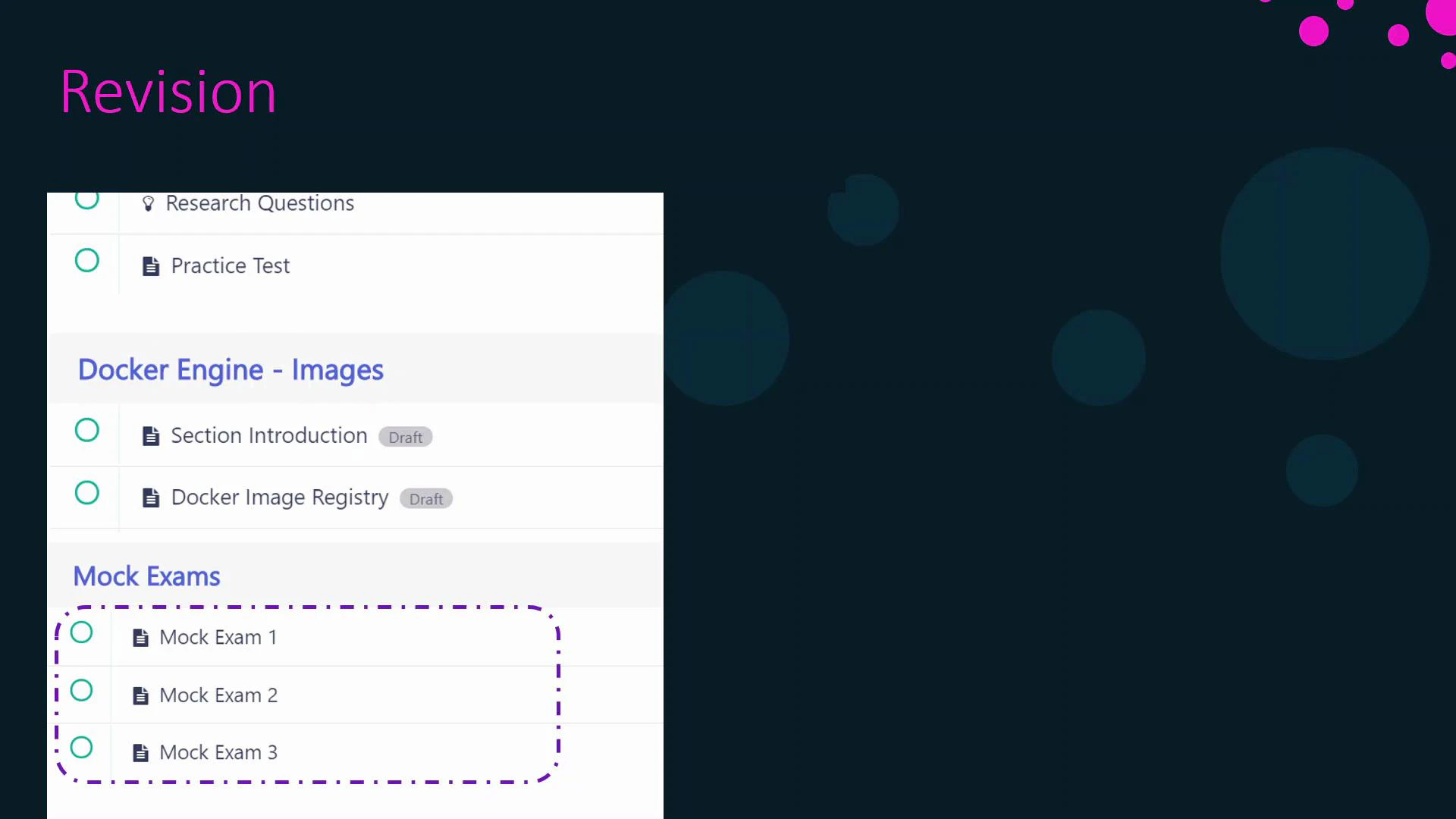
* Multiple mock exams near the course end — simulate exam timing and format; include hands-on and MCQ sections.
Note-taking tips
* Keep notes brief and focused — these are revision aids, not full transcriptions.
* Highlight tricky commands, default file paths, and behavioral nuances (for example, client vs daemon behavior).
* Jot down search terms and doc links that helped you find answers.
Built-in revision strategy
* Research questions (after a few lectures) — open-book, focused practice.
* End-of-section practice tests — attempt without documentation to measure recall.
* Multiple mock exams near the course end — simulate exam timing and format; include hands-on and MCQ sections.
 Practical scheduling guidance
* Avoid overly long timelines (e.g., one year) that increase dropout risk.
* Avoid overly aggressive timelines (e.g., two weeks) unless you already have strong prior experience.
Estimated study time (approximate)
| Intensity | Daily study time | Estimated completion |
| --------- | ---------------: | -------------------: |
| Moderate | \~2 hours/day | \~3 months |
| Focused | \~4 hours/day | \< 2 months |
| Intensive | full-time | \~1 month |
If you already completed Kubernetes courses such as the Certified Kubernetes Application Developer (CKAD), you may save time on overlapping Kubernetes content.
What to expect on the exam
* Commands — be comfortable with common Docker commands and workflows.
* Command options — know common flags and how they change behavior.
* Default locations and config files — know where Docker stores data and config.
* Configuration and manifest files — questions may include Dockerfiles, Docker Compose files, Docker stack files, or Kubernetes YAML manifests.
Example useful Docker commands
```bash theme={null}
docker commit
docker tag
docker push
docker images
docker pull
```
Tip: Understand the difference between the Docker client and daemon, and how services are started or managed (docker, dockerd, docker-engine, systemctl/service). This often appears in questions about system behavior.
Important: The official exam is not open-book — do not expect to consult documentation during the test. Practice recall with timed mock exams to simulate conditions.
Sample Kubernetes YAML you might be asked to interpret
```yaml theme={null}
apiVersion: v1
kind: Service
metadata:
name: dca
spec:
type: ClusterIP
selector:
app: nginx
ports:
- port: 8080
targetPort: 80
- port: 4443
targetPort: 443
```
Quick reference table: question types and examples
| Question Type | Example Focus | How to practice |
| --------------- | ------------------------------------ | ---------------------------------- |
| Command usage | `docker run` options | Hands-on labs |
| Config files | Dockerfile or Compose flags | Read examples and write files |
| System behavior | Service start/stop, daemon vs client | Reproduce in local lab |
| Kubernetes YAML | Service/Deployment fields | Validate and deploy small clusters |
References and further study
* Docker Documentation: [https://docs.docker.com/](https://docs.docker.com/)
* Docker Training Course for the Absolute Beginner: [https://learn.kodekloud.com/user/courses/docker-training-course-for-the-absolute-beginner](https://learn.kodekloud.com/user/courses/docker-training-course-for-the-absolute-beginner)
* Katacoda interactive scenarios: [https://www.katacoda.com](https://www.katacoda.com)
* CKAD course (if you have Kubernetes background): [https://learn.kodekloud.com/user/courses/certified-kubernetes-application-developer-ckad](https://learn.kodekloud.com/user/courses/certified-kubernetes-application-developer-ckad)
That’s it for this overview. Use the course flow, labs, research questions, concise notes, and mock exams to prepare effectively. If you’re taking the certification, best of luck — you’ve got this.
Practical scheduling guidance
* Avoid overly long timelines (e.g., one year) that increase dropout risk.
* Avoid overly aggressive timelines (e.g., two weeks) unless you already have strong prior experience.
Estimated study time (approximate)
| Intensity | Daily study time | Estimated completion |
| --------- | ---------------: | -------------------: |
| Moderate | \~2 hours/day | \~3 months |
| Focused | \~4 hours/day | \< 2 months |
| Intensive | full-time | \~1 month |
If you already completed Kubernetes courses such as the Certified Kubernetes Application Developer (CKAD), you may save time on overlapping Kubernetes content.
What to expect on the exam
* Commands — be comfortable with common Docker commands and workflows.
* Command options — know common flags and how they change behavior.
* Default locations and config files — know where Docker stores data and config.
* Configuration and manifest files — questions may include Dockerfiles, Docker Compose files, Docker stack files, or Kubernetes YAML manifests.
Example useful Docker commands
```bash theme={null}
docker commit
docker tag
docker push
docker images
docker pull
```
Tip: Understand the difference between the Docker client and daemon, and how services are started or managed (docker, dockerd, docker-engine, systemctl/service). This often appears in questions about system behavior.
Important: The official exam is not open-book — do not expect to consult documentation during the test. Practice recall with timed mock exams to simulate conditions.
Sample Kubernetes YAML you might be asked to interpret
```yaml theme={null}
apiVersion: v1
kind: Service
metadata:
name: dca
spec:
type: ClusterIP
selector:
app: nginx
ports:
- port: 8080
targetPort: 80
- port: 4443
targetPort: 443
```
Quick reference table: question types and examples
| Question Type | Example Focus | How to practice |
| --------------- | ------------------------------------ | ---------------------------------- |
| Command usage | `docker run` options | Hands-on labs |
| Config files | Dockerfile or Compose flags | Read examples and write files |
| System behavior | Service start/stop, daemon vs client | Reproduce in local lab |
| Kubernetes YAML | Service/Deployment fields | Validate and deploy small clusters |
References and further study
* Docker Documentation: [https://docs.docker.com/](https://docs.docker.com/)
* Docker Training Course for the Absolute Beginner: [https://learn.kodekloud.com/user/courses/docker-training-course-for-the-absolute-beginner](https://learn.kodekloud.com/user/courses/docker-training-course-for-the-absolute-beginner)
* Katacoda interactive scenarios: [https://www.katacoda.com](https://www.katacoda.com)
* CKAD course (if you have Kubernetes background): [https://learn.kodekloud.com/user/courses/certified-kubernetes-application-developer-ckad](https://learn.kodekloud.com/user/courses/certified-kubernetes-application-developer-ckad)
That’s it for this overview. Use the course flow, labs, research questions, concise notes, and mock exams to prepare effectively. If you’re taking the certification, best of luck — you’ve got this.