> ## Documentation Index
> Fetch the complete documentation index at: https://notes.kodekloud.com/llms.txt
> Use this file to discover all available pages before exploring further.
# Deploy voting app on Kubernetes
> Learn to deploy a containerized voting application on Kubernetes, covering service deployment, connectivity, and external access.
Learn how to deploy a containerized voting application on Kubernetes. In this guide, we’ll walk through deploying each component as a container, configuring intra-cluster connectivity, and exposing the frontend services externally.
## Objectives
* Deploy each service as containers on a Kubernetes cluster
* Enable reliable connectivity so services can communicate
* Expose the Voting and Result apps externally via web browser
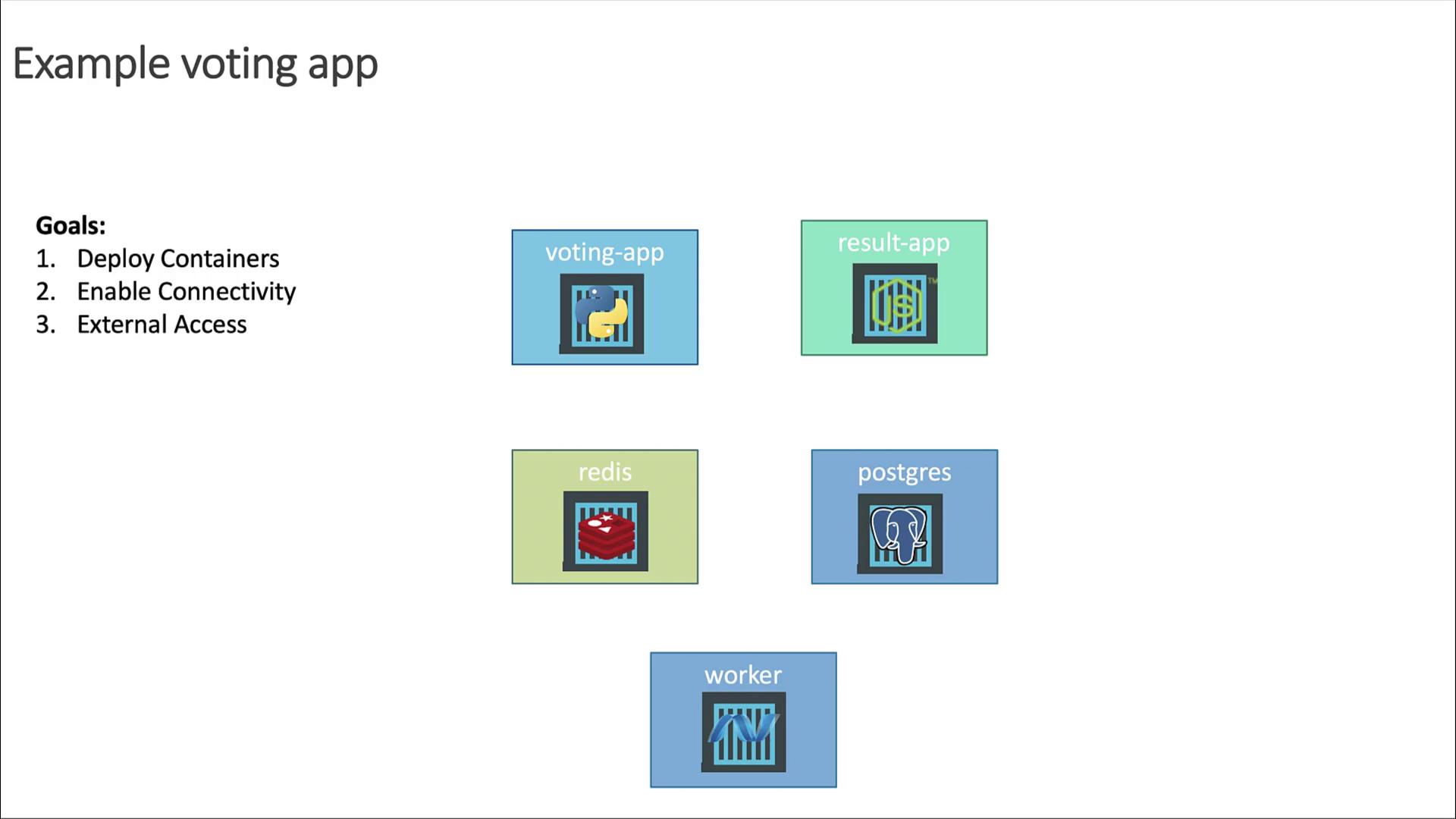
## High-Level Plan
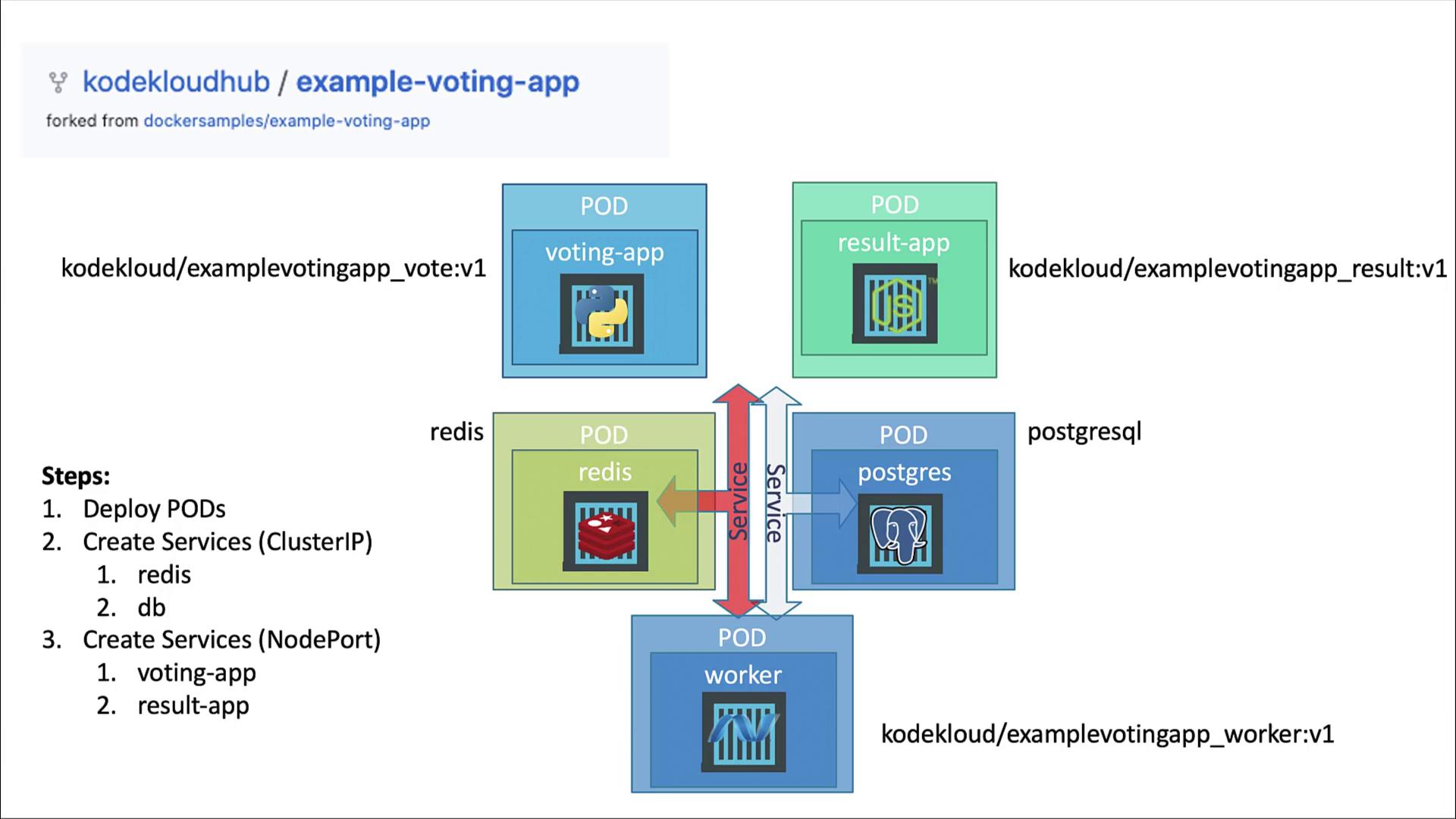
1. Deploy each application as a standalone Pod (we’ll convert them to Deployments later).
2. Create Services for internal connectivity:
* **redis** (ClusterIP)
* **db** (ClusterIP)
3. Expose the frontends using NodePort Services:
* **voting-app**
* **result-app**
4. Skip a Service for the worker (it’s only a background job).
## Connectivity Requirements
* **voting-app** writes votes to Redis.
* **worker** reads votes from Redis and writes aggregates to PostgreSQL.
* **result-app** reads results from PostgreSQL to display.
* **voting-app** and **result-app** are user-facing.
* **worker** runs in the background and doesn’t receive external traffic.
Each component listens on its own port:
* voting-app: 80
* result-app: 80
* redis: 6379
* postgres: 5432
* worker: no external port
### Why Use a Service?
Pod IPs are ephemeral. Kubernetes Services provide a stable DNS name and virtual IP. For example, the Python app connects to Redis at host `redis`:
```python theme={null}
# app.py
from flask import Flask, g
from redis import Redis
app = Flask(__name__)
def get_redis():
if not hasattr(g, 'redis'):
g.redis = Redis(host="redis", db=0, socket_timeout=5)
return g.redis
```
And in C# the services connect using the Service DNS names:
```csharp theme={null}
// Program.cs
var pgsql = OpenDbConnection("Server=db;Username=postgres;Password=postgres;");
var redisConn = OpenRedisConnection("redis");
var redis = redisConn.GetDatabase();
```
#### Database Credentials
* **Username:** postgres
* **Password:** postgres
## Service Types
* **ClusterIP**: Internal-only (redis, db)
* **NodePort**: External access (voting-app, result-app) – ports > 30000
## Summary of Resources
| Resource | Type | Service Type | Port |
| ---------- | ---- | ------------ | ---- |
| voting-app | Pod | NodePort | 80 |
| result-app | Pod | NodePort | 80 |
| redis | Pod | ClusterIP | 6379 |
| postgres | Pod | ClusterIP | 5432 |
| worker | Pod | (none) | — |
The **worker** Pod has no Service because it does not receive traffic from other components.
## Docker Images
We’ll use the following container images:
* `kodekloud/example-voting-app_vote:v1`
* `kodekloud/example-voting-app_worker:v1`
* `kodekloud/example-voting-app_result:v1`
* `redis:latest`
* `postgres:latest`
In the next section, we’ll create the Pods and Services and test the end-to-end workflow of the voting application.
## Links and References
* [Kubernetes Services](https://kubernetes.io/docs/concepts/services-networking/service/)
* [Kubernetes Pods](https://kubernetes.io/docs/concepts/workloads/pods/)
* [Flask Redis Client](https://pypi.org/project/redis/)
* [Npgsql .NET Driver](https://www.npgsql.org/)