> ## Documentation Index
> Fetch the complete documentation index at: https://notes.kodekloud.com/llms.txt
> Use this file to discover all available pages before exploring further.
# Namespaces
> Namespaces partition Kubernetes clusters into virtual sub-clusters, simplifying resource management and isolation for teams or environments.
## Overview
Namespaces partition Kubernetes clusters into virtual sub-clusters, simplifying resource management and isolation for teams or environments. This guide covers core concepts, commands, and best practices for working with namespaces.
## The House Analogy
Imagine two boys named Mark living in separate houses. To avoid confusion, one is called Mark Smith and the other Mark Williams. Inside each house, family members use only first names; outsiders always use the full name. Each house maintains its own rules and resources.
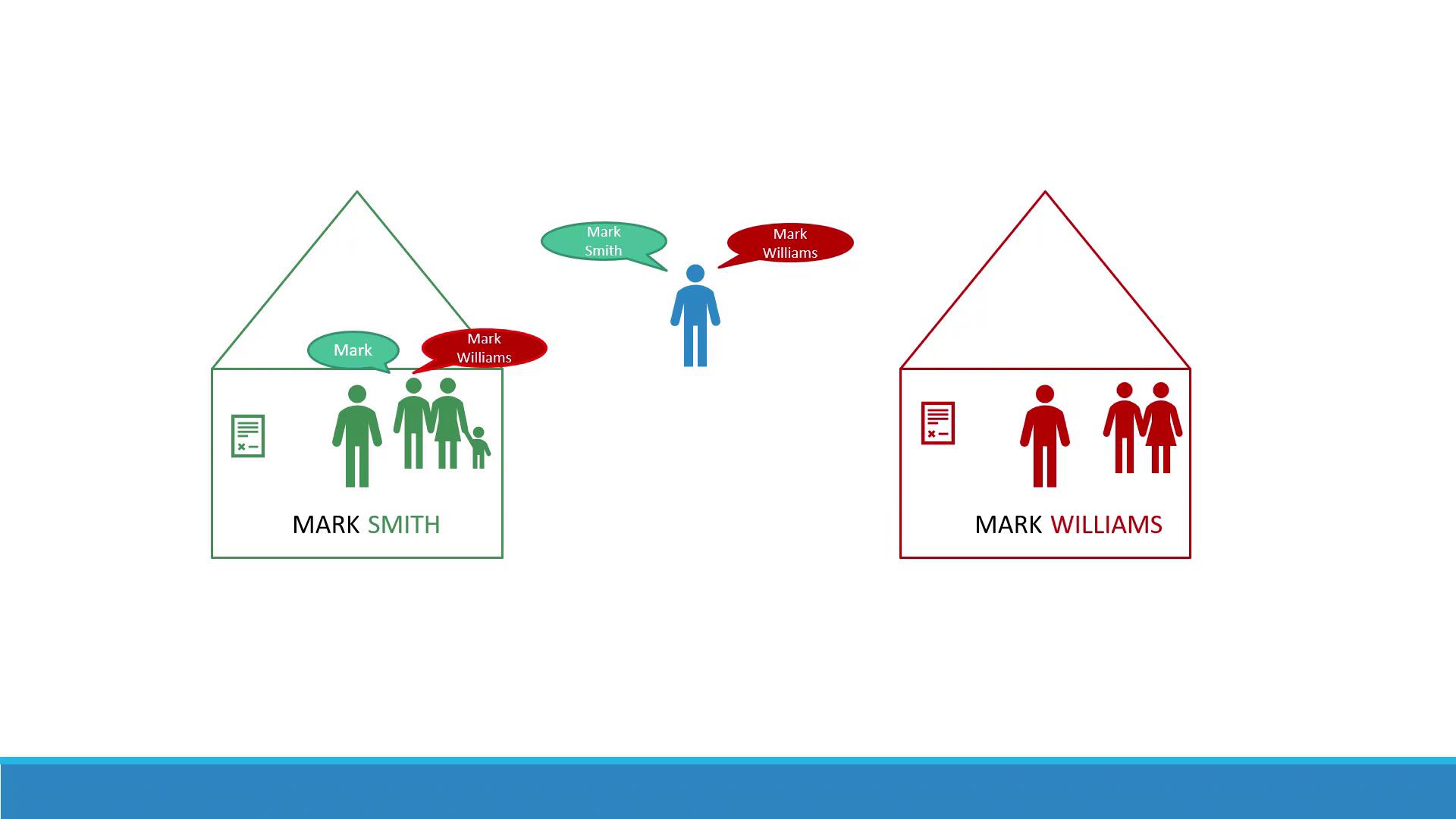
In Kubernetes, a **namespace** is like a house. Every Pod, Deployment, and Service lives in one namespace. By default, clusters include:
| Namespace | Description |
| ----------- | ----------------------------------------------------------- |
| default | User workloads by default |
| kube-system | Cluster-internal components (DNS, networking plugins, etc.) |
| kube-public | Public resources visible to all users |
Avoid modifying resources in the **kube-system** namespace directly; changes can disrupt critical cluster services.
## Custom Namespaces
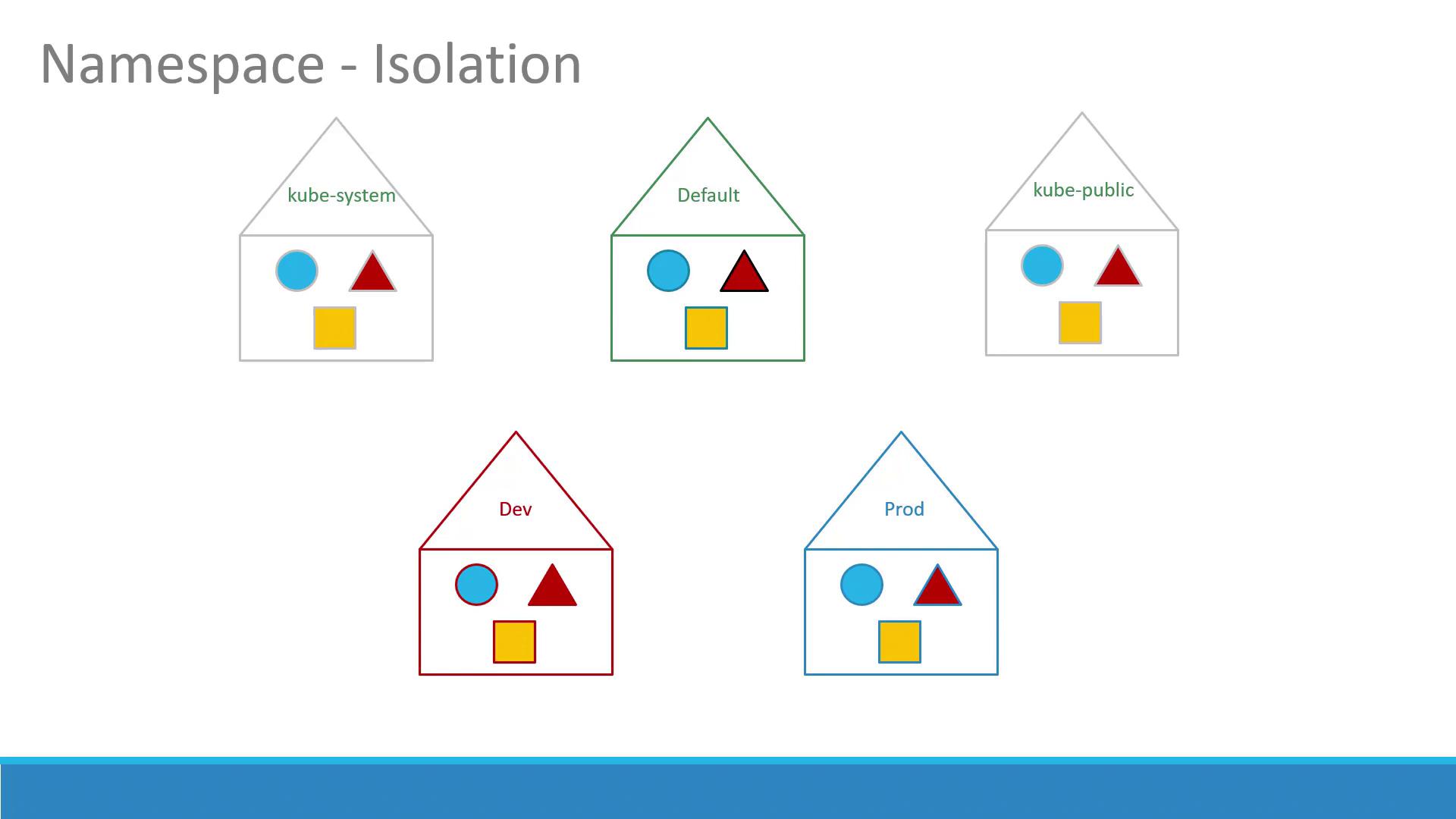
For development, testing, or multi-tenant clusters, create additional namespaces (e.g., **dev**, **prod**) to isolate:
* Resources
* Policies (RBAC rules)
* Quotas
## RBAC and Resource Quotas
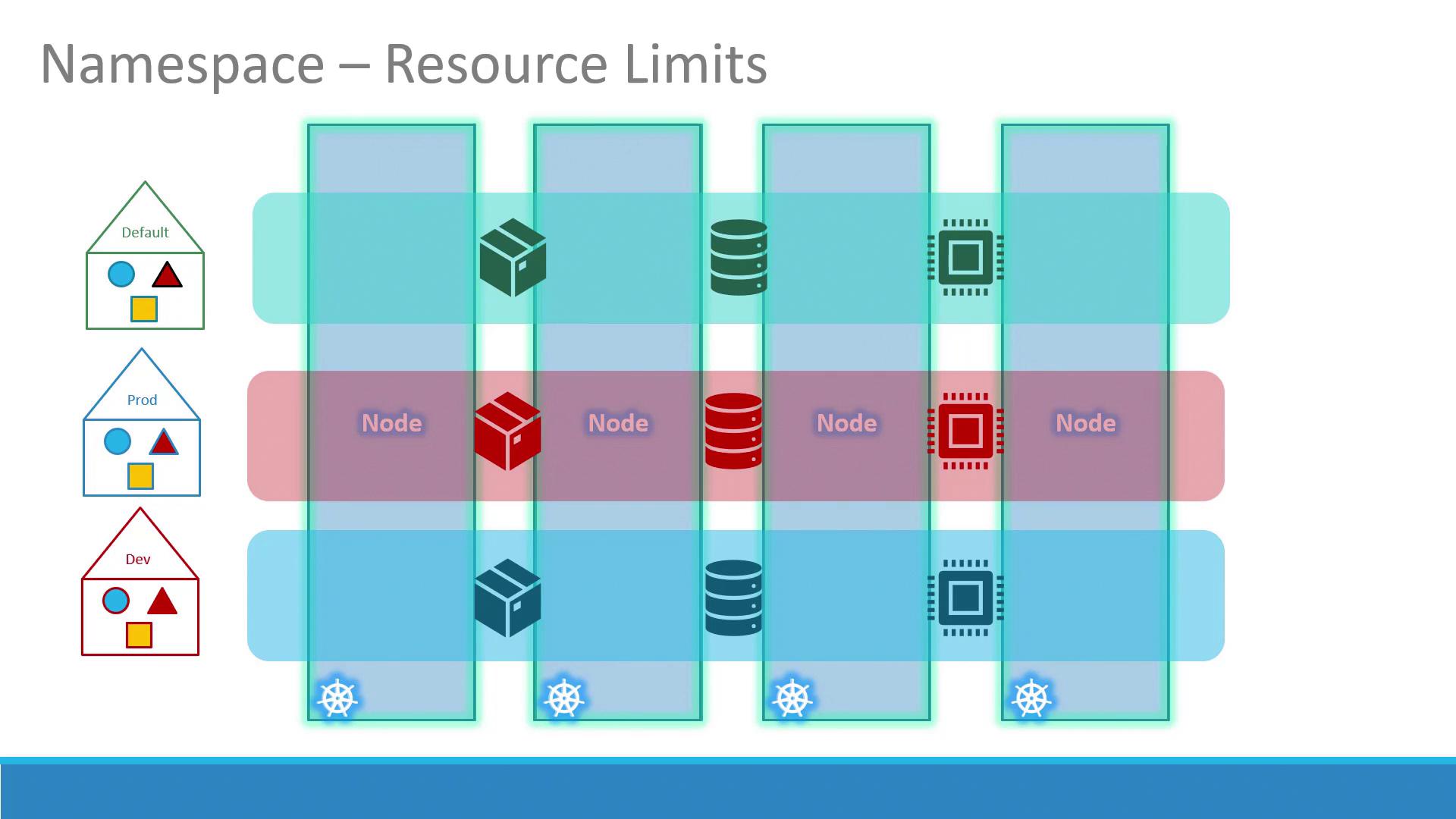
You can enforce per-namespace access control with RoleBindings and restrict resource usage using ResourceQuotas:
## Service Discovery Across Namespaces
Within the same namespace, Services resolve by name:
```python theme={null}
# Connect to a Service in the same namespace
mysql.connect("db-service")
```
To reach a Service in another namespace, use its fully qualified domain name (FQDN):
```python theme={null}
# Connect to a Service in 'dev' namespace
mysql.connect("db-service.dev.svc.cluster.local")
```
DNS format:
```text theme={null}
..svc.
```
By default, `cluster-domain` is `cluster.local` and `svc` is the Services subdomain.
You can customize the cluster-domain in kube-DNS/CoreDNS configuration if needed.
## Working with Namespaces in kubectl
### Common Operations
| Operation | Command |
| --------------------------- | --------------------------------------------------------------------------------- |
| List Pods (current ns) | `kubectl get pods` |
| List Pods (all namespaces) | `kubectl get pods --all-namespaces` |
| Create namespace | `kubectl create namespace ` |
| Apply manifest in namespace | `kubectl apply -f --namespace=` |
| Switch context namespace | `kubectl config set-context $(kubectl config current-context) --namespace=` |
### Listing Pods
```bash theme={null}
# Default namespace
kubectl get pods
# kube-system namespace
kubectl get pods --namespace=kube-system
```
### Creating a Pod in a Specific Namespace
Override the namespace via CLI:
```bash theme={null}
kubectl create -f pod-definition.yml --namespace=dev
```
Or specify within the manifest:
```yaml theme={null}
# pod-definition.yml
apiVersion: v1
kind: Pod
metadata:
name: myapp-pod
namespace: dev
spec:
containers:
- name: nginx-container
image: nginx
```
Then apply:
```bash theme={null}
kubectl apply -f pod-definition.yml
```
### Switching the Current Namespace
Set your default namespace for the current context:
```bash theme={null}
kubectl config set-context \
$(kubectl config current-context) \
--namespace=dev
```
Now, `kubectl get pods` targets **dev** by default.
## Defining Resource Quotas
Limit resource usage per namespace with a ResourceQuota manifest:
```yaml theme={null}
# compute-quota.yaml
apiVersion: v1
kind: ResourceQuota
metadata:
name: compute-quota
namespace: dev
spec:
hard:
pods: "10"
requests.cpu: "4"
requests.memory: 5Gi
limits.cpu: "10"
limits.memory: 10Gi
```
Apply it:
```bash theme={null}
kubectl apply -f compute-quota.yaml
```
## Summary
Namespaces are fundamental for organizing, isolating, and managing resources in Kubernetes. Use them to separate environments, enforce policies, and allocate quotas. Practice creating namespaces, deploying workloads, and exploring cross-namespace Service discovery to master this concept.
## References
* [Kubernetes Official Documentation](https://kubernetes.io/docs/concepts/overview/working-with-objects/namespaces/)
* [kubectl Cheat Sheet](https://kubernetes.io/docs/reference/kubectl/cheatsheet/)