> ## Documentation Index
> Fetch the complete documentation index at: https://notes.kodekloud.com/llms.txt
> Use this file to discover all available pages before exploring further.
# Replication Controllers and ReplicaSets
> This article explains Kubernetes Replication Controllers and ReplicaSets, their differences, usage, and how to create and manage them for high availability.
Kubernetes controllers act as the control plane’s “brain,” continuously observing cluster objects and reconciling the current state with your declared desired state. In this lesson, we’ll deep dive into two controllers that manage Pod replicas: **ReplicationController** and **ReplicaSet**.
## Why Use Replication Controllers?
Running a single Pod is risky—if it crashes, your application goes offline. A ReplicationController (RC) maintains a specified number of identical Pods, ensuring high availability and load distribution.
* High availability: If one Pod fails, others continue serving traffic.
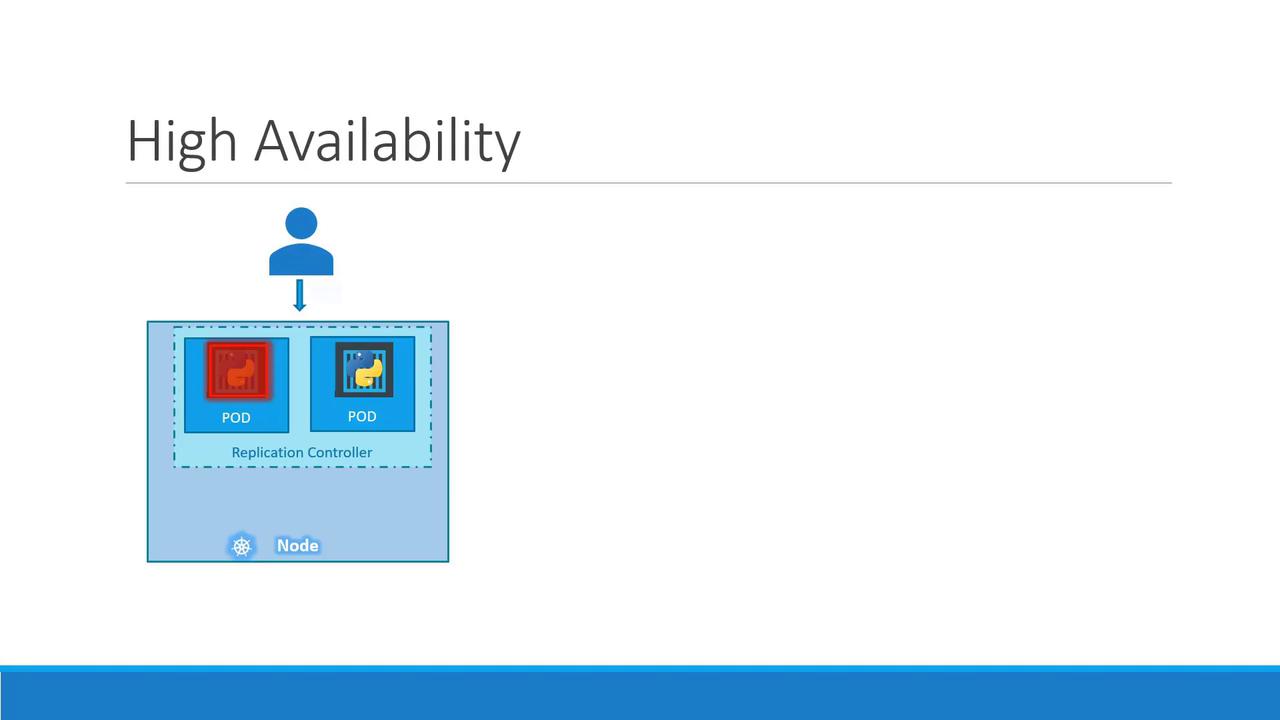
* Redundancy and load balancing across nodes:
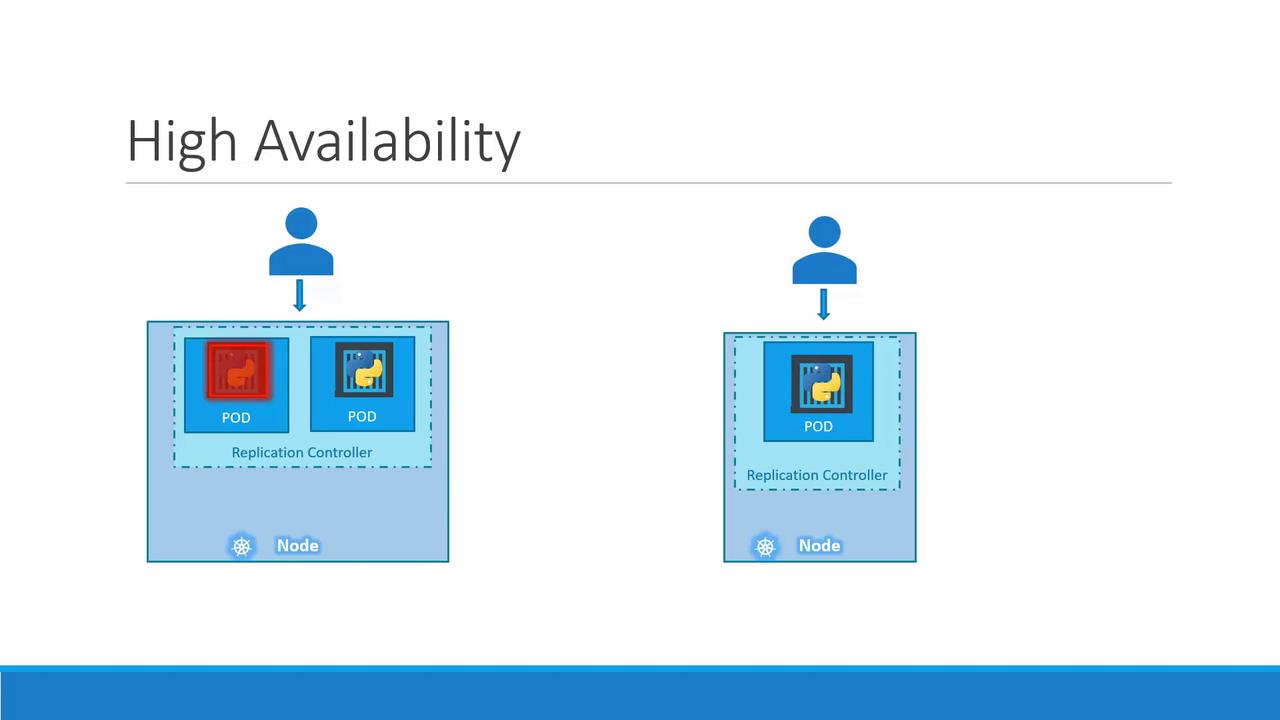
* Scaling across nodes to meet growing demand:
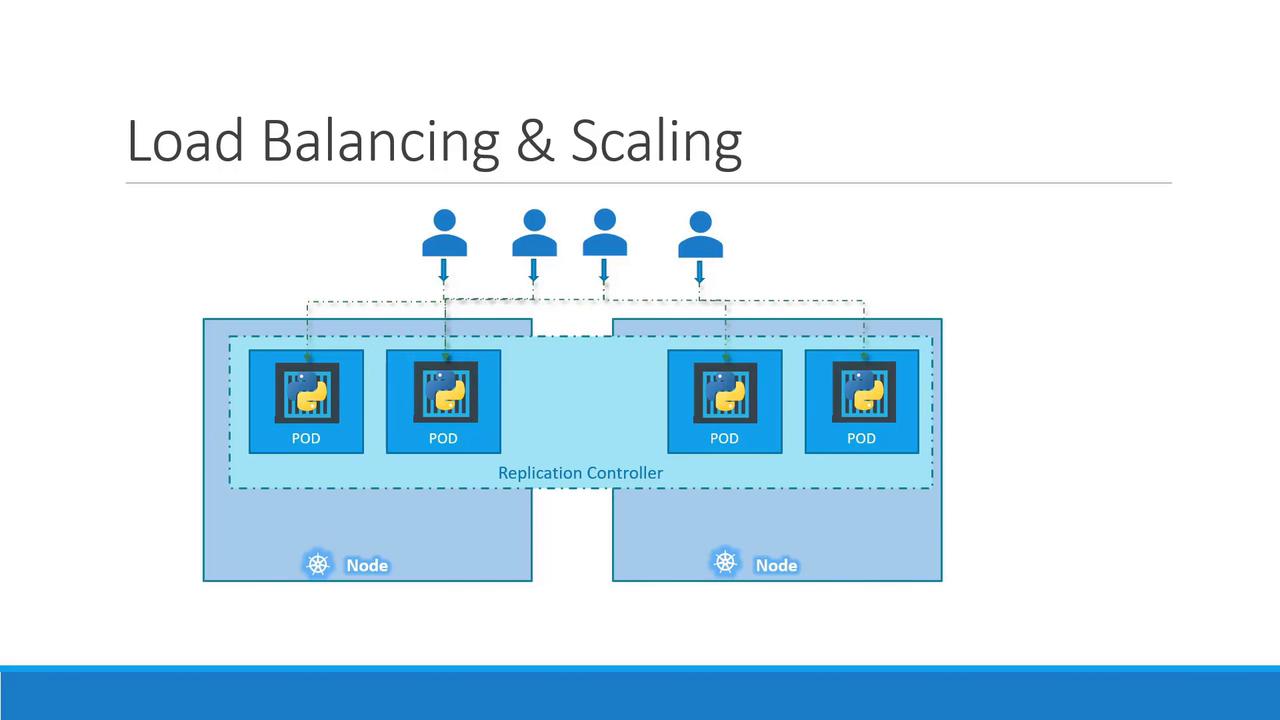
## ReplicationController vs. ReplicaSet
While both controllers maintain a set of Pod replicas, **ReplicaSet** (RS) is the modern API (`apps/v1`) and supports set-based label selectors. **ReplicationController** (`v1`) is older and has fewer selector capabilities. We recommend using ReplicaSets for new deployments.
| Feature | ReplicationController (`v1`) | ReplicaSet (`apps/v1`) |
| --------------------- | ---------------------------- | -------------------------------- |
| API Version | v1 | apps/v1 |
| Selector Support | Equality-based labels only | Equality & set-based label match |
| Recommended for Usage | Deprecated | Yes |
## Creating a ReplicationController
1. Define `rc-definition.yaml`:
```yaml theme={null}
apiVersion: v1
kind: ReplicationController
metadata:
name: myapp-rc
labels:
app: myapp
tier: front-end
spec:
replicas: 3
template:
metadata:
name: myapp-pod
labels:
app: myapp
tier: front-end
spec:
containers:
- name: nginx-container
image: nginx
```
2. Apply the manifest and verify:
```bash theme={null}
kubectl create -f rc-definition.yaml
kubectl get replicationcontroller
```
Example output:
```text theme={null}
NAME DESIRED CURRENT READY AGE
myapp-rc 3 3 3 19s
```
3. List Pods managed by the RC:
```bash theme={null}
kubectl get pods
```
```text theme={null}
NAME READY STATUS RESTARTS AGE
myapp-rc-4lvk9 1/1 Running 0 20s
myapp-rc-mc2mf 1/1 Running 0 20s
myapp-rc-px9pz 1/1 Running 0 20s
```
## Introducing ReplicaSets
A ReplicaSet manifest closely mirrors an RC, with two key differences:
* **apiVersion**: `apps/v1`
* **selector**: Required to match Pods
```yaml theme={null}
apiVersion: apps/v1
kind: ReplicaSet
metadata:
name: myapp-replicaset
labels:
app: myapp
tier: front-end
spec:
replicas: 3
selector:
matchLabels:
app: myapp
tier: front-end
template:
metadata:
name: myapp-pod
labels:
app: myapp
tier: front-end
spec:
containers:
- name: nginx-container
image: nginx
```
Apply and verify:
```bash theme={null}
kubectl create -f replicaset-definition.yaml
kubectl get replicaset
kubectl get pods
```
## Labels and Selectors
Labels are key/value pairs attached to objects. A ReplicaSet’s `spec.selector.matchLabels` determines which Pods it manages—even pre-existing ones.
Example Pod with labels:
```yaml theme={null}
metadata:
name: myapp-pod
labels:
tier: front-end
```
Matching selector in a ReplicaSet:
```yaml theme={null}
selector:
matchLabels:
tier: front-end
```
## Scaling a ReplicaSet
You can adjust replica counts by editing the YAML or using `kubectl scale`:
Option 1: Update `replicas` in `replicaset-definition.yaml` and apply:
```bash theme={null}
kubectl replace -f replicaset-definition.yaml
```
Option 2: Scale on the fly:
```bash theme={null}
kubectl scale --replicas=6 -f replicaset-definition.yaml
```
Using `kubectl scale` updates in-memory replica counts but does not modify your source YAML file.\
For automatic scaling based on metrics, see the [Horizontal Pod Autoscaler](https://kubernetes.io/docs/tasks/run-application/horizontal-pod-autoscale/).
## Command Cheat Sheet
| Command | Description |
| ------------------------------------------ | ------------------------------------ |
| kubectl create -f `` | Create any Kubernetes object |
| kubectl get `` | List resources (e.g., pods, rs) |
| kubectl delete `` `` | Delete a resource by name |
| kubectl replace -f `` | Update by replacing the manifest |
| kubectl scale --replicas=`` -f `` | Scale replicas from the command line |
## Links and References
* [Kubernetes Controllers](https://kubernetes.io/docs/concepts/architecture/controller/)
* [ReplicationController API](https://kubernetes.io/docs/reference/generated/kubernetes-api/v1.24/#replicationcontroller-v1-core)
* [ReplicaSet API](https://kubernetes.io/docs/reference/generated/kubernetes-api/v1.24/#replicaset-v1-apps)
* [Horizontal Pod Autoscaler](https://kubernetes.io/docs/tasks/run-application/horizontal-pod-autoscale/)