> ## Documentation Index
> Fetch the complete documentation index at: https://notes.kodekloud.com/llms.txt
> Use this file to discover all available pages before exploring further.
# Modern Builds With Buildkit
> Explains Docker BuildKit features that improve build speed, security, and multi‑platform support including cache, secret mounts, and parallel stage execution
Earlier we walked through four recurring problems with the legacy Docker builder:
* Packages redownloaded from scratch on every build
* Secrets leaking into image metadata
* Architecture lock‑in to the builder machine
* Independent stages executed sequentially instead of concurrently
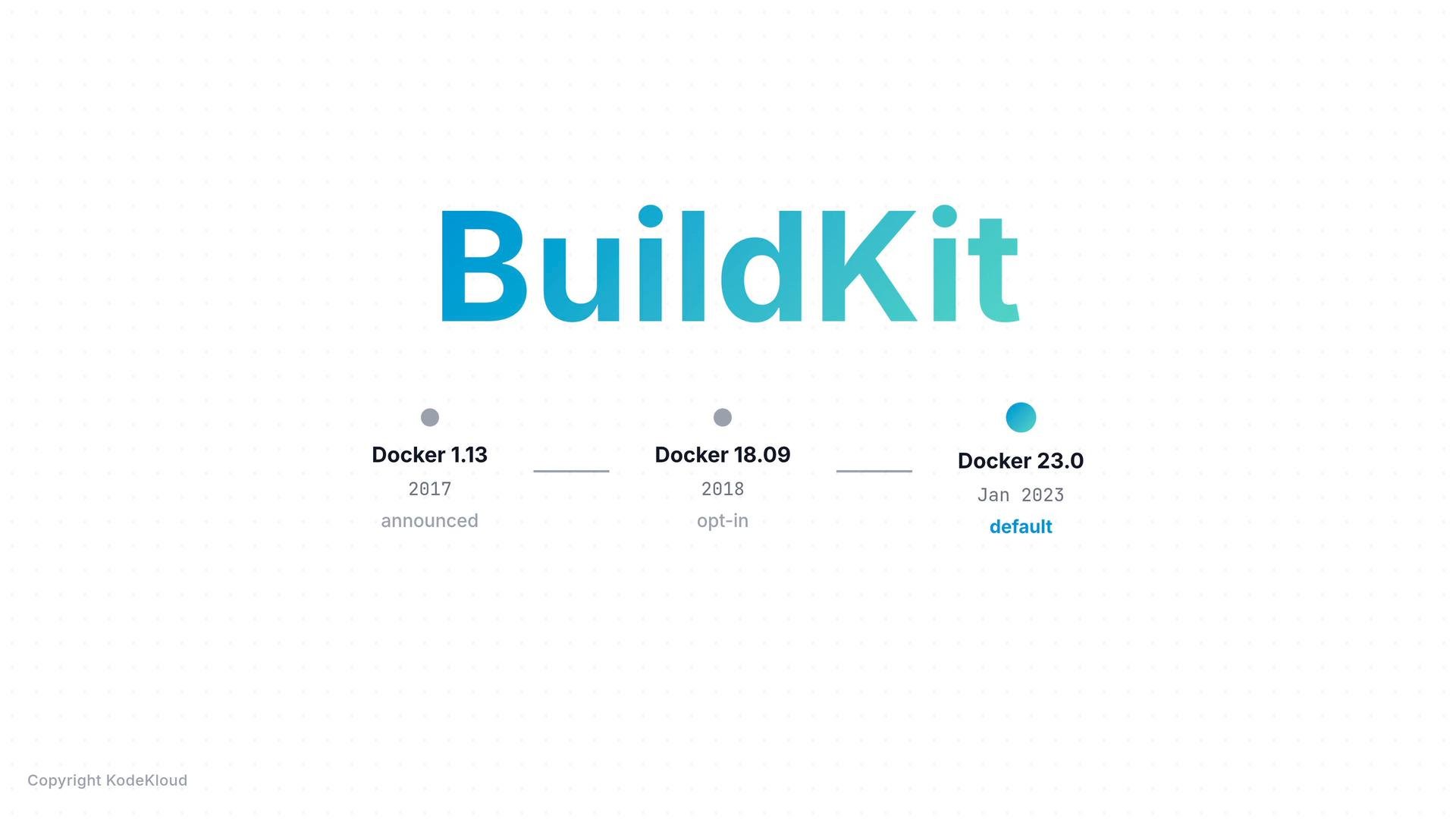
All four problems share a single root cause: the legacy builder was designed for a simpler era and lacks modern build engine features. Docker rewrote the build engine and released BuildKit. As of Docker 23.0 (January 2023) BuildKit is the default builder — no flags or special enablement required.
 If you’ve run recent builds you were probably already using BuildKit — the compact BuildKit output (for example the "\[+] Building 12.3s" summary) is a giveaway.
Example BuildKit output:
```bash theme={null}
$ docker build -t web .
[+] Building 12.3s (8/8) FINISHED
=> [internal] load build definition from Dockerfile 0.0s
=> [internal] load metadata for python:3 0.5s
=> [1/4] FROM python:3@sha256:a3f1c9... 0.0s
=> [2/4] COPY requirements.txt . 0.1s
=> [3/4] RUN pip install -r requirements.txt 10.8s
=> [4/4] COPY . . 0.2s
=> exporting to image 0.7s
```
A quick CLI note: BuildKit’s frontend functionality is exposed through Docker Buildx. Most modern Docker packages include the Buildx plugin, and plain `docker build` routes through BuildKit/Buildx under the hood. When you need advanced BuildKit features you’ll use `docker buildx build` explicitly.
If you want to see whether the Buildx plugin is installed, check your package list. Buildx is typically included with modern Docker packages.
Example check and confirmation that `docker build` is routed through BuildKit:
```bash theme={null}
$ apt list --installed 2>/dev/null | grep buildx
docker-buildx-plugin/jammy,now 0.13.1-1~ubuntu.22.04~jammy amd64 [installed]
$ docker build -t web .
[+] Building 8.2s (8/8) FINISHED <-- routed through BuildKit
```
What BuildKit gives you
BuildKit provides smarter caching and four features that directly address the problems above. The following table summarizes the mapping between the legacy problems and BuildKit capabilities.
| Legacy problem | BuildKit capability | Example / where to look |
| -: | - | - |
| Packages re-downloaded every build | Cache mounts (`--mount=type=cache`) persist cache dirs across builds | Dockerfile `RUN --mount=type=cache,target=/root/.cache/pip ...` |
| Secrets leaked into images | Secret mounts (`--mount=type=secret`) provide ephemeral secret access per RUN step | `docker buildx build --secret id=mykey,src=./key.txt` |
| Builds tied to local CPU arch | Multi-platform builds and manifest publishing (`--platform`) | `docker buildx build --platform linux/amd64,linux/arm64 --push` |
| Independent stages run sequentially | BuildKit DAG analysis and parallel stage execution | Build output shows `DAG analysis` and stages running concurrently |
Below we walk through each feature with clear examples and expected output.
1. Cache mounts — avoid re-downloading packages on every build
BuildKit cache mounts let a RUN step persist cache directories across builds. To use the `--mount` syntax you must include the modern Dockerfile frontend directive at the top of your Dockerfile:
```dockerfile theme={null}
FROM python:3
RUN --mount=type=cache,target=/root/.cache/pip \
pip install flask flask-mysql
COPY app.py /app/
ENTRYPOINT ["python", "/app/app.py"]
```
The `# syntax=docker/dockerfile:1` directive enables frontend features such as `--mount`. On the first build packages are downloaded from the network; subsequent builds restore those downloads from the cache, dramatically reducing build time.
First build (slow):
```bash theme={null}
$ docker buildx build -t web .
[+] Building 60.2s (8/8) FINISHED
=> [3/4] RUN --mount=type=cache,target=/root/.cache/pip pip install flask flask-mysql
Downloading Flask-3.0.0.tar.gz (840 kB) 3.1s
Downloading Flask_mysql-1.5.2.tar.gz (12 kB) 1.8s
Downloading 38 transitive dependencies 52.4s
```
Second build (fast, cache restored):
```bash theme={null}
$ docker buildx build -t web .
[+] Building 10.1s (8/8) FINISHED
=> CACHED [3/4] RUN --mount=type=cache,target=/root/.cache/pip pip install ...
Cache restored from /root/.cache/pip 0.0s
```
2. Secret mounts — use secrets safely during build
BuildKit provides ephemeral secret mounts that exist only for the duration of a single RUN step. The secret is never added to any image layer or the image history, removing a major class of leakage risk.
Dockerfile example (note the runtime secret mount in the RUN command):
```dockerfile theme={null}
FROM alpine
RUN apk add --no-cache curl
RUN --mount=type=secret,id=mykey curl -H "Authorization: Bearer $(cat /run/secrets/mykey)" https://private.example/api
```
Build by supplying the secret from the host:
```bash theme={null}
$ cat ./key.txt
sk_live_a9f2b8c4e1d6f7a3b8c9d2e5f8a1b4c7
$ docker buildx build --secret id=mykey,src=./key.txt -t myapp .
[+] Building 4.2s (7/7) FINISHED
=> [internal] resolving secret id=mykey from ./key.txt 0.0s
=> [3/3] RUN --mount=type=secret,id=mykey curl ... 3.1s
mounted /run/secrets/mykey (RUN step)
unmounted /run/secrets/mykey (RUN step finished)
=> exporting to image 0.5s
=> => writing image sha256:def4a2b1... 0.0s
```
If you inspect the final image or its history you will not find the secret contents — BuildKit ensures secrets never end up in a layer:
```bash theme={null}
$ docker history myapp --no-trunc
IMAGE CREATED CREATED BY SIZE COMMENT
sha256:def4a2 2 minutes ago RUN --mount=type=secret,id=mykey curl -H ... 0B buildkit.dockerfile.v0
`` 2 minutes ago RUN apk add --no-cache curl 6.21MB buildkit.dockerfile.v0
`` 3 weeks ago /bin/sh -c #(nop) CMD ["/bin/sh"] 0B
`` 3 weeks ago /bin/sh -c #(nop) ADD file:da80f59ab1d... in / 7.73MB
```
This ephemeral secret behavior is a strong security reason to adopt BuildKit for builds that contact private services.
3. Multi-platform builds — build for multiple CPU architectures in one command
BuildKit supports building and pushing multi-architecture images in a single command and publishes a manifest that points to per-architecture image variants. Consumers pulling the image automatically receive the variant matching their platform.
Build and push for AMD64 and ARM64:
```bash theme={null}
$ docker buildx build --platform linux/amd64,linux/arm64 -t mmumshad/my-simple-webapp --push .
```
When a user on an Apple Silicon Mac pulls the image they get the ARM64 variant; on an Intel laptop they get AMD64. That’s why many images on Docker Hub “just work” across platforms.
Example pull outputs will show different digests for different architectures:
```bash theme={null}
$ docker pull mmumshad/my-simple-webapp
Using default tag: latest
latest: Pulling from mmumshad/my-simple-webapp
Digest: sha256:7c9a... (arm64 variant from manifest list)
Status: Downloaded newer image for mmumshad/my-simple-webapp:latest
```
```bash theme={null}
$ docker pull mmumshad/my-simple-webapp
Using default tag: latest
latest: Pulling from mmumshad/my-simple-webapp
Digest: sha256:1d4f... (amd64 variant from manifest list)
Status: Downloaded newer image for mmumshad/my-simple-webapp:latest
```
4. Parallel stage execution — independent stages build simultaneously
If your Dockerfile contains independent multi-stage builds (for example separate `FROM` stages for front-end and back-end that don’t depend on each other), the legacy builder would run them sequentially. BuildKit performs DAG analysis up front, determines independent stages, and runs them in parallel — reducing total build time with no Dockerfile changes required.
Example BuildKit output showing DAG analysis and parallel stage execution:
```bash theme={null}
$ docker buildx build -t app .
[+] Building 91.4s (14/14) FINISHED
=> [internal] load build definition from Dockerfile 0.0s
=> [internal] DAG analysis (BuildKit) 0.1s
=> [frontend 1/3] FROM node:20 4.1s
=> [backend 1/3] FROM golang:1.22 3.8s
=> [frontend 2/3] COPY frontend/ /src/ 0.4s
=> [backend 2/3] COPY backend/ /src/ 0.3s
=> [frontend 3/3] RUN cd /src && npm ci && npm run build 62.7s
=> [backend 3/3] RUN cd /src && go build -o /out/server 28.9s
=> [stage-2 1/3] FROM alpine 0.1s
=> [stage-2 2/3] COPY --from=frontend /src/dist ... 0.3s
=> [stage-2 3/3] COPY --from=backend /out/server ... 0.2s
```
No Dockerfile rewrites required — you get a free speed-up for independent stages.
Quick reference
| Task | Example |
| - | - |
| Enable Dockerfile frontend features | `# syntax=docker/dockerfile:1` at the top of the Dockerfile |
| Use cache mounts | `RUN --mount=type=cache,target=/root/.cache/pip pip install ...` |
| Use secret mounts | `docker buildx build --secret id=mykey,src=./key.txt -t myapp .` |
| Build multi-arch and push | `docker buildx build --platform linux/amd64,linux/arm64 --push -t user/app .` |
| Inspect image history | `docker history ` |
Final notes
Everything you already know about Docker images still applies: layers remain, `docker history` still shows metadata, and standard Dockerfile instructions (`FROM`, `RUN`, `COPY`, `ENTRYPOINT`) behave the same. BuildKit is a faster, smarter build engine beneath the same Dockerfile syntax you already use — adopt its features (cache mounts, secret mounts, multi-platform builds, and parallel stage execution) incrementally to improve speed, security, and portability.
Links and references
* Docker Buildx (official): [https://docs.docker.com/buildx/working-with-buildx/](https://docs.docker.com/buildx/working-with-buildx/)
* BuildKit (GitHub): [https://github.com/moby/buildkit](https://github.com/moby/buildkit)
* Dockerfile reference (syntax directive): [https://docs.docker.com/engine/reference/builder/](https://docs.docker.com/engine/reference/builder/)
This documentation is built and hosted on [Mintlify](https://mintlify.com), a developer documentation platform.
If you’ve run recent builds you were probably already using BuildKit — the compact BuildKit output (for example the "\[+] Building 12.3s" summary) is a giveaway.
Example BuildKit output:
```bash theme={null}
$ docker build -t web .
[+] Building 12.3s (8/8) FINISHED
=> [internal] load build definition from Dockerfile 0.0s
=> [internal] load metadata for python:3 0.5s
=> [1/4] FROM python:3@sha256:a3f1c9... 0.0s
=> [2/4] COPY requirements.txt . 0.1s
=> [3/4] RUN pip install -r requirements.txt 10.8s
=> [4/4] COPY . . 0.2s
=> exporting to image 0.7s
```
A quick CLI note: BuildKit’s frontend functionality is exposed through Docker Buildx. Most modern Docker packages include the Buildx plugin, and plain `docker build` routes through BuildKit/Buildx under the hood. When you need advanced BuildKit features you’ll use `docker buildx build` explicitly.
If you want to see whether the Buildx plugin is installed, check your package list. Buildx is typically included with modern Docker packages.
Example check and confirmation that `docker build` is routed through BuildKit:
```bash theme={null}
$ apt list --installed 2>/dev/null | grep buildx
docker-buildx-plugin/jammy,now 0.13.1-1~ubuntu.22.04~jammy amd64 [installed]
$ docker build -t web .
[+] Building 8.2s (8/8) FINISHED <-- routed through BuildKit
```
What BuildKit gives you
BuildKit provides smarter caching and four features that directly address the problems above. The following table summarizes the mapping between the legacy problems and BuildKit capabilities.
| Legacy problem | BuildKit capability | Example / where to look |
| -: | - | - |
| Packages re-downloaded every build | Cache mounts (`--mount=type=cache`) persist cache dirs across builds | Dockerfile `RUN --mount=type=cache,target=/root/.cache/pip ...` |
| Secrets leaked into images | Secret mounts (`--mount=type=secret`) provide ephemeral secret access per RUN step | `docker buildx build --secret id=mykey,src=./key.txt` |
| Builds tied to local CPU arch | Multi-platform builds and manifest publishing (`--platform`) | `docker buildx build --platform linux/amd64,linux/arm64 --push` |
| Independent stages run sequentially | BuildKit DAG analysis and parallel stage execution | Build output shows `DAG analysis` and stages running concurrently |
Below we walk through each feature with clear examples and expected output.
1. Cache mounts — avoid re-downloading packages on every build
BuildKit cache mounts let a RUN step persist cache directories across builds. To use the `--mount` syntax you must include the modern Dockerfile frontend directive at the top of your Dockerfile:
```dockerfile theme={null}
FROM python:3
RUN --mount=type=cache,target=/root/.cache/pip \
pip install flask flask-mysql
COPY app.py /app/
ENTRYPOINT ["python", "/app/app.py"]
```
The `# syntax=docker/dockerfile:1` directive enables frontend features such as `--mount`. On the first build packages are downloaded from the network; subsequent builds restore those downloads from the cache, dramatically reducing build time.
First build (slow):
```bash theme={null}
$ docker buildx build -t web .
[+] Building 60.2s (8/8) FINISHED
=> [3/4] RUN --mount=type=cache,target=/root/.cache/pip pip install flask flask-mysql
Downloading Flask-3.0.0.tar.gz (840 kB) 3.1s
Downloading Flask_mysql-1.5.2.tar.gz (12 kB) 1.8s
Downloading 38 transitive dependencies 52.4s
```
Second build (fast, cache restored):
```bash theme={null}
$ docker buildx build -t web .
[+] Building 10.1s (8/8) FINISHED
=> CACHED [3/4] RUN --mount=type=cache,target=/root/.cache/pip pip install ...
Cache restored from /root/.cache/pip 0.0s
```
2. Secret mounts — use secrets safely during build
BuildKit provides ephemeral secret mounts that exist only for the duration of a single RUN step. The secret is never added to any image layer or the image history, removing a major class of leakage risk.
Dockerfile example (note the runtime secret mount in the RUN command):
```dockerfile theme={null}
FROM alpine
RUN apk add --no-cache curl
RUN --mount=type=secret,id=mykey curl -H "Authorization: Bearer $(cat /run/secrets/mykey)" https://private.example/api
```
Build by supplying the secret from the host:
```bash theme={null}
$ cat ./key.txt
sk_live_a9f2b8c4e1d6f7a3b8c9d2e5f8a1b4c7
$ docker buildx build --secret id=mykey,src=./key.txt -t myapp .
[+] Building 4.2s (7/7) FINISHED
=> [internal] resolving secret id=mykey from ./key.txt 0.0s
=> [3/3] RUN --mount=type=secret,id=mykey curl ... 3.1s
mounted /run/secrets/mykey (RUN step)
unmounted /run/secrets/mykey (RUN step finished)
=> exporting to image 0.5s
=> => writing image sha256:def4a2b1... 0.0s
```
If you inspect the final image or its history you will not find the secret contents — BuildKit ensures secrets never end up in a layer:
```bash theme={null}
$ docker history myapp --no-trunc
IMAGE CREATED CREATED BY SIZE COMMENT
sha256:def4a2 2 minutes ago RUN --mount=type=secret,id=mykey curl -H ... 0B buildkit.dockerfile.v0
`` 2 minutes ago RUN apk add --no-cache curl 6.21MB buildkit.dockerfile.v0
`` 3 weeks ago /bin/sh -c #(nop) CMD ["/bin/sh"] 0B
`` 3 weeks ago /bin/sh -c #(nop) ADD file:da80f59ab1d... in / 7.73MB
```
This ephemeral secret behavior is a strong security reason to adopt BuildKit for builds that contact private services.
3. Multi-platform builds — build for multiple CPU architectures in one command
BuildKit supports building and pushing multi-architecture images in a single command and publishes a manifest that points to per-architecture image variants. Consumers pulling the image automatically receive the variant matching their platform.
Build and push for AMD64 and ARM64:
```bash theme={null}
$ docker buildx build --platform linux/amd64,linux/arm64 -t mmumshad/my-simple-webapp --push .
```
When a user on an Apple Silicon Mac pulls the image they get the ARM64 variant; on an Intel laptop they get AMD64. That’s why many images on Docker Hub “just work” across platforms.
Example pull outputs will show different digests for different architectures:
```bash theme={null}
$ docker pull mmumshad/my-simple-webapp
Using default tag: latest
latest: Pulling from mmumshad/my-simple-webapp
Digest: sha256:7c9a... (arm64 variant from manifest list)
Status: Downloaded newer image for mmumshad/my-simple-webapp:latest
```
```bash theme={null}
$ docker pull mmumshad/my-simple-webapp
Using default tag: latest
latest: Pulling from mmumshad/my-simple-webapp
Digest: sha256:1d4f... (amd64 variant from manifest list)
Status: Downloaded newer image for mmumshad/my-simple-webapp:latest
```
4. Parallel stage execution — independent stages build simultaneously
If your Dockerfile contains independent multi-stage builds (for example separate `FROM` stages for front-end and back-end that don’t depend on each other), the legacy builder would run them sequentially. BuildKit performs DAG analysis up front, determines independent stages, and runs them in parallel — reducing total build time with no Dockerfile changes required.
Example BuildKit output showing DAG analysis and parallel stage execution:
```bash theme={null}
$ docker buildx build -t app .
[+] Building 91.4s (14/14) FINISHED
=> [internal] load build definition from Dockerfile 0.0s
=> [internal] DAG analysis (BuildKit) 0.1s
=> [frontend 1/3] FROM node:20 4.1s
=> [backend 1/3] FROM golang:1.22 3.8s
=> [frontend 2/3] COPY frontend/ /src/ 0.4s
=> [backend 2/3] COPY backend/ /src/ 0.3s
=> [frontend 3/3] RUN cd /src && npm ci && npm run build 62.7s
=> [backend 3/3] RUN cd /src && go build -o /out/server 28.9s
=> [stage-2 1/3] FROM alpine 0.1s
=> [stage-2 2/3] COPY --from=frontend /src/dist ... 0.3s
=> [stage-2 3/3] COPY --from=backend /out/server ... 0.2s
```
No Dockerfile rewrites required — you get a free speed-up for independent stages.
Quick reference
| Task | Example |
| - | - |
| Enable Dockerfile frontend features | `# syntax=docker/dockerfile:1` at the top of the Dockerfile |
| Use cache mounts | `RUN --mount=type=cache,target=/root/.cache/pip pip install ...` |
| Use secret mounts | `docker buildx build --secret id=mykey,src=./key.txt -t myapp .` |
| Build multi-arch and push | `docker buildx build --platform linux/amd64,linux/arm64 --push -t user/app .` |
| Inspect image history | `docker history ` |
Final notes
Everything you already know about Docker images still applies: layers remain, `docker history` still shows metadata, and standard Dockerfile instructions (`FROM`, `RUN`, `COPY`, `ENTRYPOINT`) behave the same. BuildKit is a faster, smarter build engine beneath the same Dockerfile syntax you already use — adopt its features (cache mounts, secret mounts, multi-platform builds, and parallel stage execution) incrementally to improve speed, security, and portability.
Links and references
* Docker Buildx (official): [https://docs.docker.com/buildx/working-with-buildx/](https://docs.docker.com/buildx/working-with-buildx/)
* BuildKit (GitHub): [https://github.com/moby/buildkit](https://github.com/moby/buildkit)
* Dockerfile reference (syntax directive): [https://docs.docker.com/engine/reference/builder/](https://docs.docker.com/engine/reference/builder/)
This documentation is built and hosted on [Mintlify](https://mintlify.com), a developer documentation platform.