> ## Documentation Index
> Fetch the complete documentation index at: https://notes.kodekloud.com/llms.txt
> Use this file to discover all available pages before exploring further.
# Problems With Traditional Docker Builds
> Describes four problems of legacy Docker builds and how modern BuildKit tools address repeated dependency downloads, secret leaks, architecture lock in, and sequential stage execution.
We previously built and pushed a Docker image to Docker Hub using the classic workflow: write a Dockerfile, run `docker build`, push to a registry. That basic flow works to get started, but when you use Docker for real projects you'll encounter several practical limitations of the legacy builder.
This article walks through four concrete problems with traditional Docker builds and explains why they matter in CI/CD and production environments. Docker has introduced modern build improvements (BuildKit, `docker buildx`, build secrets, and multi-platform build support) to address these exact issues.
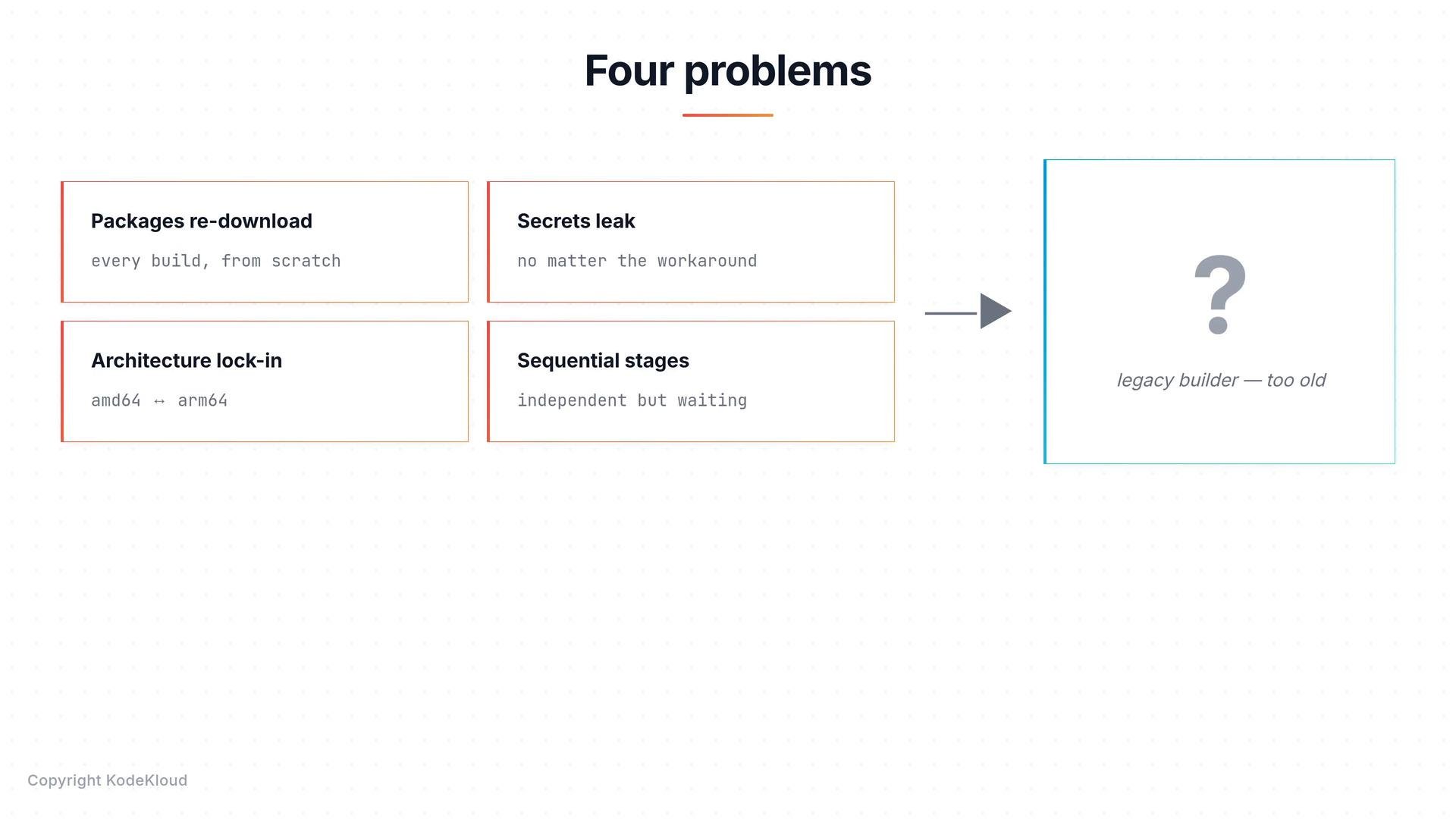
The four problems covered here:
1. Packages are re-downloaded on every build.
2. Secrets can leak into image metadata or layers.
3. Architecture is locked to the builder machine.
4. Independent stages run sequentially instead of in parallel.
Below we explain each issue in turn, show examples of the problematic patterns, and summarize the impact.
## Summary table
| Problem | What happens | Typical impact |
| - | - | - |
| Re-downloading packages | Package manager runs each build and downloads dependencies again | Slower builds and wasted bandwidth in CI |
| Secrets leak into images | Secrets passed via `ARG`, `ENV`, or copied files can appear in layers or metadata | Credentials or private keys may be exposed |
| Architecture lock-in | Build artifacts are tied to the CPU architecture of the build host | Images may not run on different architectures (ARM vs AMD64) |
| Sequential stage execution | Multiple independent stages are built one after another | Longer overall build time; wasted opportunity for parallelism |
## Packages download on every build
When a `RUN` step invokes a package manager (for example `apt-get`, `pip install`, `npm ci`), the downloader fetches packages over the network and installs them into the image layer. By default, the package manager cache is not preserved in a way that benefits subsequent builds, and Docker invalidates downstream layers when source files change.
The result: change a single line of code and you may re-run the dependency install step, re-downloading tens or hundreds of megabytes.
Example build-and-rebuild sequence:
```bash theme={null}
$ docker build -t myapp .
Sending build context to Docker daemon 3.072kB
Step 1/4 : FROM python:3.11
...
Step 4/4 : RUN pip install -r requirements.txt
Collecting flask, numpy, requests, pandas...
Downloading 47.8 MB from the internet...
Successfully installed flask numpy requests pandas
Successfully built myapp:latest (built in 24.2s)
$ docker build -t myapp .
Sending build context to Docker daemon 3.072kB
Step 1/4 : FROM python:3.11
...
Step 4/4 : RUN pip install -r requirements.txt
Collecting flask, numpy, requests, pandas...
Downloading 47.8 MB from the internet... ← AGAIN
Successfully installed flask numpy requests pandas
Successfully built myapp:latest (built in 23.8s)
```
Common mitigations with modern builders:
* Use build cache mount features (BuildKit) to persist package caches across builds (`--mount=type=cache`).
* Pin dependency files (`requirements.txt`, `package-lock.json`) early in the Dockerfile to maximize cache reuse.
* Use dependency-only stages and only copy final artifacts into the runtime image.
## Secrets leak into image metadata or layers
Secrets used during builds — API keys, tokens, SSH keys — require special care. Several common approaches are insecure with the legacy builder:
* Build args (`ARG`) — passing secrets with `--build-arg` places values in image history and metadata. They can be recovered via `docker history` or `docker inspect`.
Example:
```bash theme={null}
$ docker build --build-arg API_KEY=mysecretkey -t myapp .
Sending build context to Docker daemon 2.048kB
Successfully built sha256:abc123def456
Successfully tagged myapp:latest
$ docker history --no-trunc myapp
IMAGE CREATED CREATED BY SIZE
sha256:abc123... 3 minutes ago RUN /bin/sh -c API_KEY=mysecretkey curl ... 0B
sha256:def456... 2 weeks ago /bin/sh -c #(nop) CMD ["/bin/sh"] 0B
```
Do not pass secrets via `--build-arg`. Build arguments and `ENV` values can end up embedded in image metadata or layers and are not a secure secret mechanism.
* `ENV` — an `ENV` instruction bakes the value into a layer and every container created from that image will see the variable.
* `COPY` then `rm` — copying a secret file into the image and then deleting it in a later layer does not remove it from the earlier layer; the secret remains accessible in that layer’s contents.
Example (insecure pattern):
```dockerfile theme={null}
COPY secret.txt /tmp/secret.txt
RUN use-secret && rm /tmp/secret.txt
```
* Multi-stage builds — better because you can keep the runtime image free of the secret, but if intermediate images are pushed to a registry for caching or retained locally, the secret can still be exposed.
Example multi-stage pattern (helps but not foolproof):
```dockerfile theme={null}
FROM alpine AS builder
ARG API_KEY
RUN use-secret-here
FROM alpine AS runtime
COPY --from=builder /app /app
```
Because these pitfalls are subtle, teams using the legacy builder often adopt strict processes or extra tooling to avoid accidental leaks. Modern BuildKit features provide safer mechanisms: build-time secrets (`--secret`), SSH forwarding (`--ssh`), and better cache isolation.
## Architecture lock-in
Legacy builds produce an image for the architecture of the build host. That can cause images to fail when run on a different CPU family.
Examples:
* Build on x86\_64 (Intel/AMD) and run on arm64 (Apple Silicon, AWS Graviton, Raspberry Pi) — runtime error:
```bash theme={null}
$ docker build -t myapp .
Successfully built myapp:latest
Architecture: linux/amd64
$ docker run myapp # on an ARM server
exec /usr/local/bin/myapp: exec format error
```
* Build on ARM and pull on x86\_64 — the manifest may not include the required architecture:
```bash theme={null}
$ docker build -t myapp .
Successfully built myapp:latest
Architecture: linux/arm64
$ docker pull myapp # on an Intel server
no matching manifest for linux/amd64 in the manifest list entries
```
Mitigations:
* Use Docker Buildx / BuildKit to produce multi-platform images and manifest lists.
* Use QEMU emulation for cross-architecture builds when necessary (Buildx integrates QEMU).
* Use CI runners for each target architecture or a cross-compilation toolchain.
## Sequential stages run when they could be parallel
A Dockerfile with multiple independent stages (for example building a frontend and a backend) is often executed sequentially by the legacy builder. When stages do not depend on one another, running them in parallel can reduce total build time significantly.
Example:
```dockerfile theme={null}
FROM node AS frontend
COPY frontend/ .
RUN npm ci && npm run build
FROM golang AS backend
COPY backend/ .
RUN go build ./...
```
In this Dockerfile the `frontend` and `backend` stages are independent and could be built concurrently, but older build engines run them one after the other. Modern build systems can schedule independent stages in parallel and better utilize available CPU and IO resources.
## Recap
The four main problems with the traditional Docker builder are:
* Re-downloading dependencies on every build (slow, wasteful).
* Secrets inadvertently embedded in image metadata or layers (security risk).
* Generated images tied to the builder’s CPU architecture (portability issues).
* Independent stages executed sequentially (inefficient builds).
These limitations motivated improvements such as BuildKit and `docker buildx`, which provide cache mounts, secure build-time secrets, multi-platform images, and parallel stage execution.
 ## Links and references
* Docker BuildKit and build secrets: [https://docs.docker.com/build/](https://docs.docker.com/build/)
* Buildx and multi-platform builds: [https://docs.docker.com/buildx/overview/](https://docs.docker.com/buildx/overview/)
* Dockerfile best practices: [https://docs.docker.com/develop/develop-images/dockerfile\_best-practices/](https://docs.docker.com/develop/develop-images/dockerfile_best-practices/)
This documentation is built and hosted on [Mintlify](https://mintlify.com), a developer documentation platform.
## Links and references
* Docker BuildKit and build secrets: [https://docs.docker.com/build/](https://docs.docker.com/build/)
* Buildx and multi-platform builds: [https://docs.docker.com/buildx/overview/](https://docs.docker.com/buildx/overview/)
* Dockerfile best practices: [https://docs.docker.com/develop/develop-images/dockerfile\_best-practices/](https://docs.docker.com/develop/develop-images/dockerfile_best-practices/)
This documentation is built and hosted on [Mintlify](https://mintlify.com), a developer documentation platform.