> ## Documentation Index
> Fetch the complete documentation index at: https://notes.kodekloud.com/llms.txt
> Use this file to discover all available pages before exploring further.
# Images and Registries
> Explains container images and registries, using docker run, building and publishing images, image versus container concepts, registry options and security best practices.
Container images package applications and their dependencies into portable, read-only templates. Registries host these images so you can pull them to any host and run containers from them. This makes distributing and deploying software predictable and repeatable.
Most organizations publish images to public or private registries. The most popular public registry is Docker Hub, but there are several alternatives and cloud-hosted registries:
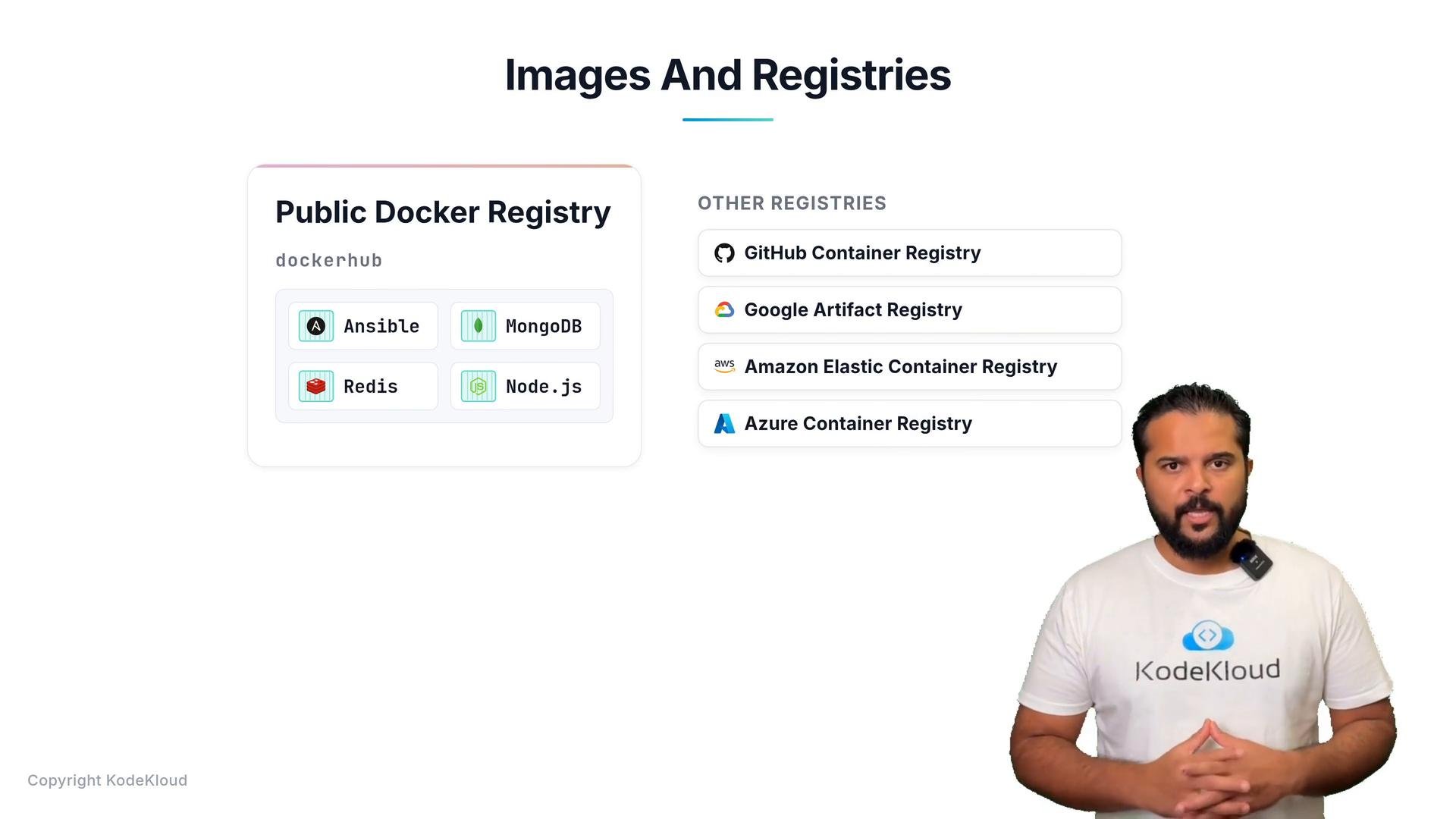 Use the table below to quickly compare common container registries and when to use them.
| Registry | Typical Use Case | Link |
| -: | - | - |
| Docker Hub | Public images, quick pulls for development and small projects | [https://hub.docker.com/](https://hub.docker.com/) |
| GitHub Container Registry | Integrated with GitHub CI/CD and package management | [https://docs.github.com/en/packages/working-with-a-github-packages-registry/working-with-the-container-registry](https://docs.github.com/en/packages/working-with-a-github-packages-registry/working-with-the-container-registry) |
| Google Artifact Registry | Google Cloud hosted images for GKE and other GCP services | [https://cloud.google.com/artifact-registry](https://cloud.google.com/artifact-registry) |
| AWS ECR | Private images managed within AWS with IAM integration | [https://aws.amazon.com/ecr/](https://aws.amazon.com/ecr/) |
| Azure Container Registry | Azure-managed registry integrated with ACR Tasks and AKS | [https://azure.microsoft.com/en-us/services/container-registry/](https://azure.microsoft.com/en-us/services/container-registry/) |
Run `docker run ` to pull an image from the configured registry (Docker Hub by default) if it’s not already present locally. Docker then creates and starts a container from that image. To run in the background, add `-d`; to map ports use `-p`, and to assign a container name use `--name`.
Example: running images with Docker
```bash theme={null}
# Docker will pull the image if it's not already available locally
docker run ansible
docker run mongodb
docker run redis
docker run nodejs
# Run detached, map a port, and give the container a name
docker run -d --name my-nginx -p 8080:80 nginx:1.27
```
If you need multiple instances of a service, launch multiple containers from the same image (run the same `docker run` command multiple times). In production, place a load balancer in front of instances or use an orchestrator to handle scaling and health checks automatically.
Useful orchestrators and service managers:
* Docker Compose — local multi-container setups: [https://docs.docker.com/compose/](https://docs.docker.com/compose/)
* Docker Swarm — Docker’s built-in clustering: [https://docs.docker.com/engine/swarm/](https://docs.docker.com/engine/swarm/)
* Kubernetes — production-grade orchestration: [https://kubernetes.io/](https://kubernetes.io/)
Images vs. Containers
| Concept | Description | Example |
| -: | - | - |
| Image | Read-only template containing filesystem and metadata. Like a VM template or snapshot. Identified by `name:tag`. | `nginx:1.27` |
| Container | A running (or stopped) instance created from an image. Has writable layers, processes, and network namespaces. | `CONTAINER ID abc123 nginx:1.27` |
Building and publishing your own images
If a public image doesn’t meet your needs, build a custom image with a Dockerfile and push it to a registry you control:
```bash theme={null}
# Build an image locally and tag it for Docker Hub (replace with your username)
docker build -t yourusername/myapp:1.0 .
# Log in to Docker Hub (or another registry)
docker login
# Push the tagged image to the registry
docker push yourusername/myapp:1.0
```
Be cautious when using public images. Prefer official or verified images, check image sizes and Dockerfile practices, and avoid running untrusted images as root. For private artifacts, use authenticated registries (e.g., ECR, ACR) and secure credentials with your CI/CD system.
Summary
* Registries host container images for distribution; Docker Hub is the default but many cloud and private registries exist.
* `docker run` pulls, creates, and starts a container from an image; add flags like `-d`, `-p`, and `--name` to control behavior.
* Images are immutable templates; containers are running instances with writable layers.
* Build and push your own images when public images don’t fit your needs, and use orchestrators to manage scaling and resilience in production.
Links and references
* Docker Hub: [https://hub.docker.com/](https://hub.docker.com/)
* GitHub Container Registry: [https://docs.github.com/en/packages/working-with-a-github-packages-registry/working-with-the-container-registry](https://docs.github.com/en/packages/working-with-a-github-packages-registry/working-with-the-container-registry)
* Google Artifact Registry: [https://cloud.google.com/artifact-registry](https://cloud.google.com/artifact-registry)
* AWS ECR: [https://aws.amazon.com/ecr/](https://aws.amazon.com/ecr/)
* Azure Container Registry: [https://azure.microsoft.com/en-us/services/container-registry/](https://azure.microsoft.com/en-us/services/container-registry/)
* Docker Compose: [https://docs.docker.com/compose/](https://docs.docker.com/compose/)
* Kubernetes: [https://kubernetes.io/](https://kubernetes.io/)
This documentation is built and hosted on [Mintlify](https://mintlify.com), a developer documentation platform.
Use the table below to quickly compare common container registries and when to use them.
| Registry | Typical Use Case | Link |
| -: | - | - |
| Docker Hub | Public images, quick pulls for development and small projects | [https://hub.docker.com/](https://hub.docker.com/) |
| GitHub Container Registry | Integrated with GitHub CI/CD and package management | [https://docs.github.com/en/packages/working-with-a-github-packages-registry/working-with-the-container-registry](https://docs.github.com/en/packages/working-with-a-github-packages-registry/working-with-the-container-registry) |
| Google Artifact Registry | Google Cloud hosted images for GKE and other GCP services | [https://cloud.google.com/artifact-registry](https://cloud.google.com/artifact-registry) |
| AWS ECR | Private images managed within AWS with IAM integration | [https://aws.amazon.com/ecr/](https://aws.amazon.com/ecr/) |
| Azure Container Registry | Azure-managed registry integrated with ACR Tasks and AKS | [https://azure.microsoft.com/en-us/services/container-registry/](https://azure.microsoft.com/en-us/services/container-registry/) |
Run `docker run ` to pull an image from the configured registry (Docker Hub by default) if it’s not already present locally. Docker then creates and starts a container from that image. To run in the background, add `-d`; to map ports use `-p`, and to assign a container name use `--name`.
Example: running images with Docker
```bash theme={null}
# Docker will pull the image if it's not already available locally
docker run ansible
docker run mongodb
docker run redis
docker run nodejs
# Run detached, map a port, and give the container a name
docker run -d --name my-nginx -p 8080:80 nginx:1.27
```
If you need multiple instances of a service, launch multiple containers from the same image (run the same `docker run` command multiple times). In production, place a load balancer in front of instances or use an orchestrator to handle scaling and health checks automatically.
Useful orchestrators and service managers:
* Docker Compose — local multi-container setups: [https://docs.docker.com/compose/](https://docs.docker.com/compose/)
* Docker Swarm — Docker’s built-in clustering: [https://docs.docker.com/engine/swarm/](https://docs.docker.com/engine/swarm/)
* Kubernetes — production-grade orchestration: [https://kubernetes.io/](https://kubernetes.io/)
Images vs. Containers
| Concept | Description | Example |
| -: | - | - |
| Image | Read-only template containing filesystem and metadata. Like a VM template or snapshot. Identified by `name:tag`. | `nginx:1.27` |
| Container | A running (or stopped) instance created from an image. Has writable layers, processes, and network namespaces. | `CONTAINER ID abc123 nginx:1.27` |
Building and publishing your own images
If a public image doesn’t meet your needs, build a custom image with a Dockerfile and push it to a registry you control:
```bash theme={null}
# Build an image locally and tag it for Docker Hub (replace with your username)
docker build -t yourusername/myapp:1.0 .
# Log in to Docker Hub (or another registry)
docker login
# Push the tagged image to the registry
docker push yourusername/myapp:1.0
```
Be cautious when using public images. Prefer official or verified images, check image sizes and Dockerfile practices, and avoid running untrusted images as root. For private artifacts, use authenticated registries (e.g., ECR, ACR) and secure credentials with your CI/CD system.
Summary
* Registries host container images for distribution; Docker Hub is the default but many cloud and private registries exist.
* `docker run` pulls, creates, and starts a container from an image; add flags like `-d`, `-p`, and `--name` to control behavior.
* Images are immutable templates; containers are running instances with writable layers.
* Build and push your own images when public images don’t fit your needs, and use orchestrators to manage scaling and resilience in production.
Links and references
* Docker Hub: [https://hub.docker.com/](https://hub.docker.com/)
* GitHub Container Registry: [https://docs.github.com/en/packages/working-with-a-github-packages-registry/working-with-the-container-registry](https://docs.github.com/en/packages/working-with-a-github-packages-registry/working-with-the-container-registry)
* Google Artifact Registry: [https://cloud.google.com/artifact-registry](https://cloud.google.com/artifact-registry)
* AWS ECR: [https://aws.amazon.com/ecr/](https://aws.amazon.com/ecr/)
* Azure Container Registry: [https://azure.microsoft.com/en-us/services/container-registry/](https://azure.microsoft.com/en-us/services/container-registry/)
* Docker Compose: [https://docs.docker.com/compose/](https://docs.docker.com/compose/)
* Kubernetes: [https://kubernetes.io/](https://kubernetes.io/)
This documentation is built and hosted on [Mintlify](https://mintlify.com), a developer documentation platform.