> ## Documentation Index
> Fetch the complete documentation index at: https://notes.kodekloud.com/llms.txt
> Use this file to discover all available pages before exploring further.
# Kafka Replication Ensuring Data Reliability and Fault Tolerance
> Explains Kafka partition replication for durability, high availability, leader election, ISR management, configuration best practices, and failure recovery.
Hello and welcome back.
Partitions provide parallelism and help achieve high availability in Apache Kafka. In this lesson we focus on a complementary and critical capability: replication.
We’ll return to our example of events from a fleet of EV charging stations — station telemetry, status updates, and metrics. We have two topics: an EV charging station topic and a station metrics topic. Dashboards and monitoring systems are built on top of the station metrics topic.
Imagine broker 2 fails. What happens? Do we lose the topic’s data entirely?
Partitioning spreads topic data across multiple brokers, which helps availability, but partitioning alone does not create duplicate copies of the same data — it only divides data into partitions and distributes those partitions across brokers. To protect against broker failure and prevent data loss, Kafka uses replication: keeping copies (replicas) of each partition on multiple brokers.
If replication is not configured, a broker failure can make some partitions unavailable, causing dashboards and monitoring to stop refreshing and resulting in downtime. With replication enabled, Kafka can continue serving data by promoting a replica to leader when the current leader fails.
Stations A, B, C and D send data into the charging station topic; we’ll focus on stations A and B writing into that topic.
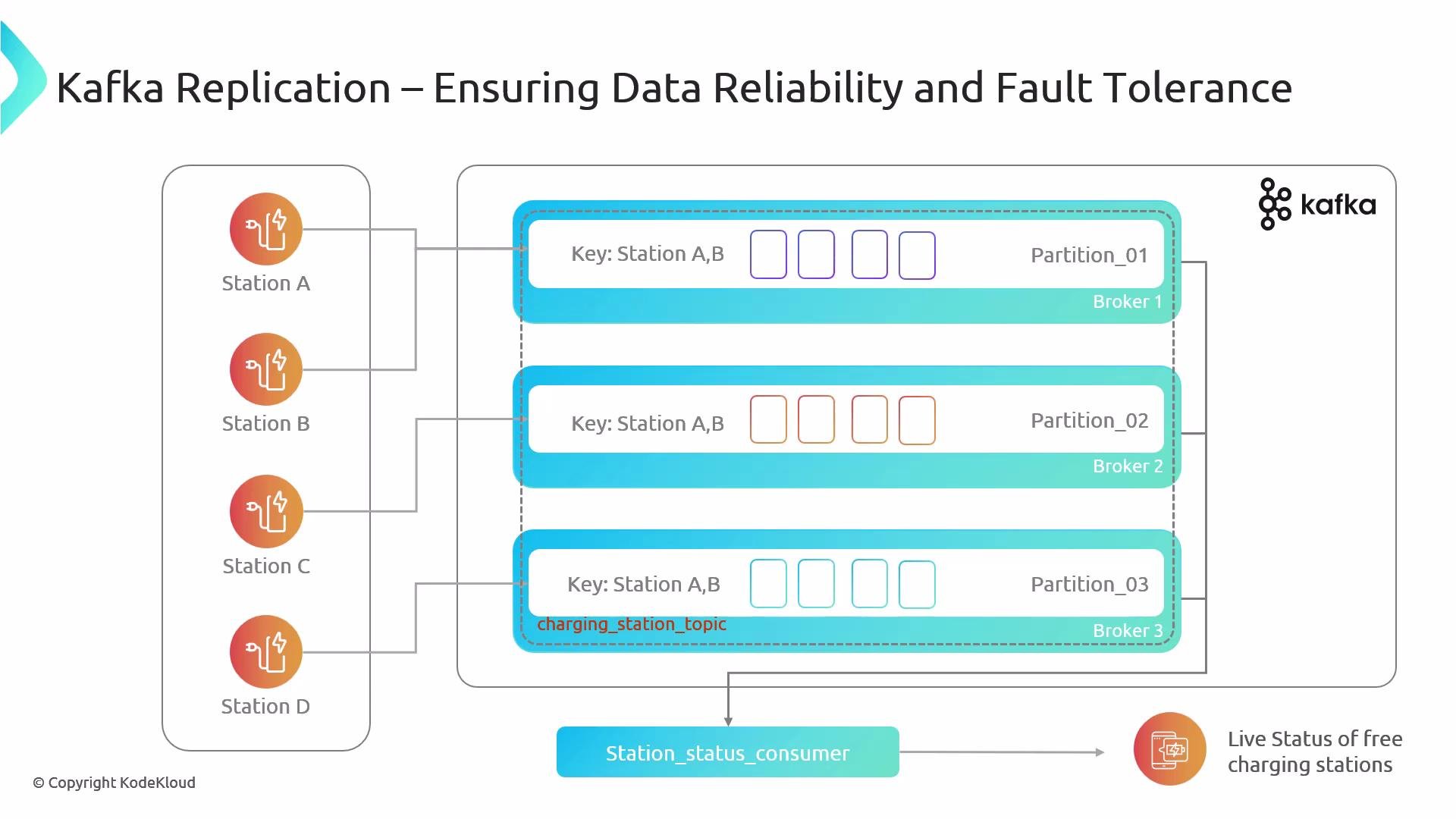 Assume the topic has partitions 0, 1 and 2. What happens if a particular partition becomes unavailable because its leader broker fails? How does Kafka react when replication is enabled? We’ll explain that now.
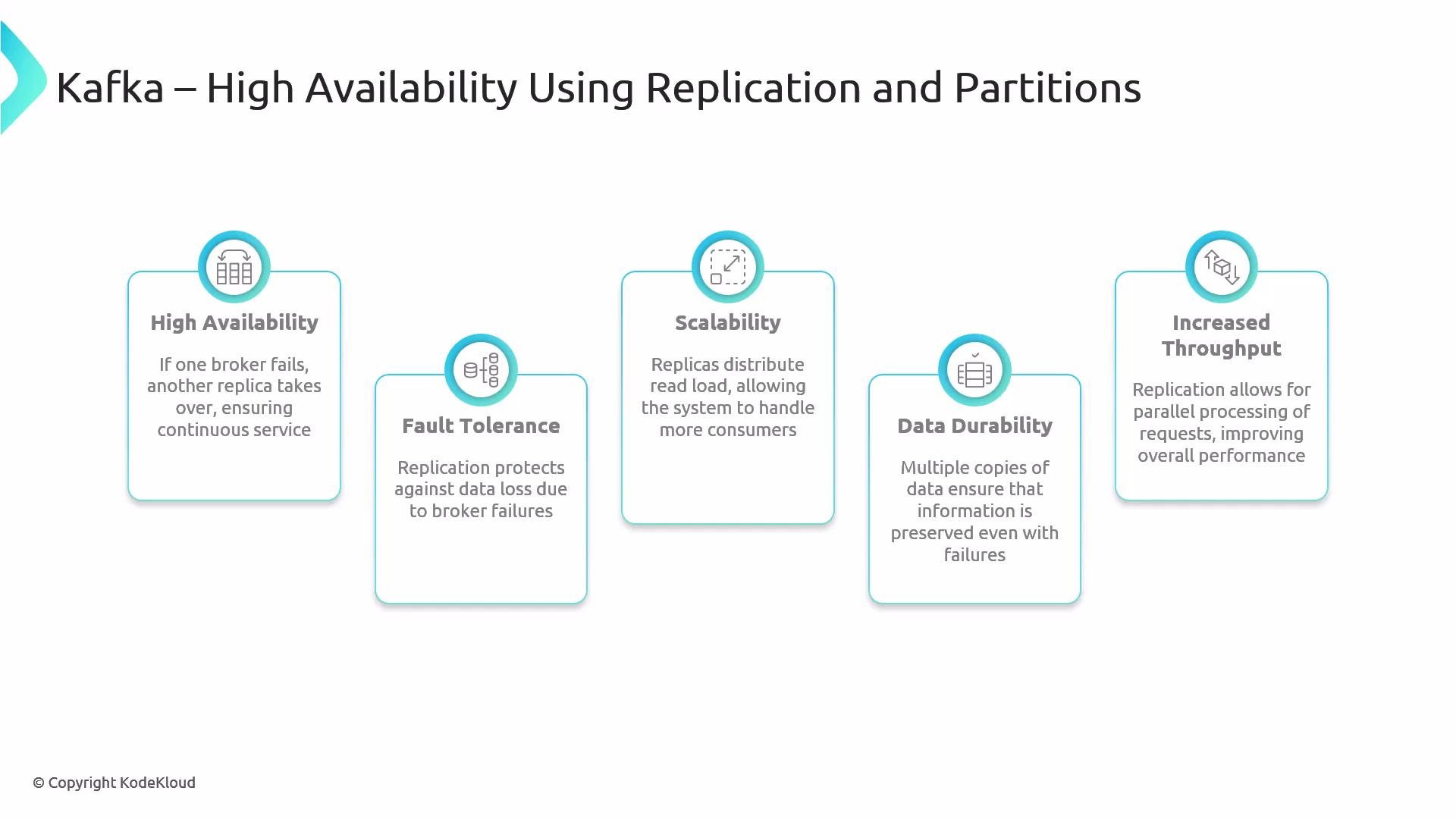
Why replication? High-level motivations:
* High availability: If a broker hosting a partition leader fails, another replica can be promoted to leader so producers and consumers can continue operating.
* Fault tolerance and durability: Multiple copies of each partition protect against data loss when brokers crash. Followers continuously replicate the leader’s log so data is preserved.
* Faster recovery: With replicas available, Kafka can quickly elect a new leader for a partition without data loss.
* Operational resilience: Replication factor and in-sync replica (ISR) management let you tune durability vs. availability.
* Read scalability (specific setups): Replication does not increase write throughput (writes hit the leader), but some deployments can serve reads from followers or reassign leaders for load balancing.
Replication best-practices at a glance:
| Setting | Purpose | Recommendation |
| ---------------------- | ------------------------------------- | ----------------------------------------------------------------------------- |
| Replication factor | Number of copies of each partition | `>= 2` for redundancy; `3` is common in production |
| In-Sync Replicas (ISR) | Eligible replicas for leader election | Ensure healthy ISR to avoid data loss during failover |
| Producer acks | Durability guarantee for writes | Use `acks=all` to wait for all ISR (strong durability) |
| Broker count | Fault tolerance | At least as many brokers as replication factor; avoid single point of failure |
Assume the topic has partitions 0, 1 and 2. What happens if a particular partition becomes unavailable because its leader broker fails? How does Kafka react when replication is enabled? We’ll explain that now.
Why replication? High-level motivations:
* High availability: If a broker hosting a partition leader fails, another replica can be promoted to leader so producers and consumers can continue operating.
* Fault tolerance and durability: Multiple copies of each partition protect against data loss when brokers crash. Followers continuously replicate the leader’s log so data is preserved.
* Faster recovery: With replicas available, Kafka can quickly elect a new leader for a partition without data loss.
* Operational resilience: Replication factor and in-sync replica (ISR) management let you tune durability vs. availability.
* Read scalability (specific setups): Replication does not increase write throughput (writes hit the leader), but some deployments can serve reads from followers or reassign leaders for load balancing.
Replication best-practices at a glance:
| Setting | Purpose | Recommendation |
| ---------------------- | ------------------------------------- | ----------------------------------------------------------------------------- |
| Replication factor | Number of copies of each partition | `>= 2` for redundancy; `3` is common in production |
| In-Sync Replicas (ISR) | Eligible replicas for leader election | Ensure healthy ISR to avoid data loss during failover |
| Producer acks | Durability guarantee for writes | Use `acks=all` to wait for all ISR (strong durability) |
| Broker count | Fault tolerance | At least as many brokers as replication factor; avoid single point of failure |
 Concrete example
Suppose a topic has partitions 0 and 1, and the replication factor is set to 3. Each partition has one leader and two follower replicas spread across three brokers. For example, partition 1’s leader might be on broker 1, and its followers on broker 2 and broker 3.
Write flow:
1. A producer sends a record for partition 1 to its leader (broker 1).
2. The leader appends the record to its local log.
3. Followers (broker 2 and broker 3) replicate the leader’s log segments.
This replication factor of 3 means there are three copies of the partition’s data across the cluster.
Example: creating a topic with two partitions and replication factor of 3 (CLI)
```bash theme={null}
kafka-topics.sh --create \
--topic station-metrics \
--partitions 2 \
--replication-factor 3 \
--bootstrap-server broker1:9092
```
Producer durability example (client configuration)
```properties theme={null}
# Strong durability: write acknowledged when all in-sync replicas have the record
acks=all
# Optional: wait for leader to fully commit to disk
# linger.ms and batch.size tune throughput/latency tradeoffs
```
Failure scenarios:
* If broker 3 (a follower) goes down, the cluster loses one replica but still has leader + another follower. Producers and consumers continue normally; the controller can later replicate data to restore the desired replica count.
* If broker 1 (the leader for partition 1) fails, Kafka elects a new leader from the in-sync replicas (for example, broker 2) so producers and consumers resume interaction with the new leader. Leader election is automatic (subject to cluster configuration), minimizing downtime.
In Kafka, each partition has one leader and one or more follower replicas. Producers and consumers interact with the leader. Followers replicate the leader’s log and can be promoted to leader if the current leader fails. The replication factor controls how many copies of each partition exist.
Operational notes and tuning tips:
* Replication factor: Set to at least 2; 3 is typical to withstand one broker plus maintenance operations. Higher values increase durability but use more storage.
* ISR (in-sync replica) management: Only replicas sufficiently up-to-date are eligible for leader election. Monitor ISR sizes and set appropriate `min.insync.replicas` if you need stronger durability guarantees.
* Producer acknowledgements:
* `acks=0`: Very low latency, no durability guarantee.
* `acks=1`: Leader acknowledged; risk if leader fails before replication.
* `acks=all`: Waits for all in-sync replicas — strongest durability, higher latency.
* Monitoring: Track replica lag, ISR changes, and controller health to detect and mitigate replication issues early.
* Rebalancing & reassignment: Use automated tools or `kafka-reassign-partitions.sh` to restore replication factor after failures or to rebalance replicas across brokers.
Replication summary
* Partitioning provides parallelism and distributes data across brokers.
* Replication keeps copies of partitions across brokers for durability, fault tolerance, and high availability.
* Together, partitioning and replication make Kafka resilient and suitable for production-grade event streaming.
Further reading and references:
* Apache Kafka Documentation — Replication: [https://kafka.apache.org/documentation/#replication](https://kafka.apache.org/documentation/#replication)
* Kafka Producer Configuration — acks: [https://kafka.apache.org/documentation/#producerconfigs\_acks](https://kafka.apache.org/documentation/#producerconfigs_acks)
* Kafka Topic Management — kafka-topics CLI: [https://kafka.apache.org/documentation/#basic\_ops](https://kafka.apache.org/documentation/#basic_ops)
That’s it for this lesson.
Concrete example
Suppose a topic has partitions 0 and 1, and the replication factor is set to 3. Each partition has one leader and two follower replicas spread across three brokers. For example, partition 1’s leader might be on broker 1, and its followers on broker 2 and broker 3.
Write flow:
1. A producer sends a record for partition 1 to its leader (broker 1).
2. The leader appends the record to its local log.
3. Followers (broker 2 and broker 3) replicate the leader’s log segments.
This replication factor of 3 means there are three copies of the partition’s data across the cluster.
Example: creating a topic with two partitions and replication factor of 3 (CLI)
```bash theme={null}
kafka-topics.sh --create \
--topic station-metrics \
--partitions 2 \
--replication-factor 3 \
--bootstrap-server broker1:9092
```
Producer durability example (client configuration)
```properties theme={null}
# Strong durability: write acknowledged when all in-sync replicas have the record
acks=all
# Optional: wait for leader to fully commit to disk
# linger.ms and batch.size tune throughput/latency tradeoffs
```
Failure scenarios:
* If broker 3 (a follower) goes down, the cluster loses one replica but still has leader + another follower. Producers and consumers continue normally; the controller can later replicate data to restore the desired replica count.
* If broker 1 (the leader for partition 1) fails, Kafka elects a new leader from the in-sync replicas (for example, broker 2) so producers and consumers resume interaction with the new leader. Leader election is automatic (subject to cluster configuration), minimizing downtime.
In Kafka, each partition has one leader and one or more follower replicas. Producers and consumers interact with the leader. Followers replicate the leader’s log and can be promoted to leader if the current leader fails. The replication factor controls how many copies of each partition exist.
Operational notes and tuning tips:
* Replication factor: Set to at least 2; 3 is typical to withstand one broker plus maintenance operations. Higher values increase durability but use more storage.
* ISR (in-sync replica) management: Only replicas sufficiently up-to-date are eligible for leader election. Monitor ISR sizes and set appropriate `min.insync.replicas` if you need stronger durability guarantees.
* Producer acknowledgements:
* `acks=0`: Very low latency, no durability guarantee.
* `acks=1`: Leader acknowledged; risk if leader fails before replication.
* `acks=all`: Waits for all in-sync replicas — strongest durability, higher latency.
* Monitoring: Track replica lag, ISR changes, and controller health to detect and mitigate replication issues early.
* Rebalancing & reassignment: Use automated tools or `kafka-reassign-partitions.sh` to restore replication factor after failures or to rebalance replicas across brokers.
Replication summary
* Partitioning provides parallelism and distributes data across brokers.
* Replication keeps copies of partitions across brokers for durability, fault tolerance, and high availability.
* Together, partitioning and replication make Kafka resilient and suitable for production-grade event streaming.
Further reading and references:
* Apache Kafka Documentation — Replication: [https://kafka.apache.org/documentation/#replication](https://kafka.apache.org/documentation/#replication)
* Kafka Producer Configuration — acks: [https://kafka.apache.org/documentation/#producerconfigs\_acks](https://kafka.apache.org/documentation/#producerconfigs_acks)
* Kafka Topic Management — kafka-topics CLI: [https://kafka.apache.org/documentation/#basic\_ops](https://kafka.apache.org/documentation/#basic_ops)
That’s it for this lesson.